Instagram for Small Businesses: Simple Hacks to Grow Faster and Get More Customers
If you’re running a small business, you’ve probably heard this a lot.
“You need to be on Instagram.”
But no one really explains what that means or how to make it work.
Instagram can do a lot. It can help you build awareness, connect with your audience, and even drive sales. But only if you use it the right way. Posting random photos and hoping for results won’t get you far.
The good news? You don’t need to overcomplicate it.
In this guide, we’ll break down how you can use Instagram for business the right way and effectively grow your business. These are simple strategies and ideas you can start using right away.
Table of Contents
- 1 Why Instagram Is a Smart Move for Small Businesses
- 2 How to Create a Perfect Instagram Profile for Small Businesses? (Important Factors to Consider)
- 2.1 1. Choose the Right Account Type for Your Business
- 2.2 2. Set Up Your Profile with the Right Details
- 2.3 3. Write a Bio That Grabs Attention
- 2.4 4. Use a Profile Picture People Recognize
- 2.5 5. Keep Your Branding Consistent
- 2.6 6. Make the Most of Your Link in Bio
- 2.7 7. Add Clear Contact Information
- 2.8 8. Use Action Buttons to Drive Results
- 2.9 9. Use Story Highlights to Showcase What Matters
- 2.10 10. Use Location Tags to Get Discovered
- 2.11 11. Use Guides to Organize Your Best Content
- 2.12 12. Write Captions That Actually Hold Attention
- 2.13 13. Use Instagram Live to Build Real Connections
- 3 12 Proven Hacks to Grow Your Instagram for Small Businesses
- 3.1 #1: Partner with the Right Creators
- 3.2 #2: Run Giveaways That Spark Action
- 3.3 #3: Use Hashtags with Intention (Not Just Volume)
- 3.4 #4: Use Instagram Ads to Reach the Right People
- 3.5 #5: Bring Your Existing Audience Over to Instagram
- 3.6 #6: Pay Attention to What’s Actually Working
- 3.7 #7: Engage Like a Human, Not a Brand
- 3.8 #8: Try Account Takeovers for Fast Exposure
- 3.9 #9: Use Direct Messages to Build Real Relationships
- 3.10 #10: Experiment with Different Content Formats
- 3.11 #11: Stay Consistent with Your Posting
- 3.12 #12: Use Scheduling to Stay Ahead
- 4 How OnlySocial Can Help You Maximize Instagram for Small Business
- 5 Final Note
- 6 Frequently Asked Questions
Why Instagram Is a Smart Move for Small Businesses

If you’re running a small business, attention is everything. And Instagram gives you access to a lot of it.
We’re talking about a platform with over a billion users, where people don’t just scroll for fun. They discover brands, explore products, and make buying decisions.
In fact, a large percentage of users follow at least one business, and many are more likely to trust or engage with a brand after seeing it on Instagram.
That’s a big opportunity.
Your customers are already there
You don’t need to convince people to use Instagram. They’re already on it. Actively.
They follow brands, watch product demos, save posts, and share content with friends. For a small business, this means you can get in front of potential customers without needing a massive marketing budget.
It’s built for visual selling
Instagram is all about visuals. Photos, videos, Reels, Stories. This makes it perfect for showing what you offer instead of just talking about it. Whether it’s a product, a service, or even your process, you can bring it to life in a way that’s easy to understand and hard to ignore.
And when people can see it, they’re more likely to trust it.
You get tools designed for growth
Instagram isn’t just a posting app anymore. It comes with built-in features that help businesses grow:
- Business profiles with insights
- Instagram Shops for selling directly
- Creator tools for content-focused brands
- Ads that let you target specific audiences
You can start simple, then scale as you grow.
You can reach the right people (not just more people)
One of the biggest advantages is targeting. With Instagram ads, you can choose exactly who sees your content based on interests, location, behavior, and more. That means your posts aren’t just reaching random users. They’re reaching people who are more likely to care about what you offer.
It’s not just about visibility
Instagram helps you do more than get seen. It helps you:
- Build trust
- Create a community
- Stay top of mind
- Turn followers into customers
And for a small business, that combination is powerful.
So, you can see that if you use it well, Instagram isn’t just another platform. It can become a steady source of attention, engagement, and sales.
How to Create a Perfect Instagram Profile for Small Businesses? (Important Factors to Consider)
Before you start posting, get your profile right.
A well-set-up profile makes everything else easier. It helps people understand your business, trust what you offer, and take action faster.
So, let’s talk about some things that matter very much when thinking of using Instagram for small business.
1. Choose the Right Account Type for Your Business
Not all Instagram accounts are the same. If you’re using Instagram for business, you need to pick the setup that actually supports your goals.
Here’s a quick breakdown:
- Personal account – basic use, no insights or business tools
- Business account – access to analytics, ads, and contact features
- Creator account – great for personal brands and content-driven businesses
For most small businesses, a business account is the best choice. It gives you access to performance data, so you can see what’s working and what’s not. That makes it easier to plan your content and improve over time.
If you sell products, you can also use Instagram Shop to showcase your items and let people buy directly from your profile.
And when you’re ready to grow faster, Instagram ads let you reach people who are already interested in what you offer.
2. Set Up Your Profile with the Right Details
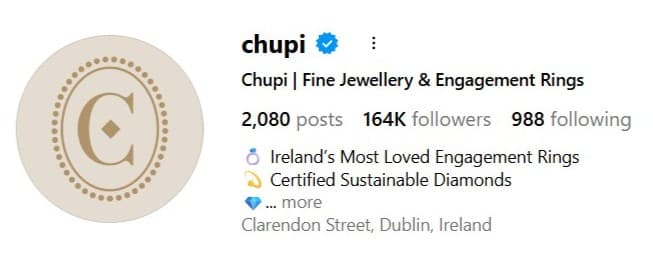
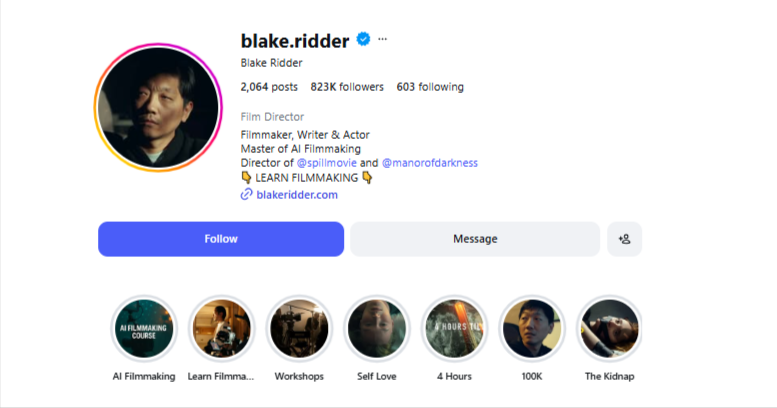
Once you’ve chosen your account type, the next step is filling in your profile properly. This is where people go to learn about your business. So it needs to be clear and complete.
Make sure you:
- Add a clean profile picture (your logo or brand image works best)
- Write a simple bio that explains what you do
- Include a link to your website, store, or booking page
- Add contact options if relevant
Think of your profile as your digital storefront. If someone lands there for the first time, they should instantly understand who you are, what you offer, and what to do next.
3. Write a Bio That Grabs Attention
You’ve got limited space. About 150 characters. That means every word has to earn its place.
Your bio should quickly tell people what you do, who you help, and why they should care. No fluff. No long explanations.
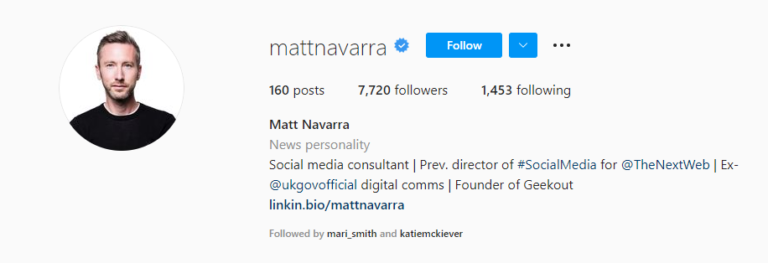
Here’s how to make it work:
- Keep it short and clear. People scan, they don’t read
- Add a simple call-to-action like “Shop now” or “Book a call”
- Use emojis to save space and add personality
- Break your text into small lines so it’s easy to read
4. Use a Profile Picture People Recognize
Your profile picture is your identity on Instagram. For most small businesses, that means one thing. Your logo.
It helps people recognize you instantly, especially when they see your content in their feed or search results. A few quick tips that could help include:
- Use a clean, high-quality image (around 320 x 320 pixels works well)
- Keep important details centered so nothing gets cropped
- Make sure it looks good in a circular frame
- Use the same image across all platforms for consistency
5. Keep Your Branding Consistent
Your profile shouldn’t feel random. When someone lands on your page, everything should feel connected. Your profile picture, colors, tone, and overall look should match.
This doesn’t mean everything has to look identical. It just needs to feel like it belongs to the same brand.
When you manage to maintain consistency on your page, you will be helping people to recognize your content faster, remember your brand, and take you more seriously.
If your branding changes every few posts, it becomes harder to build that connection.
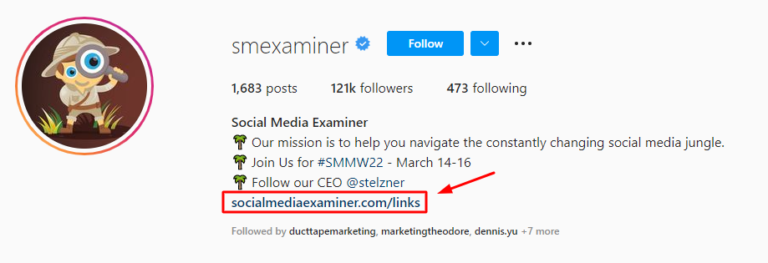
6. Make the Most of Your Link in Bio
You only get one clickable link. So don’t waste it.
Use your bio link to send people where you actually want them to go – whether it’s your website, a product page, a booking page, a current offer, or a campaign.
If you have multiple things to share, use a link-in-bio tool to organize them in one place and update it regularly.
Your link should always match your current focus. If you’re running a promotion, your link should lead there. Simple as that.
7. Add Clear Contact Information
Don’t make people guess how to reach you. If someone is interested in your business, they should be able to contact you in seconds. Instagram makes this easy with built-in contact buttons.
Set up:
- A business email address
- A phone number (if relevant)
- Your location or address
Once added, Instagram creates quick-action buttons like Call, Email, or Get Directions on your profile. This removes friction. And the easier it is to contact you, the more likely people will.
8. Use Action Buttons to Drive Results
Instagram isn’t just for browsing. It’s built to help people take action.
With a business account, you can add action buttons like ‘Book an appointment,’ ‘Reserve a spot,’ or ‘Order services.
These connect with Instagram’s partner tools and allow people to act directly from your profile. Instead of just looking at your page, they can take the next step immediately.
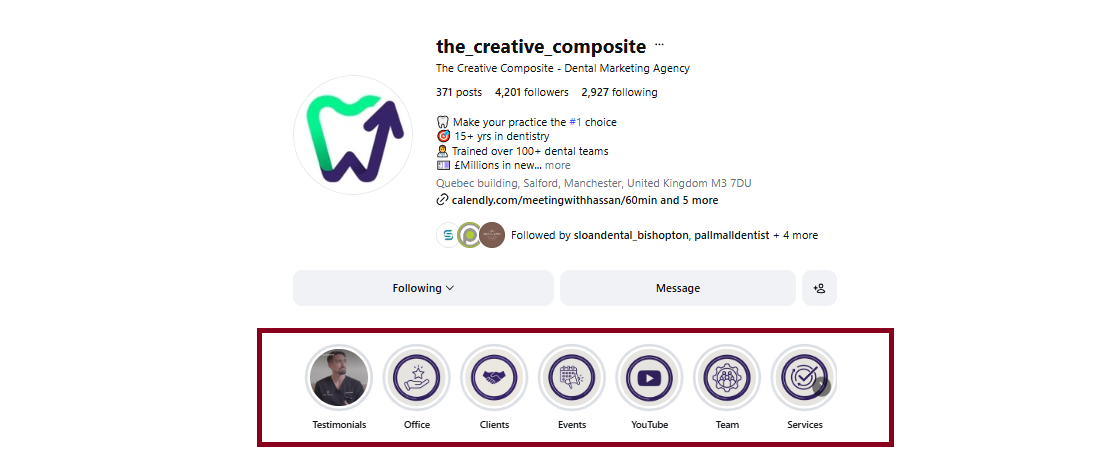
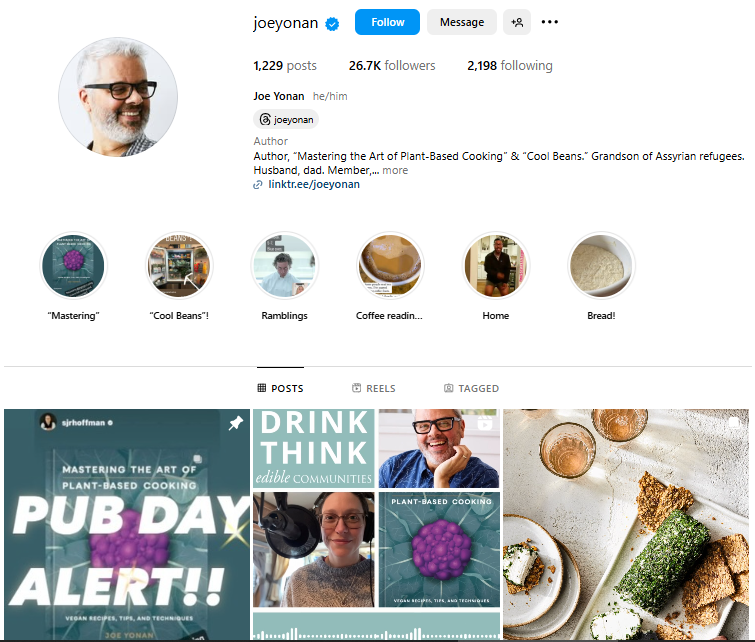
9. Use Story Highlights to Showcase What Matters
Stories disappear. Highlights don’t.
Highlights sit right below your bio and give you a chance to organize your best content in one place. Use them to show products or services, customer reviews, FAQs, or behind-the-scenes content.
Add simple cover icons to keep things clean and easy to navigate. When someone visits your profile, Highlights help them understand your brand faster.
10. Use Location Tags to Get Discovered
If your business serves a specific area, this is important.
Instagram allows you to tag locations in your posts. That means your content can show up when people search for posts in that area. For example:
- A café can tag its city or neighborhood
- A service business can tag client locations
- A store can tag its physical location
This helps you appear in local searches, not just hashtag searches. And for small businesses, local visibility often leads to real customers.
11. Use Guides to Organize Your Best Content
Think of Guides as mini blog posts inside Instagram. They let you group multiple posts into one clean, scrollable piece of content. Perfect for showcasing products, sharing tips, or highlighting key information in one place.
For example, you can create Guides for:
- “Top Products to Try”
- “Beginner Tips”
- “Customer Favourites”
Each post inside a Guide can include a short description, which helps you add context and tell a bigger story. It’s a simple way to make your content easier to explore.
12. Write Captions That Actually Hold Attention
A good post can get noticed. A strong caption keeps people there.
Your caption should explain what your post is about, but more importantly, it should give people a reason to care. Tell a quick story. Share a tip. Add context that makes the content more meaningful.
A few things to keep in mind:
- Keep it clear and easy to read
- Use keywords so your post can appear in search
- Add a simple prompt to encourage engagement
The goal is simple. Don’t just post. Give people something to connect with.
View this post on Instagram
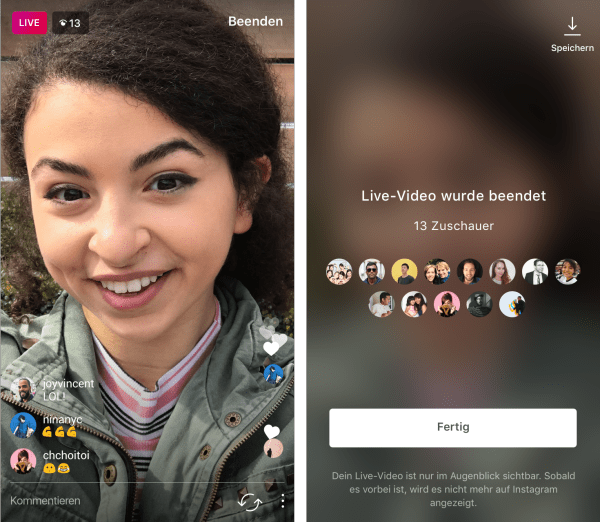
13. Use Instagram Live to Build Real Connections
If you want to boost engagement, go live.
Instagram Live is one of the easiest ways to interact with your audience in real time. And the best part? Your followers get notified when you start, which helps bring people into your stream instantly.
You can use Live to launch or showcase products, answer questions, or share updates or behind-the-scenes moments. It feels more personal. More direct. And that’s what builds trust.
For small businesses, that kind of connection can make a big difference.
12 Proven Hacks to Grow Your Instagram for Small Businesses
#1: Partner with the Right Creators
If you want faster reach, borrow attention.
Working with creators (influencers) puts your business in front of people who already trust someone else. And that trust transfers quickly when the collaboration feels natural.
The key is fit.
Don’t chase the biggest follower count. Look for creators whose audience matches yours. Someone who already speaks to the kind of people you want to attract. When the alignment is right, the promotion doesn’t feel forced. It feels like a recommendation.
You can also use Instagram’s collaborative posts feature, where one post appears on both accounts. That way, you’re not just getting exposure. You’re sharing audiences.
#2: Run Giveaways That Spark Action
Giveaways still work. But only when they’re done right.
People love the idea of getting something for free. It creates excitement and a reason to engage. That’s why giveaways can quickly boost your visibility and bring in new followers.
But the goal isn’t just numbers.
View this post on Instagram
Structure your giveaway so it attracts the right audience. Ask people to follow, engage, or tag others who would actually be interested in your product or service. That way, you’re not just growing. You’re growing with people who are likely to stick around.
Keep it simple. Keep it relevant. And make the reward worth it.
Hashtags still help. But they’re not what they used to be.
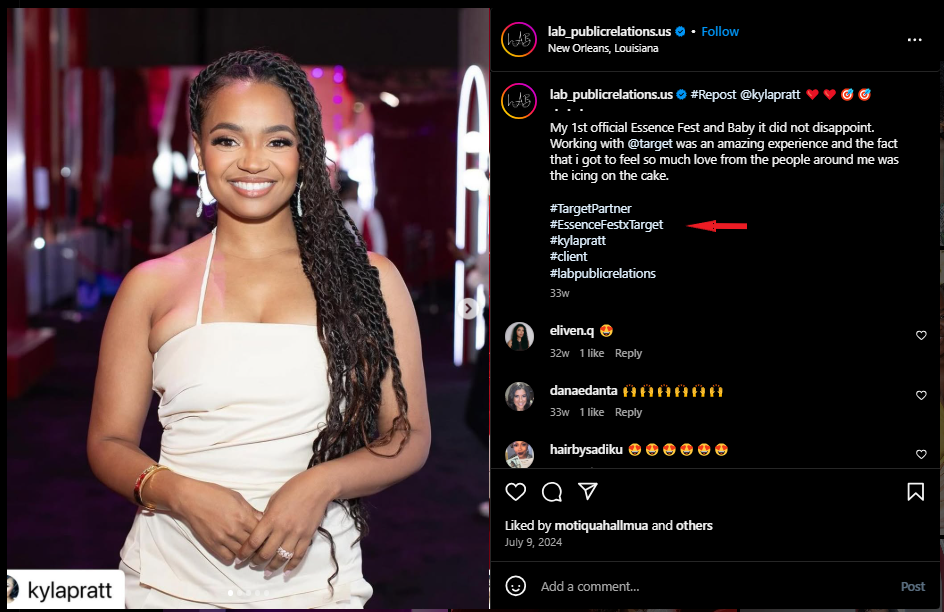
You don’t need to fill your caption with dozens of random tags. What matters now is relevance. The right hashtags help Instagram understand your content and show it to the right people.
Think of them as signals.
Use a mix of:
- Niche-specific tags that describe your content
- Location-based tags if your business is local
- Branded tags that people can associate with you
And most importantly, make sure they match what your post is actually about.
Instagram hashtags won’t save weak content. But when used properly, they can help good content reach further.
#4: Use Instagram Ads to Reach the Right People
Organic reach is great. But ads help you move faster.
Instagram gives you different ways to promote your content, from feed posts to Stories and Reels. The real advantage is targeting. You can choose exactly who sees your content based on interests, location, age, and behavior.
That means you’re not just posting and hoping.
If you’re just starting out, focus on awareness. Get your name in front of as many relevant people as possible. If you’re selling, switch to conversion-focused campaigns and target people more likely to take action.
#5: Bring Your Existing Audience Over to Instagram
If you’re already active on other platforms, don’t start from zero. Use what you already have.
Let your audience know you’re on Instagram and give them a reason to follow you there. Tell them what kind of content they’ll get. Behind-the-scenes, tips, offers. Something they won’t find elsewhere.
You can also:
- Add your Instagram link to your website
- Include it in your email signature
- Mention it in your other social content
The goal is to turn your existing audience into Instagram followers.
#6: Pay Attention to What’s Actually Working
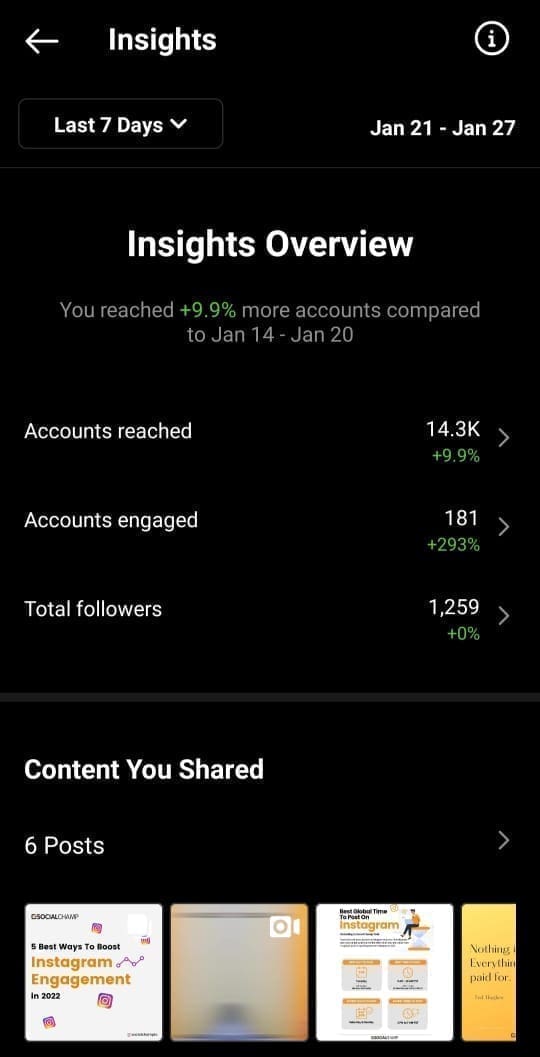
Posting without checking results is guesswork. Instagram’s Insights show you exactly how your content performs. You can see which posts get the most reach, engagement, and follows. You can also see when your audience is most active.
This helps you make better decisions.
Instead of posting randomly, you start to notice patterns. What works. What doesn’t.
What your audience responds to. And once you see that, you can double down on it.
#7: Engage Like a Human, Not a Brand
People don’t connect with logos. They connect with responses.
If someone comments on your post, reply. If they mention you, acknowledge it. These small interactions build trust and make your brand feel more real.
Over time, this creates something bigger.
A community.
And when people feel connected to your brand, they’re more likely to support it, recommend it, and stick around.
#8: Try Account Takeovers for Fast Exposure
If you want a quick spike in attention, bring someone new into your space.
Account takeovers work like this. A creator or influencer runs your Instagram for a short period. They create content, engage your audience, and bring their own followers along with them.
It works because it feels different.
You’re not just posting your usual content. You’re introducing a new voice, a new perspective, and a reason for people to pay attention. And since the creator also promotes the takeover to their audience, you get exposure beyond your existing followers.
Done right, this can bring in a wave of new people in a short time.
#9: Use Direct Messages to Build Real Relationships
Growth isn’t just about reach. It’s about connection.
One of the easiest ways to build that connection is through direct messages. When you reply to messages, check in with customers, or even start conversations, it makes your brand feel more human.
People notice that.
Instead of feeling like just another follower, they feel seen. And that’s what turns casual followers into loyal customers.
If managing messages starts to feel overwhelming, social media management tools like OnlySocial can help you keep everything organized in one place so nothing slips through.
#10: Experiment with Different Content Formats
Instagram isn’t just about photos anymore. There are multiple ways to show your content, and each one works differently. The more you experiment, the more you learn what your audience responds to.
For example:
- Carousels work well for storytelling or showcasing products
- Reels help you reach new audiences
- Stories keep you visible daily
- Live sessions build real-time interaction
You don’t need to use everything at once. Start with a few formats and test what works best for your business.
View this post on Instagram
#11: Stay Consistent with Your Posting
This is where most people struggle. They post for a few days, then disappear.
Consistency is what keeps your brand visible. It reminds your audience that you’re active and worth paying attention to. Without it, even good content gets forgotten.
You don’t need to post all day.
But you do need a steady rhythm. Something your audience can rely on.
#12: Use Scheduling to Stay Ahead
Posting every day manually isn’t realistic.
That’s why planning ahead matters.
When you create content in batches and schedule it in advance, you remove the daily pressure of “what do I post today?” Your content goes out on time, even when you’re busy running your business.
Tools like OnlySocial make this easier by letting you schedule posts, plan your content calendar, and even upload multiple posts at once.
So instead of reacting every day, you’re working with a system. And that’s what keeps your growth steady.
How OnlySocial Can Help You Maximize Instagram for Small Business
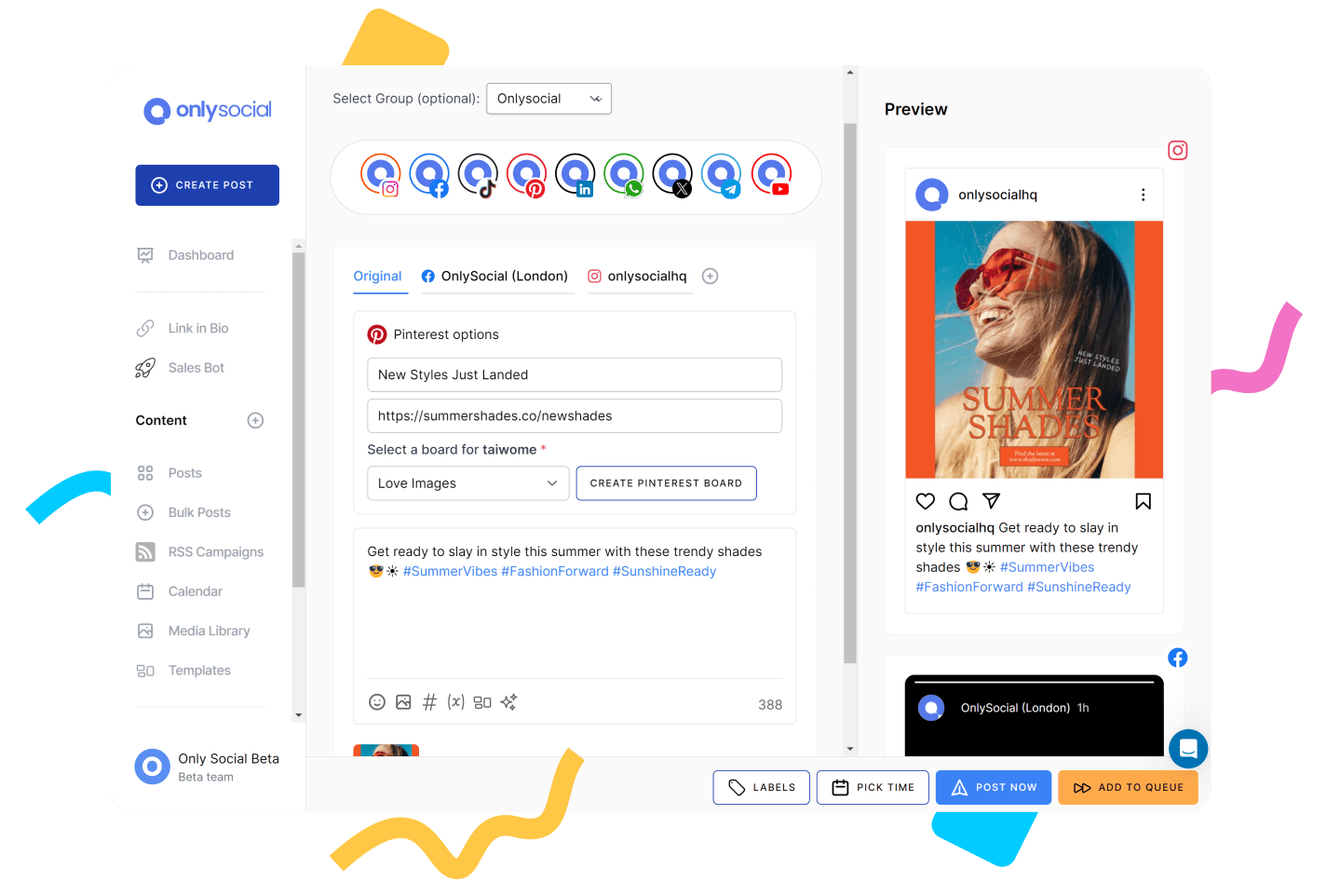
Running Instagram for your business is one thing. Keeping it consistent and strategic is another.
OnlySocial helps you simplify the process and stay on track without the daily stress.
Here’s how it supports your growth:
- Schedule posts in advance: Plan your content days or weeks ahead so you’re not scrambling to post every day
- Bulk upload content: Add multiple posts at once and save hours of manual work
- Manage multiple accounts easily: Handle different brands or pages from one dashboard without switching back and forth
- AI-powered captions and hashtags: Get quick suggestions that help your posts reach the right audience
- Content calendar for better planning: See your entire posting schedule at a glance and stay organized
- Cross-post across platforms: Share your content on Instagram, Facebook, and more without extra effort
- Track performance with analytics: See what’s working and adjust your strategy based on real data
- Stay consistent without burnout: Keep your feed active even when you’re busy running your business
Final Note
Instagram can do a lot for a small business. But only if you treat it like a system, not a guessing game.
You don’t need to try everything at once. Start with the basics. Set up your profile properly. Show up consistently. Pay attention to what works. Then build from there.
Over time, those small actions compound.
And if you want to make things easier, tools like OnlySocial help you stay consistent without the daily pressure. So you’re not just posting. You’re growing with intention.
Frequently Asked Questions
Is Instagram really worth it for small businesses?
Yes, especially if your business benefits from visual content. Instagram helps you showcase your products or services, connect with your audience, and build trust over time.
How often should I post on Instagram?
You don’t need to post all day. Focus on consistency instead. Posting a few times a week is enough if you can maintain it. The key is to stay active so your audience doesn’t forget about you.
Do I need to run ads to grow on Instagram?
Not necessarily. You can grow organically by posting valuable content and engaging with your audience. Ads simply help you speed things up and reach more people faster.
What type of content works best for small businesses?
Content that is clear, helpful, and relatable. This could include product showcases, tutorials, behind-the-scenes content, customer reviews, and quick tips. The goal is to show value, not just promote.
Can I manage Instagram on my own, or do I need tools?
You can start on your own. But as your business grows, tools help you stay organized and consistent. Tools like OnlySocial make it easier to plan, schedule, and manage your content without stress.