Top 10 Hypefury Alternatives for Effective Social Media Management in 2026

Social media management has gone far beyond simply scheduling posts. In 2026, brands and creators want tools that can help them plan content, automate repetitive tasks, track performance, and manage engagement without turning the workflow into a headache.
That’s where tools like Hypefury became popular.
It’s known for helping creators automate posting and repurpose content, especially on X (Twitter). But as social media strategies become more multi-platform and team-focused, many users start running into limitations around collaboration, analytics, platform support, and overall flexibility.
The good news is there are plenty of strong alternatives out there.
In this guide, we’ll break down some of the best Hypefury alternatives out there that you can consider for smarter social media management in 2026.
Table of Contents
- 1 Why Many Users Move Beyond Hypefury
- 2 Top Hypefury Alternatives Worth Trying in 2026
- 3 1. OnlySocial
- 4 2. Buffer
- 5 3. Publer
- 6 4. Typefully
- 7 5. Hootsuite
- 8 6. Social Champ
- 9 7. CoSchedule
- 10 8. Sendible
- 11 9. Agorapulse
- 12 10. Later
- 13 How to Choose the Right Hypefury Alternative for Your Needs
- 14 Final Note
- 15 FAQs
Why Many Users Move Beyond Hypefury
Hypefury has built a strong reputation among creators, especially people focused on X (Twitter). Its automation tools and content repurposing features make it appealing for solo creators trying to stay consistent online.
But as workflows grow, many users start noticing a few limitations that push them toward more flexible alternatives.
Limited platform support
Hypefury works best for X.
It does support platforms like LinkedIn, Instagram, Facebook Pages, Threads, and TikTok, but the experience still feels heavily centered around Twitter-style workflows.
For creators and brands managing a broader social media strategy, that becomes restrictive. Many users eventually want support for platforms like YouTube, Pinterest, Bluesky, and Google Business Profile without needing separate tools for each one.
Analytics can feel too lightweight
Hypefury gives users basic growth tracking and engagement insights, which works fine for creators focused on personal growth. But businesses and agencies often need more than that.
They want:
- Detailed performance breakdowns
- Audience insights
- Campaign-level reporting
- Cross-platform analytics
- Custom reports for clients or teams
That’s where many alternatives start offering much more value.
Collaboration features are limited
Hypefury is clearly designed with solo creators in mind. For teams, agencies, or businesses managing multiple contributors, the workflow can quickly feel limiting.
Features like approval systems, role assignments, shared calendars, and collaborative editing are either basic or missing entirely.
As soon as content management becomes a team effort, many users begin looking for platforms with stronger collaboration tools.
The workflow can become too X-focused
This is probably the biggest reason people move away from Hypefury.
A lot of its features are designed around Twitter-style content automation and reposting workflows. That’s great if X is your main growth channel. But if your strategy relies equally on LinkedIn, Instagram, TikTok, or other platforms, the experience can start to feel unbalanced.
That’s why many creators and businesses eventually switch to alternatives built for broader social media management rather than single-platform growth.
Top Hypefury Alternatives Worth Trying in 2026
After testing a number of social media tools side by side, one thing became obvious pretty quickly: there’s no single platform that works perfectly for everyone. Some tools are better for creators. Some work better for agencies. Others focus more on automation, analytics, or collaboration.
But a few platforms stood out because they managed to balance usability, features, and pricing much better than Hypefury for day-to-day social media management. Here are the ones that impressed us the most.
1. OnlySocial
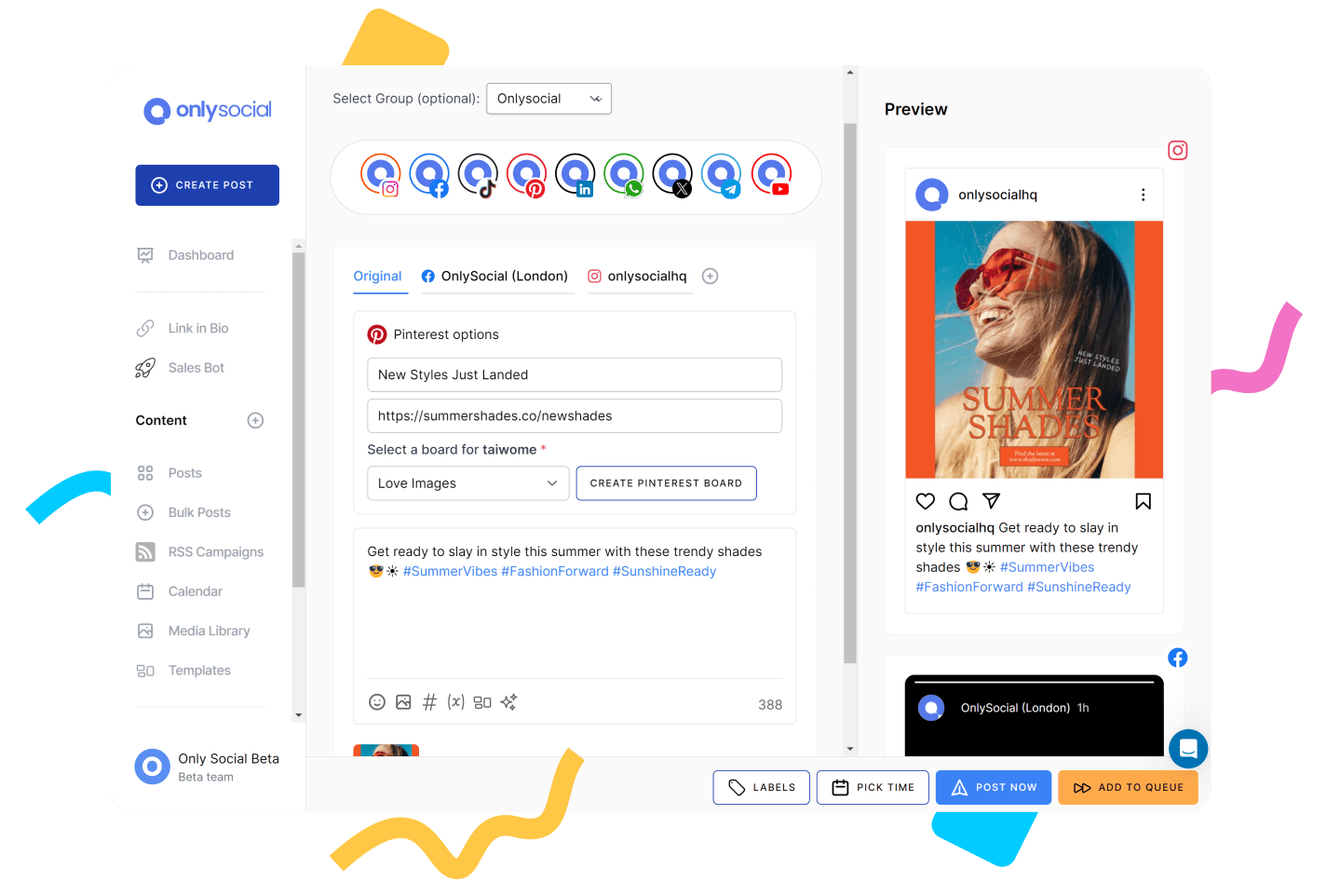
OnlySocial is an all-in-one social media management platform built for creators, businesses, and agencies that want a smoother way to manage content across multiple platforms.
What immediately stood out to us when testing OnlySocial was how balanced the platform feels. Unlike Hypefury, which leans heavily into X-focused automation, OnlySocial feels designed for modern multi-platform workflows from the start.
You can manage LinkedIn, Instagram, TikTok, Facebook, Threads, YouTube, Pinterest, Bluesky, Google Business Profile, and more without the experience feeling fragmented.
Key Features
Multi-platform scheduling that feels effortless
OnlySocial supports over 15 major social platforms from one dashboard. You can:
- Schedule posts
- Edit drafts
- Repurpose content
- Manage multiple brands
- Publish across platforms simultaneously
Compared to Hypefury, the workflow feels much broader and less dependent on Twitter-style automation.

Advanced scheduling and content planning
This is one area where OnlySocial genuinely impressed us. The platform includes:
- Drag-and-drop content calendars
- Bulk scheduling for hundreds of posts
- Evergreen content queues
- Campaign organization tools
- Multi-account scheduling
This makes planning content weeks ahead feel simple instead of overwhelming.
AI-powered content creation
OnlySocial includes built-in AI tools that help generate captions, hashtags, content ideas, and quality visuals. The AI features feel practical rather than gimmicky. They speed up content creation without making posts feel robotic.
One of the biggest upgrades compared to Hypefury is the inbox system.
OnlySocial lets you manage comments, messages, and conversations across platforms from one place, including WhatsApp Business support.
That makes community management much easier, especially for brands handling engagement across multiple channels.

Collaboration tools for teams and agencies
Unlike Hypefury, which is more creator-focused, OnlySocial works extremely well for teams.
You get:
- Approval workflows
- User roles
- Shared workspaces
- Collaboration features
- White-label support for agencies
Analytics and reporting
OnlySocial also offers deeper analytics than Hypefury in several areas. You can track engagement, reach, audience growth, campaign performance, and cross-platform analytics.
The reports are easy to understand and useful for both internal teams and client reporting.
Pricing
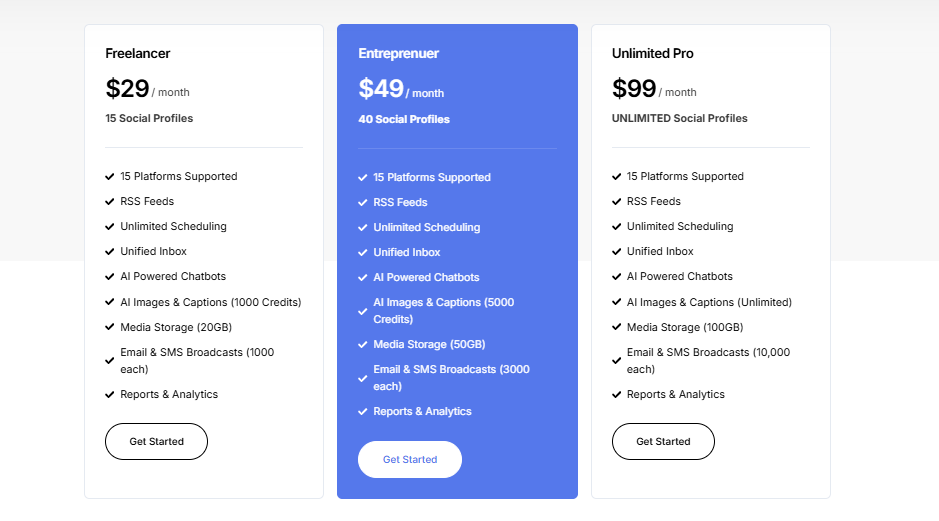
Freelancer — $29/month
- 15 social profiles
- Unlimited scheduling
- Unified inbox
- AI captions & images
- Reports & analytics
Entrepreneur — $49/month
- 40 social profiles
- More AI credits
- Increased storage and broadcasts
Unlimited Pro — $99/month
- Unlimited social profiles
- Unlimited AI features
- Full access to advanced tools
Compared to Hypefury, OnlySocial gives far more platform coverage and collaboration functionality for the price.
Pros of OnlySocial
- Excellent multi-platform support
- Strong scheduling tools
- AI features built into the workflow
- Unified inbox included
- Great for teams and agencies
- Much broader than Hypefury
Cons of OnlySocial
- Slightly more feature-heavy for creators who only use X
- No forever free plan
Hypefury works well for creators focused mainly on Twitter/X growth.
But if your social media strategy goes beyond one platform, OnlySocial feels like a much more complete solution. It combines scheduling, engagement, collaboration, analytics, and AI tools into one platform without making the workflow feel overly technical.
For creators, brands, and agencies managing content seriously in 2026, that balance makes a huge difference.
2. Buffer
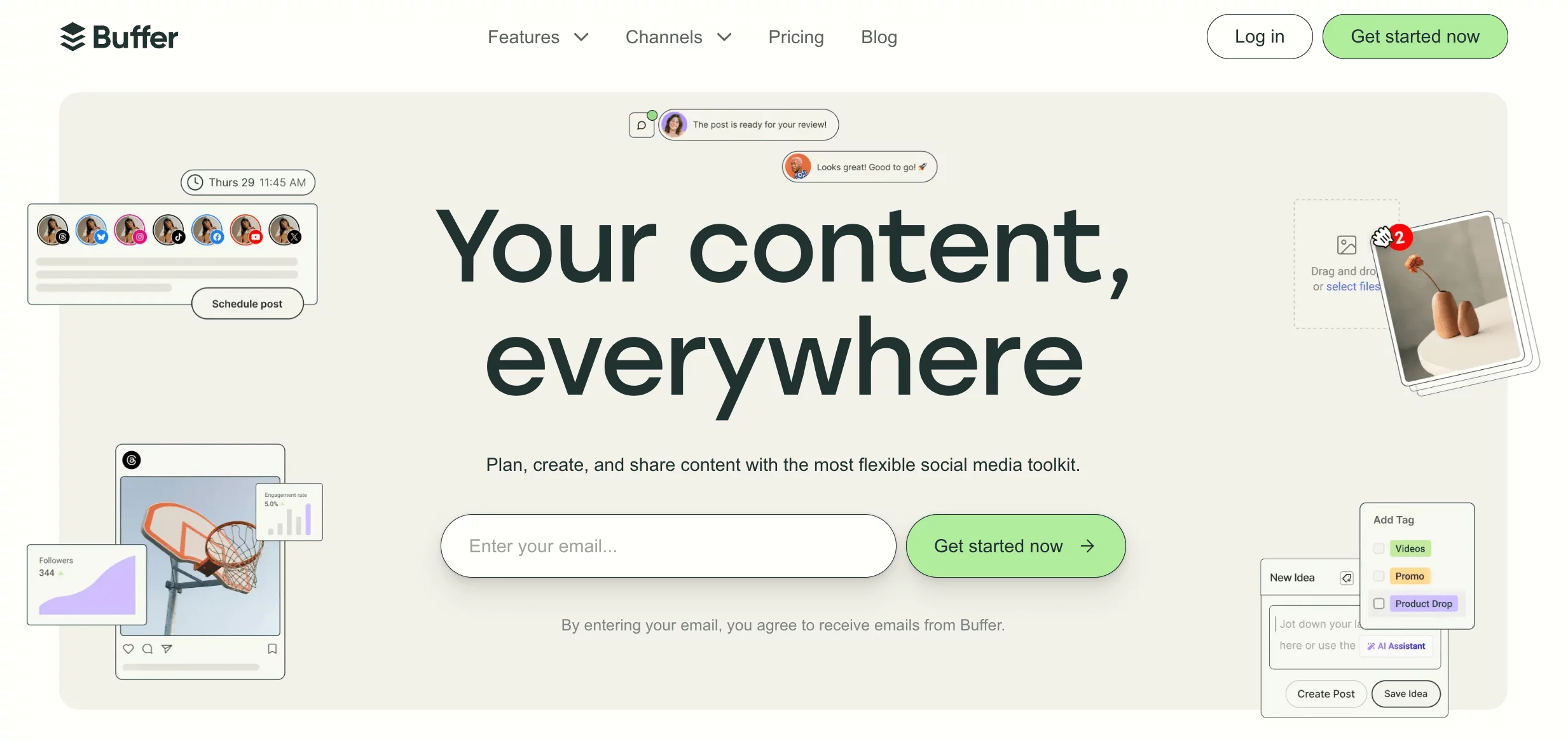
Buffer is one of the most well-known social media scheduling tools, especially among creators and small businesses looking for a simple and clean workflow.
After testing it alongside Hypefury, what stood out most was how easy it is to manage multiple platforms without the experience feeling cluttered. It’s much less focused on aggressive automation and more focused on helping users stay organized and consistent.
Key Features
- Multi-platform scheduling – Schedule content across LinkedIn, Instagram, Facebook, X, Threads, Mastodon, TikTok, and more.
- Content calendar and queues – Plan your posting schedule visually and automate recurring content.
- Engagement tools – Reply to comments and messages from supported platforms in one place.
- Analytics and reporting – Track engagement, reach, clicks, and post performance.
- Link-in-bio tools – Create custom landing pages to drive traffic from social profiles.
Pricing
- Free plan available
- Paid plans start at $5/channel/month
Pros
- Very easy to use
- Affordable pricing
- Great for creators and SMBs
- Good platform support
Cons
- Analytics are more basic than some competitors
- Collaboration features are lighter for larger teams
- Limited advanced automation compared to Hypefury
3. Publer
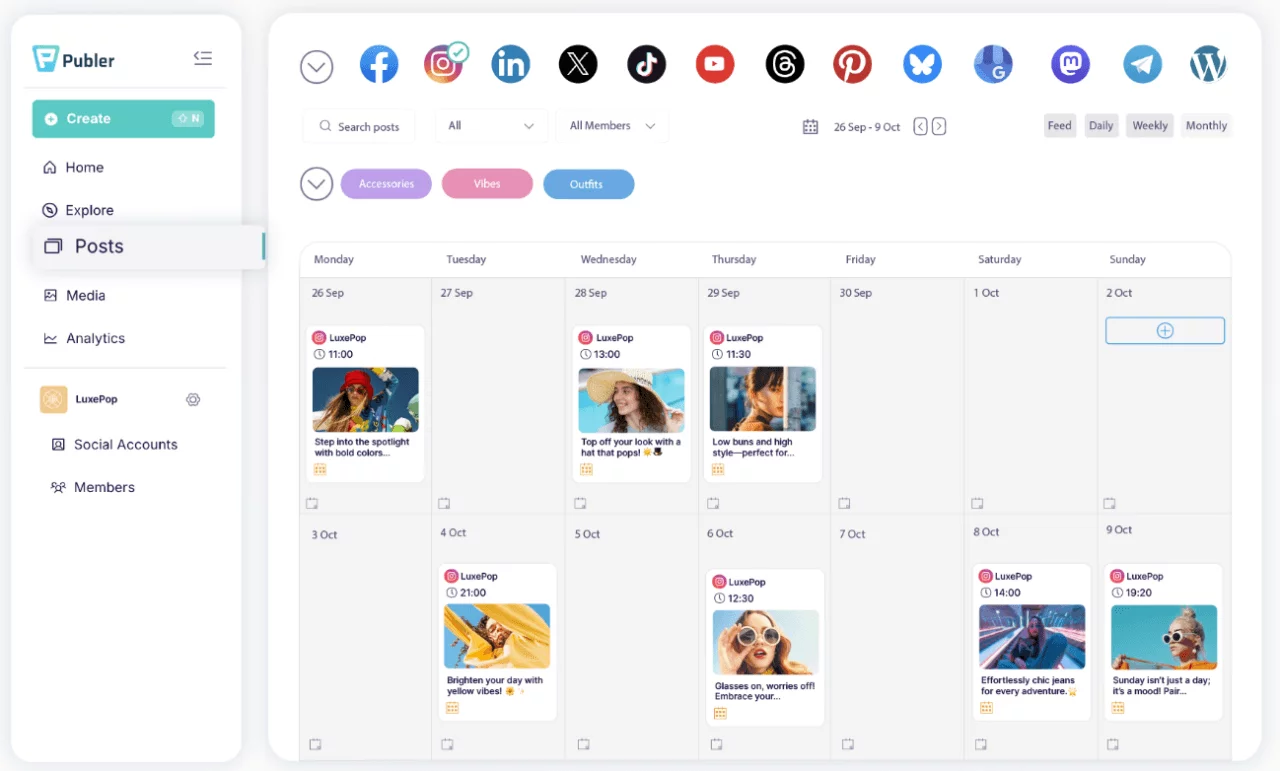
Publer is a surprisingly powerful scheduling and automation platform that works well for creators, businesses, and agencies managing content across several channels.
Compared to Hypefury, Publer feels more flexible with its publishing workflow. It gives you a lot of automation and repurposing features without becoming difficult to use.
Key Features
- Cross-platform publishing – Schedule content across LinkedIn, Facebook, Instagram, TikTok, X, Pinterest, YouTube, and more.
- Recurring post scheduling – Automatically recycle evergreen posts to keep content active.
- AI content assistant – Generate captions, rewrite posts, and repurpose content faster.
- Content discovery tools – Find trending content and manage RSS feeds directly inside the platform.
- Analytics and reporting – Track performance across platforms and monitor audience growth.
- WordPress integration – Publish blogs and repurpose them directly into social posts.
Pricing
- Free plan available
- Paid plans start at $4/month
Pros
- Excellent value for the price
- Strong scheduling and automation features
- Great content repurposing tools
- Broad platform support
Cons
- Pricing increases as you add more users and accounts
- Interface can feel busy at times
- Analytics are solid but not deeply advanced
4. Typefully
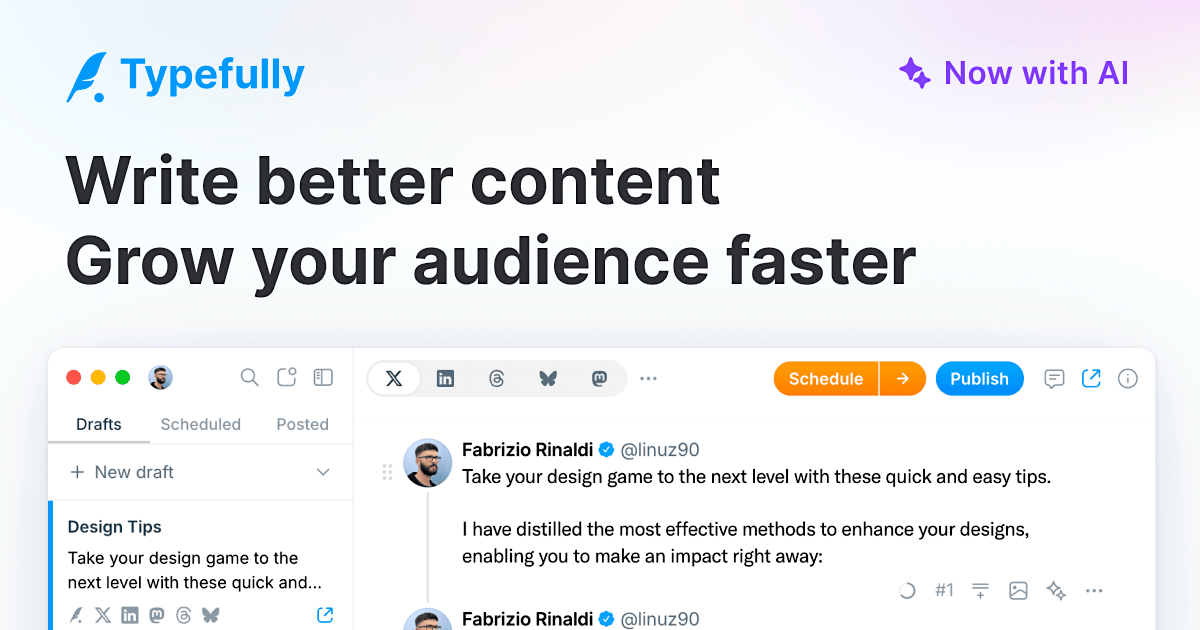
Typefully started as a writing and scheduling platform for X (Twitter), but it has grown into one of the best tools for creators managing text-heavy content across multiple platforms.
After testing it, the biggest thing we noticed was how enjoyable the writing experience feels. The interface is clean, fast, and distraction-free, which makes content creation much smoother than many heavier social media tools.
Key Features
- Cross-platform publishing – Publish to LinkedIn, X, Threads, Bluesky, and Mastodon from one place.
- Distraction-free writing editor – Designed specifically for creators who spend a lot of time writing posts.
- AI writing assistant – Helps expand ideas and improve drafts quickly.
- Post previews – Preview exactly how posts will appear before publishing.
- Team collaboration – Shared drafts and collaboration features for teams.
Pricing
- Free plan available
- Paid plans start at $12.50/month
Pros
- Excellent writing experience
- Great for creators posting on multiple text platforms
- Affordable pricing
- Very beginner-friendly
Cons
- Limited visual content tools
- Analytics are lighter than some competitors
- Less suited for large social teams
5. Hootsuite
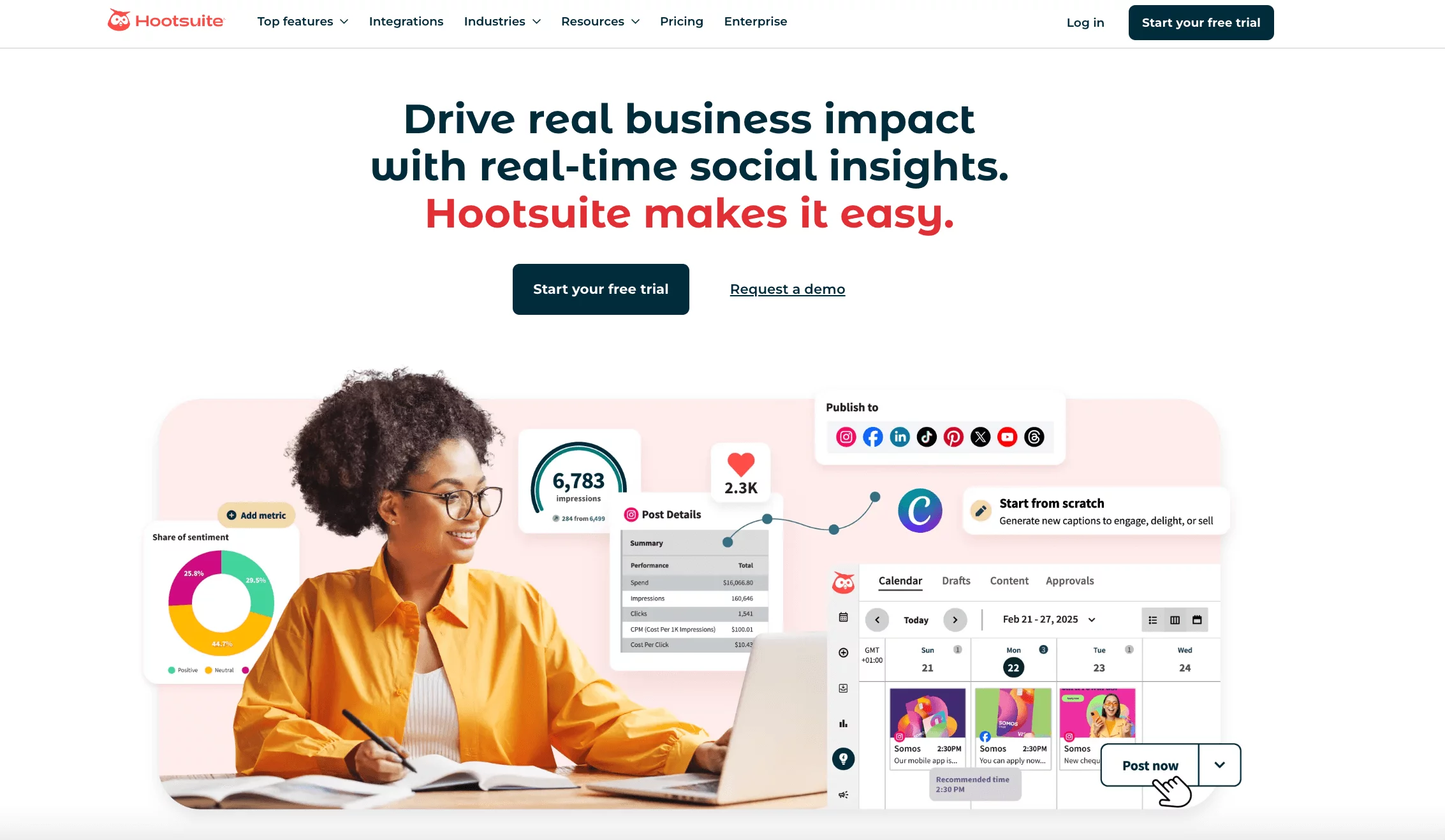
Hootsuite is one of the oldest and most established social media management platforms available today.
Compared to Hypefury, Hootsuite feels much more enterprise-focused. It’s built for businesses and agencies that need strong analytics, social listening, and multi-platform management at scale.
Key Features
- Multi-platform scheduling – Manage content across major social platforms from one dashboard.
- Social listening tools – Monitor mentions, trends, keywords, and audience sentiment.
- Bulk scheduling – Upload and schedule large amounts of content quickly.
- Advanced analytics – Generate detailed reports and performance insights.
- Team collaboration – Approval workflows, task assignments, and publishing permissions.
Pricing
- Starts at $99/user/month
Pros
- Excellent social listening features
- Strong reporting and analytics
- Enterprise-ready workflows
- Broad platform support
Cons
- Expensive pricing
- Interface can feel overwhelming for beginners
- Collaboration system isn’t always intuitive
6. Social Champ
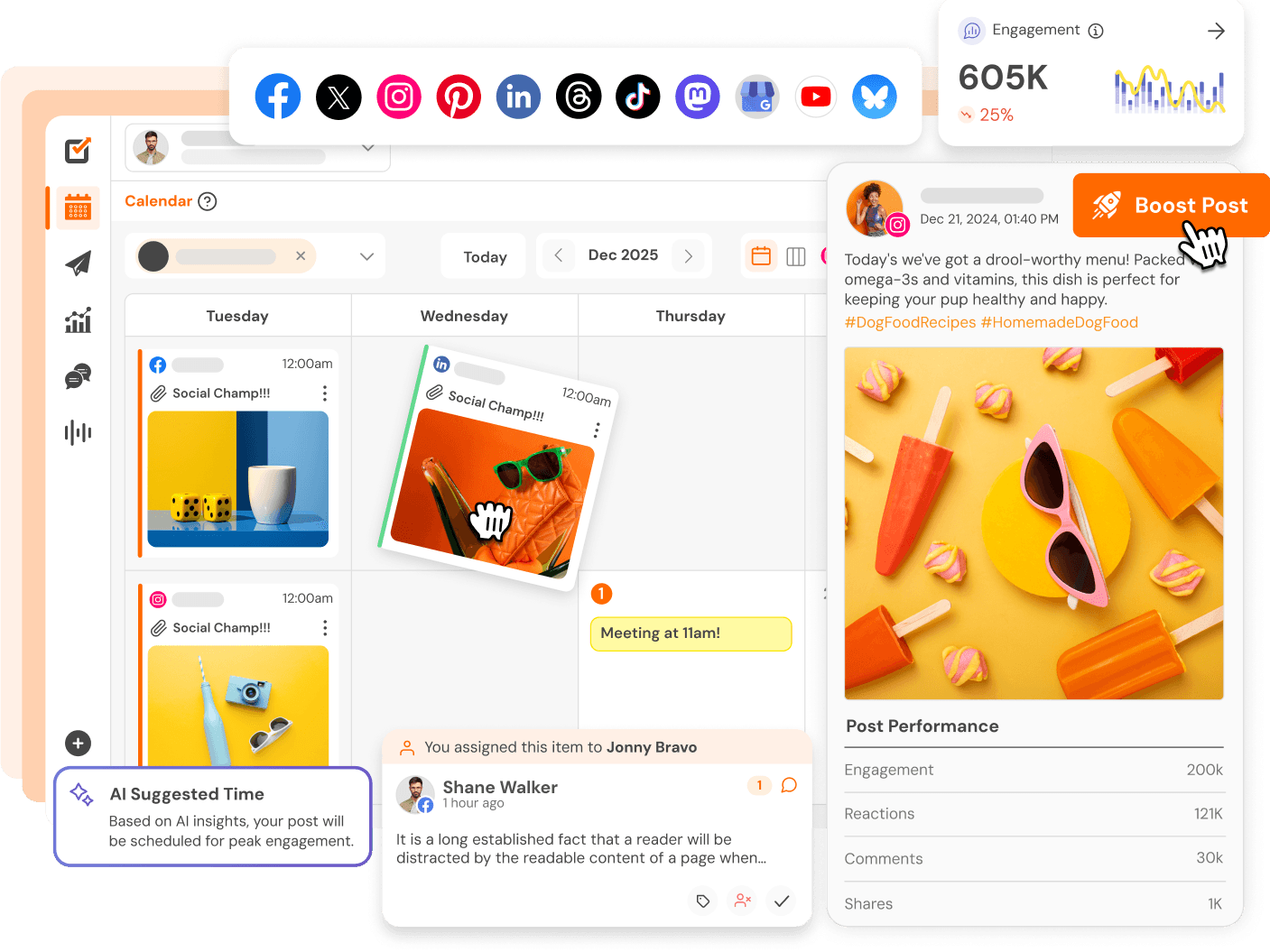
Social Champ is a fast-growing social media management tool that combines scheduling, analytics, engagement, and automation features at a very competitive price. The tool feels much more balanced than Hypefury if you’re managing content beyond just X.
Key Features
- Multi-platform scheduling – Supports LinkedIn, Facebook, Instagram, TikTok, X, Threads, Bluesky, Mastodon, and more.
- Social inbox – Manage comments and messages from multiple platforms in one place.
- Content calendar – Plan and organize posts visually.
- AI content tools – Generate captions and content ideas quickly.
- Social listening – Monitor trends, keywords, and brand mentions.
- Competitor analytics – Track how competitors perform across platforms.
Pricing
Starts at $4/month
Pros
- Very affordable
- Strong platform support
- Great feature set for the price
- Good balance between simplicity and functionality
Cons
- Analytics are less advanced than enterprise tools
- Some advanced features require higher plans
- Interface can occasionally feel crowded
7. CoSchedule
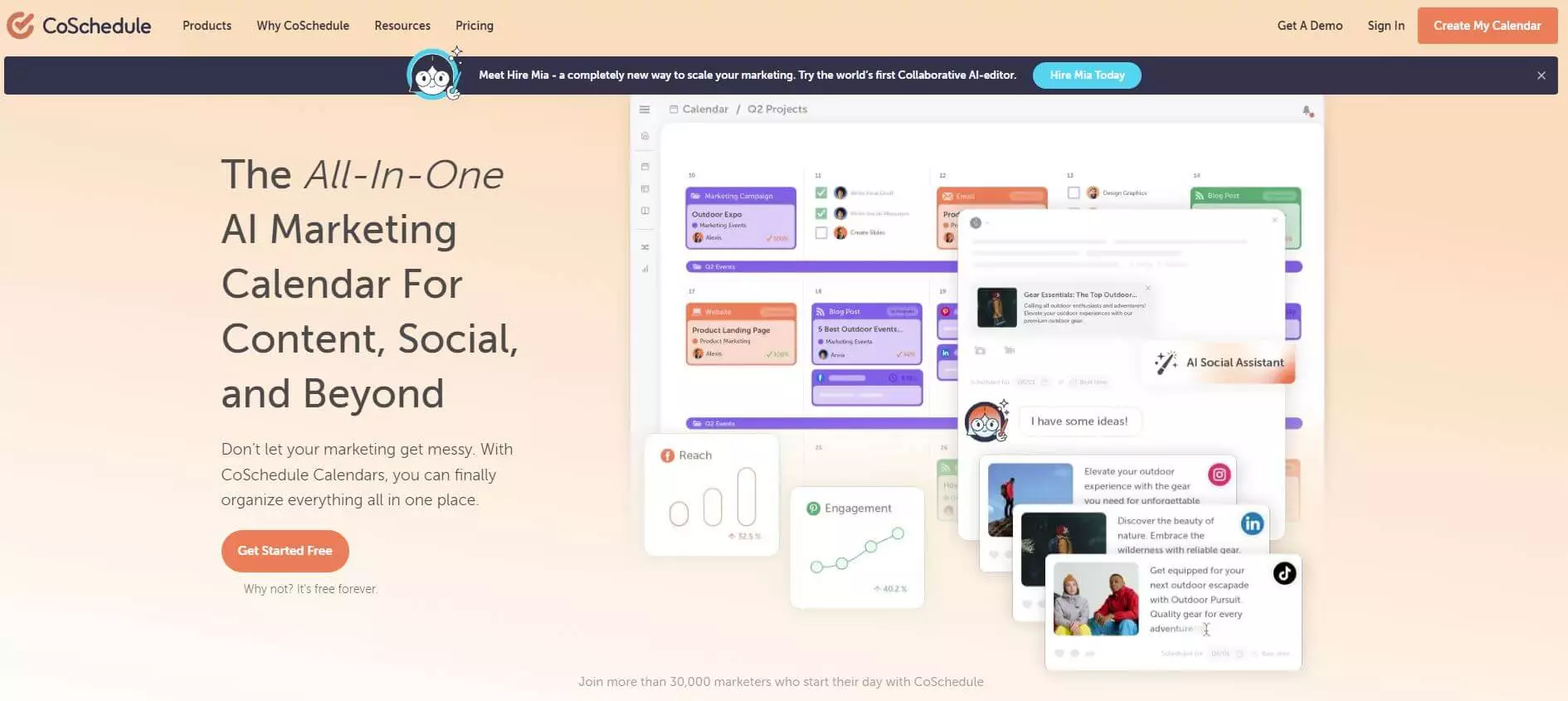
CoSchedule is a marketing-focused social media management platform designed to help teams organize campaigns, content, and publishing schedules in one place.
Compared to Hypefury, CoSchedule feels much more structured around long-term marketing planning rather than creator-style automation.
Key Features
- Marketing calendar – Manage campaigns, blog posts, and social content from one calendar.
- Social scheduling – Schedule and automate posts across major social platforms.
- ReQueue automation – Automatically recycle top-performing evergreen content.
- Headline Studio – AI-powered headline analysis and optimization tools.
- Team collaboration – Shared workflows, approvals, and project organization.
Pricing
- Free calendar available
- Paid plans start around $19/user/month
Pros
- Excellent campaign planning tools
- Strong evergreen automation
- Great for content marketing teams
- Easy-to-use calendar interface
Cons
- More marketing-focused than creator-focused
- Advanced features can become expensive
- Less flexible for smaller creators
8. Sendible

Sendible is a social media management platform built mainly for agencies and businesses handling multiple clients. This is one of the most agency-friendly platforms around today, giving it an edge over Hypefury which comes with creator-first workflow.
Key Features
- Multi-platform scheduling – Publish across LinkedIn, Facebook, Instagram, TikTok, YouTube, X, and more.
- Client management tools – Organize multiple brands and client accounts efficiently.
- Approval workflows – Streamline collaboration between teams and clients.
- Analytics and reporting – Generate branded reports for clients.
- Content suggestions – Discover content ideas and RSS feed integrations.
Pricing
- Plans start around $29/month
Pros
- Great for agencies and client management
- Strong collaboration tools
- White-label reporting available
- Broad platform support
Cons
- Interface feels slightly dated in places
- Learning curve for new users
- Analytics could be more advanced
9. Agorapulse
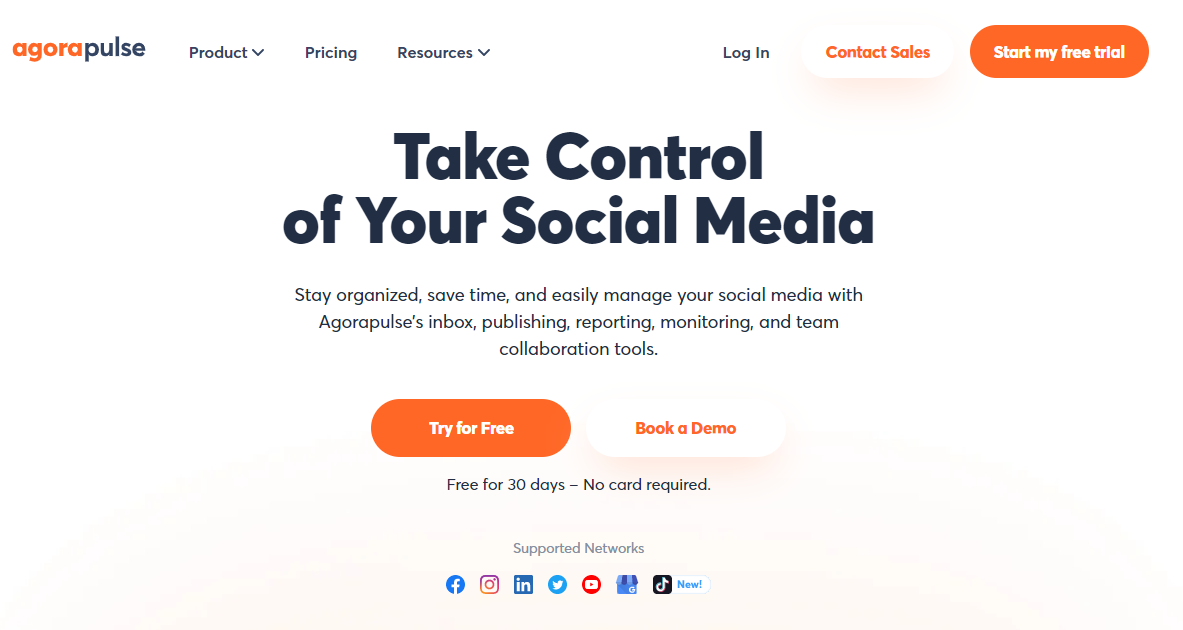
Agorapulse is a social media management platform focused heavily on engagement and inbox management.
Compared to Hypefury, Agorapulse feels much more complete for businesses that actively manage conversations and customer interactions across social platforms.
Key Features
- Unified social inbox – Manage comments, mentions, reviews, and messages from one place.
- Social publishing – Schedule and organize content across major platforms.
- Social listening – Track brand mentions and audience sentiment.
- Advanced analytics – Monitor engagement, reach, and campaign performance.
- Team collaboration – Approval workflows and task assignments for teams.
Pricing
- Starts around $49/user/month
Pros
- Excellent inbox and engagement tools
- Strong analytics and reporting
- Great collaboration features
- Good platform coverage
Cons
- Pricing climbs quickly for teams
- Interface can feel feature-heavy
- Some advanced tools locked behind higher plans
10. Later
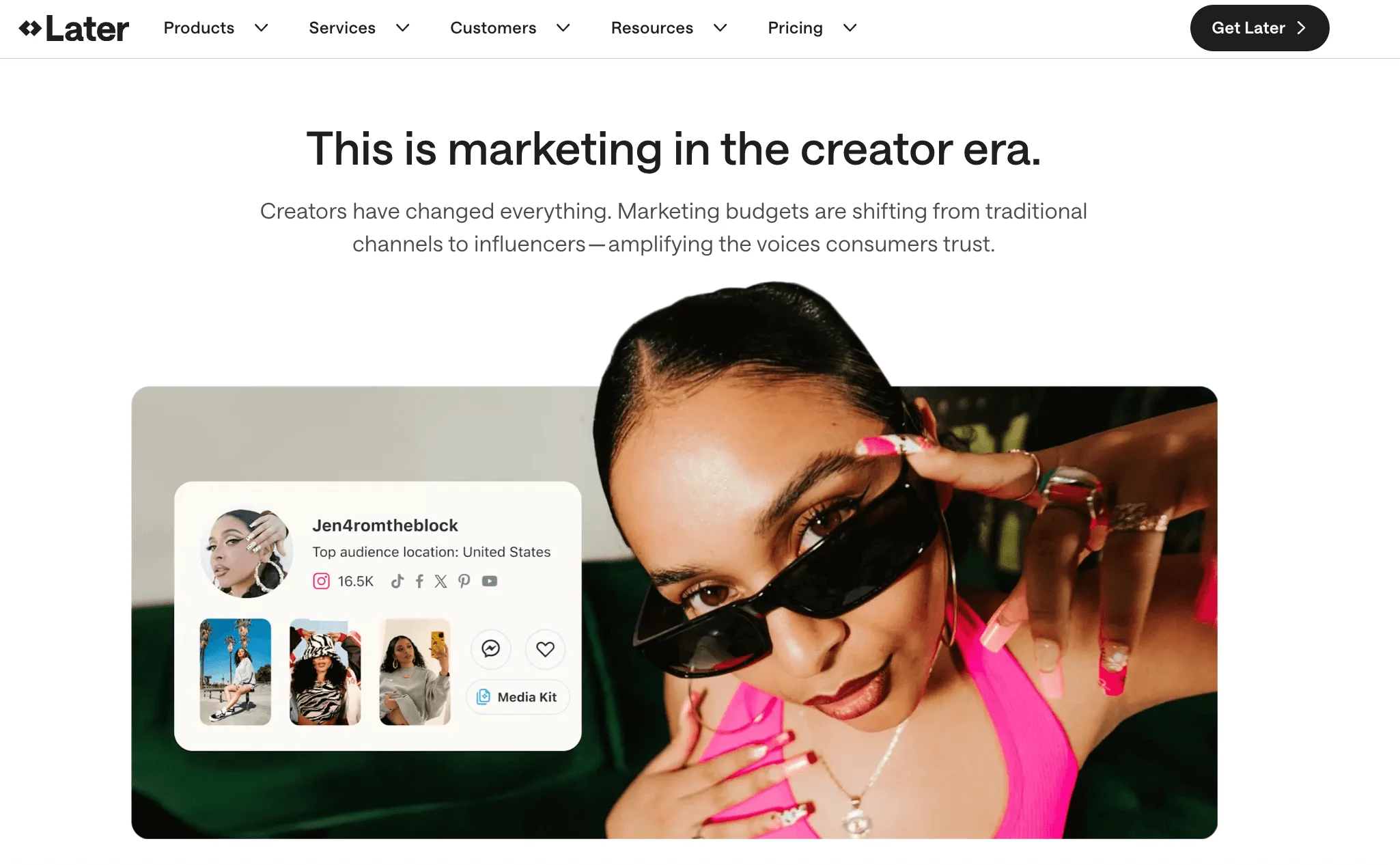
Later is a visually focused social media scheduling platform that became popular through Instagram marketing but has since expanded to support other major channels.
While Hypefury is more text and automation-focused, Later shines when visual content planning is the priority.
Key Features
- Visual content calendar – Drag-and-drop planning for Instagram and other platforms.
- Multi-platform scheduling – Supports Instagram, TikTok, LinkedIn, Facebook, Pinterest, and X.
- Link-in-bio tools – Create landing pages for social traffic and product promotion.
- Content library – Store and organize media assets for future posts.
- Analytics and insights – Track engagement and audience growth across platforms.
Pricing
- Free plan available
- Paid plans start around $25/month
Pros
- Excellent for visual content planning
- Very beginner-friendly
- Strong Instagram workflow
- Clean interface
Cons
- Analytics are lighter than enterprise tools
- Collaboration features are limited on lower plans
- Less suited for text-heavy creator workflows
How to Choose the Right Hypefury Alternative for Your Needs

With so many social media tools available now, choosing the right Hypefury alternative can get confusing quickly. Some platforms focus heavily on creators. Others are built more for agencies or larger marketing teams.
The best choice usually comes down to how you actually manage your content day to day.
1. Start with the platforms you use most
This matters more than people think.
Hypefury is heavily centered around X-style workflows. If that’s your main platform, tools like Typefully may feel familiar. But if you also manage LinkedIn, Instagram, TikTok, Pinterest, YouTube, or Threads, you’ll probably want a platform with stronger multi-platform support.
Tools like OnlySocial, Buffer, and Social Champ handle broader workflows much better.
2. Think carefully about your budget
Pricing between social media tools can vary a lot.
Some platforms offer enterprise-level features but come with enterprise-level pricing too. Others focus on giving creators and SMBs a more balanced experience at a lower cost.
If you’re a freelancer, creator, or growing business, affordability becomes important long-term, especially as you add more social accounts or team members.
3. Focus on the features you’ll actually use
Not every tool needs to do everything. Some users mainly care about scheduling. Others need:
- AI content generation
- Advanced analytics
- Approval workflows
- Social listening
- Team collaboration
- Evergreen content recycling
The key is choosing a platform that supports your workflow without overwhelming you with unnecessary complexity.
4. Don’t underestimate ease of use
This one is huge.
A platform can have dozens of powerful features, but if the interface feels stressful to use daily, your workflow slows down quickly.
The best tools usually balance power with simplicity. Platforms like OnlySocial, Later, and Social Champ stand out here because they manage to stay feature-rich without becoming difficult to navigate.
5. Think about where your brand is heading
The tool you choose should support your future growth too.
If you’re focused mainly on personal branding, a creator-focused platform may work perfectly. But if you plan to scale into a team, agency, or multi-platform brand later, it’s smarter to choose a tool that can grow with you.
Switching platforms later can become frustrating, especially once your content systems are already built.
6. Consider how important analytics are to you
Some creators just want basic engagement numbers. Others rely heavily on analytics to guide strategy and client reporting.
If detailed reporting matters to you, pay close attention to:
- Audience insights
- Campaign tracking
- Cross-platform analytics
- Engagement reporting
- Custom reports
Some tools handle this far better than others.
At the end of the day, the right Hypefury alternative should make your social media workflow feel easier, not heavier. The best platform is usually the one that fits naturally into how you already create, schedule, and manage content.
Final Note
Hypefury still works well for creators who are deeply focused on X and want lightweight automation around posting and engagement. But social media management in 2026 has become much broader than that.
Most creators, brands, and agencies now need better collaboration, stronger analytics, smoother multi-platform publishing, and workflows that don’t revolve around a single channel.
That’s why so many users eventually explore alternatives. And after testing a wide range of tools, OnlySocial stands out as one of the most balanced options available right now.
It combines scheduling, AI-powered content creation, analytics, collaboration, and multi-platform management into one platform without making the workflow feel complicated or overpriced.
FAQs
What is Hypefury best used for?
Hypefury is best known for helping creators automate posting and engagement on X (Twitter). It’s especially popular among solo creators focused on text-based content and audience growth.
What is the best Hypefury alternative?
The best alternative depends on your workflow. If you want a more complete social media management platform with broader platform support, analytics, and collaboration tools, OnlySocial is one of the strongest options available.
Is Hypefury good for teams and agencies?
Hypefury works best for individual creators. While it offers useful automation features, its collaboration and team management tools are relatively limited compared to platforms designed for agencies and multi-user workflows.
Can OnlySocial manage multiple social media platforms?
Yes. OnlySocial supports over 15 social platforms, including LinkedIn, Instagram, Facebook, TikTok, X, Threads, Pinterest, YouTube, Bluesky, and Google Business Profile.
Does OnlySocial include AI features?
Yes. OnlySocial includes AI-powered tools for generating captions, hashtags, post ideas, and even AI-generated visuals, helping creators and businesses speed up content production.
Which Hypefury alternative is best for multi-platform scheduling?
Platforms like OnlySocial, Buffer, Social Champ, and Publer are among the strongest options for multi-platform scheduling because they support a wide range of social networks and offer more flexible publishing workflows.