Top 10 PostPaddy Alternatives for Businesses and Creators
PostPaddy has earned a place among creators, marketers, and small businesses looking for an affordable way to plan, create, and schedule social media content.
Its AI writing tools, straightforward dashboard, and budget-friendly pricing make it an attractive option for anyone who wants to stay consistent without spending a fortune.
That said, the expectations for social media management have changed.
Many users are now looking for platforms that offer more than just scheduling posts. If you’re considering making a switch, this guide compares the best PostPaddy alternatives to help you find a platform that’s a better fit for the way you work today.
Table of Contents
- 1 What Is PostPaddy?
- 2 Why Businesses Are Looking Beyond PostPaddy
- 3 10 Best PostPaddy Alternatives
- 4 How to Choose the Right PostPaddy Alternative
- 5 Final Thoughts
- 6 FAQs
What Is PostPaddy?
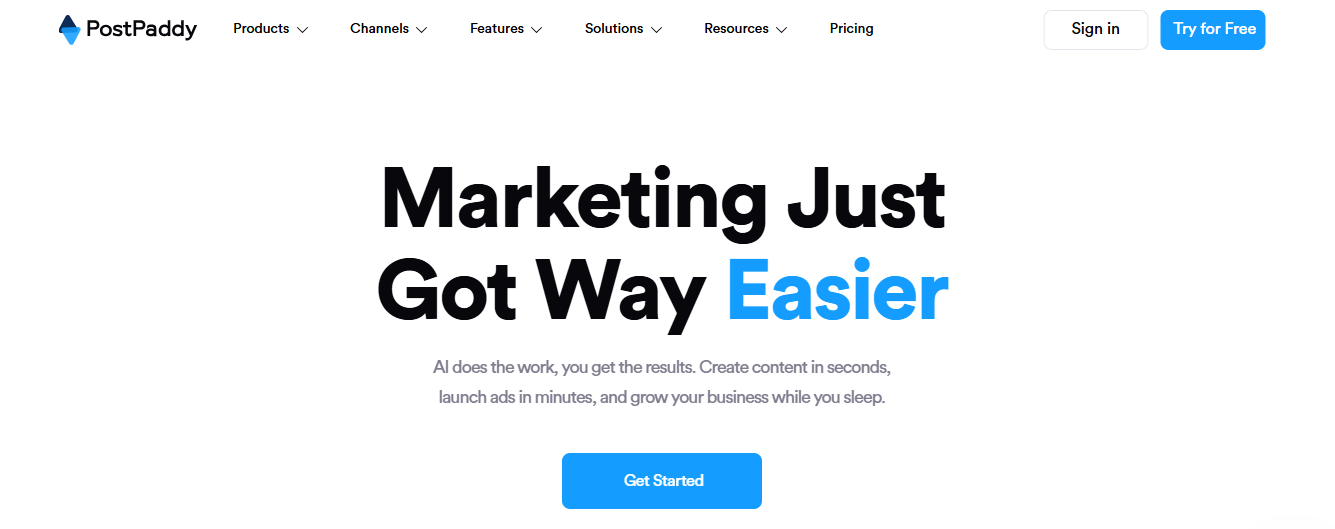
PostPaddy is an AI-powered social media management platform designed to help businesses, creators, and marketers plan, create, and publish content from a single dashboard. It aims to simplify day-to-day social media management by bringing content creation and publishing into one workflow, with a strong focus on affordability and ease of use.
In recent months, the platform has expanded beyond basic scheduling by introducing new AI-powered marketing tools, including NARA, an AI assistant that can generate a month’s worth of social media content in minutes, while also expanding into areas like ad creation and marketing automation.
Apart from content creation and scheduling the platform also includes collaboration features for teams, basic analytics to track performance, and social media monitoring to help users stay on top of their online presence. Its clean interface and low entry price make it especially appealing to freelancers, creators, and small businesses.
PostPaddy Pricing
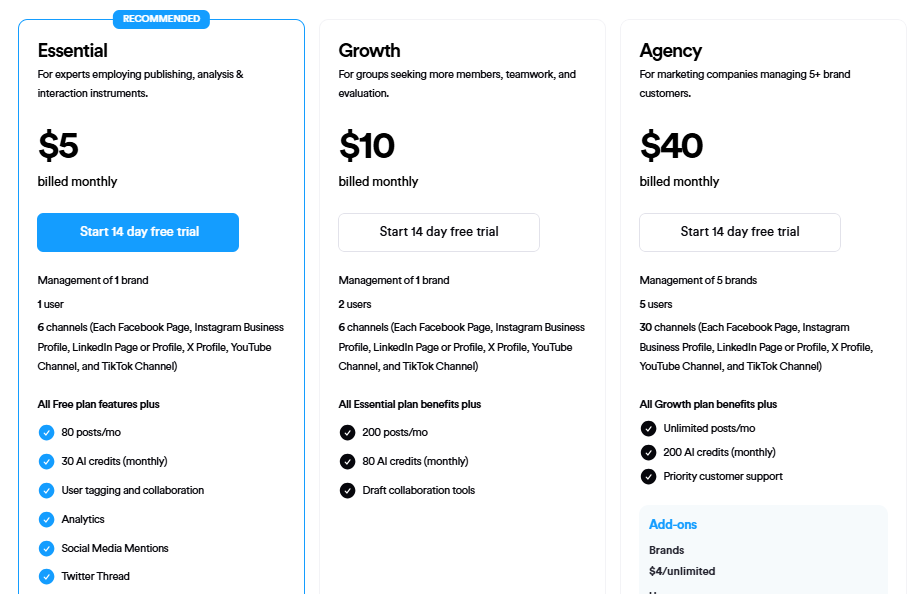
PostPaddy’s pricing is one of its biggest selling points. Even its Agency plan is competitively priced compared to many other social media management platforms.
However, businesses should also consider how well the platform can support their long-term needs, especially if they expect to manage more brands, add larger teams, or require more advanced social media management features.
Below is a breakdown of PostPaddy pricing:
Free – $0/month
- Manage 1 brand
- 1 user
- Up to 3 social channels
- Basic planning and publishing
- Up to 5 created posts per channel each month
Essential – $5/month
- Manage 1 brand
- 1 user
- Up to 6 social channels
- User tagging and collaboration
- Optional add-ons
Growth – $10/month
- Manage 1 brand
- Up to 2 users
- Up to 6 social channels
- Draft collaboration tools
- Optional add-ons
Agency – $40/month
- Manage up to 5 brands
- Up to 5 users
- Up to 30 social channels
- Priority customer support
- Optional add-ons
Why Businesses Are Looking Beyond PostPaddy
PostPaddy covers the basics well, especially for users who want an affordable way to create and schedule social media content. But as businesses become more active on social media, many find themselves needing features that go beyond publishing.
Here are some of the reasons users are exploring other options.
1. They Need More Advanced AI
AI has become much more than a caption-writing assistant. Many businesses now want AI that can generate images, suggest hashtags, repurpose content for different platforms, and speed up campaign planning. That’s an area where several competitors have pulled ahead.
2. Reporting Needs Become More Sophisticated
Basic performance insights are useful, but growing brands often want a clearer picture of what’s working. Features like competitor analysis, custom reports, audience trends, and best-time recommendations have become standard on many social media management platforms.
3. Managing Conversations Matters Too
Publishing content is only half the job. Responding to comments and messages is just as important for building a community. Businesses increasingly prefer platforms that combine scheduling with a unified inbox so they can create content and engage with their audience from the same dashboard.
4. Teams Want Smoother Collaboration
As more people become involved in content creation, collaboration becomes more important. Marketing teams often look for stronger approval workflows, flexible user roles, shared workspaces, and better ways to manage multiple brands without creating confusion.
5. They’re Looking for a Platform That Can Grow with Them
Many users start with PostPaddy because it’s affordable, but their needs don’t stay the same. As they expand to more social networks, take on new clients, or build larger teams, they often move to platforms that offer greater flexibility and a wider range of marketing tools.
10 Best PostPaddy Alternatives
PostPaddy is a capable platform, but it isn’t the only option available. Depending on your priorities, you may find a tool with stronger AI capabilities, better collaboration, more advanced analytics, or features that make managing multiple brands much easier.
So, if you’re thinking of making a switch, here are the best PostPaddy alternatives worth considering in 2026.
1. OnlySocial
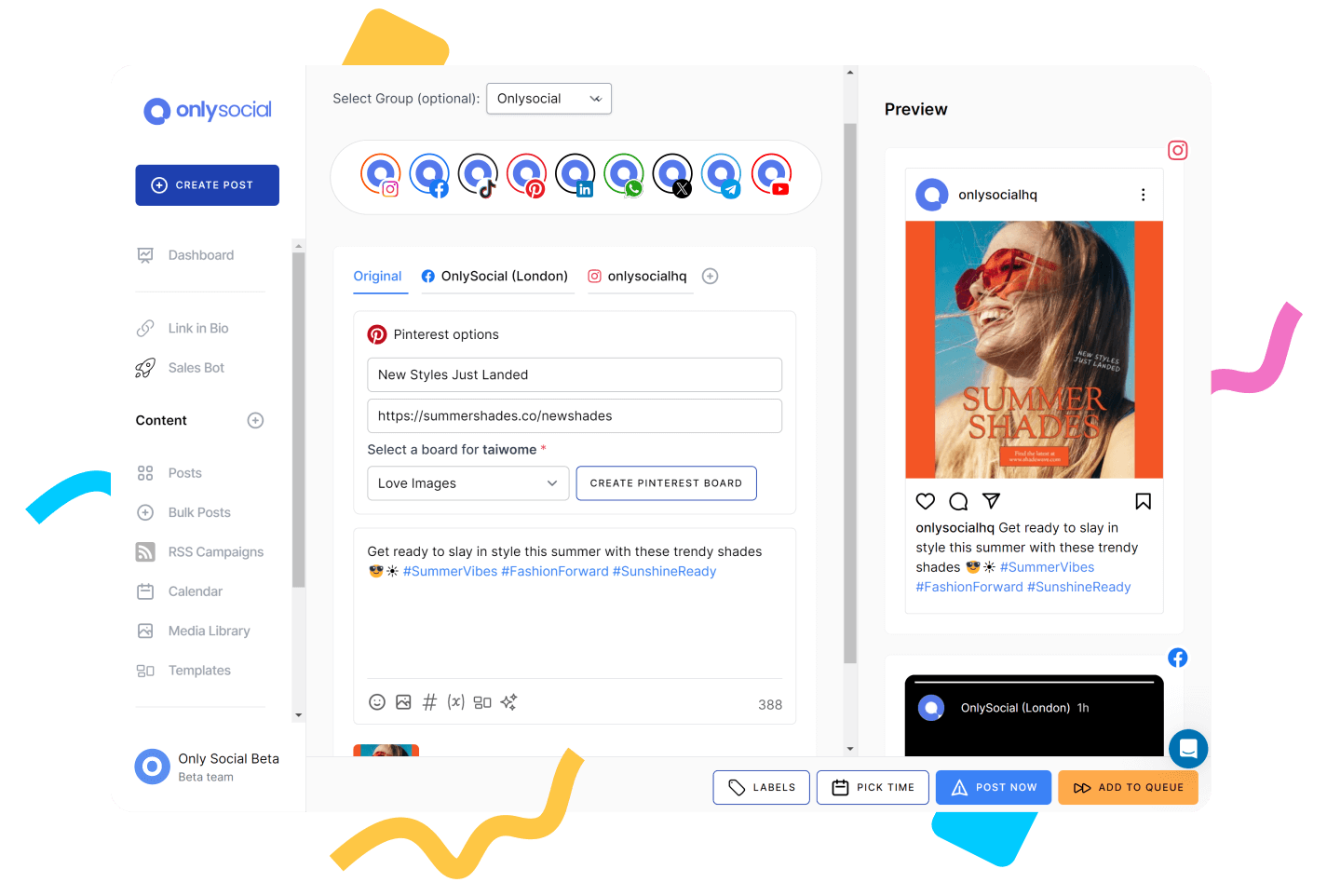
OnlySocial is an excellent choice for users who want to do more than simply create and schedule posts. Instead of focusing only on publishing, it brings together content creation, planning, collaboration, engagement, and analytics in one platform, making it a practical solution for businesses that want to simplify their entire social media workflow.
One of its biggest advantages is its AI toolkit. Alongside AI-generated captions and hashtag suggestions, OnlySocial can also generate images, helping teams produce content faster without relying on separate design tools.
It also supports bulk scheduling, recurring posts, RSS feed automation, and a visual content calendar, making it easy to manage weeks or even months of content in advance.
As businesses grow, OnlySocial grows with them. Teams can collaborate through shared workspaces, approval workflows, and role-based permissions, while the unified social inbox makes it possible to manage comments and messages from multiple platforms in one place.
With support for more than 15 social networks, it’s well suited to creators, businesses, and agencies managing an expanding online presence.
Pricing
- Freelancer – $29/month: Designed for freelancers, creators, and solo marketers. It includes support for up to 15 social profiles, AI-powered content tools, scheduling features, analytics, and everything needed to manage your social media from one place.
- Entrepreneur – $49/month: A great fit for growing businesses and small teams. It increases your profile limit to 45 social accounts, supports up to 3 users, and unlocks more capacity for managing multiple brands and campaigns.
- Unlimited Pro – $99/month: Built for agencies and larger organizations. It supports up to 150 social profiles and 10 users, making it ideal for teams managing numerous clients, collaborating on content, and running social media at scale.
2. SocialPilot
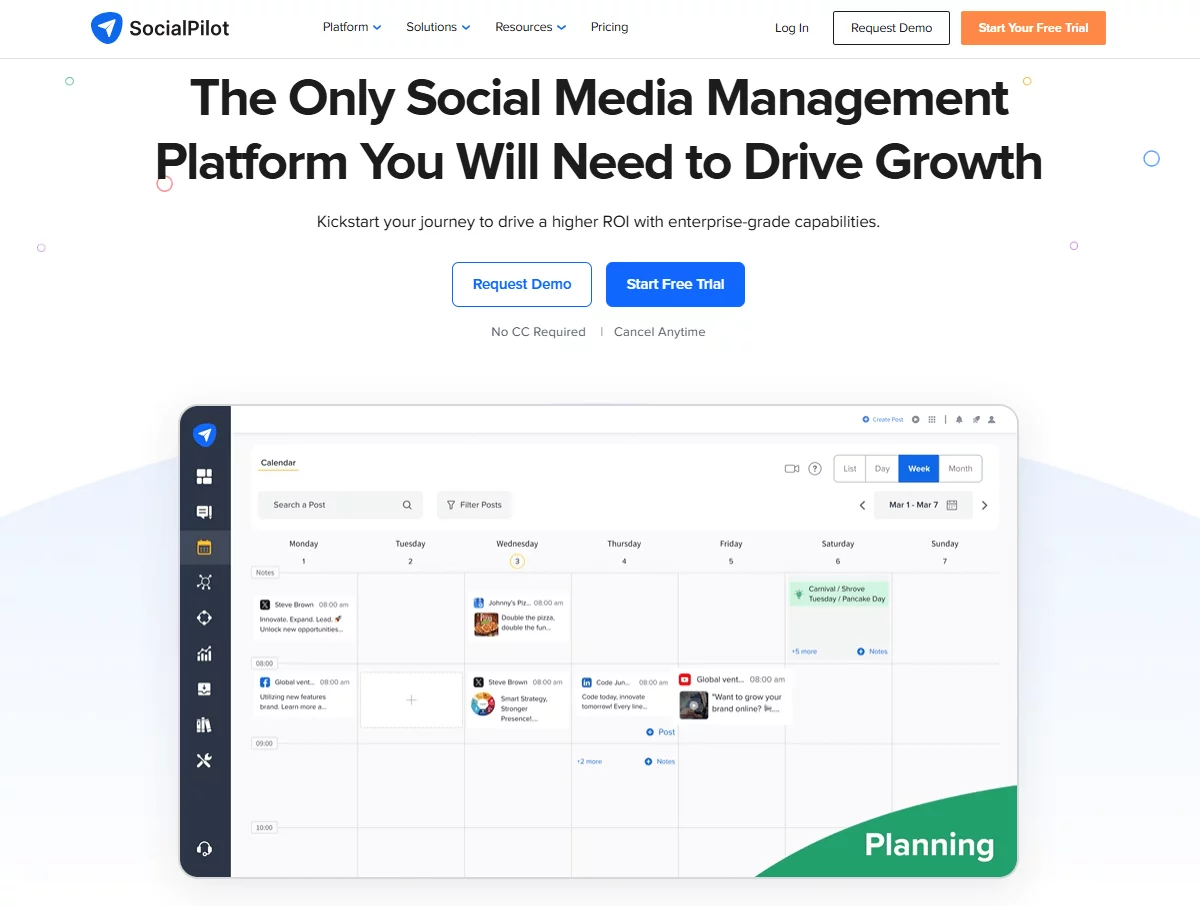
SocialPilot is a great alternative for businesses that have started managing more social accounts than they initially planned. It strikes a nice balance between affordability and functionality, offering features that make life easier for agencies, in-house marketing teams, and businesses juggling multiple brands.
Rather than centering everything around AI content creation, SocialPilot focuses on helping teams publish efficiently. It offers bulk scheduling, content approvals, client management, AI-assisted caption generation, and white-label reports that agencies can share with clients.
If your workflow involves coordinating content across several people or brands, SocialPilot feels more purpose-built than PostPaddy.
Pros
- Excellent for managing multiple brands
- Bulk scheduling saves time
- White-label reports for agencies
- AI-powered caption assistance
- Strong collaboration and approval features
- Good balance between features and pricing
Cons
- The unified inbox isn’t as comprehensive as some competitors.
- Social listening capabilities are fairly limited.
Pricing
- Essentials – From around $25.50/month: Best for individuals and small businesses that need reliable scheduling and publishing tools.
- Standard – From around $42.50/month: Adds more social accounts, collaboration features, and client management tools for growing teams.
- Premium – From around $85/month: Designed for agencies with advanced reporting, higher limits, and more users.
- Ultimate – From around $170/month: Built for businesses managing large portfolios of brands and social channels.
3. Buffer
Buffer has always taken a different approach to social media management. Instead of packing the platform with every feature imaginable, it focuses on making everyday publishing fast, intuitive, and distraction-free. That simplicity is one of the biggest reasons many creators and small businesses choose it over newer tools.
In recent years, Buffer has also expanded its AI capabilities, making it easier to draft captions, refine existing posts, and overcome writer’s block. Combined with its clean publishing calendar, engagement tools, and easy-to-understand analytics, Buffer is a solid option for users who value a smooth experience over an extensive feature list.
Pros
- One of the easiest platforms to learn
- AI Assistant for improving social posts
- Clean publishing workflow
- Helpful engagement and analytics tools
- Free plan available
Cons
- Limited automation compared to more advanced platforms.
- Features are priced per social channel, which can increase costs over time.
Pricing
- Free: Suitable for individuals managing a small number of social channels.
- Essentials – From around $6/month per channel: Unlocks scheduling, analytics, engagement tools, and AI features.
- Team – From around $12/month per channel: Adds unlimited users, approval workflows, and stronger collaboration for growing teams.
4. ContentStudio
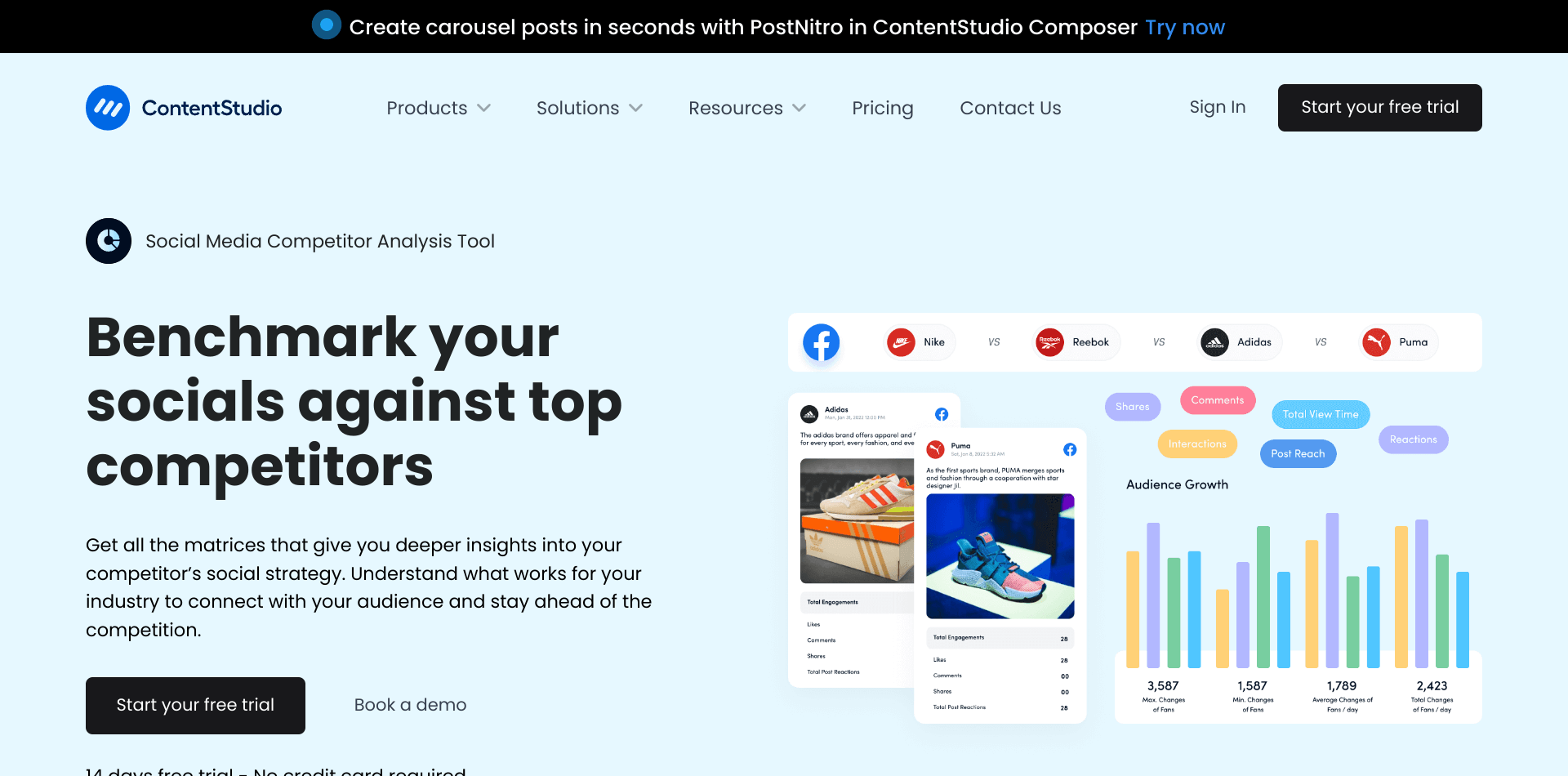
If your content strategy extends beyond creating original posts, ContentStudio deserves a close look. It’s particularly strong at helping marketers maintain a steady publishing schedule by combining original content with curated articles, RSS feeds, and evergreen posts that can be recycled automatically.
The platform also includes AI writing tools, automation recipes, content planning, a unified inbox, and detailed reporting. For businesses that publish frequently across multiple platforms, these features can significantly reduce the amount of manual work involved in keeping social channels active.
Pros
- Excellent content discovery and curation
- Powerful RSS feed automation
- Evergreen content recycling
- AI writing assistance
- Unified inbox and collaboration features
- Detailed performance reporting
Cons
- The number of features can feel overwhelming for first-time users.
- Some automation tools are reserved for higher-tier plans.
Pricing
- Starter – From around $25/month: Includes the core publishing, planning, and content discovery features for individuals and small businesses.
- Pro – From around $49/month: Expands automation, analytics, workspaces, and collaboration for growing marketing teams.
- Agency – From around $99/month: Built for agencies that need white-label reporting, multiple workspaces, higher account limits, and advanced team management.
5. Publer

Publer is one of those tools that quietly packs in a surprising number of features. While PostPaddy focuses on making content creation and scheduling accessible, Publer gives users more control over how content is organized, repurposed, and published across different social platforms.
Its standout features include post recycling, bulk scheduling, AI-assisted writing, media management, watermarking, and automatic link shortening.
Publer also lets users customize posts for each platform before publishing, which is especially useful if you’re managing the same campaign across several social networks but want each post to feel native.
Pros
- Flexible publishing and scheduling options
- AI-powered writing assistance
- Bulk scheduling and evergreen post recycling
- Media library with watermark support
- Platform-specific post customization
- Affordable pricing
Cons
- Reporting tools aren’t as detailed as premium platforms.
- Collaboration features are more suited to small teams than large organizations.
Pricing
- Free: Covers the basics for individuals who want to schedule and publish content.
- Professional – From around $5/month (billed annually): Adds AI tools, recurring posts, media management, and more publishing flexibility.
- Business – From around $10/month (billed annually): Introduces workspaces, team collaboration, additional users, and higher usage limits for businesses and agencies.
6. Metricool
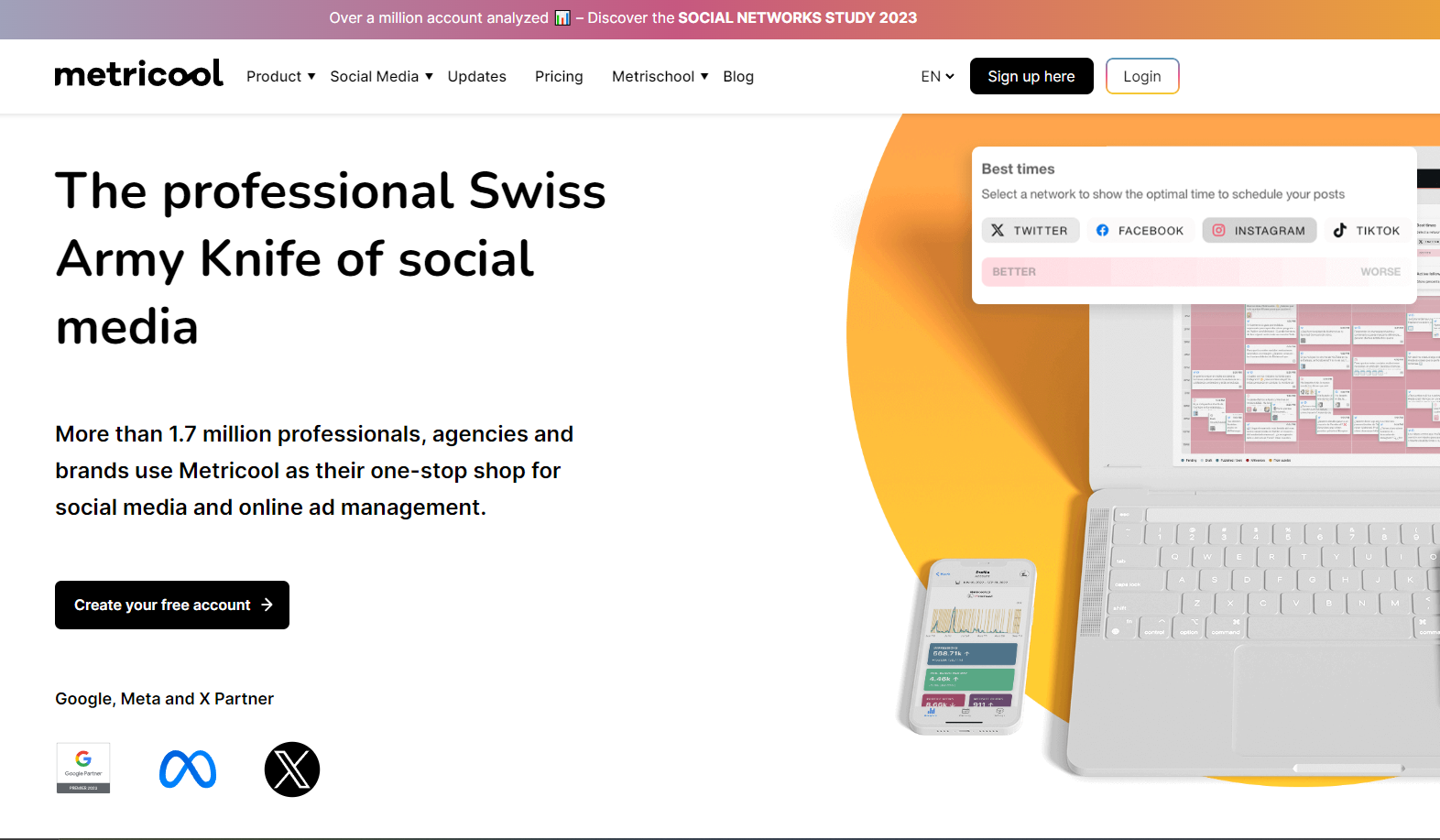
Metricool is built for marketers who want to understand the impact of every post they publish. While scheduling is an important part of the platform, its real strength lies in turning social media data into insights that help users make smarter content decisions.
Alongside post scheduling, Metricool offers audience analytics, competitor tracking, best-time-to-post recommendations, ad campaign reporting, and link-in-bio tools.
If your goal is to improve performance rather than simply maintain a posting schedule, Metricool provides much more visibility into what’s working and where you can improve.
Pros
- Excellent analytics and performance reporting
- Competitor analysis tools
- Best posting time recommendations
- Ad performance tracking
- User-friendly dashboard
Cons
- AI content creation features are fairly limited.
- Collaboration options are less robust than some agency-focused platforms.
Pricing
- Free: Includes basic scheduling and reporting for individuals.
- Starter – From around $22/month: Unlocks more brands, additional analytics, and expanded publishing tools.
- Advanced – From around $54/month: Adds collaboration features, more detailed reporting, and higher account limits.
- Custom – Custom pricing: Intended for agencies and enterprises that need multiple workspaces, premium support, and tailored solutions.
7. Loomly
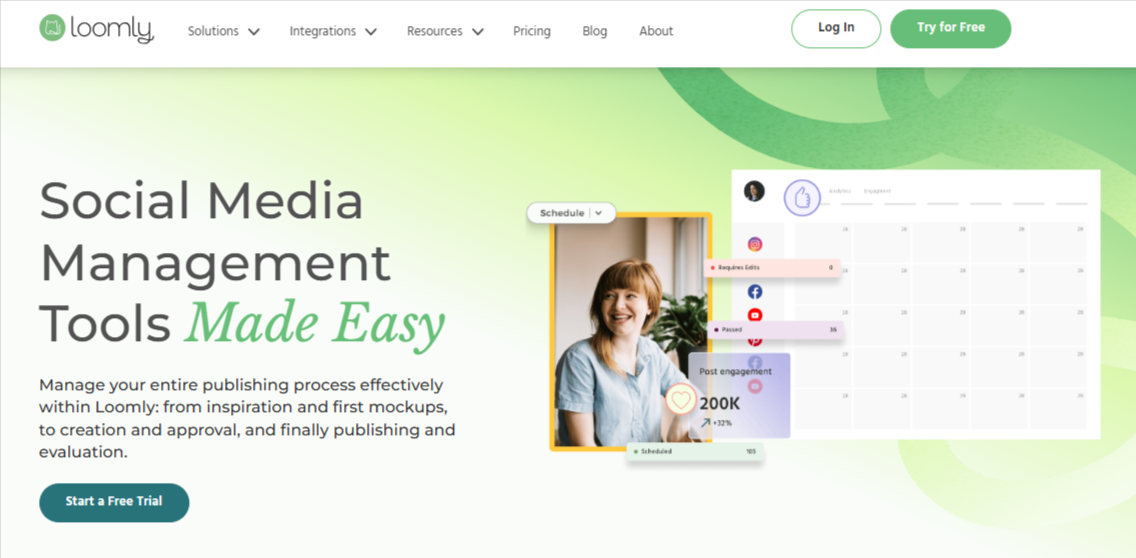
Loomly is ideal for teams that treat social media as a coordinated marketing effort rather than a series of individual posts. Instead of concentrating on AI or automation, it focuses on helping everyone involved in content production stay aligned from the first draft through to publication.
The platform includes collaborative content calendars, approval workflows, post previews, content libraries, and workflow management tools that reduce back-and-forth between team members.
For brands with dedicated marketing teams or agencies working closely with clients, Loomly offers a more structured way to plan and deliver campaigns.
Pros
- Strong collaboration and approval workflows
- Visual content calendar
- Live previews before publishing
- Easy content planning for teams
- Well-organized workflow management
Cons
- Content discovery isn’t a major focus.
- Pricing increases as you move to larger team plans.
Pricing
- Base – From around $42/month: Includes planning, scheduling, and collaboration features for small teams.
- Standard – From around $80/month: Adds more users, social accounts, and workflow capabilities.
- Advanced – From around $175/month: Designed for larger marketing teams with expanded permissions, approvals, and higher limits.
- Premium – Custom pricing: Enterprise solution with advanced governance, onboarding, and support.
8. Sendible

Sendible is designed with agencies in mind, but it’s equally useful for businesses managing several brands or clients. Compared to PostPaddy, it places much greater emphasis on client collaboration, account management, and delivering professional reports, making it a natural next step for teams whose social media operation has become more complex.
Beyond scheduling, Sendible offers a centralized content calendar, approval workflows, social listening, a unified inbox, and customizable reports that can be branded for clients.
It also integrates with a wide range of marketing tools, helping agencies manage more of their workflow from a single platform.
Pros
- Excellent for agencies and client management
- White-label reports and dashboards
- Unified social inbox
- Approval workflows and collaboration tools
- Broad integration library
Cons
- The interface takes a little time to master.
- Some advanced features are reserved for higher-priced plans.
Pricing
- Creator – From around $29/month: Suitable for freelancers and small businesses managing a handful of social profiles.
- Traction – From around $89/month: Adds more users, stronger reporting, and collaboration features for growing teams.
- Scale – From around $199/month: Built for agencies with multiple clients, offering white-label reporting, higher limits, and advanced workflows.
- Advanced – Custom pricing: Enterprise solution with tailored onboarding, premium support, and custom account limits.
9. Agorapulse
If your social media strategy revolves around building relationships as much as publishing content, Agorapulse is worth considering. It combines scheduling with customer engagement tools, allowing businesses to manage comments, messages, and conversations without constantly switching between social platforms.
The platform also includes social listening, detailed reporting, team collaboration, and performance analytics that help marketers understand both audience engagement and campaign results.
If your brand receives a high volume of customer interactions, these features can make a noticeable difference in your day-to-day efficiency.
Pros
- Unified inbox for comments and messages
- Advanced reporting and analytics
- Social listening capabilities
- Strong collaboration features
- Excellent customer engagement tools
Cons
- Higher starting price than many alternatives.
- Smaller businesses may not need all of its advanced features.
Pricing
- Standard – From around $99/month: Includes publishing, inbox management, reporting, and essential collaboration features.
- Professional – From around $149/month: Adds more advanced reporting, workflows, and higher account limits.
- Advanced – From around $199/month: Designed for larger teams that need automation, expanded collaboration, and more robust management tools.
- Custom – Custom pricing: Tailored for enterprise organizations requiring dedicated support and customized solutions.
10. Hootsuite
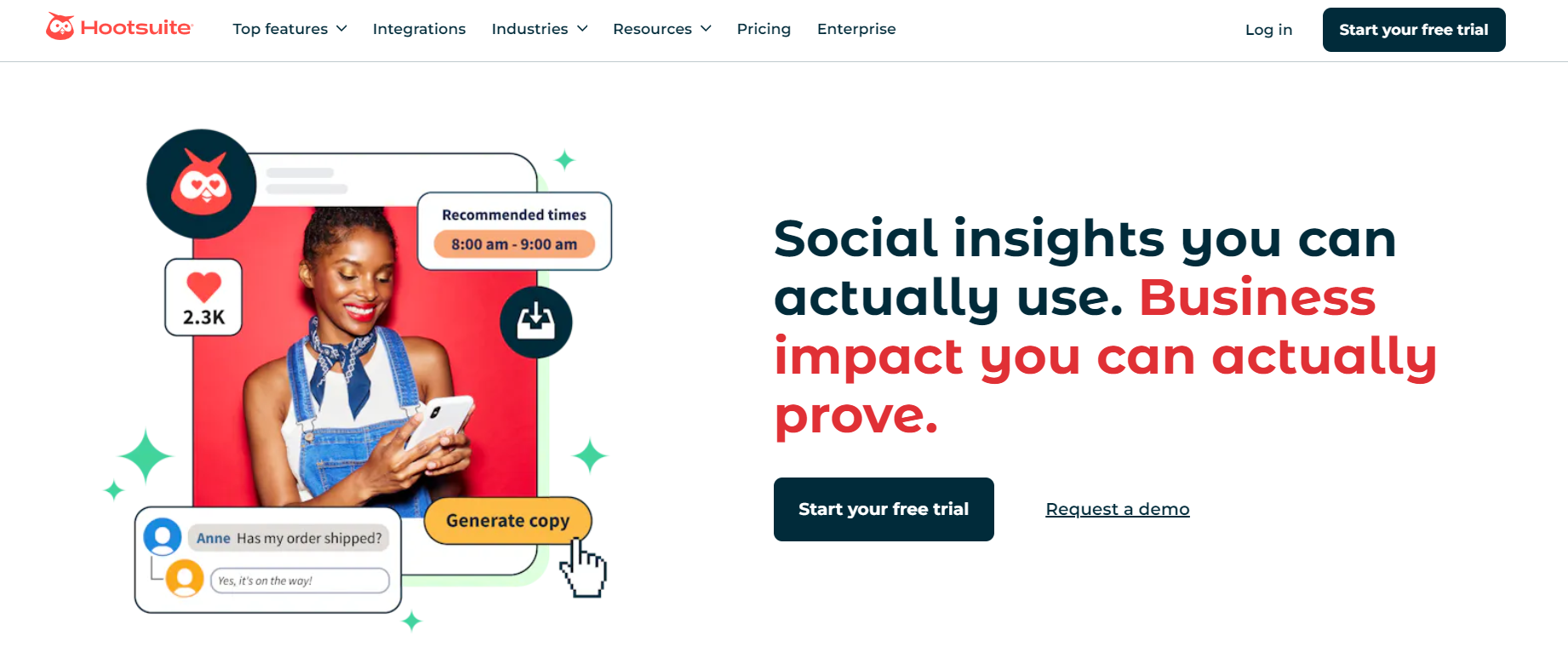
Hootsuite has been part of the social media management industry for years and remains one of the most comprehensive platforms available. While PostPaddy focuses on helping users create and publish content, Hootsuite extends far beyond that with monitoring, social listening, engagement management, and an extensive ecosystem of third-party integrations.
Its AI-powered content tools, unified inbox, advanced analytics, employee advocacy, and enterprise-grade security make it particularly attractive to larger businesses with more demanding workflows. Although it’s one of the more expensive options on this list, it also offers one of the broadest feature sets.
Pros
- Comprehensive all-in-one platform
- Powerful analytics and reporting
- Social listening and monitoring
- Unified inbox for customer engagement
- Extensive integration ecosystem
- Strong collaboration and governance features
Cons
- Considerably more expensive than most alternatives.
- The large feature set can feel overwhelming for new users.
Pricing
- Professional – From around $99/month: Best for individuals and small businesses that need scheduling, analytics, AI assistance, and inbox management.
- Team – From around $249/month: Adds collaboration, approval workflows, and more advanced management features for growing teams.
- Enterprise – Custom pricing: Built for large organizations requiring enterprise security, advanced integrations, dedicated support, and scalable governance.
How to Choose the Right PostPaddy Alternative
Switching tools isn’t just about getting more features. It’s about finding a platform that fits the way you create, publish, and manage your content every day. The right choice should make your work easier, not add another layer of complexity.
Here are a few things worth considering before you decide.
Choose for the Next Stage of Your Business
Think beyond your current workload. If you’re planning to add more clients, expand your team, or manage more social channels, pick a platform that won’t feel restrictive a few months from now. Migrating between tools repeatedly can be more expensive than choosing a scalable solution from the start.
Think About Your Entire Workflow
Creating a post is only one part of social media management. You may also need to review drafts, schedule campaigns, reply to comments, monitor performance, and generate reports. A platform that brings these tasks together can save hours every week.
Don’t Judge a Tool by AI Alone
AI is helpful, but it shouldn’t be the only reason you choose a platform. Look at how well the AI fits into your workflow. Does it simply write captions, or can it also help with images, planning, content ideas, and publishing? The best AI features feel like a natural part of the platform rather than an extra add-on.
Make Sure the Pricing Still Makes Sense as You Grow
An inexpensive starting plan can be attractive, but it’s worth checking what happens when your needs increase. Compare the limits on users, brands, social accounts, and key features so you know what you’ll actually be paying six months or a year from now.
The best PostPaddy alternative isn’t necessarily the one with the longest feature list. It’s the one that helps you create better content, work more efficiently, and gives your business room to grow without forcing you to change platforms again later.
Final Thoughts
PostPaddy is a solid starting point for creators and small businesses that want an affordable way to create and schedule social media content. Its AI features and simple interface make it easy to stay consistent, especially if your needs are fairly straightforward.
As your marketing becomes more ambitious, though, you may find yourself wanting more advanced collaboration, richer analytics, better automation, or tools that support your entire social media workflow.
The alternatives in this guide each bring something different to the table, but if you’re looking for a platform that balances AI, publishing, collaboration, and scalability, OnlySocial is one of the strongest options available.
FAQs
What is the best PostPaddy alternative?
The best PostPaddy alternative depends on your needs. If you want an all-in-one social media management platform with AI tools, bulk scheduling, analytics, collaboration, and support for multiple social networks, OnlySocial is an excellent choice. Other strong alternatives include SocialPilot, Buffer, ContentStudio, and Publer.
Is PostPaddy free to use?
Yes. PostPaddy offers a free plan that allows you to manage one brand, connect up to three social channels, and create up to five posts per channel each month. It’s a good way to explore the platform before upgrading to a paid plan.
Is OnlySocial better than PostPaddy?
For many businesses, yes. While PostPaddy focuses mainly on AI-assisted content creation and scheduling, OnlySocial offers a broader set of features, including AI image generation, a unified social inbox, RSS automation, approval workflows, bulk scheduling, and support for more than 15 social platforms.
Which PostPaddy alternative is best for agencies?
Agencies typically need features such as client management, approval workflows, white-label reporting, and support for multiple brands. OnlySocial, SocialPilot, Sendible, and Agorapulse are among the best options for agency teams.
Which PostPaddy alternative has the best AI features?
If AI is a priority, OnlySocial is one of the strongest choices thanks to its AI-generated captions, hashtags, and images. ContentStudio and Buffer also provide useful AI writing tools that help speed up content creation.
Is PostPaddy worth it in 2026?
PostPaddy is still a worthwhile option for individuals and small businesses looking for an affordable publishing tool. However, if you need more advanced reporting, collaboration, engagement tools, or automation, many of the alternatives in this guide offer greater value as your business grows.