Complete Ordinal Review and Top Alternatives for Smarter Social Media Management
Managing social media in 2026 is no longer just about scheduling posts. Teams now want AI tools, collaboration features, analytics, content planning, and workflows that don’t slow them down. That’s exactly the space Ordinal is trying to dominate.
And to be fair, it brings a lot to the table. It’s packed with LinkedIn-focused features, advanced planning tools, and team collaboration systems designed for serious content operations.
But it’s also expensive, a bit overwhelming for some users, and not always the best fit for creators or smaller businesses.
The good news is there are several strong alternatives out there. Some are simpler. Some are more affordable. And some offer a much better balance between features and usability.
In this guide, we’ll take a close look at Ordinal and compare it with the top alternatives for modern social media management.
Table of Contents
- 1 First, What is Ordinal?
- 2 Ordinal Key Features
- 3 Ordinal Pricing
- 4 Pros and Cons of Ordinal
- 5 Top Ordinal Alternatives for Smarter Social Media Management
- 6 1. OnlySocial
- 7 2. Taplio
- 8 3. Typefully
- 9 4. Supergrow
- 10 5. Buffer
- 11 6. Hootsuite
- 12 7. Planable
- 13 How to Choose the Right Ordinal Alternative
- 14 Final Note
- 15 FAQs
First, What is Ordinal?
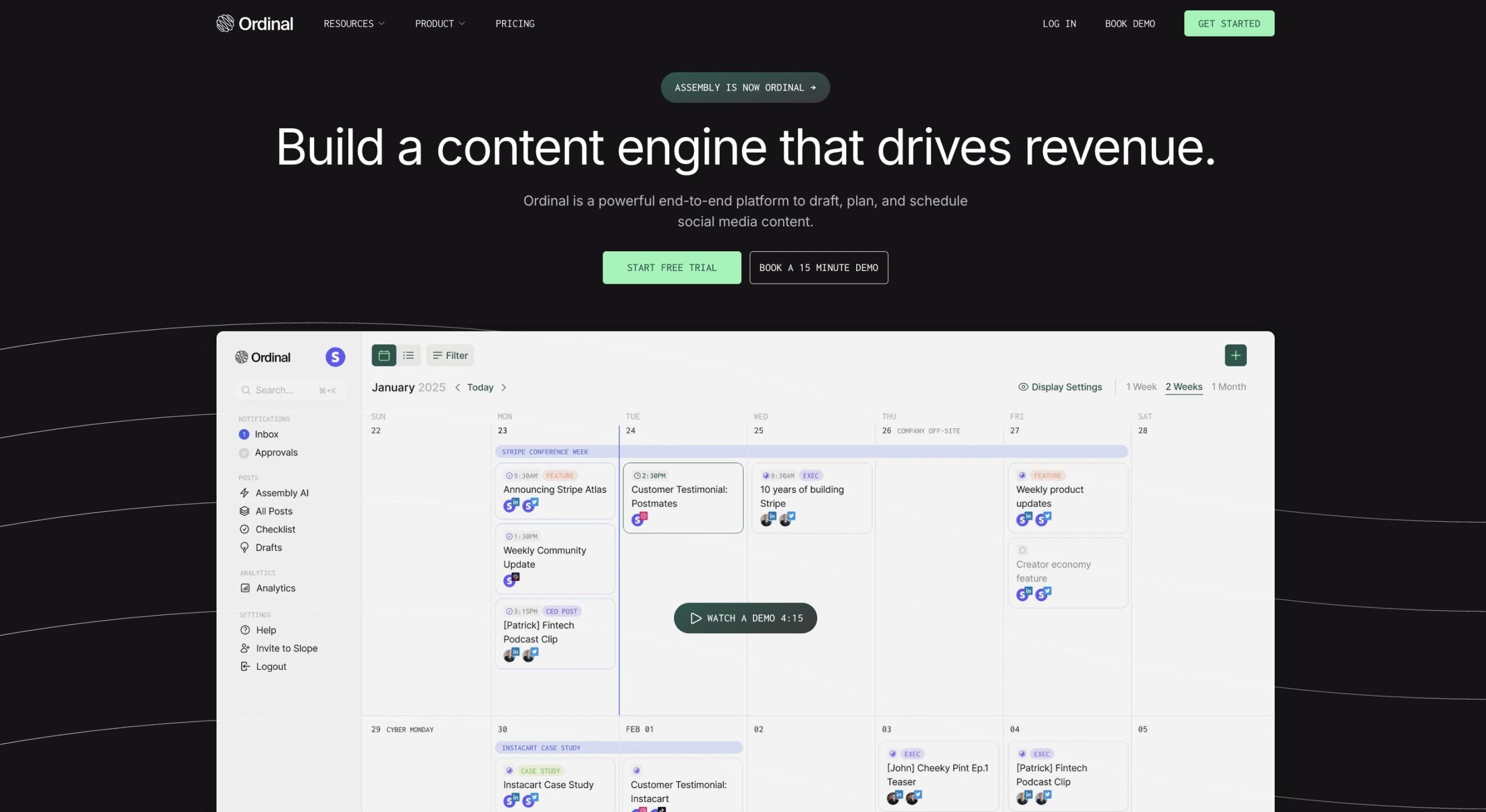
Ordinal is a social media management platform built for teams and creators who want to manage the entire content workflow in one place. It combines AI-powered content creation, scheduling, analytics, and collaboration tools with a strong focus on LinkedIn growth and B2B marketing.
The platform is designed to help brands plan content more strategically rather than simply queue posts. Users can draft posts, organize campaigns, collaborate with team members, track engagement, and even automate certain engagement actions.
While Ordinal supports multiple platforms like LinkedIn, X, and Instagram, its biggest strength is clearly its LinkedIn-first approach.
Ordinal Key Features
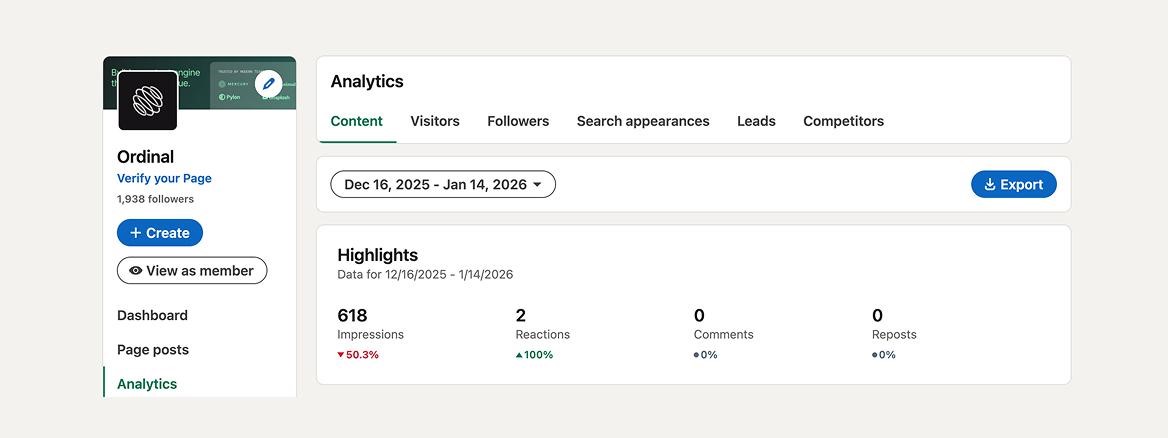
Ordinal comes packed with features aimed at creators, startups, and marketing teams that want more structure around content creation and publishing. Here are the main ones that stand out.
LinkedIn-first publishing tools
Ordinal leans heavily into LinkedIn. It supports features like personal and company profile tagging, LinkedIn PDF carousel posts, and engagement-focused workflows built specifically around how LinkedIn content performs. If LinkedIn is your main growth channel, this is one of the platform’s biggest selling points.
AI-powered content creation
The platform includes built-in AI tools to help generate captions, ideas, and post drafts.
It also tries to adapt to your brand voice over time, helping teams create content faster without losing consistency. This can be useful for businesses producing large volumes of content regularly.
Visual content calendar
Ordinal offers a drag-and-drop content calendar that makes it easier to organize campaigns across multiple accounts.
You can view drafts, scheduled posts, approvals, and publishing timelines in one place, which helps keep content workflows organized.
Team collaboration and approvals
This is one of Ordinal’s strongest areas. Teams can create approval workflows, assign tasks, manage briefs, and organize drafts inside the platform. It’s clearly designed for businesses with structured content processes rather than solo creators.
Analytics and reporting
Ordinal tracks post performance across channels and provides insights into impressions, engagement, follower growth, profile visits, and more.
It also breaks down content performance by post type and campaign labels, helping teams understand what content performs best.
Auto-engagement tools
The platform includes automated engagement features like auto-likes, comments, and reposts from connected accounts.
The goal is to help amplify reach and increase visibility on LinkedIn and X. While useful for some teams, these features may raise concerns for users who prefer a more manual or compliance-safe approach.
Ordinal Pricing
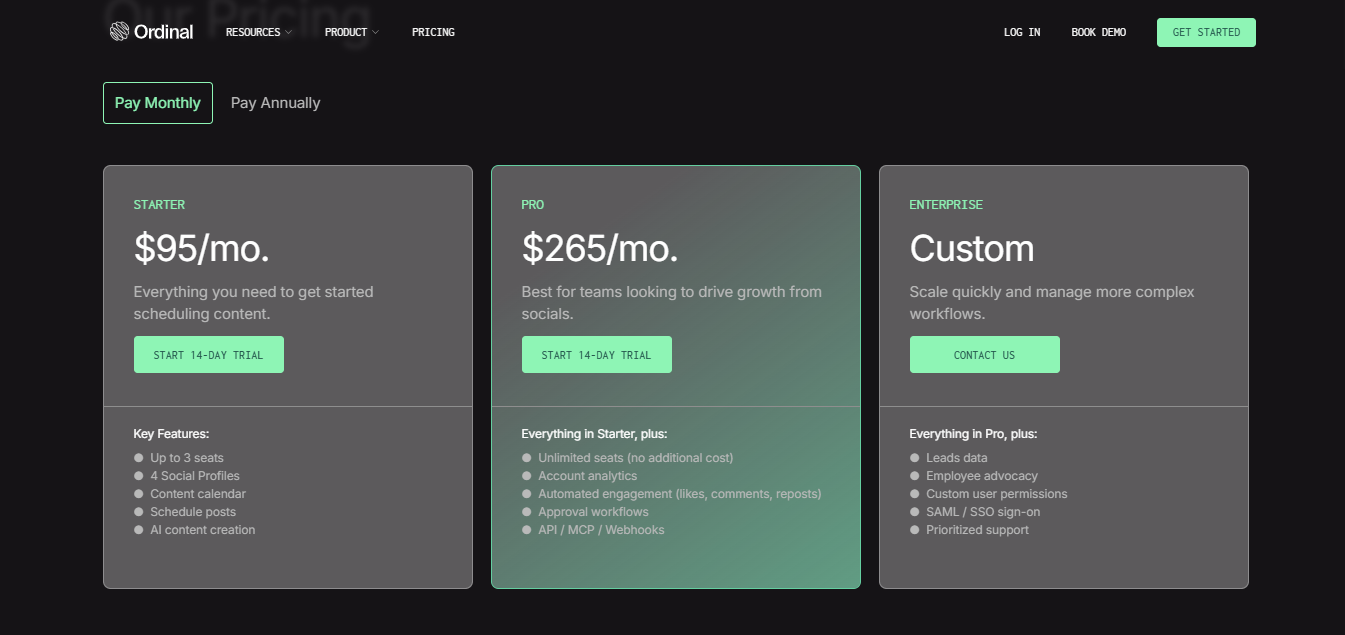
Ordinal is positioned as a premium platform, and the pricing reflects that. While it offers powerful features, the cost can quickly become difficult to justify for solo creators or smaller businesses.
Starter – $95/month
This is the entry-level plan and includes:
- Up to 3 seats
- 4 social profiles
- Content calendar
- Post scheduling
- AI content creation
It’s mainly designed for small teams getting started with structured content workflows.
Pro – $265/month
This plan is built for larger teams focused on growth and collaboration. It includes everything in Starter, plus:
- Unlimited seats
- Account analytics
- Automated engagement features
- Approval workflows
- API, MCP, and webhook access
Enterprise – Custom pricing
The Enterprise plan is designed for bigger organizations with more complex workflows. It includes:
- Leads data
- Employee advocacy tools
- Custom permissions
- SAML / SSO support
- Priority support
Pricing is custom, so you’ll need to contact the sales team directly.
Looking at this Ordinal pricing, you can clearly see that the tool is aimed at businesses with bigger budgets.
For agencies or established marketing teams, the pricing may make sense. But for solo creators, freelancers, or SMBs, it can feel expensive quickly, especially when there are alternatives that offer similar core features at a much lower cost.
Pros and Cons of Ordinal
Like most advanced social media platforms, Ordinal has areas where it shines and others where it may not fit every type of user.
Pros of Ordinal
- Strong LinkedIn-focused features
Ordinal is clearly built with LinkedIn in mind. Features like personal profile tagging, PDF carousel support, and LinkedIn engagement workflows make it appealing for B2B brands and creators. - Advanced collaboration tools
Approval workflows, content briefs, task assignments, and campaign organization make it useful for teams managing large content operations. - AI-powered workflows
The built-in AI helps with generating content ideas, captions, and planning content faster, which can save teams a lot of time. - Detailed analytics and reporting
Ordinal gives users a solid view of post performance, engagement, follower growth, and campaign-level insights across channels. - Multi-platform publishing
Although LinkedIn is the main focus, the platform also supports publishing across channels like X and Instagram.
Cons of Ordinal
- Very expensive
Starting at $95/month, Ordinal is priced far above many alternatives. Costs climb quickly once you need more advanced features or larger workflows. - Can feel overly complex
The platform is designed for structured teams and agencies. For solo creators or smaller businesses, some workflows may feel heavier than necessary. - Auto-engagement features may raise concerns
Features like automated likes, comments, and reposts can make some users uncomfortable, especially considering platform compliance policies. - Not ideal for budget-conscious creators
A lot of the platform’s most interesting features sit behind higher-tier plans, making it less accessible for freelancers or growing businesses. - LinkedIn-heavy approach
While it supports multiple platforms, Ordinal still feels very LinkedIn-centric. If your strategy is broader, some alternatives may offer a more balanced experience.
Top Ordinal Alternatives for Smarter Social Media Management
1. OnlySocial
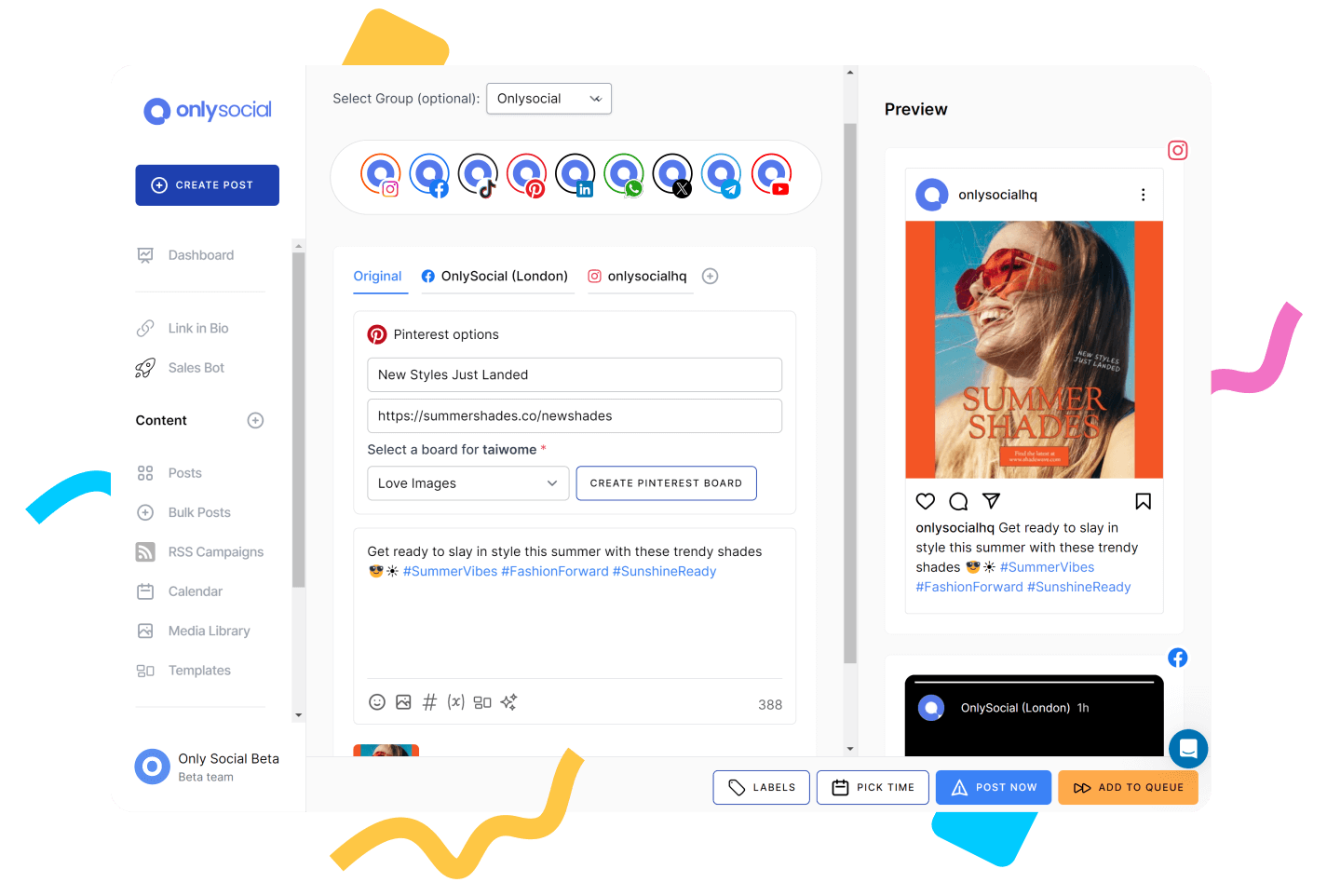
OnlySocial is an all-in-one social media management platform designed to make content planning, publishing, engagement, and analytics feel much simpler.
Where Ordinal leans heavily into complex LinkedIn workflows and enterprise-style systems, OnlySocial focuses on balance. You still get powerful features, but in a way that feels easier to use, more affordable, and far more practical for creators, agencies, and growing businesses.
For many teams, that difference matters a lot.
OnlySocial’s Key Features
Multi-platform publishing that actually feels flexible
OnlySocial supports 15+ major platforms, including LinkedIn, Instagram, Facebook, TikTok, X, Threads, YouTube, Pinterest, Google Business Profile, Bluesky, and more.
That’s one of the biggest differences compared to Ordinal.
Ordinal still feels primarily built around LinkedIn. OnlySocial feels more balanced across platforms, which makes it much better for brands managing content everywhere instead of focusing heavily on one channel.
You can schedule, edit, and manage everything from one dashboard instead of switching tools constantly.
Advanced scheduling tools
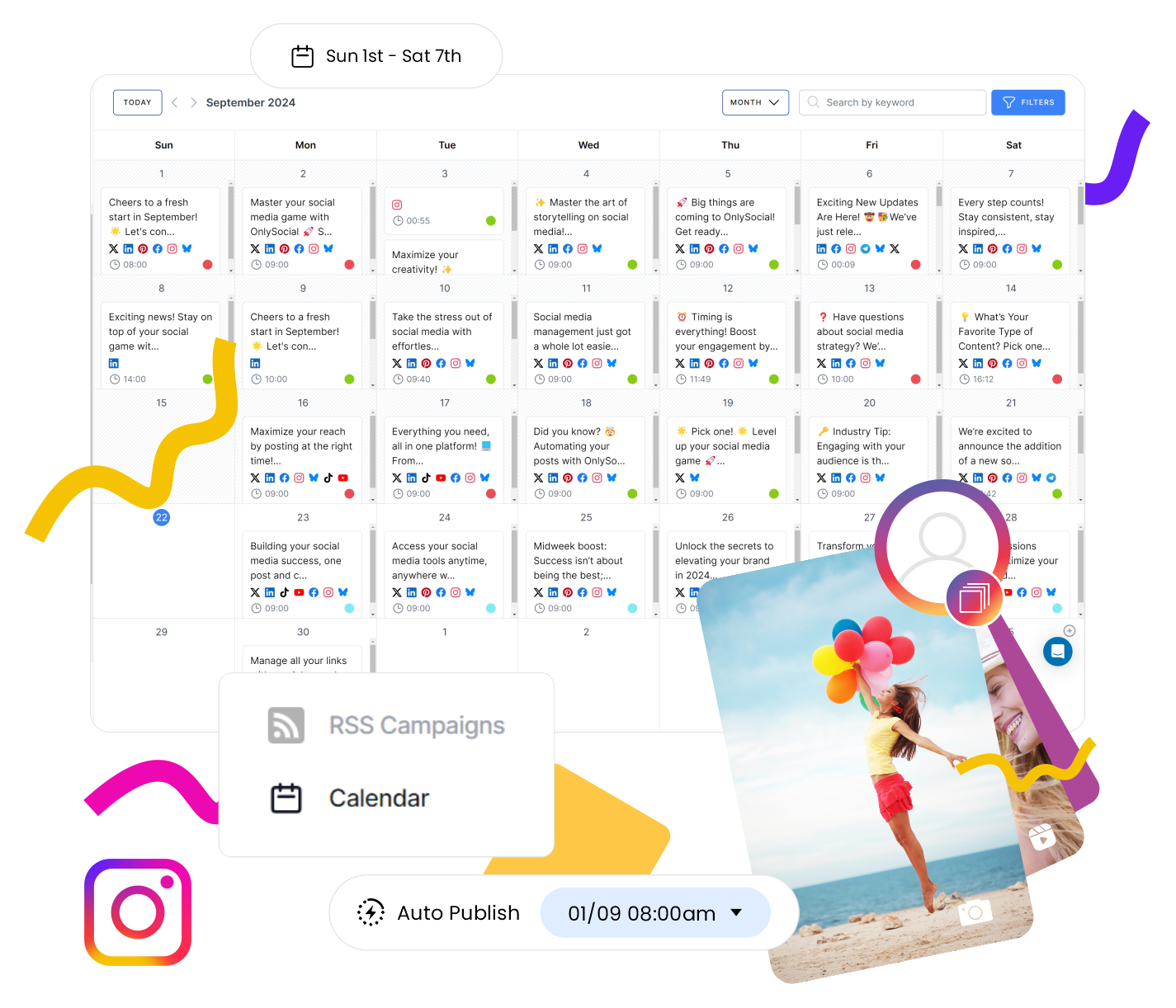
OnlySocial’s scheduling system is one of its strongest areas.
You can:
- Bulk upload hundreds of posts at once
- Use evergreen queues for recurring content
- Organize campaigns visually with a drag-and-drop calendar
- Schedule posts across multiple platforms simultaneously
Compared to Ordinal, the workflow feels lighter and faster. You don’t need to go through complicated setup processes just to manage a content calendar properly.
For smaller teams and agencies, that simplicity saves a lot of time.
AI-powered content creation without the complexity
Like Ordinal, OnlySocial includes AI-powered content tools. But instead of burying them inside complex workflows, the AI features feel much more practical and accessible. You can quickly generate:
- Captions
- Hashtags
- Post ideas
- Audience-focused visuals
- AI-generated images
This makes it easier to maintain consistency without spending hours brainstorming content every week.
Unified inbox for managing engagement
This is an area where OnlySocial feels more complete.
The platform includes an all-in-one inbox where you can manage messages, comments, and conversations across platforms from one place, including WhatsApp Business support.
Ordinal focuses more on internal workflows and auto-engagements. OnlySocial focuses more on helping you manage actual conversations with your audience efficiently.

Team collaboration
OnlySocial includes:
- User roles
- Approval workflows
- Shared workspaces
- Team collaboration features
But unlike Ordinal, it doesn’t feel overly corporate or complicated. You still get structure for managing teams and approvals, but the learning curve is much smaller. That makes it easier for agencies, SMBs, and lean marketing teams to get started quickly.
Analytics and reporting
OnlySocial gives you detailed analytics and reporting across your social accounts. You can track:
- Engagement
- Reach
- Audience growth
- Post performance
- Campaign performance
The reports are clean, easy to understand, and practical for day-to-day decision-making.
Ordinal offers strong analytics too, but for many users, OnlySocial’s simpler reporting experience will feel easier to work with consistently.
White-label support for agencies
This is something many alternatives don’t offer well. OnlySocial includes white-label capabilities that allow agencies to fully brand the platform as their own, including custom domains and dashboards.
For agencies managing multiple clients, this can become a huge advantage.
Pricing
Freelancer – $29/month
- 15 social profiles
- Unlimited scheduling
- AI captions and images
- Unified inbox
- Reports and analytics
Entrepreneur – $49/month
- 40 social profiles
- More AI credits
- Increased storage and broadcasts
Unlimited Pro – $99/month
- Unlimited social profiles
- Unlimited AI usage
- Full access to all features
Compared to Ordinal’s $95/month starting point for just 4 social profiles, OnlySocial gives significantly more flexibility for a much lower cost.
Pros of OnlySocial
- Much more affordable than Ordinal
- Supports far more social platforms
- Easier learning curve
- Excellent scheduling system
- Strong AI tools without unnecessary complexity
- Unified inbox included
- Great for creators, agencies, and SMBs
Cons of OnlySocial
- Enterprise-level workflow customization is lighter than Ordinal
- Advanced LinkedIn-specific automation features are more limited
Why OnlySocial is a better Ordinal alternative
Ordinal is powerful, but for many businesses, it’s simply too heavy and expensive for everyday social media management.
OnlySocial hits a much better balance.
You still get AI tools, collaboration, analytics, and multi-platform scheduling, but in a platform that feels easier to manage and far more affordable long-term. Instead of building workflows around the tool, the tool adapts to how your team already works.
That’s what makes OnlySocial such a strong Ordinal alternative in 2026.
2. Taplio
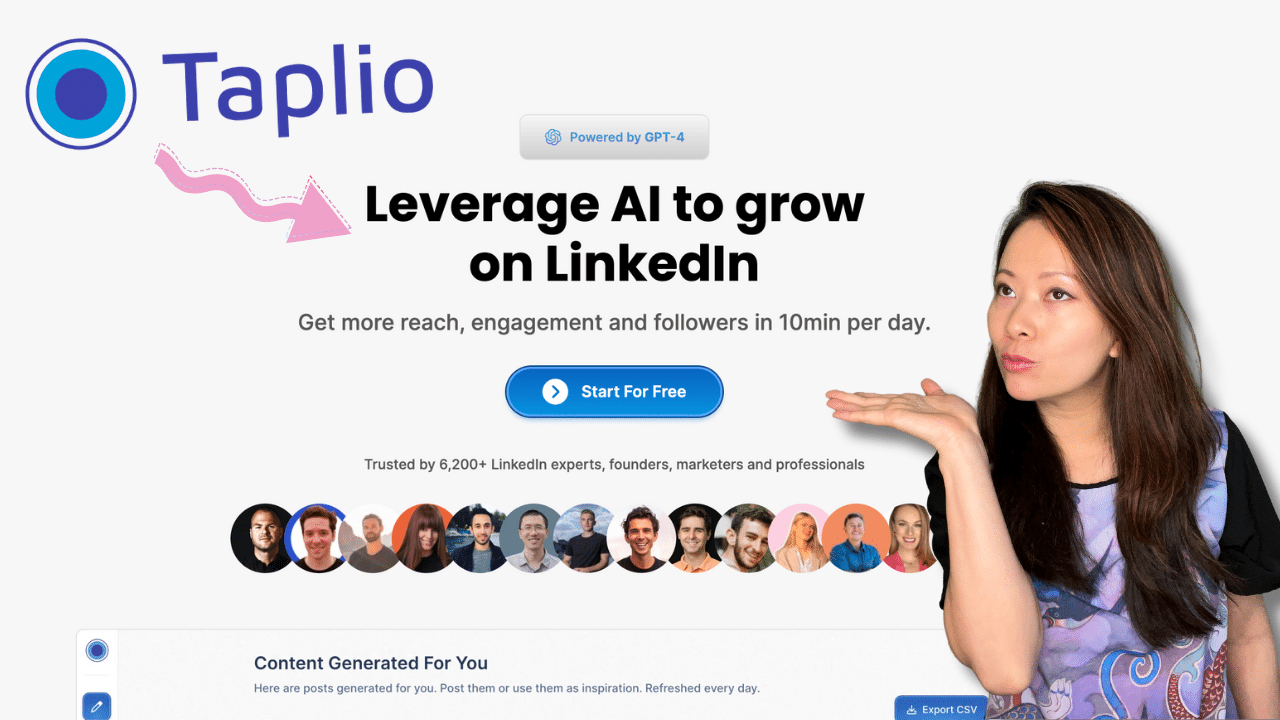
Taplio is also another Ordinal alternative worth considering. It is a LinkedIn-focused platform built for creators, founders, and professionals who want to grow their personal brand through consistent content and engagement.
Compared to Ordinal, Taplio feels more creator-focused and less enterprise-heavy. It’s designed mainly around helping users create better LinkedIn posts and grow their audience faster.
Key Features
- AI content creation – Generates LinkedIn posts and ideas based on your writing style and niche.
- Hook generator – Helps create stronger opening lines to improve engagement.
- Viral content finder – Surfaces trending LinkedIn topics and high-performing content ideas.
- Smart scheduling – Recommends ideal posting times based on audience activity.
- Engagement management – Highlights conversations and comments worth responding to.
Pricing
- Starter – $39/month
- Standard – $65/month
- Pro – $199/month
Pros
- Strong AI writing features
- Great for personal branding on LinkedIn
- Useful engagement insights
Cons
- Expensive at higher tiers
- Mostly LinkedIn-focused
- Learning curve for beginners
3. Typefully
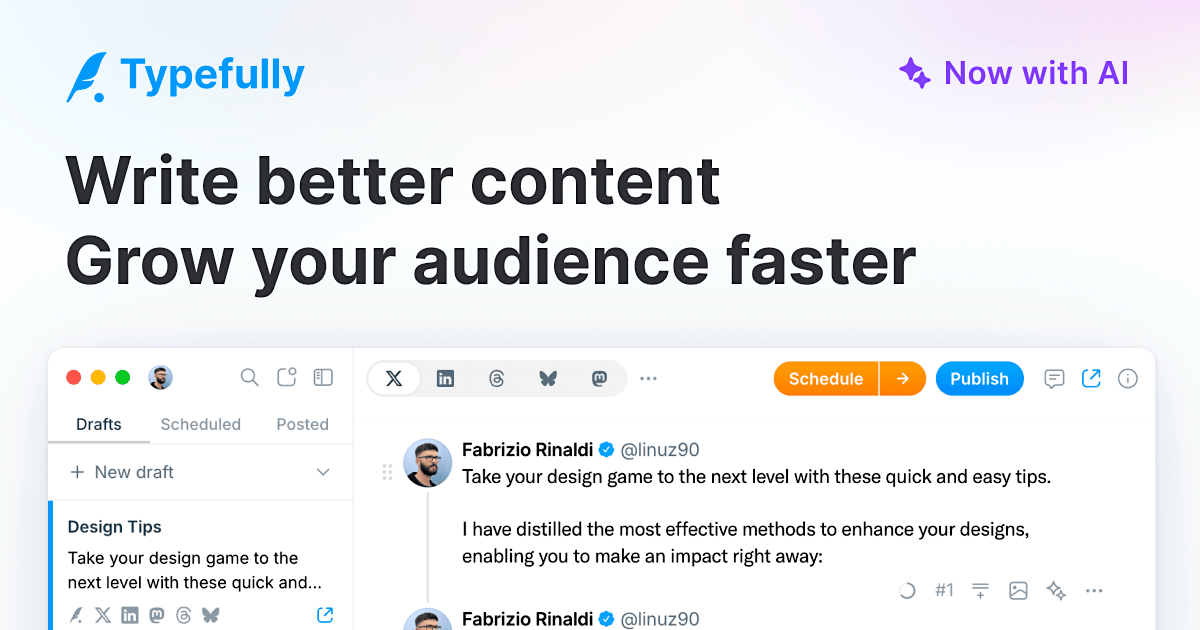
Typefully started as a Twitter/X writing platform but has evolved into a strong option for LinkedIn creators as well.
It focuses heavily on the writing experience, making it appealing for creators who publish across text-based platforms like LinkedIn, X, Threads, and Bluesky.
Key Features
- Cross-platform publishing – Publish to LinkedIn, X, Threads, Bluesky, and Mastodon from one place.
- Distraction-free writing interface – Clean editor designed for focused content creation.
- AI writing assist – Expands ideas and helps refine drafts.
- Post previews – Lets users preview how posts will appear before publishing.
- Team collaboration – Shared drafting and feedback tools for teams.
Pricing
- Free plan available
- Paid plans from $12.50/month
Pros
- Excellent writing experience
- Affordable pricing
- Great for multi-platform creators
Cons
- Limited LinkedIn-specific analytics
- AI is more general-purpose
4. Supergrow
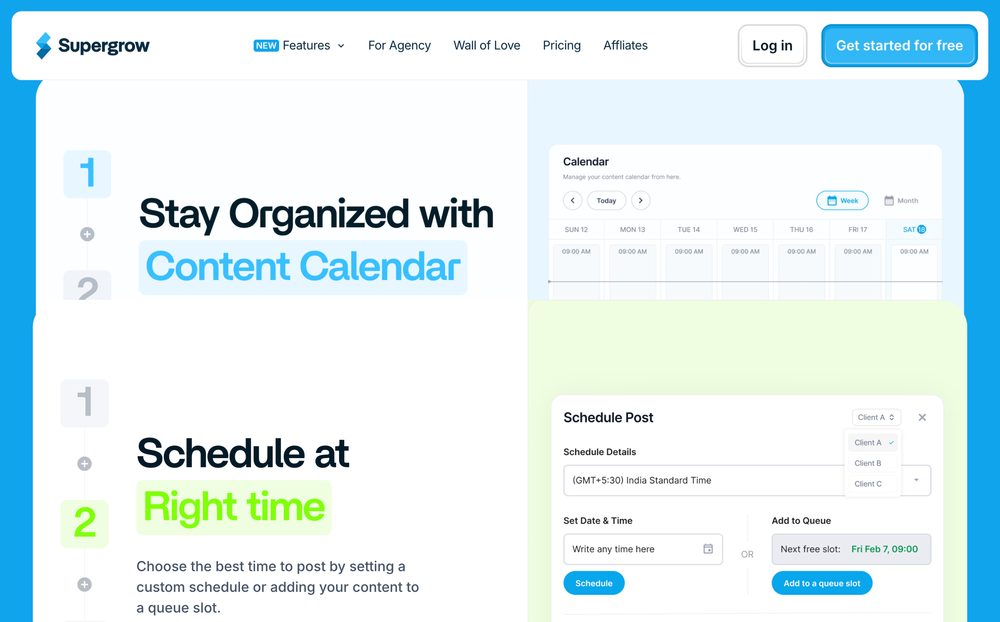
Supergrow is a LinkedIn-first content creation platform focused on helping creators stay consistent and grow safely on LinkedIn. Unlike Ordinal’s enterprise-style workflows, Supergrow feels much more creator-friendly and streamlined.
Key Features
- AI post generator – Creates posts based on your writing style and voice.
- Content calendar & Kanban board – Organizes your content pipeline visually.
- Carousel maker – Helps create LinkedIn carousel posts without external design tools.
- First-comment scheduler – Automatically schedules follow-up comments for better reach.
- Voice-to-post feature – Turns spoken ideas into LinkedIn-ready posts.
- Analytics dashboard – Tracks engagement, growth, and top-performing content.
Pricing
- Starter – $19/month
- Pro – $39/month
Pros
- AI adapts well to personal voice
- Built-in carousel creation
- Clean workflow for creators
- More affordable than Ordinal
Cons
- LinkedIn-only platform
- No mobile app yet
5. Buffer
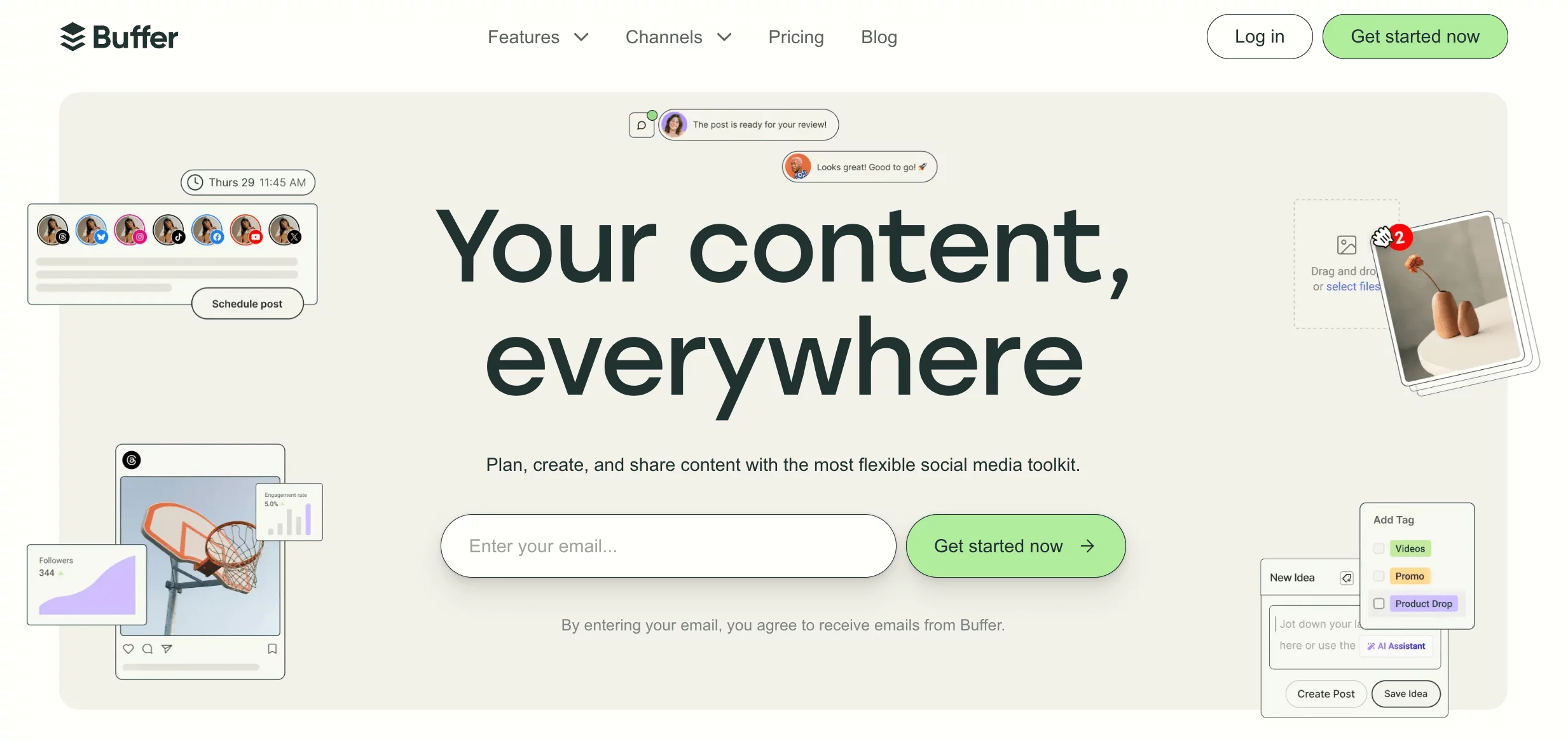
Buffer is one of the simplest and most beginner-friendly social media management tools available today.
Compared to Ordinal, Buffer focuses less on complex workflows and more on helping users schedule content quickly and consistently across multiple platforms.
Key Features
- Multi-platform scheduling – Publish content across LinkedIn, Instagram, Facebook, X, Threads, Mastodon, and more.
- Content calendar and queues – Organize and automate your posting schedule easily.
- Engagement tools – Manage comments and DMs from supported platforms.
- Analytics and reporting – Track post performance and audience engagement.
- Link-in-bio tools – Create custom landing pages for social traffic.
Pricing
- Free plan available
- Paid plans from $5/channel/month
Pros
- Very easy to use
- Affordable pricing
- Good platform support
- Great for smaller teams and creators
Cons
- Analytics are more basic than Ordinal’s
- Collaboration features are lighter
- Less advanced automation
6. Hootsuite
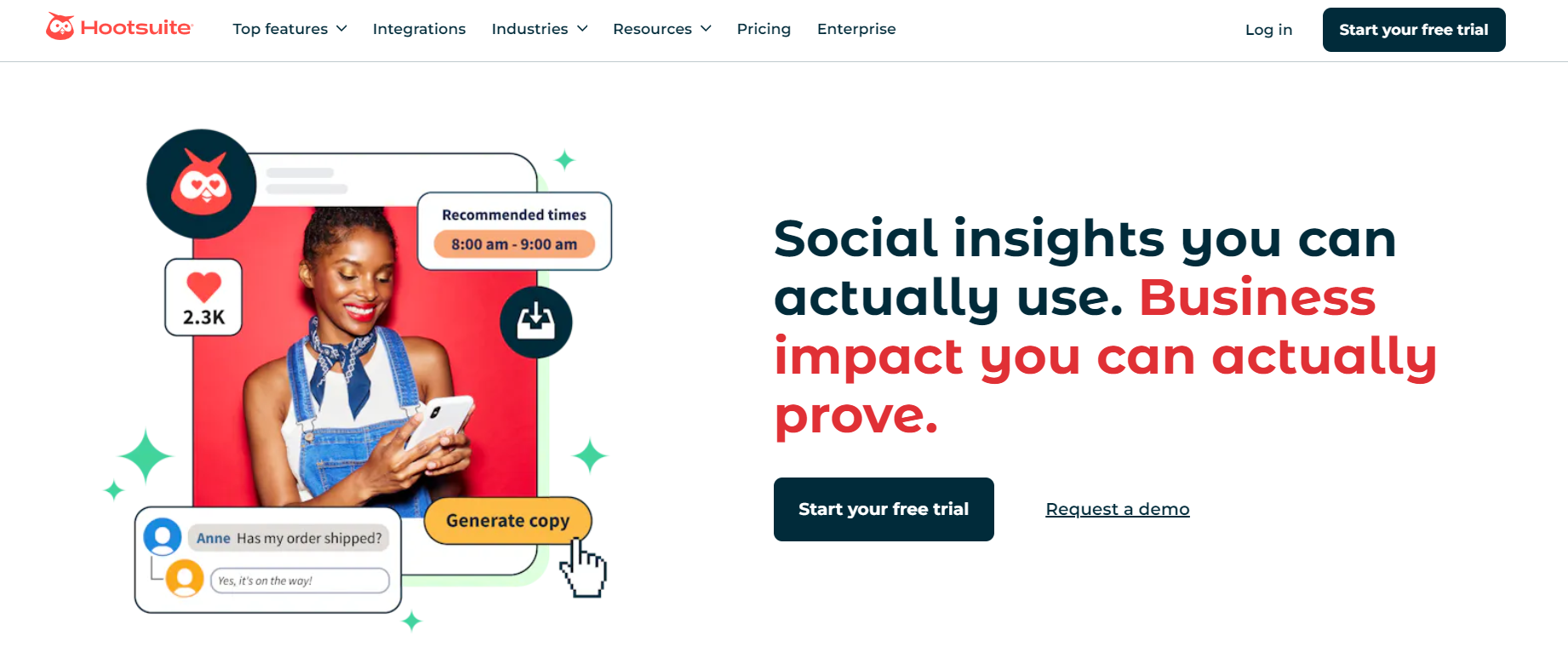
Hootsuite is one of the oldest and most established social media management tools on the market. It’s built more for businesses and agencies that want strong scheduling, social listening, and reporting capabilities across multiple platforms.
Key Features
- Multi-platform publishing – Schedule and manage content across all major social networks.
- Social listening tools – Monitor brand mentions, trends, and audience sentiment.
- Bulk scheduling – Upload and schedule large volumes of content quickly.
- Analytics dashboards – Generate reports and performance insights across channels.
- Team collaboration – Manage approvals, assignments, and publishing workflows.
Pricing
- Starts at $99/user/month
Pros
- Strong social listening features
- Good analytics and reporting
- Supports many platforms
- Enterprise-ready workflows
Cons
- Expensive pricing
- Interface can feel overwhelming
- Collaboration tools are not always intuitive
7. Planable
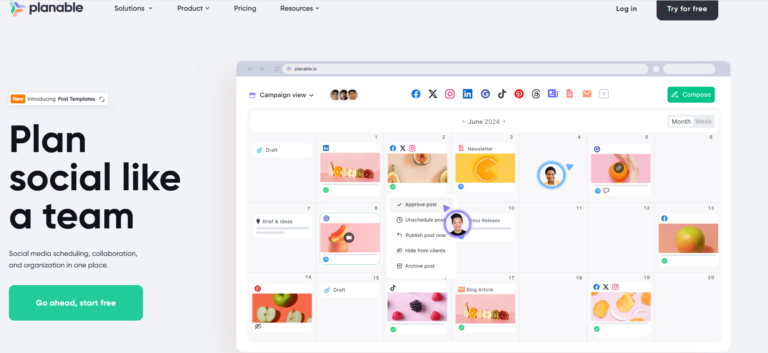
Planable is a social media collaboration and planning platform built around content approval workflows.
Compared to Ordinal, Planable feels much lighter and easier to navigate, especially for creative teams and agencies that need smooth collaboration rather than heavy automation.
Key Features
- Drag-and-drop content calendar – Quickly organize and reschedule posts visually.
- Approval workflows – Set up multi-step approvals for teams and clients.
- In-line comments and annotations – Collaborate directly on posts and visuals.
- Multi-format content support – Manage blogs, newsletters, scripts, and social posts in one place.
- Dedicated post previews – Preview posts exactly as they’ll appear on each platform.
Pricing
- Starts at $33/workspace/month
- Free plan available for limited use
Pros
- Excellent collaboration tools
- Very easy to use
- Great content preview system
- More affordable than Ordinal
Cons
- Limited analytics depth
- No advanced automation tools
- CMS publishing integrations are limited
How to Choose the Right Ordinal Alternative
Not every social media tool is built for the same type of user. Some are made for large marketing teams. Others work better for creators, agencies, or small businesses trying to stay consistent without dealing with complicated workflows.
So before choosing an Ordinal alternative, it helps to think about what you actually need day to day.
1. Decide if you need LinkedIn-only or multi-platform support
Ordinal leans heavily into LinkedIn workflows.
If LinkedIn is your entire strategy, a focused tool like Taplio or Supergrow might work well. But if you also manage Instagram, X, TikTok, Facebook, or YouTube, you’ll probably want a platform that handles everything together. So, you may want to consider tools like OnlySocial.
2. Consider your budget carefully
This is a big reason many users leave Ordinal. Advanced features are great, but not if the pricing becomes difficult to sustain long-term. Some alternatives offer very similar scheduling, analytics, and collaboration tools at a fraction of the cost.
Think beyond the starting price and look at what you’re actually getting for your money.
3. Think about how your team works
Some tools are designed for enterprise-style workflows with multiple approval layers and complex collaboration systems.
That sounds great on paper, but smaller teams often don’t need that much structure. In many cases, simpler workflows lead to faster execution and less friction.
The best tool should fit your team naturally instead of forcing everyone to adapt to overly complicated systems.
4. Look at the scheduling and planning experience
You’ll spend a lot of time inside the content calendar, so usability matters. A good platform should make it easy to:
- Plan campaigns
- Drag and drop posts
- Bulk schedule content
- Organize drafts
- Visualize your publishing schedule
If the workflow feels heavy or confusing, content management becomes frustrating quickly.
5. Don’t ignore analytics and reporting
Posting content is only half the job. You also need to understand what’s actually working.
Some tools offer simple engagement reports, while others provide deeper campaign insights, audience growth tracking, and performance breakdowns.
The right balance depends on your goals. Many users don’t need enterprise-level dashboards. They just need clear, useful insights they can act on quickly.
6. Choose a tool that matches your growth stage
This is important. A solo creator has very different needs from a growing agency or a large marketing team. Picking a platform that’s too advanced can slow you down just as much as choosing one that’s too limited.
The best Ordinal alternative is usually the one that gives you room to grow without making your workflow more complicated than it needs to be.
Final Note
Ordinal is a powerful platform, especially for larger teams running LinkedIn-heavy content strategies. It offers advanced collaboration tools, AI workflows, and detailed analytics that can work well for enterprise-style marketing operations.
But for many creators, agencies, and growing businesses, it can also feel expensive and unnecessarily complex. That’s why tools like OnlySocial are becoming more attractive. You still get strong scheduling, AI content support, analytics, collaboration, and multi-platform management, but in a setup that feels much easier to use and far more affordable long-term.
FAQs
What is Ordinal used for?
Ordinal is a social media management platform mainly focused on LinkedIn growth, content planning, scheduling, collaboration workflows, and analytics for marketing teams and businesses.
Is Ordinal worth the price?
It depends on your needs. Larger teams and agencies may benefit from its advanced workflows and LinkedIn-focused features. But for smaller businesses and creators, the pricing can feel quite high compared to alternatives with similar core features.
What is the best Ordinal alternative?
OnlySocial is one of the best Ordinal alternatives because it offers strong scheduling, AI content tools, analytics, collaboration, and multi-platform support at a much more affordable price.
Is OnlySocial good for LinkedIn management?
Yes. OnlySocial supports LinkedIn scheduling, analytics, engagement management, and AI-powered content creation. It also supports many other platforms, which makes it useful for brands managing content across multiple channels.
Yes. OnlySocial supports over 15 social platforms, including LinkedIn, Instagram, Facebook, TikTok, X, Threads, YouTube, Pinterest, Bluesky, and Google Business Profile.
Is OnlySocial good for agencies?
Yes. OnlySocial includes team collaboration tools, approval workflows, shared workspaces, analytics, and white-label support, making it a strong option for agencies managing multiple clients.