Pinterest Automation in 2026: Effective Strategies to Maximize Your Pins
If you’re a business owner, coach, affiliate marketer, or content creator, you already know how expensive gaining attention online can be. And Pinterest? It’s one of the few platforms where attention lasts.
With over 500 million active users, Pinterest isn’t just a place for recipes and home decor anymore. It’s a search engine. A discovery platform. A quiet traffic machine that keeps working long after you hit publish.
Unlike most social platforms, where posts disappear in 24 hours, a well-optimized pin can drive traffic for months – sometimes even years.
However, the problem is that adding Pinterest to your strategy without stretching your resources can be a challenge. But with Pinterest automation, that may not be a problem anymore.
In this guide, we’ll break down how Pinterest automation works in 2026 and show you 5 effective strategies that can help you automate your Pinterest efforts without burning out.
Table of Contents
- 1 Why Automate Your Pinterest Strategy?
- 2 Smart Ways to Put Your Pinterest on Autopilot
- 3 How OnlySocial Makes Pinterest Automation Simple
- 4 Pinterest Automation Best Practices
- 5 Final Thoughts
Why Automate Your Pinterest Strategy?
Before we talk tactics, let’s answer the real question: Is Pinterest even worth automating?
Short answer: yes. And not just for bloggers. Let’s take a quick look at some reasons automation makes sense, especially in 2026.
Pinterest is a visual search engine
Pinterest isn’t just another social app. It’s a visual search engine. People don’t scroll the platform the way they scroll Instagram. They open Pinterest with intent. They’re looking for ideas, products, tutorials, inspiration, or solutions.
Around 80% of users discover new brands or products on the platform. That means they’re actively open to finding something new.
When you automate your Pinterest workflow, you make sure your content shows up consistently in search results. Pinterest rewards active accounts, and automation does a good job in helping you stay active without being online all day.
Pinterest drives sales
Pinterest users don’t just browse; they buy. About 55% of Pinners see Pinterest as a place to shop. Even more impressive, 85% of weekly users have made a purchase inspired by a Pin.
That’s huge.
If you sell products, run an affiliate site, promote digital offers, or drive traffic to an online store, Pinterest can become a serious revenue channel. But only if you show up consistently.
Automation ensures your product pins, blog posts, and promotional content are published on schedule and stay visible long term.
It’s one of the best platforms for organic traffic
Unlike Instagram or TikTok, Pinterest content doesn’t disappear in 24 hours. A well-optimized Pin can drive traffic to your website for months or even years.
Each Pin links directly to your blog, product page, or landing page. One click and the user lands on your site. For bloggers, affiliate marketers, coaches, and e-commerce brands, that’s gold.
Automation helps you keep fresh content flowing while also recycling evergreen pins that already perform well. Instead of constantly creating from scratch, you build a sustainable traffic engine.
Strong Monetization Potential
Pinterest isn’t just for inspiration boards anymore. It’s now a serious monetization platform.
You can promote affiliate links, drive traffic to digital products, sell physical products, grow your email list, or showcase services. Many creators use Pinterest to support Etsy shops, online courses, and niche blogs.
But monetization requires volume and consistency. More quality pins mean more chances to get clicks. Automation helps you maintain that volume without burning out.
Consistency boosts discoverability
Pinterest’s algorithm favors accounts that post regularly. The more consistently you publish optimized pins, the more signals you send to the platform that your account is active and valuable. That increases your reach over time.
If you pin once every two weeks, growth will be slow. If you pin consistently, your content compounds. And with automation, you won’t have to struggle with consistency. You batch your content. You schedule it. Your account stays active even when you’re focused elsewhere.
Automation saves time
Designing pins, writing keyword-rich descriptions, scheduling posts, monitoring performance – it adds up. Doing it manually every day drains energy.
Automation allows you to plan ahead, schedule in bulk, and track results from one dashboard. You spend less time managing and more time improving strategy, creating better offers, and refining your funnel.
Smart Ways to Put Your Pinterest on Autopilot
Now that you understand why automation matters, let’s get practical.
Pinterest automation isn’t about cutting corners. It’s about building a system that runs consistently in the background while you focus on creating better content, products, or offers.
Here are some ways to start.
1. Use Scheduling Tools to Stay Consistent
As we already said, consistency is everything on Pinterest. The platform rewards active accounts that pin regularly. But logging in daily to manually post content is not sustainable for most people.
Scheduling tools solve that problem.
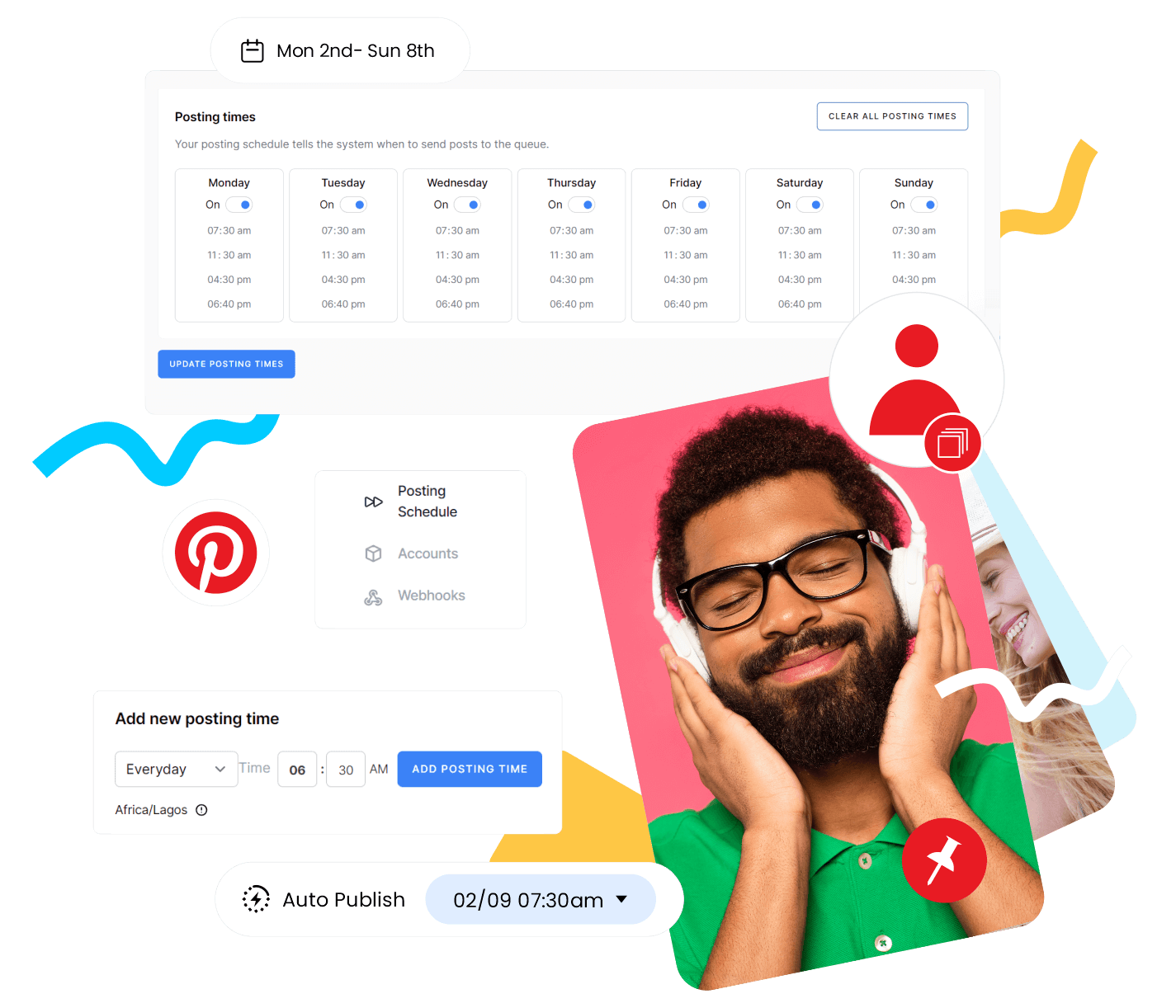
With Pinterest’s native scheduler, you can queue up to 10 pins at a time and schedule them up to 30 days in advance. It’s free and simple, especially for smaller businesses or creators who don’t need advanced features.
But if you want more flexibility, third-party tools take things further.
Platforms like OnlySocial, Hootsuite, or Buffer allow you to:
- Schedule far more than 10 pins
- Plan content weeks or months ahead
- Bulk upload pins
- Access deeper analytics
- Cross-post to other platforms like Instagram, Facebook, TikTok, etc.
Instead of thinking, “I need to pin today,” you batch your content once and let the system publish it automatically. That shift alone makes Pinterest manageable.
You can check our recent guide on how to schedule Pinterest pins; step-by-step.
2. Connect Pinterest to Your RSS Feed
If you publish blog posts, new products, or fresh content regularly, this method is powerful.
An RSS feed (Really Simple Syndication) automatically updates whenever new content goes live on your website. By connecting your RSS feed to Pinterest, you can automatically create pins every time you publish something new.
It keeps your boards fresh without extra manual work.
For example, imagine you run a recipe blog. Every time you publish a new recipe, a pin is automatically generated and linked back to your full post. Traffic starts flowing without you manually designing and uploading each time.
So, how do you set this up? It’s quite straightforward:
- Find your RSS feed URL (usually something like com/feed)
- Connect it to Pinterest using their native feature or through a scheduling tool like OnlySocial
- Once linked, Pinterest will check your feed and publish new pins automatically
This works especially well for bloggers, e-commerce stores, and content-heavy websites.
Instead of worrying about forgetting to pin new content, your system handles it for you. And that’s the point of automation.
Less manual work. More consistent visibility.
3. Use Artificial Intelligence
AI is no longer a “nice extra.” It’s a serious productivity tool. On Pinterest, a lot of the work is repetitive – writing keyword-rich titles, crafting descriptions, brainstorming fresh angles, and designing simple visuals. Doing all of these manually every time can quickly drain your energy.
AI tools can handle those repetitive layers.
You can use AI to generate:
- Pin titles optimized for search
- Keyword-rich descriptions
- Hashtag suggestions
- Fresh content angles
- Visual concepts for your graphics
Instead of starting from scratch, you start with a draft and refine it.
Some tools, like OnlySocial’s AI assistant, go even further by helping you generate captions, relevant hashtags, and even visuals tailored to your niche. That means less time staring at a blank screen and more time refining strategy.
4. Automate Your Pin Creation Workflow
Designing new pins daily can feel like a full-time job. But you don’t always need brand-new ideas. You need a smarter system.
Start by repurposing content you already have. Blog posts, YouTube videos, podcasts, guides, product pages. Each piece of long-form content can become multiple Pinterest pins. Break down key points into bite-sized graphics that link back to the original source.
This multiplies your output without multiplying your workload.
Templates help too.
Having pre-designed pin templates saves time and keeps your brand visually consistent. Instead of designing from scratch, you plug in new headlines, images, or colors. Your audience begins to recognize your style instantly.
You can also curate strategically.
Sharing valuable content from trusted sources in your niche keeps your boards active while positioning you as a resource. Add your own commentary, credit the original creator, and offer context. That keeps it authentic.
5. Cross-Post Strategically to Multiply Your Reach
You don’t always need more content. Sometimes, you just need your content in more places.
Cross-posting allows you to extend the life and reach of what you’ve already created. When done properly, it saves time and increases visibility without doubling your workload.
If you’re already creating content for Instagram, Facebook, or LinkedIn, there’s no reason Pinterest should sit in isolation.
Tools like OnlySocial allow you to schedule once and publish across multiple platforms, while still tailoring captions or formats for each channel. That means one workflow, multiple touchpoints.
Instead of creating separate posts for every platform, you adapt the same core idea. A carousel on Instagram becomes a pin graphic. A short video becomes an idea pin. A LinkedIn tip becomes a Pinterest quote-style visual.
That way, you can stay consistent everywhere without creating from scratch each time.
Sync Your E-Commerce Listings with Pinterest
If you run an Etsy or Shopify store, Pinterest can become a quiet sales engine. By syncing your product listings directly to Pinterest, your items automatically appear as shoppable pins. That makes it easy for users to discover and purchase without friction.
Since many Pinners actively use the platform for product discovery, this integration keeps your catalogue visible without manually uploading every item.
Turn Blog Posts into Multiple Pins
Every blog post is a content goldmine. Instead of creating one pin per article, create three or four. Each highlighting a different angle, tip, or takeaway from the post.
For example:
- One pin could focus on a key statistic
- Another could highlight a step-by-step tip
- Another could pose a question from the article
This approach increases your reach because different designs and headlines attract different segments of your audience.
You can even build a system where every new blog post automatically generates several pin designs and gets scheduled in advance. Over time, this compounds into serious traffic growth.
How OnlySocial Makes Pinterest Automation Simple
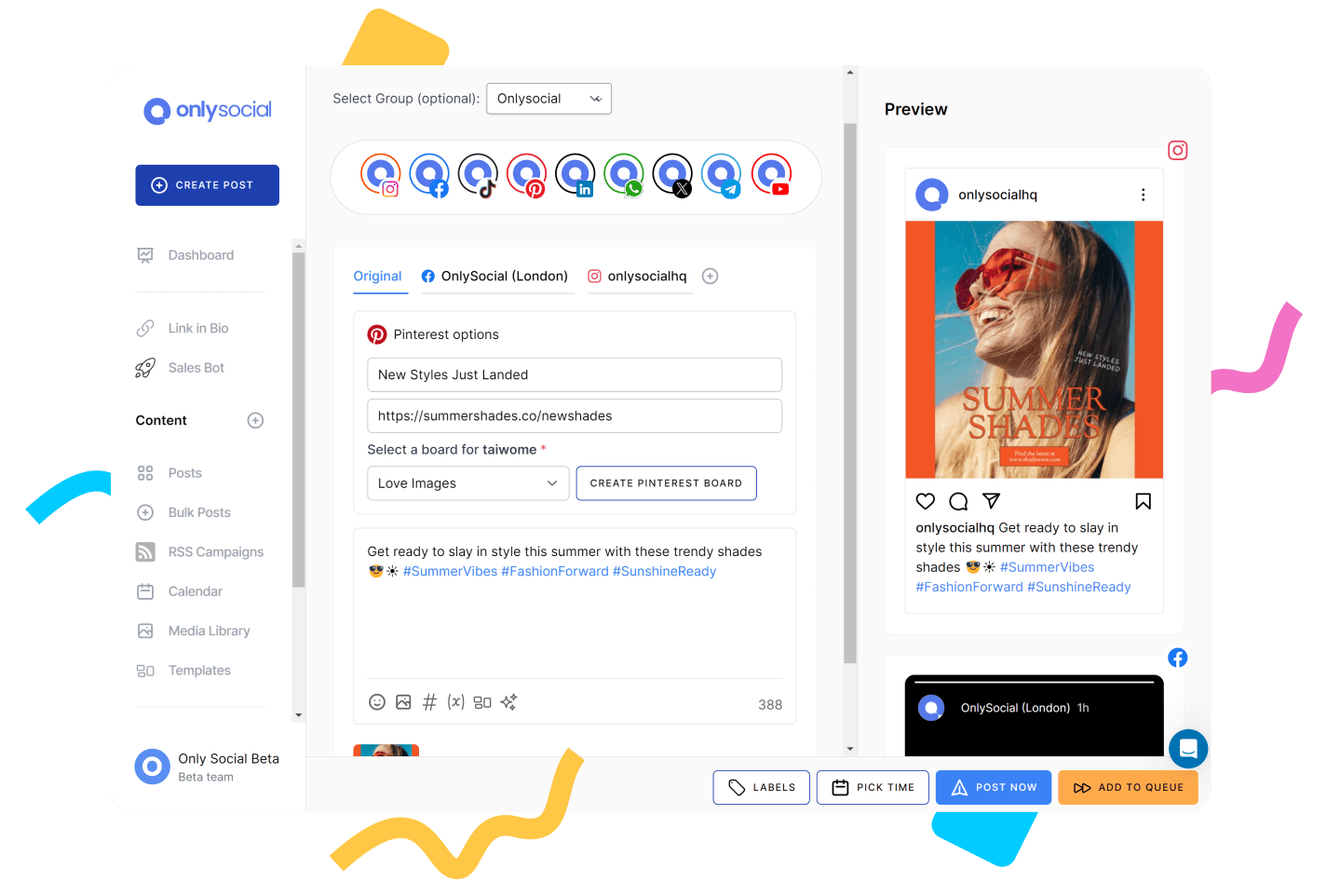
You can piece together five different tools to automate Pinterest. Or you can centralize everything.
OnlySocial helps you manage, schedule, optimize, and scale your Pinterest strategy from one dashboard. Here’s how it supports everything we’ve covered so far:
- Bulk Scheduling for Pinterest
Upload and schedule multiple pins at once. Perfect for batching content weekly or monthly so your boards stay active without daily manual posting. - Multi-Platform Cross-Posting
Schedule once and publish across Pinterest, Instagram, Facebook, LinkedIn, and more. Adjust captions per platform while keeping your messaging consistent. - AI Caption & Hashtag Assistant
Generate keyword-optimized pin titles, descriptions, and hashtags instantly. Ideal for improving discoverability without spending hours on copywriting. - AI Visual Generation
Create scroll-stopping visuals directly inside the platform. Helpful when you need fresh pin designs but don’t want to start from scratch every time. - Evergreen Content Recycling
Automatically repost high-performing pins on a schedule. Keep your best content circulating without constantly redesigning new graphics. - Unified Inbox
Manage messages and interactions from multiple platforms in one dashboard. Stay responsive without switching tabs all day. - Advanced Analytics & Reporting
Track performance metrics and measure how Pinterest drives traffic and engagement. With GA4 integration, you can see how pins contribute to website visits and conversions. - Multiple Account Management
Ideal for agencies, brands with multiple boards, or creators managing different niches. Handle everything from one clean interface.
Pinterest Automation Best Practices
Prioritize fresh pins
Pinterest loves fresh content. Even if you’re linking to the same blog post, create multiple unique pin designs instead of reposting the exact same graphic over and over. New visuals, new headlines, slightly different angles. Automation should help you create variations, not repeat duplicates.
Optimize for keywords, not just aesthetics
Pinterest is a search engine first. Your titles and descriptions need keywords. What would your audience type into the search bar? Include those naturally in your pin titles, descriptions, and even board names.
Don’t “set and forget” forever
Scheduling pins doesn’t mean disappearing. Check your analytics regularly. Look at:
- Click-through rates
- Saves
- Impressions
- Top-performing boards
If certain topics outperform others, create more of them. If a design style performs better, lean into it.
Keep a consistent posting rhythm
You don’t need to pin 50 times a day. But you do need consistency. Whether it’s 3 pins daily or 10 per week, stick to a sustainable schedule. Batch your content. Schedule ahead. Let automation maintain the rhythm. Inconsistency is the biggest killer of momentum.
Avoid Spammy Tactics
Pinterest has evolved. Old-school automation tricks don’t work anymore. So, avoid:
- Mass pinning low-quality content
- Using irrelevant hashtags
- Reposting the same image excessively
- Keyword stuffing descriptions
Focus on value, relevance, and consistency.
Final Thoughts
Pinterest isn’t just another social platform. It’s a long-term traffic engine.
When you approach it manually, it can feel overwhelming. But when you build the right systems, it becomes predictable. Consistent pins. Fresh content. Smart repurposing. Clear analytics. That’s how accounts grow without burnout.
Start small. Automate your scheduling first. Then layer in AI support, repurposing, and cross-posting as your workflow becomes smoother.
If you’re ready to simplify the entire process, OnlySocial gives you everything in one place.
Set it up once. Let your Pinterest work for you.