OnlySocial vs VistaSocial: Choosing the Right White-Label Partner to Scale Your Agency
If you’re an agency owner exploring white-label social media platforms, chances are you’ve seen OnlySocial and VistaSocial show up as top contenders. Both tools promise the same big idea: give your agency a fully branded platform where clients can approve content, view reports, and interact with your services as if you built the software yourself.
But here’s where things get interesting – while VistaSocial focuses on branded emails, notifications, and custom domains, OnlySocial approaches white-labeling from a more complete, agency-centered angle.
It turns the entire dashboard into your own SaaS product, with deeper branding, stronger workflow tools, and pricing that actually makes sense as you scale.
If you’re trying to figure out which one is the better partner for your agency’s long-term growth, this guide breaks everything down in simple terms, so you can make the best decision for your agency.
Table of Contents
- 1 What Agencies Really Want in a White-Label Partner
- 2 OnlySocial: A Deep Look at Its White-Label Solution
- 2.1 Full Custom Branding (Logo, Colors, Domain, Dashboard)
- 2.1.1 Admin Dashboard to Manage Everything
- 2.1.2 Unlimited Scheduling (Including Bulk & RSS Posting)
- 2.1.3 Supports 15 Major Social Platforms
- 2.1.4 Unlimited Team Members
- 2.1.5 AI Content Assistant
- 2.1.6 Unified Inbox for Comments & DMs
- 2.1.7 Collaboration Tools
- 2.1.8 Link-in-Bio, QR, and VCard Tools
- 2.1.9 Impersonate Users
- 2.1.10 Payment Management
- 2.1.11 Advanced Analytics
- 2.1.12 Technical Support
- 2.1.13 Pricing Built for Scalability
- 2.1 Full Custom Branding (Logo, Colors, Domain, Dashboard)
- 3 VistaSocial: What Their White-Label Solution Offers
- 4 OnlySocial vs VistaSocial: Feature-by-Feature Comparison
- 5 Which Is Better for Your Agency?
- 6 Final Note: Which White-Label Partner Helps Your Agency Scale Faster?
- 7 FAQs
What Agencies Really Want in a White-Label Partner
Before comparing OnlySocial and VistaSocial, it helps to get one thing straight: agencies don’t just want a tool that “works.” They want a platform that actually makes their day easier, keeps clients impressed, and helps them scale without adding more hours to the week.
Here’s what that looks like in real life.
Real, full-platform branding – not just a logo swap
Agencies want clients to log in and see their brand everywhere.
Not “powered by another platform,” not a logo tucked in a corner. Just a clean, fully branded experience that feels like their own software.
This means custom domains, branded dashboards, branded emails, branded notifications… the whole package.
A tool that reduces workload, not adds to it
A white-label solution should remove busywork: scheduling, approvals, posting, replying, reporting.
If the tool still forces your team to jump between platforms or patch things together manually, it’s not helping. Agencies want automation, intelligence, and simplicity – not complexity.
Smooth client collaboration
Client communication is where bottlenecks happen.
Agencies need a platform where clients can approve posts, leave comments, view content calendars, and check reports without endless emails or confusion.
The smoother the workflow, the faster the turnaround.
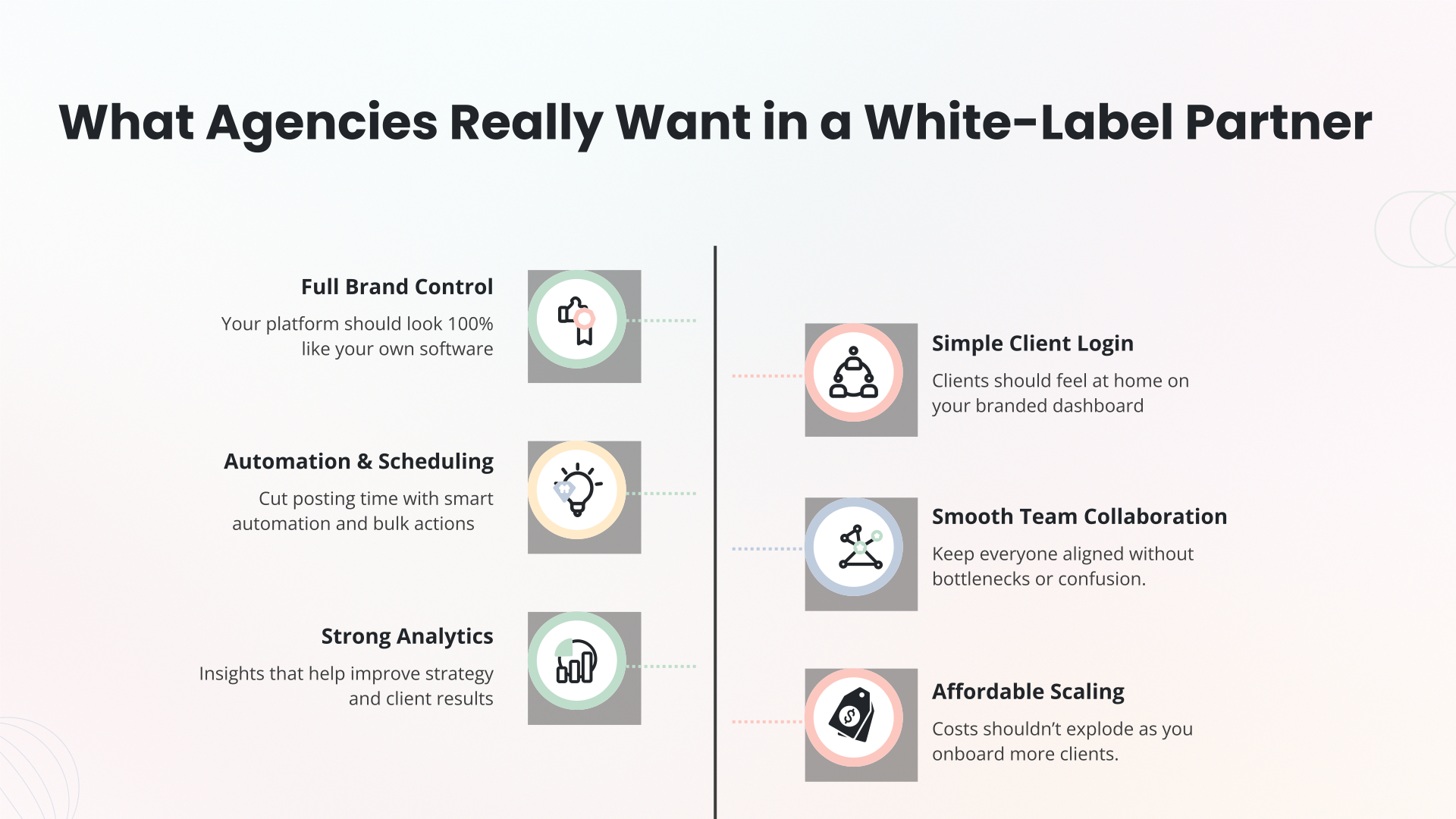
Pricing that makes scaling realistic
Agencies grow when the cost per client drops, not rises.
A good white-label solution must let you add clients without doubling your expenses or forcing you into costly enterprise plans just to remove branding.
Reporting that actually makes agencies look good
Clients expect reports that are clean, visual, automated, and branded.
Agencies want to send reports that show value without spending hours formatting PDFs or spreadsheets. White-label reporting isn’t optional anymore – it’s a core expectation.
A platform reliable enough to trust with clients
If clients are logging in, the platform must be stable, intuitive, and fast.
Crashes, confusing layouts, and missing features can hurt your agency’s reputation.
Agencies want software that feels enterprise-ready, even when they’re just starting out.
OnlySocial: A Deep Look at Its White-Label Solution
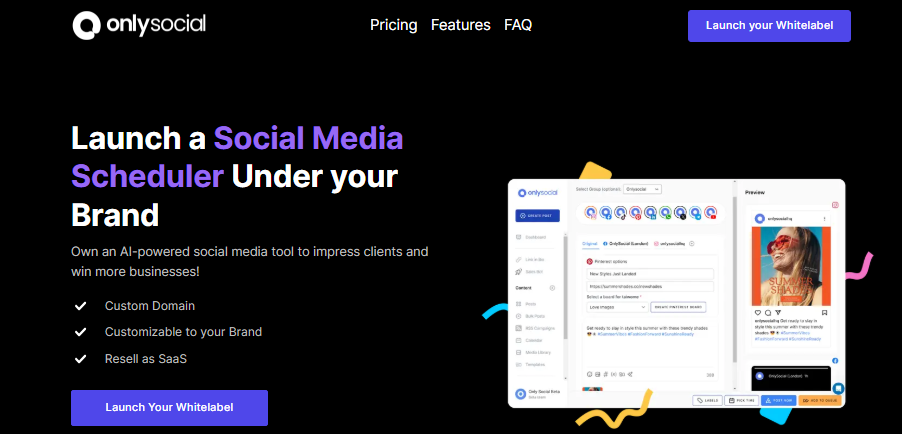
If you’re looking for a true white label social media platform, and not just logo placement or branded reports, OnlySocial delivers the full package.
It’s built specifically for agencies that want their own social media management software without building it from scratch or spending thousands on development.
Below is a closer look at the features that make OnlySocial one of the strongest white-label solutions for scaling agencies today.
Full Custom Branding (Logo, Colors, Domain, Dashboard)
With OnlySocial, your agency gets a fully branded platform from the login page to the client dashboard.
Your domain. Your logo. Your colors. Your interface.
Clients feel like they’re logging into your software, not a repackaged tool – and that creates instant trust and professionalism.
Admin Dashboard to Manage Everything
OnlySocial gives agencies a dedicated admin panel where they can manage every workspace, client account, team member, integration, and billing area in one place.
It eliminates scattered systems and gives you complete visibility over your entire client base at once.
Unlimited Scheduling (Including Bulk & RSS Posting)
No limits, no restrictions. You can schedule unlimited posts across all clients and platforms – whether it’s daily content, monthly calendars, or entire campaigns.
You can also bulk upload hundreds of posts at once, auto-publish via RSS feeds, and keep every client’s calendar running on autopilot.
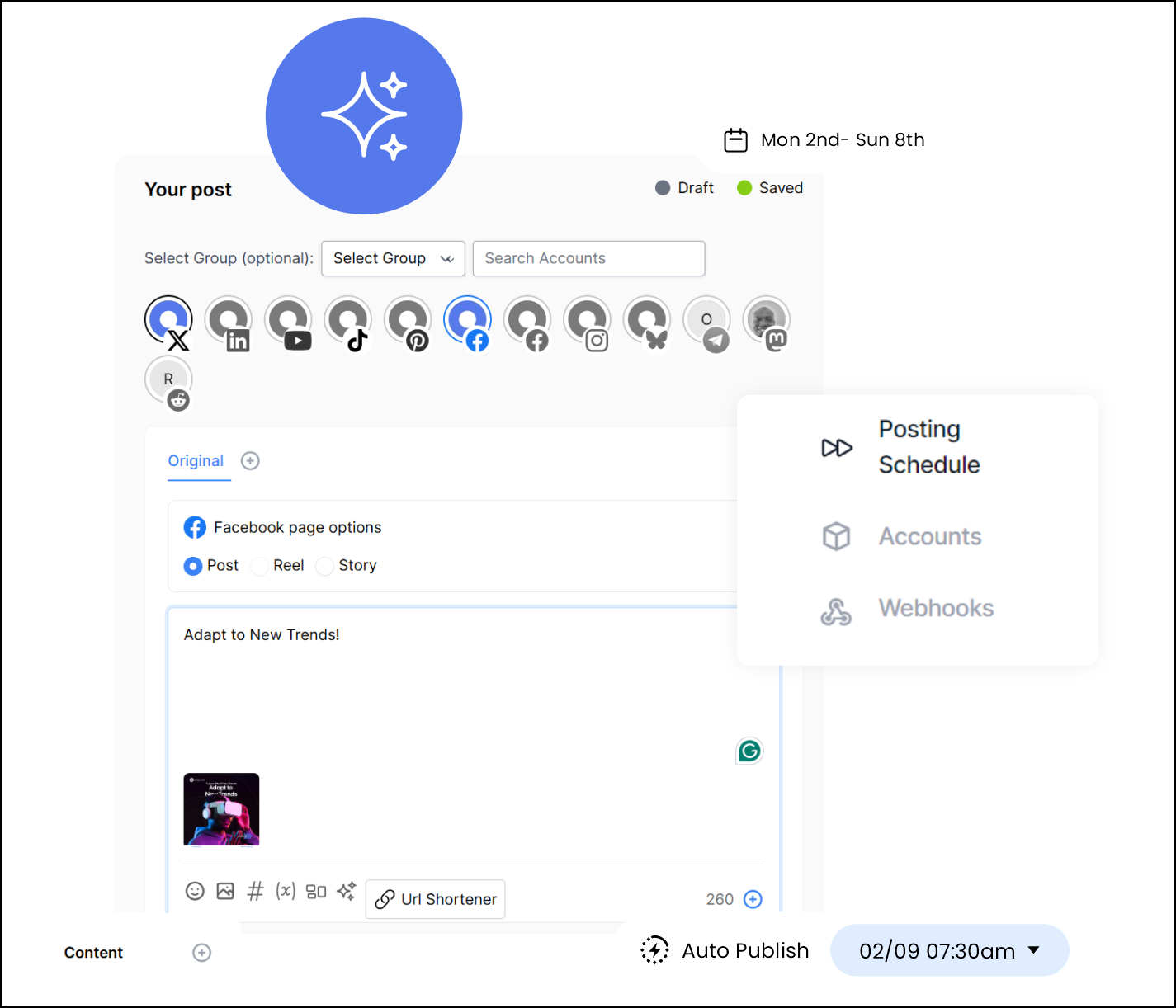
Supports 15 Major Social Platforms
From Instagram to Facebook to LinkedIn to TikTok and Pinterest, OnlySocial covers every major platform agencies rely on, with full posting support. This makes it ideal for multi-brand management and agencies serving different industries.
Unlimited Team Members
Unlike tools that charge for each seat, OnlySocial lets you add as many team members as you need. Whether you’re working with a small internal team or a growing agency with multiple departments, everyone can collaborate without driving up costs.
AI Content Assistant
OnlySocial’s built-in AI helps generate captions, hashtags, ideas, and variations in seconds.
It’s ideal for agencies dealing with high content volume or clients who struggle with giving direction. The AI is trained for brand tone, helping you maintain consistency across all content.
Unified Inbox for Comments & DMs
Instead of switching between apps, tabs, or client accounts, OnlySocial’s unified inbox brings all messages, mentions, and comments into one place.
Your team can respond faster, stay organized, and never miss client engagement – all inside your branded dashboard.

Collaboration Tools
Roles, permissions, content approval workflows, team collaboration, and client access controls – all built in.
Clients can approve posts directly on the platform, eliminating confusing email threads and saving hours each month.
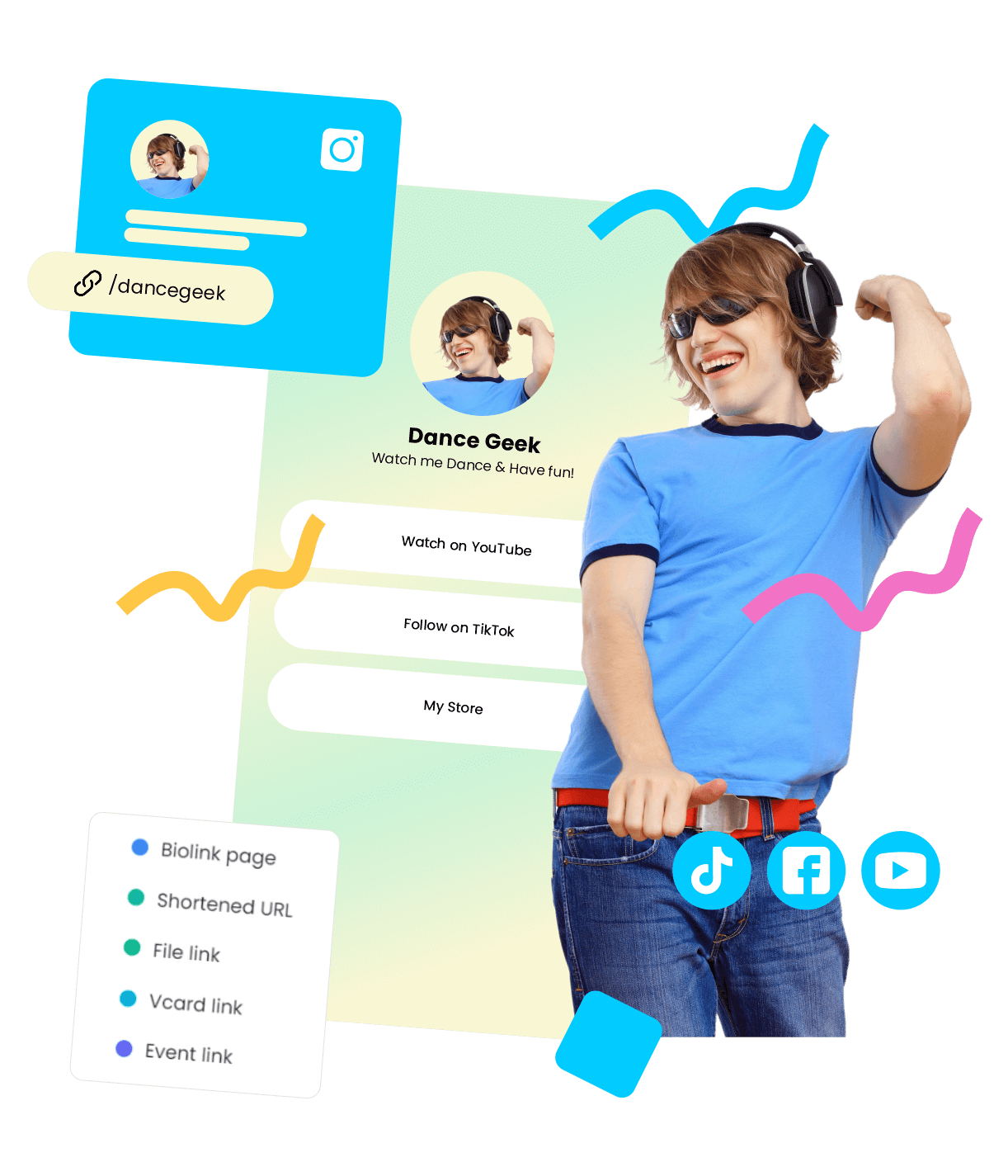
Link-in-Bio, QR, and VCard Tools
Agencies can offer clients advanced engagement tools without paying for extra software:
- Branded link-in-bio pages
- QR code generators
- VCard tools for digital contact sharing
This enhances your service offering without adding expenses.
Impersonate Users
This is one of OnlySocial’s most agency-friendly features. You can safely access any client workspace without their login details. It’s a perfect feature for troubleshooting, training, or quick fixes. It saves time and eliminates friction in client support.
Payment Management
OnlySocial includes billing and invoicing tools, allowing agencies to:
- Sell subscriptions
- Create recurring payments
- Use Stripe, Paddle, or Paystack
- Keep revenue under their own brand
This transforms agencies into full SaaS providers without needing a developer.
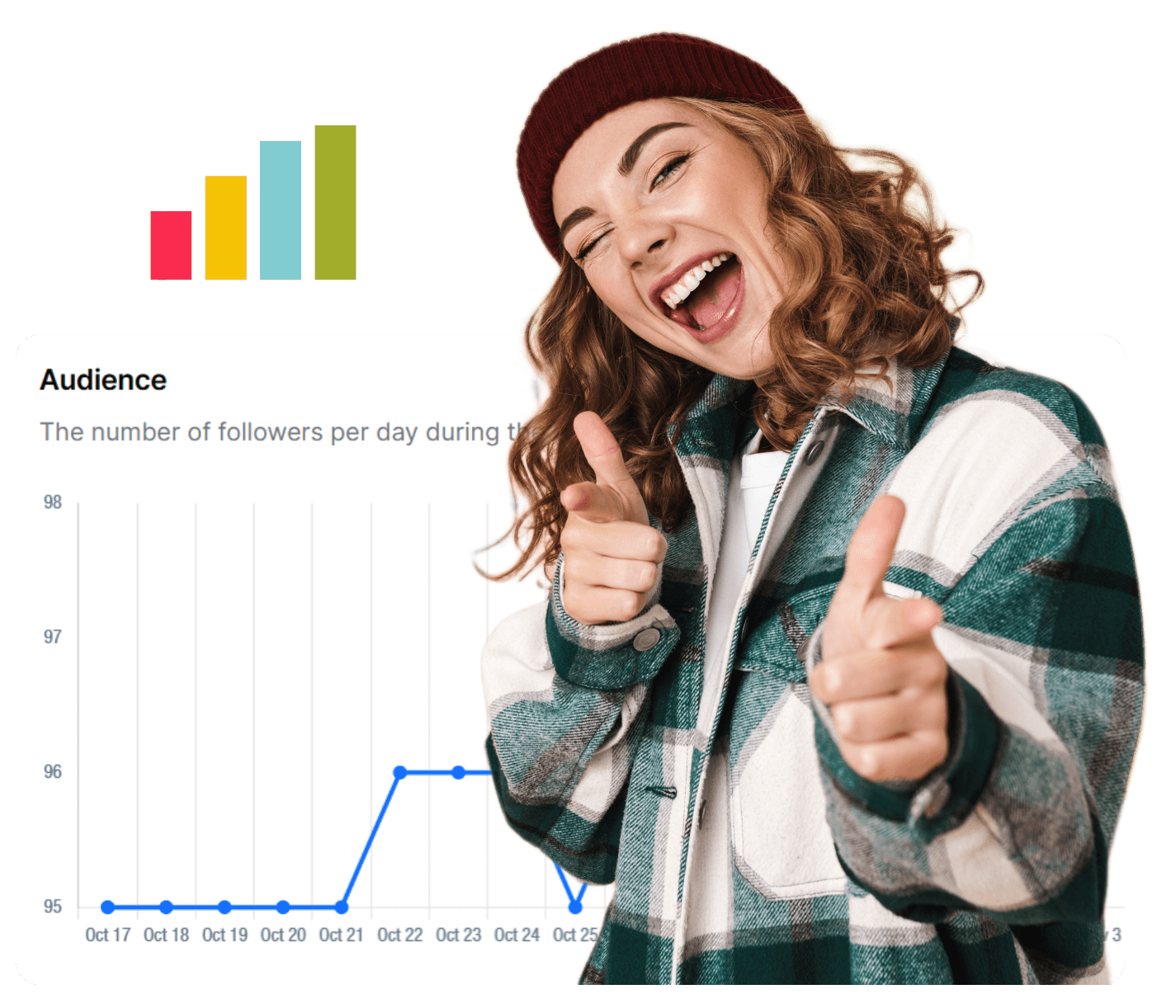
Advanced Analytics
OnlySocial’s analytics offer detailed insights into engagement, growth, top-performing content, audience patterns, and platform performance. These analytics are fully branded, making your agency look more professional and data-driven, without any extra work.
Technical Support
OnlySocial provides responsive support for agencies and their teams. Whether it’s onboarding help, troubleshooting, or feature questions, the support team is equipped to help you quickly so you can focus on your clients.
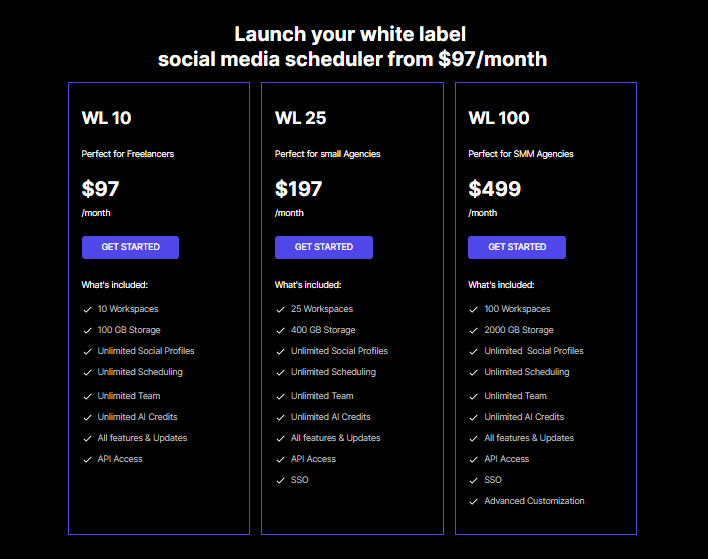
Pricing Built for Scalability
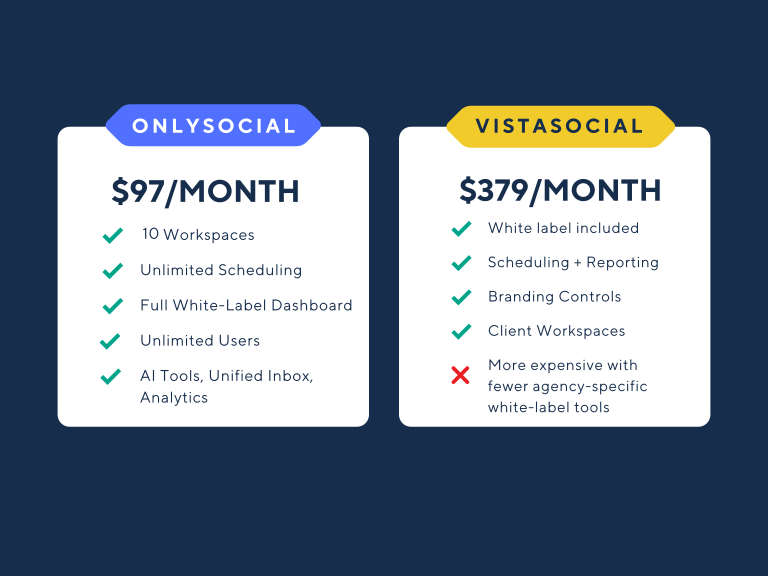
Starting at $97/month for 10 workspaces, OnlySocial is one of the most cost-effective full white-label solutions on the market.
Pricing scales as you grow, meaning you pay less per client the bigger your agency becomes.
VistaSocial: What Their White-Label Solution Offers
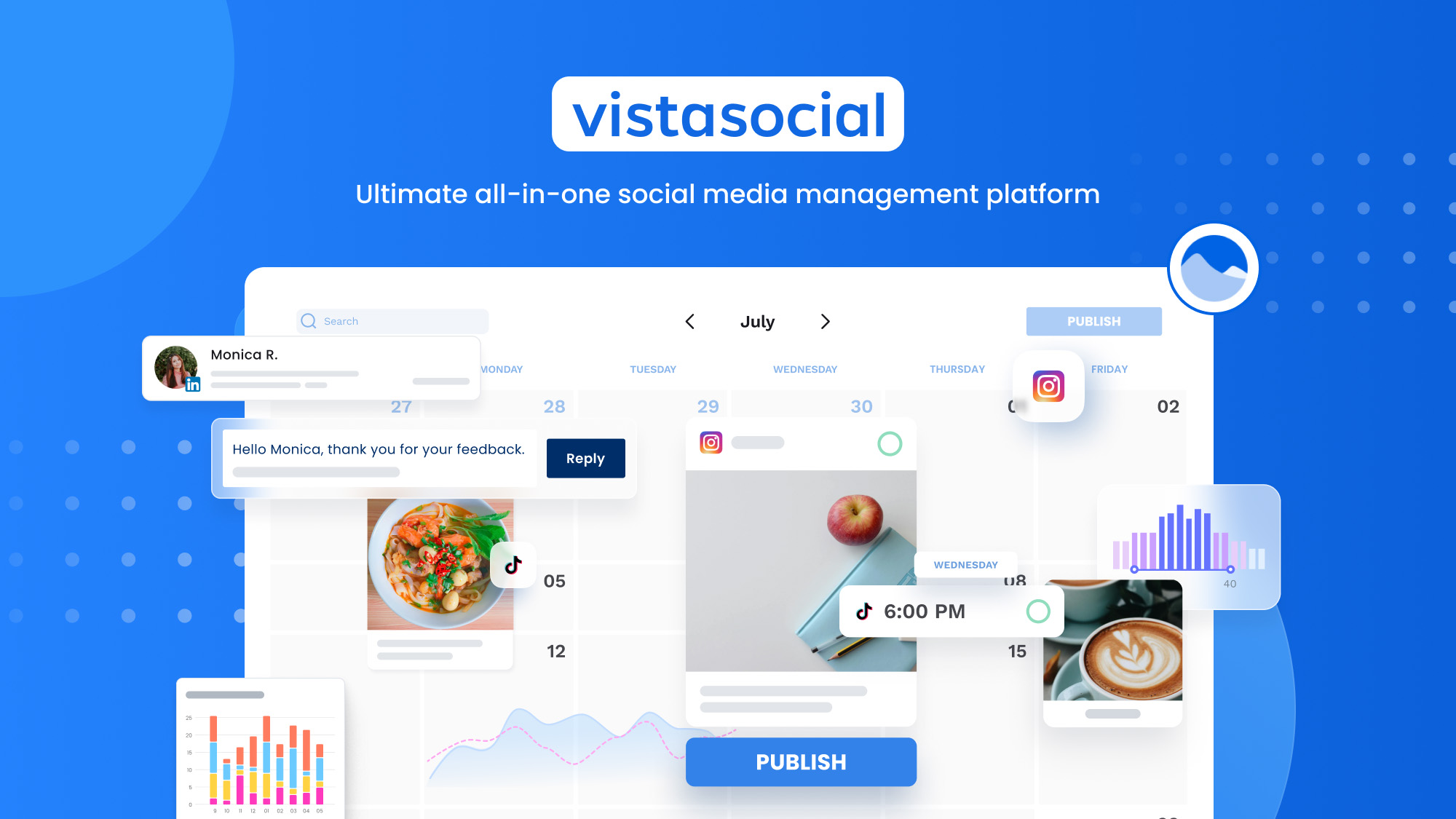
VistaSocial is another well-known platform that agencies often consider when looking for a white-label social media management tool.
While it offers a solid set of features, its white-label capabilities are built with a different focus compared to OnlySocial.
Instead of a full, agency-owned dashboard experience, VistaSocial leans more toward cosmetic branding and client-facing professionalism – useful, but not as expansive.
Below is a breakdown of what VistaSocial brings to the table.
Custom Branding Across the Platform
VistaSocial allows agencies to add their own logo, colors, and branding to the platform to create a more professional client experience. Your brand appears in dashboards, menus, and client touchpoints, helping reinforce trust and continuity, especially during client onboarding.
Branded Email Notifications
Agencies can customize email alerts, notifications, and automated messages with their own branding. This helps maintain a consistent brand voice across customer communication and keeps VistaSocial invisible to the client.
Custom Domain Support
Instead of sending clients to a VistaSocial domain, agencies can connect a custom subdomain such as: dashboard.youragency.com or social.yourbrand.com.
This creates a seamless, agency-owned experience – a key element for maintaining long-term customer loyalty.
Social Media Scheduling & Dashboard Tools
VistaSocial offers scheduling, publishing, and calendar management across multiple social platforms. Clients can log in and manage their content, review scheduled posts, and collaborate directly within the branded interface.
Engagement & Social Inbox
VistaSocial includes a basic unified inbox that allows agencies and clients to monitor comments, mentions, and messages across different platforms. It helps consolidate engagement activity, though it’s more limited compared to systems designed for high-volume agency workflows.
Client Workspaces
Agencies can create dedicated workspaces for different brands or clients. Each workspace keeps accounts, assets, and content separated, improving organization and reducing cross-client confusion.
Automated White-Label Reports
VistaSocial provides automated social media reports that include client branding. These reports summarize performance metrics and campaign progress – useful for keeping clients informed without hours of manual preparation.
Pricing for White-Label Access
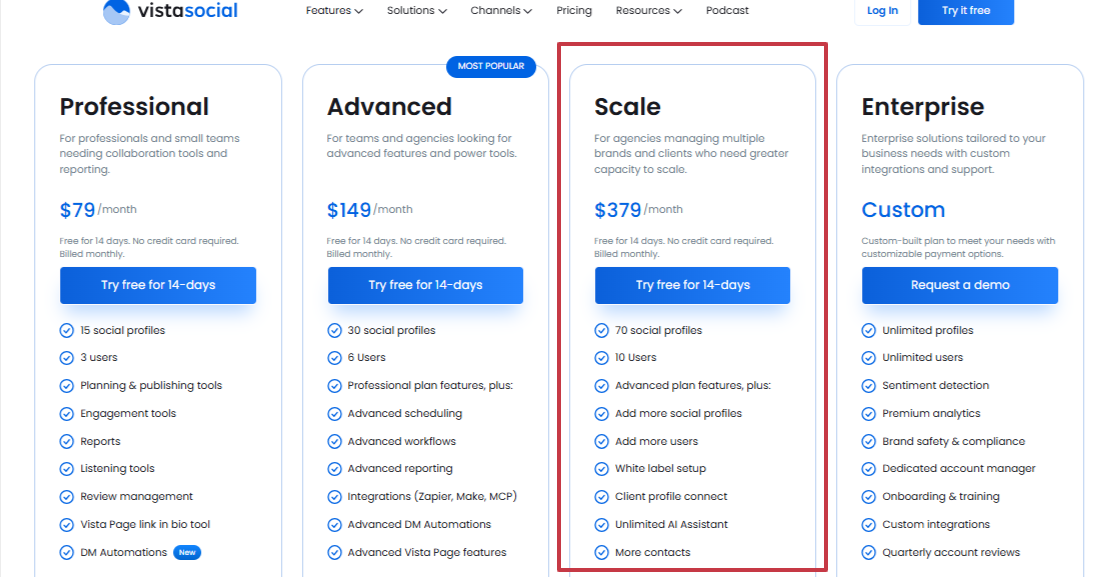
VistaSocial’s white-label solution is offered only through its Scale Plan, which is priced at:
$379/month
This includes:
- White-label branding
- Custom domain
- Branded email notifications
- Client workspaces
- Scheduling and engagement tools
- 14-day free trial
While it offers decent branding controls, the price point is significantly higher than most competitors, especially considering the level of customization offered.
OnlySocial vs VistaSocial: Feature-by-Feature Comparison
Choosing the right white-label platform comes down to one question: Which tool gives your agency the most control, the most flexibility, and the most value for what you pay?
Both OnlySocial and VistaSocial offer white-label capabilities, but the depth and practical impact of their features are very different.
Let’s give you a straightforward comparison of the two tools to help you understand where each platform shines and where one pulls ahead of the other.
1. Branding & White-Label Experience
OnlySocial:
Offers full platform white-labeling – not just surface-level branding. Agencies can use their own domain, logo, dashboard branding, email templates, and even impersonate users. Clients never see OnlySocial anywhere.
VistaSocial:
Provides custom branding, color themes, and branded email notifications. You can also use a custom domain. However, the white-labeling is mostly cosmetic – the backend platform remains VistaSocial.
Winner: OnlySocial
Because it gives agencies a fully owned, private-label SaaS experience, not just a skinned UI.
2. Dashboard and Client Workspaces
OnlySocial:
A complete admin dashboard for managing every client workspace from one place. Includes approval workflows, unlimited team members, and collaboration tools.
VistaSocial:
Offers client workspaces with role-based permissions. Good for organization but not as customizable or agency-centric as OnlySocial’s structure.
Winner: OnlySocial
Agencies get deeper control, better workflow options, and easier multi-brand management.
3. Scheduling & Publishing Tools
OnlySocial:
Unlimited scheduling for all workspaces, bulk posting, CSV import (up to 500 posts), RSS auto-posting, queue-based scheduling, and AI-assisted captions/hashtags.
VistaSocial:
Solid core scheduling tools, visual calendar, queuing options, and standard publishing features.
Winner: OnlySocial
While VistaSocial has strong scheduling, OnlySocial offers more automation, bulk features, and AI support.
4. AI Tools for Agencies
OnlySocial:
Built-in AI assistant for generating captions, hashtags, post ideas, and quick rewrites – integrated into the scheduler.
VistaSocial:
Has AI features for content creation but not as deeply integrated or as flexible.
Winner: OnlySocial
5. Unified Inbox & Engagement
OnlySocial:
A unified inbox that handles comments, replies, and messages from multiple platforms – designed for agencies handling high volumes.
VistaSocial:
Has a social inbox for basic engagement management.
Winner: OnlySocial
The inbox is more robust, more scalable, and optimized for multi-client workflows.
6. Reporting Capabilities
OnlySocial:
Advanced analytics, exportable reports, and client-friendly metrics. White-labeled reports included by default.
VistaSocial:
Automated branded reports with solid insights. Good, but not as comprehensive or customizable.
Winner: OnlySocial
7. Collaboration & Approvals
OnlySocial:
Role-based access, internal notes, workflow approvals, and client approval layers – perfect for agencies handling dozens of accounts.
VistaSocial:
Has team collaboration and approval workflows, though less flexible.
Winner: OnlySocial
8. Additional Tools & Integrations
OnlySocial:
Link-in-bio builder, QR tools, VCard tools, media gallery, 20+ integrations, impersonate-user feature, and payment management.
VistaSocial:
Fewer advanced tools. Focuses mainly on standard scheduling and reporting.
Winner: OnlySocial – by a wide margin.
9. Pricing
OnlySocial:
White-label starts at $97/month for 10 workspaces – less than $10 per client.
Higher plans (25 workspaces and 100 workspaces) drop pricing to as low as $2 per workspace.
VistaSocial:
White-label is only available on the Scale Plan, priced at $379/month, regardless of how many clients you serve.
Winner: OnlySocial
More features + more control + far lower cost = better value for agencies.
Which Is Better for Your Agency?
Choosing between OnlySocial and VistaSocial comes down to what you want your agency to look like in the next 6-18 months. Both platforms offer helpful tools, but they’re built for very different kinds of agency goals.
If all you need is basic scheduling, branded emails, and light customization, VistaSocial will get the job done. It’s a straightforward management tool with surface-level white labeling and good reporting features. For small teams handling just a few clients, its Scale plan may feel comfortable enough.
But if you’re trying to grow, systemize, and deliver a true branded experience, OnlySocial gives you far more room to move.
Agencies choose OnlySocial when they want:
- A fully white-labeled SaaS product, not just a branded shell
- Unlimited scheduling and automation that removes repetitive work
- Deep control over every client workspace
- Advanced analytics that actually help you make decisions
- AI tools that speed up content creation
- An admin dashboard built specifically for agencies (not just teams)
- Pricing that scales gently, so you earn more as you grow
- Features designed for high-volume workflows, like impersonating users, bulk CSV imports, and a powerful unified inbox
So the question becomes:
Do you want a scheduling tool to support your agency…
or a white-label platform that your agency can confidently build on?
If the second option sounds more like your future, OnlySocial is the better choice.
Final Note: Which White-Label Partner Helps Your Agency Scale Faster?
VistaSocial is a capable platform. It gives agencies branded emails, a custom domain, clean scheduling tools, and nice-looking reports. For smaller teams or agencies that simply want a lightly branded dashboard, it can work well enough.
But when you look at what actually helps an agency scale – unlimited scheduling, deeper automation, advanced analytics, AI content tools, streamlined client workspaces, smooth collaboration, and a fully white-labeled SaaS environment – OnlySocial stands out immediately.
- VistaSocial offers white label branding.
- OnlySocial offers a white label business model.
That’s why more agencies lean toward OnlySocial when they want a platform they can grow with, resell confidently, and build their internal operations around – all without paying enterprise-level prices.
If your agency is ready to work smarter, serve more clients, and run everything under your own brand, OnlySocial is the partner built to help you get there.
FAQs
Does VistaSocial offer full white-label capabilities?
VistaSocial offers strong branding features, but it does not provide a fully customizable, agency-owned platform. The core system still runs inside VistaSocial’s structure.
Can OnlySocial be fully white-labeled as my agency’s own software?
Yes. OnlySocial gives agencies a true, end-to-end white-label SaaS experience. Your logo, your domain, your dashboards, your reports, your email notifications – everything sits under your brand.
Which platform is better for growing agencies?
For agencies managing multiple clients, or planning to scale, OnlySocial is the stronger choice. It offers unlimited scheduling, AI tools, advanced analytics, a powerful admin dashboard, and pricing that stays affordable as you grow.
Which tool gives better value for the price?
OnlySocial’s white label plans start at $97/month for 105 workspaces, making it highly affordable for agencies. VistaSocial’s white-label option is only available on its $379/month Scale plan, which is more expensive and offers fewer agency-level white-label features.
Can I use my own domain with both platforms?
Yes, both OnlySocial and VistaSocial support custom domain branding. The difference is that OnlySocial also lets you fully brand the dashboard, client interface, reports, and notification system, giving clients a software experience completely under your agency’s identity.
Which is easier to set up for new agencies?
OnlySocial is built for agencies from day one, so the setup, customization, and workspace management feel straightforward. VistaSocial’s setup process is simple but slightly more limited in branding options.