SocialPika Review (2026): Is It Worth It? + 8 Best Alternatives
SocialPika has quietly become a popular choice for creators and small businesses looking for an affordable way to manage social media. With AI-powered captions, bulk scheduling, and support for multiple platforms, it promises to simplify the publishing process without stretching your budget.
But is it the right tool for the long run?
As your social media strategy grows, you may find yourself needing more than basic scheduling and analytics. In this guide, we’ll take an honest look at what SocialPika, helping you see what it does well, where it falls short, and whether it’s worth your money.
We’ll also compare it with some strong alternatives to help you find the platform that best fits your workflow.
Table of Contents
- 1 SocialPika at a Glance
- 2 What is SocialPika?
- 3 SocialPika’s Key Features
- 4 Where SocialPika Falls Short
- 5 SocialPika Pricing
- 6 Is SocialPika Good Value?
- 7 8 Top SocialPika Alternatives for Effective Social Media Management
- 8 1. OnlySocial
- 9 2. Buffer
- 10 3. Loomly
- 11 4. ContentStudio
- 12 5. Sprout Social
- 13 6. Hootsuite
- 14 7. Planable
- 15 8. SocialPilot
- 16 How to Choose the Right SocialPika Alternative
- 17 FAQs
SocialPika at a Glance
| Feature | Details |
| Supported Platforms | Facebook, Instagram, LinkedIn, X (Twitter), Pinterest, and Google Business Profile |
| Ease of Use | Beginner-friendly with a simple, easy-to-navigate interface |
| Starting Price | Free plan available; paid plans start at $10.80/month |
| Free Plan | Yes. Supports up to 5 social accounts and 15 scheduled posts per month |
| AI Features | AI-generated captions and assistance for creating social media posts |
| Scheduling | Schedule and publish content across multiple social platforms |
| Analytics | Basic analytics for tracking post performance and engagement |
| Ideal Business Size | Individuals, creators, startups, and small marketing teams |
| Biggest Strength | Affordable pricing with AI-assisted publishing and bulk scheduling |
| Biggest Limitation | Limited publishing quotas, collaboration features, and advanced analytics |
What is SocialPika?
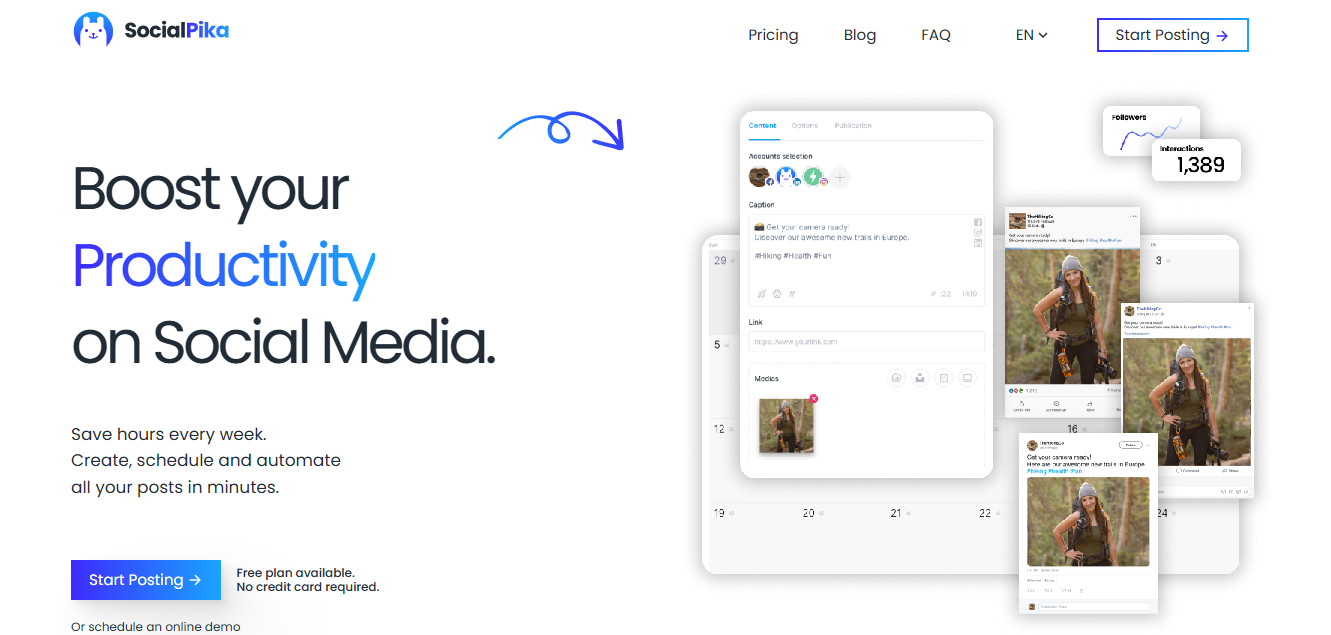
Think of SocialPika as a helping hand for your social media rather than a full marketing command center.
It’s a cloud-based social media management tool that helps businesses, creators, agencies, and influencers create, schedule, and publish content across platforms like Facebook, Instagram, LinkedIn, X (formerly Twitter), Pinterest, and Google Business Profile.
Instead of logging into each platform individually, you can manage everything from one dashboard and plan your content weeks ahead.
One of the reasons SocialPika has gained attention is its focus on simplicity. It doesn’t overwhelm you with dozens of advanced features from the start. You get AI-assisted caption writing, bulk posting, a visual scheduling workflow, and basic analytics to track how your content performs.
That makes it a comfortable option for people who want to save time without spending hours learning a new platform.
That said, SocialPika is best viewed as a starting point rather than an end destination. It handles the essentials well, but as your business grows, you may begin looking for deeper reporting, more collaboration tools, etc. That’s where many of the alternatives we’ll cover later in this guide start to stand out.
SocialPika’s Key Features
AI-Assisted Post Creation
SocialPika’s AI writing assistant helps you generate captions and refine your ideas. It’s a useful feature for busy creators and small businesses that publish content regularly.
Multi-Platform Scheduling
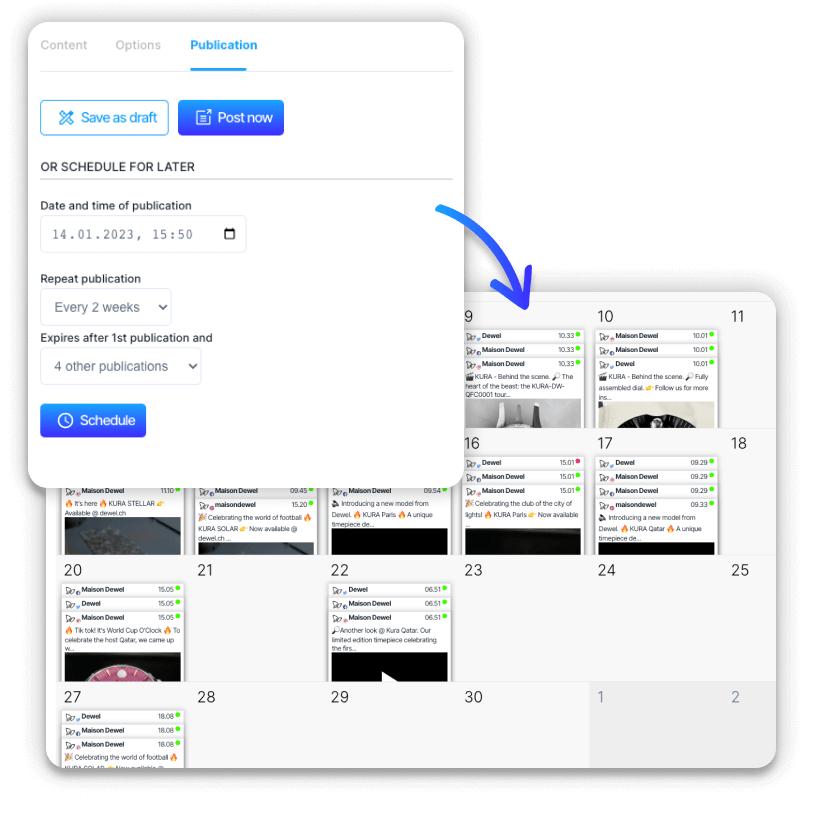
One of SocialPika’s biggest strengths is that you only need to schedule your content once.
You can plan posts for Facebook, Instagram, LinkedIn, X, Pinterest, and Google Business Profile from a single dashboard, making it much easier to maintain a consistent posting schedule across different channels.
Bulk Posting
Instead of uploading posts one at a time, SocialPika lets you publish multiple pieces of content together. It’s a simple time-saver, especially when you’re preparing campaigns or scheduling content for the month ahead.
Basic Analytics
You can monitor engagement and other key metrics to get a general sense of what’s working. While the reports aren’t as detailed as those offered by more advanced platforms, they’re more than enough for users who simply want to keep track of their progress.
Where SocialPika Falls Short
SocialPika gets a lot right, especially for creators and small businesses that want an affordable way to schedule content. But no tool is perfect. As your needs become more advanced, a few limitations start to stand out.
Publishing Limits Can Feel Restrictive
The free and lower-tier plans come with monthly publishing limits. If you’re posting across several platforms or managing multiple brands, those limits disappear surprisingly fast. Instead of focusing on your content, you end up thinking about how many posts you have left.
Collaboration Features Are Fairly Basic
If you’re working on your own, this may not be a problem.
But once you add a designer, copywriter, client, or marketing team into the mix, you’ll probably want features like approval workflows, role-based permissions, and better team management. SocialPika offers some collaboration, but it isn’t as robust as many of its competitors.
Analytics Only Tell Part of the Story
SocialPika gives you enough information to see how your posts are performing, but that’s about where it stops.
If you’re looking for deeper audience insights, competitor tracking, custom reports, or long-term performance trends, you’ll likely find the analytics a bit too lightweight.
AI Features Are Still Quite Limited
The AI caption writer is useful for getting started, but it doesn’t go much further than that.
Many newer platforms now offer AI-generated images, content ideas, post variations, workflow automation, and even AI chat assistants. If AI plays a big role in your content creation process, you may outgrow SocialPika fairly quickly.
It’s Built More for Publishing Than Managing
SocialPika focuses primarily on getting content out the door, so businesses that need stronger engagement tools often end up looking for more complete solutions.
SocialPika Pricing
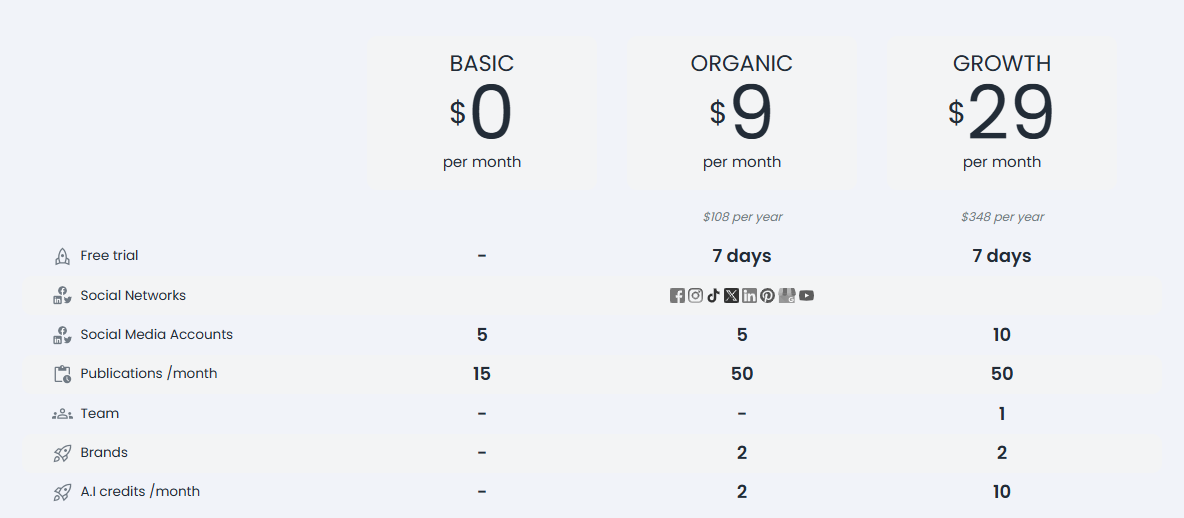
One of SocialPika’s biggest selling points is its affordable pricing. It offers a free plan for users who want to test the platform, along with two paid plans for businesses that need more publishing capacity and basic team features.
Here’s a closer look at what each plan offers.
Basic – Free
If you’re just getting started with social media management, the free plan is a good place to begin.
It lets you connect up to five social media accounts and publish 15 posts per month. While the publishing limit is fairly modest, it’s enough for individuals or businesses that only post occasionally and want to get a feel for the platform before upgrading.
Organic – $10.80/month
The Organic plan is aimed at creators and small businesses that publish more consistently.
You still get support for five social media accounts, but your monthly publishing limit increases to 50 posts. The plan also introduces support for two brands and includes a small allocation of AI credits for caption generation.
Growth – $34.80/month
The Growth plan increases the number of connected social accounts to 10 while keeping the 50-post monthly limit. You also get one team member, support for two brands, and the same monthly AI credits.
It’s a better fit for small teams, although businesses publishing content every day across multiple platforms may eventually need a solution with fewer usage limits.
Is SocialPika Good Value?
For freelancers, creators, and businesses with relatively light publishing needs, SocialPika offers good value. The pricing is accessible, and the platform covers the essentials without a steep learning curve.
However, if you’re managing multiple brands, publishing frequently, or collaborating with a larger team, you’ll likely find yourself hitting the platform’s limits sooner than expected. That’s where some of the alternatives in this guide begin to offer better long-term value.
8 Top SocialPika Alternatives for Effective Social Media Management
| Tool | Best For | Starting Price | Free Plan | Key Strength | Potential Drawback |
| OnlySocial | Businesses, agencies, and growing teams | $29/month | ❌ | All-in-one platform with AI, unified inbox, unlimited scheduling, and strong collaboration | No permanent free plan |
| Buffer | Solo creators and small businesses | Free (Paid from ~$6/channel/month) | ✅ | Extremely easy to use with clean scheduling workflow | Basic analytics and automation |
| Loomly | Marketing teams and agencies | From ~$65/month | ❌ | Excellent collaboration, approvals, and content planning | Higher entry price |
| ContentStudio | Content marketers and agencies | From ~$25/month | ❌ | Content discovery, automation, and evergreen publishing | Can feel feature-heavy for beginners |
| Sprout Social | Medium to large businesses | $249/user/month | ❌ | Industry-leading analytics and social listening | Premium pricing |
| Hootsuite | Businesses managing multiple channels | $99/month | ❌ | Powerful monitoring, integrations, and engagement tools | Expensive as teams grow |
| Planable | Agencies and collaborative teams | Free (Paid from ~$33/workspace/month) | ✅ | Best-in-class content approvals and collaboration | Limited analytics |
| SocialPilot | Agencies and growing businesses | $25.50/month | ❌ | Excellent value with strong scheduling and client management | Social listening is limited |
1. OnlySocial
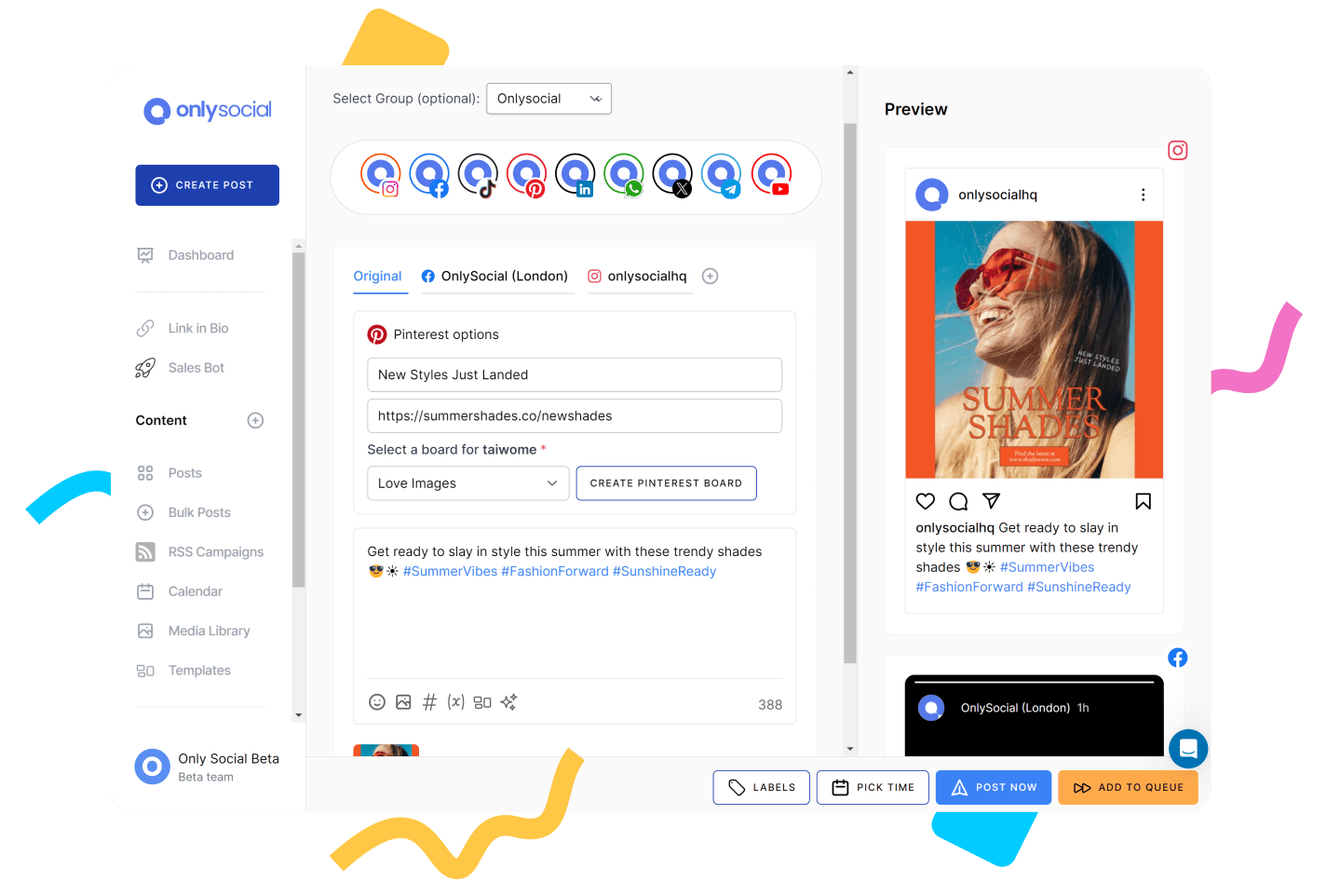
SocialPika is a good tool if your main goal is to create and schedule posts. But once your social media starts becoming a bigger part of your business, you’ll probably need a tool like OnlySocial.
Rather than focusing on one part of the workflow, OnlySocial brings everything together. You can plan content, schedule it across multiple platforms, manage conversations, collaborate with your team, and track performance without jumping between different tools.
One feature we particularly liked is the unified inbox. SocialPika helps you publish content, but OnlySocial also helps you manage what happens afterwards. Comments, messages, and interactions from different platforms come into one place, making it much easier to stay responsive without constantly switching tabs.
Another area where OnlySocial stands out is its AI toolkit. Instead of stopping at caption generation, it helps create AI-powered images, write social copy, and automate repetitive tasks. It feels less like an AI assistant and more like an extra pair of hands that speeds up content production.
Scalability is another major advantage. Whether you’re managing one brand today or twenty clients next year, the platform grows with you. Features like bulk scheduling, RSS automation, team collaboration, and flexible account limits make it suitable for freelancers, businesses, and agencies alike.
Pros of OnlySocial
- Supports a wide range of social media platforms
- Unified inbox for managing comments and messages
- AI tools extend beyond captions to image generation and automation
- Unlimited scheduling with bulk publishing capabilities
- Strong collaboration features for teams and agencies
- Flexible pricing that scales well as your business grows
Cons
- No permanently free plan
- Advanced social listening features are missing
- Some enterprise-level reporting features could be more detailed
Pricing
OnlySocial offers three straightforward plans designed to grow with your business.
Freelancer – $29/month
Includes 15 social profiles, unlimited scheduling, AI-generated captions and images, a unified inbox, analytics, RSS feeds, and 20GB of media storage. It’s a significant step up from SocialPika if you’re already managing multiple platforms.
Entrepreneur – $49/month
Supports 40 social profiles and expands AI credits, media storage, reporting capabilities, and communication tools. It’s an excellent choice for growing businesses and marketing teams.
Unlimited Pro – $99/month
Removes one of the biggest frustrations found in many social media tools by offering unlimited social profiles. It also includes unlimited AI generation, increased storage, and higher messaging limits, making it particularly attractive for agencies and businesses managing multiple brands.
Compared to SocialPika, OnlySocial costs more at the entry level, but it also removes many of the limitations that growing businesses eventually run into.
If you’re looking for a platform you won’t outgrow after a few months, it’s one of the strongest options available.
2. Buffer
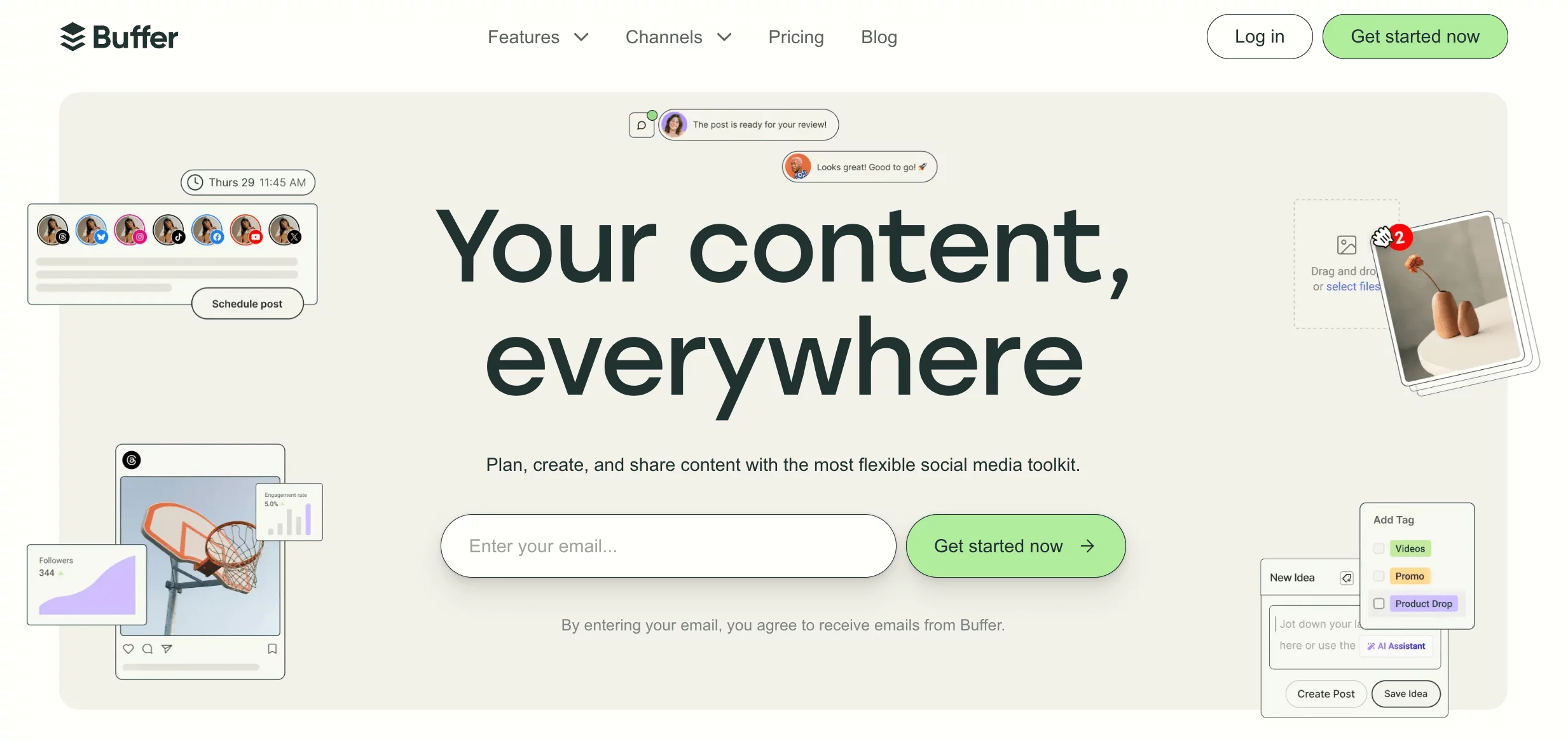
Buffer has never tried to be the flashiest social media tool – and that’s exactly why so many people like it.
If SocialPika feels like it’s trying to balance AI, scheduling, and analytics, Buffer takes a more focused approach. It strips away the clutter and gives you a clean, distraction-free space to plan and publish content. There’s very little learning curve, so you can be productive almost immediately.
One thing Buffer does particularly well is consistency. Its queue system makes it easy to build a steady publishing schedule, while the built-in AI assistant helps polish captions when you’re short on ideas. It also supports more social platforms than many entry-level tools, making it easier to expand your social presence over time.
It doesn’t try to compete with enterprise platforms on advanced analytics or automation, but for businesses that value simplicity and reliability, Buffer gets the balance right.
Pros
- Extremely easy to use
- Clean, beginner-friendly interface
- Reliable scheduling across multiple platforms
- Free plan available
- Helpful AI writing assistance
- Great for individuals and small businesses
Cons
- Analytics are fairly basic
- Limited collaboration features on lower plans
- Automation options aren’t as advanced as larger platforms
- Costs increase as you add more channels
Pricing
- Free Plan: Perfect for individuals who want to schedule content without paying upfront.
- Essentials Plan: Starts from around $6-$12 per channel/month. Unlocks unlimited scheduling, engagement tools, and more detailed analytics.
- Team Plans: Add collaboration features and more advanced capabilities for growing teams.
Compared to SocialPika, Buffer offers a cleaner publishing experience with fewer restrictions, although businesses looking for deeper reporting or workflow automation may eventually need something more powerful.
3. Loomly
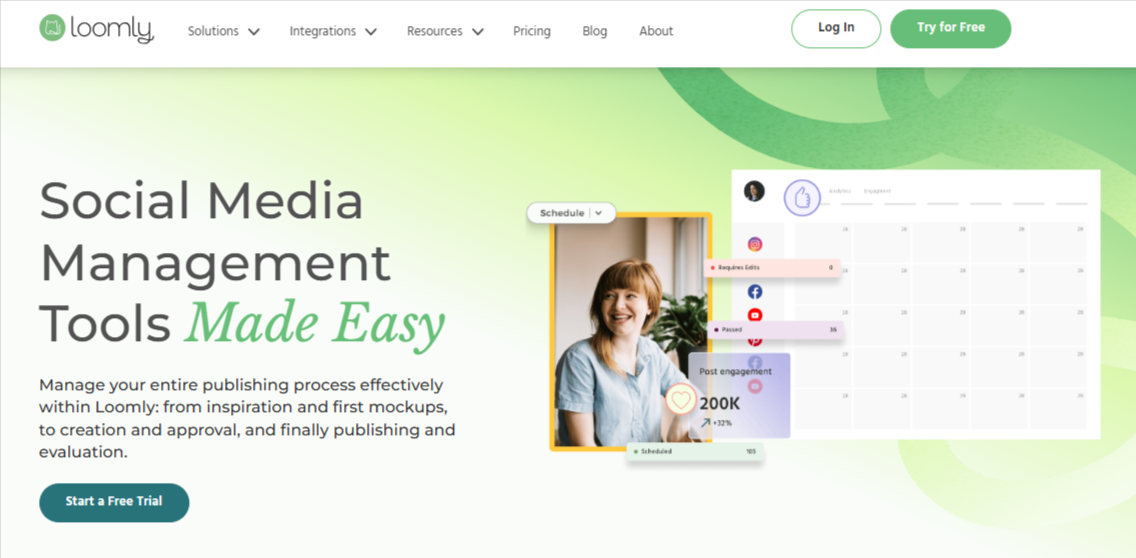
Some social media tools help you publish content. Loomly helps you organize the entire content creation process.
That’s what makes it such an interesting alternative to SocialPika.
Instead of simply giving you a calendar, Loomly acts like a content planning hub. It suggests post ideas, keeps everyone on the same page with approval workflows, and gives your team a clear picture of what’s scheduled, what’s waiting for approval, and what’s ready to publish.
It also shines when multiple people are involved. Designers, copywriters, marketers, and clients can all collaborate inside the platform instead of chasing feedback through emails and chat apps. For growing teams, that alone can make a noticeable difference to productivity.
Pros
- Excellent content planning and approval workflows
- Easy-to-use visual content calendar
- Helpful post ideas and publishing suggestions
- Great collaboration tools for teams
- Supports multiple social platforms
Cons
- No free plan
- Analytics aren’t as detailed as specialist platforms
- Pricing increases as you add users
- Less focused on AI than newer competitors
Pricing
Base Plan – Starts around $65/month and includes core scheduling, planning, and collaboration features for small teams.
Standard, Advanced, and Premium Plans – offers higher tiers increase the number of users, social accounts, and unlock features like custom branding and more advanced workflows.
4. ContentStudio
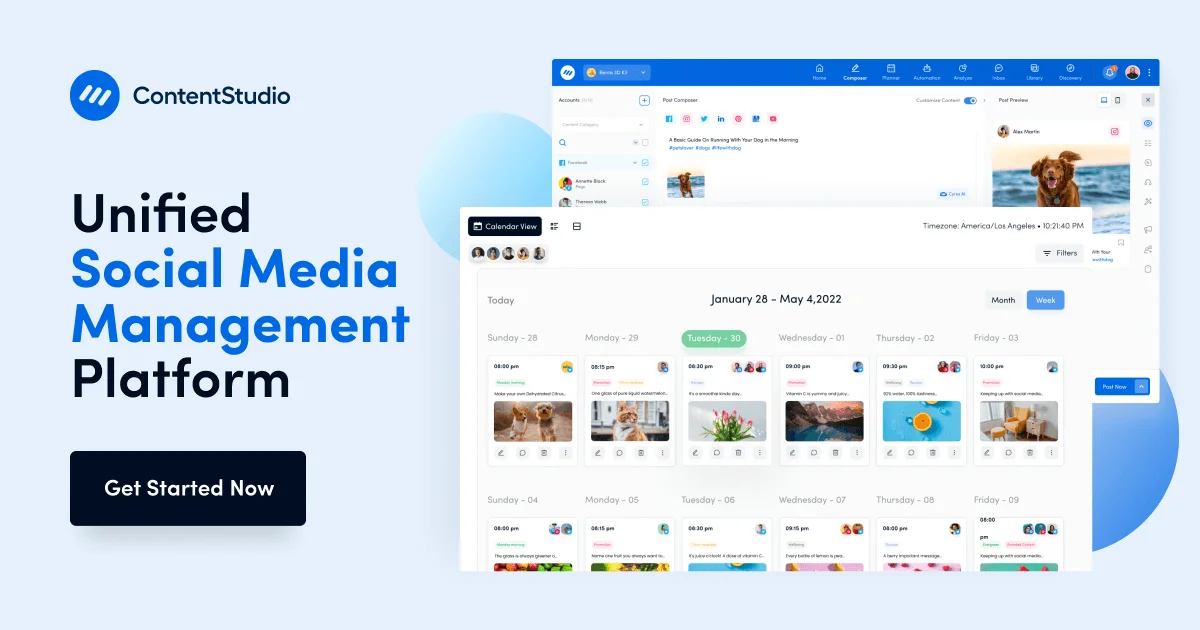
ContentStudio is another excellent SocialPika alternative worth considering. The tool literally helps you answer the question: “What should we post next?”
That’s where it separates itself from many social media tools.
Alongside scheduling and publishing, ContentStudio includes built-in content discovery. It scans the web for trending topics and articles in your niche, making it much easier to keep your content calendar full without constantly brainstorming ideas from scratch.
We also liked how much automation it offers. You can build evergreen content queues, automate publishing from RSS feeds, organize posts into campaigns, and manage everything from one dashboard. It feels like a platform that’s been designed for marketers who publish content every day rather than every few days.
For businesses producing large volumes of content, that’s a significant advantage over SocialPika.
Pros
- Excellent content discovery and curation tools
- Strong automation and evergreen publishing
- Supports a wide range of social platforms
- User-friendly interface despite its rich feature set
- Useful analytics and reporting
- Great for agencies and content-heavy businesses
Cons
- Can feel overwhelming for first-time users
- Some advanced features require higher plans
- Social listening isn’t as comprehensive as specialist platforms
- More features than smaller businesses may actually need
Pricing
Starter Plan – Around $25/month
Suitable for individuals and small businesses needing scheduling, publishing, and content discovery.
Pro Plan – Around $49/month
Unlocks additional automation, analytics, and collaboration features.
Agency Plans – Starting around $99/month
Built for teams managing multiple brands with expanded workspaces, users, and reporting.
Compared to SocialPika, ContentStudio offers a much broader content marketing toolkit. It’s particularly valuable for businesses that create content consistently and want help finding new ideas as well as publishing them.
5. Sprout Social
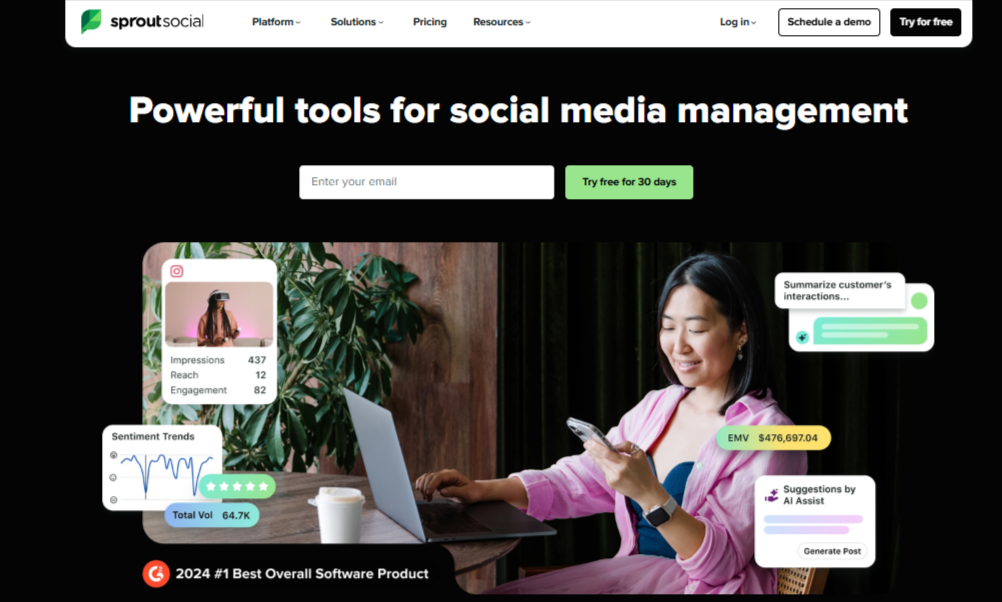
Sprout Social sits at the premium end of the market, and it doesn’t try to hide it.
Where SocialPika focuses on making social media accessible, Sprout Social is built for businesses that treat social media as a strategic business function. Everything revolves around data, customer engagement, and making informed decisions rather than simply getting content published.
Its biggest strength is analytics. The reporting goes far beyond likes and impressions, giving you deeper insight into audience behavior, engagement trends, campaign performance, and even brand sentiment.
Add social listening into the mix, and you begin to understand not just how your content performs, but what your audience is talking about before you even post.
For larger marketing teams, that’s incredibly valuable.
Pros
- Industry-leading analytics and reporting
- Powerful social listening capabilities
- Excellent unified inbox for engagement
- Strong collaboration and approval workflows
- Reliable publishing across all major platforms
- Ideal for medium and large businesses
Cons
- One of the most expensive tools available
- Pricing is charged per user
- Steeper learning curve than SocialPika
- Advanced capabilities may be excessive for smaller businesses
Pricing
Standard Plan – Starting at $249 per user/month
Includes publishing, engagement tools, and core reporting features.
Professional Plan
Adds more advanced reporting, workflow management, and team capabilities.
Advanced Plan – Starting at $499 per user/month
Unlocks enterprise-level analytics, automation, social listening, and advanced collaboration features.
Sprout Social is obviously aimed at a completely different audience to SocialPika. It costs considerably more, but it also delivers a level of insight and business intelligence that smaller scheduling tools simply aren’t designed to provide.
6. Hootsuite
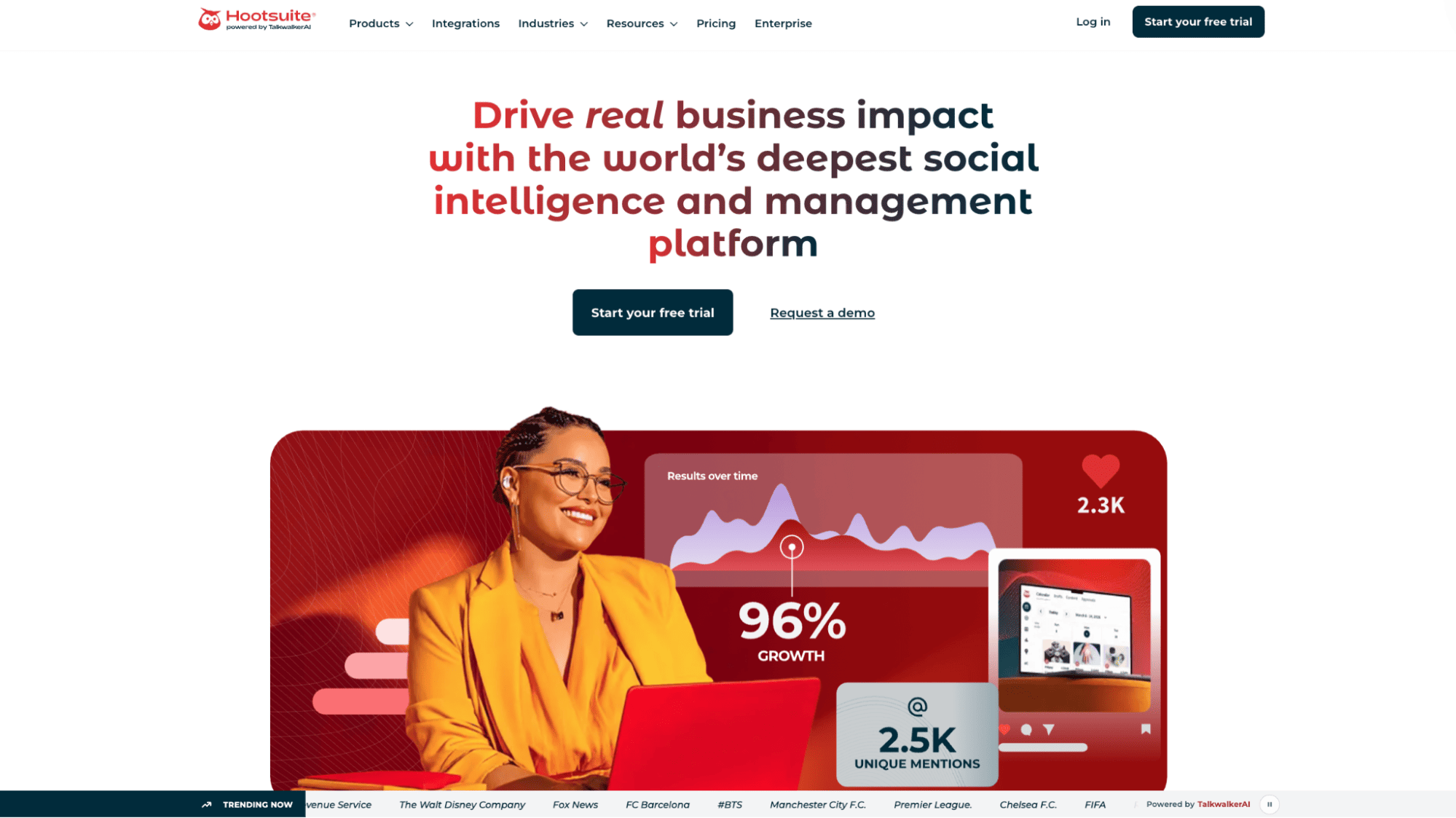
Hootsuite has been around for years, and there’s a reason it’s still one of the biggest names in social media management.
Unlike SocialPika, which mainly focuses on content publishing, Hootsuite aims to help businesses manage almost every aspect of their social media presence. From scheduling and engagement to monitoring brand mentions and analyzing performance, it brings everything into a single workspace.
One feature we particularly like is its monitoring streams. You can keep tabs on hashtags, keywords, mentions, and conversations happening around your brand without leaving the platform. For businesses that care about engagement as much as publishing, that’s a huge advantage. It also integrates with a wide range of third-party apps, making it easier to fit into an existing marketing stack.
That said, Hootsuite is a platform you’ll grow into rather than master overnight. There’s more to learn, but you also get much more functionality.
Pros
- Supports all major social media platforms
- Excellent monitoring and engagement tools
- Reliable scheduling and bulk publishing
- Large library of integrations
- Strong collaboration features for teams
- Good analytics and reporting capabilities
Cons
- More expensive than SocialPika
- Interface can feel overwhelming for beginners
- Advanced reporting is locked behind higher plans
- Costs increase significantly as you add users
Pricing
Hootsuite offers several plans depending on your business size.
Professional – $99/month (billed annually)
Designed for individuals, this plan includes 1 user, 10 social accounts, unlimited scheduling, AI content creation tools, and basic analytics.
Team – $249/month (billed annually)
Supports 3 users and 20 social accounts, while adding team collaboration, approval workflows, and more advanced reporting features.
Enterprise – Custom Pricing
Built for larger organizations, the Enterprise plan includes custom onboarding, enterprise security, governance controls, advanced analytics, social listening, and scalable team management.
7. Planable
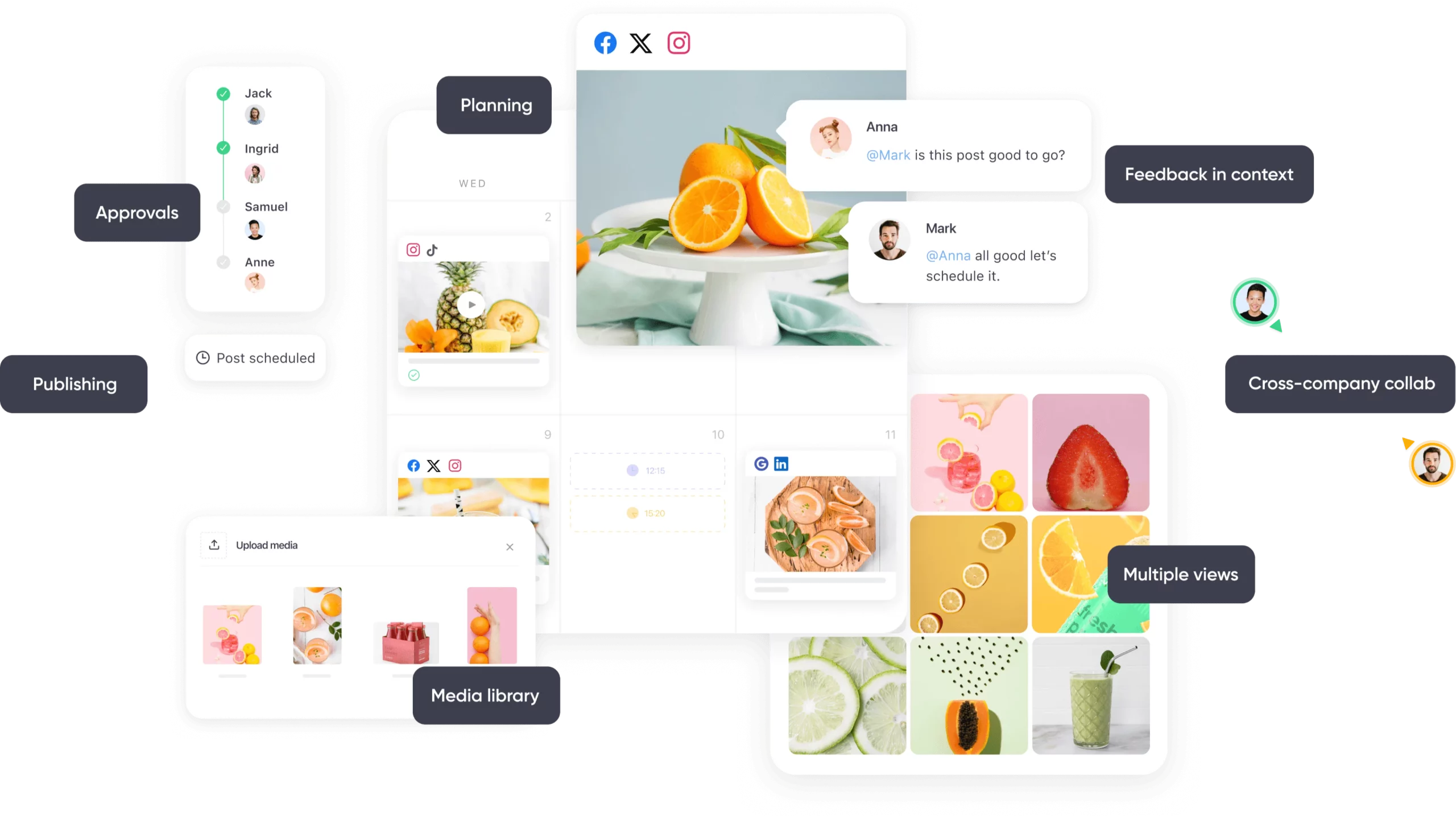
Planable turns social media planning into a collaborative process where marketers, designers, clients, and stakeholders can all work together before anything gets published.
Instead of sending screenshots over email or waiting for feedback in chat apps, everyone reviews content directly inside the platform.
The visual content calendar is another highlight. You can preview posts exactly as they’ll appear on each social platform, leave comments on drafts, assign approvals, and move content through different stages before it goes live. It feels much closer to a project management tool than a traditional scheduler.
For agencies and in-house marketing teams, that level of organization can save hours every week.
Pros
- Outstanding collaboration and approval workflows
- Beautiful visual content previews
- Simple drag-and-drop content calendar
- Excellent for agencies and marketing teams
- Easy for clients to review and approve posts
- Supports multiple major social platforms
Cons
- Analytics are relatively basic
- No social listening functionality
- Less emphasis on AI-powered content creation
- Can be more than solo creators actually need
Pricing
Free Plan
Lets you experiment with the platform by creating a limited number of posts and inviting collaborators.
Basic Plan – Around $33/workspace/month
Ideal for freelancers and small teams. It includes unlimited scheduled posts, collaboration features, and support for multiple social channels.
Pro Plan – Around $49/workspace/month
Adds approval workflows, more collaboration tools, advanced publishing options, and greater flexibility for growing teams.
Enterprise Plan – Custom Pricing
Designed for larger organizations that require custom workflows, dedicated support, enhanced security, and enterprise-level collaboration.
Compared to SocialPika, Planable is less focused on AI and publishing limits, and much more focused on helping teams produce high-quality content together. If your biggest challenge is collaboration rather than scheduling, it’s one of the strongest alternatives available.
8. SocialPilot
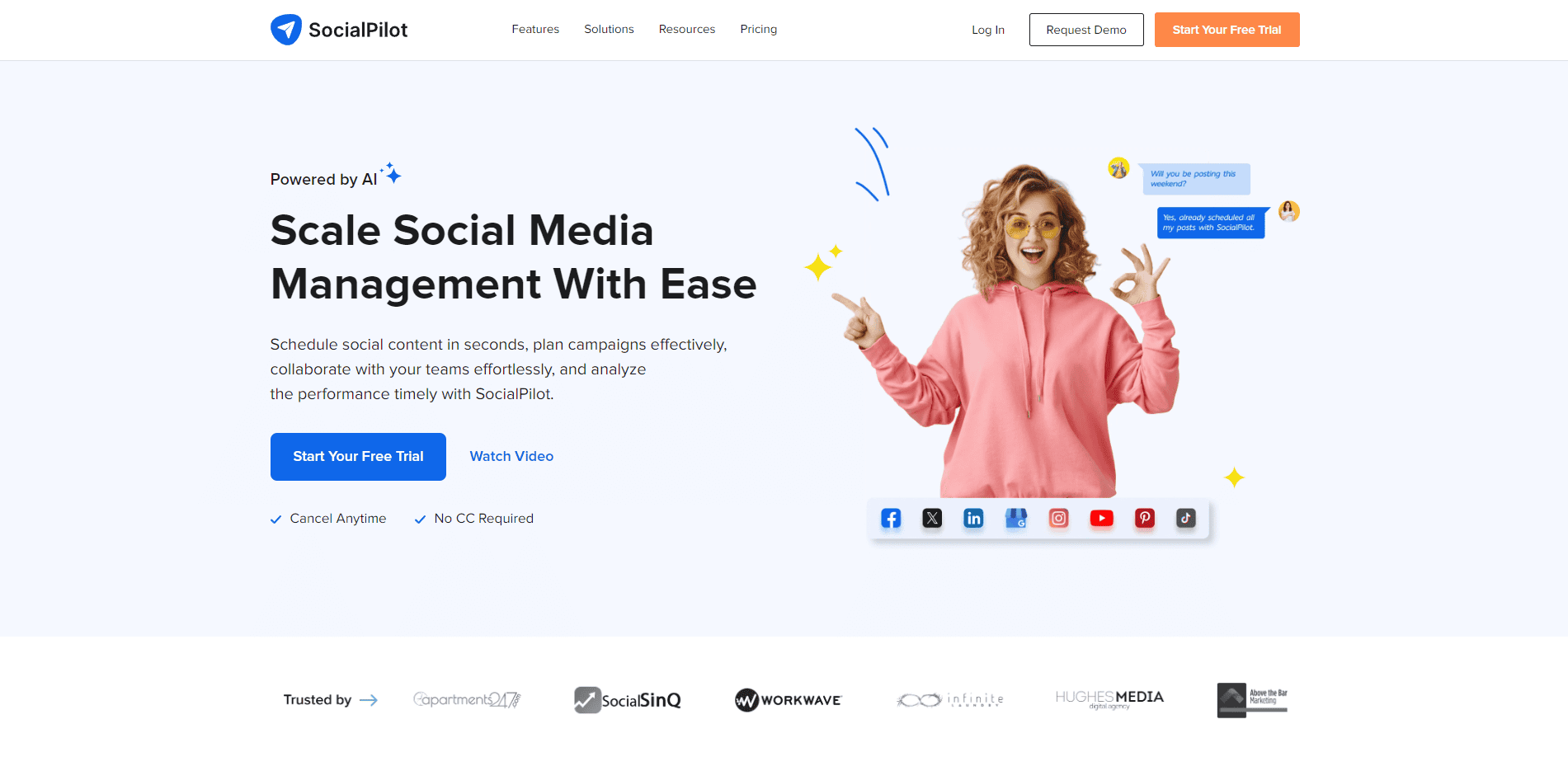
If we had to describe SocialPilot in one sentence, it would be this: it delivers a lot without charging enterprise prices.
That’s what has made it a favorite among agencies, marketing consultants, and growing businesses. Unlike SocialPika, the tool goes beyond just simple publishing and AI-assisted content creation, it offers a broader toolkit that covers scheduling, collaboration, analytics, client management, and even review management for businesses with a local presence.
One thing we particularly like is how well it balances simplicity and capability. The interface is easy enough for beginners to pick up, yet it includes features like bulk scheduling, content approvals, client management, and white-label reports that are typically found in much more expensive platforms. It also supports a wider range of social networks, giving businesses more flexibility as they expand their marketing efforts.
For companies that are starting to outgrow SocialPika but aren’t ready to pay Sprout Social or Hootsuite prices, SocialPilot sits in a very comfortable middle ground.
Pros
- Excellent value for money
- Supports a large number of social media accounts
- Strong scheduling and bulk publishing features
- Client management and approval workflows
- White-label analytics and reports
- Easy to learn and use
- Suitable for agencies and growing businesses
Cons
- Social listening features are limited
- AI capabilities aren’t as extensive as some newer competitors
- Unified inbox is not as robust as dedicated engagement platforms
- Advanced analytics could be deeper for enterprise users
Pricing
Essentials – $25.50/month (billed annually)
Designed for individuals and small businesses, this plan supports 10 social media accounts, 1 user, unlimited scheduling, analytics, and basic collaboration features.
Standard – $42.50/month (billed annually)
Includes 20 social accounts, 3 users, content approvals, advanced scheduling, and stronger collaboration tools, making it a great option for growing teams.
Premium – $85/month (billed annually)
Supports 50 social accounts and 6 users, while adding white-label reports, client management features, and more advanced workflows for agencies.
Ultimate – $170/month (billed annually)
Built for larger agencies, this plan includes 100 social accounts, unlimited users, enhanced permissions, and enterprise-level collaboration capabilities.
How to Choose the Right SocialPika Alternative
The truth is, there isn’t one tool that’s perfect for everyone.
A freelancer managing a few social accounts won’t have the same needs as an agency handling dozens of clients. That’s why it’s worth thinking about what matters most before making the switch.
Here are a few things to keep in mind.
Choose a Tool That Can Grow with You
It’s easy to focus on what you need today, but what about six months from now?
If you expect to manage more brands, add team members, or publish more content, choose a platform that gives you room to grow without forcing you into an expensive upgrade every few months.
Think Beyond Scheduling
Scheduling is only one part of social media management.
You may also need analytics, a unified inbox, approval workflows, AI tools, or content planning features. The more of these you can get in one platform, the fewer tools you’ll have to manage later.
Make Sure It Supports Your Favorite Platforms
Before you commit, double-check that the tool supports every platform you actively use – not just the big ones.
It should also be able to support any channels you might add in the future. Switching platforms twice because your new tool doesn’t support an important network is a headache you can easily avoid.
Pick Something Your Team Will Actually Enjoy Using
The most powerful software isn’t always the best software. A platform that’s simple to navigate, easy to learn, and pleasant to use will usually save more time than one packed with features nobody touches.
If your whole team feels comfortable using it from day one, you’ve probably made the right choice.
FAQs
Is SocialPika free to use?
Yes. SocialPika offers a free plan that lets you connect up to five social media accounts and publish up to 15 posts per month. It’s a good option for testing the platform or managing a light publishing schedule.
What is SocialPika best used for?
SocialPika is best suited for scheduling and publishing social media content across multiple platforms. It also includes AI-assisted caption writing, bulk posting, and basic analytics.
What is the best SocialPika alternative?
That depends on your needs. If you’re looking for a more complete social media management platform with stronger collaboration, AI tools, analytics, and engagement features, OnlySocial is one of the best alternatives. Other strong options include Buffer, SocialPilot, ContentStudio, and Loomly.
Is OnlySocial better than SocialPika?
For many growing businesses, yes. While SocialPika focuses mainly on scheduling and content publishing, OnlySocial offers a broader feature set that includes a unified inbox, bulk scheduling, AI-generated images and captions, team collaboration, analytics, and support for more scalable workflows.
Which SocialPika alternative is best for agencies?
Agencies typically need features like approval workflows, client management, white-label reporting, and support for multiple brands. OnlySocial, SocialPilot, Planable, and ContentStudio are all excellent choices because they’re built to support collaborative, multi-client environments.
Is SocialPika good for growing businesses?
It can be, especially in the early stages. However, as your team expands or you begin managing more brands and publishing more content, you may find its collaboration features, analytics, and publishing limits restrictive. That’s when moving to a more scalable platform often makes sense.