8 Top Postiz Alternatives for Your Business
Social media tools have a funny habit of outgrowing their original purpose. What starts as a simple scheduler slowly becomes a hub for automation, analytics, collaboration, and content creation. Postiz is a good example of that. Its open-source approach, AI automation, and self-hosting options have made it popular with creators and technically minded teams.
But not every business wants to spend time configuring servers, managing integrations, or working around platform limitations. As teams grow, many start looking for tools that are easier to use, support more channels, or offer features like messaging, collaboration, and campaign management out of the box.
In this guide, we’ll look at 8 top Postiz alternatives for your business, helping you find the platform that fits your workflow today and can still support you a year from now.
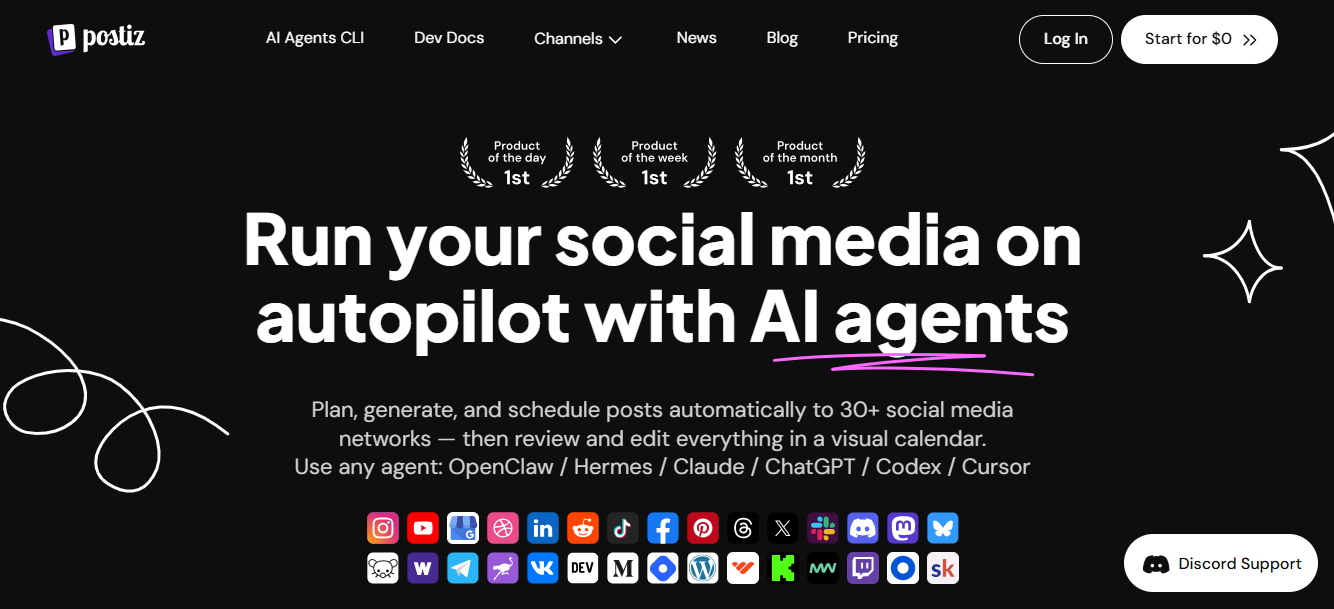
Table of Contents
Why More Businesses Are Moving Beyond Postiz
Postiz has earned a loyal following thanks to its open-source model, AI capabilities, and self-hosting flexibility. But as businesses grow, many find themselves needing more than what Postiz currently offers. Here are some of the most common reasons teams start looking elsewhere.
Limited Social Account Access on Lower Plans
Postiz supports a wide range of channels, which is impressive on paper. The challenge comes when you try to manage multiple brands, products, or clients.
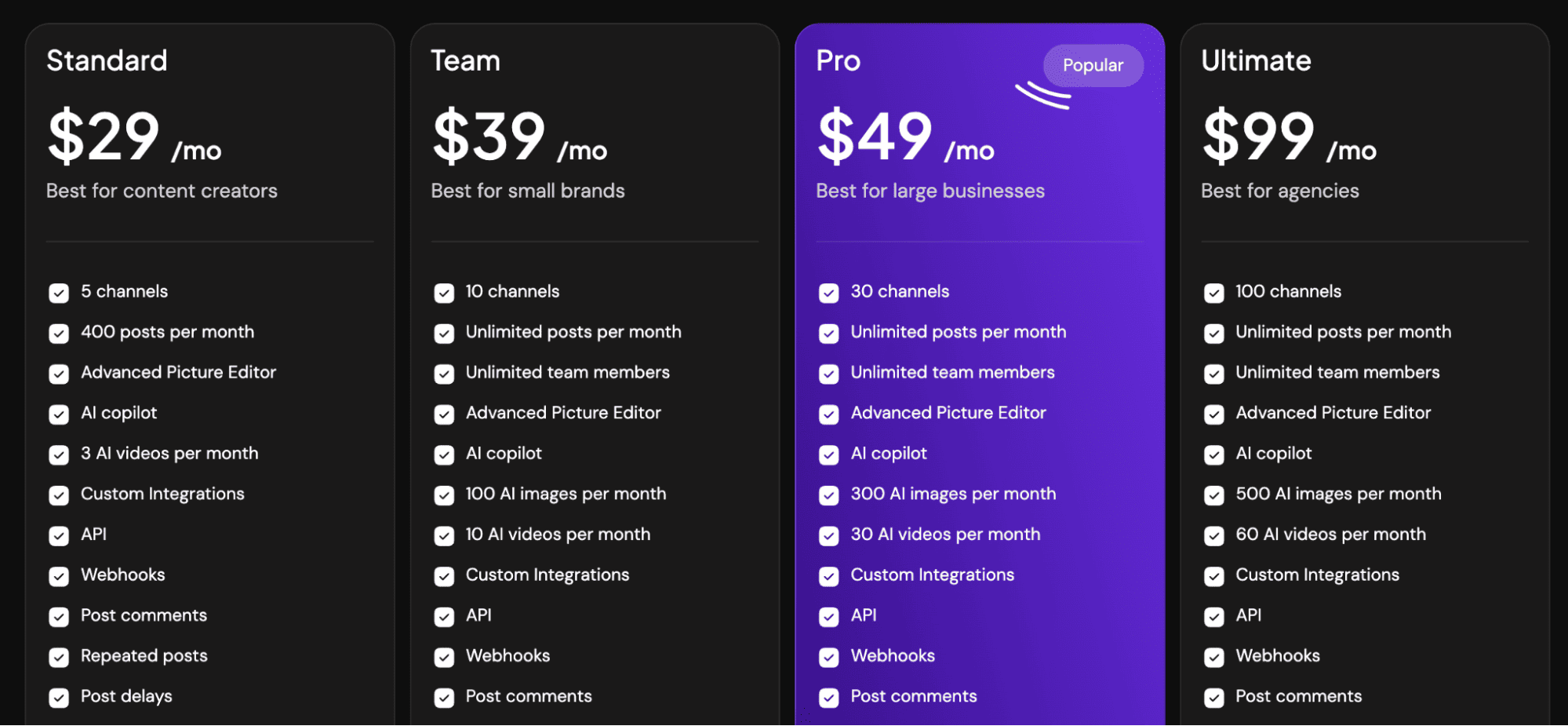
The Standard plan limits users to just five social channels and 400 posts per month. For businesses running several campaigns at once, those limits can feel restrictive. Upgrading solves the problem, but it also increases costs quickly.
No Unified Messaging Experience
Modern social media isn’t just about publishing content. It’s also about responding to customers.
Many businesses rely on platforms like WhatsApp, Instagram DMs, and other messaging channels to handle enquiries, support requests, and sales conversations. Postiz focuses heavily on publishing and automation but doesn’t offer a unified inbox experience for managing customer conversations across channels.
For customer-focused brands, that’s a significant gap.
The Learning Curve Can Be Steeper Than Expected
One of Postiz’s biggest strengths is also one of its biggest challenges.
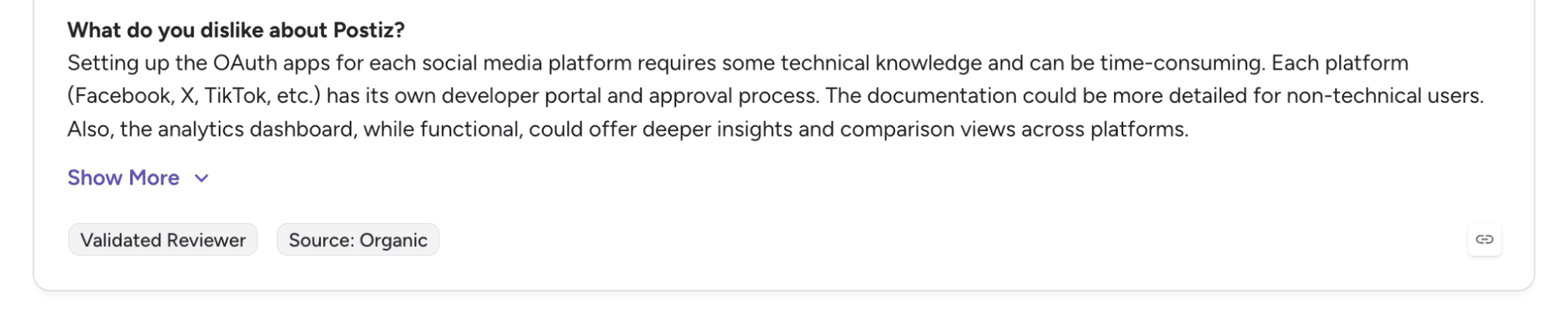
Because it supports self-hosting and advanced configurations, getting everything set up can require technical knowledge. Teams may need to configure OAuth applications, manage hosting environments, or work through setup processes that aren’t always beginner-friendly.
For non-technical marketers, that can turn a simple scheduling tool into a project of its own.
No Built-In Ad Management
Organic social media is important. Paid social is often just as important.
Many businesses run both organic and paid campaigns together. Postiz doesn’t currently provide tools for boosting posts, managing ad budgets, creating campaigns, or tracking advertising performance. This means businesses often need additional software to manage their paid efforts.
Growing Teams Need Better Collaboration
As social media responsibilities spread across multiple people, collaboration becomes more important.
Many businesses want approval workflows, role-based permissions, shared calendars, content review systems, and client collaboration features. While Postiz offers useful publishing functionality, larger teams often look for platforms that provide a more structured workflow for content production and approvals.
That’s why many growing businesses eventually start exploring Postiz alternatives that combine scheduling, communication, analytics, collaboration, and customer engagement in a single platform.
Top Postiz Alternatives to Consider for Your Business
1. OnlySocial
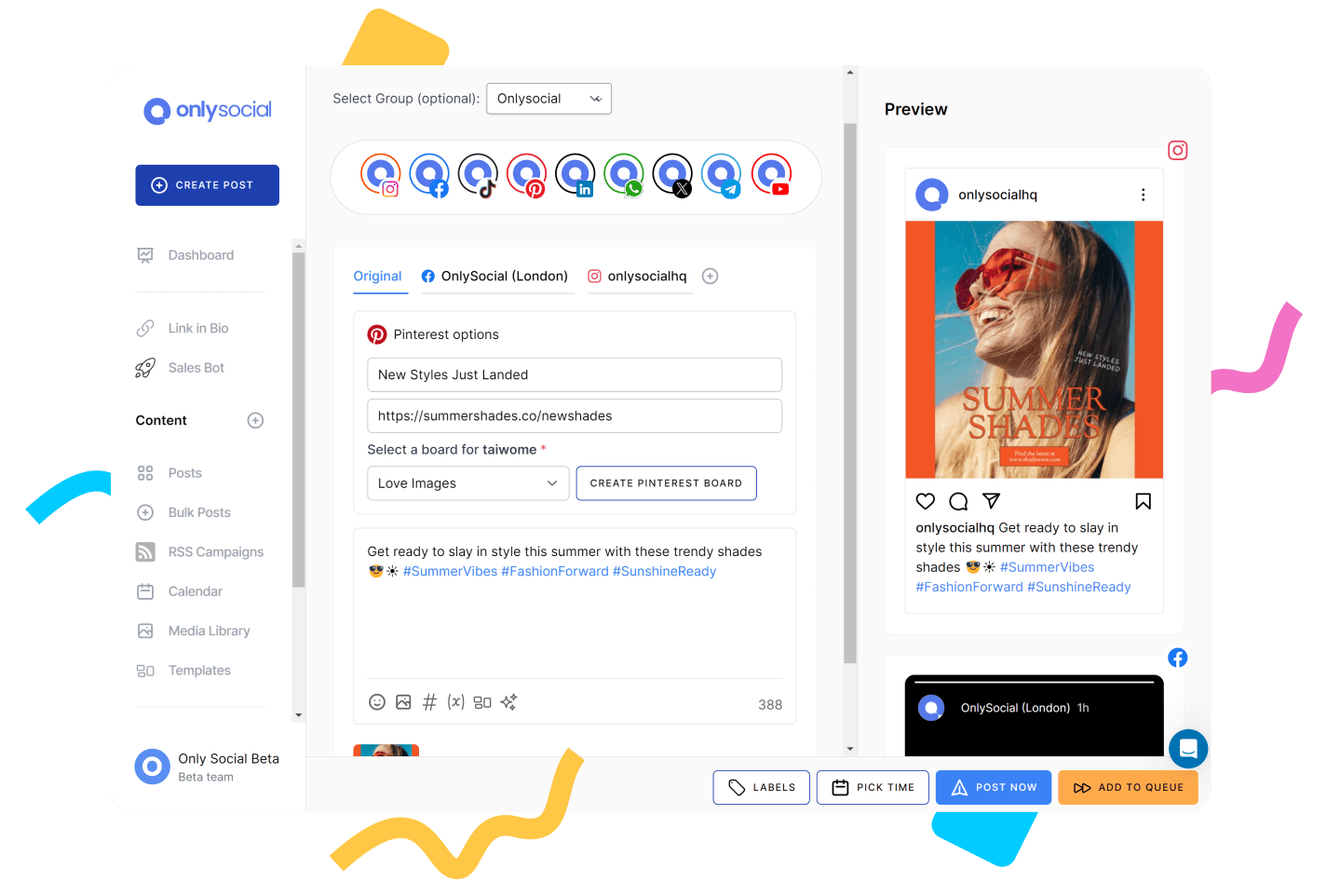
Postiz attracts users because it offers flexibility and automation. The challenge is that much of that flexibility comes with added complexity. Many businesses don’t want to think about those complexities around things like self-hosting, server maintenance, or OAuth configurations. They just want a platform that works.
And that’s what makes OnlySocial an excellent Postiz alternative.
Instead of requiring businesses to build around the platform, OnlySocial arrives ready to use from day one. You can connect accounts, schedule content, collaborate with your team, manage engagement, and analyze performance without touching a single line of code.
One area where OnlySocial pulls ahead is account scalability. While Postiz limits the number of social channels available on lower plans, OnlySocial gives businesses significantly more room to grow. This makes it particularly attractive for agencies, multi-brand businesses, and social media managers handling numerous client accounts.
Another advantage is the unified inbox. Postiz focuses heavily on publishing and automation, but OnlySocial also helps you manage the conversations that happen after content goes live. Comments, messages, and interactions can be handled from one place, which is increasingly important for customer-facing brands.
The AI tools are also broader in scope. Beyond content assistance, users can generate captions, create AI-powered visuals, automate workflows, and streamline content production across multiple channels.
For businesses that want the power of automation without the technical overhead, OnlySocial feels like a much more practical solution.
OnlySocial Pros
- No technical setup or self-hosting required
- Supports a wide range of social platforms from a single dashboard
- Unified inbox for managing customer conversations
- Strong AI capabilities including captions, images, and automation
- Bulk scheduling makes content planning significantly faster
- Built-in collaboration features for teams and agencies
- Scales well as account and client numbers grow
Cons
- No permanently free plan
- Social listening features are not as extensive as some enterprise-focused platforms
- Advanced reporting could be deeper for highly data-driven teams
Pricing
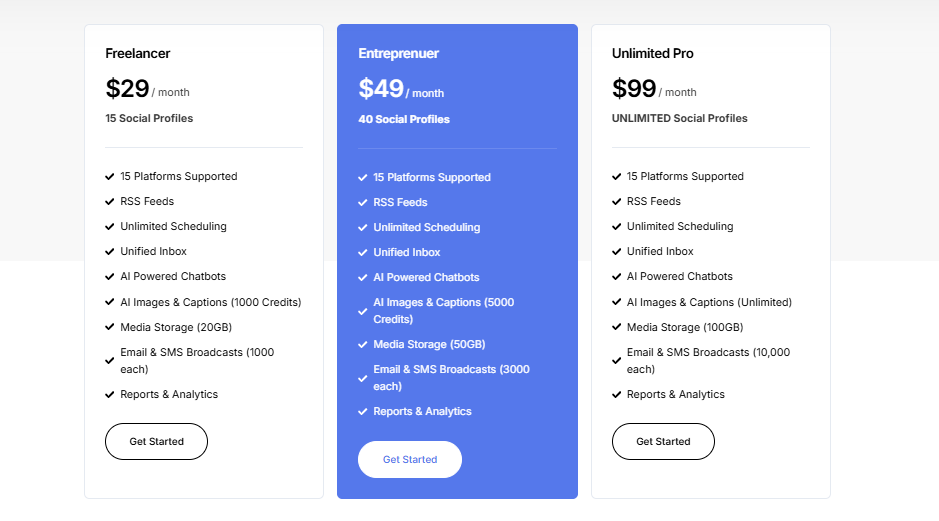
One of the biggest differences between OnlySocial and Postiz is how much room you get before needing to upgrade.
Freelancer – $29/month
This plan supports up to 15 social profiles and includes unlimited scheduling, a unified inbox, AI-powered tools, analytics, RSS automation, and 20GB of media storage. Compared to Postiz’s Standard plan, businesses get access to significantly more social profiles at the same price point.
Entrepreneur – $49/month
Designed for growing businesses, this plan expands support to 40 social profiles while increasing AI usage, media storage, and communication capabilities. It’s a strong fit for brands running multiple campaigns across several networks.
Unlimited Pro – $99/month
This plan removes one of the biggest frustrations many users have with social media tools: limits. Businesses can manage unlimited social profiles while gaining access to unlimited AI generation, expanded storage, and higher communication allowances.
Compared to Postiz, OnlySocial focuses less on technical flexibility and more on operational efficiency. For most businesses, that trade-off is exactly what makes it one of the strongest Postiz alternatives available today.
2. Buffer
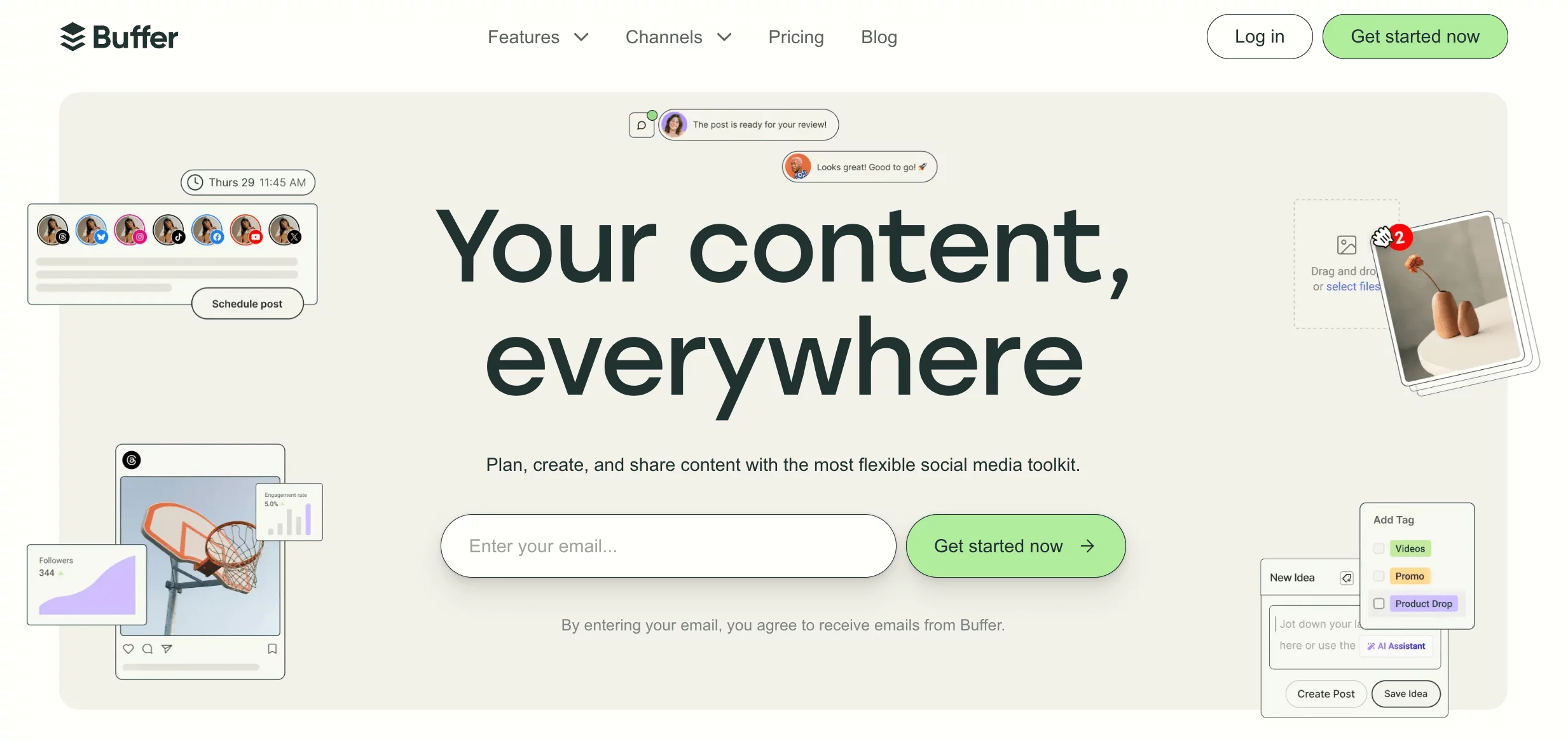
Buffer has been around long enough to earn a reputation for doing one thing exceptionally well: making social media management feel simple.
If Postiz sometimes feels like a tool built for technical users, Buffer feels like it was built for busy marketers. There are no servers to configure, no self-hosting decisions to make, and very little setup required. You connect your accounts, create content, and start publishing.
What many users appreciate is the clean workflow. Buffer removes much of the complexity that comes with larger platforms and focuses on helping teams stay consistent. The scheduling experience is smooth, the content calendar is easy to understand, and the built-in AI assistant helps speed up content creation without becoming intrusive.
Buffer also supports more social platforms than many users expect, making it a practical choice for businesses looking to move beyond Postiz’s publishing-focused workflow.
Pros
- Extremely easy to use
- Minimal learning curve for new users
- Clean and intuitive publishing workflow
- Free plan available
- AI content assistance included
- Reliable scheduling across multiple platforms
Cons
- Analytics are fairly basic
- Limited collaboration features on lower plans
- Not ideal for complex agency workflows
- Fewer automation options than Postiz
Pricing
- Free Plan: Suitable for individuals getting started with social media scheduling.
- Essentials Plan: Starts around $6-$12 per channel per month and unlocks more scheduling, analytics, and engagement tools.
- Team Plans: Larger plans add collaboration features and more advanced functionality for growing teams.
Compared to Postiz, Buffer trades technical flexibility for simplicity. Businesses that want a straightforward, plug-and-play experience often find that trade worth making.
3. Mixpost
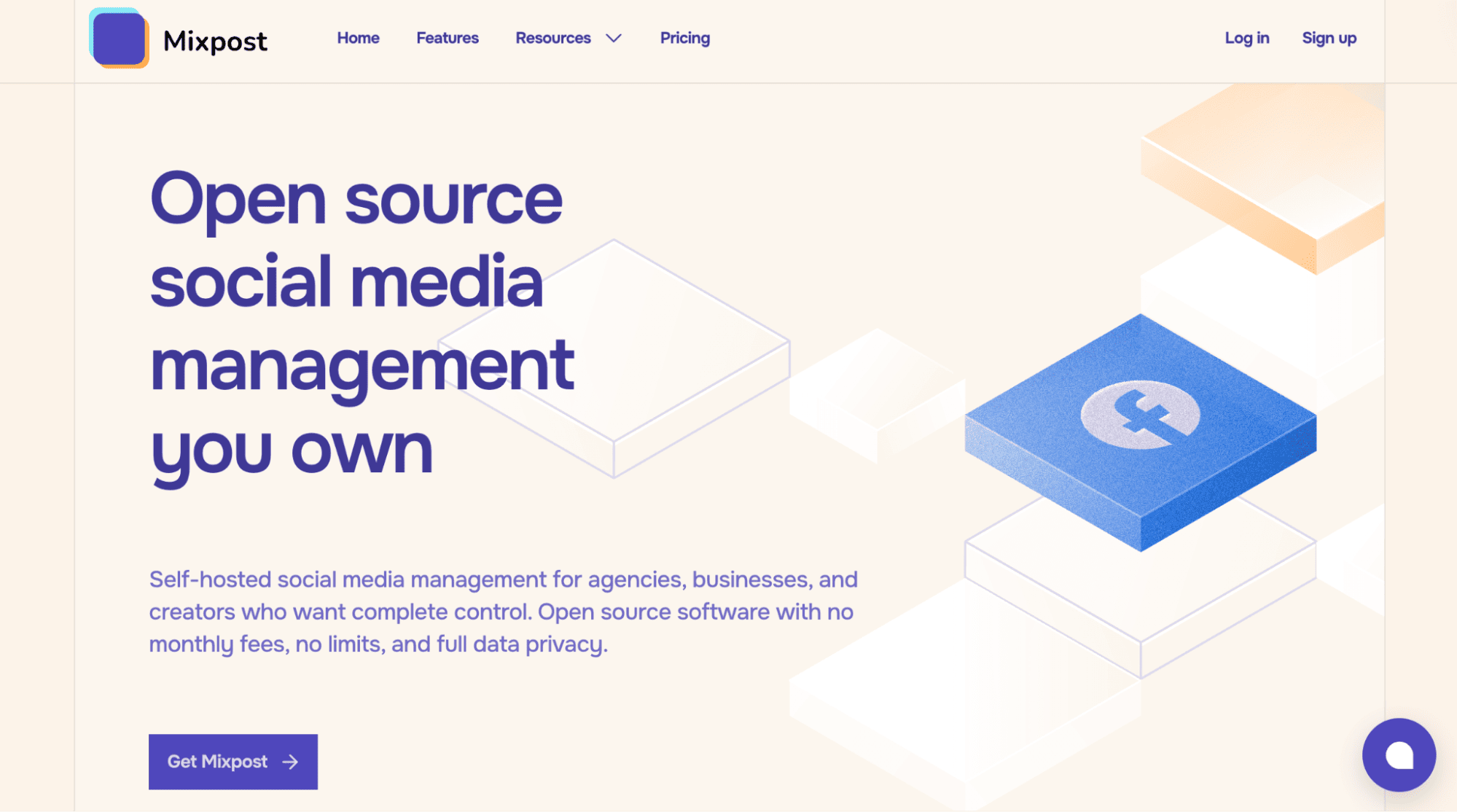
Mixpost is another amazing Postiz alternatives out there.
Both Mixpost and Postiz embrace the open-source philosophy. Both offer self-hosting capabilities. Both give businesses greater control over their data than traditional SaaS platforms. The difference is that Mixpost feels more polished for teams and agencies that need structure alongside flexibility.
One feature that stands out is the multi-workspace system. Agencies can create separate environments for clients, while larger businesses can organise brands and departments without everything becoming cluttered. The platform also includes white-label capabilities, approval workflows, and more mature collaboration features than many users expect from an open-source product.
Mixpost’s visual calendar is another highlight. Planning content feels less like managing software and more like managing an actual marketing calendar. Combined with AI-assisted content creation and advanced reporting, it creates a more business-friendly experience than many self-hosted alternatives.
Pros
- Open-source and fully self-hosted
- One-time lifetime pricing model
- Supports unlimited workspaces
- Strong agency features including white-labeling
- Advanced analytics and reporting
- AI-powered content creation tools
- Broad social platform support
Cons
- Requires self-hosting knowledge
- No built-in social listening features
- Does not support messaging platforms like WhatsApp
Pricing
- Free Plan: Includes publishing to Facebook, Mastodon, and X, along with basic analytics and content planning tools.
- Lifetime License: Starts at approximately $251 as a one-time payment.
Higher tiers unlock advanced analytics, AI capabilities, webhook integrations, multi-language support, white-labeling, and multi-tenancy features.
Compared to Postiz, Mixpost feels like a more mature solution for businesses that want the benefits of open-source software without sacrificing collaboration and usability. For agencies and technically capable teams, it’s one of the most compelling alternatives available.
4. Hootsuite
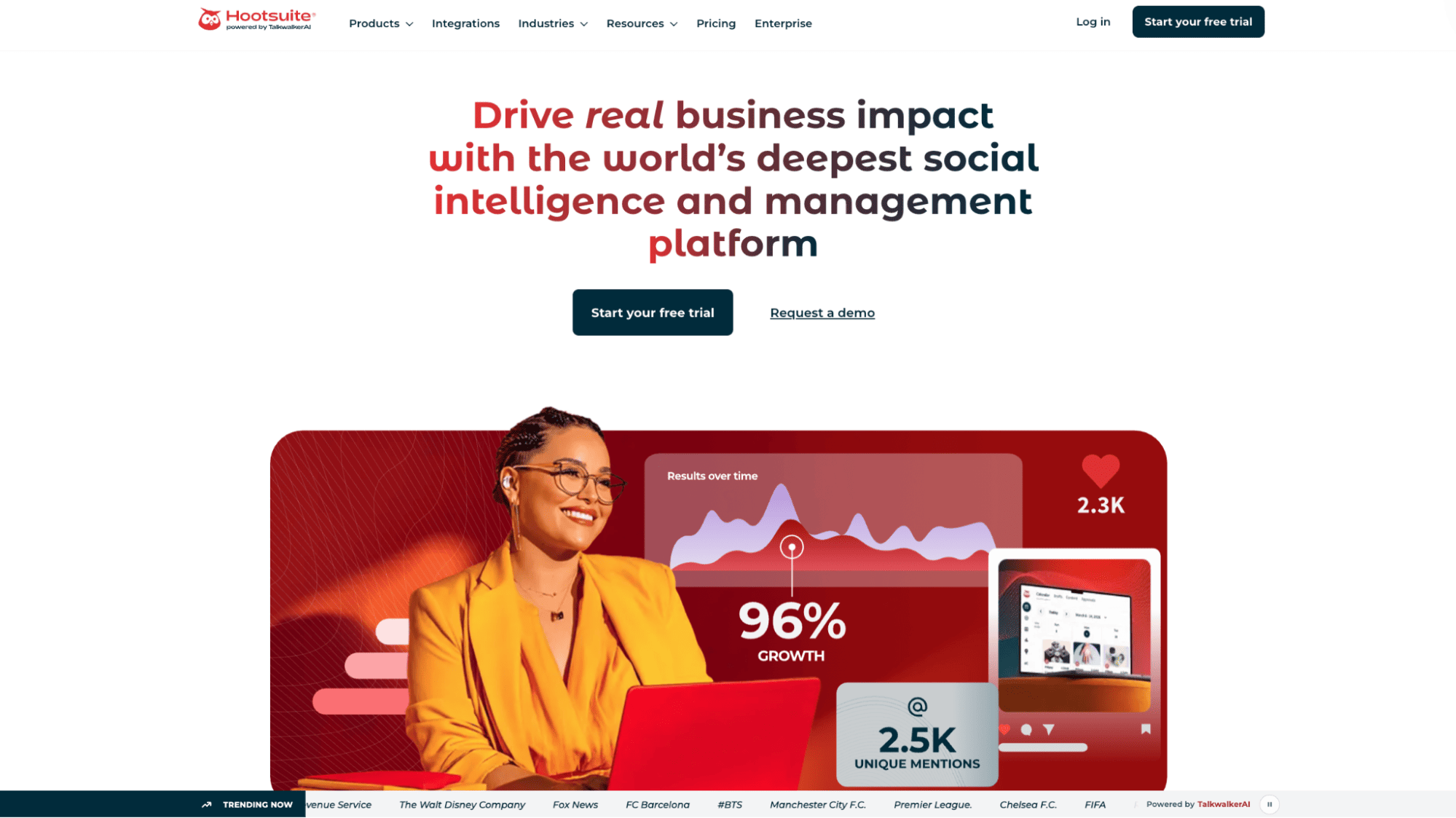
Hootsuite approaches social media management from a completely different angle than Postiz.
While Postiz is heavily focused on publishing automation and self-hosting flexibility, Hootsuite is designed to be a command center for your entire social media operation. Instead of simply scheduling content, it helps businesses monitor conversations, track mentions, engage with audiences, and coordinate activity across multiple networks.
One thing Hootsuite does particularly well is visibility. Its monitoring streams allow teams to track keywords, hashtags, competitors, and brand mentions in real time. This is a capability many Postiz users end up looking for once they realize scheduling content is only one part of social media management.
It’s not the simplest platform on this list, and it certainly isn’t the cheapest. But for businesses that need broader management capabilities rather than just publishing tools, Hootsuite offers a lot of depth.
Pros of Hootsuite
- Supports a large number of social platforms
- Powerful monitoring and engagement features
- Strong team collaboration tools
- Extensive third-party integrations
- Reliable scheduling and publishing capabilities
- Well-suited for growing businesses and larger teams
Cons
- Considerably more expensive than Postiz
- Interface can feel overwhelming at first
- Advanced analytics require higher-tier plans
- Learning curve is steeper than many competitors
Pricing
Professional Plan – $99/month
Includes one user and up to 10 social profiles, along with core scheduling and monitoring features.
Team Plan – $249/month
Adds collaboration features, multiple users, and additional reporting capabilities.
Enterprise Plan – Custom Pricing
Designed for larger organizations needing advanced analytics, governance controls, and enterprise-level support.
Compared to Postiz, Hootsuite is less flexible from a technical standpoint but significantly stronger when it comes to monitoring, engagement, and large-scale social media operations.
5. ContentStudio
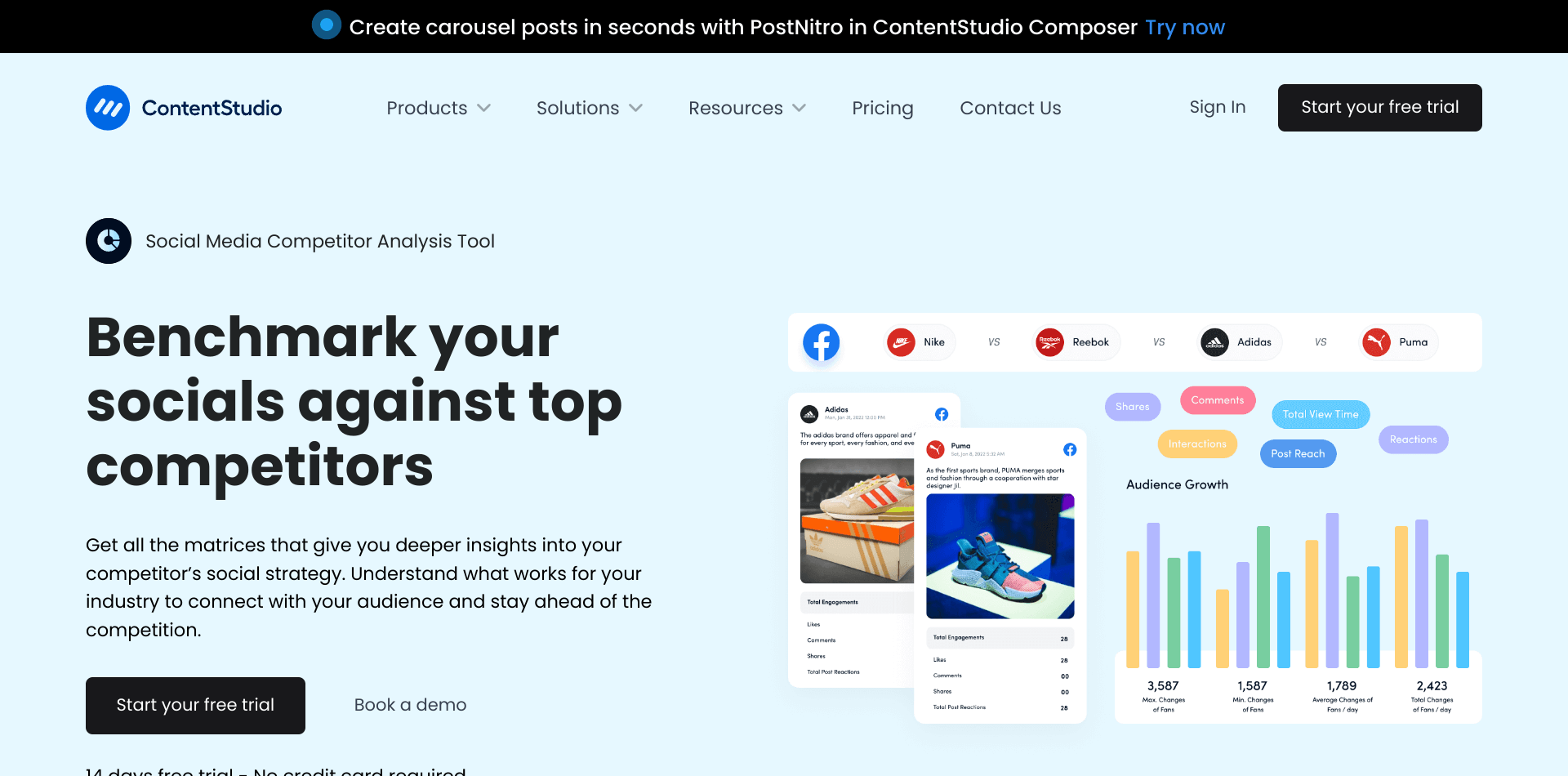
If Postiz focuses on helping you publish content, ContentStudio focuses on helping you find content worth publishing in the first place.
This is one of the reasons marketers often gravitate toward it. Beyond scheduling, ContentStudio includes content discovery features that help users uncover trending articles, industry news, and topics that are already generating engagement. For teams that struggle with content ideas, that alone can be a huge advantage.
The platform also combines publishing, analytics, automation, collaboration, and content curation into a single dashboard. It feels less technical than Postiz and more tailored toward marketers who want practical tools rather than infrastructure control.
Its automation features deserve special mention too. You can build evergreen content queues, automate posting workflows, and maintain a steady publishing schedule without constantly returning to the platform.
Pros
- Excellent content discovery and curation tools
- Strong automation and evergreen posting features
- Supports a wide range of social platforms
- User-friendly interface
- Good analytics and reporting capabilities
- Suitable for agencies and content-heavy teams
Cons
- Can feel feature-heavy for beginners
- Some advanced tools require higher plans
- Social listening capabilities are limited compared to specialist platforms
Pricing
- Starter Plan (Around $25/month): Suitable for individuals and small businesses looking for publishing and content discovery tools.
- Pro Plan (Around $49/month): Adds more social accounts, automation features, analytics, and collaboration capabilities.
- Agency Plans (Starting around $99/month): Designed for larger teams managing multiple brands and clients.
6. eClincher
eClincher is what happens when a scheduling tool decides it wants to do a lot more than scheduling.
At first glance, it looks like another social media management platform. Spend a little time with it, though, and you’ll notice that engagement is at the center of the experience. The unified inbox pulls together comments, mentions, reviews, and messages from multiple platforms, helping teams stay on top of customer interactions without constantly switching tabs.
For businesses moving away from Postiz, this can be a major advantage. Postiz does a solid job with publishing and automation, but it doesn’t offer the same level of customer engagement tools. eClincher bridges that gap while still providing scheduling, analytics, content queues, and automation features.
The platform also includes social listening functionality, making it easier to track conversations happening around your brand and industry.
Pros of eClincher
- Strong unified inbox for engagement management
- Social listening and brand monitoring capabilities
- Evergreen content queues and automation
- Supports a wide range of social networks
- Good balance between publishing and customer engagement
- Suitable for agencies and growing businesses
Cons
- Interface can feel busy initially
- Pricing is higher than some competitors
- Learning curve for new users
Pricing
- Basic Plan ($65/month): Includes core scheduling, publishing, inbox management, and analytics features.
- Premier Plan ($175/month): Adds advanced automation, social listening, and expanded reporting capabilities.
- Agency Plans (Custom Pricing): Built for larger teams managing multiple clients and brands.
Compared to Postiz, eClincher offers a more complete social management experience, particularly for businesses that value engagement and customer communication as much as content publishing.
7. Zoho Social
Zoho Social feels like the practical choice. It may not generate as much buzz as some of the bigger names in social media management, but it consistently delivers where many businesses need it most: scheduling, collaboration, monitoring, and reporting without unnecessary complexity.
One area where Zoho Social stands out is its integration ecosystem. Businesses already using the Zoho suite can connect social media activity directly to customer records, sales processes, and CRM workflows. That creates a level of visibility that Postiz simply isn’t built to provide.
The SmartQ feature is another favorite among users. Instead of guessing when to post, the platform recommends optimal publishing times based on audience activity. It’s a small feature, but one that can make a noticeable difference over time.
Pros
- Strong value for money
- SmartQ scheduling recommendations
- CRM integration capabilities
- Team collaboration and approval tools
- Good monitoring and listening features
- Easy-to-use publishing calendar
Cons
- Analytics could be deeper for advanced users
- Additional users can increase costs quickly
- Interface occasionally feels dated
- Less suitable for enterprise-level requirements
Pricing
- Standard Plan: Starting around $15/month, this is a budget-friendly option for small businesses and creators.
- Professional Plan: The professional plan starts at $40/month and adds advanced publishing, collaboration, and reporting features.
- Agency Plans: Scaling up to $460/month, this plan is designed for agencies managing multiple clients and brands.
8. Unipile
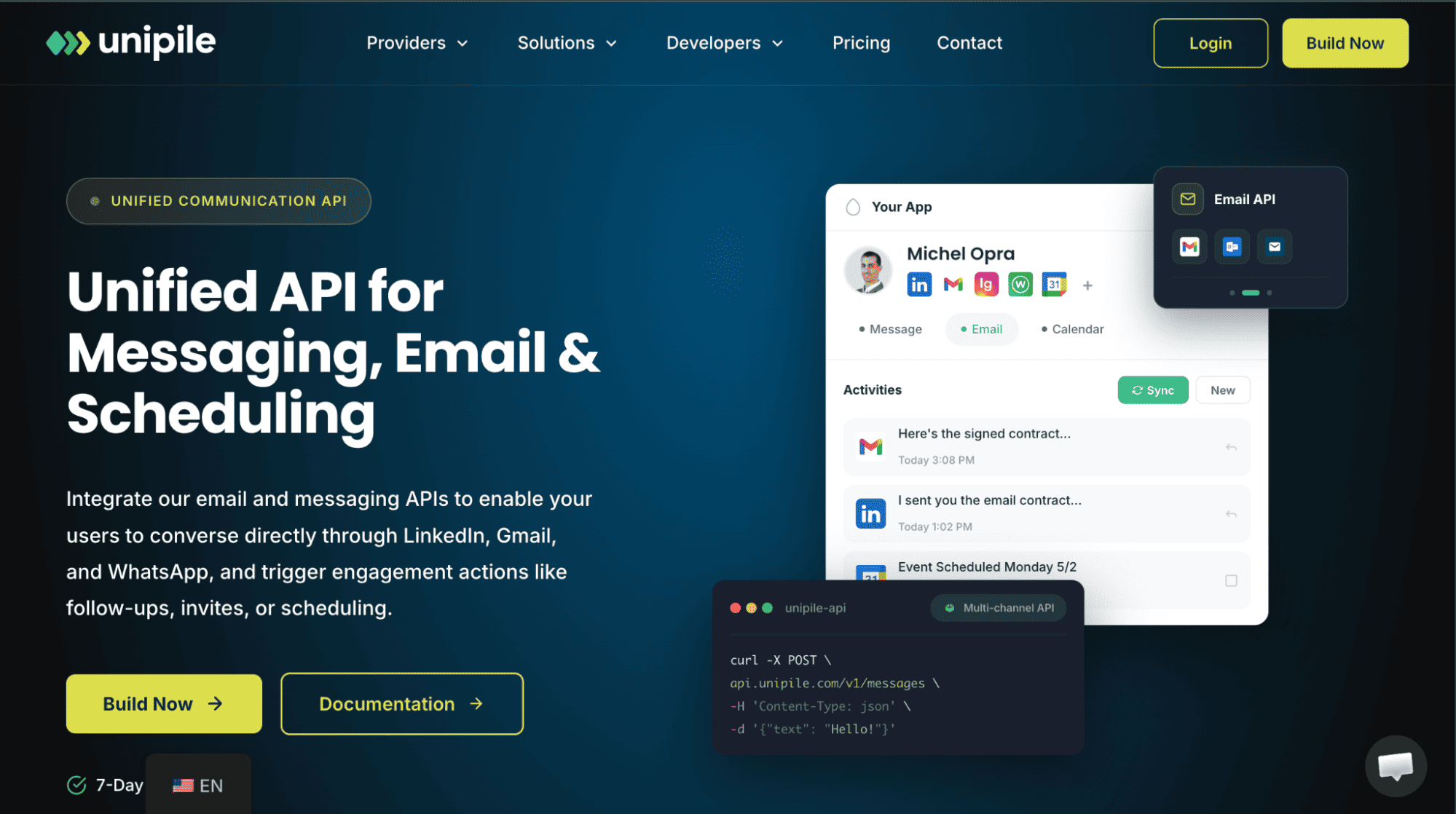
Unipile is the wildcard on this list. Most social media management tools focus on publishing content. Unipile takes a completely different route. Its mission is communication.
Instead of helping businesses schedule posts, Unipile helps them automate conversations across platforms like WhatsApp, LinkedIn, Instagram, Gmail, Outlook, and Telegram. For companies that rely heavily on outreach, customer communication, lead generation, or relationship management, that distinction matters.
Think of it this way: Postiz helps you talk to your audience. Unipile helps you talk with them.
The platform’s unified API allows businesses to connect messaging, email, and calendar systems into one workflow. It’s particularly attractive to SaaS companies, CRM platforms, automation-focused businesses, and teams building custom communication systems.
Pros of Unipile
- Supports WhatsApp Business messaging
- Unified messaging, email, and calendar automation
- Powerful API capabilities
- Real-time webhook support
- Excellent for outreach and communication workflows
- Supports LinkedIn messaging automation
Cons
- Not a traditional social media management platform
- No native social media scheduling tools
- No analytics or social performance reporting
- Requires technical setup
- No social listening functionality
Pricing
- Starter Plans ($55/month): Supports up to 10 connected accounts across messaging, email, and calendar platforms.
- Usage (Based Scaling): Pricing grows based on the number of connected accounts, while API usage remains unlimited.
- 7-Day Free Trial: Available for businesses wanting to test the platform before committing.
Compared to Postiz, Unipile serves a completely different purpose. It’s not the right choice if your primary goal is content scheduling.
But for businesses focused on messaging automation, customer communication, and outreach at scale, it offers capabilities that most traditional social media management platforms simply don’t provide.
How to Choose the Best Postiz Alternative
Here’s the thing: the best Postiz alternative isn’t necessarily the one with the longest feature list.
It’s the one that solves the problems you’re experiencing right now without creating new ones six months down the line.
Some businesses leave Postiz because they need better collaboration. Others need messaging tools, deeper analytics, or a platform that’s easier for non-technical teams to use. Before you start comparing pricing pages, focus on these four factors first.
Think Beyond Scheduling
Most tools can schedule a post. The real question is: what happens after that post goes live?
Do you need a unified inbox for handling customer messages? Social listening for tracking brand mentions? Better reporting for clients? The more your social media operation grows, the more important these supporting features become.
If your team spends as much time engaging with audiences as publishing content, look for a platform that helps with both.
Consider How Fast Your Team Is Growing
A tool that works perfectly for a solo creator may become frustrating for a five-person marketing team.
Look closely at things like user limits, approval workflows, content review processes, and team permissions. If collaboration is already becoming part of your workflow, it’s worth choosing a platform that can grow with you rather than switching again later.
This is often where businesses outgrow simpler solutions.
Pay Attention to Platform Coverage
Postiz supports a large number of channels, which is one of its strengths.
Not every alternative does.
Before switching, make a list of every platform your business actively uses today – and the ones you may use in the future. There’s nothing more frustrating than migrating to a new tool only to discover it doesn’t support an important channel. The best solution is one that gives you room to expand.
Look at the Total Cost, Not Just the Starting Price
Many social media tools look affordable until you add extra users, additional social profiles, advanced analytics, or collaboration features.
A $15 plan can quickly become a $100 plan.
Instead of focusing solely on entry-level pricing, look at where you’ll likely be in a year. If your business doubles its social accounts or adds new team members, will the platform still make financial sense?
The smartest choice is often the platform that offers the best long-term value, not the lowest monthly price.
At the end of the day, choosing a Postiz alternative is really about choosing a workflow. The right platform should save your team time, reduce complexity, and make social media management feel easier – not give you another system to wrestle with every day.
FAQs
Why do businesses seek Postiz alternatives?
Businesses typically start looking for Postiz alternatives when they need features that go beyond scheduling and publishing. Common reasons include the need for a unified inbox, social listening tools, easier setup, broader collaboration features, support for messaging platforms like WhatsApp.
What is the best Postiz alternative?
The answer depends on what you’re looking for. If you want an all-around social media management platform with scheduling, collaboration, analytics, AI tools, and engagement features, OnlySocial is one of the strongest alternatives. Businesses focused on self-hosting may prefer Mixpost, while teams that prioritize analytics may lean toward platforms like Zoho Social or eClincher.
Which Postiz alternative is best for small businesses?
Small businesses often benefit most from tools that are affordable, easy to use, and don’t require technical expertise. OnlySocial, Buffer, and Zoho Social are popular choices because they provide strong scheduling, automation, and reporting features without a steep learning curve.
Which Postiz alternative is best for agencies?
Agencies usually need collaboration features, approval workflows, client reporting, and support for multiple brands. OnlySocial, Mixpost, ContentStudio, and eClincher are particularly strong options because they are designed to handle larger numbers of accounts while supporting team-based workflows.
What is the cost of Postiz?
Postiz offers several pricing tiers. Its Standard plan starts at around $29 per month, which includes up to five social channels and 400 monthly posts. The Team plan costs approximately $39 per month, while the Pro and Ultimate plans are priced at around $49 per month and $99 per month respectively, offering higher limits and additional features.