TikTok Link in Bio: The Complete Guide to Driving More Clicks and Conversions
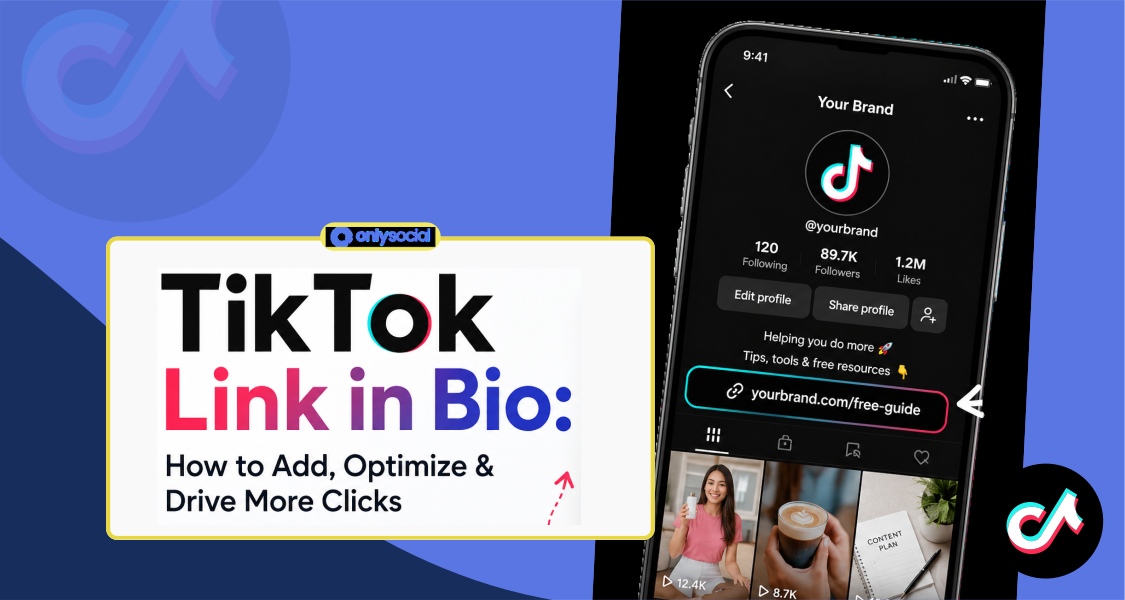
TikTok may have started as a platform for viral dances and entertaining videos, but it’s now one of the most powerful marketing channels for businesses, creators, and online brands.
Millions of users don’t just scroll for entertainment anymore. They actively search for products, discover new businesses, and decide what to buy next.
In fact, according to recent reports, 49% of Gen Z consumers use TikTok to discover products before making a purchase.
That’s where your TikTok link in bio becomes incredibly valuable. It acts as the bridge between your content and your business, helping turn viewers into website visitors, subscribers, leads, or customers.
In this guide, we will show you everything you need to know to make the most of your TikTok bio link.
Table of Contents
- 1 What Is a TikTok Link in Bio?
- 2 Why Should You Add a Link to Your TikTok Bio?
- 3 TikTok Link in Bio Requirements
- 4 How to Add a Link to Your TikTok Bio in 5 Simple Steps
- 5 Step 2: Verify Your Business Account
- 5.1 Step 3: Add Your Website URL
- 5.2 Step 4: Test Your Link
- 5.3 Step 5: Add a Clear Call-to-Action in Your Bio
- 5.4 Common TikTok Bio Link Problems (and How to Fix Them)
- 5.5 1. You Can’t See the Website Field
- 5.6 2. You Switched to a Business Account but the Link Is Still Missing
- 5.7 3. Your Link Doesn’t Work
- 5.8 4. Your Landing Page Doesn’t Look Good on Mobile
- 5.9 5. The Website Field Suddenly Disappears
- 5.10 6. Nothing Seems to Work
- 6 Best Practices for Optimizing Your TikTok Bio Link
- 7 How to Track and Measure Your TikTok Bio Link Performance
- 8 Turn More TikTok Views into Results with OnlySocial
- 9 Frequently Asked Questions
- 9.0.1 Did TikTok remove links in bio?
- 9.0.2 How many links can you add to your TikTok bio?
- 9.0.3 Does switching to a Business Account on TikTok affect your reach?
- 9.0.4 What can you do to drive traffic before you reach 1,000 followers?
- 9.0.5 Why can’t I add a link to my TikTok bio?
- 9.0.6 Can I add links to my other social media accounts?
- 9.0.7 How often can I change my TikTok bio link?
What Is a TikTok Link in Bio?
A TikTok link in bio is the clickable URL displayed on your TikTok profile, just below your bio. It’s one of the most valuable features for creators and businesses because it gives followers a direct path from your TikTok content to wherever you want them to go.
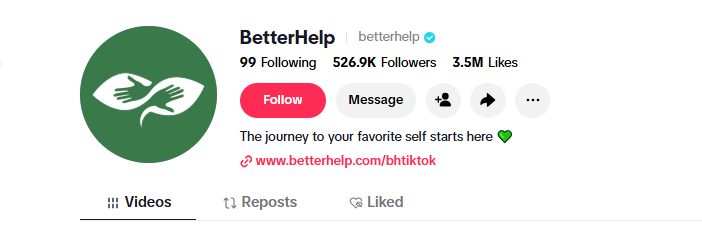
Unlike some other social platforms, TikTok doesn’t allow clickable links in video captions or comments. That means your profile link becomes the primary place to send people to your website, online store, booking page, newsletter, blog, product launch, or any other destination outside the app.
Think of it as the bridge between your TikTok content and your business goals. Every time you tell viewers to “check the link in our bio,” you’re directing them to the next step in their customer journey.
Why Should You Add a Link to Your TikTok Bio?
Your TikTok bio link does much more than fill an empty space on your profile. While a simple link may seem like a small feature, it plays a major role in helping your TikTok content deliver real business value.
When paired with engaging videos and a clear call to action, it can become one of the highest-performing elements on your entire profile. Here are some of the biggest reasons every creator and brand should take advantage of it.
1. Drive More Traffic to Your Website
Your videos can spark curiosity, but your bio link is what turns that interest into action. Whether you’re promoting a blog, product page, portfolio, or company website, a bio link makes it easy for viewers to continue their journey beyond TikTok.
2. Turn Followers into Customers
If you sell products or services, your bio link can lead people directly to your online store, booking page, or checkout. Instead of hoping viewers search for your business elsewhere, you give them a simple path to make a purchase.
3. Promote Multiple Campaigns from One Place
Launching a new product? Running a giveaway? Sharing a free resource?
Your bio link can direct visitors to a dedicated landing page or a link-in-bio tool that houses multiple destinations, making it easy to promote different campaigns without constantly changing your profile.
4. Grow Your Audience Across Other Platforms
TikTok is powerful, but it’s smart not to rely on a single platform.
Your bio link can help followers discover your Instagram, YouTube channel, LinkedIn profile, newsletter, podcast, or community, allowing you to build an audience across multiple channels.
5. Generate More Leads
Many businesses use TikTok to attract potential customers long before they’re ready to buy. You can use your bio link to lead visitors to lead magnets such as free guides, webinars, newsletters, consultations, or demo bookings, helping you capture valuable leads while interest is highest.
6. Measure the Impact of Your TikTok Marketing
Your bio link also provides valuable marketing data.
Using analytics or link tracking tools, you can monitor clicks, conversions, and visitor behavior to understand which videos and campaigns are driving the most traffic. These insights make it easier to refine your content strategy and improve future results.
TikTok Link in Bio Requirements
So, who can add a link to their TikTok bio?
Before you can add a clickable website to your TikTok profile, you need to meet the platform’s eligibility requirements. These rules vary depending on the type of account you have, so it’s important to understand which category you fall into.
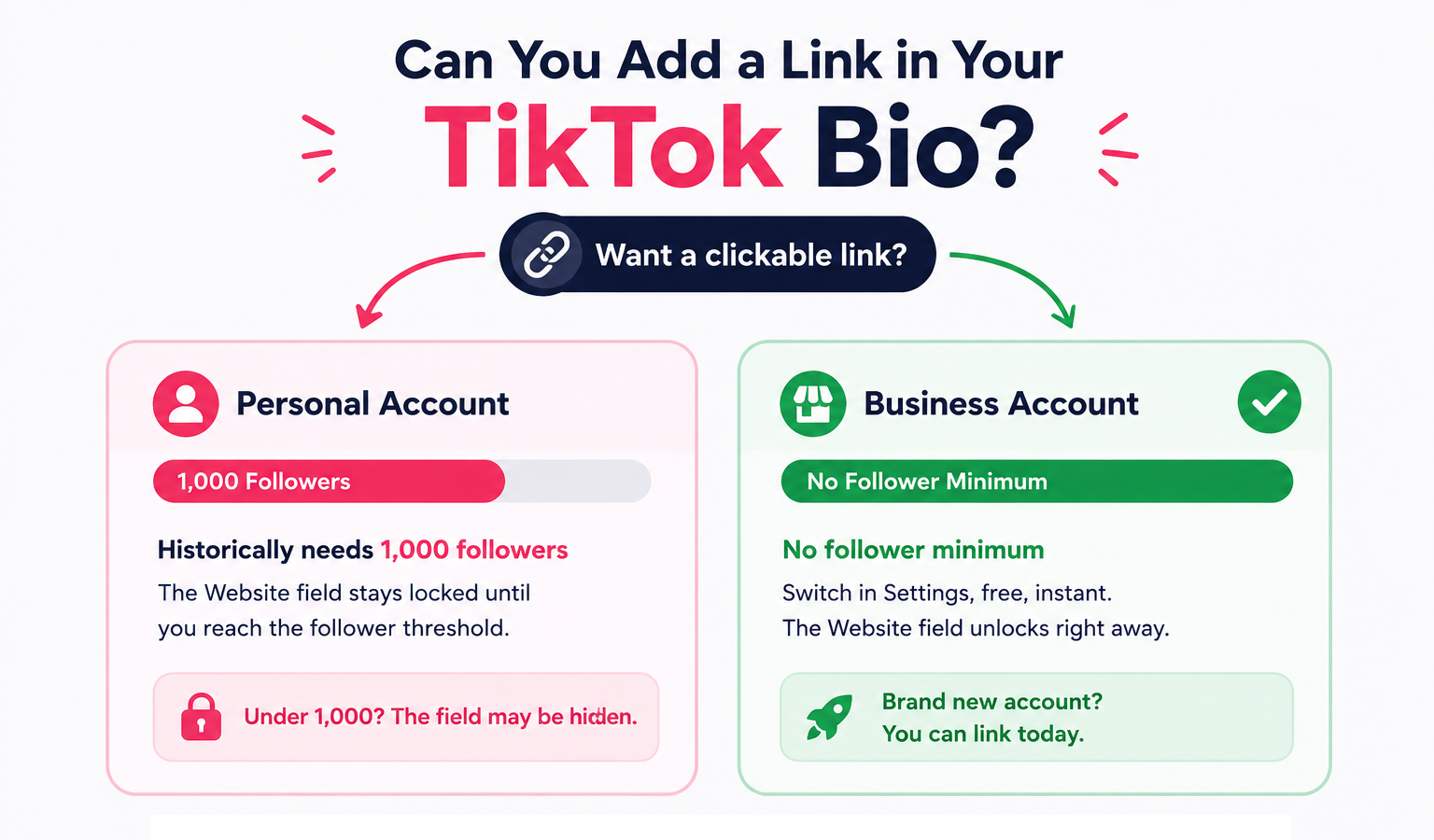
Personal Accounts
If you’re using a personal TikTok account, you’ll typically need at least 1,000 followers before TikTok unlocks the Website field in your profile settings.
Once you reach that milestone, you can add a clickable URL that directs visitors to your website, online store, landing page, or any other destination you choose.
Business Accounts
Business accounts have a major advantage.
Unlike personal accounts, TikTok Business accounts can add a website link regardless of follower count. Whether you have 10 followers or 10,000, you can immediately include a clickable website in your bio after switching your account.
So, for businesses, brands, and creators who don’t want to wait until they reach 1,000 followers, switching to a Business Account is the quickest solution.
If you’re considering this option too, here’s how to switch:
- Open your Profile and tap the three-line menu in the top-right corner.
- Select Settings and privacy.
- Tap Account.
- Choose Switch to Business Account.
- Select the category that best describes your business or brand.
- Return to Edit Profile, where you should now see the Website field available.
The good news is that this change isn’t permanent. You can switch back to a personal or creator account later if your needs change.
How to Add a Link to Your TikTok Bio in 5 Simple Steps
Once your account is eligible, adding a clickable link to your TikTok bio only takes a few minutes. Follow these steps to get everything set up correctly.
Step 1: Switch to a Business Account (If You Haven’t Already)
If you’re using TikTok to promote a business, brand, product, or service, switching to a Business Account is the easiest way to unlock the website link feature.
Besides allowing you to add a clickable link without waiting to reach 1,000 followers, a Business Account also gives you access to valuable features like analytics, business tools, and the Commercial Music Library.
We’ve already covered how to make the switch in the previous section, so if you haven’t done it yet, that’s your first step.
Step 2: Verify Your Business Account
Although Business Accounts can add website links without a follower requirement, TikTok may ask you to verify your business before enabling certain business features.
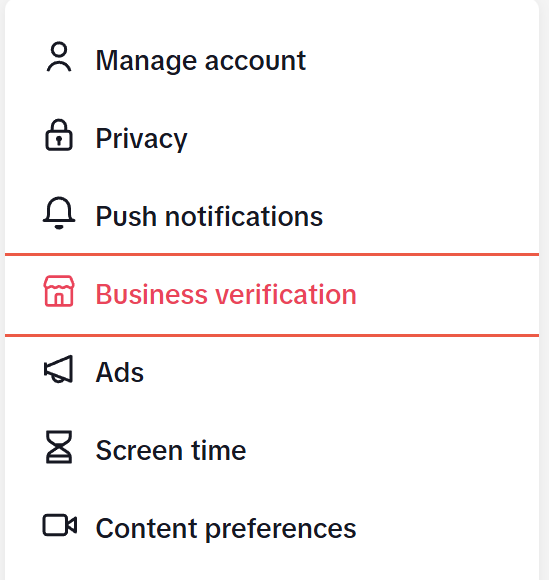
To verify your account:
- Open TikTok and go to your Profile.
- Tap the Menu (☰) in the top-right corner.
- Select Business Suite.
- Tap Business Verification.
- Enter your business information.
- Upload any requested business documents.
- Submit your application.
Once TikTok approves your verification, you’ll receive both an in-app notification and a confirmation email.
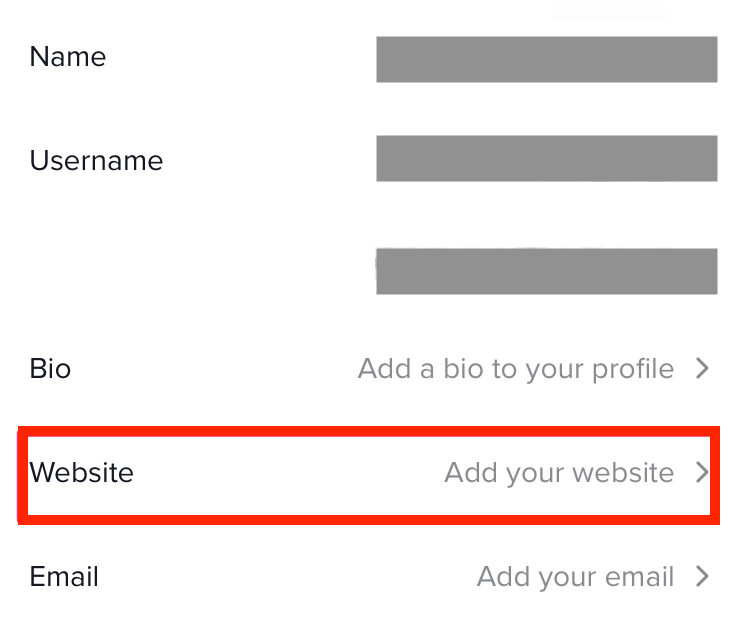
Step 3: Add Your Website URL
Now it’s time to add the actual link.
Here’s how:
- Open your Profile.
- Tap Edit Profile.
- Locate the Website field (or Add Website).
- Paste the URL you want visitors to open.
- Save your changes.
Your clickable link will now appear on your profile for visitors to access.
Step 4: Test Your Link
Never assume your link works perfectly.
Take a moment to test it yourself, especially on a mobile device, since that’s how the vast majority of TikTok users will access your profile.
Make sure you check that:
- The link opens correctly.
- It leads to the intended page.
- The page loads quickly.
- Everything displays properly on mobile.
- Buttons, forms, and checkout pages function as expected.
Step 5: Add a Clear Call-to-Action in Your Bio
Simply adding a link isn’t enough. You should also tell people why they should click it.
Use your bio to create a simple, compelling call-to-action that encourages visitors to take the next step.
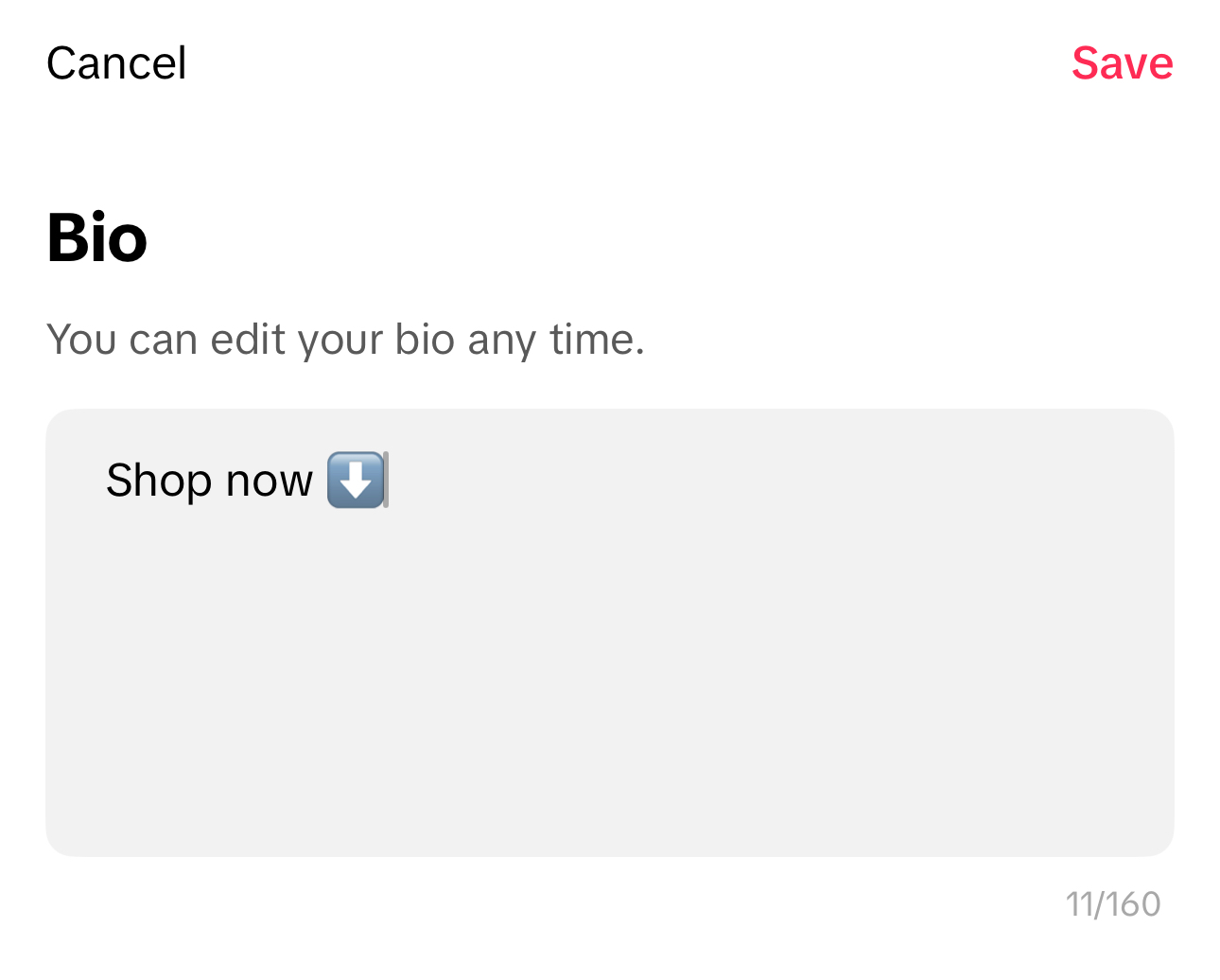
To update your bio:
- Open your Profile.
- Tap Edit Profile.
- Select the Bio
- Write a short CTA (up to 160 characters).
- Tap Save.
For example, you could use:
- Shop now
- 🎁 Grab your free guide below
- 📅 Book your free consultation
- 🚀 Start your free trial
- 👇 Explore all our resources
A strong call-to-action gives visitors a reason to click your link instead of simply scrolling away, helping you get far more value from every profile visit.
Common TikTok Bio Link Problems (and How to Fix Them)
Adding a TikTok bio link is usually a quick process, but it doesn’t always go smoothly. If you’re having issues with this, here are some of the most common issues and how you can solve them.
1. You Can’t See the Website Field
This is by far the most common issue.
If the Website option isn’t available when editing your profile, it’s usually because your account doesn’t yet qualify for the feature.
How to fix it:
- Switch to a TikTok Business Account if you’re still using a personal account.
- If you’re using a personal account, you’ll generally need 1,000 followers before TikTok unlocks the Website field.
- If you’re using a Business Account, make sure it has been properly set up and verified if required.
2. You Switched to a Business Account but the Link Is Still Missing
Some users switch account types but still don’t see the Website option immediately.
This can happen if TikTok hasn’t fully activated the feature or if additional business verification is needed.
How to fix it:
- Complete TikTok’s Business Verification process.
- Double-check that your account is actually listed as a Business Account in your settings.
- Wait a short while after switching, as new features sometimes take time to appear.
3. Your Link Doesn’t Work
Nothing is more frustrating than sending people to a broken page. Sometimes the issue isn’t TikTok at all. It could simply be an incorrect URL.
How to fix it:
- Make sure you’ve entered the full website address, including https:// where necessary.
- Test the link on both mobile and desktop.
- Confirm the destination page hasn’t been moved or deleted.
- If you’re using a link-in-bio tool, ensure all the links inside it are still active.
4. Your Landing Page Doesn’t Look Good on Mobile
Most TikTok users visit profiles from their phones. If your website isn’t mobile-friendly, visitors may leave before taking any action.
How to fix it:
- Test the page on different mobile devices.
- Improve loading speed.
- Ensure buttons are easy to tap.
- Keep forms and checkout pages simple to complete on smaller screens.
5. The Website Field Suddenly Disappears
Occasionally, users notice the Website field disappear after an app update or account change.
How to fix it:
- Update TikTok to the latest version.
- Log out and back into your account.
- Restart the app.
- If the issue remains, reinstall TikTok and check again.
6. Nothing Seems to Work
If you’ve met every requirement and the feature still isn’t available, the issue may be account-specific.
How to fix it:
Contact TikTok Support through the app and explain the problem. They can review your account and help determine whether there’s a technical issue or an eligibility restriction preventing the feature from appearing.
| Problem | Likely Cause | Quick Fix |
| Website field doesn’t appear | Personal account hasn’t met the requirements | Switch to a Business Account or reach 1,000 followers on a personal account. |
| Website field still missing after switching | Business account isn’t fully verified or the feature hasn’t activated yet | Complete Business Verification and give TikTok a little time to update your account. |
| Bio link doesn’t open | Incorrect or broken URL | Double-check the URL, ensure it includes the correct web address. |
| Landing page performs poorly | Website isn’t optimized for mobile users | Improve page speed, mobile responsiveness, and make forms or buttons easy to use on smartphones. |
| Website field disappears | App glitch or outdated TikTok version | Update TikTok, log out and back in, or reinstall the app if necessary. |
Best Practices for Optimizing Your TikTok Bio Link
Now, you know how to add a link to your TikTok bio. But that’s only the first step. To get more clicks and better results, you need to make it as appealing and relevant as possible. A few small improvements can significantly increase the number of people who take action after visiting your profile.
Here are some best practices that could help.
1. Write a Clear Call-to-Action
Don’t assume visitors know what to do next. Tell them exactly what they’ll get by clicking your link. A simple, action-oriented CTA performs much better than a vague description.
For example:
- Download our free guide
- Shop the latest collection
- Book your free consultation
- Explore all our resources
The more specific your CTA, the more likely people are to click.
2. Match Your Bio to Your Link
Your bio and your destination page should tell the same story.
If your link leads to a product launch, mention it in your bio. If it points to a free ebook, make that clear. Consistency helps visitors feel confident they’re clicking on the right thing.
A mismatch between your bio and landing page often leads to fewer clicks and higher bounce rates.
3. Use Emojis to Draw Attention
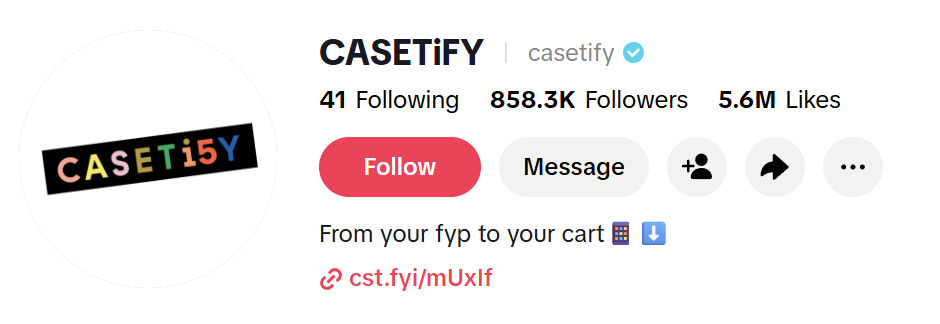
A well-placed emoji can make your bio easier to scan and naturally guide people’s eyes toward your link.
Some commonly used options include:
- 👇 Point down
- 🔗 Link
- 🛍️ Shopping
- 🎁 Free offer
- 🚀 New launch
- 📅 Booking
Just don’t overdo it. One or two emojis are usually enough to add visual interest without making your profile look cluttered.
4. Use a Link-in-Bio Page Instead of a Single Link
If you regularly promote different products, blog posts, videos, or campaigns, sending visitors to one landing page with multiple links is often a better option than constantly changing your bio URL.
This allows followers to easily find everything they’re looking for while giving you more flexibility as your campaigns change.
5. Keep Your Link Updated
An outdated bio link is a missed opportunity. Whenever you launch a new campaign, publish a major piece of content, or release a new product, review your bio link to make sure it still points visitors to your highest-priority destination.
Making this part of your regular content workflow helps maximize every profile visit.
6. Track What’s Working
Don’t just add a link and hope for the best. Use URL tracking tools or analytics to monitor clicks, conversions, and traffic sources. This helps you understand which TikTok videos are driving the most visitors and which landing pages generate the best results.
How to Track and Measure Your TikTok Bio Link Performance
Don’t just stop at adding a link to your TikTok bio. To know whether it’s actually helping you grow your business, you need to measure how people interact with it.
Tracking your bio link helps you understand where your traffic comes from, which campaigns perform best, and what changes can improve your results.
So, let’s quickly talk about some of the best ways to monitor your TikTok bio link performance.
1. Use UTM Parameters
One of the easiest ways to track traffic from TikTok is by adding UTM parameters to your URL.
UTMs are small pieces of text added to the end of a link that tell analytics platforms exactly where visitors came from.
The three most common parameters are:
- utm_source – The platform sending the traffic (e.g., TikTok)
- utm_medium – The type of traffic (organic, paid, referral, etc.)
- utm_campaign – The specific campaign or promotion
For example:
https://yourwebsite.com/product?utm_source=tiktok&utm_medium=organic&utm_campaign=summer_sale
When someone clicks this link, you’ll know exactly which TikTok campaign generated the visit.
2. Monitor TikTok’s Built-In Analytics
TikTok provides useful analytics that help you understand how people interact with your profile.
To access them:
- Open your Profile.
- Tap the Menu (☰) in the top-right corner.
- Select TikTok Studio.
- Open the Analytics
Here you can view important metrics such as:
- Profile views
- Website clicks
- Video views
- Follower growth
- Audience demographics
- Top-performing content
You can also adjust the reporting period to compare performance across different campaigns or timeframes.
3. Track Every Click with OnlySocial’s Link Shortener
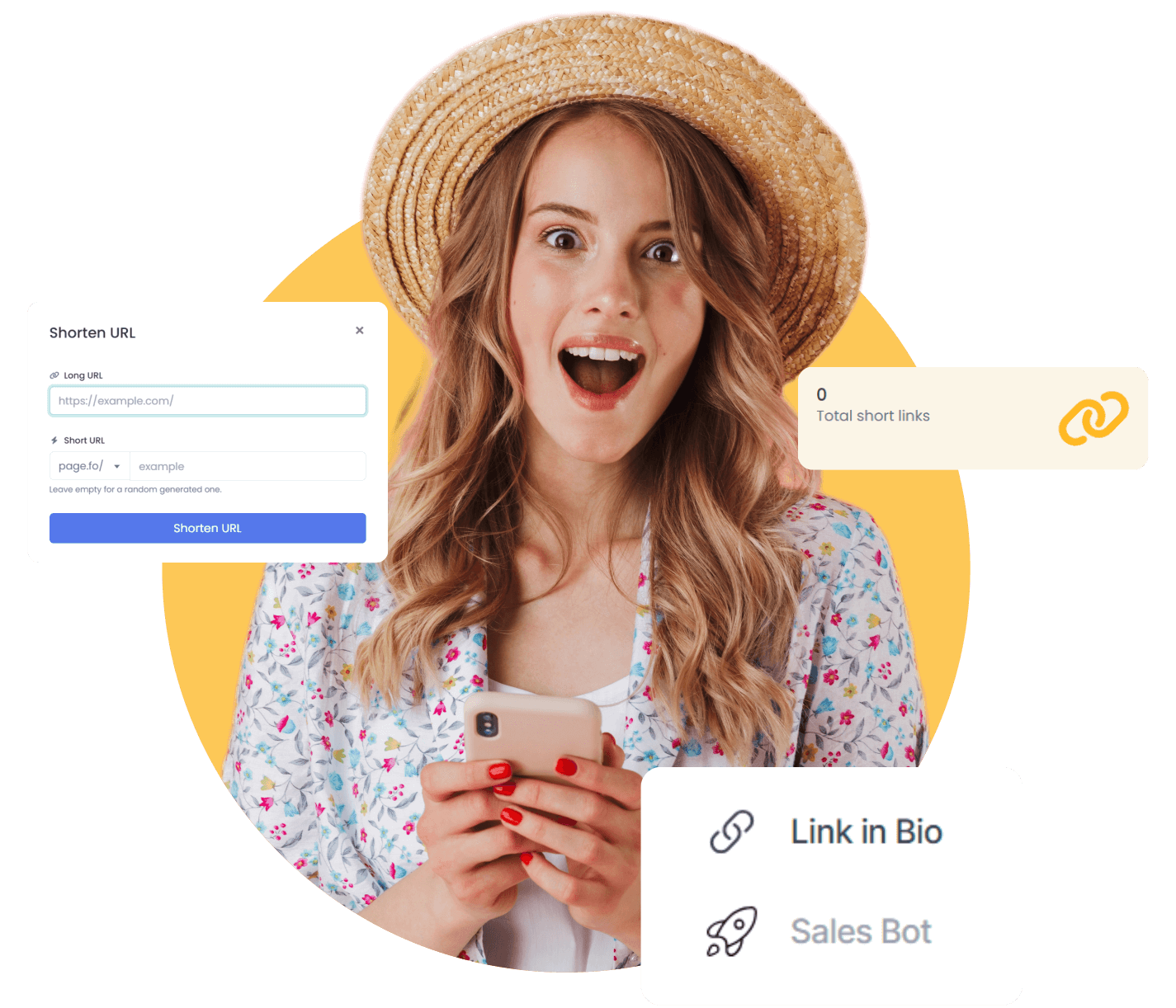
Instead of sharing long, difficult-to-read URLs, OnlySocial’s Link Shortener allows you to create clean, branded short links that look more professional and are easier for your audience to trust. More importantly, every shortened link comes with performance tracking, allowing you to see how your audience interacts with your campaigns.
With OnlySocial’s Link Shortener, you can:
- Create clean, branded short links that strengthen your brand identity.
- Track clicks and monitor link performance through detailed analytics.
- Measure which TikTok campaigns generate the most traffic.
- Compare the performance of different promotions and landing pages.
- Use the insights to refine your content strategy and improve future campaigns.
Even better, the feature fits naturally into your existing workflow. Since OnlySocial already helps you plan your content calendar, schedule TikTok posts, and publish across multiple social platforms, you can also create and track the links used in those campaigns from the same ecosystem.
4. Measure What Happens After the Click
Getting clicks is great. Getting results is even better.
Use website analytics platforms like Google Analytics to monitor what visitors do after they arrive on your website. Look beyond click numbers and focus on actions such as:
- Purchases
- Newsletter sign-ups
- Form submissions
- Appointment bookings
- Time spent on the page
- Bounce rate
These metrics reveal whether your TikTok traffic is actually contributing to your business goals.
Turn More TikTok Views into Results with OnlySocial
Getting people to click your TikTok bio link is only half the battle. The real challenge is making sure every video, campaign, and landing page work together. That’s where a tool like OnlySocial helps.
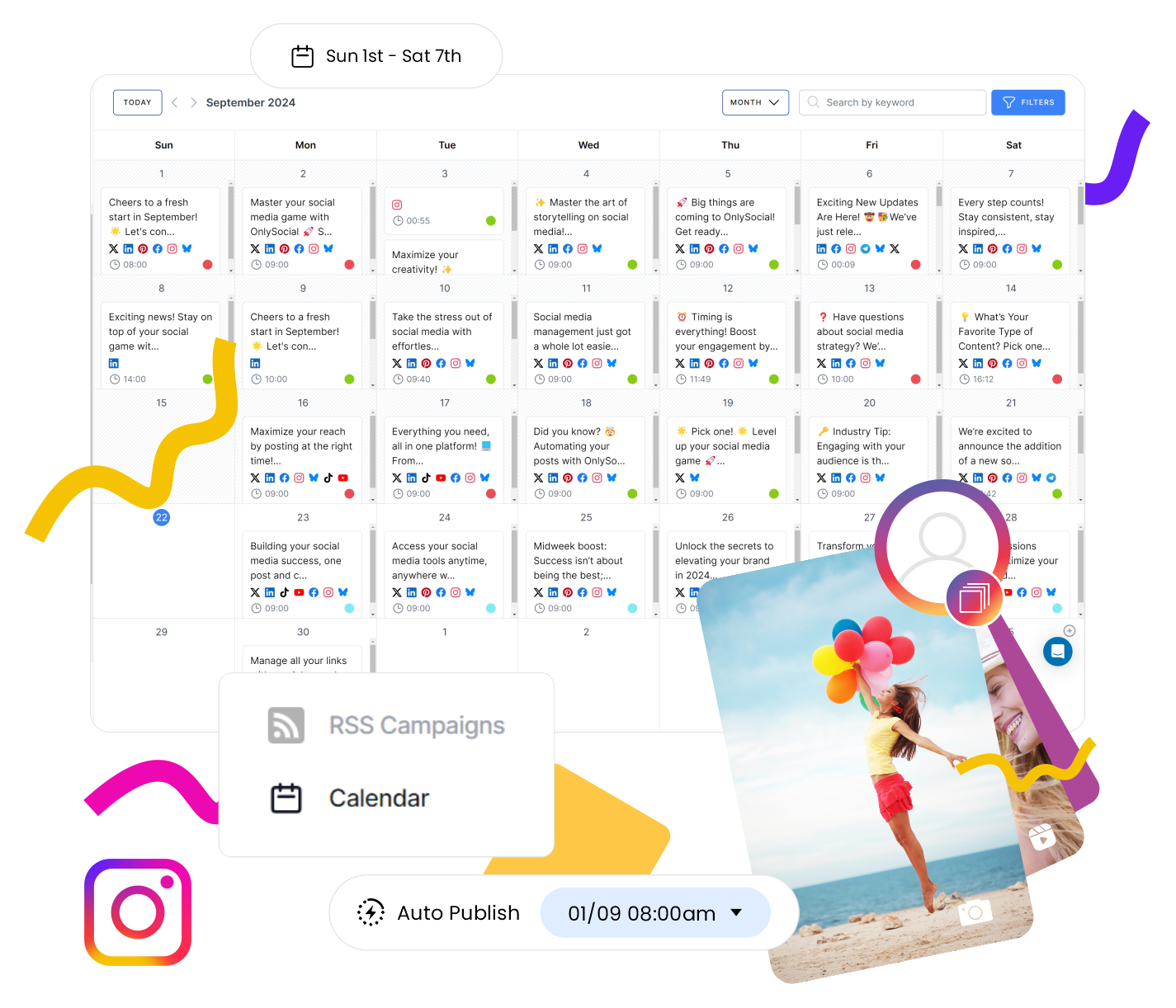
With OnlySocial’s Content Calendar, you can plan your TikTok content weeks or even months in advance while keeping your marketing campaigns organized.
As you prepare a product launch, seasonal promotion, or new blog post, you can schedule your TikTok videos around the same timeline and update your bio link to match. This ensures viewers always arrive at the most relevant destination instead of an outdated page.
OnlySocial also makes publishing much easier through its TikTok scheduling and multi-platform publishing features. Instead of posting separately on TikTok, Instagram, Facebook, LinkedIn, X, and other platforms, you can manage your entire content strategy from one dashboard.
This keeps your messaging consistent across every channel while saving hours of manual work each week.
This creates is a smoother customer journey. Your audience watches your TikTok video, clicks the link in your bio, and lands exactly where you want them to be – all while your content across every platform stays perfectly aligned with your campaign goals.
Frequently Asked Questions
Did TikTok remove links in bio?
No. TikTok still allows users to add clickable links to their bio, but eligibility depends on the type of account you have. Business Accounts can generally add a website link without meeting a follower requirement, while Personal Accounts typically need at least 1,000 followers before the feature becomes available.
How many links can you add to your TikTok bio?
TikTok only allows one direct website link in your bio. If you want to share multiple destinations, you can use a link-in-bio tool that places several links on a single landing page, allowing visitors to choose where they want to go.
Does switching to a Business Account on TikTok affect your reach?
There is no evidence that switching to a Business Account automatically reduces your reach. TikTok’s algorithm primarily prioritizes content quality, engagement, and relevance rather than account type.
What can you do to drive traffic before you reach 1,000 followers?
If you’re using a Personal Account and haven’t reached the follower threshold, you can still encourage viewers to visit your Instagram, YouTube, or other connected social profiles. Alternatively, switching to a TikTok Business Account allows most businesses to add a website link immediately without waiting to grow their audience.
Why can’t I add a link to my TikTok bio?
The most common reasons are:
- You’re using a Personal Account that hasn’t reached 1,000 followers.
- Your Business Account hasn’t been fully verified.
- The TikTok app needs updating.
- There’s a temporary account or platform issue.
Yes. TikTok allows you to connect supported social platforms such as Instagram and YouTube to your profile. These appear as dedicated profile icons and are separate from your website link.
How often can I change my TikTok bio link?
There’s no fixed limit on how often you can update your bio link. You can change it whenever your marketing priorities change, whether you’re promoting a new product, launching a campaign, or sharing a new blog post. Just remember to test the new link after every update to ensure it’s working correctly.