10 Best Postcron Alternatives for Effective Social Media Management
Postcron has been a solid choice for simple scheduling for a long time. It’s easy to use, and features like automatic watermarking make it handy for keeping your posts consistent without extra effort.
But once your social media starts growing, you quickly realize you need more than just scheduling. Things like tracking performance, managing conversations, keeping an eye on competitors, and even running campaigns across multiple platforms start to matter a lot more.
That’s where Postcron begins to feel limited.
In this guide, I’ll walk you through 10 strong Postcron alternatives that go beyond basic scheduling. These are tools I’ve explored and tested, and each one brings something extra to the table. By the end, you’ll have a clearer idea of which one fits your workflow best.
Table of Contents
- 1 Why Seek a Postcron Alternative?
- 2 10 Best Postcron Alternatives for Your Social Media Management Needs
- 3 1. OnlySocial ($29/Month)
- 4 2. Social Champ ($4/Month)
- 5 3. Sprout Social ($199/Month)
- 6 4. Buffer ($6/Month/Channel)
- 7 5. Agorapulse ($69/Month)
- 8 6. Hootsuite ($99/Month)
- 9 7. Loomly
- 10 8. Planable ($33/Month)
- 11 9. Publer ($4/Month)
- 12 10. Metricool ($18/Month)
- 13 How to Choose the Right Postcron Alternative for Your Needs
- 14 Final Note
- 15 FAQs
Why Seek a Postcron Alternative?
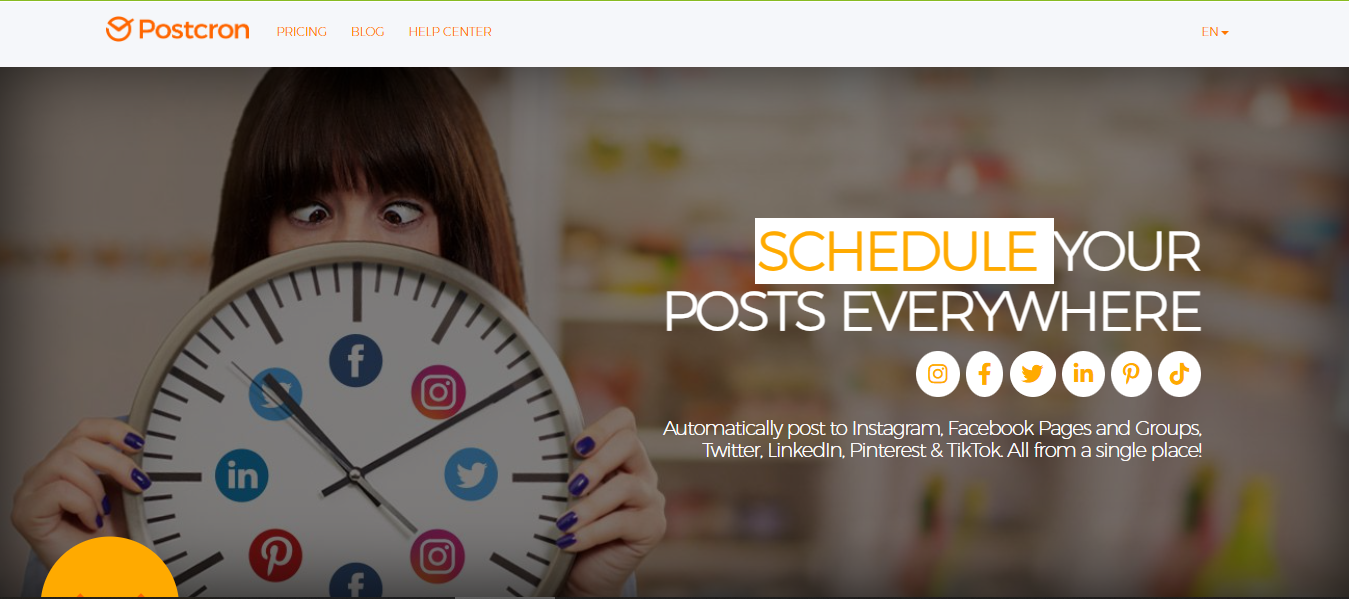
Postcron works fine when you’re just starting out. But once you begin to grow, a few cracks start to show. And that’s usually when people start looking at other options.
Here are some of the main reasons.
Pricing gets uncomfortable as you scale
At first glance, Postcron feels affordable. But as you move up the plans, the price jumps quickly. The basic plan starts at $8/month before moving to the Entrepreneur plan that goes for $12 and then to $58 and $166 per month for the Corporate and Enterprise plans.
The bigger issue is what you get for that price. You’re often paying more just to unlock features that come as standard in other tools. That makes it harder to justify long term, especially if you’re watching your budget.
Basic plans feel too limited
The lower-tier plans are quite restricted. You don’t get proper analytics or insights, which means you’re posting without really knowing what’s working. There are also limits on how many posts you can queue and how many accounts you can manage. For anyone trying to grow, that setup feels a bit too basic.
Not built for teams
Postcron is fine for solo users. But once you bring in a team, things get tricky. Collaboration is limited unless you upgrade to higher plans. That means no smooth workflow for writers, designers, or managers working together.
Lacks advanced features for modern workflows
Social media today is more than just scheduling posts. You need tools for engagement, analytics, listening, and sometimes even ad tracking. Postcron doesn’t fully cover these areas, which means you may end up using multiple tools to fill the gaps. That’s usually the point where switching to a more complete platform starts to make sense.
10 Best Postcron Alternatives for Your Social Media Management Needs
1. OnlySocial ($29/Month)
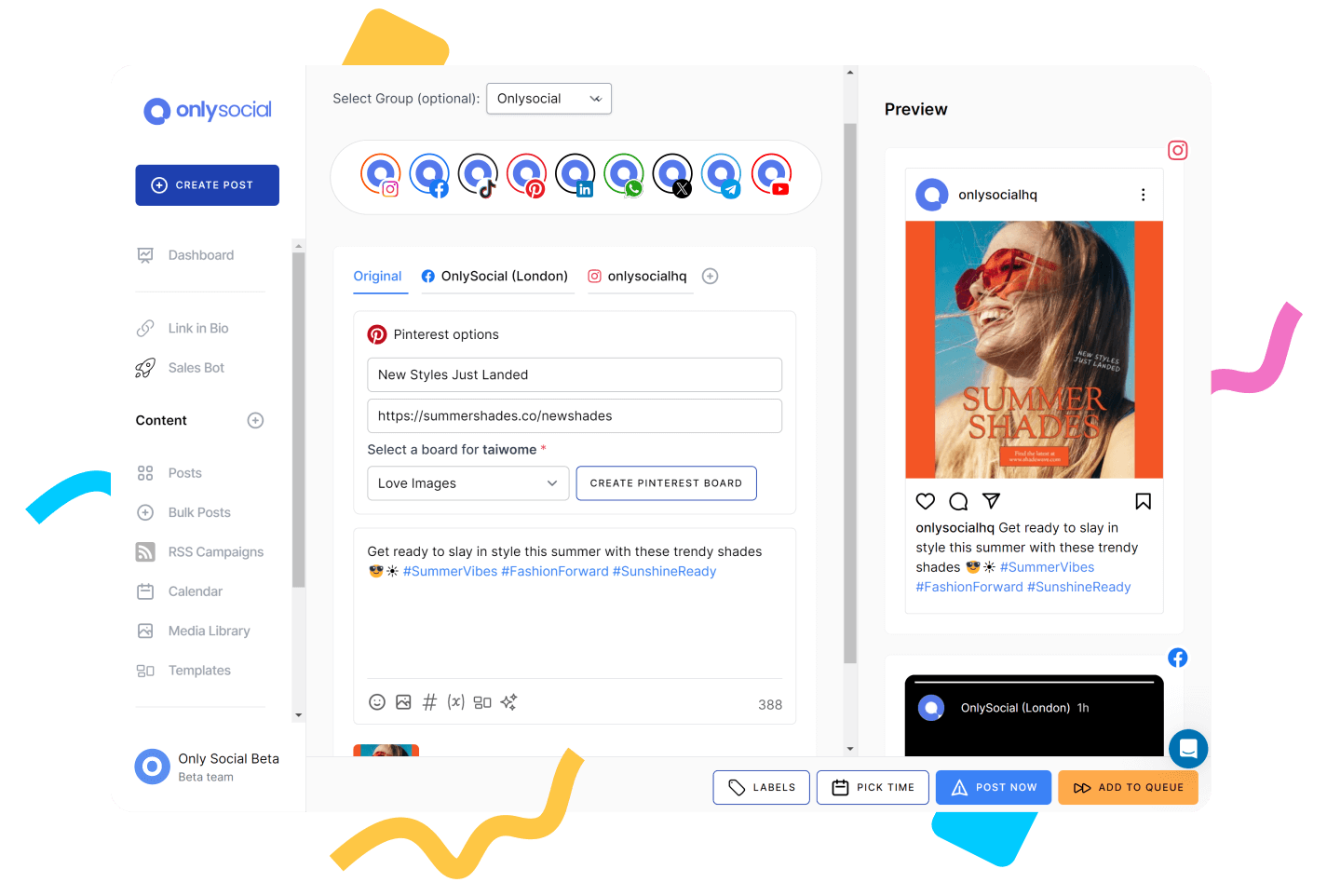
OnlySocial is one of those tools that feels like a natural upgrade when you outgrow simple schedulers like Postcron. It doesn’t just help you plan posts. It brings everything into one place. Scheduling, engagement, analytics, and even content creation.
What I liked straight away is how easy it is to use. You don’t need to spend hours figuring things out. You can jump in, connect your accounts, and start planning content almost immediately.
Key Features
- Multi-platform publishing: OnlySocial supports 15+ platforms, including Instagram, Facebook, LinkedIn, TikTok, Pinterest, YouTube, Google Business Profile, Threads, Mastodon, and Bluesky. You can manage everything from one dashboard without switching tools.
- Advanced scheduling tools: You get bulk scheduling, evergreen queues, and a drag-and-drop calendar that makes planning content simple. You can upload up to 500 posts at once, which is perfect for batching content.
- AI-powered content creation: The built-in AI helps with captions, hashtags, and even visuals. It’s useful when you’re stuck or just want to speed things up.
- All-in-one inbox: Messages, comments, and DMs from different platforms come into one place. That includes WhatsApp Business too, which is a nice bonus.
- Team collaboration and approvals: You can assign roles, set approval workflows, and keep everything organized. It works well for teams and agencies.
- Analytics and reporting: Track performance, understand what’s working, and create reports without digging through complicated dashboards.
- White-label dashboard: If you run an agency, you can brand the platform as your own and offer it to clients.
Pricing
Freelancer – $29/month
- 15 social profiles
- Unlimited scheduling
- AI images & captions (1000 credits)
- Unified inbox
- 20GB storage
- Reports and analytics
Entrepreneur – $49/month
- 40 social profiles
- AI credits increased to 5000
- 50GB storage
- Email & SMS broadcasts (3000 each)
Unlimited Pro – $99/month
- Unlimited social profiles
- Unlimited AI credits
- 100GB storage
- Full feature access
Compared to Postcron, the pricing feels more balanced. You’re not paying extra just to unlock basic features.
My Experience with OnlySocial
OnlySocial feels like a proper all-in-one tool. The biggest difference I noticed compared to Postcron is how much smoother the workflow becomes. Instead of just scheduling posts, you can plan, create, publish, and manage engagement without leaving the platform.
The bulk scheduling and calendar are especially useful if you like working ahead. And the AI tools help when you need ideas quickly.
It’s also better suited for teams. You can collaborate without things getting messy, which is something Postcron struggles with. If you’re moving beyond basic scheduling and want something that actually supports growth, OnlySocial is a strong choice.
2. Social Champ ($4/Month)
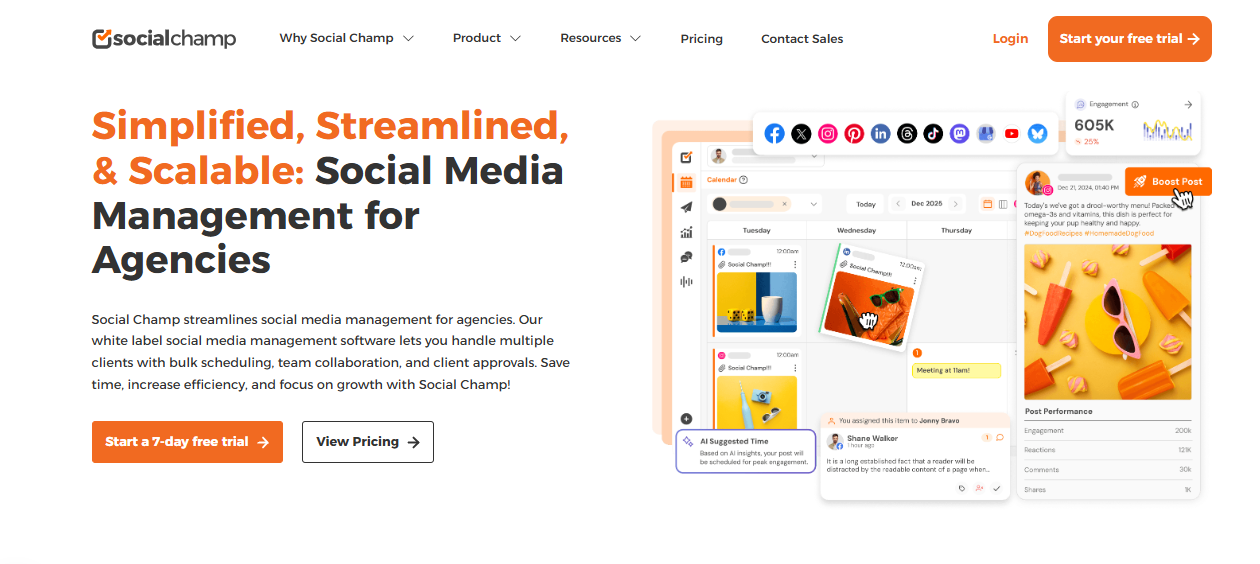
Social Champ is one of those tools that tries to give you everything without charging a premium. It covers scheduling, engagement, analytics, and even social listening, all in one place.
What makes it appealing is the balance. You get a wide range of features, but the platform still feels approachable. It doesn’t overwhelm you, even if you’re just getting started.
Key Features
- Multi-platform publishing: Social Champ supports 11+ platforms, including Facebook, Instagram, LinkedIn, X, TikTok, Pinterest, Threads, YouTube, Bluesky, Mastodon, and Google Business Profile.
- Content calendar and scheduling: Plan your content weeks ahead using a clean calendar. Bulk upload and scheduling features make it easy to stay consistent.
- AI content tools: You can generate captions, repurpose posts, and come up with new ideas quickly using built-in AI features.
- Social inbox: Manage comments and messages from one place without jumping between apps.
- Social listening: Track keywords, trends, and brand mentions across platforms. Helpful for staying in tune with what your audience is saying.
- Analytics and competitor tracking: Get simple reports that show what’s working. You can also keep an eye on competitors and compare performance.
Pricing
Social Champ starts at around $4/month, making it one of the most affordable tools in this space. Plans scale based on the number of accounts and features, so it can grow with your needs.
My Experience with Social Champ
Social Champ surprised me with how much it offers for the price. You get features like social listening and competitor tracking, which are often locked behind higher plans in other tools. That makes it a strong option if you want more than just scheduling without spending too much.
The interface is also easy to work with. It doesn’t take long to get comfortable, and most features are straightforward.
If there’s one thing to note, it’s that while it does a lot, some areas don’t feel as polished as more premium tools. But for the price, it’s hard to complain.
3. Sprout Social ($199/Month)
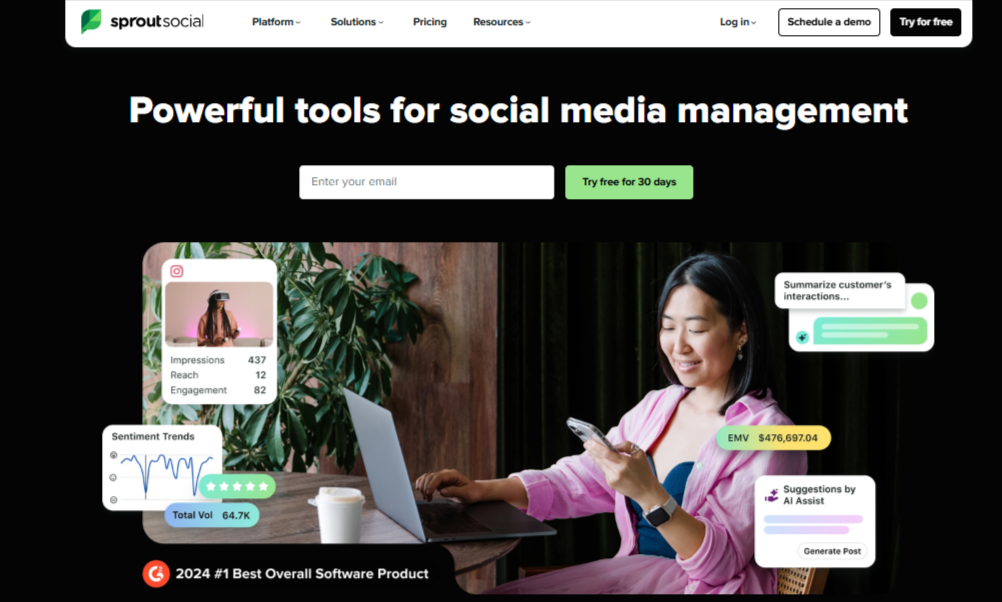
Sprout Social is built for brands that want more control over engagement, customer care, and performance tracking. It’s not just a scheduling tool. It’s more like a full system for managing how your brand communicates online.
From what I’ve seen, it works best for teams that deal with a high volume of messages, comments, and customer interactions.
Key Features
- Smart unified inbox: Pulls in messages, comments, and even reviews from multiple platforms into one place. This makes it easier to manage conversations without missing anything.
- Customer care tools: Includes features like automated workflows, chatbots, and customer tracking. You can also run surveys like NPS or CSAT to measure satisfaction.
- Social listening: Track brand mentions and trends so you can stay ahead of conversations around your business.
- Analytics and reporting: Detailed reports help you understand performance across platforms and campaigns.
- Team collaboration: Assign messages, manage workflows, and avoid duplicate replies with built-in team features.
Pricing
Sprout Social starts at $199 per user/month. Though it also offers a 30-day free trial for people who would want to test the platform before committing, it is one of the more expensive Postcron alternatives you will find, especially for small teams.
My Experience with Sprout Social
Sprout Social feels powerful, but it comes with a bit of weight. The inbox is one of the best parts. If you’re handling a lot of customer messages, it keeps everything organized and easy to manage. The customer care features also stand out, especially for support teams.
But it does take time to get used to. There are a lot of features, and the learning curve is noticeable. The pricing can also be a barrier if you’re just starting out.
Overall, it’s a strong choice if engagement and customer experience are your main focus, and you have the budget to support it
4. Buffer ($6/Month/Channel)
Buffer is a simple and reliable tool built for consistent posting. It doesn’t try to do everything. Instead, it focuses on helping you plan, schedule, and publish content without friction.
From many users’ point of view, it’s a great option if you want something clean and easy to manage without spending too much time learning the platform.
Key Features
- Multi-platform scheduling: Buffer supports a wide range of platforms, including Instagram, Facebook, LinkedIn, X, TikTok, Threads, Bluesky, Google Business Profile, YouTube, and more.
- Content queue and calendar: You can plan posts in advance using a queue system or calendar view. It’s straightforward and quick to use.
- Engagement tools: Reply to comments and messages from Facebook and Instagram in one place. You can also set alerts for important interactions.
- Link-in-bio (microsite): Create a simple landing page to drive traffic from your social profiles. You can track clicks using UTM parameters.
- AI insights and recommendations: Buffer suggests the best times to post and helps you understand what content performs best.
Pricing
Buffer starts at $6 per channel/month. There’s also a free plan, which is useful if you’re managing a few accounts. However, costs can increase quickly depending on how many channels you connect.
My Experience with Buffer
Buffer is one of the easiest tools to work with. Scheduling content takes minutes, and the interface stays out of your way. If you’re managing a small business or working solo, it covers the basics really well.
That said, it’s not the most advanced tool. The inbox is limited to a couple of platforms, and collaboration features are quite basic.
But even with that, if you want something simple that just works, Buffer is a solid choice.
5. Agorapulse ($69/Month)

Agorapulse is built around one core idea: making it easier to manage conversations at scale. While many tools focus heavily on scheduling, Agorapulse puts engagement and inbox management front and center.
Really, the tool is a great fit for brands that deal with a steady flow of comments, messages, and mentions and need a structured way to handle them.
Key Features
- Unified social inbox: All your comments, messages, mentions, and even ad comments come into one place. It helps you stay organized and respond faster.
- Inbox automation and moderation: You can set rules to filter, tag, or assign messages automatically. This is useful when you’re handling a high volume of interactions.
- Collision detection and saved replies: Avoid duplicate replies from team members and speed things up with pre-written responses.
- Scheduling and publishing: Plan and publish content across platforms like Facebook, Instagram, LinkedIn, TikTok, and YouTube.
- Social listening: Track brand mentions and keywords to stay on top of conversations around your business.
- Analytics and reporting: Get insights into engagement, response times, and overall performance.
Pricing
Agorapulse typically starts at around $69/month and then scale higher depending on your needs. There’s also a free trial, so you can test the platform before committing.
My Experience with Agorapulse
The inbox is the highlight. Everything is organized in a way that makes it easy to manage conversations without missing anything. The automation features also save time when dealing with repetitive messages.
Scheduling works well, but it’s not the main focus of the platform. Compared to some other tools, the content planning side feels a bit more structured and less flexible.
Still, if your main challenge is keeping up with messages and interactions, Agorapulse does a really good job.
6. Hootsuite ($99/Month)
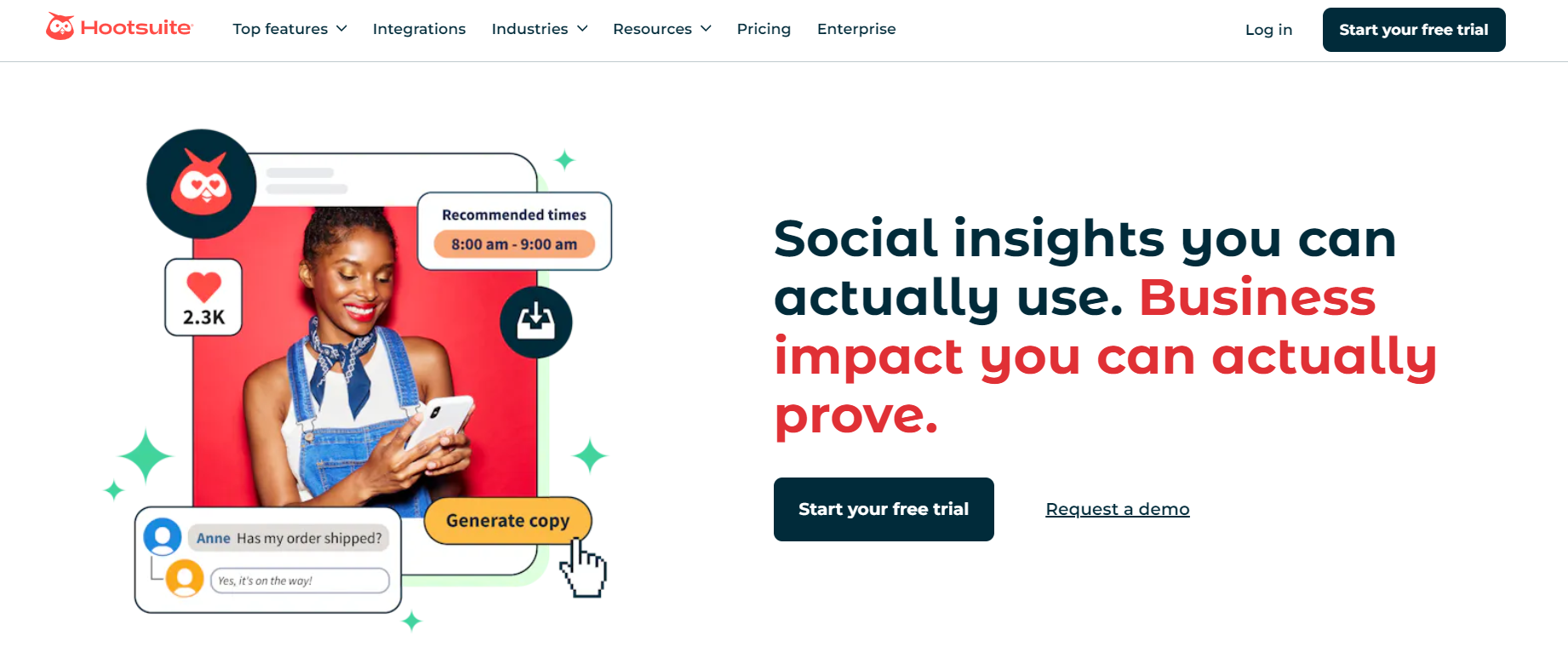
Hootsuite is one of the longest-standing tools in this space. It’s built to help you manage multiple social accounts, monitor conversations, and schedule content from one place.
From my experience, it leans more towards monitoring and analytics than simple day-to-day posting. It’s the kind of tool you use when you want deeper insight into what’s happening around your brand.
Key Features
- Multi-platform scheduling: You can plan and publish content across several social networks from a single dashboard.
- Advanced social listening: Hootsuite goes beyond basic mentions. It can track trends, keywords, and even visual content like logos or products.
- Sentiment analysis: Understand how people feel about your brand over time. This helps you spot issues early or double down on what’s working.
- Influencer discovery: Find influencers in your niche and see how their content performs.
- Analytics and reporting: Detailed reports give you a breakdown of performance across platforms.
Pricing
Hootsuite starts at $99 per user/month. For smaller teams, this can be a huge investment. Plus, the per-user pricing can add up quickly.
My Experience with Hootsuite
Hootsuite feels powerful, but it’s not the lightest tool to use. The listening and analytics features are strong. If you want to track conversations and trends in detail, it does a great job.
But the interface can take some getting used to. It’s not as fast or intuitive as some newer tools. Collaboration features also feel a bit basic for the price.
Overall, it’s a good option if you care more about monitoring and insights than speed and simplicity.
7. Loomly
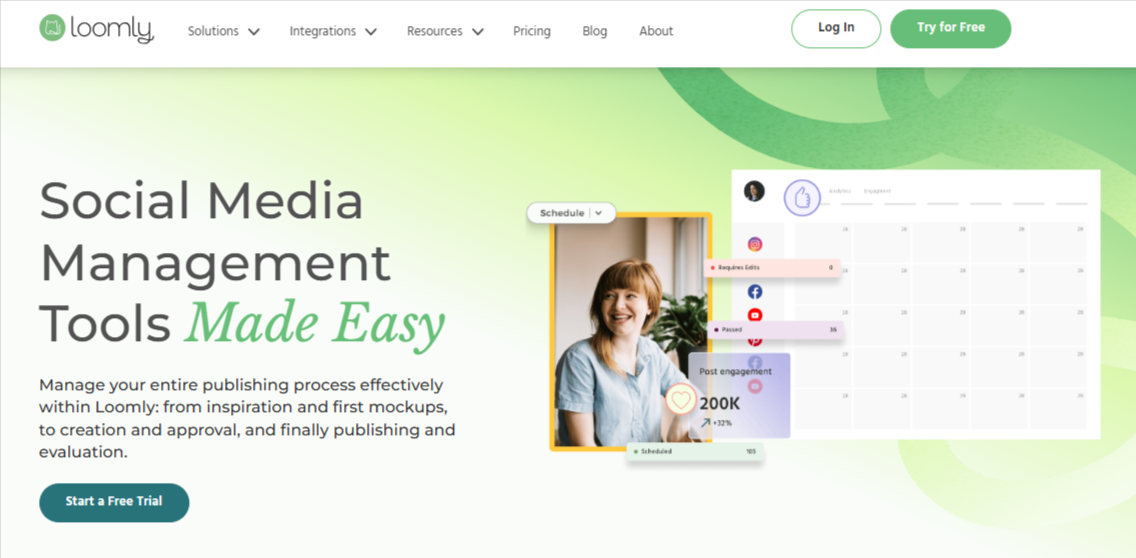
Loomly is a tool built to help you come up with content ideas and turn them into posts quickly. It focuses on making the planning side of social media easier, especially when you’re running out of inspiration.
From my experience, it’s a good fit if you struggle with content planning more than anything else. It gives you a steady flow of ideas and helps you organize them into a clear schedule.
Key Features
- Content ideation tools: Loomly generates daily post ideas based on trends, holidays, and popular topics. It’s helpful when your content calendar feels empty.
- Multi-platform scheduling: You can publish across major platforms, including Threads, YouTube, Snapchat, and Google Business Profile.
- Engagement tools: Reply to comments and messages from one place. You can also assign tasks and use saved replies.
- Loomly Studio: A built-in editor for creating and adjusting visuals before posting.
- Post previews: See how your content will look on each platform before it goes live.
Pricing
Loomly uses custom pricing, so you’ll need to contact their team for a quote. This can make it harder to compare with other tools upfront.
My Experience with Loomly
Loomly is one of the better tools for content planning. The Ideas feature is something I found myself using often. It helps you keep posting consistently without overthinking what to create.
Scheduling is smooth, and the post previews are useful for avoiding mistakes.
On the downside, some publishing features feel limited, especially when it comes to certain media formats. It’s also not the cheapest option once you scale.
Still, if your main challenge is coming up with content and staying consistent, Loomly is a solid pick.
8. Planable ($33/Month)
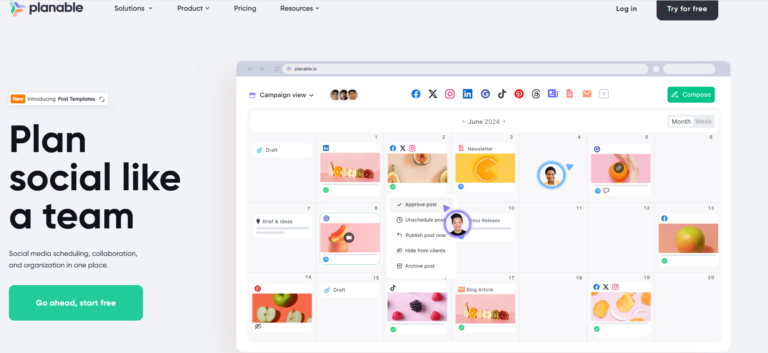
Planable is designed for teams that need structure around content. It focuses less on analytics and more on planning, reviewing, and approving posts without confusion.
Spending time with the tool, it’s obvious it’s especially useful when multiple people are involved in the content process. Everything stays organized, and nothing slips through the cracks.
Key Features
- Drag-and-drop scheduling: Plan and move posts easily across your calendar. It supports platforms like Google Business Profile, Threads, and YouTube.
- Advanced collaboration tools: You can leave comments, suggest edits, and even annotate directly on posts. It feels more like working in a shared document than a typical scheduler.
- Multi-level approval workflows: Set up clear approval steps so content gets reviewed properly before going live.
- Content organization and filters: Use labels and filters to manage large volumes of content without getting lost.
- Universal content support: Plan not just social posts, but also blogs, newsletters, and other content types in one place.
- Visual content views: Switch between grid, feed, and list views depending on what you’re working on.
Pricing
Planable starts at $33/workspace/month. The tool also allows you to schedule up to 50 posts for free, which is useful for testing the platform. Additional features like analytics and engagement tools may cost extra.
My Experience with Planable
Planable feels like a collaboration-first tool. The approval workflows are one of the best parts. If you’re working with clients or multiple team members, it keeps everything clear and structured.
I also liked the visual planning, especially for Instagram. Seeing your posts laid out in a grid helps you plan better.
The downside is that it doesn’t connect directly to CMS platforms. So while you can plan blog content, you’ll still need another tool to publish it.
Overall, it’s a strong choice if your main challenge is managing content with a team.
9. Publer ($4/Month)
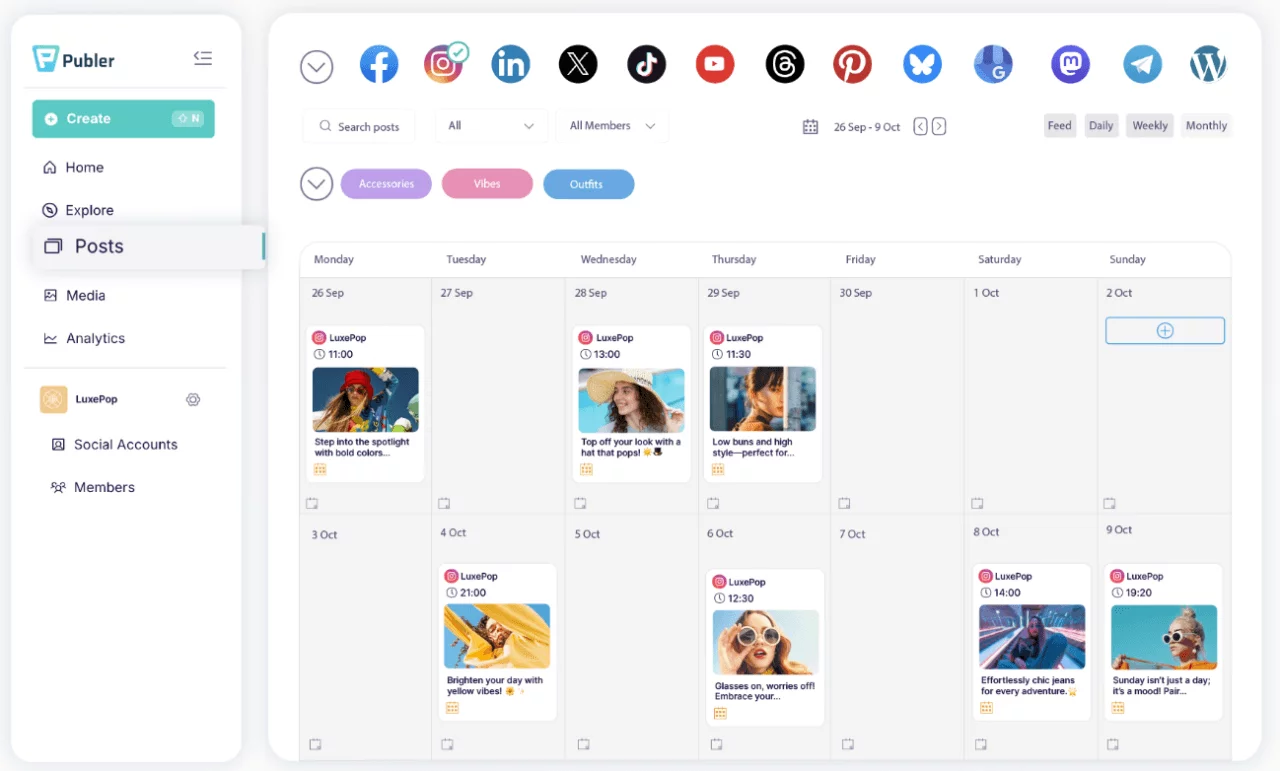
Publer is a flexible tool that goes beyond basic scheduling by helping you repurpose content across different channels. One of its standout features is how it connects with WordPress.
That means you can publish blog content and quickly turn it into social posts without starting from scratch every time.
Key Features
- WordPress integration: Publish blog posts and reuse them across your social platforms. This is great if content marketing is part of your strategy.
- Advanced scheduling tools: Includes recurring posts, queues, and bulk scheduling so you can plan content once and let it run.
- AI content assistant: Generate captions, replies, and variations of your content quickly.
- Analytics and reporting: Track performance across platforms and integrate with Google Analytics to monitor blog traffic.
- Content curation tools: Discover shareable content or use RSS feeds to automate post distribution.
Pricing
Publer starts at $4/month for one account and one user. There’s also a free plan available. But bear in mind that costs can increase as you add more users and social accounts.
My Experience with Publer
Publer gives you a lot for a low price. The WordPress integration is a big plus if you regularly publish blog content. It makes repurposing fast and easy.
Scheduling is also reliable, especially for evergreen content using recurring posts.
The downside, however, is how pricing scales. Adding more users or accounts can increase costs quickly.
10. Metricool ($18/Month)
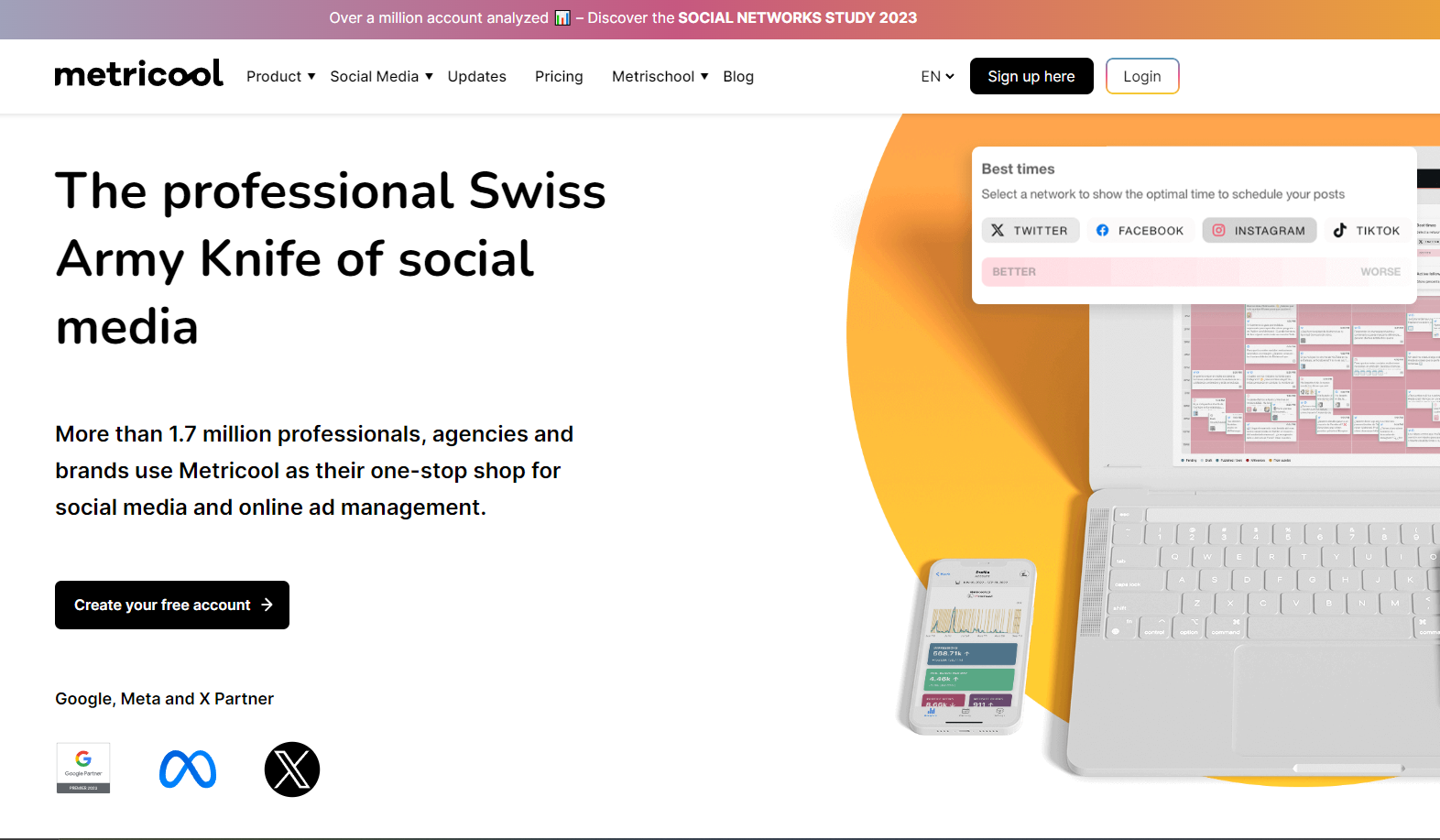
Metricool is built for marketers who want to see the full picture. It doesn’t just focus on social media. It brings together website data, ads, and content performance in one place.
From what I’ve seen, it’s especially useful if you care about how your content and ads actually drive results.
Key Features
- All-in-one analytics: Track performance across social media, websites, and ad platforms like Google, Facebook, and TikTok.
- Competitor tracking: Monitor what your competitors are doing and compare their performance with yours.
- Social media scheduling: Plan and auto-publish posts across major platforms, with suggestions on the best times to post.
- Ad management: Manage and compare ad campaigns directly from the platform.
- Custom reporting (Looker Studio integration): Connect your data to Google Looker Studio for deeper reporting and insights.
Pricing
Metricool starts at $18/month and also comes with a free plan, which is great for testing the platform or managing smaller accounts.
My Experience with Metricool
Metricool feels like a tool built for people who love data. I liked how it connects everything. You can see how your posts, ads, and traffic all work together, which makes decision-making easier.
The competitor tracking feature is also a nice touch. It gives you ideas on what’s working in your space.
The only downside is that the dashboard can feel a bit busy at first. There’s a lot going on, so it takes some time to get used to it.
Overall, it’s a great option if performance tracking is your main focus.
How to Choose the Right Postcron Alternative for Your Needs
There’s no shortage of tools out there. The challenging part is picking one that actually fits how you work.
From experience, the best choice isn’t always the one with the most features. It’s the one that makes your day-to-day work easier. So, let’s see a few things worth paying attention to when choosing a Postcron alternative.
How easy it is to use
This matters more than people think. If a tool feels confusing from day one, you’ll end up avoiding it or wasting time trying to figure things out. A clean dashboard, a simple scheduling flow, and a drag-and-drop calendar can make a big difference.
The easier it is to use, the faster you and your team can get things done.
Platform support and integrations
Make sure the tool supports all the platforms you actually use. Not just the big ones like Facebook and Instagram, but also newer ones like Threads or Bluesky if they’re part of your strategy.
It also helps if it connects with tools you already rely on. Things like Google Analytics, Canva, or cloud storage platforms can save you a lot of back-and-forth.
Collaboration features
If you’re working with a team or clients, this is non-negotiable. Look for tools that let you assign roles, review content, and set approval steps. It keeps everything organized and avoids mistakes like publishing unfinished posts.
Analytics that guide decisions
Posting content is one thing. Knowing what works is another. A good tool should show you clear data. Things like engagement rates, audience insights, and top-performing posts should be easy to find. Some tools even include competitor tracking, which gives you extra context for your strategy.
Pricing and support
Finally, look at how pricing works as you grow. Some tools start cheap but become expensive once you add more users or accounts. Others are more balanced from the start.
Also, check how reliable their support is. At some point, you’ll need help. It’s better to know you can get it quickly.
At the end of the day, the right tool should save you time, not add more work. If it helps you plan better, post faster, and understand your results clearly, you’re on the right track.
Final Note
Choosing the right Postcron alternative comes down to how you actually work. Some tools are great for simple scheduling, while others help you manage content, conversations, and performance all in one place. The key is finding something that fits your workflow and makes things easier, not more complicated.
If you want a tool that brings everything together without the usual friction, OnlySocial is worth checking out. It covers scheduling, engagement, analytics, and even content creation in one clean setup, which makes it a strong option for anyone looking to move beyond basic social media management.
FAQs
What is Postcron best for?
Postcron is best for simple social media scheduling. It works well if you just want to queue posts, add watermarks, and keep your accounts active without too many advanced features.
How much does Postcron cost?
Postcron pricing starts at around $12/month for the Personal plan and goes up to higher tiers like Corporate and Enterprise, which can reach over $100/month depending on features and team size.
What is the best Postcron alternative?
The best alternative depends on what you need. If you want an all-in-one tool that covers scheduling, analytics, engagement, and content creation, OnlySocial is one of the strongest options. It removes the need for multiple tools and keeps everything in one place.
What is the best Postcron alternative for agencies?
For agencies, OnlySocial stands out because of its collaboration features and white-label option. You can manage multiple clients, set approval workflows, and even brand the platform as your own, which makes it easier to scale your services.