TikTok Automation in 2026: Complete Guide for Beginners
If you’ve tried growing on TikTok, you already know one thing. It’s not the filming that’s hard. It’s the consistency.
One day you post. The next day you forget. Then a trend blows up and you realize you’re too late. Meanwhile, other creators are showing up daily like clockwork. That’s not luck; it’s systems.
TikTok in 2026 is louder, faster, and more competitive than ever. There are more brands, more creators, and more content fighting for the same scroll time. So, posting “when you feel like it” doesn’t cut it anymore.
So, in this guide, we’ll walk through what TikTok automation is and how it can help you increase visibility on TikTok without wearing yourself out. We will show you how beginners can set it up properly, the tools worth using, and the mistakes that can get you in trouble.
Table of Contents
- 1 What Is TikTok Automation and Why Consider It?
- 2 Where to Automate: Types of TikTok Automation
- 3 Best Tools to Automate Your TikTok Workflow in 2026
- 3.1 #1: ChatGPT – For Content Ideas and Scripts
- 3.2 #2. VEED.io – For Faster Video Editing
- 3.3 #3: Minta – For E-commerce Product Videos
- 3.4 #4: Pictory – For Turning Scripts or Articles into Videos
- 3.5 #5: OnlySocial – For Scheduling and Scaling Your TikTok
- 3.6 #6: Brand24 – For Trend and Mention Monitoring
- 3.7 #7: Pentos – For Deep TikTok Analytics
- 4 Why OnlySocial Is a Complete TikTok Automation System
- 5 Setting Up Your First TikTok Automation: Step by Step
- 5.0.1 Step 1: Decide what you actually want to automate
- 5.0.2 Step 2: Pick tools that match your workflow (not someone else’s)
- 5.0.3 Step 3: Connect and set up your tools properly
- 5.0.4 Step 4: Build a realistic content calendar
- 5.0.5 Step 5: Batch-create your content
- 5.0.6 Step 6: Schedule strategically, not randomly
- 5.0.7 Step 7: Monitor performance and adjust
- 5.0.8 Step 8: Keep testing and improving your system
- 6 Best Practices for TikTok Automation (So You Don’t Mess It Up)
- 7 Final Note
- 8 Frequently Asked Questions
What Is TikTok Automation and Why Consider It?

Let’s clear something up first. TikTok automation is not about bots spamming comments or fake engagement tricks. That’s a fast track to getting flagged.
Real automation is different.
TikTok automation simply means using tools and systems to simplify and optimize how you manage your account. It helps with things like scheduling content in advance, tracking performance automatically, organizing ideas, and even handling common customer questions in a structured way.
Think of it as building a backend system for your creativity.
Instead of logging in daily to post manually, reply to the same FAQs over and over, and check analytics one by one, you set up smart workflows that handle the repetitive tasks. You stay in control. You just stop doing everything the hard way.
And for businesses, this becomes even more powerful. You can automate publishing, track what’s converting, and respond to customers faster without losing the human touch you’ve built.
Why Automate TikTok Content in 2026?
Here’s the reality.
TikTok has over 1.5 billion monthly active users. Around 61% of users say they discover new brands and products on the platform. That’s not hype. That’s attention at scale.
But attention comes with pressure.
TikTok’s algorithm rewards consistency. The more regularly you post, the more chances you have to land on the For You Page. Many brands and creators post daily. Some even post up to four times a day. And brands that stay consistent often see engagement rates around 5-6%, which is higher than most other social platforms.
Now imagine doing that manually.
Filming. Editing. Posting. Replying to comments. Answering DMs. Checking analytics. Repeating the process tomorrow.
That’s how burnout happens.
Automation doesn’t replace creativity. It protects it. It gives you space to focus on scripting better hooks, improving storytelling, and jumping on trends. The admin work runs in the background.
The Real Benefits of TikTok Automation
- It saves serious time: Instead of spending hours each day posting and monitoring, you batch your content and schedule it. The repetitive tasks get handled by your tools. You focus on the creative side.
- It builds consistency: Consistency wins on TikTok. Automation helps you maintain a steady posting rhythm and respond to followers faster. Think of it like having a quiet assistant working behind the scenes.
- It makes scaling possible: Running one account is manageable. Running three, five, or ten? That’s where systems matter. Automation allows you to manage multiple accounts or increase content output without doubling your workload.
- It improves your decisions: Automation tools collect and analyze your performance data. You can see what’s working, what’s flopping, and where engagement spikes. That means smarter content decisions instead of guesswork.
The truth is that TikTok is one platform that moves really fast. If you’re serious about growing, you need systems that move just as fast. And the good news? You don’t need to be a tech expert to set it up.
Where to Automate: Types of TikTok Automation
So now you get the “why.” The next question is where exactly you should automate.
The interesting thing is you don’t have to automate everything. In fact, you shouldn’t. The magic happens when you automate the repetitive tasks and keep the creative spark human.
Here are the key areas where automation actually makes sense.
1. Content Creation
It’s true that no tool can replace your personality. But parts of content creation? Those can absolutely be streamlined.
Automation can help at the very beginning of the process, including brainstorming video ideas, generating hooks, suggesting captions, creating content calendars, and even recommending niche-specific angles based on what’s trending.
Instead of staring at a blank page thinking, “What do I post today?” you start with structured ideas.
There are also tools that help with video editing, subtitle generation, repurposing long videos into short clips, and auto-caption writing. You still guide the message. The tools just remove friction.
This helps you achieve faster production without sacrificing quality.

2. Scheduling and Posting
Manually posting every single day sounds fine… until life gets busy. That’s when consistency drops. But scheduling can help fix that.
You can plan content days or even weeks in advance and set it to publish automatically. TikTok allows basic scheduling inside the app, but third-party tools take it further. They let you bulk upload content, schedule multiple posts at once, and choose optimized time slots based on engagement data.
Instead of waking up thinking, “I need to post,” you wake up knowing it’s already handled. That’s how serious creators stay consistent.
3. Hashtag Research and Trend Monitoring
TikTok runs on trends. Think of sounds, challenges, hashtags, and cultural moments. Trying to manually track all of that can be exhausting.
But automation tools can monitor trending topics in real time and suggest relevant hashtags for your niche. Some even analyze what competitors are doing and highlight patterns.
This doesn’t mean blindly jumping on every trend. It is spotting opportunities faster.
Remember, timing matters on TikTok. And automation is there to help you stay early instead of late.
4. Analytics Automation
If you’re not looking at your numbers, you’re guessing. Views. Watch time. Engagement rate. Follower growth. Click-throughs. These metrics tell you what’s working and what needs fixing.
Instead of manually checking dashboards and exporting reports, automation tools gather everything in one place. You can track performance over time, compare posts, and identify patterns without digging through spreadsheets.
And when you can clearly see what performs best, your strategy gets sharper.
Best Tools to Automate Your TikTok Workflow in 2026
Now that you know where automation fits in, let’s talk about the tools that actually make it happen.
#1: ChatGPT – For Content Ideas and Scripts
Let’s start with the hardest part of TikTok, which is coming up with ideas consistently.
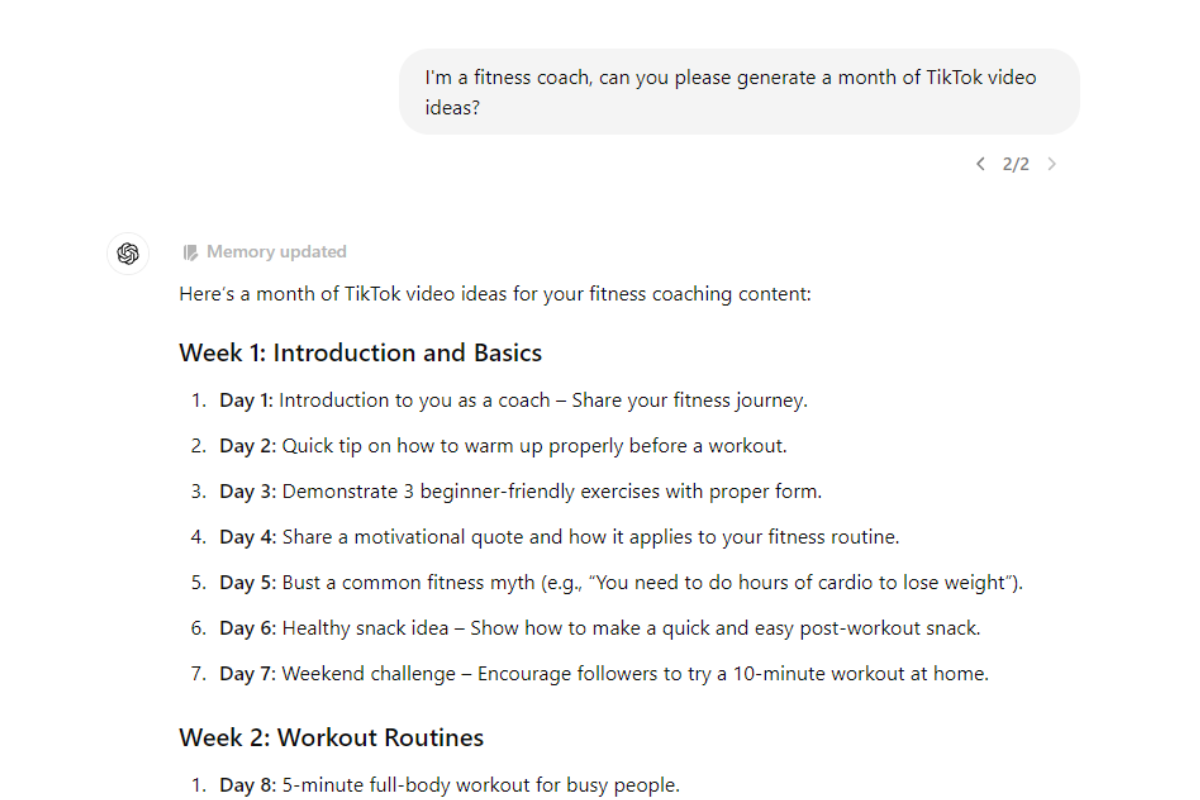
You can have the best camera setup in the world, but if you don’t know what to post, you’re stuck. That’s where ChatGPT becomes useful. It helps you brainstorm hooks, scripts, video angles, content series ideas, and even caption variations tailored to your niche.
But this is not just approaching ChatGPT with some kind of vague questions like, “Give me TikTok ideas.”
You need to be specific. Mention your niche, your audience, your goal, and your tone. The more context you give, the better the output. You still shape the final message. It just speeds up the thinking process.
Source: MeetEdgar
#2. VEED.io – For Faster Video Editing
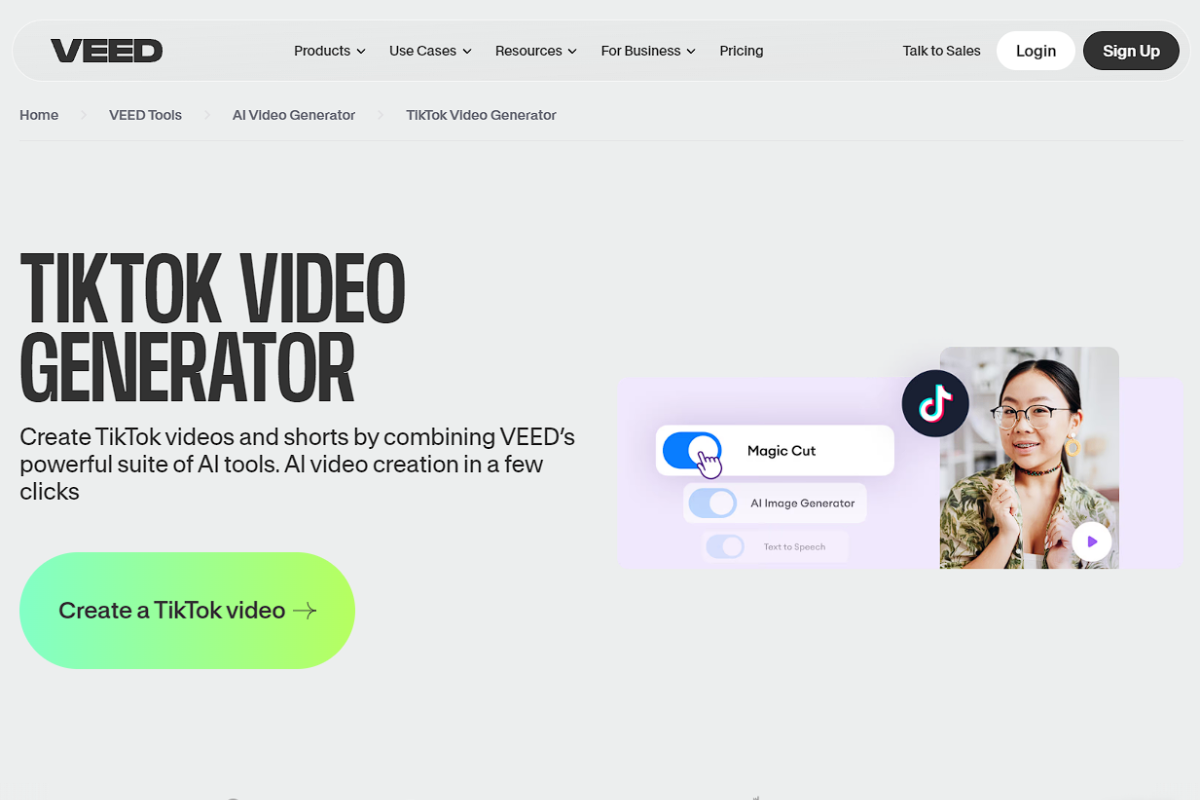
Editing eats time. From captions to subtitles, transitions, sound effects, and resizing – all these add up fast. VEED.io simplifies that process. You upload your video and can quickly add auto-captions, clean transitions, filters, background music, and overlays without complex software.
For TikTok, auto-captioning alone is a huge win. A lot of users watch without sound. Captions boost retention and accessibility.
Instead of spending hours inside complicated editing tools, you keep the workflow simple and efficient.
#3: Minta – For E-commerce Product Videos
If you run an e-commerce brand, this one is worth exploring. Minta uses AI to generate product-focused videos automatically from your product catalogue. It adds music, text overlays, effects, and promotional styling without you filming everything manually.
This is especially helpful if:
- You have dozens of products
- You need frequent promotional videos
- You want consistent branded templates
You can still customize the output. But it removes the need to start from scratch every time.

#4: Pictory – For Turning Scripts or Articles into Videos
Not everyone loves filming. If you prefer writing, Pictory lets you turn scripts or even blog posts into videos. It can:
- Convert scripts into video
- Turn articles into short-form clips
- Edit videos using text commands
- Build videos from visuals
It’s useful for repurposing content. For example, turning a blog post into multiple short TikTok videos without recording new footage. That’s automation working smartly.

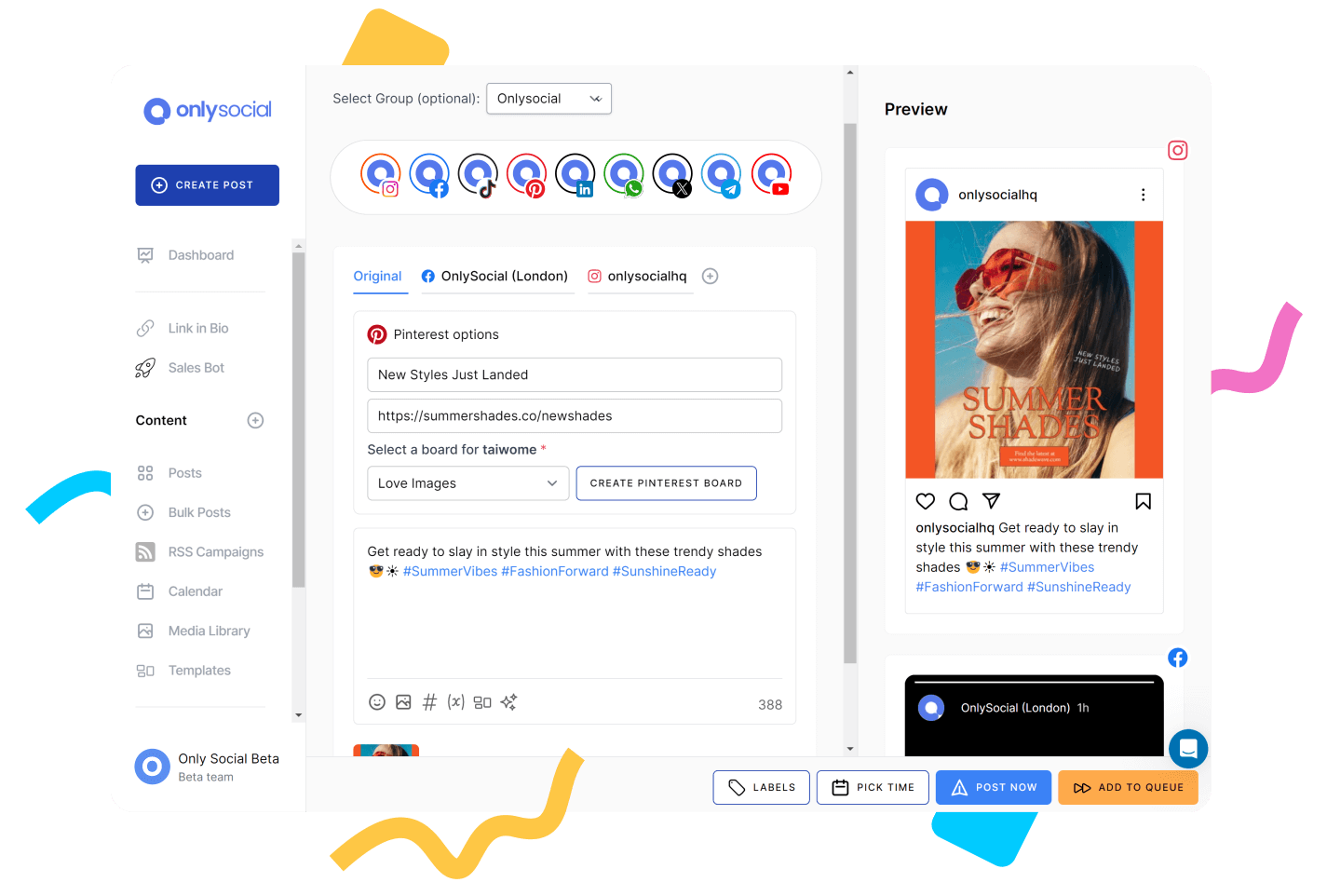
#5: OnlySocial – For Scheduling and Scaling Your TikTok
Consistency is where most beginners struggle. OnlySocial helps you schedule TikTok posts in advance, manage multiple accounts, and keep everything organized in one dashboard. Instead of posting manually every day, you can batch content and automate your publishing schedule.
If you manage multiple brands or clients, this becomes even more powerful.
You also get:
- Unlimited profiles (huge for agencies or multi-brand owners)
- AI caption and hashtag suggestions
- Bulk scheduling
- Cross-platform posting
- Workspaces for team collaboration
#6: Brand24 – For Trend and Mention Monitoring
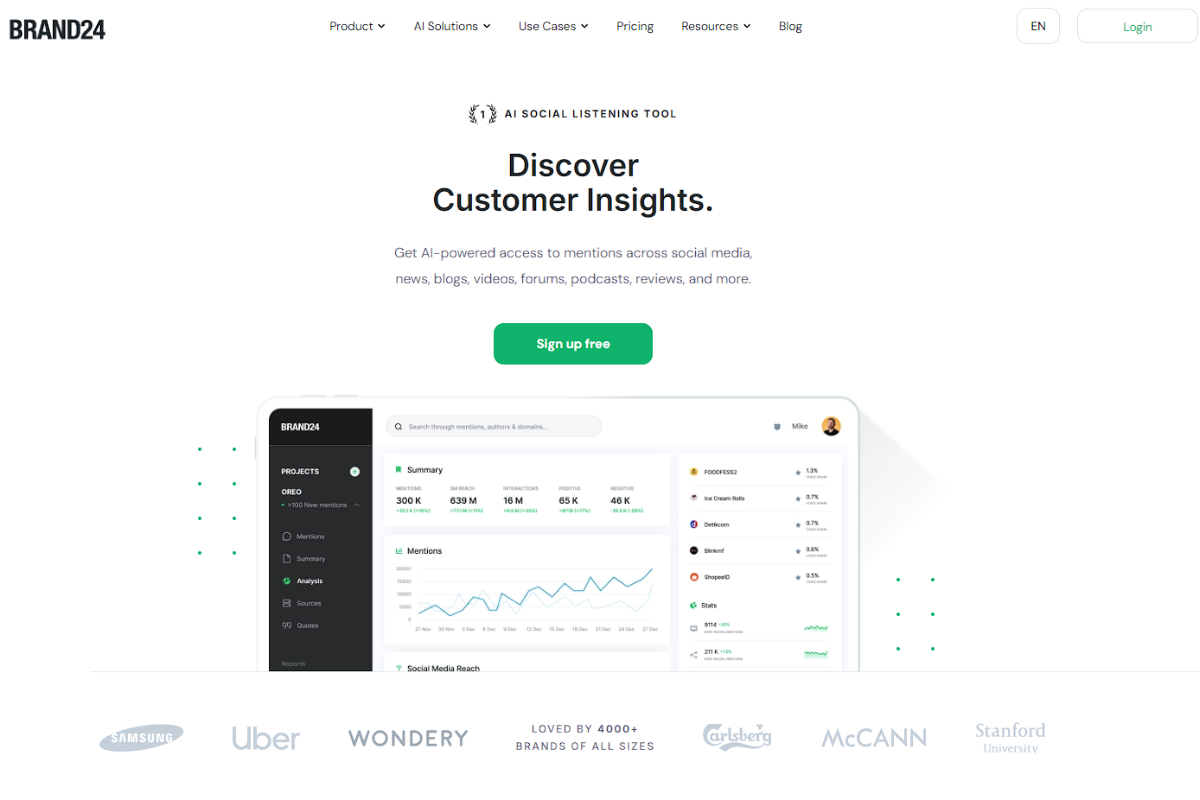
Brand24 acts like a social listening tool that monitors keywords, hashtags, and mentions related to your niche. It sends alerts when certain topics start gaining traction.
This helps you spot trends early, monitor brand mentions, track competitor activity, and jump into conversations while they’re still hot. Instead of scrolling for hours hoping to find something trending, you get notified.
#7: Pentos – For Deep TikTok Analytics
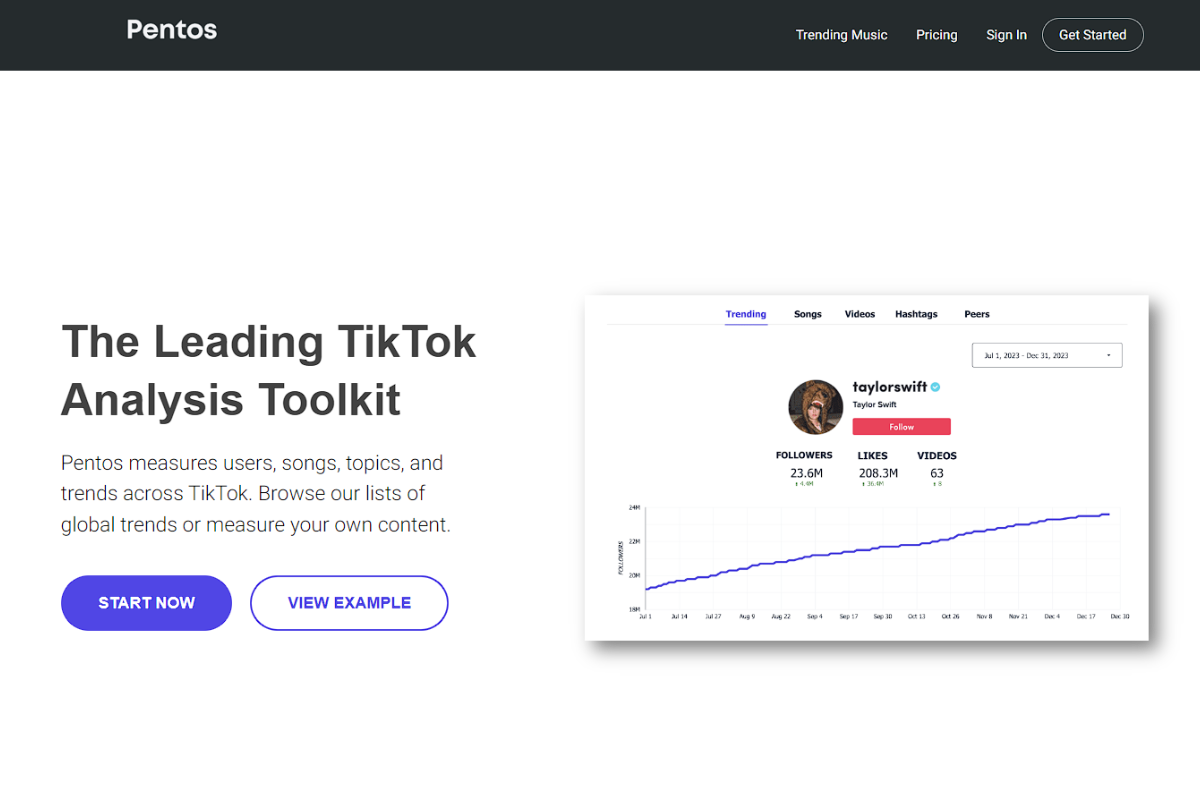
If you want serious insights beyond basic analytics, Pentos is built specifically for TikTok tracking. It gives you detailed breakdowns of:
- Follower growth
- Engagement rates
- Video performance
- Trending songs and topics
- Competitor analysis
The real advantage is clarity. You quickly see what resonates with your audience and what doesn’t. And once you know that, your content strategy becomes sharper.
Why OnlySocial Is a Complete TikTok Automation System
Most automation tools solve one problem. One helps you edit. Another helps with analytics.
Another handles scheduling. Before you know it, you’re juggling five different dashboards.
OnlySocial was built differently. It brings your TikTok automation into one clean system. Especially useful if you’re serious about growing or managing more than one account.
Let’s take a quick look at how it fits into your TikTok workflow.
Schedule Multiple TikTok Profiles Without the Chaos
OnlySocial lets you plan, organize, and schedule content across multiple TikTok profiles from one place. You can customize posting times for each profile and automate delivery so nothing gets missed.
If you’re a creator running multiple brands or an agency scaling content across niches. this removes daily manual posting stress.
You set the schedule once. The system handles the rest. No more logging in and out of accounts and no more “Did I post that already?”
Bulk Schedule Content in Minutes
Batching is one of the smartest habits on TikTok. Film 10 videos in one day. Edit them. Upload them. Schedule them.
OnlySocial allows you to bulk upload and schedule multiple TikTok posts at once. That’s perfect for campaign launches, product drops, or content series.
Instead of scheduling posts one by one, you plan weeks ahead in a single session. That alone can free up hours every week.
Sometimes the video is ready, but the caption isn’t. You stare at the screen trying to think of something catchy. Meanwhile, the clock is ticking.
OnlySocial’s AI assistant generates captions and hashtag suggestions tailored to your content. It helps you write faster and optimize for discoverability without overthinking it.
You get:
- Engaging caption suggestions
- Trend-aware hashtag ideas
- Content-specific optimization
- Faster turnaround from draft to publish
Auto-Repost Your Evergreen Winners
Some TikTok videos age well. It could be educational content, tips, product demos, or storytime clips. All these still perform even months after they are firs uploaded.
OnlySocial lets you automatically repost your best-performing content on a schedule you choose. That means your top videos keep reaching new viewers without you recreating them. It’s one of the simplest growth hacks because you are simply repurposing what already works.
Unified Inbox for Comments and DMs
Growth brings engagement, and engagement brings volume. Instead of jumping between platforms and tabs, OnlySocial’s Unified Inbox pulls comments, DMs, and interactions into one dashboard. You can respond faster and even assign messages to team members if you’re working with others.
For brands, this keeps customer service organized. And for creators, it keeps community management smooth.
Advanced Analytics That Actually Matter
OnlySocial also provides detailed analytics so you can see what’s working across your TikTok accounts. Beyond basic metrics, the Google Analytics 4 integration lets you track how your TikTok content drives website traffic and conversions. This means you’re not just chasing views. You’re measuring impact.
Setting Up Your First TikTok Automation: Step by Step
By now, you understand the tools and the benefits. Now let’s make it practical.
Automation works best when it’s intentional. You don’t automate everything at once. You build it step by step. Here’s a simple roadmap you can follow:
Step 1: Decide what you actually want to automate
Start with clarity. Do you want to automate scheduling? Caption writing? Analytics tracking? Trend monitoring? Identify the repetitive tasks that drain your time first. That’s where automation delivers the biggest win.
Step 2: Pick tools that match your workflow (not someone else’s)
Don’t download five tools because a YouTube video said so. Choose based on your goals, budget, and how complex your setup needs to be. If you’re a beginner, start simple. You can always upgrade later.
Step 3: Connect and set up your tools properly
Follow integration steps carefully when linking tools to your TikTok account. A rushed setup can cause posting errors or permission issues. Take a few extra minutes to do it right so everything runs smoothly in the background.
Step 4: Build a realistic content calendar
Automation without planning doesn’t work. Map out your content weekly or monthly. Decide how often you’ll post and what type of videos you’ll rotate through. This keeps your feed balanced and consistent.
Step 5: Batch-create your content
Film multiple videos in one session. Edit them together. Prepare captions at once.
Batching saves mental energy and reduces daily pressure.
Step 6: Schedule strategically, not randomly
Upload your videos, add captions and hashtags, and choose posting times based on when your audience is most active. Let your scheduling tool handle the publishing while you focus on the next batch.
Step 7: Monitor performance and adjust
Automation doesn’t mean “set and forget forever.” Check your analytics regularly. Look at watch time, engagement rates, saves, and shares. If something performs well, double down. If something flops, tweak it.
Step 8: Keep testing and improving your system
TikTok changes fast. Trends evolve and features update. So, experiment with new formats, tools, and posting times. Review your automation setup every few months to keep it aligned with your growth goals.

Best Practices for TikTok Automation (So You Don’t Mess It Up)
Automation can either make your TikTok strategy smoother or completely ruin it. The difference is in how you use it. So, before we round up this guide, let’s talk about some best practices you need to bear in mind to keep your automation smart, safe, and effective.
- Don’t automate your personality: Automation should handle tasks, not your voice. Your audience follows you for your tone, humor, opinions, and perspective. If every caption sounds robotic or generic, people notice. So, use AI tools to generate drafts, then tweak them. Add your slang. Add your personality. Make it feel like you.
- Stay consistent, but don’t overpost: Yes, consistency matters. But posting four times a day with low-quality content won’t help. Use automation to maintain a steady schedule that you can sustain. For beginners, that might be 3-5 times a week. As you grow, you can scale.
- Monitor engagement in real time: Scheduling posts doesn’t mean disappearing. If a video starts gaining traction, jump into the comments. Reply. Pin strong comments. Keep the momentum going. Automation should handle publishing while you handle connection.
- Keep an eye on trends (even if you automate): Trends move fast. Your content calendar might be planned two weeks ahead, but if a major trend drops tomorrow, you may want to pivot. So, leave room for flexibility. Automation should give you structure, not make you rigid.
- Use data to refine your strategy: Automation tools give you analytics for a reason. Look at Watch time, completion rates, shares, saves, and follower growth after specific posts. If tutorials outperform storytimes, adjust. If short hooks perform better than long intros, refine your format.
- Avoid shady automation tools: Never use bots that promise fake followers, auto-comments, or engagement manipulation. TikTok is strict, and it often get accounts shadowbanned or permanently restricted. So, stick to official scheduling tools and reputable platforms.
Final Note
TikTok automation isn’t a shortcut. It’s a structure.
If you’re hoping for a tool that magically makes your content go viral, you’ll be disappointed. But if you’re looking for a way to stay consistent, reduce burnout, and grow strategically, automation is one of the smartest moves you can make in 2026.
The creators and brands winning on TikTok right now aren’t just creative. They’re organized. They batch content. They schedule ahead. They track performance. They reuse what works. They build systems.
That’s what automation gives you.
We already shown you all that you need to know about TikTok automation and how you can leverage it too. So, start simple. Automate the repetitive tasks and stay ahead on TikTok this year.
Frequently Asked Questions
Is TikTok automation allowed?
Yes, when done properly. Scheduling posts, using analytics tools, generating captions with AI, and managing multiple accounts through approved platforms are all safe. What’s not safe is using bots that fake engagement, auto-comment, or artificially boost followers. Stick to reputable tools and you’ll be fine.
Can automation help me grow faster on TikTok?
Automation doesn’t directly cause growth. Better systems do. When you automate scheduling and analytics, you post more consistently and make smarter content decisions. That consistency increases your chances of better reach and engagement over time.
How often should I post if I’m using automation?
It depends on your niche and capacity. For beginners, 3-5 posts per week is a solid starting point. Once you’re comfortable batching and scheduling, you can increase frequency. The key is sustainable consistency, not burnout.
Can I automate replies to TikTok comments?
You can use tools to organize and manage comments, but fully automated generic replies can feel robotic. A better approach is using suggested replies or templates for common questions while still personalizing responses.
What’s the biggest mistake beginners make with TikTok automation?
Overcomplicating it. They download too many tools, automate everything at once, and lose control of their strategy. Start with scheduling and analytics first. Add more automation as your workflow becomes clearer.
Do I need paid tools to automate TikTok?
Not necessarily. TikTok offers basic scheduling inside the platform. But if you’re managing multiple accounts, batching content, or scaling as a brand or agency, investing in a dedicated tool like OnlySocial makes the process smoother and more efficient.