6 Best ManyChat Alternatives for All Business Needs [2025 Review]
ManyChat has been a popular choice for businesses that want to automate conversations and keep customers engaged around the clock.
From Messenger bots to Instagram replies, it’s given brands a way to scale their interactions without hiring a small army of support staff.
But if you’ve used it for a while, you’ll know it isn’t perfect. Some businesses outgrow its features, others find the pricing restrictive, and many simply want a tool that feels more flexible.
That’s why more and more teams are starting to look beyond ManyChat for something that truly fits their goals.
In this guide, we’ve rounded up the 6 best ManyChat alternatives for 2025. These are tools that bring fresh ideas, smarter automation, and in some cases, better value for money.
Let’s dive in and find the right fit for your business needs.
Table of Contents
Why Consider ManyChat Alternatives?
ManyChat has done a good job of making chatbot automation accessible for businesses that want to engage customers on social media.
It works well for simple use cases and covers popular channels like Facebook Messenger, Instagram, WhatsApp, TikTok, and Telegram.
But here’s the reality: as businesses grow, ManyChat starts to feel limiting. And if you’re already hitting those limits, it’s probably time to look at alternatives that can keep up with your needs.
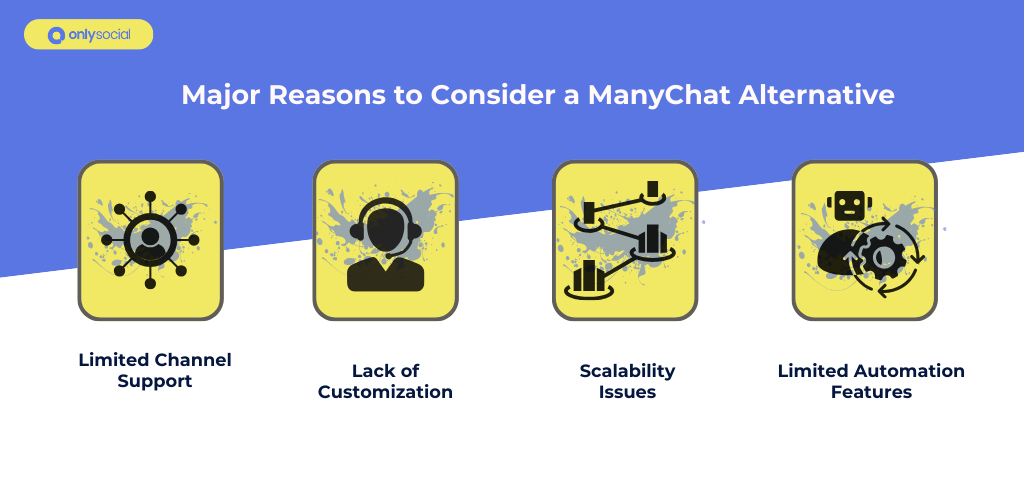
Here are some of the most common challenges businesses face with ManyChat:
1. Limited Channel Support
ManyChat covers the big platforms, but it leaves gaps. If your audience is active on channels like WeChat, LINE, or Viber – or if you need VoIP or custom integrations – you’ll quickly find yourself stuck. Businesses that want a true all-in-one solution often have to look elsewhere.
2. Lack of Customization
Branding matters, and customers notice when something feels off. ManyChat’s design and customization options are fairly restricted, which makes it hard to fully align the chatbot’s look and feel with your brand identity. The result is a one-size-fits-all experience when you might need something more tailored.
3. Scalability Issues
ManyChat was built with small teams in mind. The Pro plan only includes three users, and adding more racks up costs fast.
For growing teams or larger businesses, this setup isn’t sustainable. You need a platform that scales with you, not one that punishes you for adding more users.
4. Limited Automation Features
At first, ManyChat’s automation feels simple and quick to set up. But as your business needs become more advanced, the cracks show.
Complex workflows, AI-driven agents, and sophisticated routing simply aren’t part of the package. Businesses that want automation that truly mimics real conversations often outgrow ManyChat quickly.
5. Customer Support Frustrations
Finally, there’s the issue of support. Many users report delays and limited help, since assistance is only available via email. When your customer communication tool becomes the bottleneck because you can’t get help fast, it’s a serious problem.
Best ManyChat Alternatives to Consider for Your Business in 2025
If you’ve reached the point where ManyChat feels too limited, the good news is you’re not short on options.
Today’s chatbot and automation tools come in all shapes and sizes. While some focus purely on conversation flows, others offer a much bigger toolkit that covers everything from content scheduling to analytics.
Below, we’ll explore some of the best alternatives available in 2025, starting with OnlySocial, which takes chatbot automation to the next level by combining it with full social media management.
1. OnlySocial Salesbot
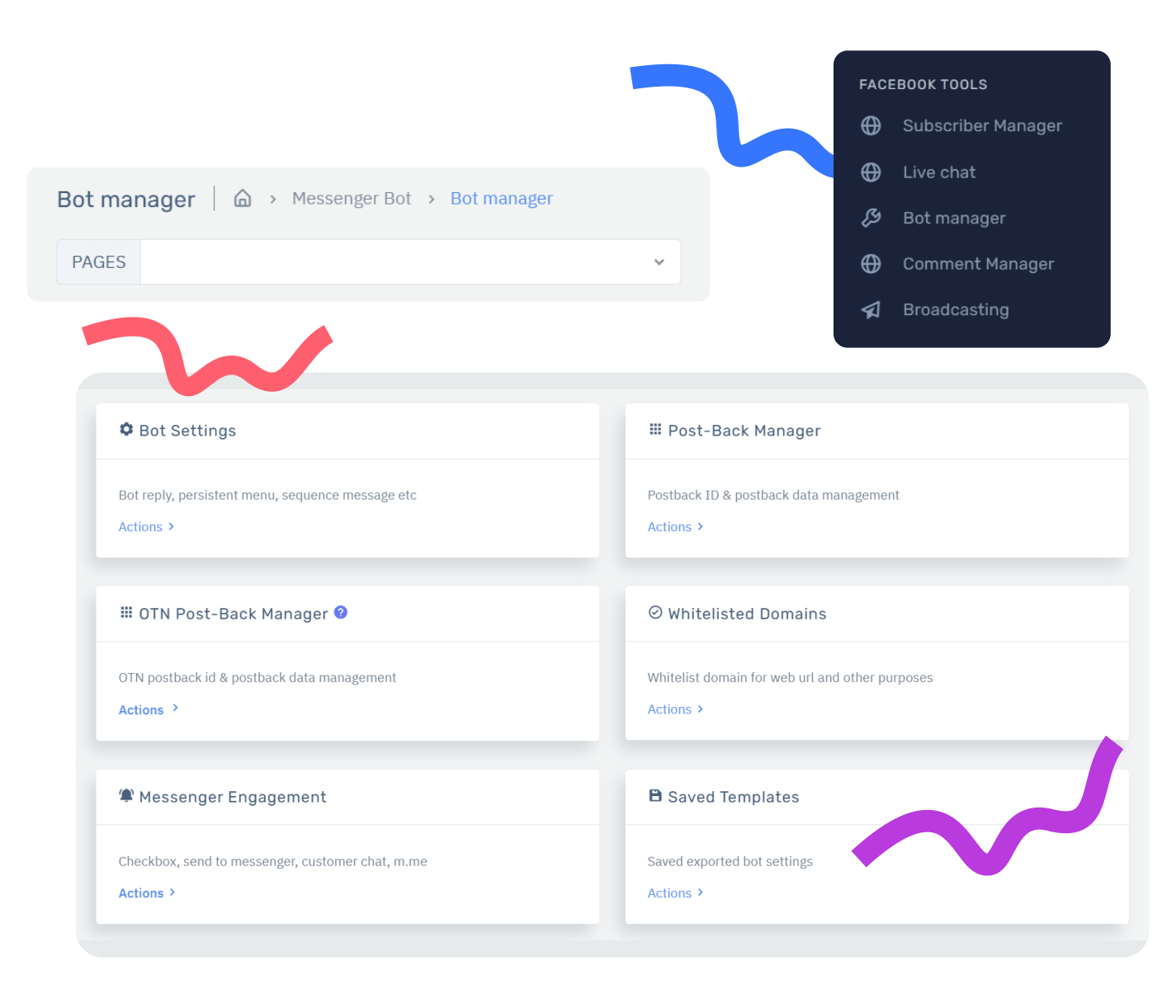
OnlySocial isn’t just another chatbot tool – it’s a complete social media management platform with automation built right in.
Its AI-powered Salesbot helps businesses of all sizes handle customer conversations in a smarter, more human-like way. From answering FAQs to routing complex queries, the Salesbot adapts to context and intent, creating interactions that feel natural and personal.
Unlike ManyChat, which often feels limited to basic flows, OnlySocial Salesbot is built with adaptability in mind, making it a smart fit for startups, growing brands, and enterprises that need automation they can actually scale.
Key Features
Advanced AI Understanding – Goes beyond keyword triggers by recognizing context and intent, so conversations feel natural and useful.
Flexible Automation Flows – You can build chat sequences that match your customer journey, from simple welcome messages to multi-layered support and sales funnels.
Chatbot Analytics – Track key metrics like conversation counts, resolution rates, and human handovers to refine your strategy and improve results over time.
Customizable Engagement – You can adapt the chatbot’s responses to reflect your brand voice and customer needs, without requiring heavy technical knowledge.
Seamless Integrations – Connect with tools like Zapier, Make, APIs, and webhooks to extend automation across your wider tech stack.
Scalability – Built to grow with you, from solo creators to large teams with AI agents running at enterprise scale.
Pros
- In-depth insights into chatbot performance.
- Simple setup with powerful integrations.
- Flexible automation that supports both sales and customer service.
- Designed to deliver clear, engaging user interactions.
- Highly customizable automation flows without steep technical skills.
- Scales across business sizes without steep costs.
Cons
- Deep customization may require some setup experience.
- No free plan.
Why OnlySocial Stands Out
ManyChat focuses heavily on Messenger-style bots, but its automation is still quite basic. OnlySocial takes a broader approach, offering not just advanced chatbot flows but also the analytics businesses need to grow.
You don’t just automate conversations; you also gain insight into them, align them with your wider content strategy, and scale them across multiple platforms.
On top of that, OnlySocial is a full social media management platform, offering post scheduling, bulk publishing, a unified inbox, and AI-powered content creation.
This means you’re not just automating customer conversations; you’re managing your entire social presence in one place. For businesses that want chatbots as part of a bigger growth strategy, that’s a huge advantage.
Pricing
- Freelancer Plan – $29/month
- Entrepreneur Plan – $49/month
- Professional Plan – $99/month
2. Chatfuel
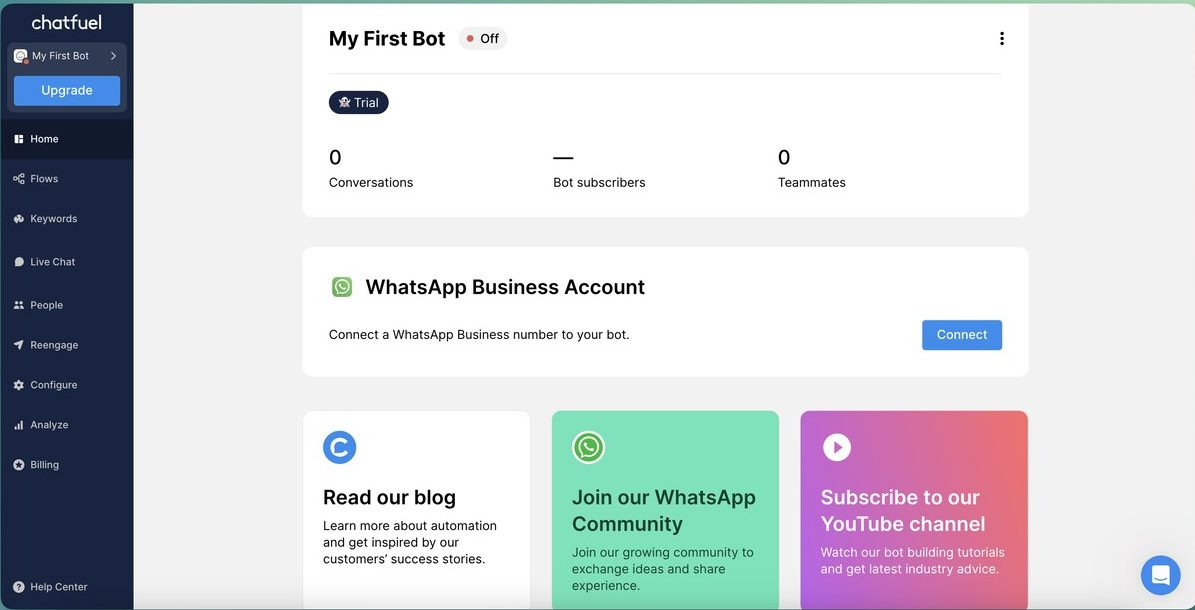
Chatfuel is one of the most established chatbot platforms on the market, and it has evolved into a powerful AI-driven solution for businesses that want to scale communication.
Its built-in AI assistant, Fuely, is designed to handle customer inquiries 24/7, recommend products, qualify leads, and boost sales – all without relying on human agents.
Thanks to its ChatGPT integration, Chatfuel also delivers conversations that feel natural and human-like, which is a big step up from the scripted, robotic flows many businesses struggle with on other platforms.
Key Features
AI-Powered Conversations – Fuely works around the clock to engage with customers in real time, offering a reliable “always on” support system.
ChatGPT Integration – Enables more fluid, human-like conversations that help build stronger customer relationships.
E-commerce Tools – Includes upselling, cross-selling, abandoned cart reminders, and automated product recommendations, making it a great fit for online stores.
Advanced Optimization – Features like segmentation, A/B testing, and real-time analytics help you refine strategies and improve results continuously.
Pros
- Operates 24/7 without fatigue, keeping customer support always available.
- Wide range of integrations to streamline workflows.
- Strong personalization through ChatGPT for more natural customer experiences.
- Built-in tools designed specifically for e-commerce success.
Cons
- The platform’s extensive features can feel overwhelming at first – there’s a learning curve for new users.
- Premium features and unlimited conversations come at a higher price, which might not suit smaller businesses.
Why Chatfuel Stands Out Compared to ManyChat
Chatfuel’s biggest edge over ManyChat is its deeper AI integration. By leveraging ChatGPT, it delivers smoother, more human-like conversations, which helps businesses foster genuine connections with customers.
Add to that its strength in e-commerce and a robust integration ecosystem, and Chatfuel becomes a more versatile choice. For businesses looking for AI that feels personal and automation that drives revenue, Chatfuel often provides more firepower than ManyChat.
Pricing
- Starting Plan – $19.99/month for 1,000 conversations with essentials like live chat, automations, and basic integrations.
- Enterprise Plan – $300/month, which includes personalized support, up to 10 hours of bot building, and bulk pricing options.
3. Tidio

Tidio blends live chat, a multichannel inbox, and AI chatbots into one platform, making it a strong pick for teams that want automated support on their website and social channels in one place.
Its Lyro AI agent is designed to resolve a large share of repetitive queries across chat, email, and social, freeing your team to handle complex conversations.
Key Chatbot Features
Lyro AI agent for automated support: Tidio highlights Lyro as an AI agent that can handle common requests and reduce workload, operating across live chat, email, and social.
Multichannel inbox: Manage messages from live chat, email, Instagram, Messenger, and WhatsApp in a single view – useful when you’re scaling support and don’t want to jump between tools.
WhatsApp chatbot + social integrations: Tidio provides a WhatsApp integration and positions its Multichannel tool as a way to centralize Messenger, Instagram, WhatsApp, and email.
Workflow automation & Zapier: Build flows and connect Tidio to the rest of your stack via Zapier directly inside the flow editor.
Pros
- AI agent (Lyro) to automate repetitive queries at scale.
- Unified inbox for live chat + social channels to keep responses consistent.
- Broad integration options via Zapier and help-desk style features that grow with your stack.
- Social channel coverage alongside website chat.
Cons
- While the setup is simple, initial content feeding is required to enable the AI to respond accurately.
- Higher tiers can be expensive for very small teams.
Tidio vs ManyChat
If your priority is website chat + social support with a single inbox and an AI agent that can take real work off your team’s plate, Tidio stands out.
ManyChat shines for social-first marketing flows, but Tidio brings native live chat plus a multichannel hub and Lyro’s automation. This combination makes it easier to cover your site, Messenger, Instagram, and WhatsApp without stitching several products together.
Pricing
Tidio lists Free, Starter (around $29/mo), Growth (around $59/mo), Plus (around $749/mo), and Premium (around $2,999/mo). Pricing is tied to handled conversations and features, with add-ons for AI/automation.
4. MobileMonkey
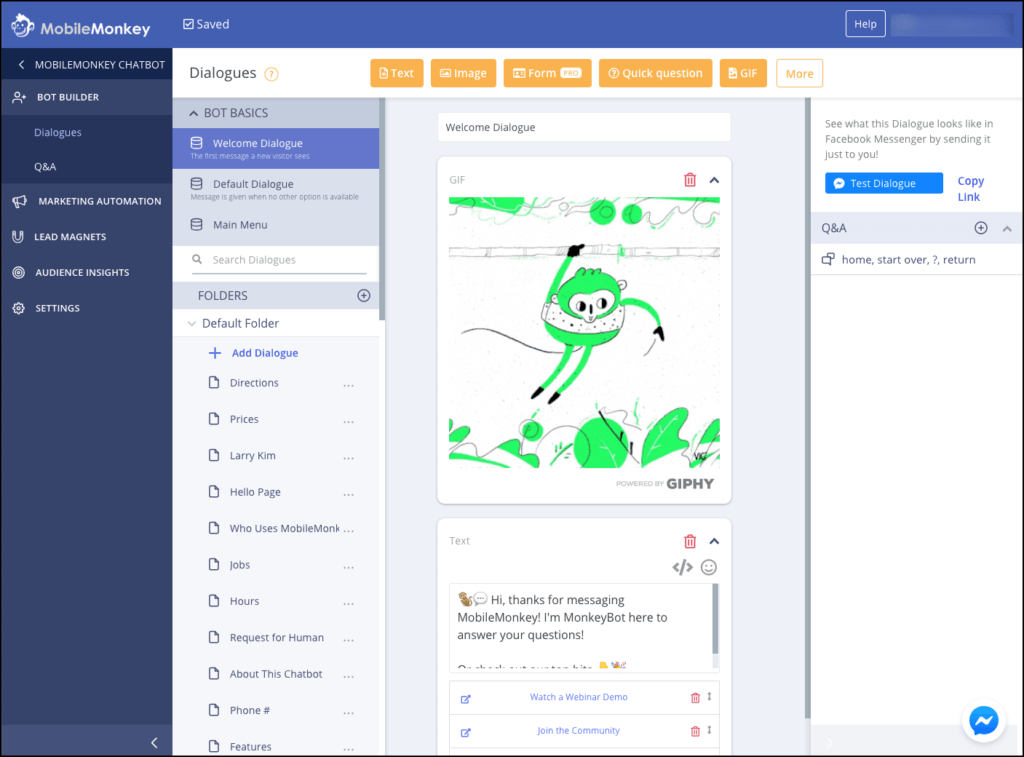
MobileMonkey positions itself as an omnichannel messaging powerhouse, designed for businesses that want chat strategies to span website chat, Facebook Messenger, Instagram, SMS, and more.
Its standout feature is OmniChat technology, letting you build one chatbot funnel that works across all channels, and manage everything through a single inbox.
Key Chatbot Features
OmniChat Funnel – Build one chatbot flow that reaches users via Messenger, web chat, SMS, and more.
Unified Inbox – All messages and leads from different channels land in one place, making follow-ups smoother.
Sales Outreach Automation – Offers templates for lead qualification journeys (like “Donkey to Unicorn” filters), combining email, SMS, and chat to move leads toward conversion.
Pre-Built Funnels & Templates – Includes a library of automation templates (e.g., appointment scheduling, lead magnets, drip campaigns), speeding up setup.
Integrations via Zapier and more – Syncs easily with your existing tools, including CRMs, spreadsheets, and marketing stacks.
Pros
- One chatbot flow works across multiple platforms—Messenger, web, SMS, and beyond
- Central inbox simplifies managing leads across channels.
- Built for sales-focused automation, especially helpful for B2C and e-commerce outreach.
Cons
- Lacks AI or natural language processing – conversations are template-driven, not context-aware.
- Analytics capabilities are comparatively basic.
- Advanced features and cross-channel use require higher-tier plans and can get pricey.
- ManyChat still has an edge in clean interface, more channels (like WhatsApp & Telegram), and more AI capabilities.
MobileMonkey vs ManyChat
MobileMonkey wins on omnichannel unified management – something ManyChat doesn’t do for web or SMS natively. Its strength lies in outbound sales automation, with funnels that nudge leads along the pipeline.
On the flip side, ManyChat leads in AI-powered features, more advanced automations, broader channel support, and richer analytics. If your priority is conversational automation across web, chat, and SMS, MobileMonkey offers a unique workflow. But if you’re after smarter bots and deeper capabilities, ManyChat still holds a lead.
Pricing
- Free Plan – Basic chatbot features, site widget, drip campaigns, and unlimited contacts.
- Pro / Pro Plan – Around $19–$21.75/month, includes drip campaigns, analytics, integrations, and SMS capabilities.
- Unicorn Plan – Around $51/month, adds higher message limits, additional users, and extended features.
- Team Plan – Roughly $299/month, includes premium onboarding, templates sharing, advanced automation, and enhanced support
5. Landbot
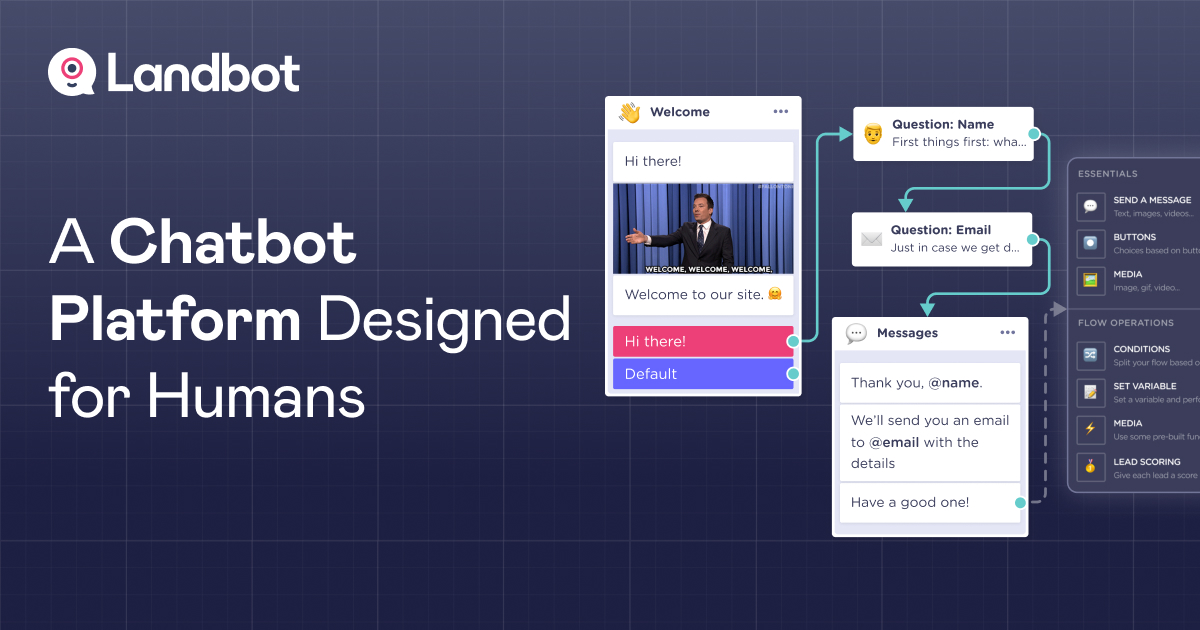
If you want to create powerful, conversational chatbots without writing a line of code, Landbot is a top contender.
It’s a no-code chatbot builder that excels at building web- and WhatsApp‑centric experiences with flexible logic flows, visual design elements, and rich media. This makes it especially effective for customer engagement or lead capture on websites.
Key Chatbot Features
Visual Drag-and-Drop Flow Builder – Build conversations visually using blocks for buttons, galleries, conditional logic, and media responses.
AI Assistants for Lead Generation, FAQs, and Booking – Set up chatbots that answer questions, collect leads, or schedule appointments – all without coding.
Rich Interaction Elements – Include galleries, quick replies, attachments, audio/video, and custom code blocks for more engaging dialogues.
Analytics & Flow Insights – See how users move through your chat flows, where they drop off, and use that data to optimize your bots.
Multi-channel Deployment – Chatbots deploy to your website, WhatsApp, Facebook Messenger, and Telegram.
Templates & Bricks – Start with templates and block structures (called “Bricks”) to speed setup and reuse commonly used flows.
Pros
- Extremely beginner-friendly – no code required.
- Great for branded, visually rich chat flows that feel like mini landing pages.
- Strong integration ecosystem with Zapier, Make, Slack, Google Sheets, CRM tools, and more.
- Effective for creating lead-gen, pre-sales, and support workflows quickly.
Cons
- AI capabilities are not as advanced – flow behavior largely relies on manual design and logic blocks.
- Costs can scale quickly – WhatsApp channel and extra AI chat volumes add to the price.
- Less suited to large-scale or enterprise-level chatbot ecosystems that require complex logic or multi-agent handoffs.
Landbot vs ManyChat
Landbot shines when you want webchat and WhatsApp bots with immersive conversational UI and flow control. It offers a seamless, no-code approach to building rich, interactive scripts.
ManyChat, however, leans more toward marketing-first workflows and chat automation on social platforms. Landbot also scores higher in ease of use, support, and UI ratings.
Pricing
- Free Plan – Includes 100 chats/month, 1 user seat, basic flow builder, and limited integrations.
- Starter – Starts at around $42/month; includes 500 chats, AI assistants, more elements, and integrations.
- Pro Plan – Around $105/month; includes 2,500 chats, deeper AI capabilities, 3 users, and custom branding.
- Add-on pricing exists for more chats, AI interactions, and seats.
6. SendPulse
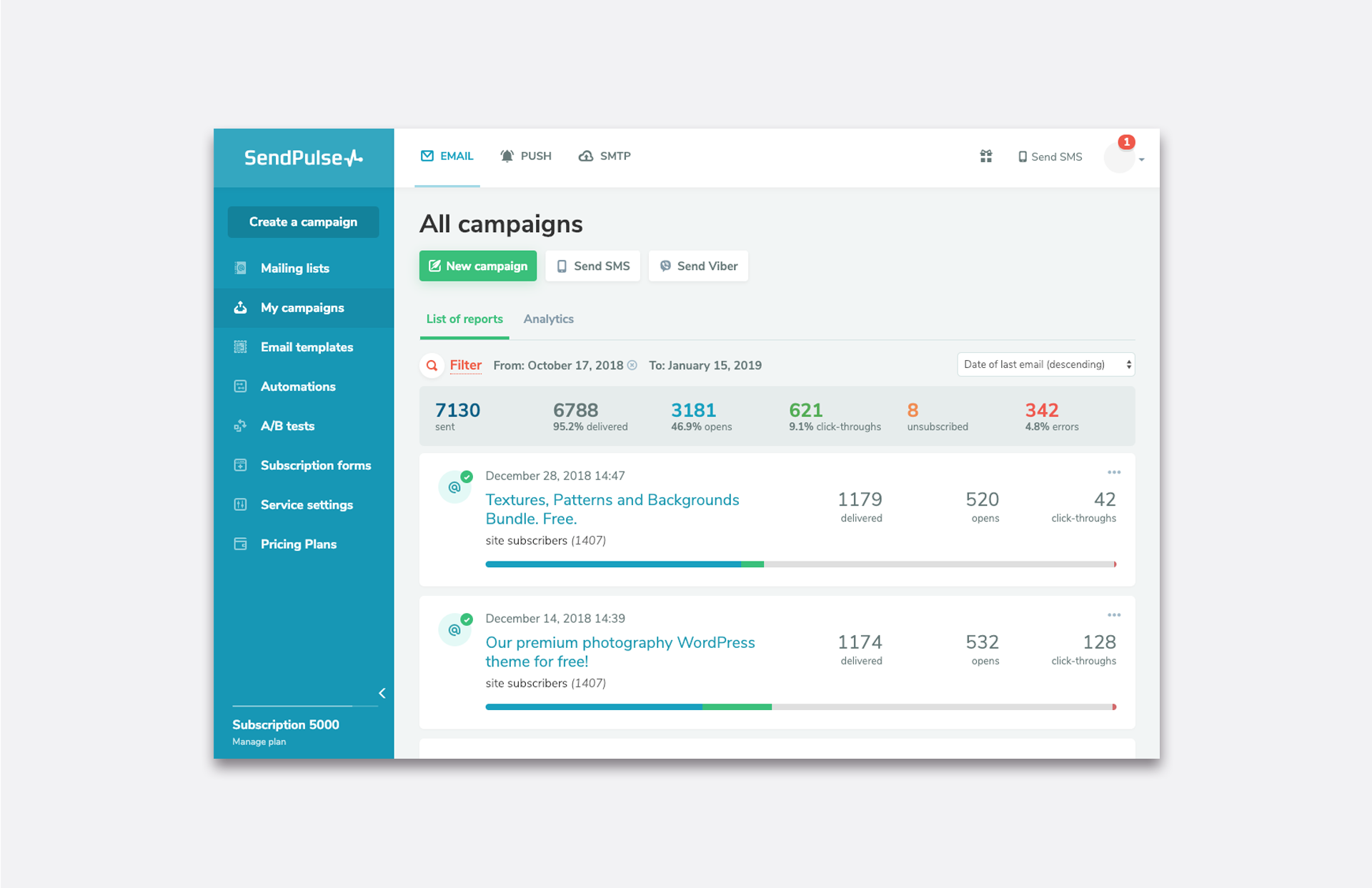
SendPulse is a multi-channel marketing platform that goes beyond chatbots by combining AI-powered automation for email, SMS, web push, and chat channels into a single dashboard.
For businesses looking to manage chatbot engagement while also running email and SMS campaigns from the same place, SendPulse offers a compelling all-in-one solution.
Key Chatbot Features
User-Friendly Flow Builder: Build chat automations with drag-and-drop blocks (message, filter logic, API calls, pauses, AI steps, randomization) across supported channels.
Channel Versatility: Deploy separate chatbots for Facebook, Instagram, WhatsApp, Telegram, and Viber – tailored to each inbox.
Chatbot Broadcasting & Widgets: Send messages proactively and embed signup widgets on your website to convert visitors into chat subscribers.
Multi-Channel Outreach: Build campaigns that span chatbots, email, SMS, and push notifications – all under one roof.
Basic AI Capabilities: Includes an AI step for integrating ChatGPT into flows (available within the flow builder blocks).
Pros
- Easily build and deploy chatbots across multiple platforms, even with minimal technical skills.
- Supports chatbots alongside email, SMS, web push, and CRM – all integrated in one place.
- The generous free tier offers solid value for small businesses.
- Simple broadcast and widget options.
Cons
- You must create and manage separate bots for each channel, which can become tedious.
- Testing requires publishing the flow – edits aren’t previewable before going live.
- Limited analytics capabilities compared to more advanced conversational platforms.
- Each feature (email lists, chatbots, SMS) follows its own pricing structure – buying full access can feel piecemeal.
Why SendPulse Stands Out
SendPulse stands out for its breadth more than depth. Where ManyChat focuses on rich chat automation workflows – especially on Messenger and Instagram – SendPulse offers breadth across channels (including push, SMS, CRM, chatbots, email) at a lower entry price point.
Its free tier is more generous in terms of messages, and it’s a solid choice if you’re looking for centralized campaign management across chat and traditional marketing channels.
However, for teams prioritizing chatbot sophistication and unified chatbot flows across platforms, ManyChat still holds an edge.
Pricing
- Free Plan: 3 chatbots, up to 10,000 chatbot messages/month.
- Pro Plans: Starting at around $10/month, with additional costs for expanded chatbot messages, SMS, and push.
- Modular Pricing: Each channel (email, chatbots, SMS, push) can be purchased separately, offering flexibility but requiring careful budgeting
How to Choose the Best ManyChat Alternative
With so many chatbot platforms out there, it can feel tricky deciding which one is right for your business.
The truth is, there’s no “one-size-fits-all.” The best tool depends on your goals, your budget, and how you plan to use automation. Here are a few key things to think about before making your choice:
1. Channels You Need to Cover
Start by asking: Where are my customers? If they spend most of their time on WhatsApp, you’ll want a tool with strong WhatsApp support. If Instagram DMs or website chat matter most, look for platforms built for those.
ManyChat, for example, is strong on Messenger and Instagram, but some alternatives support a wider range of apps like Telegram, Viber, or even web chat.
2. Ease of Use
A powerful chatbot isn’t useful if your team struggles to set it up. Check if the platform has a clean, visual builder that makes it easy to create flows without coding. Think about the time you want to invest in training.
3. Automation Depth
Not all chatbots are equal. Some only handle simple Q&A or keyword triggers, while others can run AI-driven conversations, connect with CRMs, and manage sales funnels.
If you want your chatbot to feel more “human” and handle complex requests, go for a platform with advanced AI or strong integration options.
4. Integration with Your Existing Tools
Your chatbot shouldn’t work in isolation. If you’re using Shopify, HubSpot, or Zapier, check if the alternative integrates well with them. This way, your chatbot can pull data, send updates, and fit smoothly into your existing workflows.
5. Scalability and Pricing
Consider both where you are now and where you’re heading. Some tools look affordable at first but become expensive as your contacts or conversations grow.
Others, like OnlySocial, scale more flexibly across teams and features. Look for transparent pricing that won’t surprise you as your business grows.
6. Support and Reliability
When your chatbot is down, your customer conversations are too. Strong customer support can make a big difference, especially if you’re relying on the platform for sales or service. Check what kind of support is available – live chat, phone, or just email.
Final Note
ManyChat may have helped set the standard for chatbot automation, but it’s not the only option – and often not the best fit for every business.
From AI-driven platforms like Chatfuel and Tidio to all-in-one solutions like OnlySocial with its Salesbot, there are plenty of alternatives that offer smarter automation, wider integrations, and better scalability.
The key is to choose a tool that not only meets your needs today but also grows with your business tomorrow, helping you engage customers, boost sales, and manage conversations more effectively.