Top 7 Iconosquare Alternatives to Manage Your Social Media Better (2026)

If you’ve been using Iconosquare for a while, you already know it’s more than just an Instagram analytics tool. It has grown into a full social media management platform, helping users schedule content, track performance, and manage accounts across Instagram and Facebook.
But that added functionality comes at a cost. Its basic plan starts around $49/month for just a few profiles and limited users. That can make the tool start feeling restrictive, especially if you’re managing multiple accounts or working with a team. That’s why more marketers and business owners are exploring Iconosquare alternatives that offer better flexibility, pricing, or features.
In this guide, we’ll walk you through some of the best alternatives worth considering. Each one brings something different to the table, whether it’s stronger automation, deeper analytics, or better value for money. By the end, you’ll have a clearer idea of which tool fits your workflow best.
But first, check out OnlySocial for free today to better manage all your social media.
Table of Contents
#1: OnlySocial
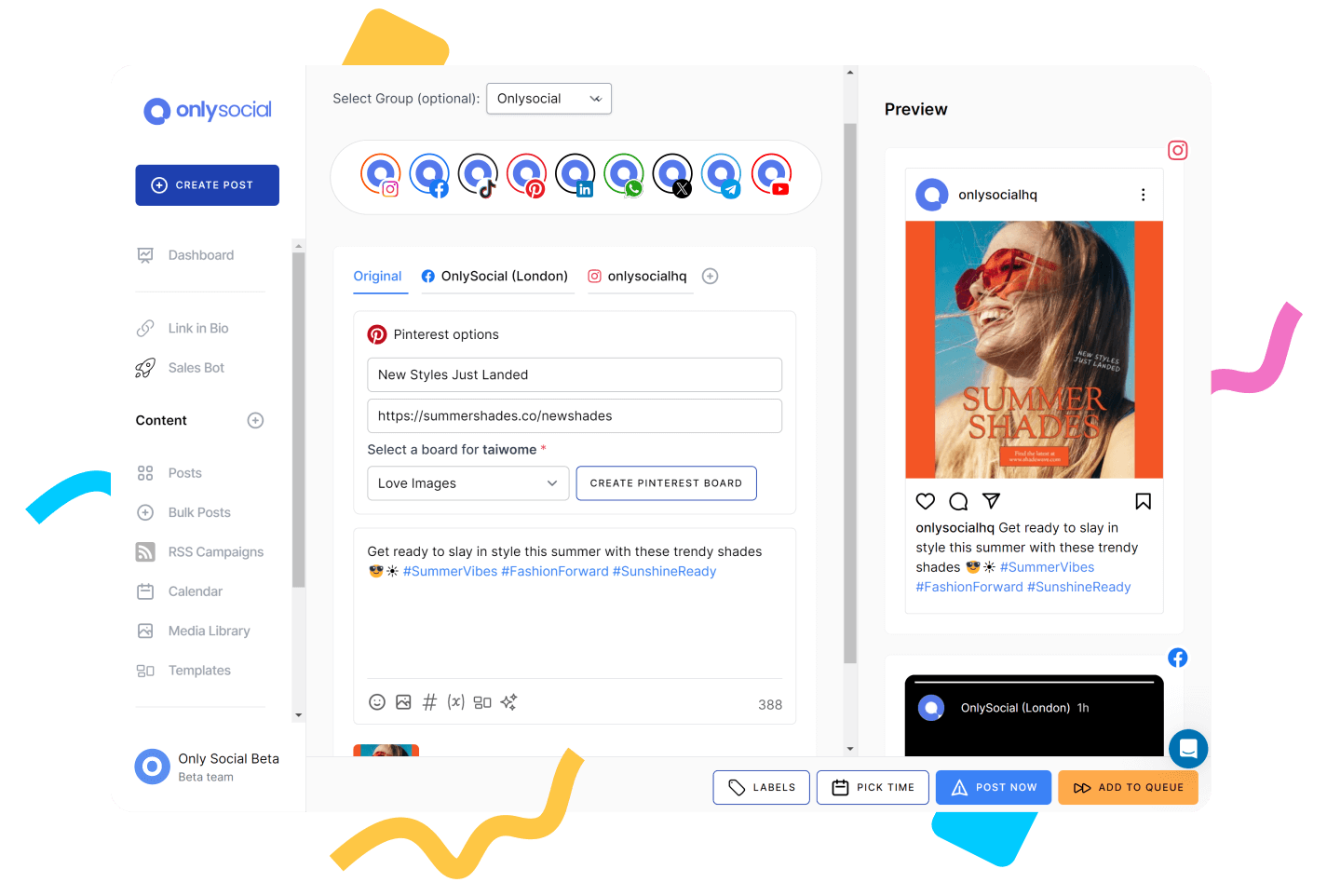
If you’re moving away from Iconosquare, chances are you’re looking for something that does more than just analytics. That’s where OnlySocial comes in. It’s built as an all-in-one platform that combines scheduling, automation, collaboration, and performance tracking in a way that feels more flexible for growing teams.
Instead of focusing heavily on one area like analytics alone, OnlySocial gives you a more balanced toolkit for managing your entire social media workflow from one place.
Key Features of OnlySocial
- Multi-platform scheduling
OnlySocial supports a wide range of platforms, including Instagram, Facebook, LinkedIn, X, TikTok, Pinterest, and more. You can plan and publish content across all of them without juggling multiple tools. - Bulk scheduling and content batching
One feature that really stands out is the ability to schedule hundreds of posts at once. This makes it easy to plan weeks or even months of content in advance, saving time and reducing daily workload. - Unified social inbox
Instead of switching between platforms to reply to messages and comments, OnlySocial brings everything into one inbox. This helps you stay on top of engagement and respond faster without missing important interactions. - Team collaboration and approvals
OnlySocial makes it easy for teams to work together. You can assign roles, review content, and approve posts before they go live. This is especially useful for agencies or brands managing multiple contributors. - Cross-platform content management
You can create one piece of content and tailor it for different platforms without starting from scratch. This helps maintain consistency while still optimizing for each channel. - Analytics and performance tracking
The platform gives you clear insights into how your content is performing across channels, helping you understand what’s working and where to improve.
Our Experience with OnlySocial
What stood out immediately was how much you can do without feeling restricted. Compared to Iconosquare, which leans heavily on analytics, OnlySocial feels more like a complete operating system for social media.
We also liked how it handles scale. Whether you’re managing a few accounts or dozens, the workflow remains smooth. Features like bulk scheduling and the unified inbox make a noticeable difference in day-to-day efficiency, especially when managing multiple brands or campaigns.
Overall, OnlySocial feels like a natural upgrade for anyone who wants more control, flexibility, and room to grow beyond basic analytics and scheduling.
Pros
- Supports a wide range of platforms, giving you more flexibility than Iconosquare.
- Bulk scheduling saves serious time – planning weeks or months of content in one go is a huge advantage for busy teams.
- Its unified inbox makes managing messages and comments much easier.
- Strong collaboration features, making it ideal for teams and agencies that need approvals, roles, and structured workflows.
- Generous AI capabilities
- Scales easily with your needs
Cons
- No permanently free plan. You’ll need to commit to a paid plan after any trial period.
- Reporting could be more advanced for deep analytics users.
Pricing
OnlySocial keeps its pricing relatively straightforward, with three main tiers designed for different stages of growth:
Freelancer – $29/month
This plan is a strong starting point for individuals or small teams. You can manage up to 15 social profiles and still access key features like unlimited scheduling, a unified inbox, analytics, and AI tools. The inclusion of 1,000 AI credits and 20GB media storage makes it more than just a basic plan – it’s practical for consistent content creation and management.
Entrepreneur – $49/month
If you’re managing multiple brands or growing your presence, this plan offers more room. With support for up to 40 social profiles, increased AI credits (5,000), and higher limits on storage and broadcasts, it’s built for scaling workflows. It feels like a natural upgrade for small businesses or agencies starting to expand their operations.
Unlimited Pro – $99/month
Here, you get unlimited social profiles, unlimited AI usage, and significantly higher limits across storage and broadcasts. For agencies or teams handling multiple clients, this removes the usual constraints you’d expect from most tools, making it a cost-effective option at scale.
#2: Hootsuite
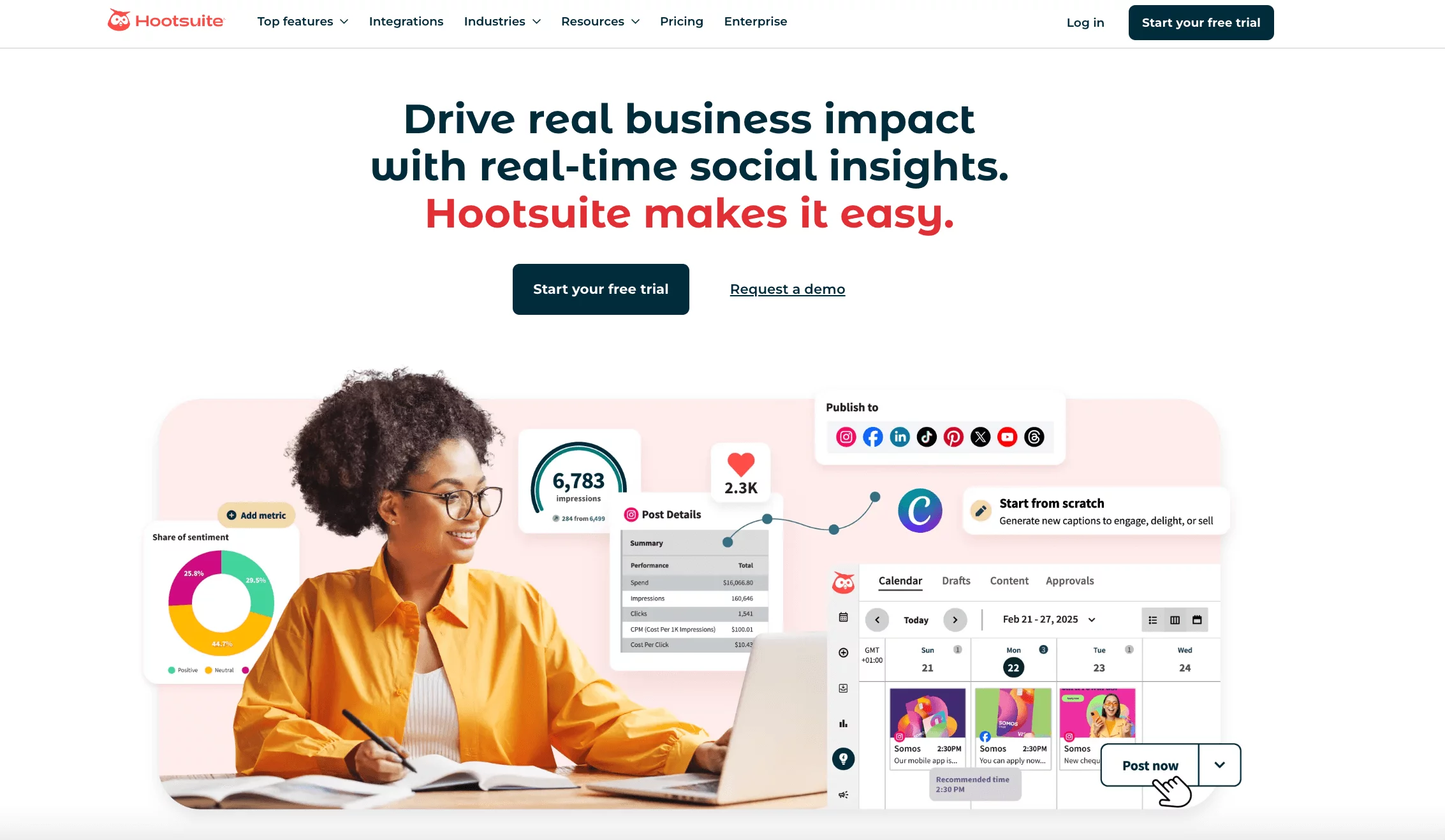
Hootsuite is one of those tools that almost everyone in social media has tried at some point. It’s been around for years, and it covers a lot of ground – from scheduling and publishing to basic monitoring across multiple platforms. As an Iconosquare alternative, Hootsuite makes sense if you want a familiar, all-in-one tool that supports a wide range of networks.
That said, while it does many things, it doesn’t always go deep in the areas where Iconosquare users care most, especially analytics.
Key Features
- Multi-platform publishing
Schedule and publish content across Instagram, Facebook, LinkedIn, X, YouTube, and Pinterest from one dashboard. - Content calendar and planner
Organize your posts visually and keep track of what’s going out across different channels. - Monitoring and streams
Track mentions, hashtags, and keywords through customizable streams to stay on top of conversations. - App integrations
Extend functionality with third-party apps like Trendspottr for hashtag tracking and content discovery. - Basic analytics and reporting
Access performance data, though deeper insights are mostly reserved for higher-tier plans.
Our Experience with Hootsuite
Hootsuite feels like a generalist tool. It’s reliable for scheduling and managing multiple accounts, and it gets the job done if your needs are fairly straightforward. Compared to Iconosquare, it offers broader platform support, which is useful if you’re not focused on Instagram alone.
However, the experience can feel a bit clunky. The interface isn’t as intuitive as some newer tools, and managing content across platforms often requires extra steps. For example, you may find yourself recreating posts for each platform instead of adapting them in one workflow.
Analytics is where the gap becomes more noticeable. If you’re coming from Iconosquare and rely heavily on performance insights, Hootsuite’s lower-tier plans may feel limited. You’ll need to upgrade significantly to unlock the kind of reporting depth many users expect.
Pros
- Supports a wide range of social media platforms
- Reliable scheduling and publishing tools
- Monitoring features for hashtags, mentions, and keywords
- Ability to extend functionality with third-party apps
- Suitable for managing multiple accounts in one place
Cons
- Interface can feel outdated and less intuitive
- Advanced analytics locked behind higher-tier plans
- Limited Instagram management compared to specialized tools
- Requires more manual work to customize posts across platforms
- Reporting features require more expensive plans
Pricing
Hootsuite’s pricing structure leans toward the higher side, especially as your needs grow:
Professional Plan – $99/month
This entry-level paid plan allows one user and up to 10 social profiles. It covers basic scheduling and management, but lacks team features and advanced reporting.
Team Plan – $249/month
This plan supports up to three users and introduces basic reporting and collaboration features. It’s more suitable for small teams but comes at a noticeable jump in cost.
Enterprise Plan – Custom pricing (starts around $15,000/year)
Designed for larger organizations, this plan includes advanced analytics, deeper integrations, and expanded team capabilities. Additional users can significantly increase the cost.
So, while Hootsuite is powerful, its pricing can climb quickly compared to Iconosquare and many newer alternatives that offer more flexibility at lower tiers.
#3: Sprout Social
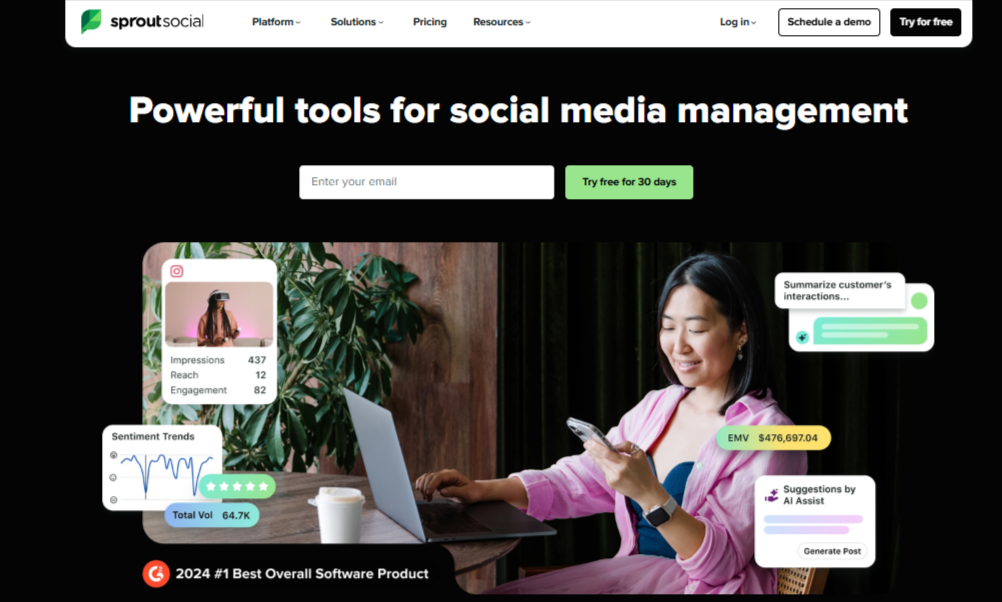
Sprout Social is often seen as a premium alternative to tools like Iconosquare. It’s built for businesses that want more than just surface-level insights, offering deep analytics, reporting, and social listening alongside scheduling and engagement tools. If data is a big part of your decision-making, Sprout Social quickly stands out.
That said, it’s not exactly a lightweight option. While it delivers powerful features, it also comes with a price tag that may not suit everyone, especially smaller teams or solo marketers.
Key Features
- Advanced analytics and reporting
Access detailed reports across Instagram, TikTok, Facebook, LinkedIn, and more, including Stories performance and audience insights. - Social listening tools
Monitor brand mentions, keywords, and trends to understand audience sentiment and conversations. - Multi-platform scheduling
Plan and publish content across major platforms with flexible scheduling options. - Unified social inbox
Manage messages, comments, and mentions in one place for faster engagement. - Automation and workflows
Automate certain processes and streamline team collaboration at higher-tier plans. - Custom reporting dashboards
Build reports tailored to your business goals and share them with stakeholders.
Our Experience with Sprout Social
Sprout Social feels like a tool built for serious data users. Compared to Iconosquare, it goes even deeper in analytics, giving you access to a wide range of metrics and reports. If you’re trying to understand performance at a granular level, it delivers.
The platform also handles scheduling and engagement well, but those features feel secondary to its analytics strength. You can manage multiple accounts and keep everything organized, though the interface can take some time to fully get used to.
Where things get tricky is pricing. Because it charges per user, costs can rise quickly as your team grows. For smaller teams, that can be a limiting factor despite how powerful the tool is.
Pros
- Extremely detailed analytics across major social platforms
- Strong reporting capabilities for data-driven decisions
- Supports scheduling and multi-account management
- Social listening features for tracking trends and mentions
- Automation and team workflows available on higher plans
Cons
- High pricing, even at entry-level plans
- Charges per user, making it expensive for teams
- Many advanced features locked behind top-tier plans
- Interface can feel complex for new users
Pricing
Standard Plan – $249 per user/month
This entry-level plan includes basic analytics, publishing, and engagement tools. However, it only supports a limited number of profiles (around five), and costs increase quickly as you add users.
Advanced Plan – $499 per user/month
This tier unlocks more advanced features, including deeper analytics, automation, and enhanced reporting capabilities. It’s better suited for teams that rely heavily on data and performance tracking.
#4: Agorapulse
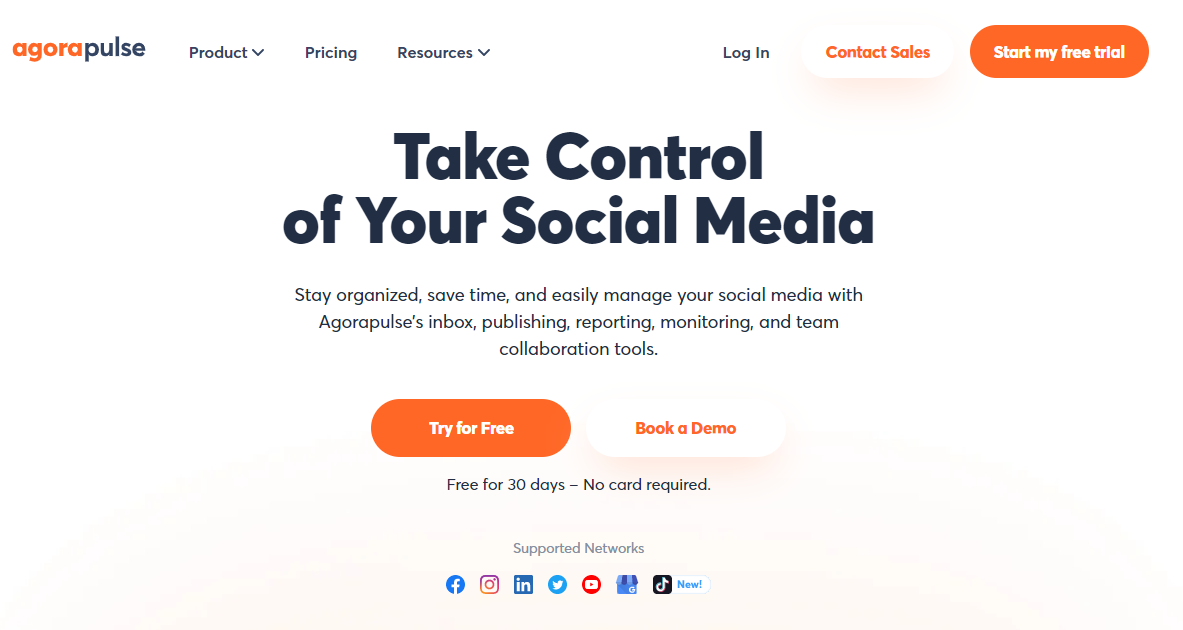
Agorapulse is one of those tools that tries to bring everything into one place – and for the most part, it succeeds. It combines scheduling, analytics, monitoring, and engagement into a single dashboard, making it a strong Iconosquare alternative for users who want both insights and day-to-day management tools.
It’s especially useful if engagement is a big part of your workflow. Instead of just tracking performance, Agorapulse helps you actively manage conversations and build relationships with your audience.
Key Features
- Unified social inbox
View and respond to comments, messages, and mentions across Instagram and other platforms from one dashboard. - Multi-platform management
Manage accounts across Instagram, Facebook (pages and groups), LinkedIn, X, and YouTube in one place. - Advanced analytics and reporting
Generate detailed, client-friendly reports with insights into engagement, reach, and performance. - Content scheduling and publishing
Plan and schedule posts easily with a visual calendar and flexible publishing options. - Monitoring and listening tools
Track hashtags, keywords, and location-based conversations to stay involved in relevant discussions.
Our Experience with Agorapulse
Agorapulse stands out for how well it handles engagement. Compared to Iconosquare, it doesn’t just show you what’s happening – it helps you act on it. The inbox is clean and organized, making it easy to respond quickly without missing anything.
We also found the monitoring tools genuinely useful. Being able to track keywords and hashtags, and jump into conversations, adds a layer of interaction that many tools overlook. This is especially valuable for brands trying to stay visible and responsive.
On the analytics side, the reports are polished and easy to share. They’re not overly complex, but they strike a good balance between detail and clarity. Overall, Agorapulse feels like a tool built for both managing and improving your social presence.
Pros
- Excellent unified inbox for managing conversations
- Strong analytics with clean, client-ready reports
- Supports multiple social platforms beyond Instagram
- Advanced monitoring for hashtags, keywords, and mentions
- Moderation rules and saved replies improve efficiency
Cons
- Higher pricing compared to some alternatives
- No free plan (only trial available)
- Costs increase quickly with additional users
Pricing
Agorapulse offers tiered pricing based on features and team size:
Standard Plan – $79/user/month (billed annually)
This plan includes up to 10 social profiles and covers core features like scheduling, inbox management, and basic reporting. If billed monthly, it’s around $99/month.
Professional Plan – $119/user/month (billed annually)
Adds more advanced features such as ad comment monitoring, team workflows, calendar notes, and performance reports. The monthly option is about $149/month.
Advanced Plan – $149/user/month (billed annually)
This tier includes everything in Professional, plus features like shared calendars, a content library, bulk publishing, and advanced ROI reporting. Monthly pricing is around $199/month.
Agorapulse also offers a 30-day free trial, which gives you a chance to test its features before committing. Overall, it’s a powerful option, but one that’s better suited for teams ready to invest in a more comprehensive tool.
#5: Later
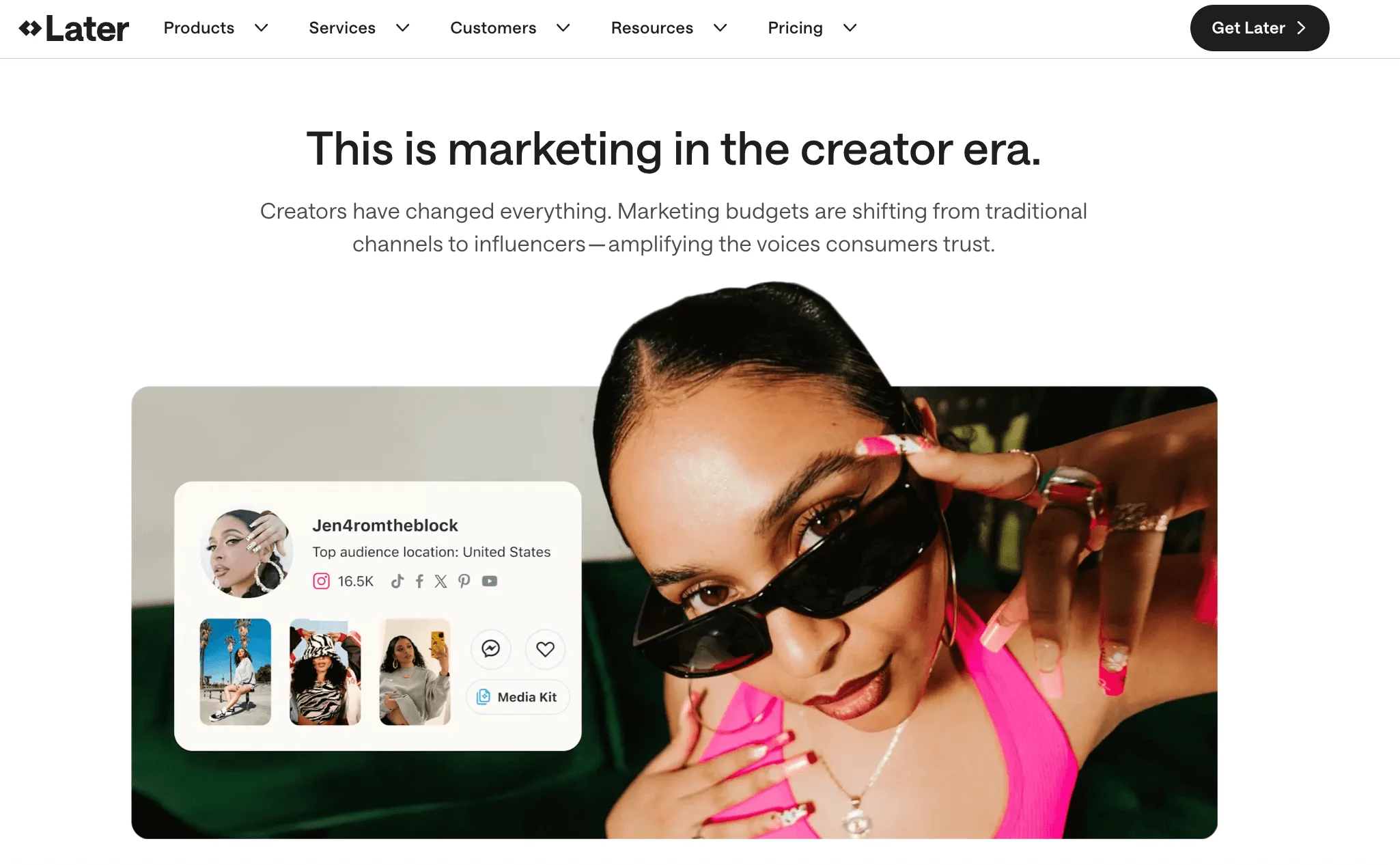
Later is a popular tool for visual-first social media planning. It started with a strong focus on Instagram, but has since expanded to support multiple platforms while keeping its clean, visual approach. As an Iconosquare alternative, Later works well for brands and creators who prioritize content planning, consistency, and aesthetics over deep analytics.
If your workflow revolves around “how your feed looks” just as much as “how it performs,” Later is a natural fit.
Key Features
- Visual content calendar and media library
Plan posts using a drag-and-drop calendar while organizing all your media in one place. - Instagram-first scheduling
Schedule posts, reels, and stories with features designed specifically for Instagram workflows. - Link in bio tool (Linkin.bio)
Turn your Instagram feed into a clickable landing page to drive traffic and sales. - AI caption writer
Generate captions and content ideas to speed up your posting process. - Multi-platform publishing
Schedule content across Instagram, TikTok, Pinterest, Facebook, LinkedIn, and X.
Our Experience with Later
Later feels very polished and easy to navigate. Compared to Iconosquare, it shifts the focus from analytics to planning and execution. The drag-and-drop calendar is smooth, and the visual preview makes it easy to stay consistent with your brand’s look.
We also liked how everything is organized. Uploading media, writing captions, and scheduling posts all happen in a simple flow that doesn’t feel overwhelming. For teams managing visual content, this can speed things up significantly.
However, analytics is where the difference shows. While Later does offer insights, they’re not as deep or detailed as what you get with Iconosquare. It’s a trade-off – ease of use and visual planning in exchange for less advanced reporting.
Pros
- Clean and intuitive interface
- Strong visual planner for Instagram and other platforms
- Useful Linkin.bio feature for driving traffic
- AI caption tools for faster content creation
- Supports multiple social platforms
Cons
- Analytics are not as detailed as Iconosquare
- Some advanced features locked behind higher plans
- Can become expensive as you scale users and profiles
- Limited depth for performance-driven teams
Pricing
Free Plan: Includes limited scheduling and basic features, making it a good starting point for individuals or small creators.
Starter Plan – around $25/month: Unlocks more posts, analytics, and access to core scheduling features.
Growth and Advanced Plans – up to $80+/month: Provide additional users, deeper insights, and expanded functionality for growing teams.
Overall, Later is competitively priced compared to Iconosquare, especially for creators. But for teams that need deeper analytics, it may require combining with other tools or upgrading to higher tiers.
#7: SocialBee
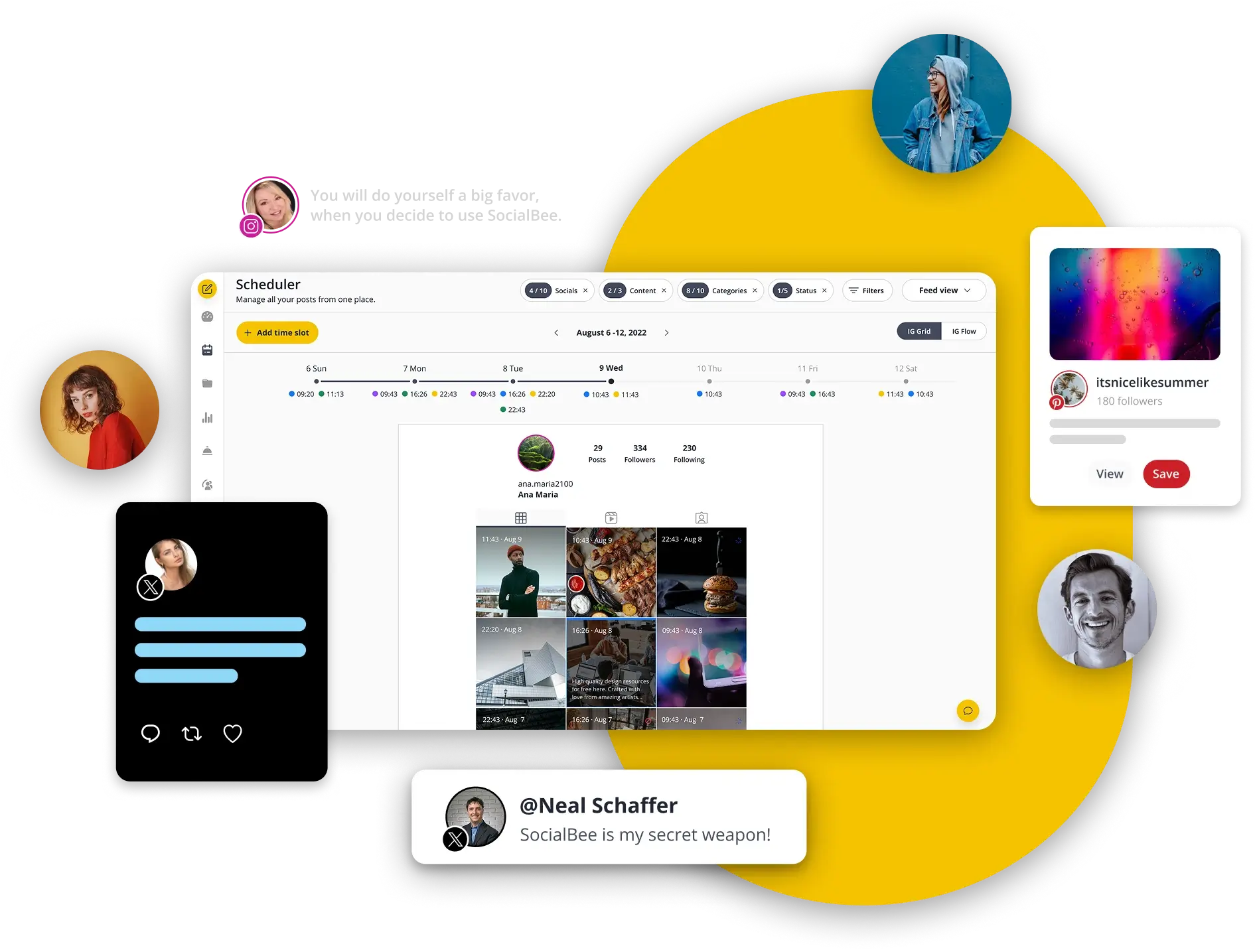
SocialBee takes a slightly different approach compared to most social media tools. Instead of focusing only on scheduling or analytics, it leans heavily into content organization and automation. As an Iconosquare alternative, it’s a great option for users who want to keep their social channels active without constantly creating new posts from scratch. If consistency is your biggest challenge, SocialBee is designed to solve exactly that.
Key Features
- Content categorization system
Organise posts into categories (e.g. promotional, educational, curated) and schedule them in a balanced way. - Evergreen content recycling
Automatically repost your best-performing content to keep your profiles active without extra effort. - Multi-platform scheduling
Schedule posts across platforms like Instagram, Facebook, LinkedIn, X, Pinterest, and more. - AI content generation
Generate captions, post ideas, and variations to speed up content creation. - Content calendar and queue system
Plan posts visually while letting the system handle distribution based on your schedule. - Basic analytics and performance tracking
Track how your posts perform, though insights are more surface-level compared to analytics-focused tools.
Our Experience with SocialBee
SocialBee stands out for how it simplifies long-term content management. Compared to Iconosquare, it’s less about analyzing past performance and more about keeping your content engine running consistently.
The category-based system is especially useful. Instead of manually planning every post, you can set up a structure once and let SocialBee handle the rotation. This reduces the pressure of constantly creating new content.
That said, if you rely heavily on analytics, SocialBee may feel limited. It does a great job with automation and organization, but it doesn’t go as deep into performance insights as Iconosquare or some other tools.
Pros
- Strong evergreen posting and content recycling features
- Helps maintain consistent posting with less manual effort
- Easy-to-use content categorization system
- Supports multiple social platforms
- AI tools for faster content creation
Cons
- Analytics are relatively basic
- Less focused on deep performance tracking
- Can take time to set up categories properly
- Not ideal for users prioritizing detailed reporting
Pricing
- Bootstrap Plan – around $29/month: Covers basic scheduling, content categories, and limited profiles, making it suitable for individuals and small businesses.
- Accelerate Plan – around $49/month: Adds more profiles, advanced features, and better support for growing teams.
- Pro Plan – around $99/month: Designed for agencies and larger teams, offering more users, profiles, and advanced capabilities.
How to Choose the Best Iconosquare Alternative
With so many options available, choosing the right Iconosquare alternative can feel overwhelming. The truth is, the “best” tool depends on how you actually manage your social media day to day.
Instead of focusing on feature lists alone, it’s better to look at what will genuinely make your workflow easier and more effective.
What matters more: analytics or execution?
Iconosquare is known for its analytics, so ask yourself if that’s still your priority. If you rely heavily on data and reporting, tools like Sprout Social or Agorapulse may feel like a natural fit.
But if you want a better balance between scheduling, automation, and insights, platforms like OnlySocial or Later can offer a more complete experience.
Platform support and flexibility
Make sure the tool supports all the platforms you actively use. Some tools still lean heavily toward Instagram, while others support a wider range like TikTok, LinkedIn, Pinterest, and more. If you’re expanding your presence, flexibility here becomes important.
Ease of use vs advanced features
There’s always a trade-off. Some tools are powerful but take time to learn, while others are simple but limited. If you’re working solo or in a small team, a clean and intuitive interface can save hours every week. Larger teams, on the other hand, may benefit from more advanced workflows and controls.
Collaboration and team workflows
If you work with clients or teammates, look for features like approval workflows, shared calendars, and role-based access. Tools like Agorapulse or OnlySocial tend to handle this well, while simpler platforms may not offer much in this area.
Pricing and scalability
Don’t just look at the starting price. Look at how the cost grows with your needs. Some tools become expensive quickly as you add users or profiles. Others offer more predictable pricing, which can be a better long-term option.
Final Note
Iconosquare is a solid tool, especially if analytics is your main focus. But as your needs evolve – whether it’s managing more platforms, collaborating with a team, or automating your workflow – you may start to feel its limitations. But with the solid alternatives we have discussed in this guide, you shouldn’t have any issues choosing the best tool for your social media needs.
The key is not to chase the “most popular” tool, but the one that fits how you actually work. Whether you prioritize deep insights, smoother scheduling, or better collaboration, there’s an option here that can help you manage your social media more effectively and with less friction.
FAQs
Why should I consider an Iconosquare alternative?
You might need an alternative if you want broader platform support, better automation, more flexible pricing, or stronger collaboration tools.
Which Iconosquare alternative is best for beginners?
Tools like OnlySocial, Later, and Planoly are great for beginners because they are easy to use and don’t require much setup.
Is OnlySocial better than Iconosquare?
It depends on your needs. OnlySocial offers a more balanced set of features including scheduling, automation, and collaboration, while Iconosquare is more focused on analytics.
What is the best Iconosquare alternative for agencies?
Agencies often prefer tools like OnlySocial, Agorapulse, or Sprout Social because they offer strong collaboration features, reporting, and the ability to manage multiple clients efficiently.