LinkedIn Ads in 2026: A Complete Guide for Businesses
LinkedIn isn’t just another social platform. It is where business decisions start. It’s the platform professionals use to discover ideas, evaluate solutions, and connect with people who can help them do their jobs better.
That makes it a powerful place to advertise, especially if you’re trying to reach decision-makers rather than casual browsers.
While organic posts help build credibility over time, LinkedIn Ads give you control and scale. They let you reach the right audience faster, with targeting that’s built for B2B.
In this guide, we’ll walk you through everything you need to know about LinkedIn Ads in 2026, from setup and formats to budgeting, performance tracking, and best practices that actually work.
Table of Contents
What Are LinkedIn Ads, and Why Use Them?
LinkedIn ads are paid placements that allow businesses to promote their products, services, or messages directly inside the LinkedIn feed, inbox, and other high-visibility areas of the platform.
Unlike many other social networks, LinkedIn advertising is built around professional data. When you run a LinkedIn ad campaign, you’re not just choosing an ad format. You’re deciding exactly who should see it based on things like job role, industry, company size, seniority level, or even specific companies.
That level of precision is what makes LinkedIn ads especially valuable for B2B marketing.
Instead of pushing your message to a broad audience and hoping the right people notice, you can focus your spend on users who are most likely to understand your offer, influence buying decisions, or take action.
Whether you’re trying to generate leads, build brand credibility, or support recruitment efforts, LinkedIn ads help you reach people with intent.
How to Set Up Your LinkedIn Ads Account
Before you can launch any campaigns, you’ll need to set up a LinkedIn Ads account. The process is fairly straightforward and only takes a few minutes, but getting it right from the start will save you time later when you begin running and scaling ads.
1. Open campaign manager
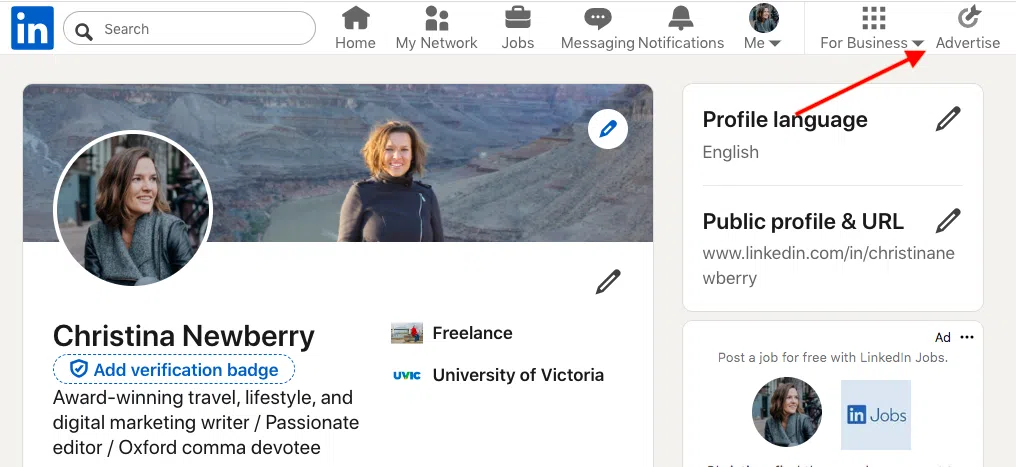
Start by logging into your LinkedIn profile and clicking Advertise in the top navigation bar. This takes you to LinkedIn’s Campaign Manager, which is the central hub for all ad accounts, campaigns, billing, and performance tracking.
2. Create your ad account
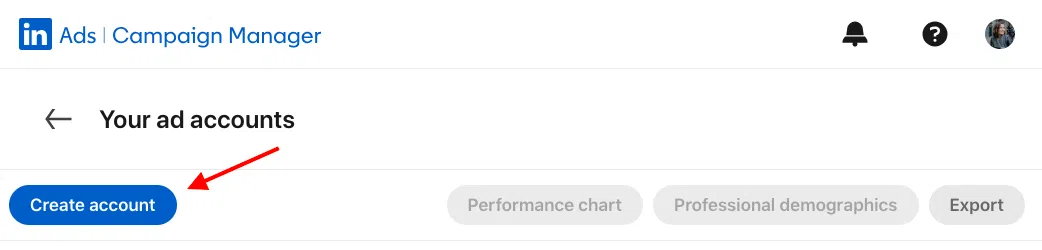
Now, click Create account and enter an account name. This is usually your business name, but if you manage multiple brands or regions, choose something clear and easy to recognize.
You’ll also select your billing currency at this stage, which can’t be changed later, so double-check before moving on.
Source: LinkedIn Campaign Manager
3. Do your admin setup
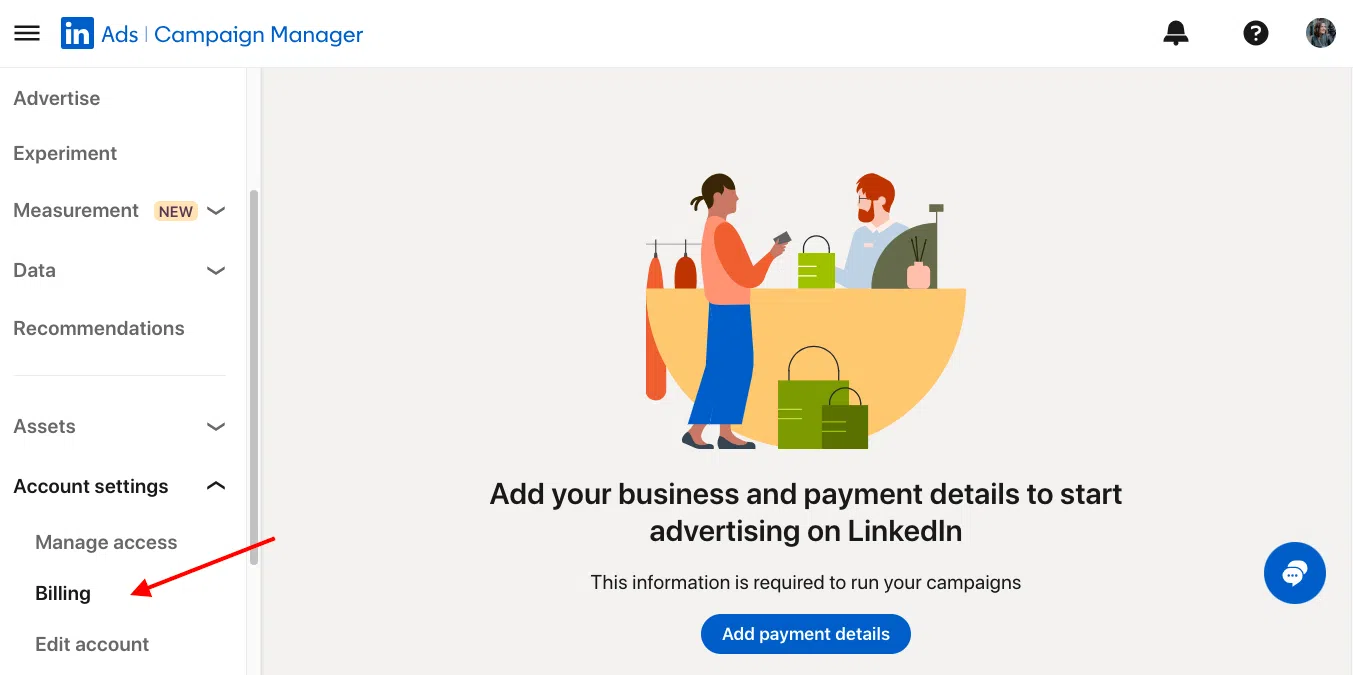
Next comes the admin setup. You’ll connect the LinkedIn Company Page you plan to advertise from, add your payment details under Account settings → Billing, and set access permissions for anyone else on your team who needs to manage campaigns.
While some ad formats can technically run without a Company Page, linking it early is best practice and unlocks more features. If someone else will post Sponsored Content on your behalf, you can authorize them as a Sponsored Content Poster.
Source: LinkedIn Campaign Manager
4. Start your first campaign
Once everything is set up, you’re ready to launch your first campaign. From your dashboard, click Create, choose your campaign objective, and decide whether to build an Accelerate or Classic campaign. We’ll break down what those options mean and which one to use in the next section.
Types of LinkedIn Ads and Specs
LinkedIn offers several ad formats, each designed to support different goals across the funnel. While they all appear within the LinkedIn ecosystem, the way they tell your story and capture attention varies.
Choosing the right format can make a noticeable difference in both performance and cost.
Single Image Ads
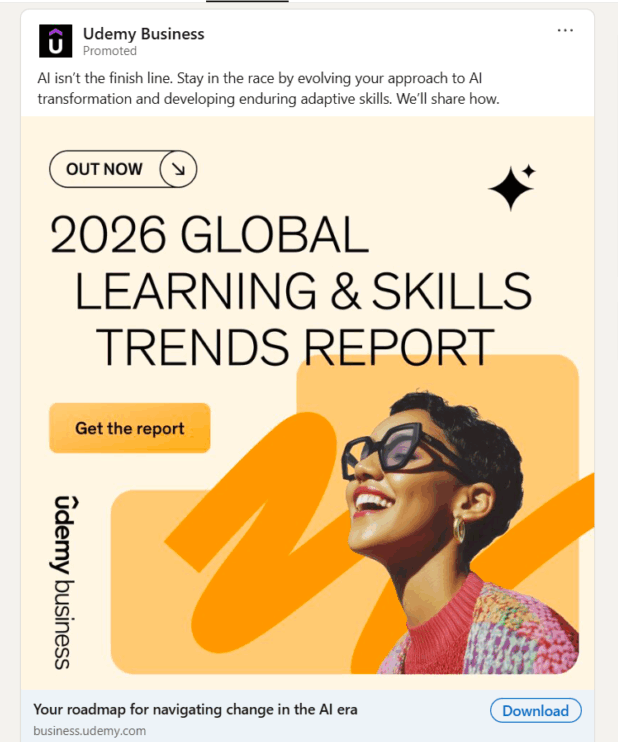
Single image ads are one of the simplest and most flexible formats on LinkedIn. They appear directly in the feed and rely on a strong visual paired with a clear message.
Because there’s no extra interaction required, they’re easy for users to consume and work well for quick awareness or retargeting campaigns.
This format is best used when you have a clear value proposition or offer. A single, well-designed image combined with a concise headline can introduce a product, highlight a benefit, or remind past visitors why they should come back.
Best for:
Clear value propositions, product launches, brand awareness, and retargeting campaigns.
Key specs:
- Recommended image size: 7680 × 4320 px
- File size: up to 5 MB
- File types: JPG, PNG, GIF
- Intro text: around 150 characters recommended (up to 600 max)
- Headline: around 70 characters recommended (up to 200 max)
- Supported aspect ratios:91:1 (horizontal), 1:1 (square), 4:5 (vertical)
Video Ads
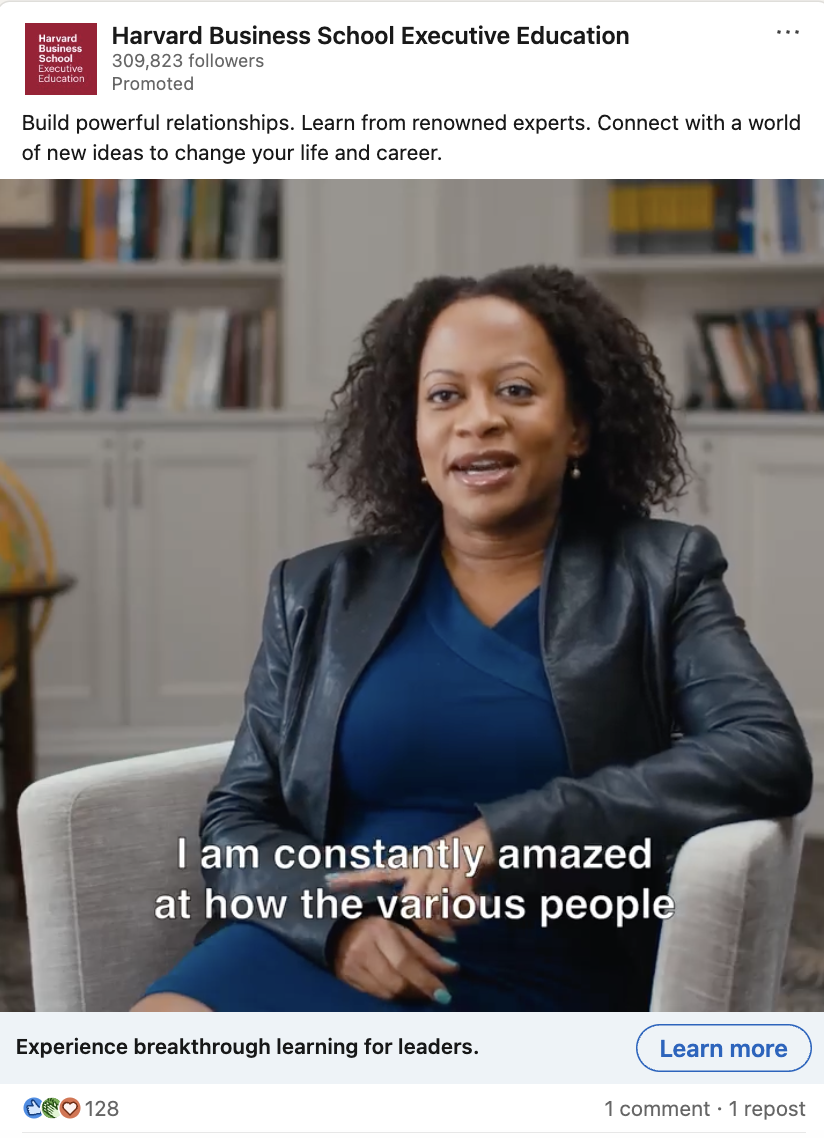
Video ads are one of LinkedIn’s fastest-growing formats and a strong choice for B2B brands that want to tell a deeper story. They’re especially effective for explaining products, sharing customer stories, or positioning your brand as a thought leader.
Videos auto-play in the feed without sound, so it’s important to capture attention immediately. Strong visuals, clear branding in the first few seconds, captions, and an engaging thumbnail all help increase watch time and engagement.
Video ads can also include lead gen forms, making them useful beyond awareness campaigns.
Best for:
Brand building, product demonstrations, educational content, thought leadership, and retargeting sequences.
Key specs:
- File type: MP4 (with AAC audio)
- Duration: 3 seconds to 30 minutes (15–30 seconds works well for most campaigns)
- Supported ratios: 1:1, 16:9, 4:5, 9:16
- Resolution range: 360-1920 px
- File size: up to 500 MB
- Intro text: around 150 characters recommended (up to 600 max)
- Headline: around 70 characters recommended (up to 200 max)
- Captions and thumbnail: recommended for silent autoplay
Carousel Ads
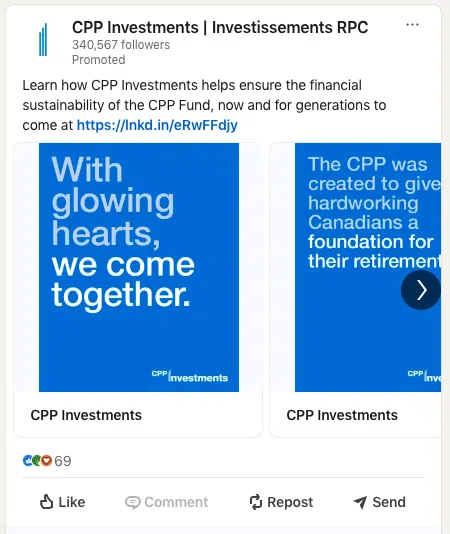
Carousel ads let you display multiple images in a single, swipeable ad unit. Each card has its own headline and destination link, which makes this format great for storytelling, comparisons, or showcasing different features without overwhelming the viewer.
Because users can swipe through at their own pace, carousel ads encourage interaction and make it easier to test different messages within one campaign. They work particularly well when you want to break down a process or show multiple outcomes.
Best for:
Multi-feature highlights, step-by-step explanations, product comparisons, and showcasing different use cases or customer results.
Key specs:
- Number of cards: 2-10
- Image size: 1080 × 1080 px
- File size: up to 10 MB per card
- File types: JPG, PNG
- Intro text: up to 255 characters
- Card headline: up to 45 characters
- Aspect ratio: 1:1 (video not supported in carousel ads)
Document Ads
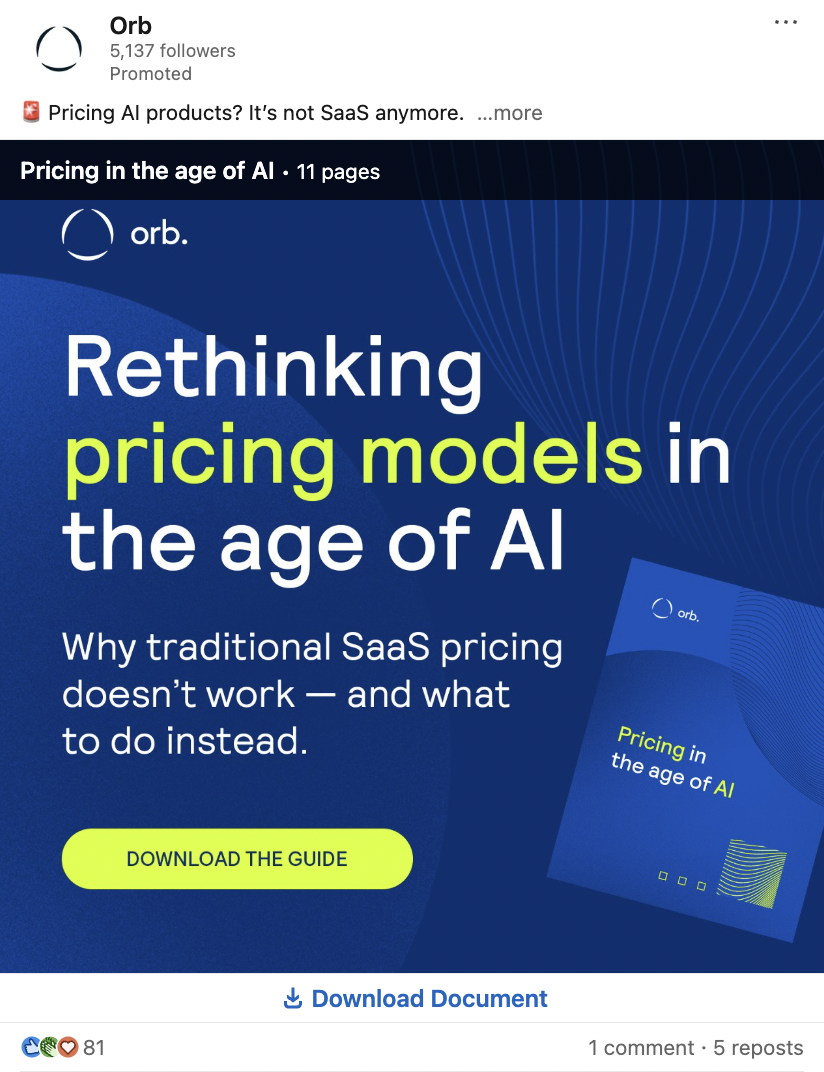
Document ads let you share long-form content directly in the LinkedIn feed, allowing people to scroll through or download your asset without leaving the platform. This makes them especially effective for educational content, where the value is immediately visible.
You can choose to keep the document ungated to maximize reach or add a LinkedIn Lead Gen form to capture details before download if lead quality is your priority.
They work best when the promise is clear upfront. A strong cover page that spells out exactly what the reader will get helps stop the scroll. Because most people browse LinkedIn on mobile, shorter documents tend to perform better in-feed.
Best for:
Guides, checklists, benchmark reports, case studies, templates, and playbooks.
Key specs and tips:
- Supported formats: PDF, DOC, DOCX, PPT, PPTX
- File size: up to 100 MB
- Length: aim for under 10 pages for easy in-feed browsing (maximum 300 pages)
- Design with mobile legibility in mind
- Intro text: around 150 characters recommended
- Headline: around 70 characters recommended
- Use a clear, benefit-driven title on the cover (for example, “Free Checklist” or “2026 Benchmarks”)
- Always test the downloadable file and any embedded links before launching
Event Ads
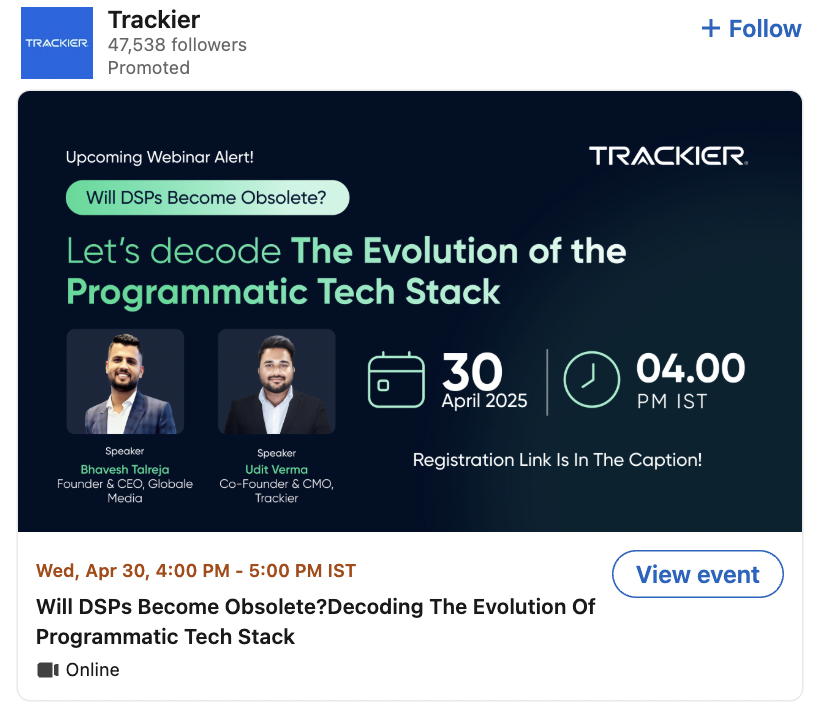
Event ads are designed to promote LinkedIn Events directly in the feed, making it easy for users to discover, register, and attend. They pull event details automatically from your LinkedIn Event page, so setup is simple once the event is created.
You can run event ads before the event to drive registrations, during the event to boost live attendance, and after the event to promote replays.
Because everything stays within LinkedIn, there’s less friction compared to external event pages. You can also retarget people who registered, watched, or engaged with the event, which is useful for follow-up campaigns.
Best for:
Webinars, product launches, virtual events, conferences, meetups, and post-event replays.
Key specs and notes:
- You must create a LinkedIn Event first
- Image ratio: 4:1 (pulled from the Event banner)
- Intro text: up to 600 characters
- Event name (optional in ad): up to 255 characters
- Destination URL must link to the LinkedIn Event page
- Scheduling and duration are set in Campaign Manager
- Retargeting audiences are available from event engagement
Article and Newsletter Ads
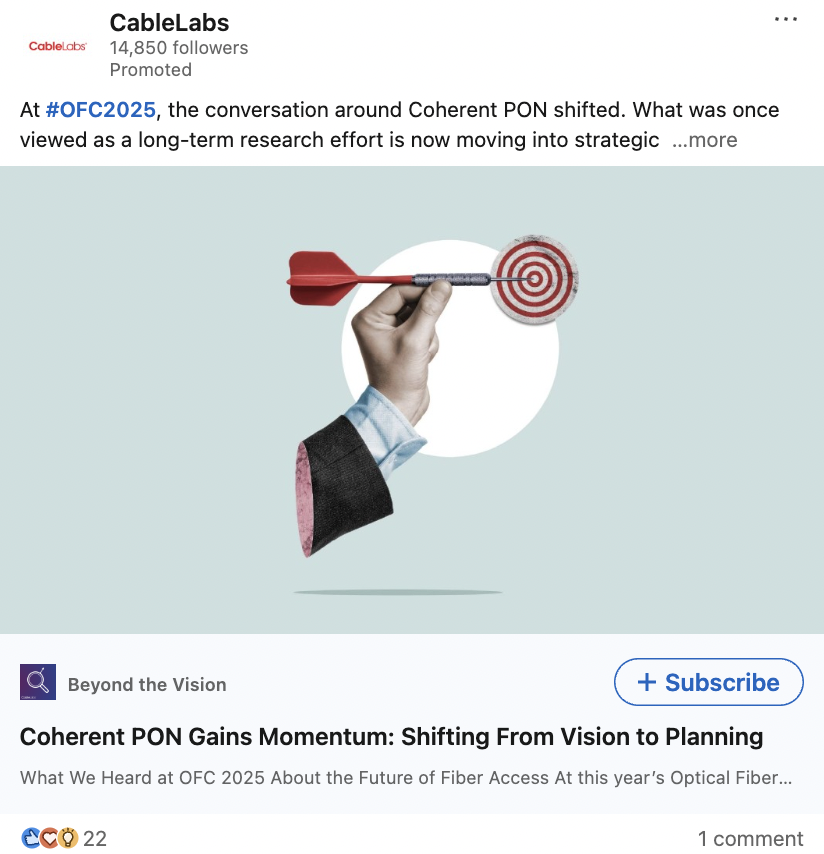
Article and newsletter ads promote your native long-form content on LinkedIn, such as Articles and Newsletters. Instead of uploading new creatives, these ads use the original post, which helps them blend naturally into the feed and feel less like traditional advertising.
This format is ideal for brands focused on thought leadership and audience building. For Articles, LinkedIn also offers an “Unlock Article” option under the Lead Generation objective, allowing you to capture leads from readers who want access to the full content.
Best for:
Growing article readership, increasing newsletter subscribers, distributing in-depth insights, and turning engaged readers into qualified leads.
Important details:
- Creative is pulled directly from the original Article or Newsletter post
- You can’t add a separate headline or intro text in the ad; edits must be made to the original content
- Clicks send users to the Article or Newsletter page on LinkedIn
- No custom destination URL
- CTA options are limited; Article ads using Lead Generation show “Unlock Article”
- Images and text follow Single Image ad specs since the ad is image-based
Thought Leader Ads
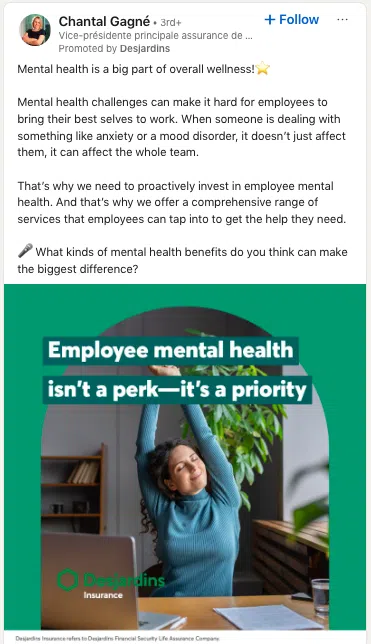
Thought Leader Ads let you promote a post published by an individual, rather than your Company Page. That individual could be a founder, executive, product manager, employee, customer, or even a partner.
The ad appears directly in the feed and includes a subtle label showing it’s promoted by your company, but the content itself remains the original post. This often makes it feel more natural and trustworthy than traditional Page-first ads.
Because the message comes from a real person, these ads tend to perform well for storytelling and opinion-led content. They’re especially useful when you want to elevate leadership voices, share product insights, or promote events using a member’s post.
Best for:
Executive perspectives, product explanations, employee or customer stories, and event promotion through a member’s post.
Key details:
- Supported objectives: Brand Awareness, Engagement
- Ad formats: Single Image, Video, Event
- Who you can promote: Employees and 1st- or 2nd-degree connections (approval required)
- Eligible content: Image or video posts, posts with links, Event posts, Articles, and Newsletters
- Not supported: Documents, polls, multi-image posts, reshared or celebration posts, Group posts
- Permissions required: Super Admin, Content Admin, or Sponsored Content Poster
- Creative and CTA come from the original post; Event posts include RSVP
- Reporting is available in Campaign Manager, while authors see combined organic and paid results
Message Ads
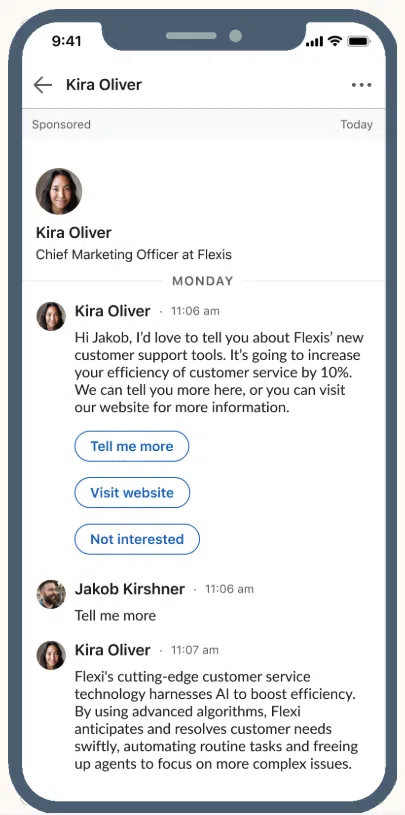
Message Ads deliver a sponsored message directly to a member’s LinkedIn inbox. They’re designed for one clear action and work best when the message is short, relevant, and time-sensitive.
The sender appears as a real LinkedIn profile, which helps the message feel more personal than a standard display ad.
Because LinkedIn limits how often users receive sponsored messages, competition in the inbox is lower. This makes Message Ads effective for invitations, demos, and offers that need immediate attention.
Best for:
Webinar invites, product trials or demos, special offers, and limited-time announcements.
Key specs:
- Subject line: up to 60 characters
- Message body: up to 1,500 characters
- CTA button: up to 20 characters
- Custom footer (optional): up to 2,500 characters
- Landing page URL: up to 1,024 characters (must use http or https)
- Optional desktop banner: 300 × 250 px, JPG or PNG, up to 2 MB
- Sender uses the name and profile photo of your chosen LinkedIn member
- Frequency cap: users receive Sponsored Messaging roughly once every 45 days
Conversation Ads
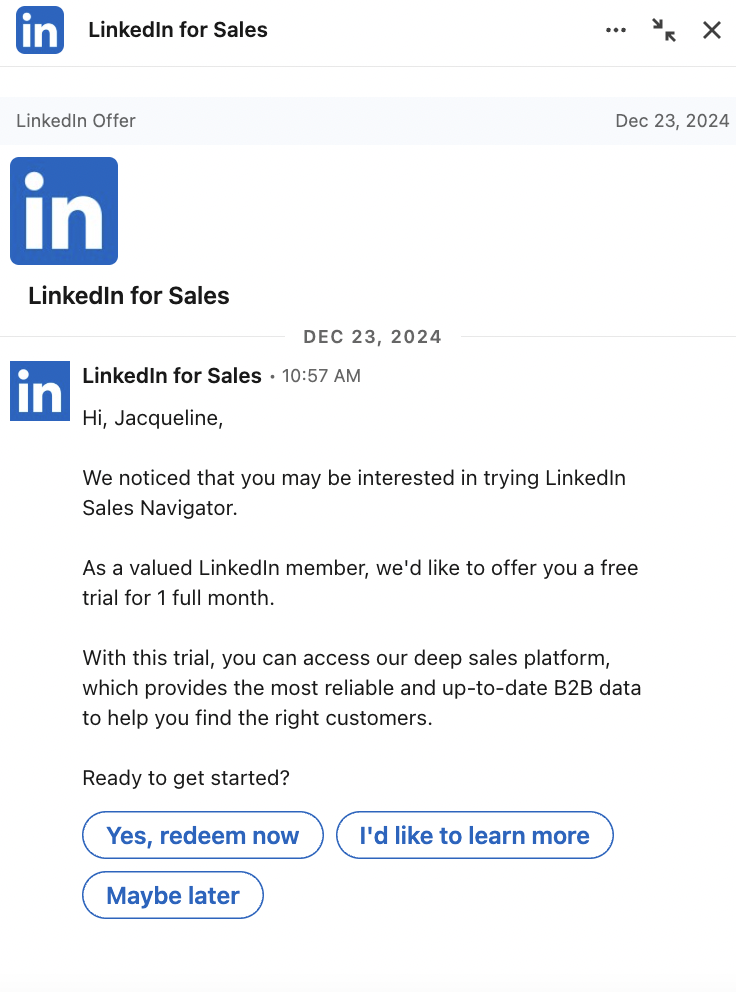
Conversation Ads take Message Ads a step further by letting users choose their own path. Instead of one CTA, you can include multiple buttons that guide people to different offers, resources, or next steps. This makes the experience feel interactive and gives users more control over how they engage.
These ads are ideal for qualification flows, product tours, or nurturing campaigns where different users may want different information. Because everything happens inside LinkedIn Messaging, the experience stays focused and personal.
Best for:
Multi-offer nurturing, product walkthroughs, qualification flows, and inbox-based lead generation.
Key specs:
- Message text: up to 8,000 characters
- CTA buttons: up to 5 per message, 25 characters each
- Total buttons per conversation: up to 50
- Custom footer (optional): up to 20,000 characters
- Landing page URL: up to 2,000 characters (must use http or https)
- Optional desktop banner: 300 × 250 px, JPG or PNG, up to 2 MB
- Sender displays as a real LinkedIn profile
- Frequency cap: approximately one Sponsored Message per member every 45 days
Follower Ads
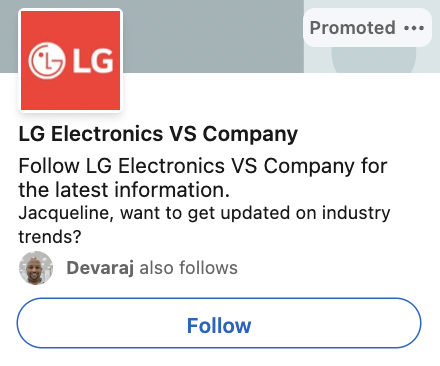
Follower Ads are a Dynamic Ad format designed specifically to grow your LinkedIn Page audience. They appear in the desktop right rail and automatically personalize the ad using the viewer’s name and, if enabled, their profile photo.
That small touch of personalization often makes the ad feel more relevant and less like generic promotion.
This format works well if you’re trying to build a long-term presence on LinkedIn rather than push a one-off offer. By targeting specific job roles, industries, or regions, you can attract followers who are genuinely interested in your business and more likely to engage with your content over time.
Best for:
Growing high-quality Page followers among specific roles, industries, or locations.
Key specs:
- Placement: Desktop right rail (Dynamic Ads)
- Destination: Your LinkedIn Page
- Company logo: 100 × 100 px, JPG or PNG, up to 2 MB
- Headline: up to 50 characters
- Description: up to 70 characters
- Company name: up to 25 characters
- CTA options: Visit company, Visit jobs, Visit careers, Visit life
- Personalization: Member name macros and optional profile photo
Text Ads
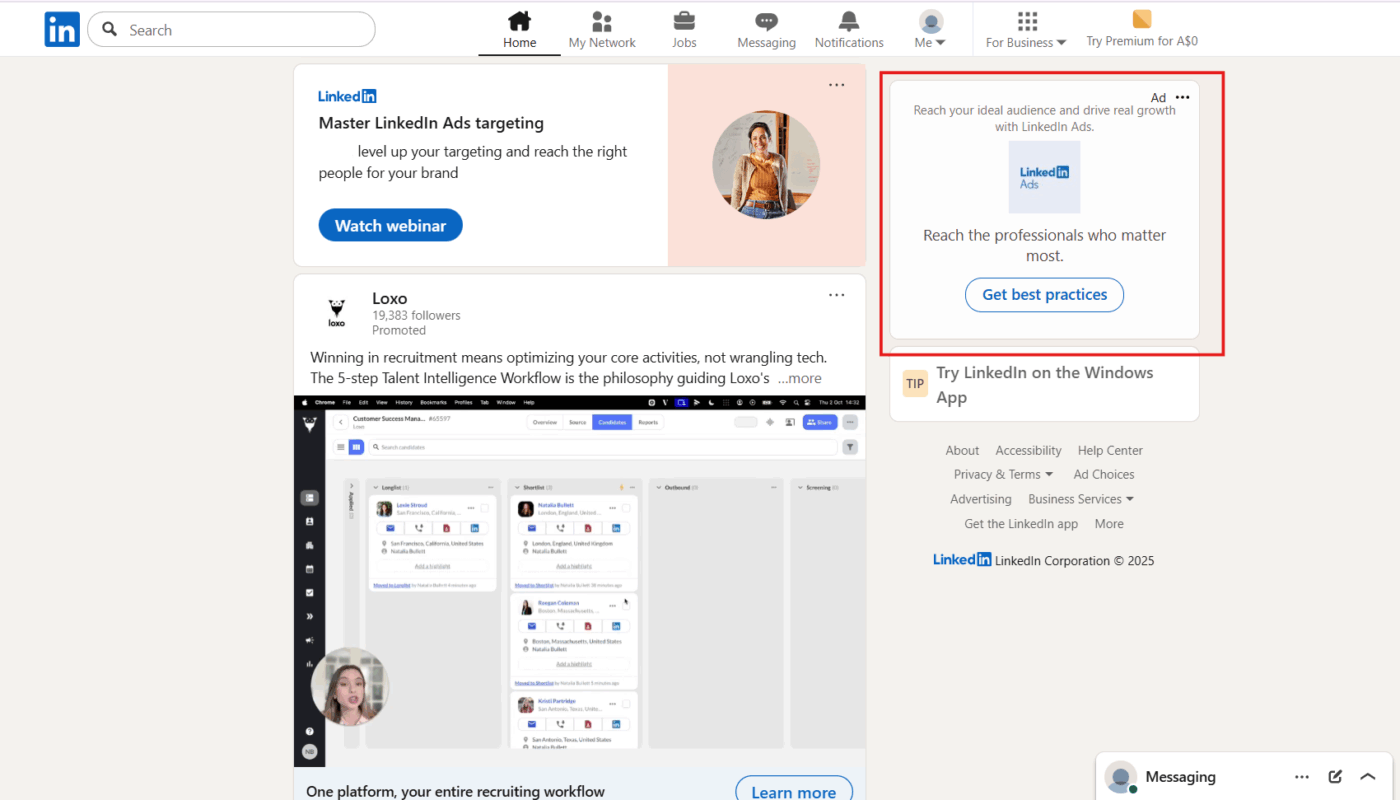
Text Ads are small, simple ads that appear on desktop in the right rail or top banner. They’re either pay-per-click or cost-per-impression and are designed to drive traffic efficiently without heavy creative production. Because they’re minimal, the messaging needs to be sharp and focused.
Text Ads are often used alongside in-feed campaigns to reinforce a message or support account-based marketing efforts. They’re also useful for quick testing, especially when you want to validate a value proposition before investing in larger formats.
Best for:
Cost-efficient desktop reach, ABM coverage, retargeting, and fast message testing.
Key specs:
- Placement: Desktop right rail and top banner
- Destination: Your landing page (http or https)
- Logo image: 100 × 100 px, JPG or PNG, up to 2 MB
- Headline: up to 25 characters
- Description: up to 75 characters
- CTA options: Apply, Download, Learn more, Sign up, Subscribe, Register, Request demo
What Is LinkedIn’s Ad Auction and Budgeting?
If you’ve ever wondered why some LinkedIn ads appear in your feed while others don’t, the answer is the ad auction. Every time there’s an opportunity to show an ad, LinkedIn runs a behind-the-scenes auction to decide which ad gets shown and how much it costs.
Your ad competes with others targeting a similar audience and using similar formats. The winner isn’t just the highest bidder. LinkedIn looks for the ad that delivers the most value, balancing bid amount, relevance, and expected engagement for the member.
This means great ads can often outperform bigger budgets. If your message resonates with the audience you’re targeting, LinkedIn is more likely to serve it. That’s why understanding bidding and budgeting is just as important as the creative itself.
Bid Strategies: How You Pay for Results
When setting up a campaign, you choose one bid strategy per campaign. Each option serves a different purpose.
Maximum delivery (automated bidding)
With this option, LinkedIn automatically sets and adjusts your bids to get the most results for your chosen objective while spending your budget efficiently. It’s ideal if you want simplicity and scale without constant manual adjustments.
This is often the best choice for beginners or for campaigns where speed and volume matter.
Cost cap
Cost cap gives you more control without fully going manual. You set a target cost per result, and LinkedIn adjusts bids to keep your average cost around or below that number while still driving volume.
This option works well when you care about efficiency but still want LinkedIn’s optimization support. It’s available for objectives like brand awareness, website visits, engagement, video views, and lead generation.
Manual bidding
Manual bidding lets you set exactly how much you’re willing to pay. This is useful for tight tests, niche audiences, or highly competitive segments. The trade-off is that it requires more monitoring and regular adjustments. If you choose manual bidding, be prepared to stay involved.
Budgeting and Pacing Your Spend
LinkedIn allows you to set either a daily budget, a lifetime budget, or both. Daily budgets give you predictable spend, while lifetime budgets allow LinkedIn to pace your spend over time to hit your objective more efficiently.
For longer campaigns, lifetime budgets often perform better because they give the system more flexibility.
One common mistake is making too many changes too quickly. LinkedIn’s algorithm needs time to learn. Frequent budget or bid tweaks can reset that learning process and hurt performance. So, set clear limits, give campaigns time to stabilize, and optimize based on trends rather than day-to-day fluctuations.
Best Practices for LinkedIn Advertising
1. Start with the Outcome, Not the Ad
One of the most common mistakes advertisers make on LinkedIn is jumping straight into creatives before getting clear on the goal. Gabe Feingold, Product Marketing Leader at LinkedIn, puts it perfectly:
“One of the most effective ways to create a LinkedIn campaign is to start with your business objective and work backwards.”
Your objective should shape everything that follows. An awareness campaign should grab attention fast and clearly communicate why your brand matters. And a lead generation campaign should remove friction and make the next step feel genuinely useful, not pushy.
Most importantly, measure success based on what actually supports your business. Focus on pipeline impact, lead quality, or conversions rather than surface-level engagement that looks good but doesn’t move the needle.
2. Make Your Creative Earn Attention Immediately
LinkedIn users scroll quickly and make decisions in seconds. Your ad needs to earn attention right away. Lead with the outcome your audience cares about, not a generic brand statement.
Tight copy, a clear hook, and early brand or product cues all help your message land faster.
Design choices matter too. Square or vertical formats tend to perform better on mobile, and text needs to be readable without zooming in.
For video ads, captions aren’t optional, and the first three seconds do most of the heavy lifting. For document ads, promise something specific on the cover and keep it skimmable in-feed, even if the full download goes deeper.
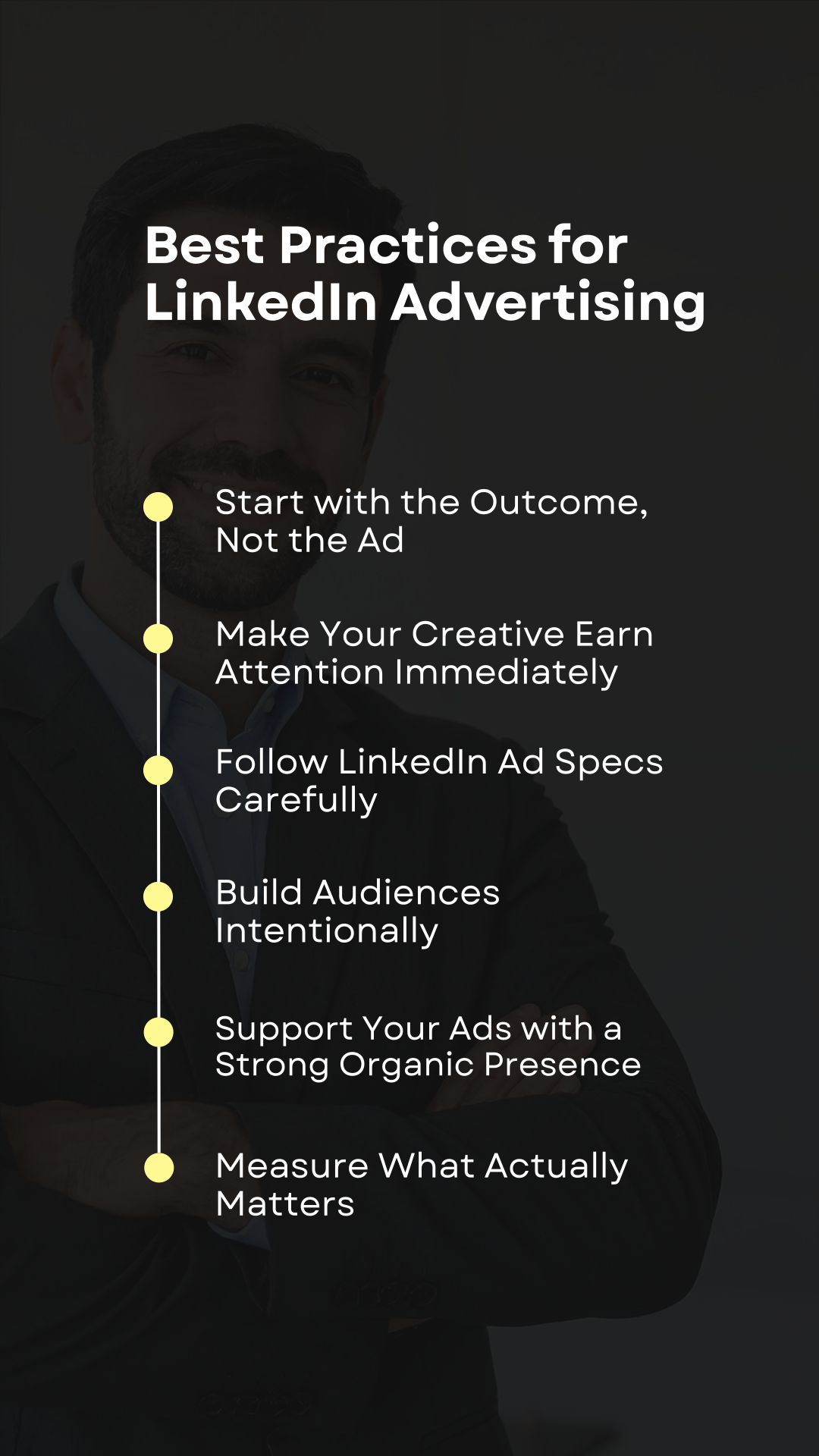
3. Follow LinkedIn Ad Specs Carefully
Strong visuals only work if they’re built to LinkedIn’s requirements. Ignoring ad specs can lead to cropped images, unreadable text, or underperforming placements. Each ad format has its own size, ratio, and text limits, and those details exist for a reason.
Designing within the correct specs helps your ads look clean, professional, and intentional. It also ensures your creative shows up the way you intended across devices and placements.
So, before launching any campaign, double-check image sizes, video ratios, file limits, and text lengths. Getting the fundamentals right makes it far easier for your ads to stand out and perform consistently.
4. Build Audiences Intentionally
Strong LinkedIn campaigns don’t chase everyone – they focus on the real buying group. That usually means reaching a mix of practitioners, managers, and decision-makers, each with slightly different needs and motivations.
Start with LinkedIn’s professional targeting options like industry, job function, seniority, and skills to build a solid foundation. Then layer in warmer audiences, such as website visitors, video viewers, or people who’ve opened a lead form, to sharpen relevance.
Just as important is knowing who not to target. Excluding employees, competitors, existing customers, and recent converters keeps your budget focused on people who are actually likely to take the next step.
5. Support Your Ads with a Strong Organic Presence
Paid ads work best when they’re backed by a credible, active organic presence. Many prospects will click through to your company page or search your brand before converting. If what they find looks empty, inconsistent, or overly salesy, trust drops quickly.
Regularly sharing valuable, insightful content helps establish your brand as knowledgeable and reliable. A polished company page, consistent visuals, and a clear voice all reinforce legitimacy.
Engagement matters too – responding to comments and messages shows there are real people behind the brand.
6. Measure What Actually Matters
The biggest trap in LinkedIn advertising is celebrating the wrong metrics. Success should always be judged against the objective you chose at the start. Awareness campaigns are about reach, frequency, and quality attention.
Lead generation campaigns should focus on completion rates, cost per lead, and — ideally — downstream pipeline impact.
Consistency is key. Keep attribution windows and reporting methods stable so trends are meaningful over time. When performance shifts, look at diagnostics like audience overlap, creative fatigue, or bid changes rather than blaming surface-level clicks.
All these will help you optimize with confidence and make smarter decisions as your campaigns scale.
Measuring LinkedIn Ad Success: What to Track and Why
It’s easy to get distracted by big impression numbers on LinkedIn. They look good in reports, but they don’t tell you whether your ads are actually working. Real success comes from tracking metrics that connect spend to outcomes, not just visibility.
Track these metrics:
Click-through rate (CTR)
CTR shows whether your message is resonating with the audience you’re targeting. If it’s flat or dropping over time, that’s usually a sign your creative needs a refresh or your audience definition is too broad. It’s most useful when compared against your own past campaigns or industry benchmarks, not as a standalone number.
Cost per click (CPC)
CPC helps you understand efficiency. By tracking it across campaigns, audiences, and formats, you’ll start to see which segments deliver engagement at a reasonable cost and which ones drain budget without returning value. Over time, this data becomes a powerful guide for reallocating spend.
Conversions
Conversions matter, but only if they mean something. Don’t track every possible action just to inflate results. A conversion should represent a real step toward revenue, whether that’s a qualified lead, a demo request, or a key page action. If your sales team doesn’t care about it, it probably shouldn’t be a primary conversion metric.
Lead quality
Volume alone can be misleading. Scoring leads based on fit – job role, company size, industry, or intent – helps you see whether your ads are attracting the right people. A smaller number of high-quality leads is far more valuable than a flood of poor fits.
Return on investment (ROI)
Work backwards from what a customer is worth to your business and set clear acquisition cost targets. This tells you whether your LinkedIn ad spend is sustainable in the long run and helps you justify scaling campaigns that are truly driving growth, not just activity.
Final Thoughts
LinkedIn advertising works best when it’s treated as a strategic growth channel, not a quick traffic switch. With the right objectives and strategies in place, it becomes one of the most effective ways to reach decision-makers and influence real business outcomes.
The key is alignment – between your goals, your message, and how success is defined.
As LinkedIn continues to refine its ad platform, businesses that focus on relevance, clarity, and meaningful engagement will consistently outperform those chasing surface-level metrics.
Stay disciplined, test intentionally, and measure what truly matters. When you do, LinkedIn ads stop feeling expensive and start feeling powerful.
FAQs
How much do LinkedIn ads cost?
LinkedIn ads usually operate on a cost-per-click (CPC) or cost-per-thousand-impressions (CPM) model. Pricing depends on your targeting, competition, and bid strategy. Most advertisers see CPCs between $5 and $12, though highly specialized audiences can cost more due to demand.
What’s the difference between boosted posts and sponsored ads on LinkedIn?
Boosted posts are existing organic posts that you pay to show to more people. Sponsored ads, on the other hand, are purpose-built campaigns created inside Campaign Manager with specific objectives, targeting, and formats designed for performance.
Can small businesses run LinkedIn ads successfully?
Absolutely. Small businesses can start with modest budgets by targeting narrow audiences and choosing focused objectives like website visits or lead generation. The key is testing small, learning fast, and scaling what works.
How often can I send Sponsored Messages?
LinkedIn limits Sponsored Messaging so that each member receives these messages roughly once every 45 days. This means Message Ads and Conversation Ads should be used strategically for high-intent or time-sensitive campaigns.
Are LinkedIn ads worth it compared to other platforms?
If your goal is to reach professionals, decision-makers, or B2B buyers, LinkedIn ads often deliver higher-quality engagement than broader platforms. While costs can be higher, the relevance and buying intent typically justify the investment when campaigns are well-structured.