13 Tailwind Alternatives to Boost Your Social Media Workflow

Tailwind has earned its place as a go-to tool for visual planners. Its scheduling features for Instagram and Pinterest, the drag-and-drop calendar, and the automation tools have helped many creators and businesses stay consistent without burning out. If your content lives mostly on those platforms, Tailwind can feel like a perfect fit.
But the moment you want to grow beyond Instagram, Pinterest, and Facebook, the limitations start to show.
Maybe you want to post on LinkedIn or TikTok. Maybe you need stronger collaboration tools for your team. Or maybe you’re ready for deeper analytics or better automation. Whatever the reason, feeling boxed in by Tailwind’s narrow platform support is common, especially for brands that want to scale.
But Tailwind isn’t the only option. In fact, once you look outside the Tailwind bubble, you’ll find a whole range of tools built for speed, flexibility, collaboration, automation, and serious social growth.
In this guide, we’ll walk you through 13 powerful Tailwind alternatives worth exploring. No matter what you are looking for, you’ll find a tool here that fits your style and goals.
Table of Contents
- 1 Why Look for a Tailwind Alternative?
- 2 13 Powerful Tailwind Alternatives to Consider for Your Brand
- 3 1. OnlySocial
- 4 2. Social Champ
- 5 3. Hootsuite
- 6 4. eClincher
- 7 5. Sprout Social
- 8 6. Buffer
- 9 7. Agorapulse
- 10 8. Zoho Social
- 11 9. Later
- 12 10. SocialPilot
- 13 11. Planable
- 14 12. SocialBee
- 15 13. Metricool
- 16 Final Note
- 17 FAQs
Why Look for a Tailwind Alternative?
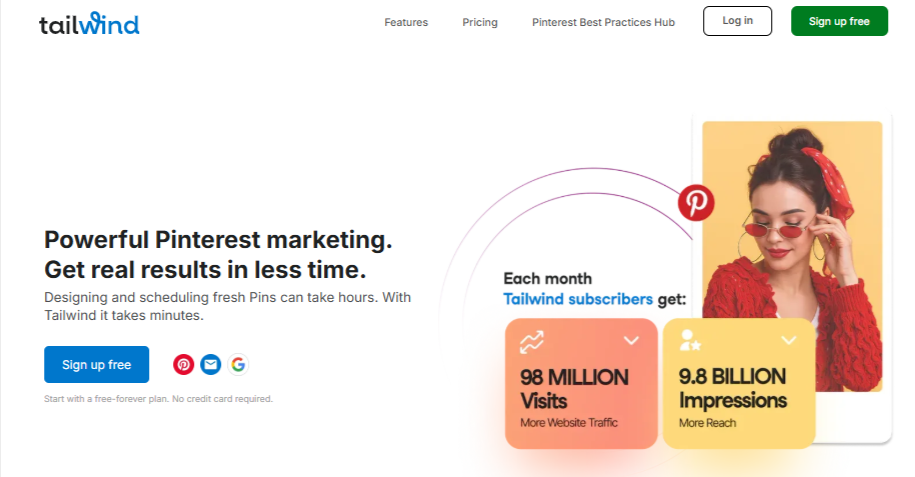
Tailwind can be a solid tool for planning visual content and staying consistent on Instagram and Pinterest. For many creators, it’s been a reliable part of their workflow. But as your social media strategy grows, you might start noticing gaps that get in the way of bigger goals.
That’s usually the moment people begin exploring alternatives – either for more features, better pricing, or simply a smoother experience.
Here are some common reasons users look beyond Tailwind:
Limited Platform Support Holds You Back
Tailwind currently supports only Instagram, Facebook, and Pinterest. That’s fine if your strategy revolves around just those channels. But most brands today need a wider presence –LinkedIn, TikTok, YouTube, X (Twitter), and even newer platforms.
Having to juggle extra tools just to cover those platforms becomes messy fast. If you want everything in one place, Tailwind’s limited coverage can feel restrictive.
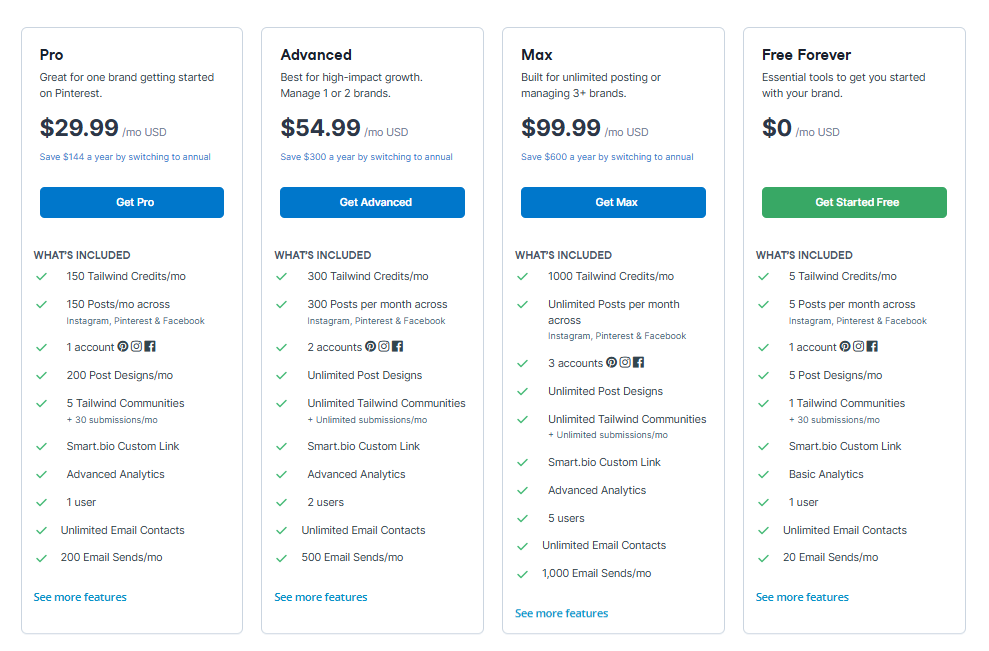
The Credit System Isn’t Ideal for Heavy Posting
Tailwind uses a credit-based system – five credits monthly on the free plan and up to 2,000 on the Max plan. While this sounds flexible, it forces you to constantly monitor how much content you’re producing. For growing businesses or creators posting frequently across multiple channels, the credit model can feel limiting or confusing.
Steep Learning Curve for New Users
Tailwind packs a lot of features, which is great, until you’re trying to find your way around them. New users often mention that it takes time to understand how each feature works, where it lives, and how to get the most out of the dashboard.
If you want a tool that feels simple immediately, Tailwind may take more time and patience than expected.
Performance Issues Can Interrupt Workflows
Another reason people consider switching is Tailwind’s occasional buggy performance. Whether it’s slow loading, scheduling glitches, or unexpected errors, it can add friction to your content workflow. When posting, consistency matters; even small interruptions can be frustrating.
Tailwind still has its strengths, but if you’re feeling limited, overwhelmed, or slowed down by its setup, exploring alternatives is a smart move. Below are some alternatives you can consider.
13 Powerful Tailwind Alternatives to Consider for Your Brand
1. OnlySocial
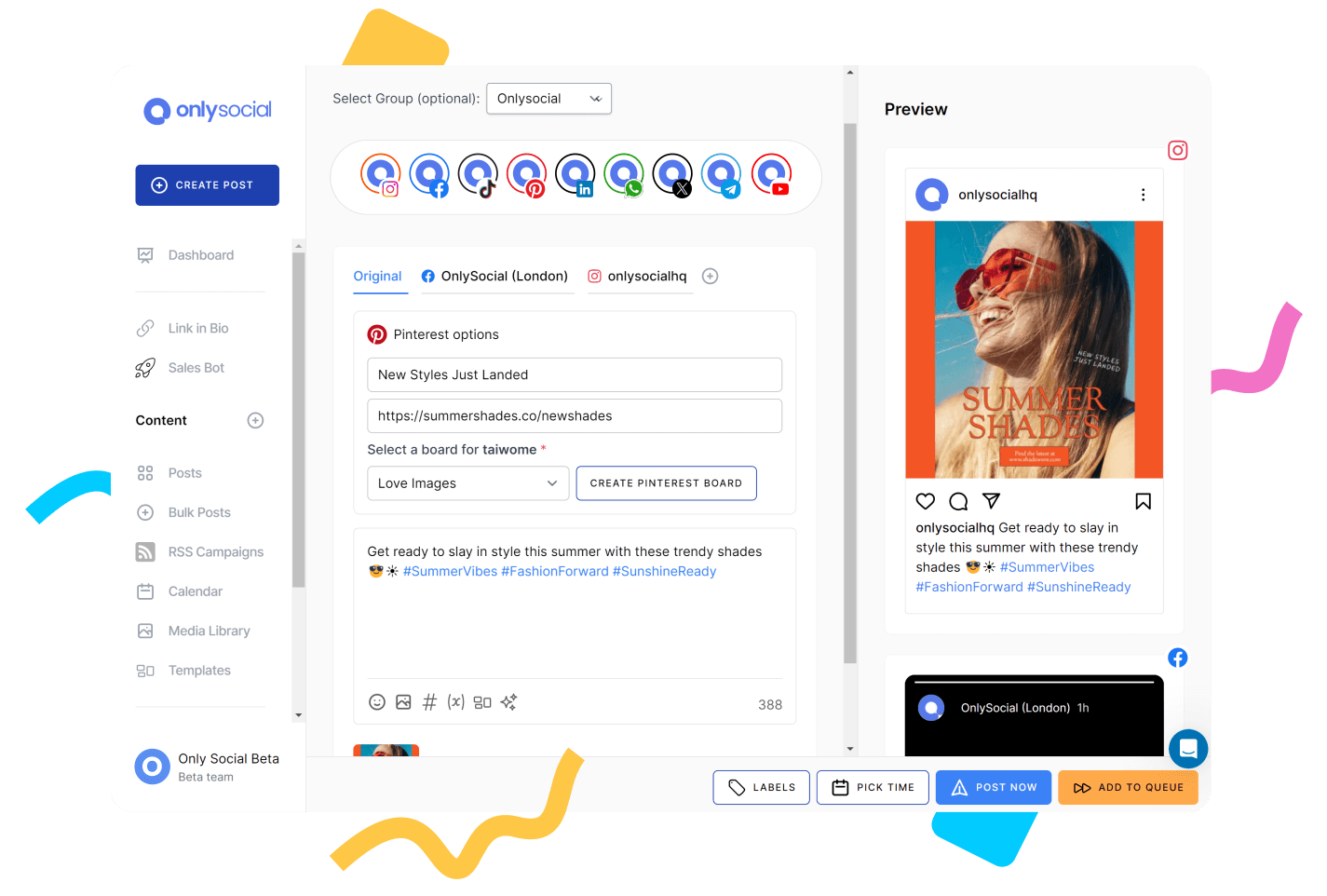
OnlySocial is easily one of the strongest Tailwind alternatives, especially if you’re ready to expand to broader platforms. When we tested it alongside Tailwind, the first thing that stood out was how smooth and fast the entire workflow feels.
You get a clean dashboard, quick navigation, and features built for both solo creators and multi-location teams. And unlike Tailwind, which focuses on only a few platforms, OnlySocial opens the door to full multi-platform publishing with no awkward workarounds.
Whether you’re scheduling for yourself, managing clients, or running an agency, OnlySocial gives you the freedom Tailwind lacks.
Key Features of OnlySocial
Multi-Platform Scheduling Across 15+ Networks
Post to Instagram, Facebook, TikTok, Pinterest, LinkedIn, YouTube, Google Business Profile, Threads, Mastodon, Bluesky, and more – all from one dashboard. It’s a major upgrade from Tailwind’s three-platform limit.
AI-Powered Content Creation
You can generate captions, ideas, hashtags, and even quality images when you need fast inspiration. The built-in AI helps cut your content prep time in half.
Bulk Scheduling for 500+ Posts
Plan huge batches of posts effortlessly with a drag-and-drop calendar that feels natural and easy to use. It allows you to schedule up to 500 posts at once.
Unified Social Inbox (including WhatsApp Business)
Manage DMs, comments, mentions, and conversations in one place. Tailwind doesn’t have any inbox feature at all, meaning this alone is a massive improvement.
Team Collaboration Tools
Assign roles, set up approval workflows, and keep your team aligned without messy back-and-forth messages.
Analytics & Custom Reporting
Track growth, engagement, and performance across platforms with clean, exportable reports.
White-Label Dashboard for Agencies
Rebrand the tool with your own logo, colors, and domain, perfect for agencies offering social media services.
Standout Feature: The Unified Inbox
The unified inbox is one of OnlySocial’s biggest strengths, and something Tailwind doesn’t offer at all. Having comments, DMs, and messages from every platform (including WhatsApp Business) in one clean space saves hours of tab-switching. For brands and agencies that care about fast engagement, this becomes a workflow game-changer.
Where OnlySocial Outshines Tailwind
OnlySocial outperforms Tailwind in almost every area where Tailwind feels limited. Some of the biggest wins:
- Far more platform support (15+ networks vs just 3).
- A full engagement inbox (Tailwind has none).
- More advanced automation (bulk posting, queues, AI content).
- Better collaboration features for teams and agencies.
- No credit-based restrictions – you can post freely without counting credits.
If Tailwind feels too narrow or too limiting as you grow, OnlySocial gives you all the freedom and flexibility Tailwind doesn’t.
Pricing
OnlySocial keeps things simple and affordable across three plans:
- Freelancer – $29/month (15 social accounts)
- Entrepreneur – $49/month (45 accounts)
- Professional – $99/month (unlimited social accounts)
All plans include collaboration features, bulk scheduling, analytics, AI tools, and the unified inbox.
If you’re looking for a Tailwind alternative that offers more platforms, more flexibility, and a smoother day-to-day workflow, OnlySocial is one of the best places to start.
2. Social Champ
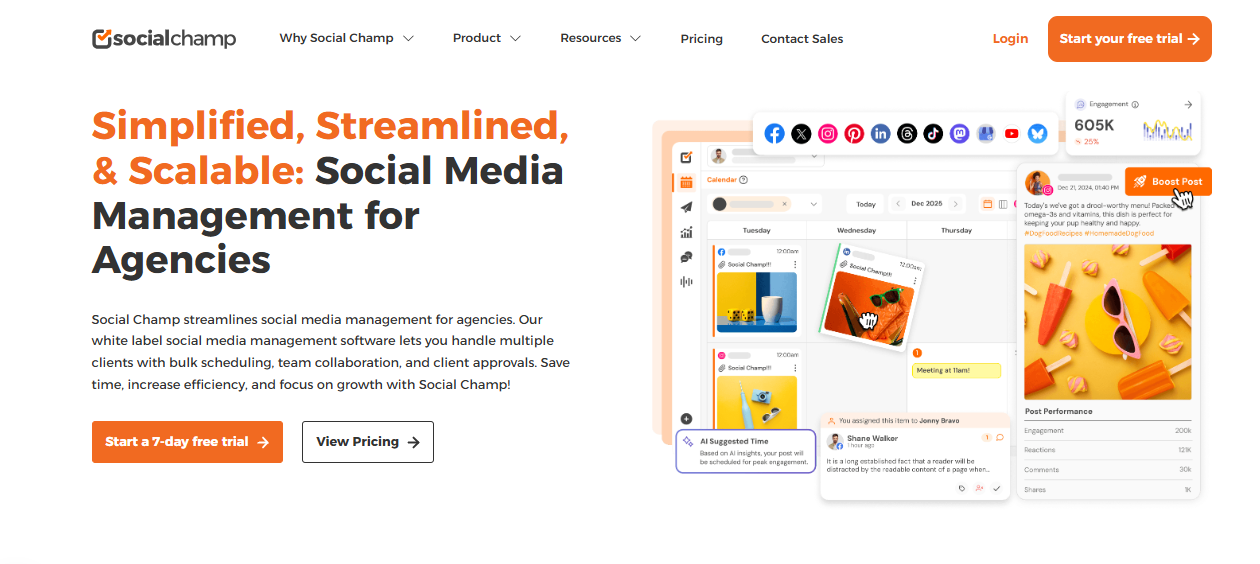
Social Champ is a strong Tailwind alternative if you want a tool that gives you more automation, smoother scheduling, and a broader platform list. One thing most people always find interesting about it is how beginner-friendly it feels.
You can jump in, schedule posts for all your major platforms, and automate entire content queues without feeling overwhelmed.
It’s a great fit for creators, small teams, and growing brands that want something more flexible than Tailwind’s Instagram-Pinterest-Facebook setup.
Social Champ’s Key Features
- Multi-Platform Publishing: Schedule posts for Facebook, Instagram, TikTok, Pinterest, LinkedIn, X (Twitter), YouTube, and Google Business Profile.
- AI Content Wizard: Generate captions, rewrite ideas, and craft content quickly when you’re short on time.
- Bulk Upload Tool: Upload and schedule dozens of posts in minutes – ideal for teams handling multiple accounts.
- Social Inbox: Manage comments and messages from different platforms in one place (a feature Tailwind doesn’t offer).
- Analytics Dashboard: Track reach, engagement, and performance across your channels with simple, visually clear reports.
- Team Collaboration: Assign roles, manage approvals, and keep your content flow organized when working with others.
Standout Feature
Social Champ’s queue automation is one of its biggest strengths. You can set up evergreen content categories, create time slots, and let the tool recycle posts automatically. This helps keep your feed active without you manually filling the calendar every week – especially helpful if you manage recurring content.
Where Social Champ Outshines Tailwind
Social Champ wins in three major areas:
- It supports far more platforms instead of just Instagram, Facebook, and Pinterest.
- It has a social inbox, making engagement easier and faster (Tailwind doesn’t offer this at all).
- Its automation is more advanced, especially with evergreen queues and bulk uploads.
If Tailwind’s platform restrictions or credit-based posting slow you down, Social Champ gives you more freedom and fewer limits.
Pricing
Social Champ offers flexible plans for different needs, but generally, plans start at $29/month with increasing limits for users, platforms, and posts. There’s also a free tier with basic posting options.
It’s affordable compared to many other all-in-one tools, especially for teams that need automation plus multi-platform support.
3. Hootsuite
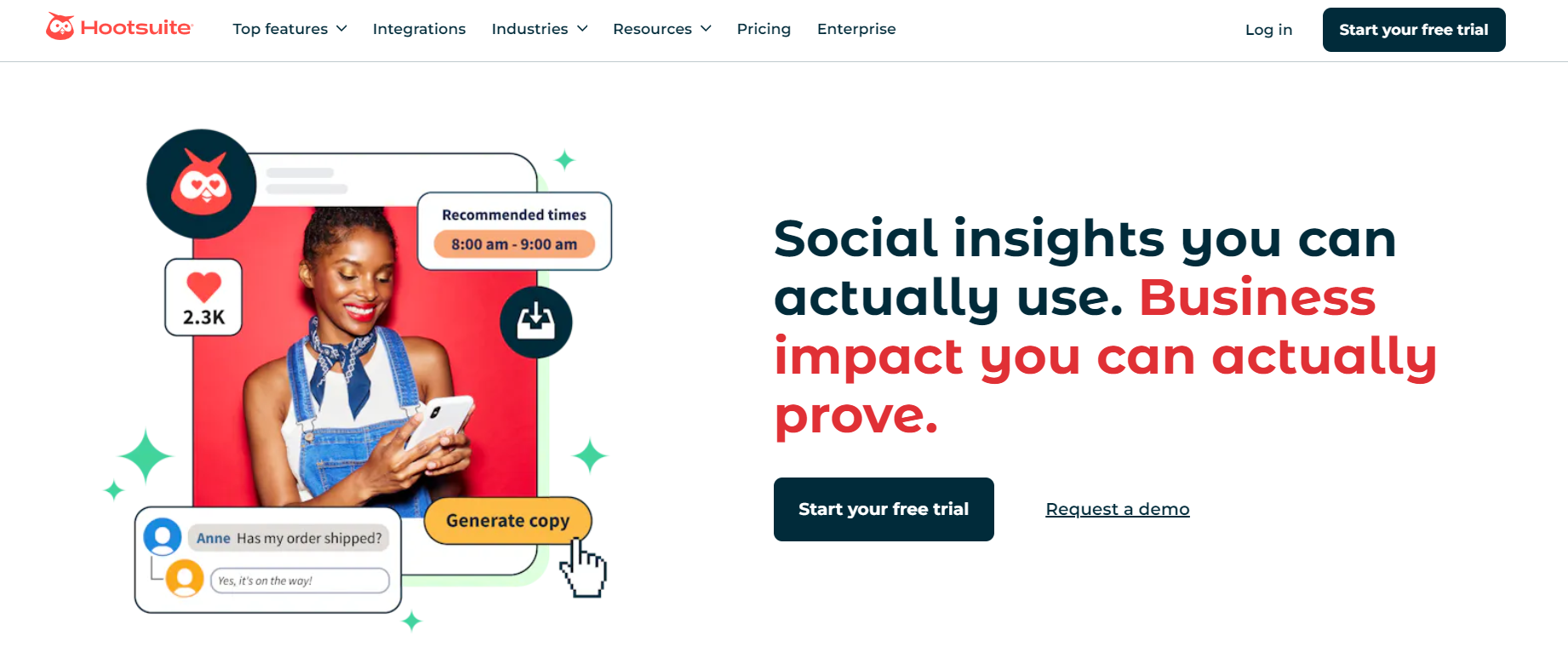
Hootsuite is one of the longest-standing social media management tools, and it still holds strong as a Tailwind alternative, especially if you’re looking for something more powerful and more complete.
When we tested it, the first thing that stood out was just how much you can see and manage from one dashboard. It’s built for teams that need more than scheduling; people who want analytics, ads, engagement tracking, and social listening all in one place.
If you think Tailwind’s limited platform support or basic automation is affecting your brand, Hootsuite gives you a much wider toolkit to work with.
Key Features of Hootsuite
- Multi-Platform Publishing: Plan and post content across Facebook, Instagram, LinkedIn, TikTok, YouTube, X (Twitter), Pinterest, and more.
- Advanced Analytics: Track performance, measure growth, compare competitors, and get deep insights to build smarter strategies.
- Unified Social Inbox: Respond to messages, mentions, and comments across your platforms from one clean inbox.
- Social Listening Tools: Monitor keywords, track conversations, check trends, and keep an eye on competitors in real time.
- Ads Management: Create, boost, and optimize paid campaigns directly from the platform – no need to switch between ad managers.
- Team Collaboration: Shared calendars, approval workflows, and team roles make it easy for larger teams to stay organized.
Standout Feature
Hootsuite’s “Streams” dashboard remains one of its biggest strengths. You can set up columns to monitor hashtags, mentions, competitor posts, trends, and keyword activity – all at once. It’s incredibly useful for brands that need to keep a pulse on conversations happening around their industry.
Where Hootsuite Outshines Tailwind
Hootsuite goes far beyond Tailwind’s core strengths. Tailwind focuses mainly on visual planning and Instagram/Pinterest scheduling, but Hootsuite gives you:
- wider platform support
- deeper analytics
- a unified engagement inbox
- built-in social listening tools
- full ads management
- stronger team collaboration
If your social media needs extend past basic scheduling, Hootsuite offers a more complete management experience.
Pricing
Hootsuite’s pricing starts at $99/month per user, making it a better fit for, agencies, larger teams, and brands that rely heavily on analytics and monitoring
It’s not the cheapest Tailwind alternative, but for big-picture social media management, it delivers serious capability.
4. eClincher
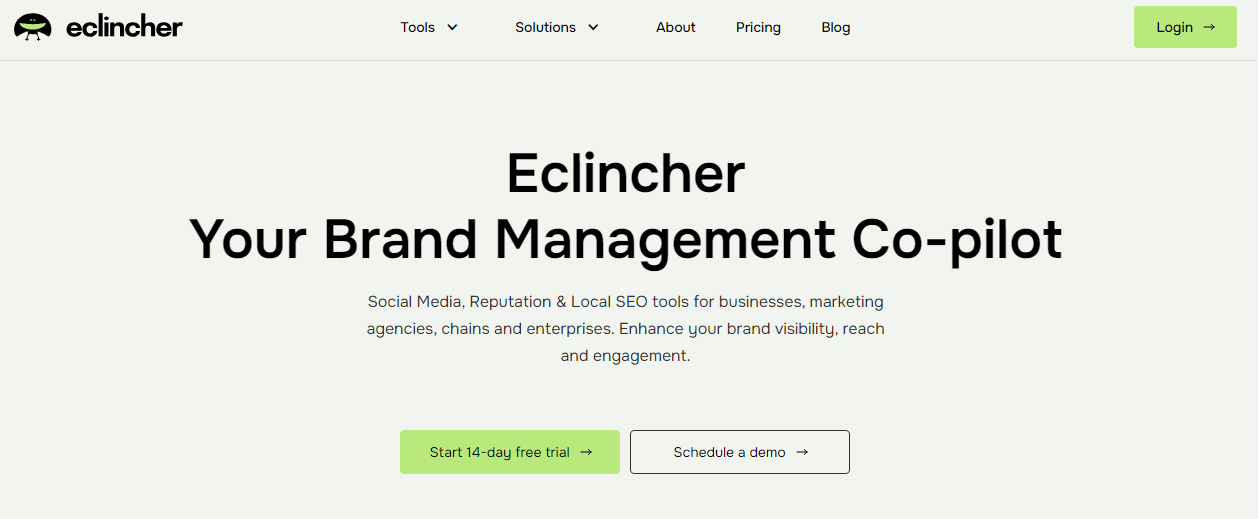
If what you’re looking for is a more powerful and automation-driven social media management platform, eClincher is a strong Tailwind alternative to consider. You will definitely love how “business-ready” it is.
Everything – from publishing to engagement to monitoring – feels built for teams that want to streamline their workflow and save time.
Unlike Tailwind, which focuses heavily on visual planning for Instagram and Pinterest, eClincher spreads its strength across a wider set of platforms and offers deeper automation features, stronger listening tools, and a much more capable engagement inbox.
If you handle multiple clients or run accounts that need consistent monitoring, eClincher fits right into that routine.
eClincher’s Key Features
- Multi-Platform Publishing: Schedule and publish posts across Instagram, Facebook, LinkedIn, Twitter (X), TikTok, Pinterest, Google Business Profile, and more.
- Robust Visual Calendar: Plan and organize content using a flexible calendar that makes scheduling clearer and more streamlined.
- Unified Social Inbox: Track comments, messages, mentions, and reviews in one place – no app switching required.
- Powerful Auto-Posting & Recycling: Create evergreen content queues and let eClincher recycle posts automatically to keep your feed active.
- Social Listening & Monitoring: Track brand mentions, keywords, hashtags, and competitor activity in real time.
Standout Feature: Auto-Posting Queues
eClincher’s recycling and auto-posting queues are incredibly powerful. You can build evergreen content categories, set posting schedules, and let the system run on its own.
This is perfect for agencies, coaches, blogs, or brands that rely on recurring content themes. Tailwind has some automation, but eClincher’s queue system is far more advanced and hands-off.
Where eClincher Outshines Tailwind
eClincher beats Tailwind in several major areas:
- Wider platform support beyond Instagram, Pinterest, and Facebook.
- A full engagement inbox, unlike Tailwind’s absence of any messaging tools.
- Stronger automation, especially with evergreen recycling and smart queues.
- Real-time social listening, something Tailwind doesn’t offer.
- Better collaboration features for agencies and growing teams.
- More advanced analytics for strategy and reporting.
Pricing
eClincher typically offers multiple plans depending on team size and feature needs. Pricing starts around $65/month for smaller teams. You can move to higher-tier plans for more profiles, more users, and deeper automation tools.
Though pricier than Tailwind’s entry tiers, eClincher delivers more automation, more platforms, and more professional-level features, making it a solid choice for agencies and fast-growing brands.
If Tailwind feels too restrictive or too focused on just a few platforms, eClincher gives you a wider, smarter, and more automated toolkit to manage your social media in one place.
5. Sprout Social
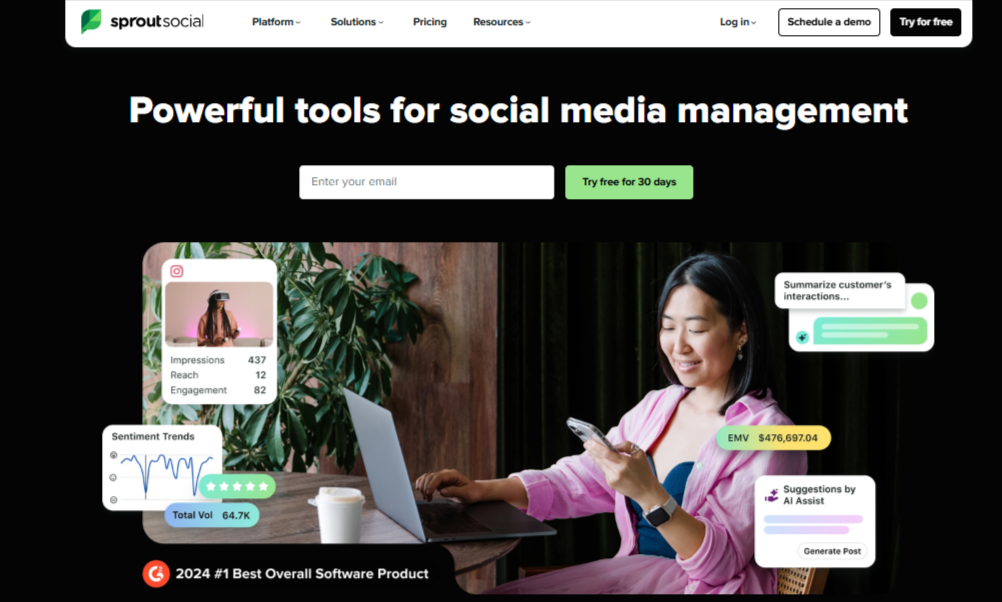
Sprout Social is one of the most powerful Tailwind alternatives you can switch to, especially if you’re looking for something built for strategy, collaboration, and deep insights. When we tested it side-by-side with Tailwind, the difference was obvious. Sprout Social feels like a true all-in-one command center, not just a scheduling tool.
Where Tailwind focuses mainly on visual planning for Pinterest and Instagram, Sprout Social gives you a much wider toolkit: publishing, engagement, analytics, listening, team management, and even customer service-level inbox features.
It’s a premium platform with premium capabilities, making it especially useful for agencies, established brands, and teams handling multiple accounts.
Sprout Social’s Key Features
- Effortless Publishing & Content Planning: Schedule posts across major platforms, organize campaigns, and stay consistent using Sprout’s clean, intuitive calendar.
- Unified Social Inbox: Respond to comments, messages, mentions, and reviews across all your platforms from one dashboard.
- Advanced Analytics & Reporting: Get deep insights into performance, audience behavior, trends, and competitor benchmarks.
- Powerful Team Collaboration Tools: Assign roles, set permissions, share calendars, and manage approvals, perfect for larger teams.
- Social Listening Capabilities: Track conversations, brand mentions, keywords, and industry trends in real time.
- Smart Workflows: Automations help reduce manual tasks and keep content moving even when your team is busy.
Standout Feature
Sprout Social shines brightest in its analytics and listening capabilities. You’re not just looking at likes and comments; you’re tracking sentiment, trends, competitors, audience behaviors, and ROI. This level of insight is far beyond what Tailwind offers and helps brands make smarter, data-driven decisions.
Where Sprout Social Outshines Tailwind
Sprout Social overtakes Tailwind in almost every category except basic visual planning:
- Supports many more platforms (Tailwind only supports 3).
- Has a powerful, unified inbox for engagement (Tailwind has none).
- Includes robust social listening tools Tailwind doesn’t offer.
- Has deeper analytics and reporting for professional strategy building.
- Offers better team collaboration and workflow tools for multi-member teams.
If you’ve outgrown Tailwind and want a more advanced, full-scope tool, Sprout Social is one of the most capable upgrades.
Pricing
Sprout Social is a premium platform, with plans starting at $199/month per seat. The tool is designed for agencies, mid-sized to large businesses, and brands that need professional-level analytics, collaboration, and listening tools.
6. Buffer
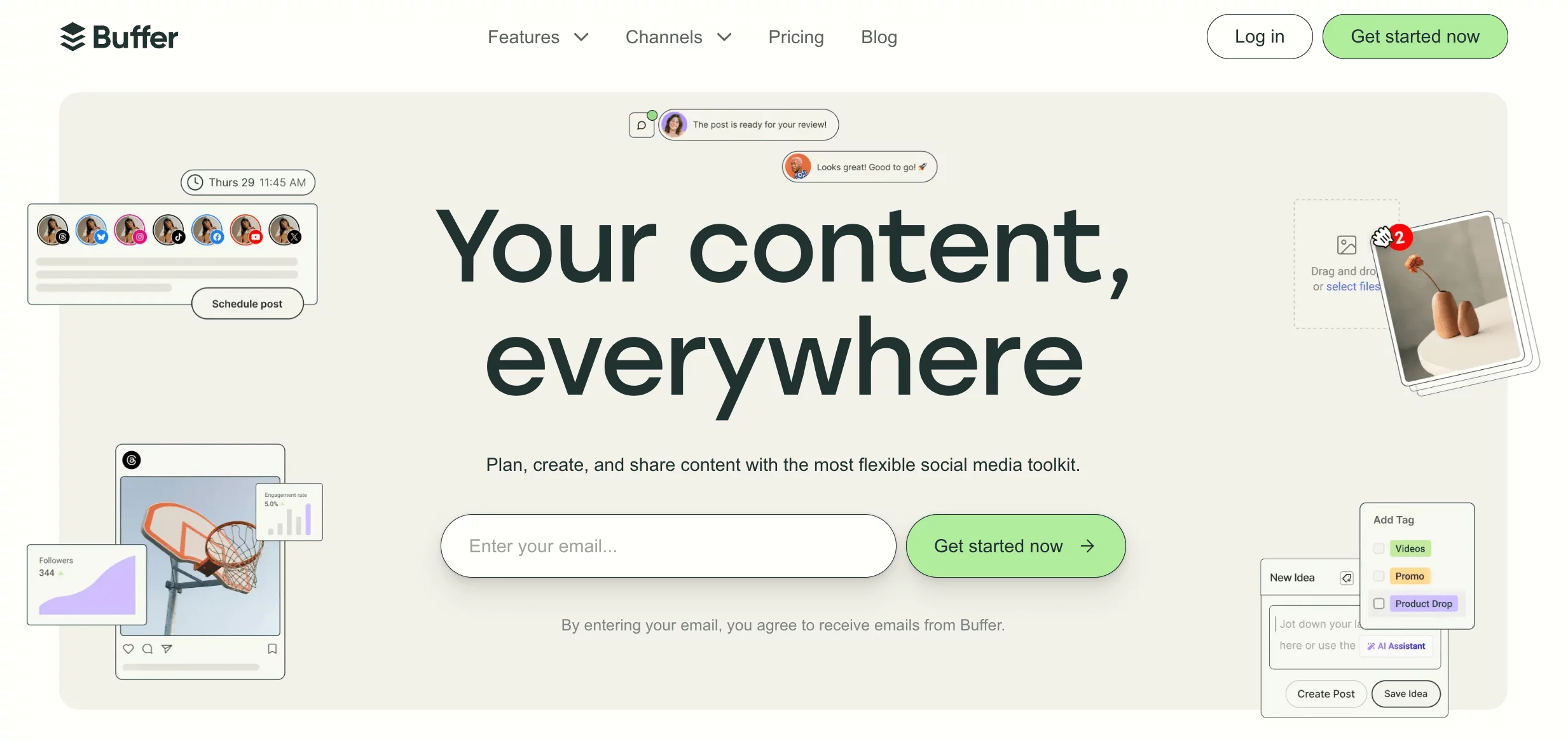
Buffer is one of the most beginner-friendly Tailwind alternatives out there. When we tested it, the ease of use was the first thing that stood out. Everything feels clean, organized, and quick to set up. Buffer focuses on making scheduling simple, creating content faster, and keeping your workflow clutter-free.
Compared to Tailwind, which mainly concentrates on Instagram and a couple other platforms, Buffer supports more platforms and removes the complexity of Tailwind’s credit system. If you want a tool that “just works” without jumping through hoops, Buffer is a great place to start.
Key Features of Buffer
- Multi-Platform Scheduling: Publish to Instagram, Facebook, LinkedIn, X (Twitter), TikTok, Pinterest, and more from one dashboard.
- Built-In Content Creation Tools: Create captions, brainstorm ideas, or generate post variations quickly without leaving Buffer.
- Performance Analytics: Understand what content performs best with easy-to-read reports and engagement insights.
- Unified Engagement Inbox: Reply to messages and comments from supported platforms in one place – something Tailwind doesn’t offer.
- Team Collaboration: Shared calendars, role assignments, and approval workflows help keep team projects organized and on track.
Standout Feature
Buffer’s biggest strength is its simplicity. Whether you’re scheduling posts, reviewing analytics, or collaborating with a teammate, everything feels intuitive from the start. There’s almost no learning curve, making it a refreshing switch if Tailwind’s interface feels overwhelming or restrictive.
Where Buffer Outshines Tailwind
Buffer has a few clear advantages over Tailwind:
- Supports more platforms, not just Instagram, Pinterest, and Facebook.
- No credit system, so you can post freely without worrying about limits.
- Includes an engagement inbox, which Tailwind lacks entirely.
- Has a gentler learning curve, ideal for beginners or busy creators.
- Offers smoother collaboration tools for small teams.
Pricing
Buffer offers a free plan, and paid plans start at $6 per month per channel. It’s one of the most affordable Tailwind alternatives, especially for individuals, small teams, and growing creators.
If Tailwind feels too limiting or too narrow in platform support, Buffer gives you freedom, flexibility, and simplicity without the steep learning curve.
7. Agorapulse

The next tool we would want you to consider when looking for Tailwind alternatives is Agorapulse. This is one of the strongest tools you can get if you want an all-in-one tool that handles publishing, engagement, collaboration, analytics, and listening without feeling complicated.
When we tested it, the biggest difference we noticed compared to Tailwind was just how “complete” everything feels. You can schedule posts, answer messages, monitor brand mentions, and generate client-ready reports all from the same space.
Key Features
- Multi-Platform Scheduling: Publish to Instagram, Facebook, LinkedIn, TikTok, Twitter (X), YouTube, and more.
- Team Collaboration Tools: Assign tasks, manage approvals, leave internal notes, and keep everyone aligned inside one workflow.
- Unified Social Inbox: View and respond to comments, DMs, reviews, and mentions without switching tabs – something Tailwind doesn’t provide.
- Automated Workflows: Streamline repetitive tasks with automation that keeps your content pipeline moving.
- Social Listening: Monitor mentions, competitors, trends, and keywords to stay ahead of conversations around your brand.
- Advanced Reporting: Create clean, branded reports with ROI insights – ideal for agencies and teams presenting results to clients.
Standout Feature: ROI & Performance Tracking
Agorapulse’s reporting is one of the best in the industry. The tool goes beyond typical engagement metrics and gives you ROI-focused insights using Google Analytics integrations. So you can actually see what content drives results – not just likes. This level of tracking is far beyond Tailwind’s capabilities.
Where Agorapulse Outshines Tailwind
Agorapulse beats Tailwind in several key areas:
- Supports many more platforms (Tailwind only supports three).
- Has a powerful unified inbox, while Tailwind offers none.
- Includes social listening, which Tailwind doesn’t support.
- Offers deeper analytics and ROI tracking.
- Provides stronger collaboration and workflow tools for teams.
- No credit system, giving you freedom to post as much as you need.
If Tailwind feels too basic for your current workload or you’re managing multiple clients, Agorapulse gives you the structure and depth Tailwind lacks.
Pricing
Agorapulse’s pricing starts at $99/month per user. While it’s a mid-range investment, the platform delivers powerful scheduling, engagement, analytics, and listening tools that make it ideal for:
- agencies
- growing teams
- multi-location brands
- creators who want full analytics and inbox management
8. Zoho Social
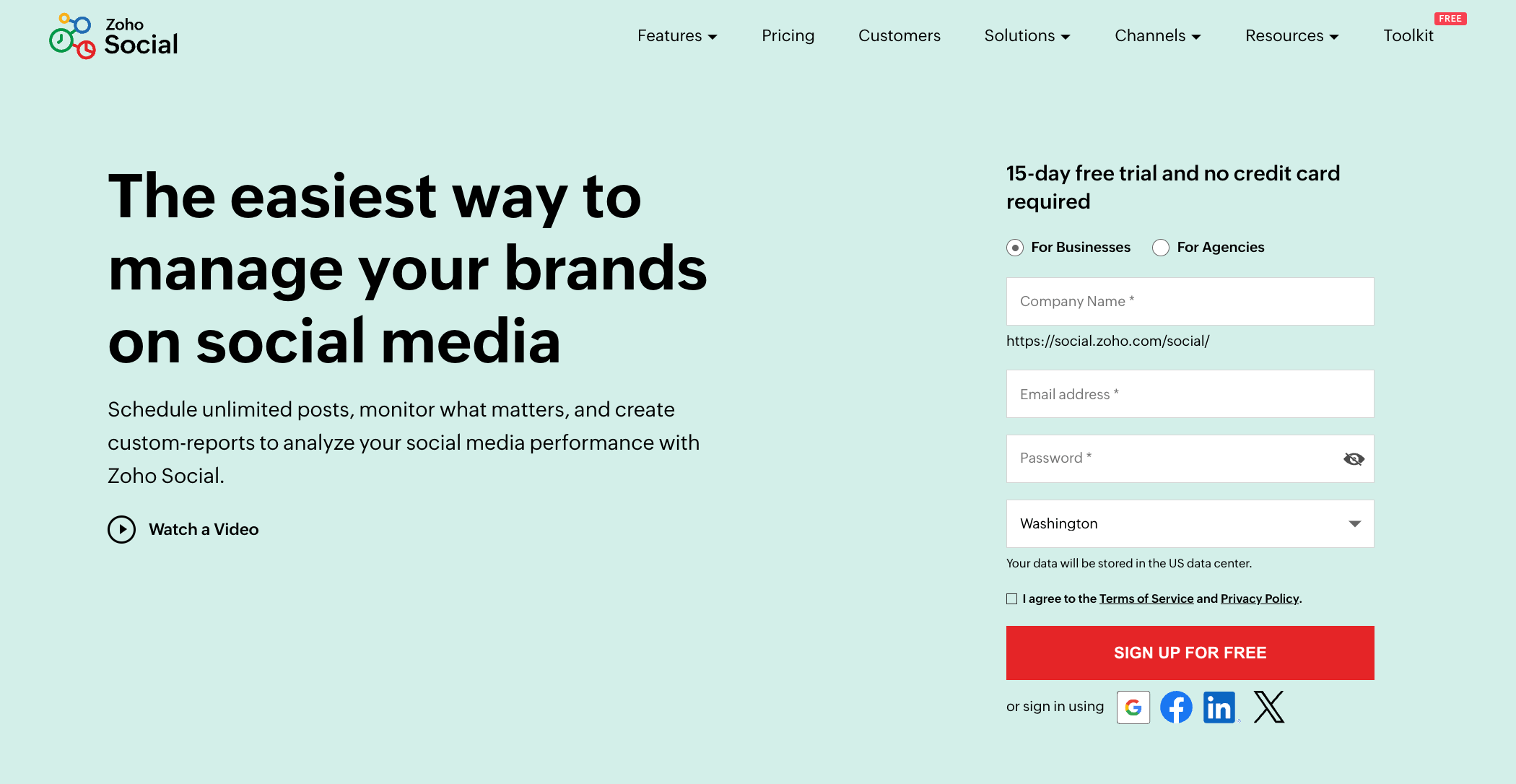
Zoho Social is a great Tailwind alternative if you’re looking for a tool that’s clean, reliable, and built for both solo creators and growing teams. During testing, the first thing we noticed was how organized everything feels.
The dashboard is smooth, the workflows make sense, and you get a nice balance between simplicity and professional features.
Unlike Tailwind, Zoho Social supports a wider range of platforms and gives you more control over collaboration, monitoring, and analytics.
Key Features of Zoho Social
- Multi-Platform Publishing: Schedule and publish posts to many social platforms at once.
- Smart Scheduling Tools: Auto-schedule posts at the best times or create custom time slots that match your brand’s rhythm.
- Unified Inbox: Reply to messages, comments, and mentions from different platforms inside one dashboard. This is one thing Tailwind doesn’t offer.
- Social Monitoring: Track keywords, brand mentions, reviews, and conversations to stay ahead of trends.
- Analytics & Custom Reports: View performance insights and export branded reports for clients or team members.
- Team Collaboration Tools: Assign roles, create approval flows, and work smoothly with clients or teammates.
- CRM Integration: Because Zoho Social is part of the Zoho ecosystem, you can connect it directly to Zoho CRM – useful for brands that want marketing and customer data in one place.
Standout Feature
Zoho Social stands out for its native integration with Zoho CRM. If your brand already uses Zoho apps, everything syncs – leads, engagement, conversations, and customer data. This gives you a fuller picture of how your social content converts, something Tailwind can’t offer at all.
Where Zoho Social Outshines Tailwind
Zoho Social delivers several clear advantages compared to Tailwind:
- Supports more platforms, not just Instagram, Facebook, and Pinterest.
- Includes a full engagement inbox, which Tailwind lacks entirely.
- Offers social listening and monitoring, unavailable in Tailwind.
- Has CRM integration, making it great for businesses that want marketing and sales data connected.
- Provides better team collaboration, especially for multi-user setups.
- Has no credit system, so you’re not limited in how much you can post.
Pricing
Zoho Social offers a variety of plans, with pricing generally starting around $15/month for individuals and small teams. Higher-tier plans offer more profiles, more features, and more users
It’s one of the more affordable Tailwind alternatives, especially for businesses that want CRM integration or a structured team workflow.
9. Later

For people who love visual content planning but want a tool that supports more platforms and gives them a smoother day-to-day workflow, Later is a good tool to consider. When we tested Later alongside Tailwind, the difference in interface design was clear. Later feels lighter, cleaner, and more intuitive, especially if you’re someone who likes to drag, drop, and visually map out your content.
While Tailwind sticks closely to Instagram, Pinterest, and Facebook, Later gives you a broader platform lineup, better AI tools, and a more flexible content calendar. If you’re a creator, brand, or marketer who values aesthetics and wants to streamline planning, Later is a natural fit.
Later’s Key Features
- Multi-Platform Scheduling: Plan and publish posts to Instagram, Facebook, TikTok, Pinterest, and X (Twitter) from one dashboard.
- AI-Powered Caption & Idea Tools: Generate caption ideas, rewrite content, and brainstorm with built-in AI prompts.
- Visual Calendar: A clean drag-and-drop calendar that lets you rearrange posts effortlessly and preview how everything will look before it goes live.
- Analytics & Insights: Track what’s performing well and refine your content strategy with simple, visual analytics.
- Collaboration Tools: Assign roles, share calendars, and manage content approvals smoothly, ideal for small teams.
- Link in Bio: Build a mini landing page that lets you direct Instagram visitors to multiple destinations.
Standout Feature
Later’s biggest strength is its visual planning experience. The calendar is easy to use, aesthetically pleasing, and designed for creators who rely heavily on visuals. It takes the guesswork out of how your grid or feed will look – something Tailwind tries to do, but Later simply does better.
Where Later Outshines Tailwind
Later beats Tailwind in several areas:
- Supports more platforms, not just Instagram, Pinterest, and Facebook.
- Has a cleaner, more intuitive visual calendar for everyday planning.
- Offers an engagement inbox, something Tailwind doesn’t provide.
- Includes stronger AI tools for captions and ideas.
- Simplifies collaboration, making teamwork easier and clearer.
- No credit system, so you can schedule freely without calculating usage.
If Tailwind feels too restrictive or you want a tool that delivers a smoother and more creative planning experience, Later is an excellent upgrade.
Pricing
Later’s plans start at $16.67/month, with higher tiers for teams, analytics, and more social sets. It’s an affordable option for creators, brands, and small teams that need better visual planning and wider platform support.
If you’re looking for a Tailwind alternative that feels intuitive, visually pleasing, and built for creative workflows, Later should definitely be on your shortlist.
10. SocialPilot

SocialPilot is another well-rounded Tailwind alternative, especially if you want something that balances affordability, strong automation, and team collaboration. SocialPilot stood out for being incredibly practical.
It doesn’t try to overwhelm you with flashy features. Instead, it focuses on helping you plan, publish, collaborate, and report without friction.
Compared to Tailwind’s narrow platform support and credit-based posting, SocialPilot immediately gives you more freedom. It’s built for creators, small businesses, and agencies who want a tool that lets them move fast and stay organized.
Key Features
- Multi-Platform Scheduling: Publish across Instagram, Facebook, TikTok, LinkedIn, Pinterest, Twitter (X), YouTube, and Google Business Profile.
- Advanced Publishing Tools: Create recurring posts, add first comments, schedule at optimal times, and set up evergreen queues.
- AI Assistant: Generate captions, rewrite text, and brainstorm content ideas quickly.
- Unified Social Inbox: Respond to comments, messages, and mentions from one central hub.
- White-Label Dashboard: Rebrand the entire system with your own logo and domain –gold for agencies.
- RSS Feeds Integration: Pull fresh content from blogs and websites automatically to keep your feeds active.
- Social Media Analytics: Track performance and share clean, custom reports with clients or your team.
- Client Approval Tools: Review and approve content on the go, great for agencies managing multiple brands.
Standout Feature: Approvals on the Go
SocialPilot’s on-the-go approval workflow is incredibly useful. Clients or team leads can approve posts straight from their phone without logging into a complicated dashboard. This smooths out collaboration in a way Tailwind doesn’t come close to offering.
Where SocialPilot Outshines Tailwind
SocialPilot has several clear advantages over Tailwind:
- Supports far more platforms, not just Instagram, Pinterest, and Facebook.
- Includes a unified inbox, while Tailwind has none.
- Offers stronger automation like recurring posts, queues, and RSS scheduling.
- Has a white-label option, which Tailwind lacks completely.
- AI tools are better integrated, making content creation faster.
- Offers professional-level client workflows perfect for agencies.
Tailwind is great for visual planning, but SocialPilot gives you the broader, more scalable toolkit needed for real social media growth.
Pricing
SocialPilot offers several affordable plans:
- Essentials: $30/month
- Standard: $50/month
- Premium: $100/month
- Ultimate: $200/month
A 14-day free trial is available for all premium features.
11. Planable

Planable is a great Tailwind alternative if your workflow revolves heavily around collaboration, approvals, and keeping content organized across multiple brands. It is one of the most “team-friendly” tools out there.
The platform is designed to make planning, reviewing, and approving content as smooth as possible, without the clutter or confusion you sometimes get in more complex tools.
Unlike Tailwind, which mainly focuses on visual scheduling for Instagram and Pinterest, Planable gives you a structured environment for brainstorming, drafting, editing, and approving posts across several platforms. If you work with clients or large teams, this setup can save you hours.
Key Features of Planable
- Multi-Level Collaboration: Create clear approval steps for team members and clients, making feedback easy and organized.
- Automated Publishing: Schedule posts across multiple social networks from one central dashboard.
- Content Library: Store your assets, ideas, drafts, and evergreen content in one tidy space.
- Real-Time Feedback & Approval: Comment, review, and approve posts with your team or clients without leaving the platform.
- Intuitive Social Calendar: See all your content at a glance through a visual, color-coded calendar that makes planning campaigns easier.
- Post Labeling: Tag content by campaign or topic to keep everything structured.
Standout Feature
Planable shines when it comes to teamwork. The platform lets you plan, draft, comment, review, and approve posts exactly like you’d work in a shared Google Doc, but made specifically for social media.
If your workflow involves a lot of feedback loops, Planable keeps everything tidy and eliminates the back-and-forth messaging Tailwind doesn’t handle well.
Where Planable Outshines Tailwind
- Much stronger collaboration tools, perfect for teams and agencies.
- A more intuitive approval workflow, which Tailwind doesn’t offer.
- A universal content calendar, instead of Tailwind’s Pinterest/Instagram focus.
- A richer content library for storing ideas and campaign assets.
Pricing
Planable uses workspace-based pricing rather than per-user pricing. The plans include:
- Free – $0/month (up to 50 posts total)
- Basic – $39/month per workspace (up to 60 posts/month, unlimited users, 4 social pages)
- Pro – $59/month per workspace (up to 150 posts/month, unlimited users, 10 social pages)
- Enterprise – Custom pricing (flexible limits and premium support)
If collaboration, content approval, and organized planning are big priorities for your team, Planable is one of the strongest Tailwind alternatives you can choose.
12. SocialBee

SocialBee is a fantastic Tailwind alternative if you want more automation, better content organization, and stronger support for multiple platforms. Lining it side-by-side with Tailwind, what stood out immediately was how much control it gives you over your posting rhythm.
SocialBee feels like a tool built for people who want to stay consistent without spending hours planning every week. If you’re managing multiple brands or want a system that keeps your feeds full even during busy weeks, SocialBee fits naturally into that workflow.
Key Features of SocialBee
- Multi-Platform Scheduling: Publish to Instagram, Facebook, LinkedIn, Twitter (X), TikTok, Pinterest, Google Business Profile, and more.
- Content Categories & Recycling: Organize posts into categories, such as tips, promos, quotes, and let them recycle automatically to keep your pages active.
- AI Content Tools: Generate captions, improve drafts, and brainstorm ideas with SocialBee’s built-in AI.
- Engagement Tools: Reply to comments and messages from one central place.
- Brand Mentions & Monitoring: Track conversations around your name, keywords, and competitors.
- Team Collaboration: Assign roles, request approvals, and manage content smoothly as a team.
- Content Import Options: Pull posts from RSS feeds, Pocket, or other sources to keep your queue full without manual uploads.
Standout Feature: Category-Based Scheduling
SocialBee’s category system is one of its biggest strengths. You can group posts into categories like educational, promotional, curated content, testimonials, and more, and then assign each category to specific time slots.
This ensures your content mix stays balanced and consistent without manually planning every post. Tailwind doesn’t offer this kind of structured automation.
Where SocialBee Outshines Tailwind
SocialBee goes beyond Tailwind in several important areas:
- Supports more platforms, not just Pinterest, Instagram, and Facebook.
- Offers category-based scheduling and recycling, which Tailwind lacks.
- Has a unified inbox, something Tailwind doesn’t offer at all.
- No credit-based posting, giving you unlimited freedom across platforms.
- Better automation, making it easier to stay consistent.
- Provides mention tracking and monitoring, which Tailwind doesn’t support.
Pricing
SocialBee offers three plan categories:
- Boostrap Plans start at $29/month
- Accelerate Plans start at $49/month
- Pro Plans starts at $99/month.
Higher tiers include more profiles, more users, and advanced features, making it a solid choice for creators, small businesses, and agencies.
13. Metricool
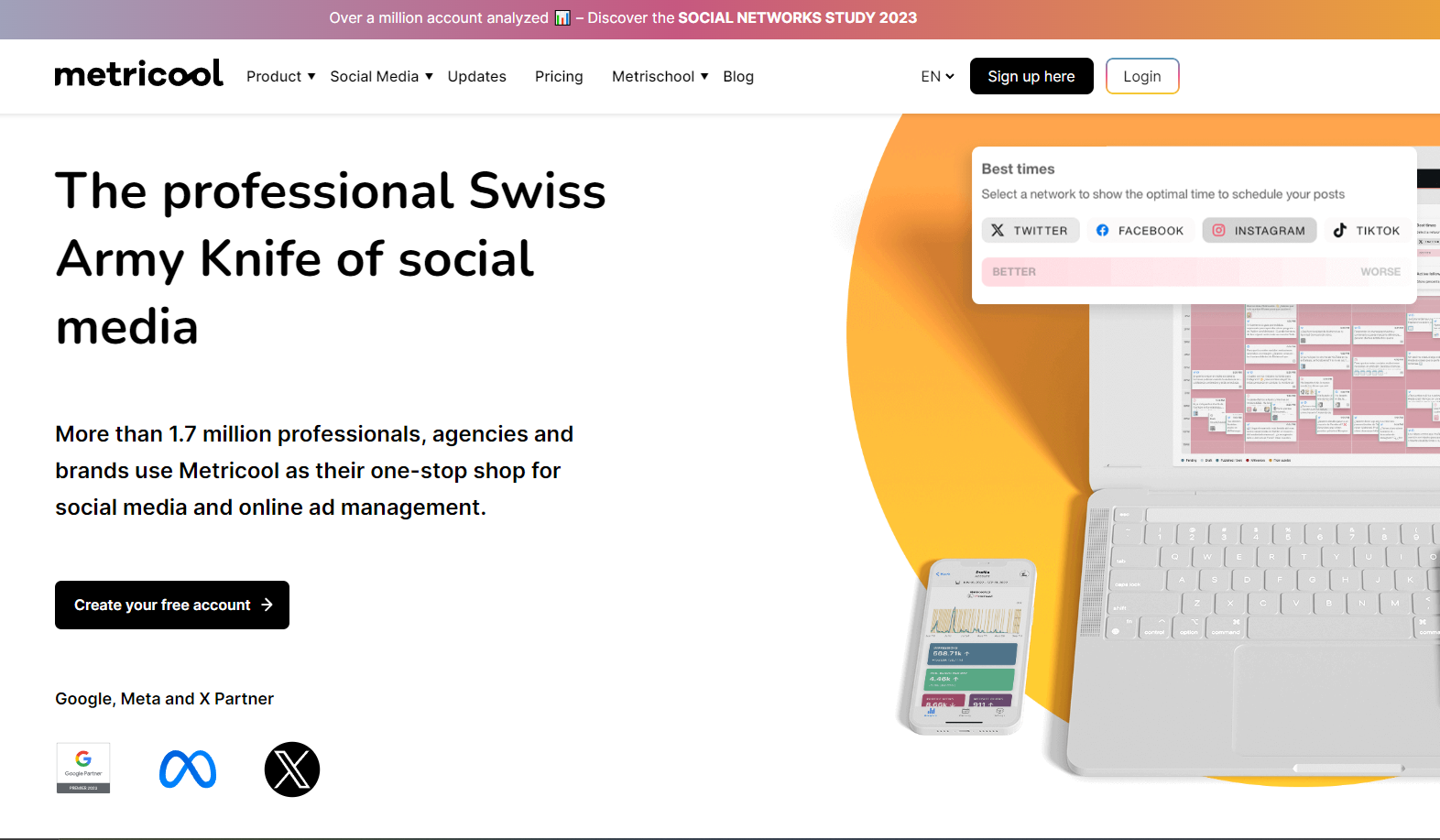
Metricool is a solid Tailwind alternative if you’re looking for a simple, analytics-driven scheduling tool that supports more platforms without overwhelming you with complexity. It’s easy to map out your content, track performance across channels, and generate reports without touching multiple tools.
Compared to Tailwind, Metricool gives you wider platform support and a much stronger analytics experience. If you want a tool that helps you understand what’s actually working – not just schedule posts – Metricool is a dependable upgrade.
Key Features of Metricool
- Multi-Platform Scheduling: Plan and publish posts through a drag-and-drop calendar that works across Instagram, Facebook, Pinterest, LinkedIn, TikTok, and more.
- Detailed Analytics Dashboard: Track performance, audience growth, top-performing posts, and platform trends with clear visuals.
- Branded Reporting: Create polished client reports in minutes – ideal for freelancers and agencies.
- SmartLinks: Build customizable bio links to drive traffic to multiple destinations from a single link.
- Hashtag Analysis: Track which hashtags actually increase your reach so you can optimize future posts.
Standout Feature
Metricool’s analytics go deeper than most Tailwind users are used to. Instead of basic engagement stats, you get full platform-level insights, competitor comparisons, audience behavior trends, and clean reports you can export instantly. Tailwind’s insights don’t come close to this level of depth, especially if you’re managing multiple channels.
Where Metricool Outshines Tailwind
- Supports more social networks, beyond Tailwind’s Instagram/Pinterest/Facebook focus.
- Provides a unified inbox, which Tailwind lacks entirely.
- Offers deeper analytics and reporting, essential for client work.
- Has a more flexible scheduling calendar, without credit limits.
- Includes SmartLinks and hashtag tracking, ideal for performance-driven posting.
- No credit-based system, so you can schedule freely.
If Tailwind’s posting limits or narrow platform support slow down your workflow, Metricool will feel like a refreshing upgrade.
Pricing
Metricool offers A free plan with basic scheduling and analytics and paid plans starting at $18/month. It’s affordable, easy to use, and packed with features Tailwind simply doesn’t offer.
If you’re looking for a Tailwind alternative that keeps workflow simple but adds stronger analytics, more platform support, and better engagement tools, Metricool is a smart choice to wrap up the list.
Final Note
Tailwind can be a great starting point, but it’s not the only way to plan, schedule, and grow online. If you’re feeling limited by the tool, especially because of its limited platform support or workflow restrictions, you have plenty of stronger, more flexible tools to choose from.
Each alternative on this list brings something different – whether it’s better automation, deeper analytics, wider platform coverage, or smoother collaboration.
Take your time to compare your options and think about what your workflow truly needs. The right social media management tool won’t just help you post more; it’ll help you work faster, stay consistent, and scale your growth without the stress.
FAQs
What are Tailwind alternatives?
Tailwind alternatives are social media management tools that offer features similar to or more advanced than Tailwind. These tools help you plan content, schedule posts, manage engagement, automate tasks, and track analytics across more platforms than Tailwind’s three-channel limit.
What is the most important feature to look for in a Tailwind alternative?
That will depend on your workflow, but for most people, multi-platform support is key. Since Tailwind only supports Instagram, Pinterest, and Facebook, choosing a tool that covers more platforms, like LinkedIn, TikTok, YouTube, X, and others, gives you far more flexibility. Other important features include automation, analytics, collaboration tools, and a unified inbox.
How do I choose the right Tailwind alternative for my needs?
Start by identifying your priorities. Is it platform coverage, analytics, collaboration, automation, or budget? Then compare tools based on how well they fit your daily workflow.
If you need something simple, choose an intuitive scheduler. If you manage multiple brands, pick a tool with strong collaboration and reporting. And if you want everything in one dashboard, look for an all-in-one platform with engagement and analytics built in.
Does OnlySocial offer white-label solutions?
Yes. OnlySocial offers a full white-label dashboard, allowing agencies to rebrand the platform with their own logo, colors, and domain. This makes it easy to provide social media management services under your own brand while using OnlySocial’s powerful features behind the scenes.
Are there free Tailwind alternatives?
Absolutely. Tools like Buffer, Metricool, and Zoho Social offer free plans with basic scheduling and analytics. While free plans usually come with limitations, they’re great if you’re starting out or want to test different platforms before committing to a paid plan.
Which Tailwind alternative is best for agencies?
If you run an agency, look for tools with strong collaboration features, approval workflows, white-label options, and support for multiple accounts per platform. OnlySocial, SocialPilot, and Agorapulse are some of the most agency-friendly options because they include team features, client approvals, and scalable pricing.