Loomly Pricing Increased: Is It Still Good Value for Money in 2025?
Loomly has long been one of those tools people recommend when talking about easy-to-use social media schedulers. It’s clean, reliable, and has helped thousands of brands plan and publish their content without a fuss.
But lately, the talk hasn’t been about how smooth Loomly feels to use – it’s about how much it now costs. In early 2025, Loomly quietly rolled out a new pricing structure, and the increase didn’t go unnoticed. From small business owners to marketing teams, many users are wondering if the features they rely on are still worth the higher monthly bill.
It’s a fair question. Loomly remains a solid tool, but with pricing now touching the higher end of the market, is it still good value for money – or is it time to start exploring smarter, more affordable alternatives?
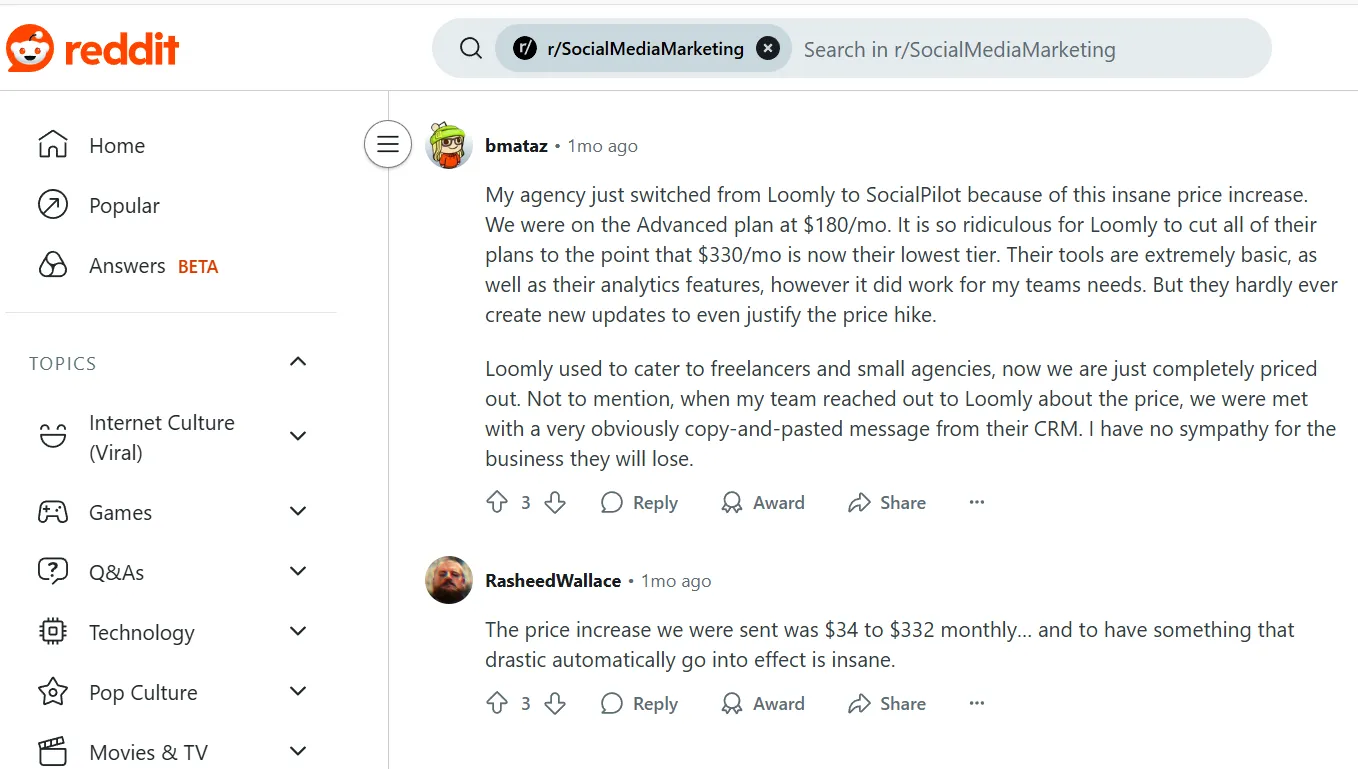
Table of Contents
- 1 Loomly New Pricing: Quick Breakdown
- 2 Complete Breakdown of Loomly Pricing: What You Need to Know in 2025
- 3 Is Loomly Still Worth the Investment?
- 4 Loomly Pricing vs OnlySocial Pricing Comparison
- 5 Loomly vs OnlySocial: Quick Comparison (2025)
- 6 Loomly vs OnlySocial: Which Tool Wins on Value and Features?
- 7 Other Loomly Alternatives to Consider
- 8 FAQs
- 9 Final Note
Loomly New Pricing: Quick Breakdown
Loomly has always offered tiered plans to suit different business sizes. But in 2025, its pricing took a noticeable jump – and not everyone’s happy about it. The platform now has four main plans: Free, Starter, Beyond, and Enterprise.
Here’s a quick look at what each one includes:
| Plan | Cost (Monthly Billing) | Social Accounts | Users | Notes |
| Free | $0 | 3 | 1 | Basic scheduling and post previews |
| Starter | $65/month | 12 | 3 | Access to analytics, approval workflows, and core collaboration tools |
| Beyond | $332/month | 60 | Unlimited | Designed for large teams; includes advanced analytics and ad integration |
| Enterprise | Custom quote | 61+ | Unlimited | Tailored support and white-label options |
Loomly’s new structure keeps the basics intact, but the pricing gap between Starter and Beyond is steep. Many users have pointed out that jumping from 12 to 60 social accounts also means jumping by hundreds of dollars per month.
For small agencies or solo marketers, that’s a tough pill to swallow. And with some of Loomly’s older mid-tier plans now gone, users are left with fewer flexible options.
While annual billing still offers a small discount, it’s clear that affordability has become a growing concern, especially for teams scaling up gradually.
Complete Breakdown of Loomly Pricing: What You Need to Know in 2025
Loomly Free Plan
Price: $0/month
Includes: 3 social profiles, 1 user
The Free plan sounds good on paper – and yes, you get the basics:
- Schedule up to 5 posts per month
- Automated publishing
- Hashtag suggestions
- Post previews and optimization tips
- Basic analytics
For someone just testing the waters, it’s a safe start. But five posts a month? That’s barely one post per week. If you’re even slightly serious about building an audience, you’ll outgrow this plan almost immediately.
Missing tools like advanced analytics, bulk posting, or “best time to post” suggestions make it more of a teaser than a real option. It’s suitable only for those curious about how Loomly works – not for anyone trying to stay active online.
Loomly’s Starter Plan
Price: $65/month
Includes: 12 social profiles, up to 3 users
The Starter plan is where Loomly starts to get practical. It offers:
- Unlimited scheduling
- Advanced analytics and hashtag manager
- Approval workflows
- Bulk posting and recurring post suggestions
- Unsplash and Giphy integrations
- Google Drive upload and link shorteners
This tier fits small businesses or freelancers managing multiple platforms. It’s efficient, creative-friendly, and collaborative – but not without limits. You’ll miss out on Slack or Teams integrations, scheduled reports, and custom roles, which makes scaling teamwork harder.
For small setups, though, it strikes a decent balance between features and price – just expect to hit its ceiling if your team starts expanding.
Loomly’s Beyond Plan
Price: $332/month
Includes: 60 social profiles, unlimited users
The Beyond plan is clearly built for agencies and marketing teams managing many clients. You get:
- Bulk posting and direct publishing
- Custom roles and workflows
- Scheduled reports
- Slack and Teams integrations
- Approval workflows
- Advanced analytics
- Unlimited scheduling and media storage
- Best time to post and recurring post suggestions
- Branded subdomains and custom logos
This plan is best for agencies and multi-location brands. It covers almost everything an agency would need to stay organized and efficient. The custom roles feature is a big plus for teams with layered responsibilities. However, it lacks competitor analysis tools, which is surprising for a platform at this price point.
It’s a solid choice for agencies running large-scale operations – but at over $300 per month, it’s a serious investment.
Enterprise Plan
- Price: Custom quote
Includes: 61+ social profiles, unlimited users
For large organizations, the Enterprise plan promises flexibility and tailored support. It includes:
- Dedicated account manager
- Slack and Teams integrations
- Scheduled reports
- Custom workflows and approvals
- Unlimited scheduling and analytics access
It’s built for big marketing departments that need everything centralized. Yet, there’s no social listening, advanced CRM, or unified reporting – which limits its edge against full-scale enterprise tools.
Still, if you’re managing dozens of brands and value responsive support, this tier keeps operations smooth.
Is Loomly Still Worth the Investment?
There’s no denying that Loomly remains a capable and reliable social media management tool. It’s intuitive, polished, and offers many of the key features that teams need to plan, schedule, and collaborate on content. For long-time users, it’s been a dependable partner for years.
But the 2025 pricing hike has changed the conversation. What used to be a balanced mix of affordability and performance now feels a bit out of reach for smaller teams and solo creators.
The jump between the Starter and Beyond plans especially hits hard, forcing users to either stick with limits or pay a premium for features they might not even need.
That’s why more and more marketers are starting to explore other options. Platforms that offer similar – or even more advanced – capabilities without the heavy monthly cost.
One solid option that’s gaining attention is OnlySocial. It brings together everything Loomly does well – scheduling, analytics, collaboration – and combines it with more flexible pricing and modern, time-saving tools.
In the next section, we’ll dive into how OnlySocial compares with Loomly, breaking down their features, value, and overall experience to help you decide which one makes more sense for your team in 2025.
Loomly Pricing vs OnlySocial Pricing Comparison
When you look at Loomly’s new pricing, one thing stands out – it’s no longer friendly to small teams or creators on a budget. The jump from $65/month to $332/month for more social accounts leaves a wide gap that most users can’t comfortably bridge.
That’s where OnlySocial offers a refreshing change. It keeps things simple, fair, and transparent – with plans designed around flexibility and value, not restrictions.
Here’s what OnlySocial’s pricing looks like:
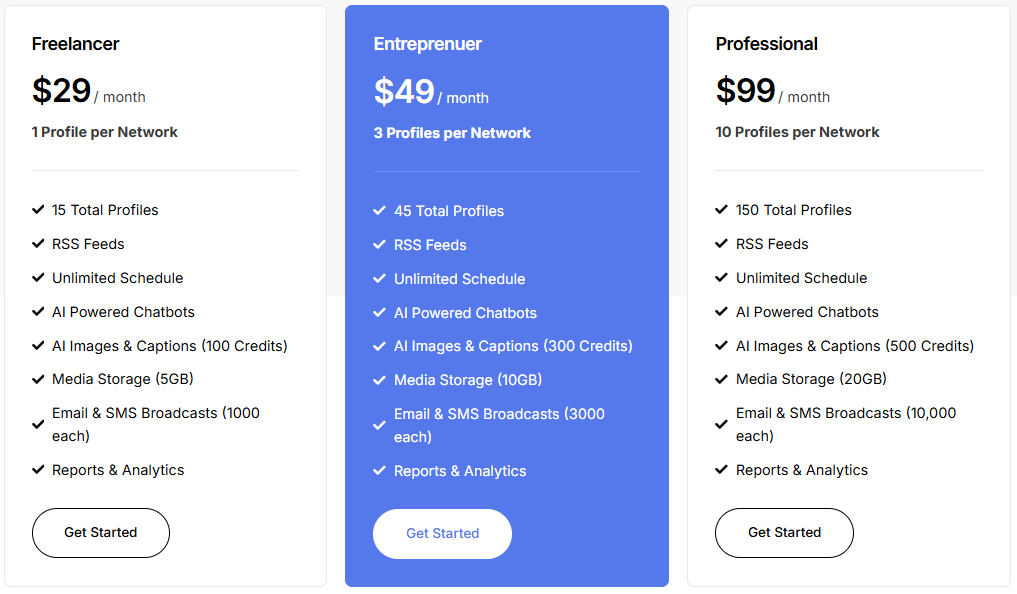
While Loomly charges up to $332/month for 60 social profiles, OnlySocial gives you 100 profiles at just $99/month – plus tools that Loomly doesn’t even offer, like AI-powered chatbots, AI caption and image generation, a unified inbox, and email and SMS broadcasting built right in.
For freelancers and entrepreneurs, that’s a big deal. You get automation, creativity, and analytics all under one roof – without paying enterprise-level fees.
And since OnlySocial supports 15 major platforms, including emerging ones like Bluesky, Threads, and VKontakte, it’s built for the way modern brands actually work today.
Now, let’s take a closer look at how OnlySocial compares with Loomly – not just on price, but on usability, features, and long-term value.
Loomly vs OnlySocial: Quick Comparison (2025)
| Category | Loomly | OnlySocial |
| Starting Price | Free plan available, but limited to 5 posts/month | Starts at $29/month with full features |
| Best Value Plan | Starter – $65/month (12 social profiles) | Entrepreneur – $49/month (20 social profiles) |
| Top-Tier Plan | Beyond – $332/month (60 profiles) | Professional – $99/month (100 profiles) |
| Supported Networks | 7+ major platforms (Facebook, Instagram, TikTok, LinkedIn, Pinterest, etc.) | 15+ platforms, including Threads, Bluesky, VK, and Mastodon |
| Scheduling | Unlimited posts, but manual setup per platform | Unlimited scheduling + bulk upload (up to 500 posts) |
| Content Creation Tools | Post ideas & tips based on trends | Built-in AI for captions, visuals & hashtags |
| Collaboration | Approval workflows and feedback system | Role-based permissions, asset storage, live tracking |
| Engagement Management | No unified inbox; replies handled natively per platform | Unified inbox + AI chatbots for automated replies |
| Analytics & Reporting | Standard engagement and reach metrics | Advanced analytics with clear, actionable insights |
| AI Features | Limited (post ideas only) | Full suite – AI captions, images, and chatbots |
| Media Storage | Limited, expands by plan | Up to 100GB included (depends on plan) |
| Overall Value for Money | High pricing, limited flexibility | Lower cost, more features, better scalability |
Loomly vs OnlySocial: Which Tool Wins on Value and Features?
Loomly and OnlySocial both aim to simplify social media management, but they take very different routes to get there. Loomly focuses on structure and planning, while OnlySocial leans into automation, flexibility, and AI-driven creativity.
Let’s break down how they compare feature by feature.
Supported Networks
Loomly supports most of the big names – Facebook, Instagram, Twitter (X), LinkedIn, Pinterest, TikTok, and YouTube. That covers the essentials, but that’s about where it stops.
OnlySocial goes a step further. It supports over 15 platforms, including newer and niche networks like Threads, Bluesky, VKontakte, Telegram, and Mastodon. For marketers managing global or cross-community audiences, that extra reach matters.
Its interface is also simpler – no clutter, no maze of menus. Everything sits in one dashboard that’s genuinely easy to navigate.

Social Media Content Creation
Loomly’s built-in content ideas are helpful when you’re stuck. It pulls inspiration from current trends and gives you post suggestions based on your industry. That’s a nice touch, but it’s fairly limited.
OnlySocial, on the other hand, has a built-in AI assistant that can do the heavy lifting – from writing captions and generating hashtags to creating brand-matched visuals. It even learns your style over time, so your content feels more consistent.
Publishing and Scheduling
Both tools let you schedule posts in advance, but the experience is very different.
Loomly’s scheduling is straightforward – you can queue posts, preview them, and plan campaigns with precision.
OnlySocial, though, takes scheduling to another level. You can bulk upload up to 500 posts at once, rearrange them easily using a drag-and-drop visual calendar, and cross-post across 15+ platforms in seconds. For busy teams managing high volumes of content, that’s a big productivity boost.
Analytics and Monitoring
Loomly provides a solid analytics dashboard showing post performance, engagement rates, and reach. It’s detailed enough for most users, though it doesn’t include real-time monitoring or competitor insights.
OnlySocial delivers clear, platform-specific analytics that break down performance by content type, audience behavior, and posting frequency. It’s built for quick insights – no spreadsheet headaches – and connects easily with external tools for deeper tracking.
Social Media Calendar
Loomly’s content calendar is one of its strongest features. It gives teams a clean view of upcoming posts, drafts, and ideas – perfect for structured planning.
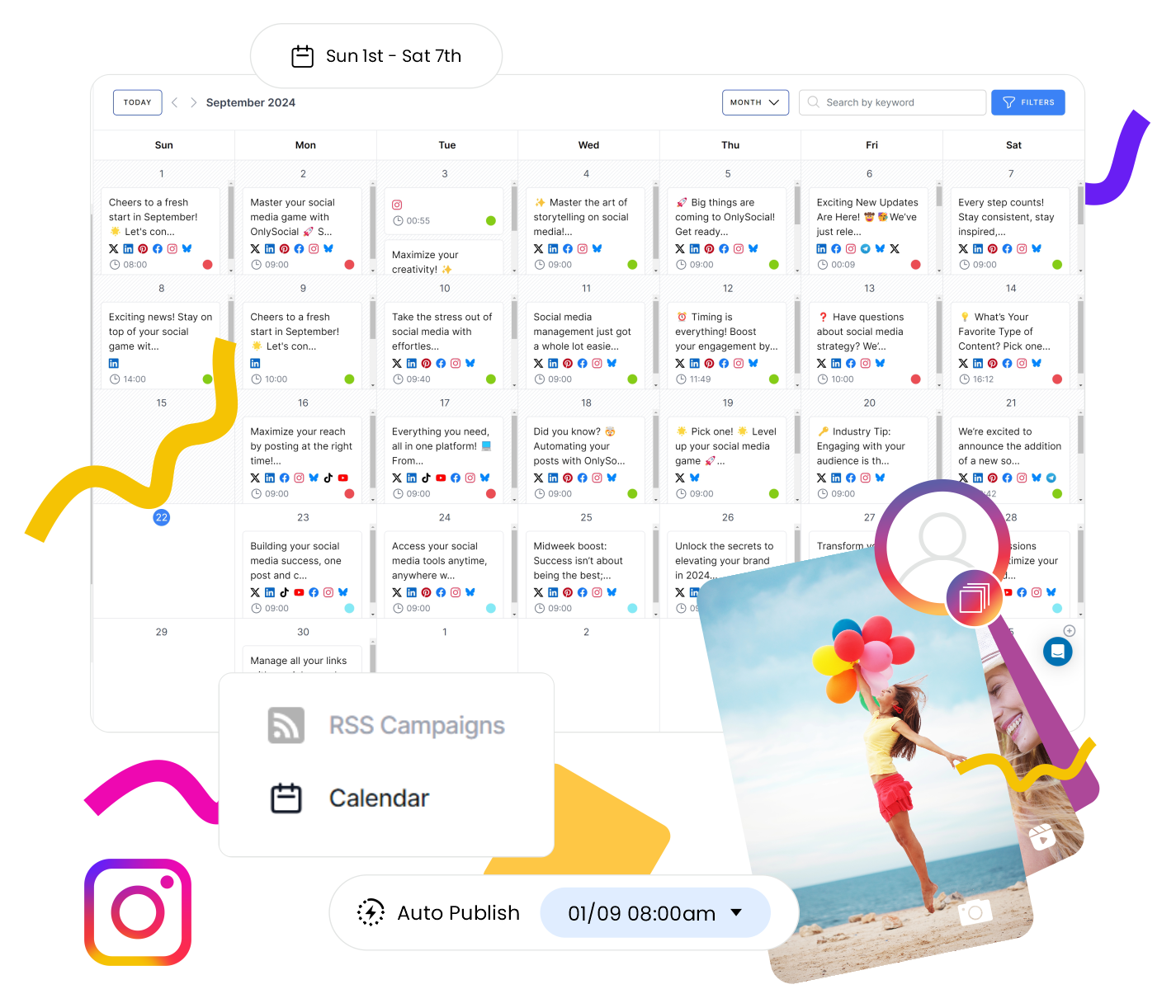
OnlySocial matches that strength and adds more flexibility. Its color-coded, drag-and-drop calendar lets you reschedule instantly, group campaigns by content type, and see all platforms in one view. You can also bulk upload via CSV, which Loomly doesn’t support.
Social Media Collaboration
Loomly has a great feedback and approval system. Team members can comment, review, and approve content directly in the dashboard. It keeps things organized, especially for larger teams.
OnlySocial builds on that with role-based access, asset storage, and real-time post tracking – but keeps the interface light and easy. Whether you’re a freelancer sharing drafts with clients or a big team approving dozens of posts, it stays fluid and transparent.
Engagement Tools
Loomly’s engagement options are limited. You can monitor post performance, but responding to comments or messages means switching platforms.
OnlySocial changes that. Its unified inbox pulls messages, comments, and mentions from all connected platforms into one place. You can reply directly, track audience interactions, and even automate responses using AI-powered chatbots – all without leaving the dashboard.
Other Loomly Alternatives to Consider
If Loomly’s price jump has you rethinking your options, you’re not alone. While OnlySocial offers the best overall mix of affordability, AI tools, and cross-platform support, there are a few other Loomly alternatives worth considering depending on your needs and workflow. Here’s what our hands-on experience with each revealed.
1. Later
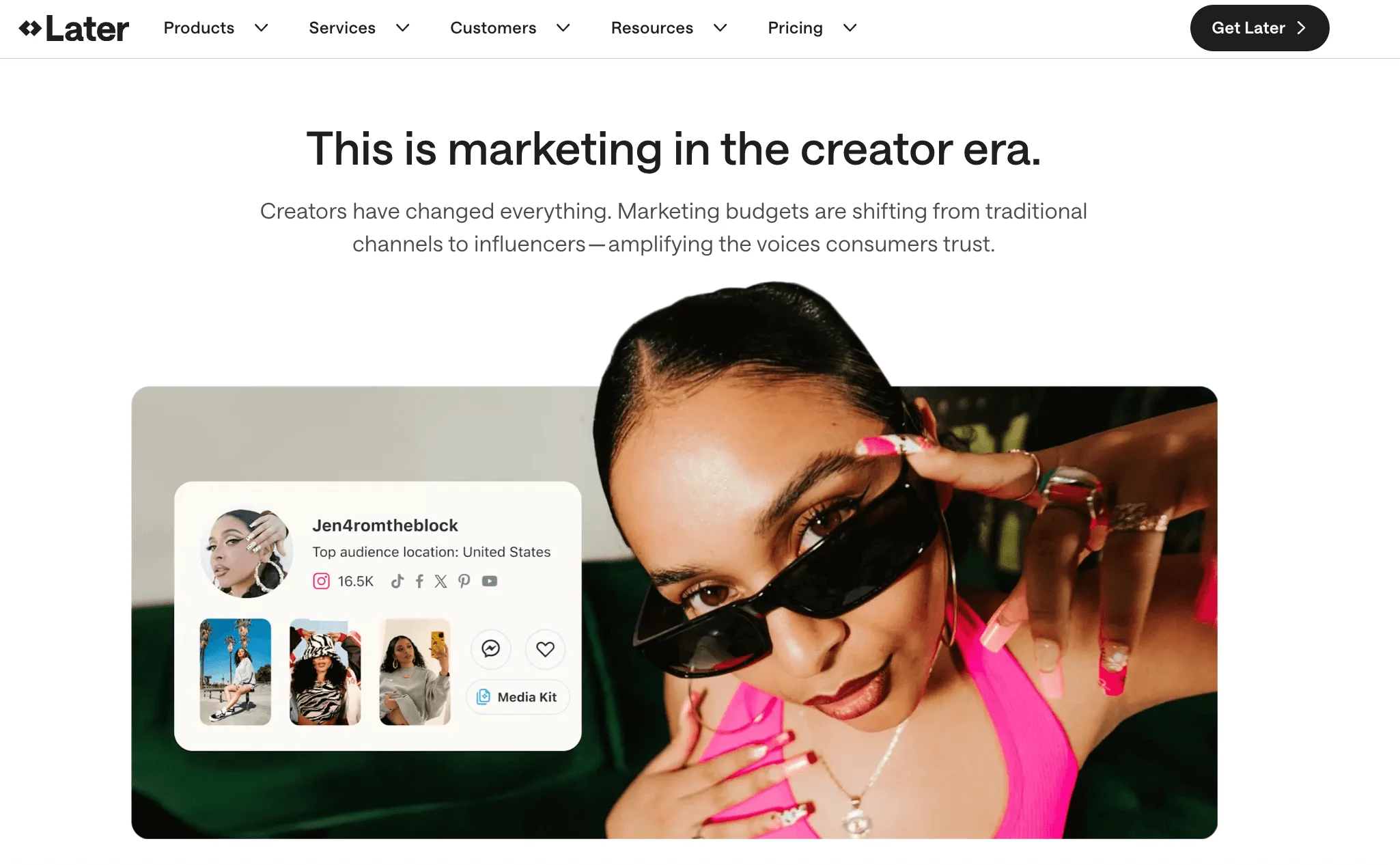
If your brand lives and breathes visuals, Later is a strong pick. It’s built around a drag-and-drop visual calendar that lets you preview how your Instagram grid will look before posts go live. It’s one of those small touches that makes a big difference for aesthetic-driven brands and creators.
What we liked:
- Beautiful visual calendar: See your feed before publishing – perfect for maintaining a cohesive look.
- Instagram-specific tools: Features like bio and Best Time to Post help you drive clicks and boost engagement without much guesswork.
- UGC integration: Easily find and repost user-generated content from followers or fans to add authenticity to your brand.
Where it falls short:
Later’s pricing model can be confusing. Each “social set” includes one profile per platform, so if you manage multiple Instagram or TikTok accounts, you’ll hit an upgrade point fast.
Pricing:
- Starter – $25/month (1 user, 8 social profiles)
- Growth – $45/month (3 users, 3 sets)
- Advanced – $80/month (6 users, 6 sets)
- Agency – $200/month (10 users, 15 sets)
Later shines for creators, influencers, and visual brands – but for teams juggling many clients or channels, the costs can climb quicker than expected.
2. Sendible

If automation is your thing, Sendible makes managing multiple clients a breeze. You can automate posting from RSS feeds, recycle evergreen content, and organize posts by category – all without constant manual scheduling.
What we liked:
- Strong automation tools: Set and forget your content queues.
- AI-powered writing help: Built-in content generator for quick captions and creative ideas.
- Team collaboration: Clear approval process and task assignments to streamline teamwork.
- Fast support: Their live chat team is responsive and helpful – something Loomly users have often wished for.
Where it falls short:
Sendible is packed with features, but it can feel a bit heavy for solo users or beginners. It’s definitely designed with agencies and larger teams in mind.
Pricing:
- Creator – $29/month (1 user, 6 accounts)
- Traction – $89/month (4 users, 24 accounts)
- Scale – $199/month (7 users, 49 accounts)
- Advanced – $299/month (20+ users, 100+ accounts)
For agencies, Sendible’s automation and structure are a huge win. But if you want simplicity and lower pricing, OnlySocial might still fit better.
3. Buffer
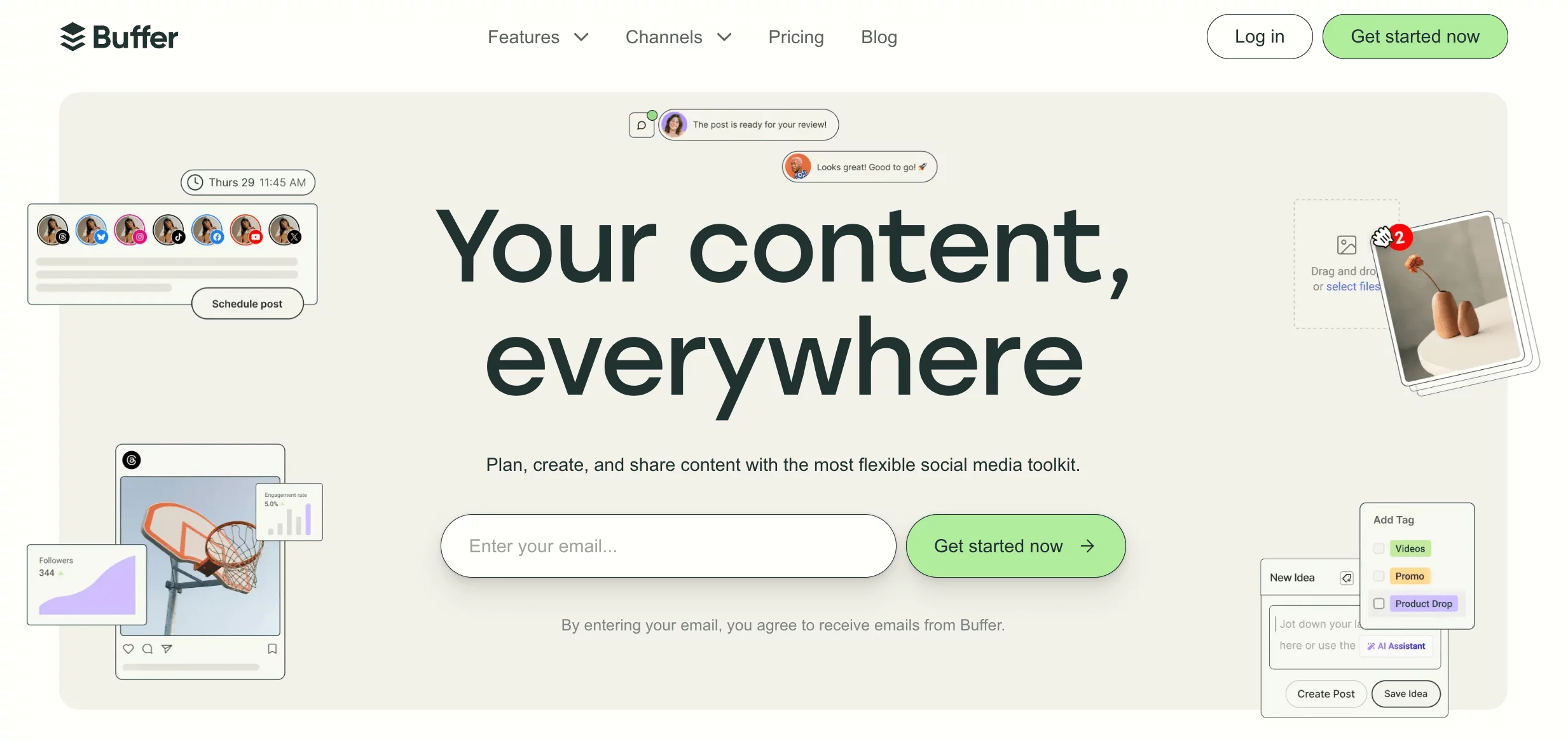
Buffer is one of those tools that just gets the basics right. It’s not trying to do everything – it’s built to schedule, publish, and track posts in the cleanest, most straightforward way possible.
What we liked:
- Reliable scheduling: Queue content effortlessly for each platform.
- Instagram direct publishing: Post directly to Instagram without third-party reminders.
- Simple analytics: Clear, minimal insights that help you see what’s working at a glance.
- Light collaboration tools: Assign roles and leave feedback without overwhelming your team.
Where it falls short:
Buffer’s pricing can look affordable upfront ($6 per user per account), but it can add up quickly if you manage many profiles or team members. It’s best for smaller setups that don’t need deep analytics or AI support.
Pricing:
Starts at $6 per user per channel, billed monthly.
For freelancers and startups, Buffer is a reliable entry point – it does less than Loomly, but it does it well.
FAQs
Is Loomly free to use?
Loomly does offer a free plan, but it’s extremely limited. You can connect up to 3 social profiles and schedule only 5 posts per month. It’s a good way to test the platform, but not practical for anyone running regular campaigns or managing multiple brands.
What is the alternative to Loomly?
If you’re looking for a Loomly alternative, OnlySocial is one of the best options right now. It’s more affordable, supports over 15 social platforms, includes bulk scheduling, and even comes with built-in AI tools. Other solid alternatives include Later, Sendible, and Buffer.
How many social media accounts can I manage with Loomly?
That depends on your plan. The Starter plan allows 12 social accounts, while the Beyond plan goes up to 60. Enterprise users can add more by request, but the price increases sharply as you scale up.
Can I collaborate with my team on Loomly?
Yes, Loomly includes collaboration tools like post approvals, comments, and feedback workflows. These features make it easy for teams to review and approve content before publishing. However, OnlySocial offers a smoother setup with role-based access, built-in asset storage, and live post tracking for teams of all sizes.
Can I upgrade or downgrade my Loomly plan at any time?
You can change your Loomly plan whenever you like, but keep in mind that pricing jumps between tiers are steep. For example, moving from Starter ($65/month) to Beyond ($332/month) is a big leap.
Final Note
Loomly’s pricing shift has definitely stirred the pot. It’s still a solid social media management platform, but the steep price jumps now make it harder for freelancers, small teams, and even growing agencies to justify the cost.
If you’re re-evaluating where your money goes, you’re not alone. Tools like OnlySocial have made it possible to manage more profiles for less, while still offering unique features like AI-powered content creation, unified inbox, bulk scheduling, etc – all at a fraction of Loomly’s price.
So before you lock into another high-tier plan, it’s worth giving OnlySocial a look. It’s the kind of platform built for creators and teams who want power, simplicity, and value all in one place.