10 Planoly Alternatives for Effective Social Media Management [2025 Review]
Planoly is great – until it’s not.
If you’ve ever used Planoly to plan your Instagram or Pinterest posts, you’ll know how satisfying it is to drag, drop, and perfect your grid. It’s visually clean, simple to use, and built with creators in mind.
But when it comes to managing content across other platforms, or handling things like detailed analytics, team collaboration, or inbox management, Planoly doesn’t always go the distance.
The truth is, it was built with Instagram and Pinterest in focus. So if your strategy includes Facebook, LinkedIn, TikTok, X (Twitter), Threads, or even newer platforms like Bluesky, you might find yourself feeling a little boxed in.
That’s why we’ve put together this guide.
We’ve reviewed and tested a range of Planoly alternatives – tools that offer the same visual charm, but go further with features that make social media management more effective for brands and businesses in 2025. Some are perfect for solo creators. Others are built for growing agencies.
Whatever your goals, there’s something here that’ll work better for you. Let’s jump in and explore the best Planoly alternatives for 2025.
Table of Contents
- 1 How We Picked These Planoly Alternatives
- 2 10 Planoly Alternatives for Enhanced Social Media Management
- 3 1. OnlySocial ($29/Month)
- 4 2. Hootsuite ($99/Month)
- 5 3. Sprout Social ($199/Month)
- 6 4. Plann ($12.5/Month)
- 7 5. Buffer ($6/Month per Channel)
- 8 6. Later ($25/Month)
- 9 7. Tailwind ($24.99/Month)
- 10 8. Zoho Social ($15/Month)
- 11 9. Sendible ($29/Month)
- 12 10. Agorapulse ($99/Month)
- 13 How to Choose the Best Planoly Alternative
- 14 Final Note
- 15 FAQs
How We Picked These Planoly Alternatives
We didn’t just throw random tools on this list. Every single platform mentioned here has been carefully tested and reviewed by our team to make sure it actually delivers.
We explored each one hands-on – creating posts, checking analytics, trying out their scheduling features, and seeing how easy they are to navigate.
Our goal is to find tools that match or even outperform Planoly in areas like features, pricing, ease of use, and scalability. So, whether you’re a solo creator, part of a small team, or managing accounts for multiple clients, we wanted to make sure there’s something in here for you.
We’ve taken time to highlight what makes each tool unique, what you might love about it, and even a few things you should watch out for.
This way, you can confidently pick the one that fits your workflow without spending hours researching on your own. So let’s dive into the best alternatives we’ve found.
10 Planoly Alternatives for Enhanced Social Media Management
1. OnlySocial ($29/Month)
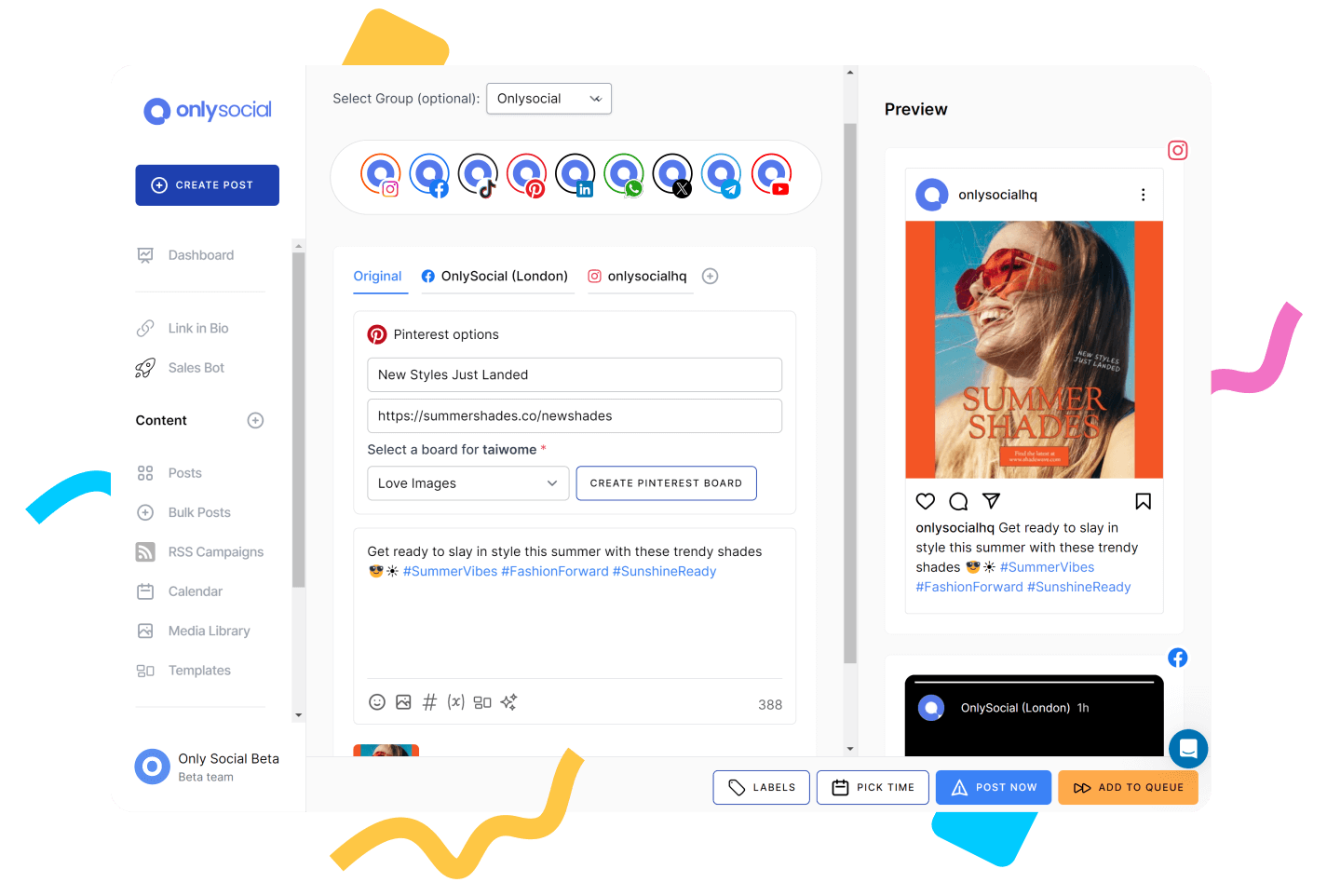
OnlySocial is one of the most complete alternatives to Planoly if you’re managing multiple platforms and want something smarter, faster, and more flexible.
While Planoly focuses mainly on Instagram and Pinterest, OnlySocial takes a broader approach, letting you handle everything from Facebook and TikTok to Bluesky and Google Business, all in one place.
OnlySocial also steps things up with smart automation, bulk scheduling, AI-powered content creation, and support for all major social platforms.
Key Features of OnlySocial
Bulk Scheduling
If you like to plan weeks of content at once, this feature is a lifesaver. You can upload hundreds of posts in one go using a CSV file, then drag and drop them into your calendar.
Whether you’re working across five platforms or fifteen, you’ll still get a clear, organized view of everything. No more posting one at a time or jumping between tabs.
AI-Powered Content Generator
The built-in AI assistant is smarter than you might expect. It can suggest post captions based on your tone, recommend hashtags, and even help create visuals. It basically helps you spend less time staring at a blank screen and more time focusing on results.

First Comment Support for Instagram
Want to keep your captions clean but still sneak in all your hashtags? OnlySocial lets you schedule the first comment to go live with your post. It’s a small detail that makes a big difference in reach and engagement on Instagram.
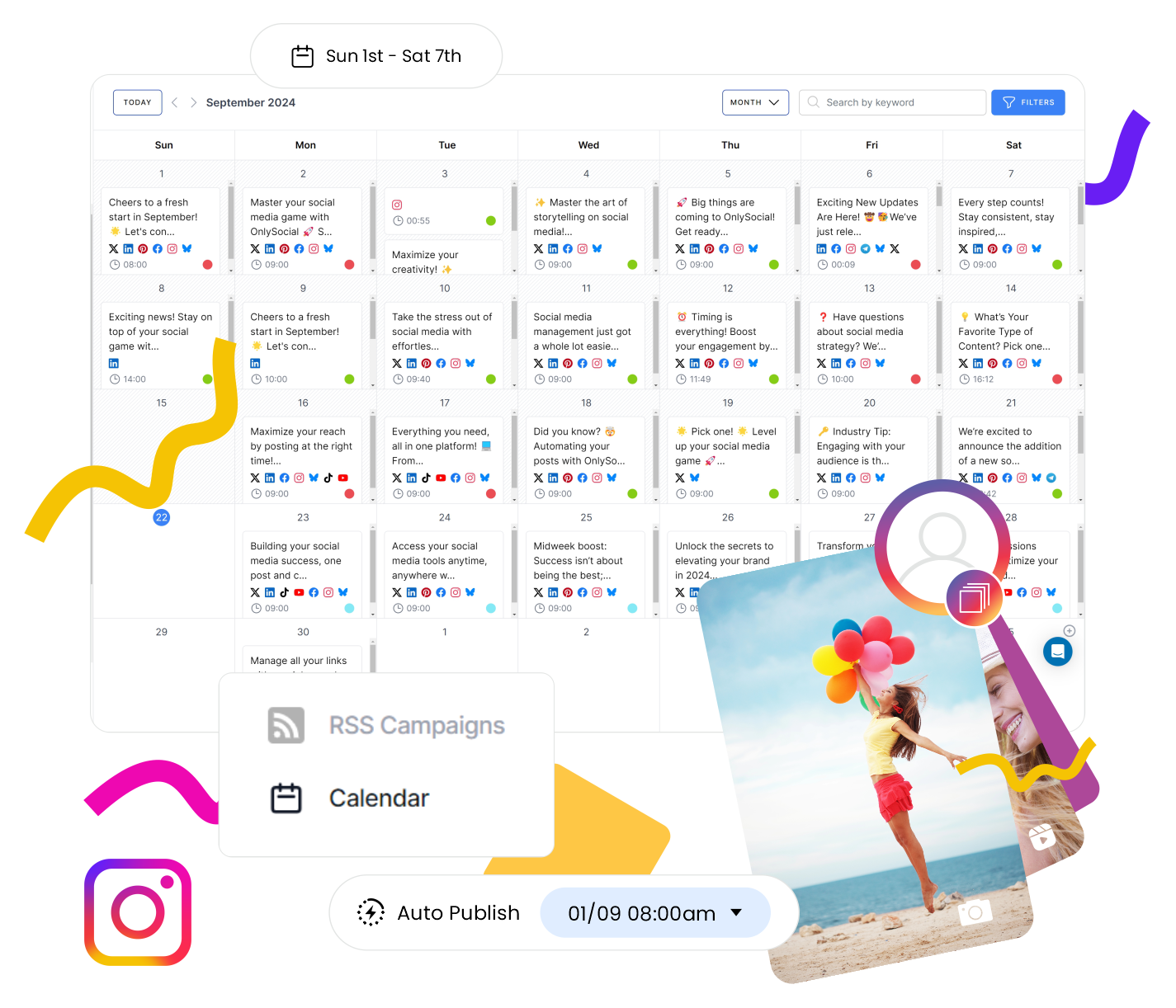
Visual Calendar
The visual calendar is where most users spend their time – and for good reason. It’s colorful, drag-and-drop, and super intuitive. You can move posts around, get a bird’s-eye view of your schedule, and spot content gaps quickly. It’s like having a digital content planner that actually makes your life easier.
In-Depth, Customizable Analytics
Unlike Planoly’s basic metrics, OnlySocial shows you what’s working across each platform and post type. You can break things down by audience, engagement, best times to post, and more. And yes, you can build your own reports and export them as PDFs or share them via links.
Seamless Collaboration Tools
If you work with a team, you’ll love the built-in approval system and task assignments. You can store brand assets, leave notes, assign posts to teammates, and keep everything in one space, so nothing slips through the cracks.
True Multi-Platform Support
OnlySocial supports more platforms than most tools on the market, including Instagram, Facebook, LinkedIn, TikTok, Pinterest, Twitter (X), Threads, Bluesky, Google Business Profile, Mastodon, WhatsApp Business, and more. If you’ve outgrown Planoly’s limited options, this is a huge upgrade.
Pros
- It has an intuitive, visual, and easy-to-use interface that anyone can use
- Covers all major social platforms in one place.
- It’s a cost-effective solution that offers a great bang for your buck
- OnlySocial goes beyond social management and also helps with content creation
Cons
- Limited posting capabilities on X and LinkedIn due to limitations from the platforms
- No forever-free plan, but free trial is available.
- Doesn’t currently support competitor analytics.
Our Experience
OnlySocial is a solid Planoly alternative for anyone who needs more than just a pretty Instagram grid. It’s packed with practical features, built for modern teams, and far more flexible when it comes to managing multiple platforms.
If you’ve ever felt boxed in by Planoly’s limitations, OnlySocial might just be your upgrade. Here’s how it compares with Planoly in key areas.
Bulk Scheduling That Actually Works
Planoly allows up to 10 uploads at once, which works fine if you’re managing just a few posts here and there. But for agencies or growing brands, that’s not nearly enough. OnlySocial, on the other hand, lets you schedule up to 500 posts in bulk, saving hours of repetitive work.
What makes it even better is the drag-and-drop visual calendar that gives a clear picture of all your upcoming content across platforms.
Planoly’s calendar works fine for Instagram grid planning, but it doesn’t offer this level of flexibility across channels like Facebook, TikTok, or Google Business Profile.
Deeper, Smarter Analytics
If you rely on insights to shape your strategy, you’ll find Planoly pretty basic. It mainly gives surface-level stats for Instagram – likes, comments, and follower growth – but doesn’t go much deeper than that.
OnlySocial flips the script here. It provides in-depth, customizable analytics for every major platform. You can track engagement trends, discover your best-performing content, and even schedule automated reports. It’s all super visual and easy to understand – no data overload.
Pricing and Value
OnlySocial costs $29/Month for the basic plan. While Planoly might look like the cheaper option at first, once you start needing extras like advanced analytics or more accounts, the cost adds up fast.
OnlySocial offers more tools, wider platform coverage, and AI-powered help without jacking up the price.
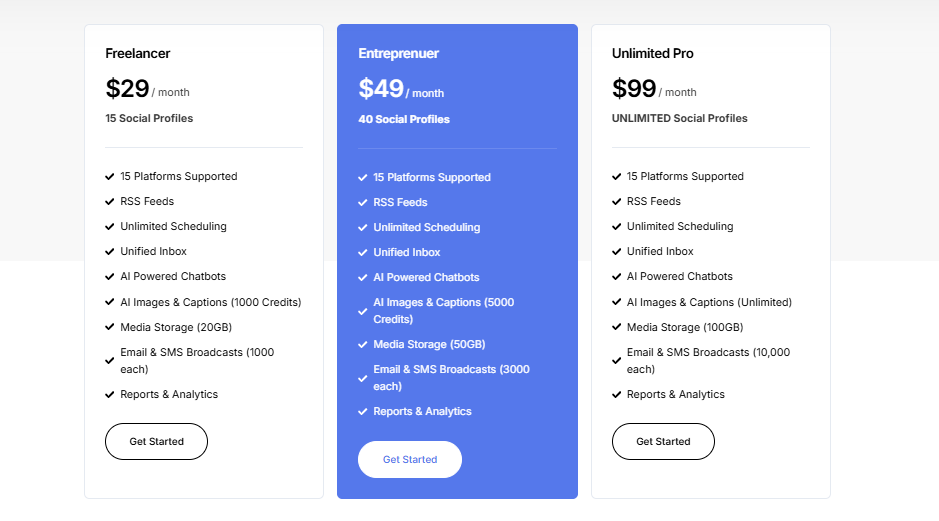
Here are OnlySocial’s pricing plans:
- Freelancer Plan– $29/month for up to 15 social accounts
- Entrepreneur Plan– $49/month for 45 accounts and 3 users
- Professional Plan – $99/month for unlimited accounts and 10 users
For the price, you’re getting far more than what Planoly currently offers, especially if your content goes beyond Instagram.
Overall Verdict
With an affordable price and pretty cool features, OnlySocial is one of the best Instagram tools for small businesses and agencies alike. It offers more value for money than Planoly on all counts, despite costing more, because it offers more features as well.
2. Hootsuite ($99/Month)
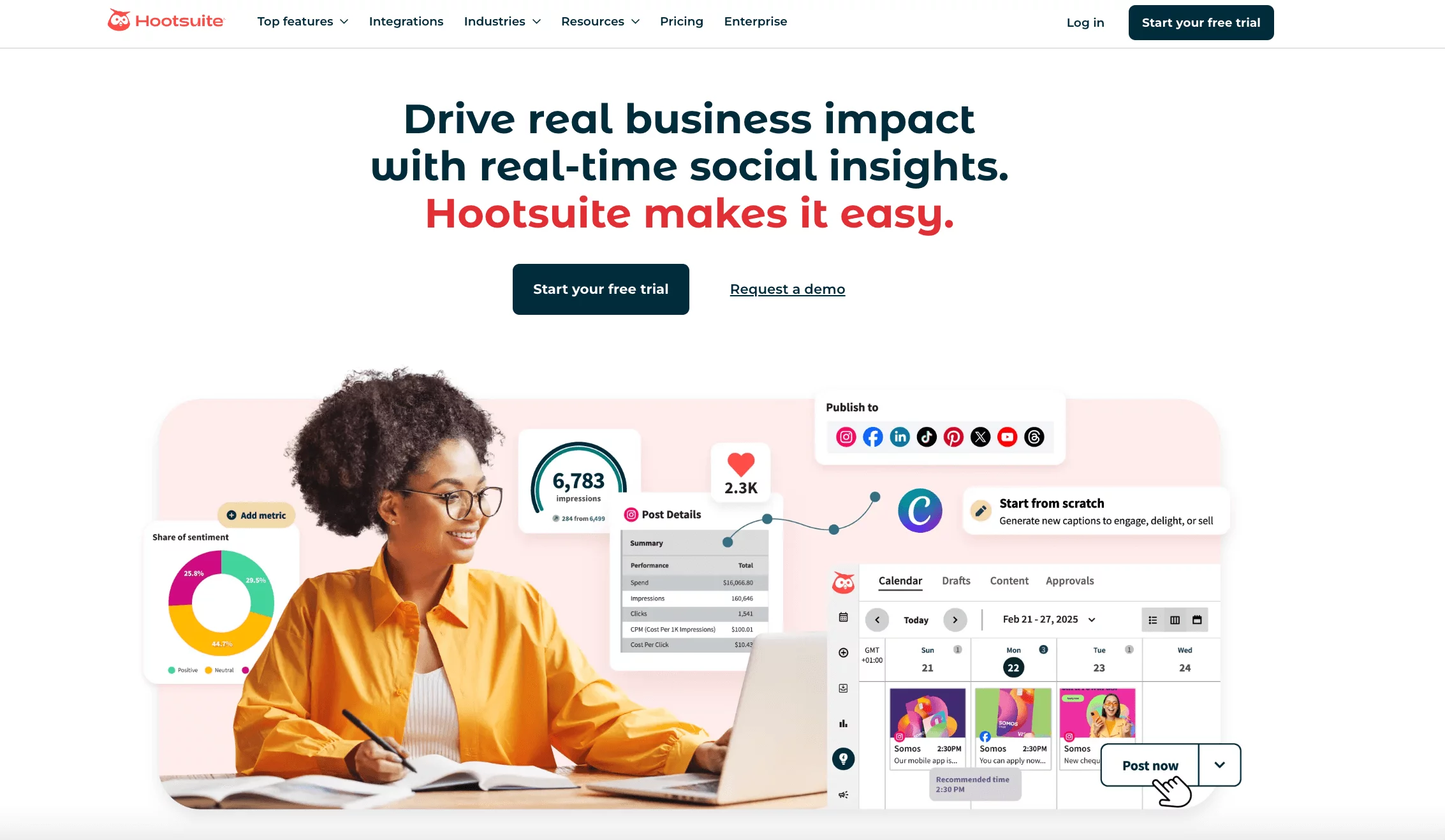
Hootsuite has been around since 2008, making it one of the pioneers of social media management.
Even after all these years, it remains a go-to for many brands, agencies, and enterprises that want everything in one place – from scheduling and analytics to engagement and monitoring.
While it’s not the cheapest option out there, it’s a heavyweight platform with features built for teams that take social seriously.
Key Features:
- Unlimited social media post scheduling
- Social media calendar and content planning
- Recommendations on best times to post
- Unified social inbox
- Robust analytics and competitor benchmarking
- AI caption, hashtag, and post ideas generator
- Team collaboration features and permissions
Pros
- Advanced analytics and reporting across all major platforms.
- Tons of integrations with tools like Canva, Dropbox, and more.
- Bulk scheduling to save time when planning content.
Cons
- Steeper pricing than most Planoly alternatives.
- Premium features like social listening and deeper analytics cost extra.
- Takes some time to learn because of its complex interface.
Our Experience
We gave Hootsuite a test run to see how it stacks up against Planoly, and here’s what we found.
Social Listening and Analytics
Hootsuite’s analytics are in a league of their own compared to Planoly. You don’t just see likes and comments; you can track brand mentions across platforms and even gauge customer sentiment. For teams that live on data, this is a massive upgrade. Planoly, by contrast, only gives you basic Instagram-focused insights.
Content Planning and Management
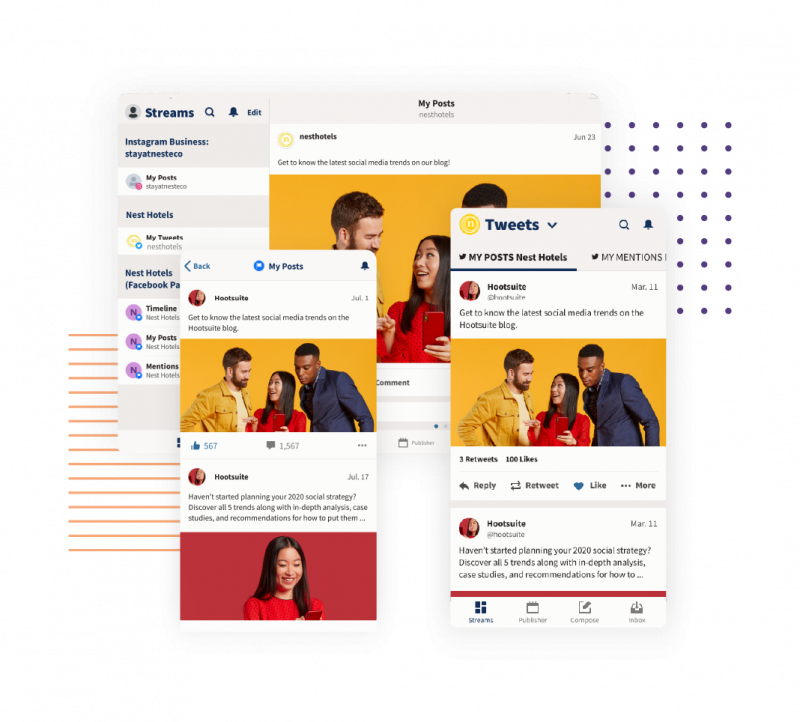
Hootsuite’s dashboard is where it really shines. Everything – from your calendar to smart queues and bulk scheduling – is in one spot.
Unlike Planoly, which only lets you bulk upload 10 items at once, Hootsuite can handle much larger batches with ease. That makes it far better suited for teams juggling multiple accounts and campaigns.
Pricing and Value
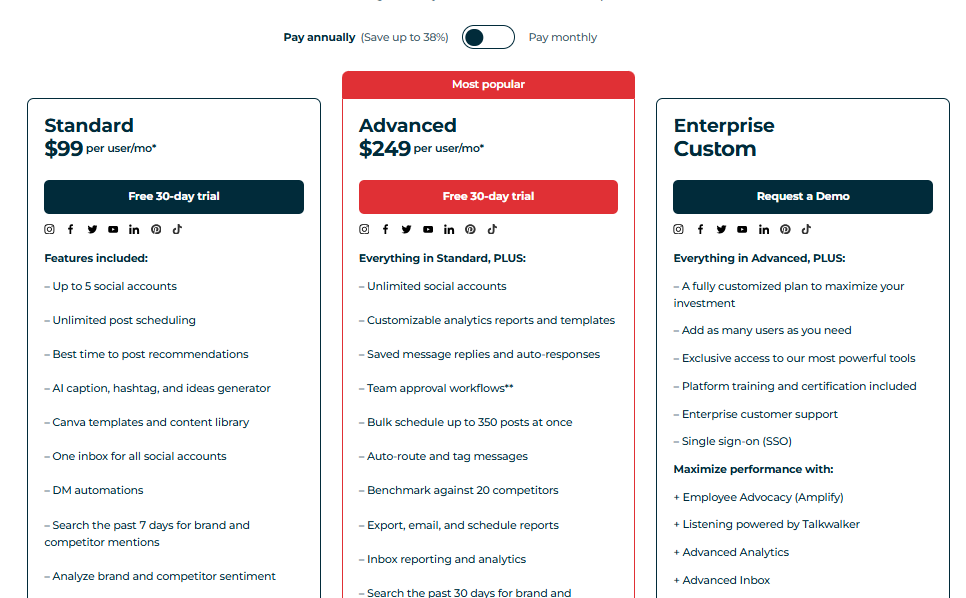
Here’s where things get tricky. Planoly starts at just $14/month, while Hootsuite’s entry plan is $99/month for a single user managing 10 accounts. You do get a lot more power with Hootsuite, but the steep jump in price can’t be ignored.
For smaller teams or solo users, that price tag may be overkill when there are other affordable tools that deliver great results. Before you make the decision to jump on Hoosuite ship, check out our comprehensive guide on its pricing.
Overall Verdict
Hootsuite is best suited for large enterprises and agencies with the budget to match. It offers advanced analytics, powerful integrations, and reliable scheduling tools that can handle complex social media strategies.
But if you’re looking for value for money or a lighter tool that covers the basics, there are better (and cheaper) Planoly alternatives on this list.
3. Sprout Social ($199/Month)
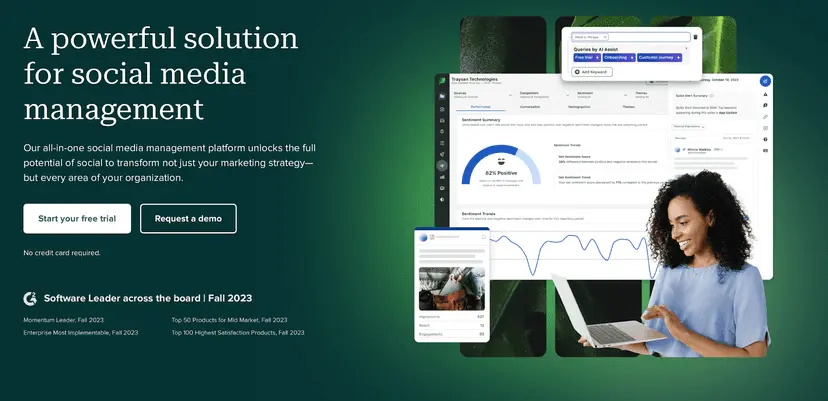
Sprout Social is another big name in the social media management world, and it’s one of the most data-driven tools out there.
Known for its powerful analytics, reporting, and listening features, it’s built with larger teams and agencies in mind. If you’re all about tracking performance down to the smallest detail, Sprout Social might be the tool you’re looking for.
Key Features:
- Advanced social media scheduling tool
- Social listening tools
- Robust analytics dashboard
- Customizable reporting
- Custom URL tracking
- Influencer collaboration features
- Social media monitoring
- Employee advocacy
- Unified social inbox
- Team collaboration and workflow approval
Pros
- Advanced analytics and custom reporting that go way beyond basic metrics.
- Collaboration tools make it easy for teams to work together and manage approvals.
- Built-in CRM features help track and strengthen customer relationships.
Cons
- Very expensive compared to other Planoly alternatives.
- Lacks direct YouTube publishing support.
- The unified inbox isn’t as seamless as some competitors.
Our Experience
Here’s what stood out when we tried Sprout Social:
Analytics and Reporting
Sprout Social’s reporting tools are incredibly detailed. Unlike Planoly, which is limited to basic Instagram stats, Sprout lets you create custom reports that show exactly the data you care about – from engagement trends to competitor benchmarking.
The tool is obviously made for marketers who want to make decisions based on hard numbers, not just surface-level metrics.
Engagement and Inbox
The “Smart Inbox” pulls in messages, comments, and mentions from multiple accounts into one place. It makes community management a lot more efficient compared to jumping between platforms. Planoly doesn’t really compete here, as it was designed mainly for planning visuals rather than audience interactions.
Team Collaboration
Sprout Social has workflow features like task assignments, approval processes, and even CRM integrations. For agencies managing multiple clients or large in-house teams, this is a huge step up from Planoly’s simpler setup.
Pricing and Value
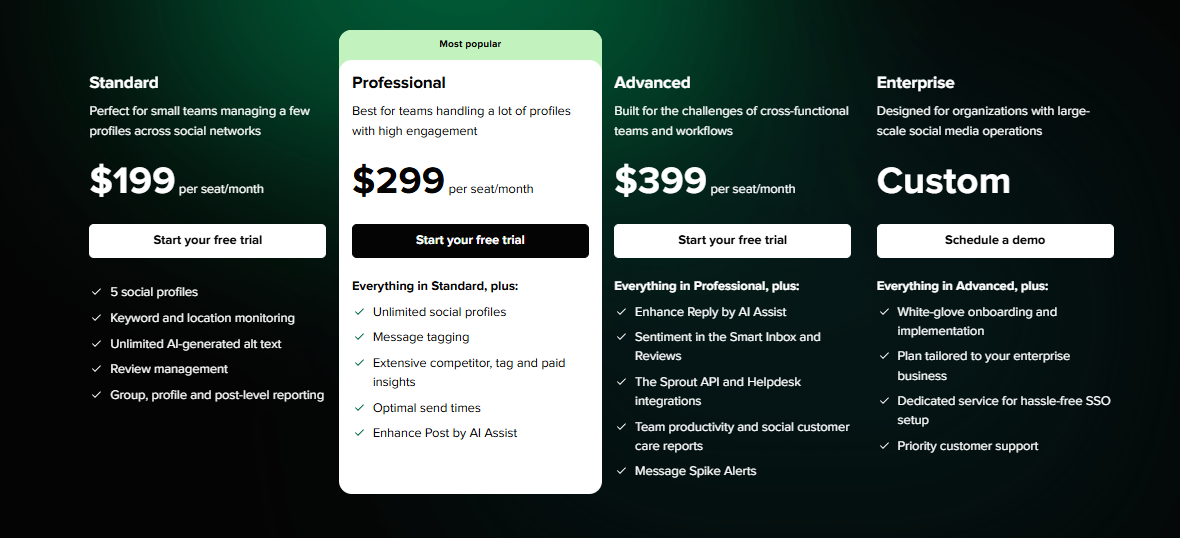
Here’s the catch: pricing starts at $199 per user/month – and that’s just the Standard plan. The Professional and Advanced tiers climb quickly from there, and the costs can add up fast if you have a team of several people.
Compared to Planoly’s $14/month entry plan, Sprout is clearly positioned for enterprises with bigger budgets.
Overall Verdict
Sprout Social is a fantastic tool if you need serious analytics, team workflows, and customer relationship features. But with its high price tag, it’s not realistic for smaller teams or solo creators.
For brands and agencies that live and breathe data, though, it’s one of the most powerful Planoly alternatives available.
4. Plann ($12.5/Month)
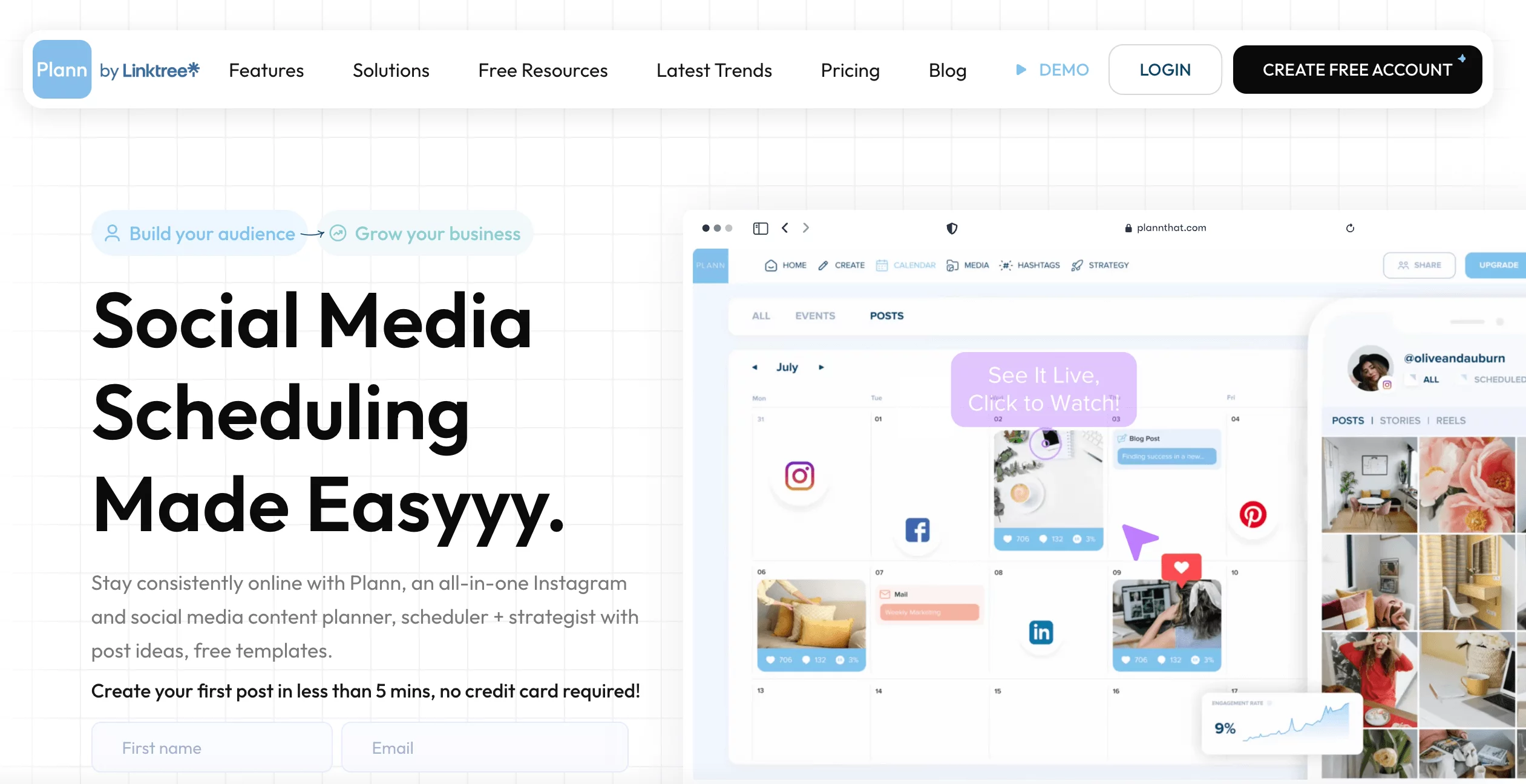
Plann is a social media tool built for creators and businesses who want their feeds to look polished and consistent. Like Planoly, it focuses heavily on visual planning, but it goes a step further by giving you more flexibility in how you organize your content and track performance.
Key Features:
- Visual planner and scheduler
- Social media manager
- AI content and caption generator
- iOS and Android companion app
- Content strategy manager
Pros
- Drag-and-drop social feed planner to create a cohesive aesthetic.
- Organizes hashtags into groups for easier theme planning and better reach.
- Team collaboration with role assignments and approval workflows.
- Engagement metrics on every post to help refine your content strategy.
Cons
- Occasional bugs and tricky navigation can disrupt the user experience.
- No built-in video editing, which may frustrate businesses posting lots of video content.
Our Experience
Content Management and Visual Planning
Plann shines in its feed design features. The drag-and-drop interface makes it easy to plan out how your grid will look – something Instagram creators love.
Unlike Planoly, Plann also lets you group hashtags and categorize content, making campaign planning much more structured.
Scheduling and Analytics
You’re not stuck with one platform here. Plann lets you schedule across multiple channels, while Planoly’s strength is mostly limited to Instagram and Pinterest. On top of that, Plann’s analytics cover engagement, post performance, and follower growth – much more useful than Planoly’s basic reports.
Pricing and Value
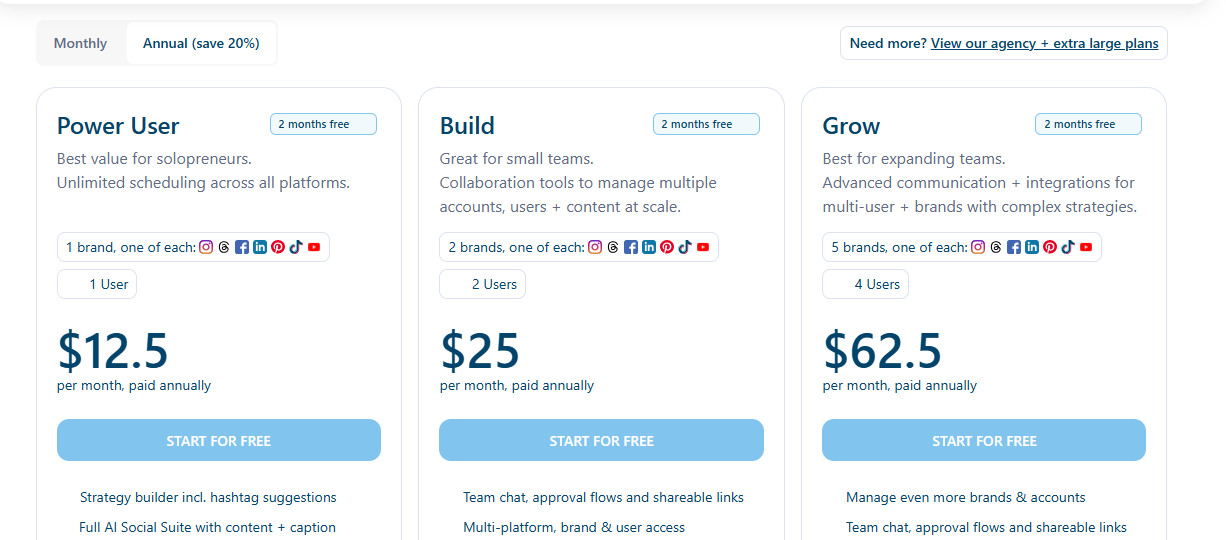
Plann also edges out Planoly on price. Its Power User plan starts at $12.5/month for 1 social set with unlimited posts. By contrast, Planoly’s $16/month Starter plan caps you at just 60 uploads. That means with Plann, you’re getting more features for less money.
Overall Verdict
Plann is a smart choice for content creators who care about aesthetics but don’t want to be boxed in by platform limits. With hashtag grouping, a smoother feed planner, and better pricing, it’s an alternative that feels both affordable and more versatile than Planoly.
5. Buffer ($6/Month per Channel)
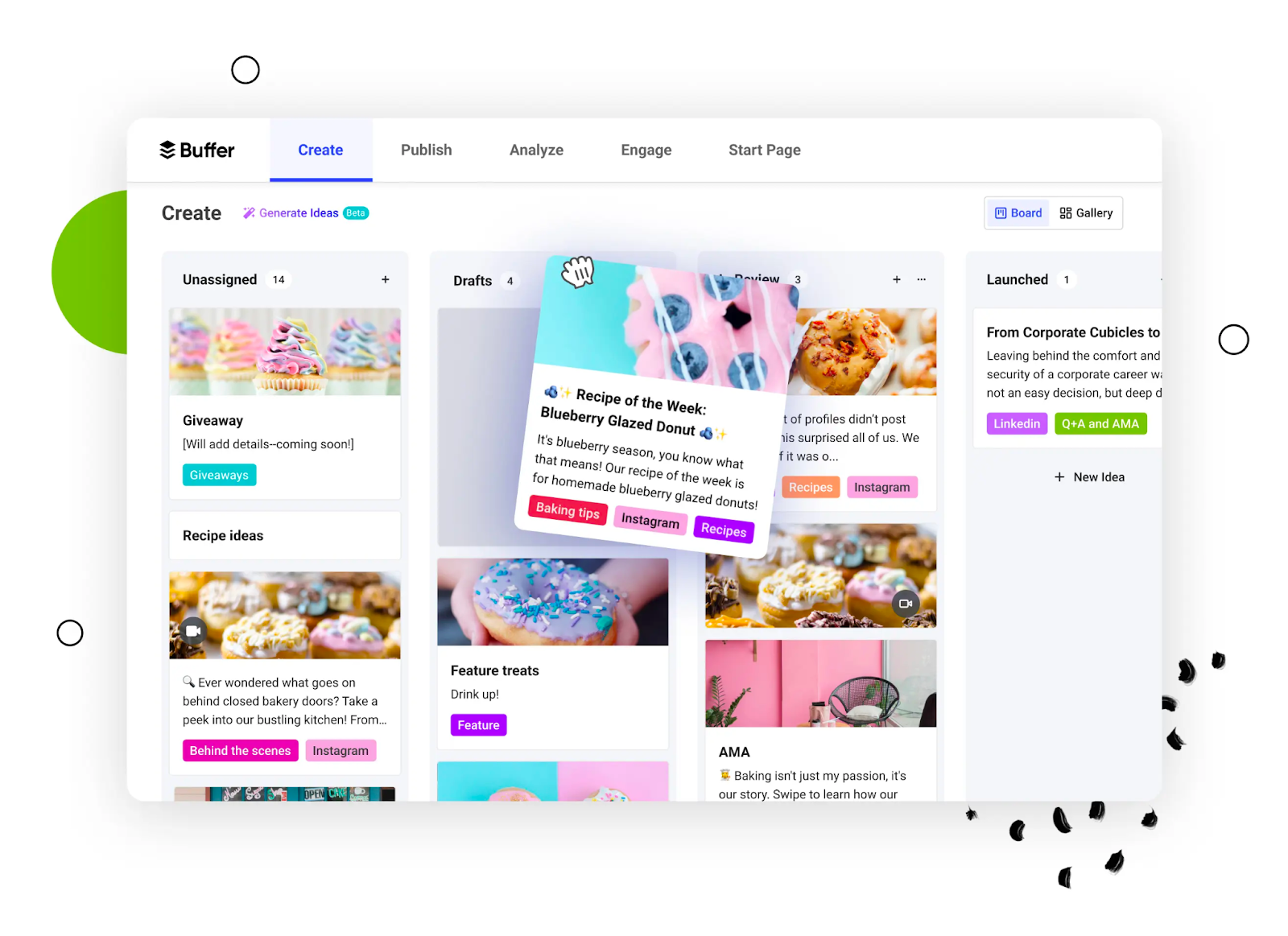
Buffer has been around for over a decade, and it’s still one of the most popular social media management tools out there.
Known for its simplicity and reliability, it’s a go-to for freelancers, small businesses, and growing brands who want to stay organized without getting overwhelmed by too many features.
While Planoly focuses mainly on visual feeds, Buffer gives you a clean and flexible way to schedule, track, and optimize content across multiple platforms.
Key Features:
- Cross-platform content scheduling and publishing
- Social media comments management
- AI Assistant for content ideas and content creation
- In-depth hashtag and post analytics and reporting
- The first comment scheduling option
- 30+ useful third-party integrations
- Link shortener and landing pages
Pros
- Easy-to-use interface that’s beginner-friendly.
- Affordable pricing, with flexible plans tailored to individual needs.
- Provides detailed analytics and engagement tracking.
- Includes a browser extension for quick scheduling from anywhere online.
Cons
- No advanced social listening features.
- Collaboration tools are limited compared to higher-end alternatives.
- Lower-tier plans restrict access to advanced analytics.
Our Experience
We’ve used Buffer for years, and it continues to be a strong all-rounder. Here are some things you should know about the tool.
Content Planning and Scheduling
Buffer makes it effortless to plan content across different platforms. Its scheduling calendar is straightforward, allowing you to visualize when and where your posts will go live.
Compared to Planoly, which shines mostly on Instagram, Buffer spreads its strengths across all the big platforms, making it a better fit for brands that don’t want to be tied to just one or two.
Analytics and Reporting
Buffer offers solid analytics, with insights into engagement, reach, and clicks. While Planoly’s analytics are limited to Instagram basics, Buffer covers all the platforms it supports.
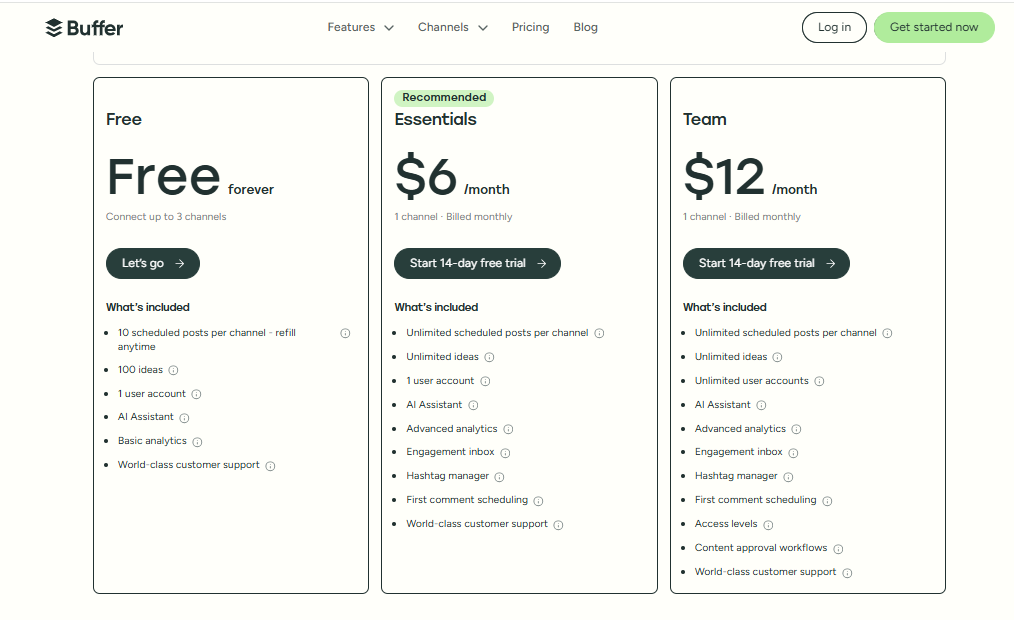
That said, advanced reporting is only available on higher-tier plans, which could be a downside for budget-conscious teams.
Pricing and Value
One of Buffer’s biggest draws is its pricing. Plans start at just $6 per channel/month, making it one of the most affordable tools on this list.
This flexible pricing means you only pay for the channels you actually use – something that makes Buffer especially attractive for freelancers and small businesses.
Overall Verdict
Buffer remains a classic choice for those who want a no-fuss, affordable, and reliable social media management tool.
It may not have all the bells and whistles of larger platforms, but if your goal is simple scheduling and solid analytics without breaking the bank, Buffer is one of the best Planoly alternatives you’ll find.
6. Later ($25/Month)
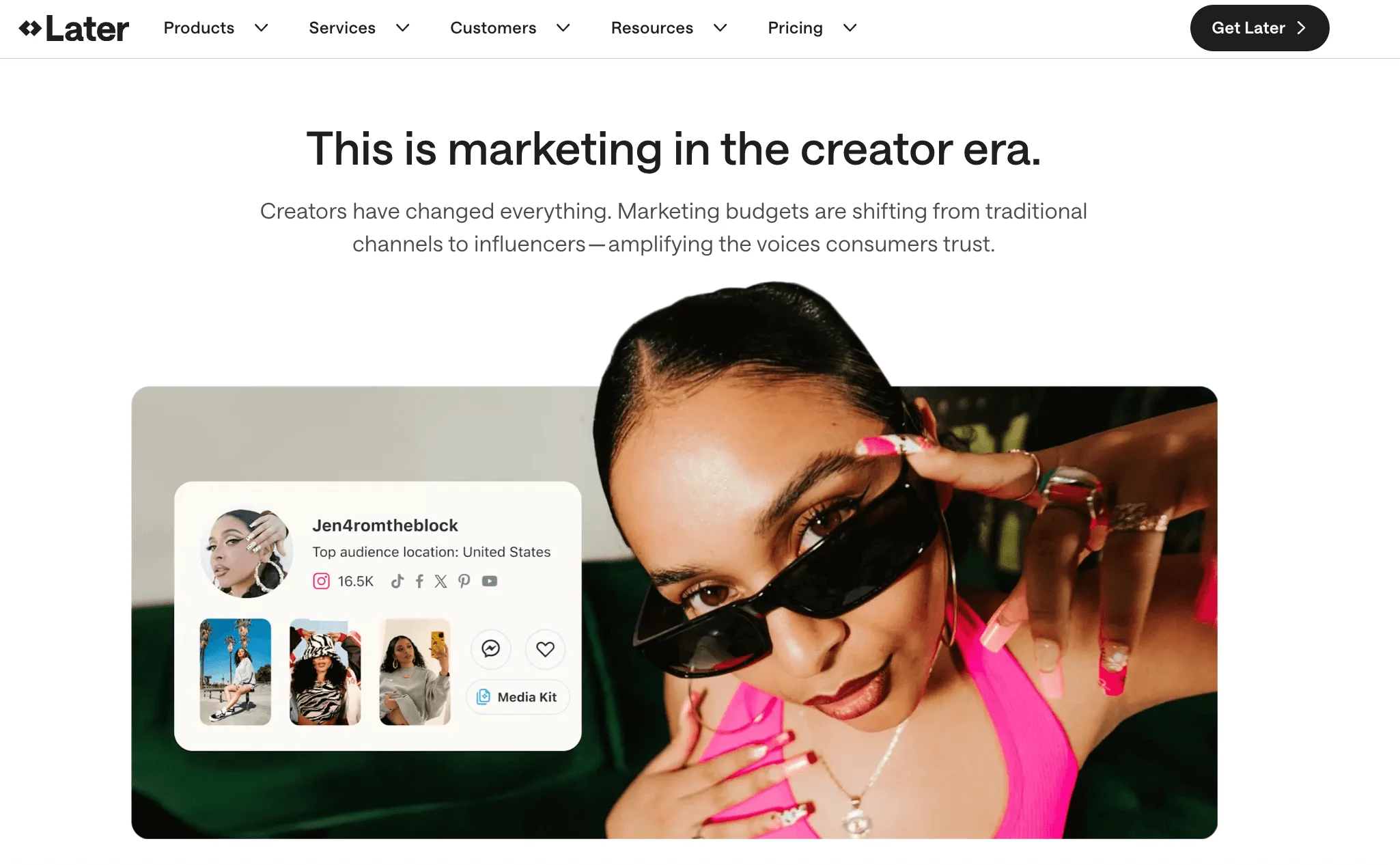
Later has carved out a name for itself as one of the most popular visual-first scheduling tools, especially for Instagram. It combines a drag-and-drop calendar, a decent media library, and a flexible link-in-bio feature that’s much better integrated than Planoly’s.
While it has expanded beyond Instagram into other platforms, it still carries the reputation of being an Instagram-first tool that’s simple to use and beginner-friendly.
Key Features:
- Auto-publishing on 7 social platforms
- Scheduling and auto-publishing for Instagram Reels and Stories
- A visual Instagram content and grid planner
- Creator and brand collaboration features
- Relevant hashtag suggestions for improved visibility
- Link-in-bio tools
- Social media analytics and link-in-bio analytics
- Social listening (only with the Enterprise plan)
Pros
- Strong suite of visual planning tools, ideal for Instagram.
- Drag-and-drop calendar makes scheduling a breeze.
- Easy-to-use interface that doesn’t overwhelm beginners.
- Includes a built-in link-in-bio tool that integrates seamlessly.
Cons
- Limits the number of posts you can publish on its lower-tier plans.
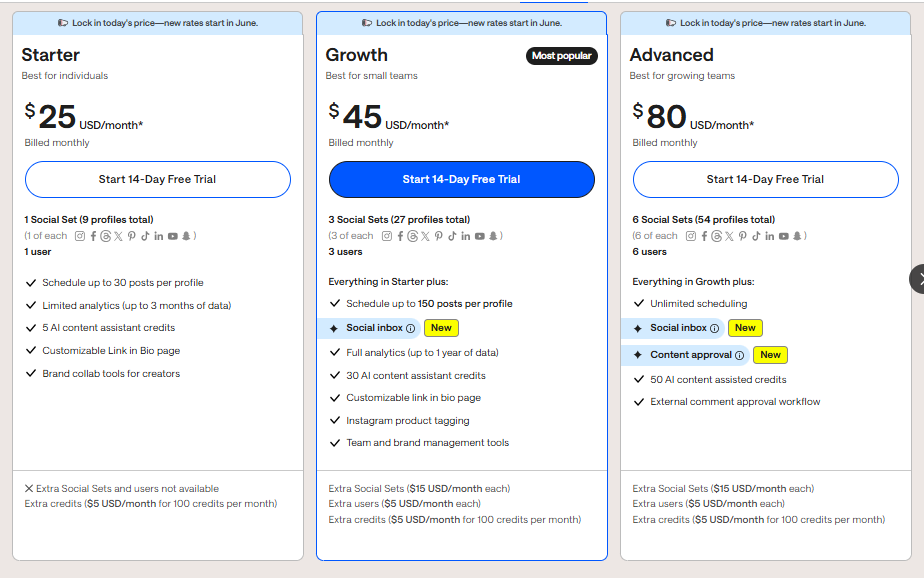
- Advanced features (like analytics and the Social Inbox) are only available on top-tier plans starting at $80/month.
- Still lags behind bigger players when it comes to reporting and in-depth analytics.
Our Experience
Content Planning
When it comes to visual content planning, Later and Planoly are almost neck-and-neck. Both excel at Instagram grid planning and offer visual calendars.
But Later edges out Planoly with a smoother drag-and-drop interface that makes scheduling less of a chore. If you’re running campaigns across multiple platforms, Later also does a better job than Planoly, which feels limited outside Instagram and Pinterest.
Content Management and Analytics
Later’s media library is one of its best features. You can tag, label, and organize content, which is a huge timesaver when managing large volumes of visuals.
Analytics-wise, Later is ahead of Planoly, offering insights across multiple platforms.
That said, when compared to more advanced tools, Later’s analytics still feel fairly basic, especially for businesses that need detailed campaign reporting.
Pricing and Value
Here’s where things get tricky. Planoly’s Starter plan starts at $16/month and includes most of its features, whereas Later’s Starter plan is $25/month and comes with stricter posting limits and fewer features.
To unlock Later’s full potential, you’d need to pay at least $80/month for the Advanced plan. This makes Later less attractive for budget-conscious teams, though it can still be a good fit for small businesses that just need a simple auto-publishing tool.
Overall Verdict
Later is a strong choice if you’re primarily focused on Instagram and want a straightforward, easy way to schedule visual content.
It has a more intuitive interface than Planoly and offers better content organization, but its pricing model means you’ll need to spend more to get the best features.
For small businesses with light needs, Later can be a practical pick, but larger brands may find better value in other Planoly alternatives.
7. Tailwind ($24.99/Month)
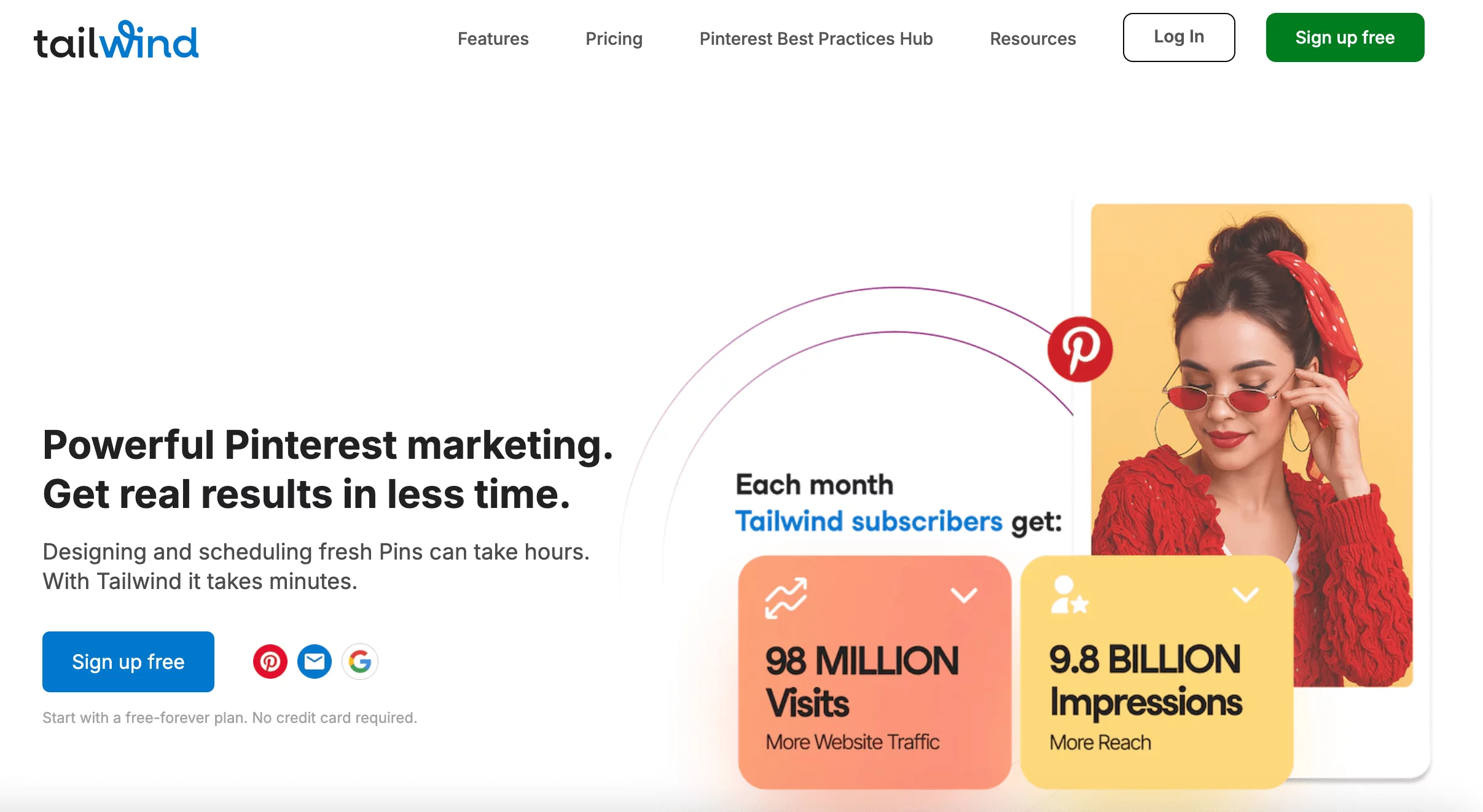
Tailwind started as a Pinterest-first scheduler and has since added features like AI content creation and even email marketing. It now calls itself a “marketing team in a box.”
That said, its strongest suit is still Pinterest and Instagram, so while it’s a versatile tool, it doesn’t quite measure up as a full-scale social media manager.
Key Features:
- Content scheduling for Pinterest, Facebook, and Instagram
- Social media post design tools
- Smart scheduling and bulk uploads
- Bio tool for custom links
- AI tools for content creation and marketing
- Email marketing with unlimited contacts and limited monthly emails
Pros
- Combines social media scheduling with email marketing.
- AI tools go beyond basic captions to include e-commerce and ad strategy support.
- The Communities feature is fantastic for growing your reach on Pinterest.
Cons
- Limited to just Facebook, Instagram, and Pinterest.
- AI and email features come with usage caps each month.
Our Experience
Visual Planning
Tailwind feels closest to Planoly in terms of its strengths. Both are solid for Pinterest and Instagram, with simple scheduling and bulk upload options. That said, Planoly still edges it out with more polished Instagram grid planning.
Marketing and AI Features
Where Tailwind pulls ahead is in marketing. Beyond scheduling, it lets you integrate email marketing into your workflow, so you can run campaigns that link directly back to your social media efforts.
The AI tools are also surprisingly practical – not just captions, but also help with e-commerce ads and strategy planning.
Pricing and Value
At $24.99/month, Tailwind offers a lot more than just content scheduling. You get access to three social accounts (Facebook, Instagram, and Pinterest) plus marketing features that can drive leads and sales. However, it doesn’t scale well if you’re managing multiple brands or a large number of social profiles.
Overall Verdict
Tailwind is a strong pick if you’re a creator or small business mainly active on Pinterest and Instagram. Its mix of AI tools, scheduling, and email marketing make it a compact but capable solution. But if your goal is to manage multiple platforms at once, you’ll quickly run into its limits.
8. Zoho Social ($15/Month)
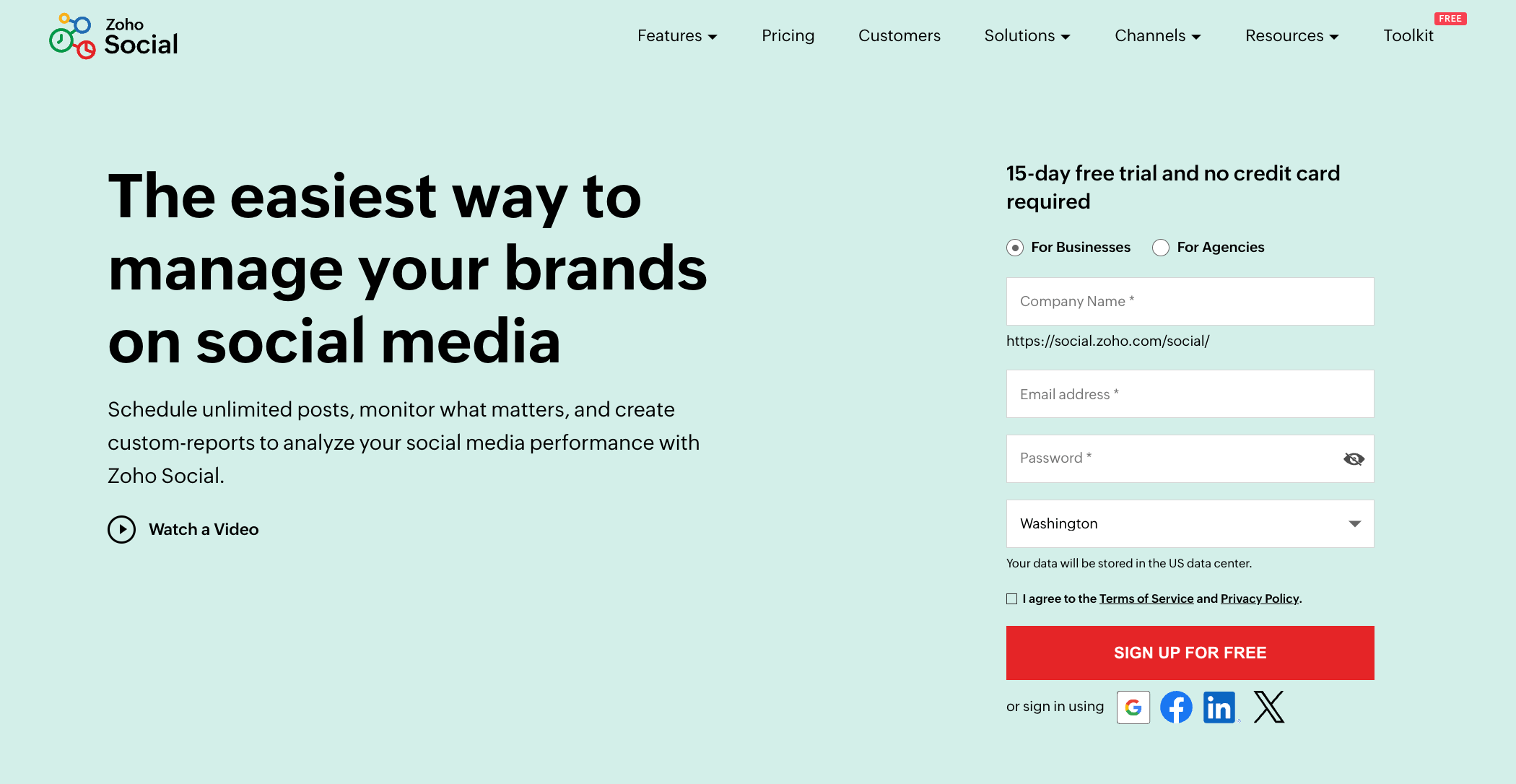
Zoho Social is part of the larger Zoho suite of business tools, which includes everything from email to CRM. It’s designed for small to mid-sized businesses that want an affordable, all-in-one solution to manage their social media.
While not as flashy as some competitors, it gets the job done and integrates smoothly with other Zoho products.
Key Features
- Smart Scheduling with SmartQ
- Zia AI Assistant
- Multi-Platform Publishing & Monitoring
- Visual Content Calendar
- Centralized Inbox
- Collaboration & Approval Workflows
- Analytics & Custom Reports
Pros
- Affordable pricing, starting at just $15/month.
- Easy integration with Zoho CRM and other Zoho apps.
- Supports scheduling, monitoring, and analytics across major platforms.
- Great for businesses already using Zoho’s ecosystem.
Cons
- Interface can feel a bit plain compared to other tools.
- Advanced features like team collaboration and white-labelling are only in higher tiers.
- Not as strong for visual planning compared to Instagram-focused tools like Planoly.
Our Experience
Content Management and Scheduling
Zoho Social makes scheduling straightforward with a clean calendar view and bulk scheduling support. It also gives you smart posting suggestions based on when your audience is most active. That is something Planoly doesn’t offer outside of Instagram.
Analytics and Reporting
The analytics dashboard is surprisingly detailed for the price. You can track engagement across platforms, generate reports, and even connect data with Zoho CRM to see how social media impacts leads and sales.
Compared to Planoly’s very basic reporting, Zoho Social gives you far more insight into your content performance.
Pricing and Value
This is where Zoho Social really shines. Starting at $15/month, it’s one of the most budget-friendly options on this list.
And if you’re already using other Zoho products, the integration makes it even more valuable. Higher plans (starting at $40/month) unlock more accounts, team features, and advanced reporting.
Overall Verdict
Zoho Social is a solid choice for small and medium businesses that want a reliable, affordable social media manager.
It may not be as visually focused as Planoly, but it more than makes up for it with analytics, CRM integration, and overall value for money. If you’re running a business and want more than just Instagram grid planning, this is one of the best alternatives to consider.
9. Sendible ($29/Month)

Sendible is a popular choice for agencies and larger teams that need more than just simple scheduling. It’s built with collaboration in mind, making it easier for multiple people to work together on content planning, approvals, and client management.
Key Features:
- Unlimited content scheduling
- Social media calendar
- AI assistant for content creation
- Analytics and reporting, including custom reports
- Team collaboration features
- Approvals and user management
- Content and hashtag library
- White label brand and domain
- Smart queues and bulk scheduling
Pros
- Powerful content planning and scheduling with smart queues and bulk uploads.
- Excellent team collaboration features, including approval workflows and permission groups.
- “Client Connect” feature adds a layer of security for agencies managing client accounts.
- Works across multiple platforms, not just Instagram or Pinterest.
Cons
- More expensive than many other Planoly alternatives.
- Best suited for agencies or large teams, not solo users.
- Advanced features are locked behind pricier plans.
Our Experience
Content Planning and Scheduling
Sendible really shines here. You can create platform-specific versions of a post, set up smart queues, bulk upload content, and even recycle evergreen posts. Planoly is still stronger when it comes to Instagram grid planning, but Sendible beats it everywhere else.
Team Collaboration and Approvals
Sendible allows you to set up structured approval workflows, build client dashboards, and assign permissions to different team members. The “Client Connect” feature is especially smart. It allows clients to securely link their accounts without handing over login details.
Pricing and Value
At $29/month, Sendible’s entry plan doesn’t look too bad. But once you start adding more users or need advanced features, the costs climb quickly.
Their higher-tier plans start at $199/month, which can add up fast for smaller teams. For agencies, though, the investment makes sense given the control and collaboration it offers.
Overall Verdict
Sendible is a powerful, feature-packed tool built for agencies and bigger businesses with multiple accounts to manage.
If collaboration and client management are top priorities, it’s one of the best Planoly alternatives out there. But for solo marketers or small brands, it might feel too heavy (and too expensive).
10. Agorapulse ($99/Month)
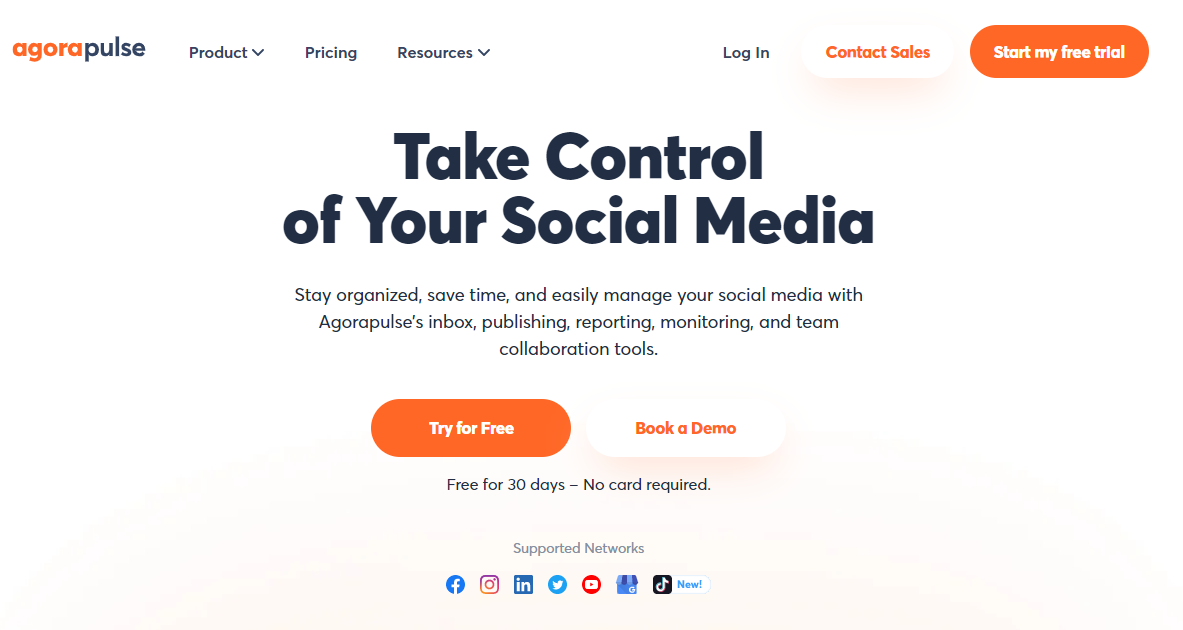
Agorapulse is another well-known social media management platform, especially popular among agencies and larger businesses.
It packs in a lot of advanced features like reporting, team collaboration, and a built-in social inbox to help you keep everything in one place. Compared to Planoly, it’s more of an “all-in-one” solution that covers more platforms and gives you deeper insights into performance.
Key Features:
- Direct publishing tool
- Unified social inbox
- Social listening capability
- Smart AI image and content assistant
- Pulse link in bio
- Detailed analytics & reporting
Pros
- Unified social inbox for all comments and messages.
- Strong analytics and reporting features.
- Robust team collaboration and approval workflows.
- Great for agencies managing multiple clients.
Cons
- More expensive than simpler tools.
- Not the easiest tool for beginners – has a bit of a learning curve.
- Pricing jumps up significantly for advanced reporting and larger teams.
Our Experience
Content Planning and Scheduling
Agorapulse lets you plan and schedule across multiple platforms, complete with smart queues and bulk scheduling. Unlike Planoly, it doesn’t focus only on Instagram or Pinterest. It’s built to manage an entire social presence from one dashboard.
Social Inbox and Collaboration
This is one of Agorapulse’s strongest features. The inbox keeps all your comments and messages in one place, so you don’t miss anything. On top of that, its approval workflows and role assignments make it ideal for teams and agencies. Planoly doesn’t come close here.
Analytics and Reporting
If you’re working with clients or just love data, Agorapulse’s reports are a big plus. They’re clean, detailed, and exportable – perfect for presentations. Planoly, by contrast, only gives basic Instagram analytics.
Pricing and Value
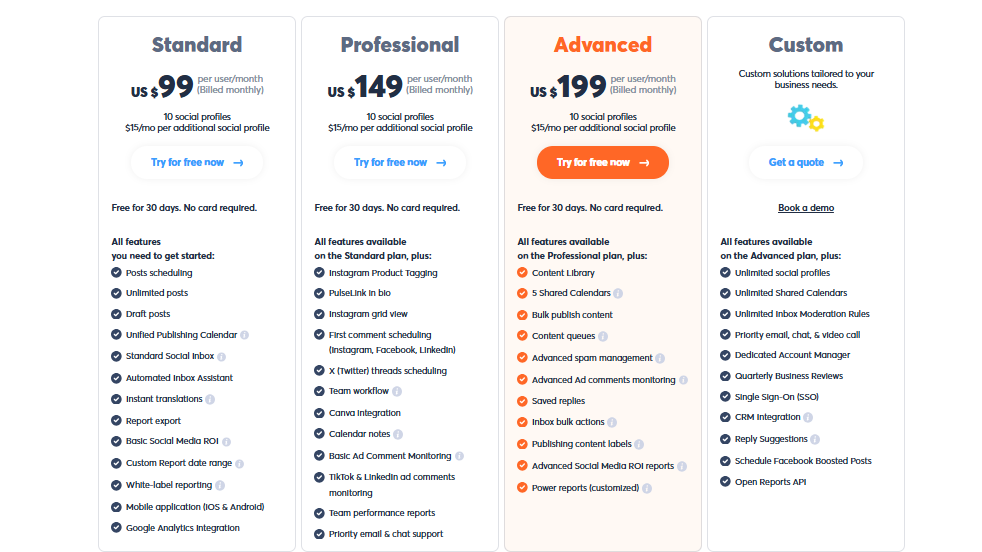
Agorapulse starts at $99/month, but the advanced features are locked behind higher-tier plans, which can get expensive. For small businesses, the price might be a stretch. But for agencies, the mix of scheduling, inbox, and reporting tools makes it a strong investment.
Overall Verdict
Agorapulse is a fantastic Planoly alternative if you run a team or agency and need a powerful all-in-one tool. It covers everything from planning to engagement and reporting. The only downside is that it’s not the cheapest or simplest option, so it might be overkill for solo creators.
How to Choose the Best Planoly Alternative
With so many Planoly alternatives out there, the “best” one really comes down to what you need most. Here are the key things to think about before you commit:
Your Primary Goals
Are you mainly after visual planning to perfect your Instagram grid, or do you need a more complete solution with analytics, ads, or advanced team collaboration? Define your main goals first, and the right tool will stand out.
Number of Social Channels
Some tools limit how many accounts you can connect, while others scale up smoothly as you add more. Think about how many platforms you manage today and how many you might need in the future.
Team Size & Collaboration
Managing social solo is one thing. Running campaigns with a team or multiple clients is another. If you need roles, permissions, or approval workflows, choose a tool that makes teamwork easy.
Budget
Are you testing the waters and need a free alternative to Planoly, or are you ready to invest in something more powerful? Remember, the cheapest option isn’t always the best, but neither is the priciest. So, look for value, not just cost.
Required Features
Make a checklist of must-haves: a visual calendar, direct publishing, unified inbox, detailed analytics, social listening… whatever matters most for your workflow. Then see which tool ticks the right boxes.
Ease of Use & Interface
The last thing you need is a tool that slows you down. Look for a platform that feels intuitive, clean, and enjoyable to use every day.
Customer Support
Things will go wrong sometimes. Having responsive, helpful support on hand can save you hours of frustration. Always check what support options each tool offers.
Remember, choosing the right Planoly alternative isn’t about finding “the best tool overall.” It’s about finding the best fit for your goals, team, and budget.
Final Note
Planoly has been a solid choice for visual-first creators, but as your social media needs grow, it might feel a bit too limiting.
The good news, however, is that there are plenty of alternatives that not only match Planoly’s strengths but also go way beyond it – offering wider platform support, better analytics, stronger collaboration, and fairer pricing.
Regardless of what you do or why you might need a social media management tool, the right tool is out there for you. Take a moment to revisit your goals, compare the features that matter most, and pick the platform that makes your workflow smoother, not harder.
And if you’re looking for a flexible, all-in-one solution that’s affordable and reliable, OnlySocial is a great place to start.
FAQs
What is Planoly best used for?
Planoly is mainly designed for Instagram and Pinterest users who want to visually plan their feeds. It’s perfect if your main focus is grid planning and simple scheduling.
Is there a free alternative to Planoly?
Yes! Several tools offer free plans with basic scheduling features. However, if you want advanced features like analytics or team collaboration, you’ll likely need to invest in a paid plan.
What’s better, Planoly or Later?
Later offers more multi-platform features and has a broader scope than Planoly, but it can be more expensive. Planoly, on the other hand, is simpler and more budget-friendly if you’re focused on Instagram or Pinterest.
How does OnlySocial compare to Planoly?
OnlySocial is an all-in-one social media management tool that covers far more platforms than Planoly. It also offers unlimited posting across accounts, advanced scheduling, and detailed analytics. These are features that make it a strong upgrade if you’re managing more than just visual content.
How much does Planoly cost per month?
Planoly’s paid plans start at around $16 per month for 1 social set, which covers a single profile on each supported platform. Pricing increases as you add more accounts or features.
Can I use Planoly for Instagram Stories and Reels?
Yes, Planoly supports scheduling for Instagram Stories and Reels, but some features may be limited depending on your plan.
Does Planoly support newer platforms like Bluesky or Mastodon?
No, Planoly doesn’t currently support Bluesky, Mastodon, or Google Business Profile. If you want to manage those, you’ll need an alternative like OnlySocial that offers broader coverage.