10 Best Pallyy Alternatives for Enhanced Social Management [First-Hand Review]

Looking for something better than Pallyy?
You’re not alone. Whether you’re already using Pallyy and feeling a bit limited, or you’re still weighing your options before committing to a social media tool, this guide is for you.
Pallyy is a solid choice, especially for solo creators and small teams, but let’s be honest, it’s not perfect. Maybe you’re craving more advanced analytics, better collaboration tools, or just a platform that fits your growing workflow.
That’s why we’ve put together this first-hand review of the 7 best Pallyy alternatives. These tools don’t just match what Pallyy offers – they go further.
Regardless of the size of your business or needs, there’s something here for everyone ready to level up their social media game.
Let’s dive in.
Table of Contents
- 1 How to Choose the Best Pallyy Alternative for You
- 2 The Best Pallyy Alternatives for All Brands and Businesses
- 3 1. OnlySocial ($29/Month)
- 4 2. Buffer ($6/Month)
- 5 3. Sprout Social ($199/Month)
- 6 4. SocialBee ($29/Month)
- 7 5. Loomly ($42/Month)
- 8 6. Sendible ($29/Month)
- 9 7. Agorapulse ($99/Month)
- 10 8. ContentStudio ($19/Month)
- 11 9. Social Champ ($5/Month)
- 12 10. Zoho Social (15/Month)
- 13 Final Thoughts
How to Choose the Best Pallyy Alternative for You
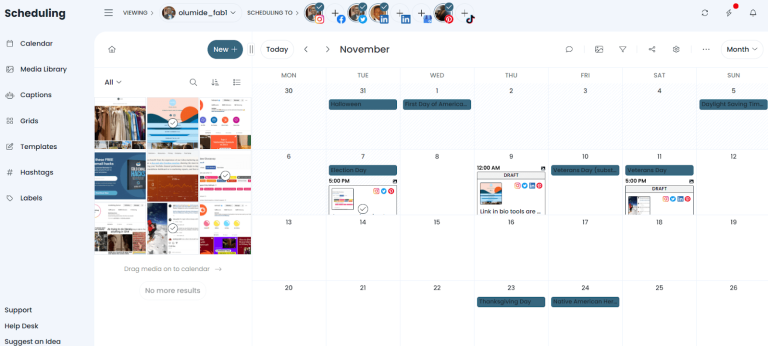
Not every tool is built the same – and not every business needs the same thing.
So, before you jump ship from Pallyy, take a moment to think about what you actually need. Let’s take a quick look at some important factors to consider in a Pallyy alternative.
Start with the features
Are you just scheduling posts, or do you need analytics, team collaboration, and a social inbox too? Some tools go big on automation, while others shine with their AI content suggestions. The best alternative is the one that fits your workflow – not the other way around.
Think about your budget
Sure, saving money feels good. But sometimes a slightly higher monthly fee gets you way more value. Look beyond the price tag. What are you really getting for your money? Compare plans and check for any sneaky extra charges like add-ons or user limits.
Check your stack
Already using tools like Canva, Google Drive, or a CRM? Choose a platform that plays nicely with them. The last thing you want is to juggle a bunch of disconnected tools.
Keep it simple
If it’s not easy to use, you probably won’t use it. Go for something with a clean interface and a short learning curve, especially if you’re managing multiple accounts or working with a team. Bonus points if the support team actually responds when you need help.
Remember, the right tool for you should make your life easier – not more complicated. Now, let’s see the best Pallyy alternatives in the market to consider for your brand.
The Best Pallyy Alternatives for All Brands and Businesses
1. OnlySocial ($29/Month)
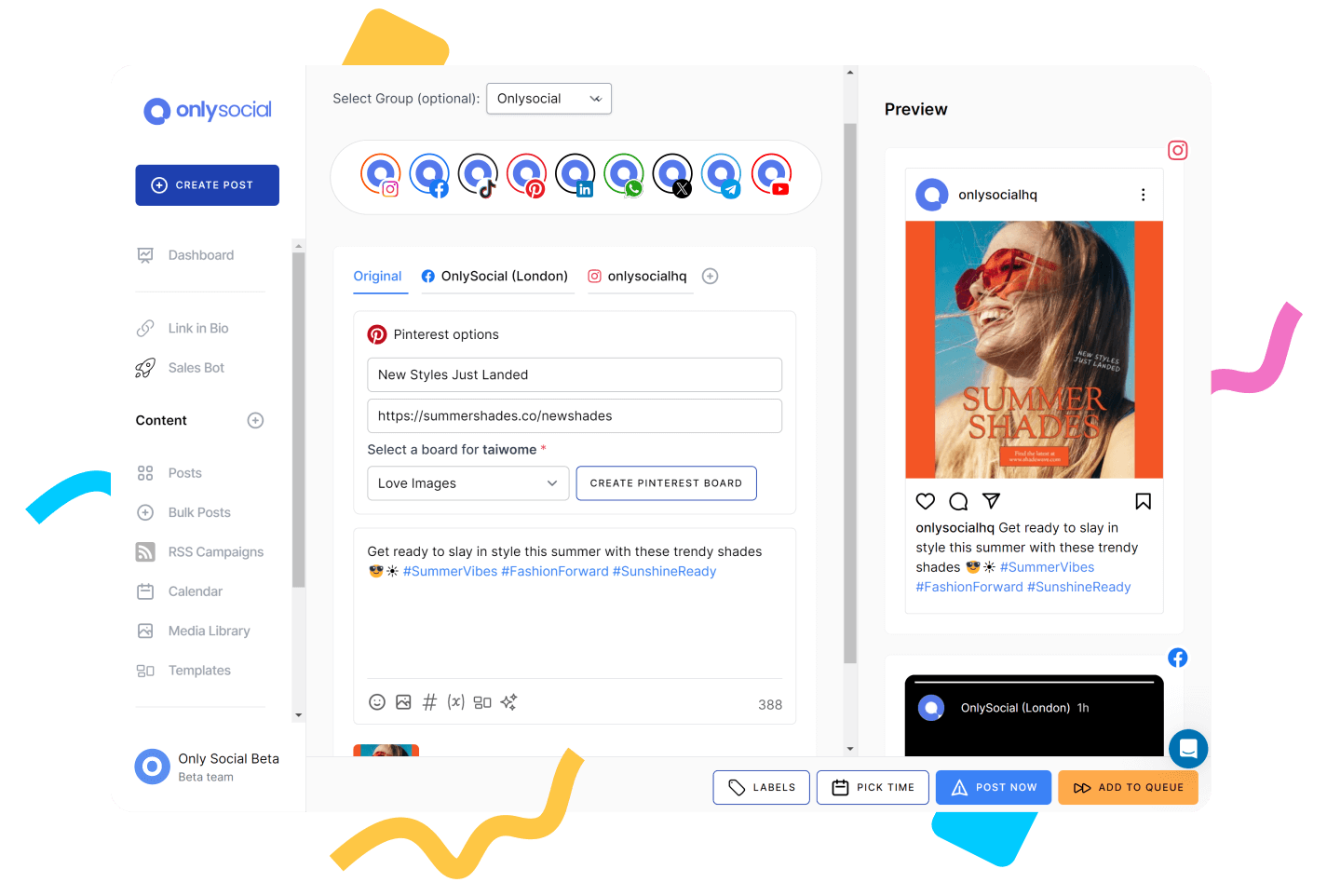
If you’re looking for a powerful Pallyy alternative that feels easy to use but still gets a lot done, OnlySocial might just be the one.
Built for businesses, creators, and agencies alike, OnlySocial combines post scheduling, team collaboration, automation, and in-depth analytics – all wrapped in a clean, user-driendly interface.
It’s designed to help you stay on top of your content without the usual tab-hopping or tech overwhelm.
Whether you’re managing one brand or many, it’s a solid step up if you’re ready for something more flexible and capable.
Key Features
Cross-Platform Scheduling
OnlySocial lets you post to more than 15 social networks, including Instagram, TikTok, Facebook, LinkedIn, YouTube, Pinterest, Threads, Bluesky, and many more. All from one simple dashboard.
Unlike Pallyy—which supports just 7 platforms on its basic plan, OnlySocial covers more ground, which means fewer workarounds and more time saved.
Smart Post Composer with AI Help
Creating content is a breeze here. You can preview and customize your post for each platform in one view. Upload files directly from your device or connect Google Drive, OneDrive, or your content library.
And when you’re out of ideas? The built-in AI Assistant can generate post captions, suggest hashtags, and even help you generate quality images for your posts. It’s more intuitive than what you get with Pallyy, especially for busy content teams or solo creators who need a hand.

Visual Calendar & Bulk Upload
The drag-and-drop calendar helps you plan weeks ahead. Upload multiple posts via CSV, shuffle your content, and colour-code everything for clarity. If you’ve used Pallyy’s calendar before and felt a bit limited, this version brings more visual control and flexibility to your planning.
Unified Social Inbox
No more bouncing between tabs. OnlySocial’s unified inbox pulls in comments, messages, and mentions across Instagram, Facebook, and more. This is an amazing feature, especially if you’re managing customer support or engaging communities.

Advanced Analytics
OnlySocial comes with advanced analytics that could mean a lot to the growth of your business or brand. The analytics doesn’t just overload you with data. Instead, it gives you clean insights on what’s working: best-performing posts, audience engagement, and best times to post.
Team Collaboration
Assign tasks, add notes, manage approval flows, and share a brand library – all without long email threads or Slack messages. It’s smooth, especially for small teams who want to stay aligned.
Seamless Integration
OnlySocial connects seamlessly with tools like Adobe Express, Bit.ly, OpenAI, and more, so you can create, edit, and publish content without juggling a bunch of logins. That alone makes it a smart, time-saving upgrade for most users.
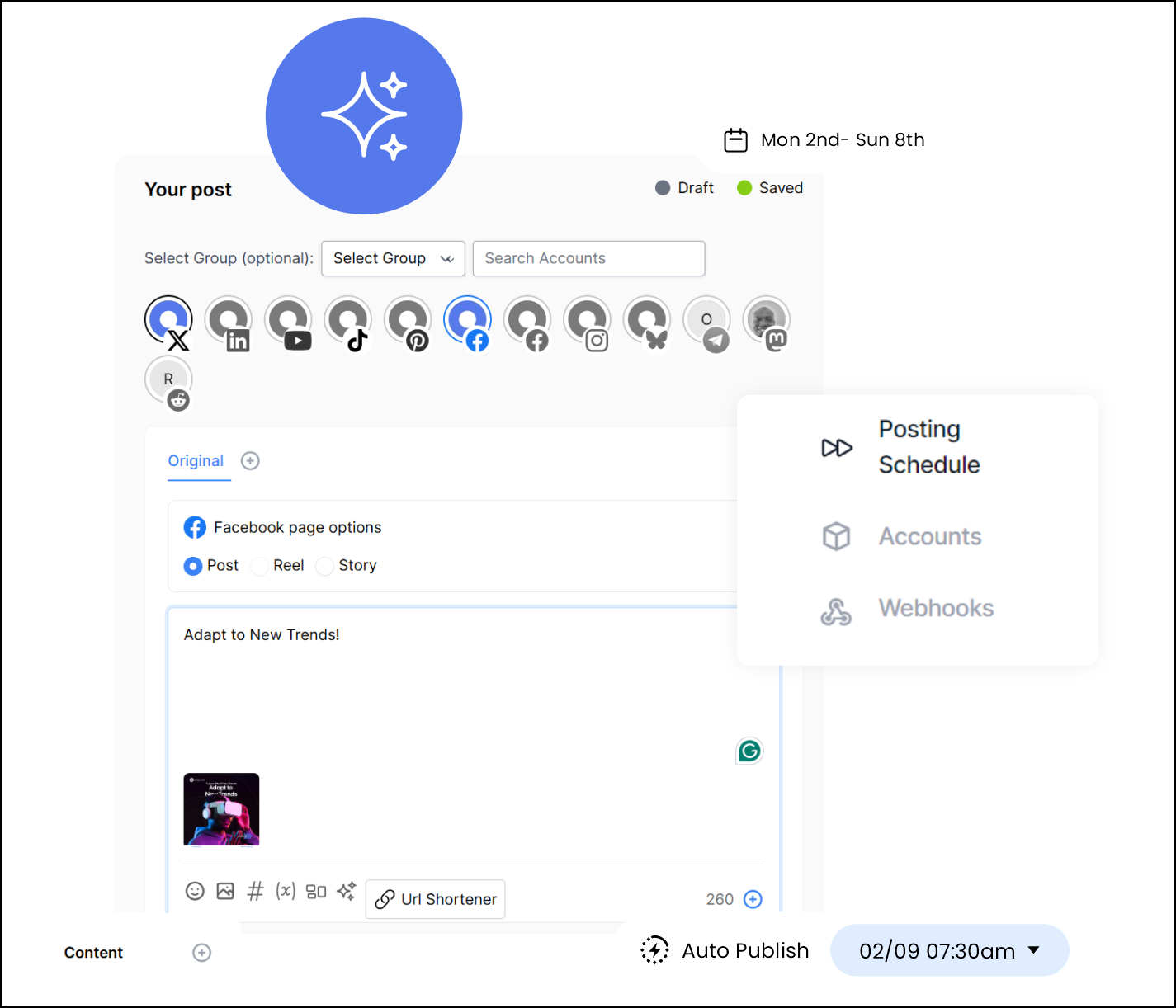
Pros of OnlySocial
- Affordable pricing plans with powerful features
- Super clean and beginner-friendly interface
- Offers bulk upload for up to 500 posts at once
- AI-powered post creation with smart hashtag suggestions
- Visual calendar and unified inbox that genuinely improve workflow
- Strong analytics that show real performance insights
- Responsive customer support
Cons
- Doesn’t offer built-in competitor analytics
- No forever-free plan (but trial options are available)
Pricing & Value
OnlySocial gives you serious value, especially if you’re managing content across several platforms or working in a small team.
Here’s how it breaks down:
- Freelancer Plan – $29/month for up to 15 social accounts
- Entrepreneur Plan – $49/month for 45 accounts and 3 users
- Professional Plan – $99/month for unlimited accounts and 10 users
Each plan comes with full access to scheduling, analytics, AI help, and collaboration features – no need to pay extra for every little add-on.
By comparison, Pallyy’s free plan is very limited, and its $25/month paid plan only supports 1 user and 7 platforms. So if you need scale, OnlySocial is the better deal by far.
Overall Verdict
If you’re feeling boxed in by Pallyy’s limitations, OnlySocial is an easy upgrade. It offers more scheduling power, stronger analytics, smarter AI tools, and better support for collaboration – without blowing your budget.
It’s one of the best Pallyy alternatives out there, whether you’re running your socials solo or with a full team behind you. And the best part? You won’t need a degree in tech to use it. Just sign in, plan, and post.
2. Buffer ($6/Month)
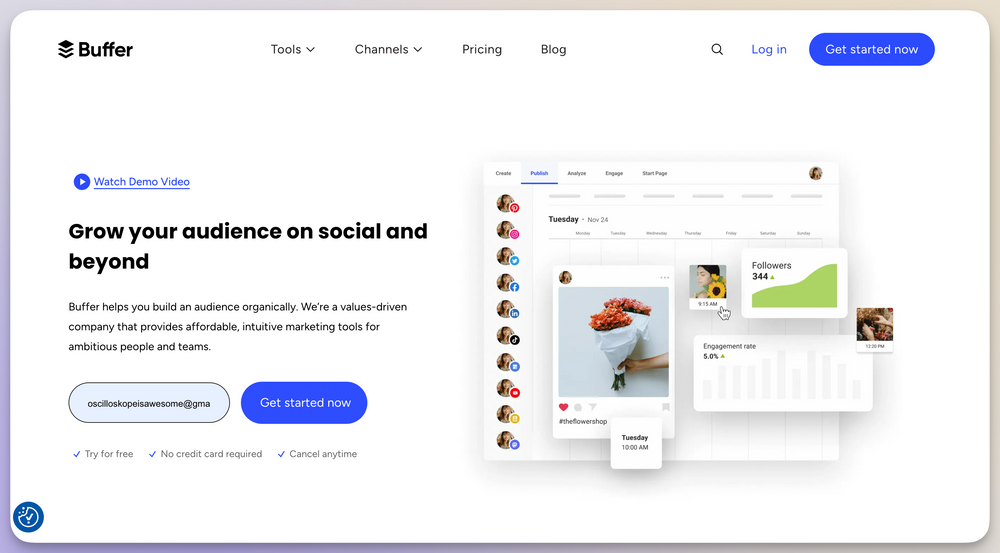
Buffer is one of the oldest names in the social media management game – and for good reason. It’s clean, dependable, and packed with features that help individuals, teams, and small businesses manage their online presence without stress.
While Pallyy focuses heavily on Instagram scheduling and visuals, Buffer offers a more rounded toolkit, especially if you’re handling multiple platforms and want a mix of planning, engagement, and analytics features in one place.
Key Features
Content Scheduling with Queue System
Buffer’s scheduling tool is still one of the best out there. You can set specific time slots for each platform and let your content flow in a queue. This is super helpful for keeping a steady posting rhythm without manually setting dates each time.
Multi-Platform Publishing
It supports posting to Facebook, Instagram, Twitter (X), LinkedIn, Pinterest, and more. You can create one post and tweak it for each platform – all from one window.
AI Assistant
Buffer includes an AI content generator that helps with caption ideas and copywriting. It’s not as powerful or adaptive as what you’ll find in OnlySocial, but it’s great for speeding up content creation.
Visual Calendar
You get a nice, scrollable calendar view of your scheduled content across platforms. Pallyy’s calendar is solid too, but Buffer’s layout feels a bit more fluid and responsive.
Landing Page Builder
Buffer stands out here. You can build a fully functional link-in-bio landing page using its free customizable templates. This is a perfect feature for creators or marketers who want to drive traffic from Instagram or TikTok.
Unified Engagement Tool
Buffer lets you respond to comments and messages across platforms from a single inbox. Again, it’s not as advanced as OnlySocial’s inbox, but it’s a helpful tool for staying on top of community management.
Pros
- User-friendly and clean interface
- Strong scheduling system with queue features
- Helpful AI assistant and landing page builder
- Robust analytics and engagement tools
- Great for small teams and individuals
Cons
- Software can occasionally crash, causing users to reconnect social accounts
- No hashtag suggestion tool
- Limited support for newer platforms like Threads and Bluesky
Pricing & Value
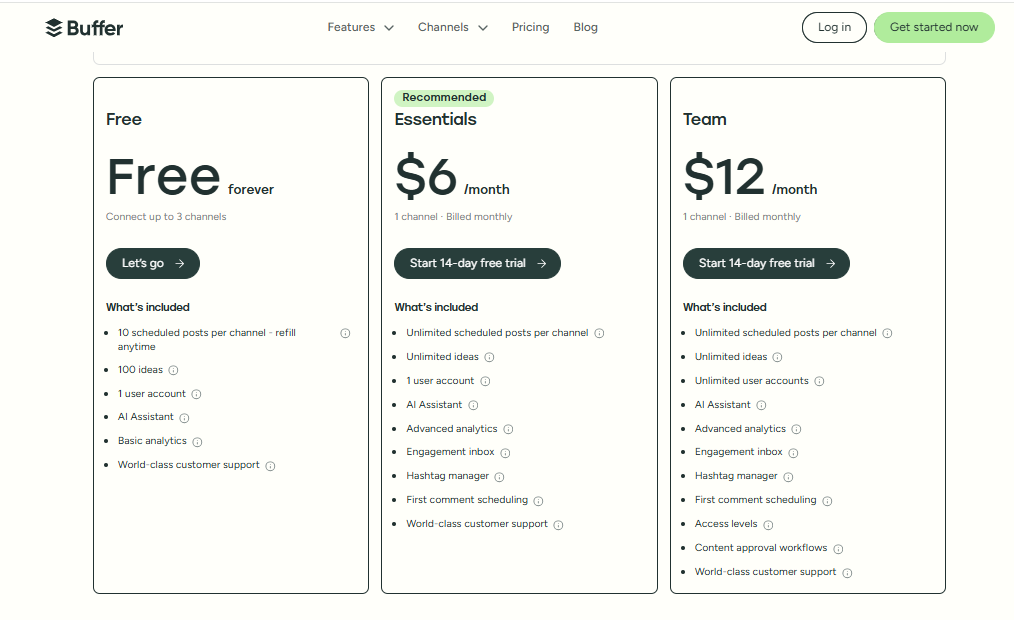
Buffer offers a very low starting point at $6/month per channel. Compared to Pallyy, Buffer’s pricing can be more flexible for those managing fewer platforms or working solo. Plus, the free plan gives you a generous taste of the tool without forcing a credit card upfront.
Overall Verdict
Buffer is a trustworthy all-rounder and an excellent Pallyy alternative if you’re looking for better multi-platform support, detailed analytics, and a smoother scheduling experience.
It’s especially ideal for creators, freelancers, and small teams who want a reliable tool that doesn’t feel overwhelming. While it may not have all the bells and whistles of newer platforms like OnlySocial, its ease of use and steady performance keep it a solid choice in 2025.
3. Sprout Social ($199/Month)

Sprout Social is a perfect alternative to Pallyy if you’re managing social media for a large team, an agency, or a business with high customer engagement needs.
It’s not the cheapest tool around, but what you get in return is a powerhouse built for teams who want everything – from deep analytics and automation to smart inboxes and approval workflows.
Compared to Pallyy, Sprout Social goes far beyond simple scheduling.
Key Features
Smart Inbox for Unified Engagement
Sprout’s Smart Inbox is brilliant. It pulls in comments, DMs, mentions, and reviews from across your social accounts into one tidy dashboard. You can tag, assign, respond, and even track message sentiment. This is a huge step up from Pallyy’s inbox, especially if you get a high volume of messages.
Post Composer & Publishing Tools
The post composer lets you write and customize posts for each network, schedule them, and even boost them (e.g., with paid ads). There’s a content calendar too, complete with AI Assist to help generate captions on the fly.
Collaboration & Approval Workflows
You can assign roles, set up content approvals, and collaborate smoothly with your team or clients. Pallyy offers team collaboration, but it’s not this deep. Sprout shines when it comes to larger teams and organized workflows.
Social Listening
This powerful add-on tracks what people are saying about your brand, industry, or competitors – across social platforms and the web. You can monitor sentiment, spot trends, and jump into conversations early.
Detailed Reporting & Competitive Analysis
Sprout’s reports are more like insights. You get everything from content performance and audience growth to competitive benchmarks and ad reporting. If Pallyy’s reports feel basic, Sprout’s will feel like a data goldmine.
Pros
- Extremely detailed analytics and reports
- Smart Inbox is excellent for community management
- Approval workflows and strong team collaboration
- Optional social listening and review management
- Works well for large teams and agencies
Cons
- Expensive (definitely not for solo creators or startups)
- Social listening comes as a paid add-on
- Analytics dashboard can feel overwhelming at first
- No YouTube publishing integration.
Pricing & Value
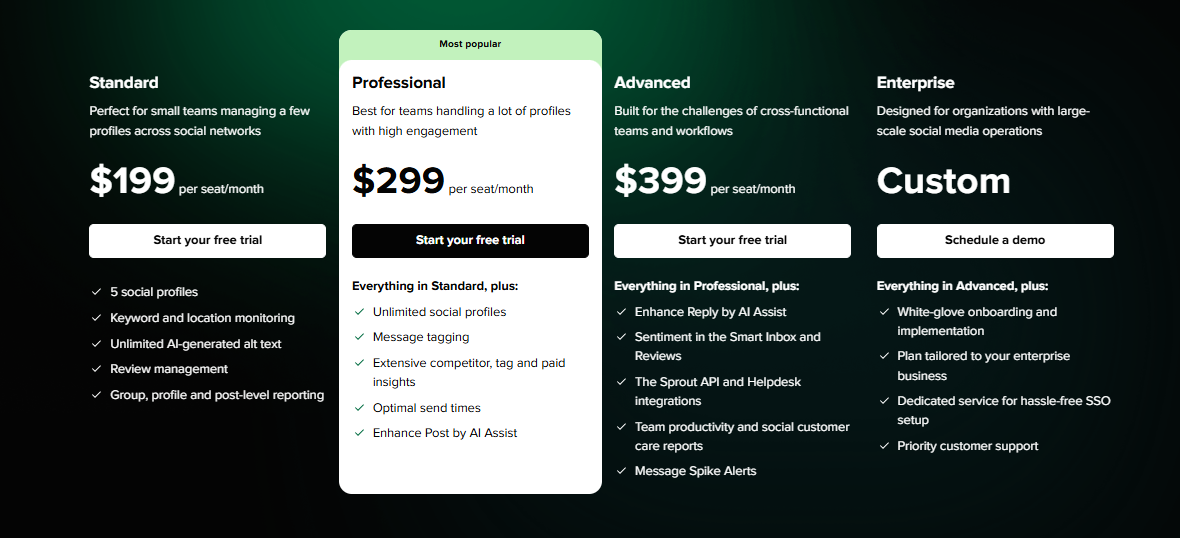
Sprout Social plans start at $199/month per seat for 5 social profiles. If you would like to have additional user (seat), this will be billed separately. So if you have a team of 3, you’re looking at nearly $597/month before discounts.
Compared to Pallyy, which starts at $25/month for one user, Sprout is clearly aimed at larger organizations that need advanced features, not budget-friendly plans.
Overall Verdict
If you’re managing multiple clients, running a big in-house team, or providing social media customer support, Sprout Social is easily one of the most powerful Pallyy alternatives out there.
It’s overkill for casual users or solo creators, but for agencies, support teams, or enterprises that want in-depth insights, streamlined workflows, and serious engagement tools, Sprout Social delivers.
4. SocialBee ($29/Month)
If you’re after a social media management tool that gives you more control over your content strategy, SocialBee might just be your next stop.
Unlike Pallyy, which leans more toward simplicity, SocialBee focuses on powerful content categorization and evergreen scheduling, making it a perfect choice for businesses or solopreneurs who want to automate smartly, and not just schedule randomly.
Key Features
Category-Based Scheduling
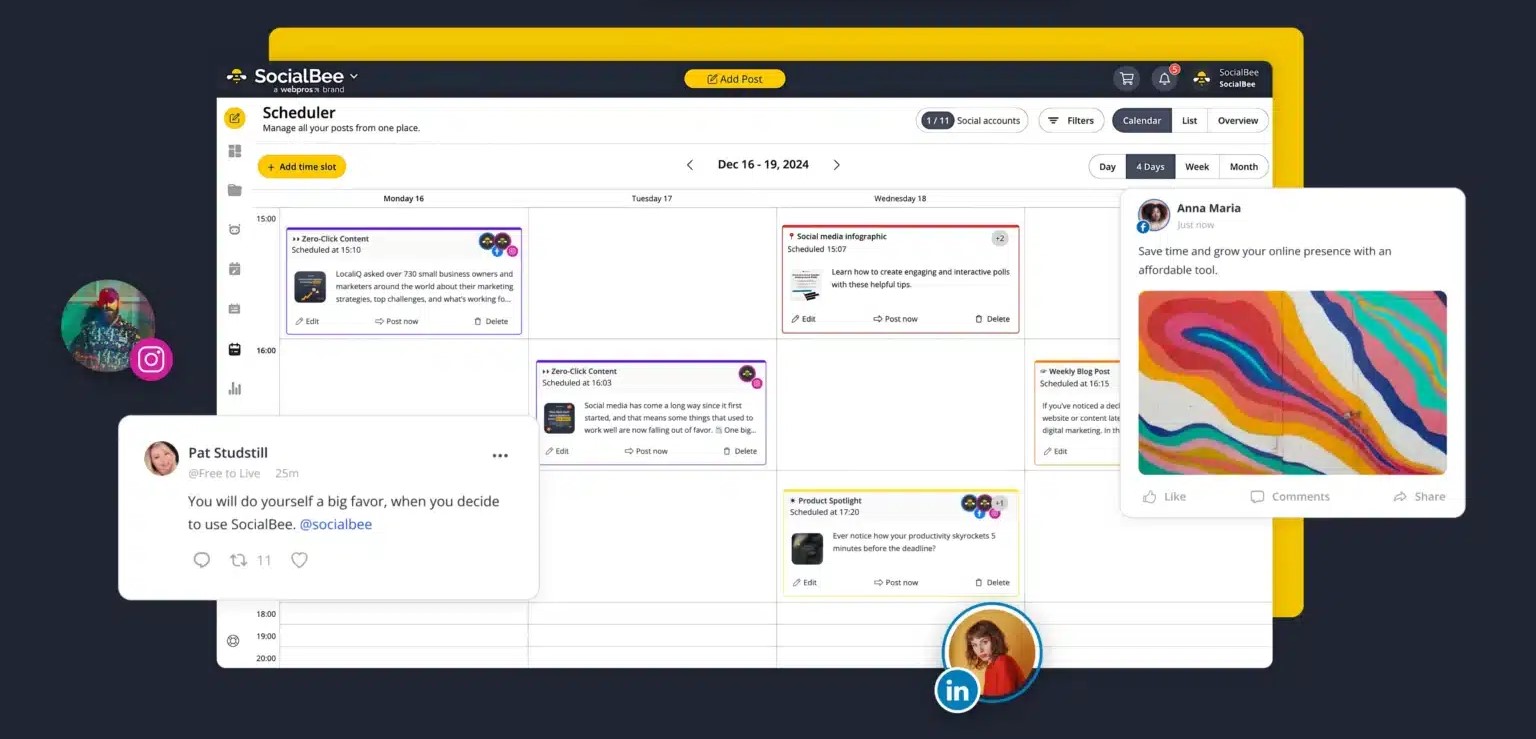
SocialBee lets you group your content into categories (e.g. promotions, blogs, quotes), then schedule each category separately. This helps you keep your content mix balanced, without thinking too hard every week. It’s a step above Pallyy’s straightforward calendar system.
Evergreen Recycling
Got timeless posts you want to keep in rotation? SocialBee’s evergreen content feature makes sure your best posts never die. You set how many times to repost and it handles the rest.
Workspaces & User Roles
For people managing multiple brands or clients, SocialBee gives you dedicated workspaces to separate everything, plus team roles and approval workflows to make collaboration easier.
Post Variations & Customization
You can write one post and then easily create variations for each platform – great for tailoring content to different audiences. Pallyy lets you do this to some extent, but SocialBee gives you finer control.
AI Assistant & Canva Integration
Need help creating? SocialBee has an AI assistant to generate captions and ideas. It also connects directly with Canva for easy design, so you never have to leave the dashboard to create on-brand graphics.
Analytics & Reporting
Track engagement, reach, and follower growth across all connected platforms. The reports are simpler than Sprout’s but more insightful than what you get from Pallyy’s basic offering.
Pros
- Very easy to use, even for beginners
- Great for long-term content planning and recurring posts
- Helpful AI assistant
- Canva integration for in-app design
- Competitor analysis features available on higher plans
Cons
- The interface has a bit of a learning curve
- Reports are good, but not as advanced as bigger tools like Sprout
- No true unified inbox for messages
- Mobile app experience needs improvement
Pricing & Value
SocialBee’s pricing is quite flexible and fair for the features it offers:
- Bootstrap Plan – $29/month (5 social profiles, 1 workspace, 1 user)
- Accelerate Plan – $49/month (10 profiles, 1 workspace, 1 user)
- Pro Plan – $99/month (25 profiles, 5 workspaces, 5 users)
Each plan includes category scheduling, AI assistance, post recycling, and more. Compared to Pallyy’s $25/month starting price (with just one user and seven social channels), SocialBee offers better long-term planning tools for just a bit more.
Overall Verdict
If you want more structure, strategy, and automation in your content scheduling, SocialBee is one of the smartest Pallyy alternatives on the market.
It’s especially handy if you’re juggling multiple content types and don’t want to be stuck re-writing or re-scheduling posts constantly. It might not be the best fit for large-scale agencies, but for solopreneurs, coaches, content marketers, and small teams, it’s a winner.
5. Loomly ($42/Month)

Loomly is also another amazing social media management tool you might want to consider when looking for a Pallyy alternative. The tool is especially great for people whose social media strategy depends heavily on planning, approval workflows, and clean visual calendars.
It’s built for teams that need structure. Think: brands, agencies, or busy freelancers who want clarity across content creation, collaboration, and publishing – all without needing a massive learning curve.
Key Features
Visual Content Calendar
Loomly’s calendar is a real highlight. You get a clear visual of your scheduled posts, with built-in tools to manage deadlines, drafts, and approvals. If you’ve ever found Pallyy’s calendar too limited or plain, this is a refreshing upgrade.
Seamless Collaboration
Loomly is built with teams in mind. You can assign roles (like creator, contributor, or approver), leave comments, set post status (draft, pending approval, scheduled), and move everything along in an organized way. Great for agencies or brands with multiple stakeholders.
Post Ideas & Optimization Tips
Stuck on what to post? Loomly helps spark inspiration with post ideas tailored to current trends, holidays, and your niche. It also gives optimization tips while you create, so you’re not just posting – you’re posting smart.
Analytics & Performance Tracking
Track how your posts perform with engagement metrics, reach, and more. While it may not be as detailed as some other tools on this list, it gives you the key numbers you need to improve your strategy.
Multi-Platform Publishing
Loomly supports major platforms including Facebook, Instagram, Twitter (X), LinkedIn, Pinterest, TikTok, and even Google Business Profile. It is a handy setup for brands with a wide digital footprint.
Pros
- Clean, easy-to-navigate interface
- Excellent visual calendar
- Great for content planning and approval workflows
- Smooth team collaboration features
- Real-time post previews
Cons
- No social inbox
- Analytics could be deeper for power users
- Pricing might be high for solo users
Pricing & Value
Loomly’s plans are structured based on number of users and social accounts:
- Base Plan – $42/month (2 users, 10 social accounts)
- Standard Plan – $80/month (6 users, 20 accounts)
- Advanced Plan – $175/month (14 users, 35 accounts)
- Premium Plan – $369/month (30+ users, 50+ accounts)
All plans include scheduling, post previews, analytics, and collaboration features.
Compared to Pallyy, Loomly’s Base Plan is more expensive, but you’re getting a more collaborative and structured environment with deeper planning tools.
Overall Verdict
Loomly is one of the best Pallyy alternatives if you’re part of a team that thrives on process, structure, and clarity.
It’s not trying to be everything (like a full-blown engagement tool), but it nails planning, approvals, and publishing. If your biggest frustration with Pallyy is its limited collaboration or bland calendar setup, Loomly will feel like a breath of fresh air.
6. Sendible ($29/Month)
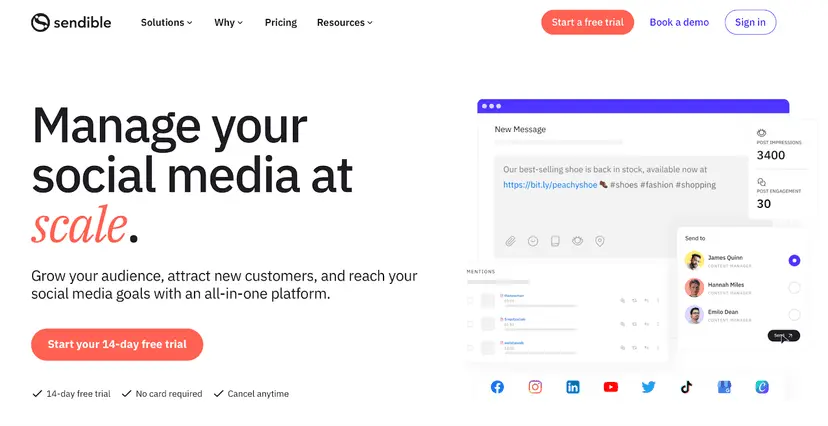
If you’re looking for a professional, all-in-one social media management tool that balances ease of use with powerful features, Sendible is a solid Pallyy alternative to consider.
It’s built with agencies, marketers, and growing teams in mind, especially those juggling multiple clients or platforms.
Compared to Pallyy, Sendible offers stronger collaboration, better content curation tools, and more detailed reporting. It’s a great step up if you feel like you’ve outgrown the basics.
Key Features
Smart Publishing & Post Composer
Sendible makes it simple to create and customize posts for different platforms. You can tailor each post inside the composer and preview how it will look across networks.
Plus, the content calendar gives you a visual snapshot of everything that’s scheduled – great for staying organized.
Unified Social Inbox
Sendible pulls all your messages, comments, and mentions into a central inbox so you can reply without hopping between tabs. It also includes filtering options and priority tagging, making it easier to focus on the most important interactions – something Pallyy’s inbox still lacks in depth.
Content Suggestions & RSS Feeds
One of the standout features is content curation. With the RSS feed integration, you can find and share relevant articles or updates quickly. This is something Pallyy doesn’t support, so if curating industry content is part of your strategy, you’ll appreciate the time saved here.
Client & Team Collaboration
You can set up user permissions, create workflows for approvals, and assign tasks – all within the platform. His is especially ideal for agencies managing multiple clients or marketing teams working across departments.
Custom Reports Builder
Sendible tracks all the key metrics you’d expect – engagement, growth, post performance – and lets you build detailed, branded reports. If you’ve felt Pallyy’s reporting is too limited, this is a big plus.
Pros
- Clean interface and easy to learn
- Excellent reporting tools
- Built-in content suggestions and curation
- Great for client management and approvals
- Strong integrations with blogging platforms and Canva
Cons
- No support for Pinterest
- Mobile app feels a bit outdated
- Social listening isn’t built-in
Pricing & Value
Sendible’s plans start at $29/month for 1 user and up to 6 social profiles. For growing teams, the Creator and Traction plans offer more users and profiles, ranging from $89/month to $199/month. If you choose to pay annually, you can get up to 15% off.
While it’s not the cheapest tool on the list, Sendible offers serious value for teams that want better collaboration, advanced scheduling, and in-depth reporting – all in a clean, professional interface.
It definitely costs more than Pallyy, but if you’re managing multiple clients or need stronger analytics, the trade-off might be worth it.
Overall Verdict
Sendible is a smart upgrade from Pallyy if you need better reporting, deeper collaboration, and smart content tools all in one place. It’s especially ideal for agencies and teams handling multiple clients or platforms.
While solo creators might find it a bit much, for businesses looking to scale their social presence, Sendible checks a lot of boxes.
7. Agorapulse ($99/Month)

If you’ve hit the ceiling with Pallyy and want something more advanced, especially when it comes to managing conversations and reporting, Agorapulse is undoubtedly an alternative to consider.
This tool is built with growing brands and agencies in mind, combining scheduling, inbox management, and performance analytics in a super organized way.
Key Features
Smart Publishing Tools
Agorapulse helps you plan and schedule content easily across Instagram, Facebook, LinkedIn, Twitter (X), TikTok, and YouTube.
You get queue categories, publishing labels, and content libraries for recurring posts – all designed to make planning faster and more structured than Pallyy.
Inbox Management (Social Inbox)
This is Agorapulse’s standout feature. Unlike Pallyy’s basic inbox, Agorapulse turns your social messages, comments, reviews, and mentions into trackable conversations. You can tag, assign, label, and respond – all without missing a beat. If your team handles community engagement or support, this feature is a game-changer.
Team Collaboration & Permissions
Whether you’re a team of 2 or 20, Agorapulse keeps everyone in sync. Assign roles, manage post approvals, and leave internal notes. It’s perfect for agencies or larger marketing departments that need tighter control over workflows.
Advanced Reporting & Listening Tools
Agorapulse gives you rich analytics, including custom reports, performance trends, and competitor comparisons. You also get social listening tools to track brand mentions, monitor keywords, and stay ahead of trends – something that’s completely missing from Pallyy.
CRM for Social
This neat feature stores info about users who engage with your brand – great for personalized outreach or community-building. Over time, it gives you better context about who’s commenting and interacting most.
Pros
- Best-in-class social inbox
- Powerful analytics and reporting
- Social listening included (not just as an add-on)
- Very team-friendly with custom permissions
- CRM features to track and manage audience interactions
Cons
- One of the more expensive options
- Takes time to set up and get used to
- No AI tools or content idea generators like some competitors
Pricing & Value
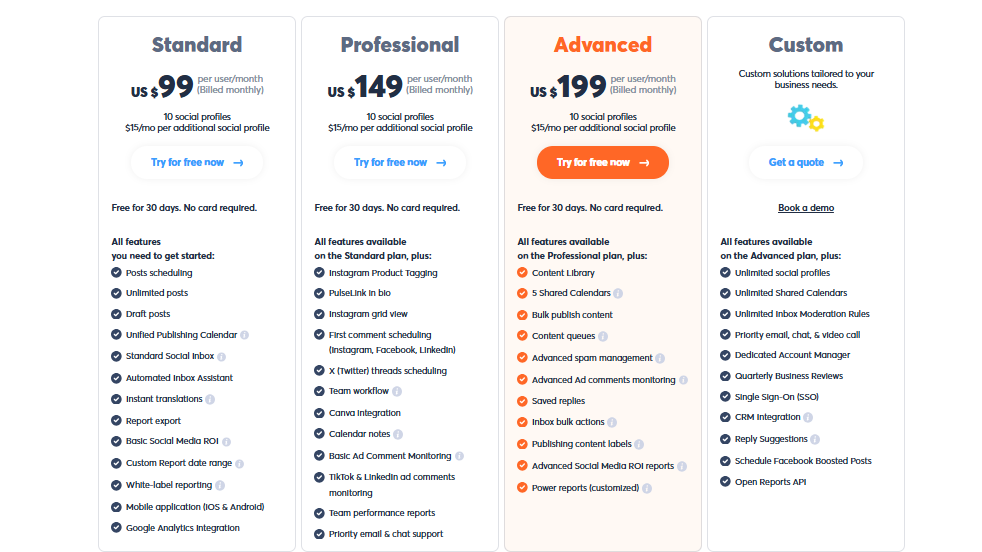
Agorapulse isn’t for the budget-conscious – plans start at $99/month for one user and 10 social profiles. Higher-tier plans unlock more users, advanced features, and team collaboration tools, with pricing jumping to $149/month and up depending on what you need.
However, if you’re managing multiple clients or need advanced inbox and reporting features, the price can be justified.
Pallyy is more affordable, but you’ll miss out on Agorapulse’s robust inbox, analytics, and listening tools. So it depends – if your focus is deeper insights and engagement, this could be a worthwhile upgrade.
Overall Verdict
Agorapulse is a premium-level Pallyy alternative made for serious social teams, agencies, and brands that want more control, more insights, and better engagement tools.
While it can be a bit steep on pricing, it delivers massive value for users who need advanced workflows and detailed reporting.
If you’re ready to go beyond basic posting and get serious about social media management, Agorapulse deserves just that.
8. ContentStudio ($19/Month)
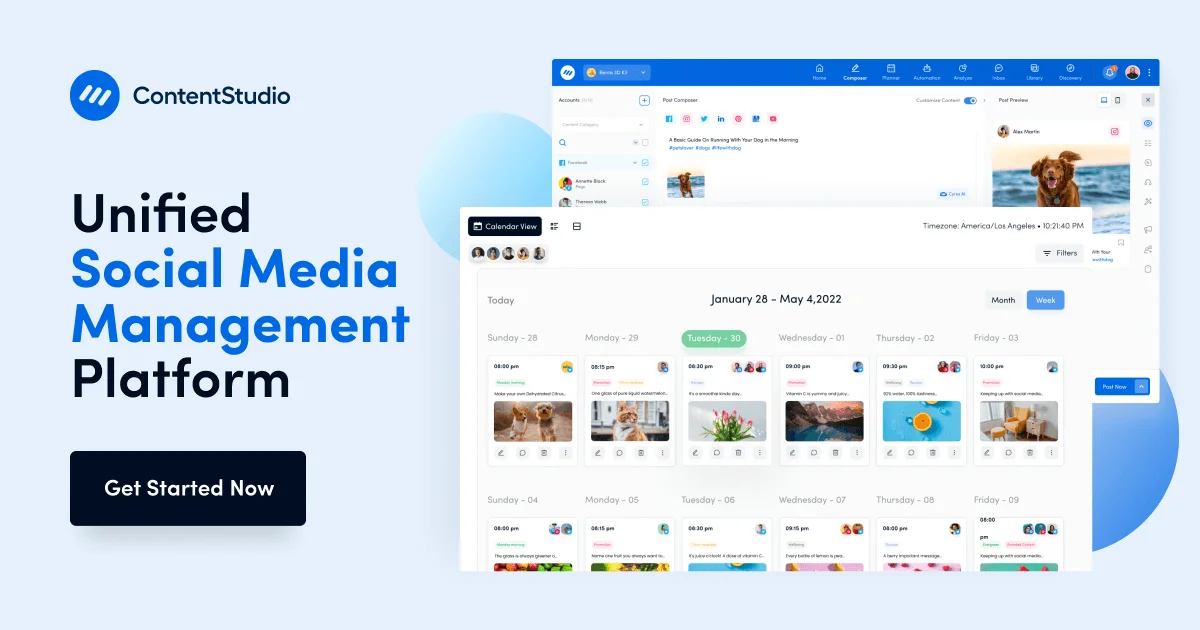
If you’re looking for a Pallyy alternative that’s content-heavy and analytics-rich, ContentStudio might be your match.
It goes beyond simple post scheduling. This tool gives you everything from AI-assisted creation to influencer tracking, making it ideal for brands that want a smarter way to plan, publish, and monitor content.
Pallyy is great for basic scheduling, especially on Instagram, but ContentStudio ramps things up with deeper insights, smarter automation, and better content discovery features.
Key Features
Multi-Platform Scheduling with AI
You can publish to all major social networks, including Facebook, Instagram, Twitter (X), LinkedIn, Pinterest, YouTube, TikTok, and even WordPress – from a single dashboard.
And unlike Pallyy, ContentStudio lets you customize each post per platform in one go. Plus, there’s AI help for writing, rewriting, and generating ideas if you get stuck.
Content Discovery & Planner
Here’s where ContentStudio shines. The tool pulls trending stories and articles based on your selected topics, helping you stay relevant and build authority. This is something Pallyy doesn’t even attempt, so if content curation is a big part of your strategy, you’ll feel right at home here.
Visual Calendar & Bulk Scheduling
Like most of its competitors, ContentStudio offers a drag-and-drop calendar. You can queue up posts, bulk upload, and visually map out your campaigns across different channels.
Unified Inbox with Workflow Management
Engage with your audience directly from the platform. You can easily manage DMs, comments, and mentions in one place. You also get internal notes, approval workflows, and task assignments – a solid choice for teams who want structure.
Analytics and Reporting
Track content performance, follower growth, audience demographics, and engagement. Reports can be exported and customized for clients, which gives you more reporting flexibility than Pallyy.
Influencer Discovery
This is one feature you won’t find in most Pallyy alternatives. ContentStudio helps you discover influencers in your niche. Great for brand collabs and building strategic partnerships.
Pros
- Strong focus on content discovery and planning
- AI writing and idea generation built-in
- Excellent for agencies and content teams
- All-in-one dashboard for engagement, publishing, and analytics
- Powerful influencer discovery tools
Cons
- Might feel overwhelming for solo users or beginners
- Pricier than basic tools like Pallyy
- Some features (like influencer tracking) are only on higher plans
Pricing & Value
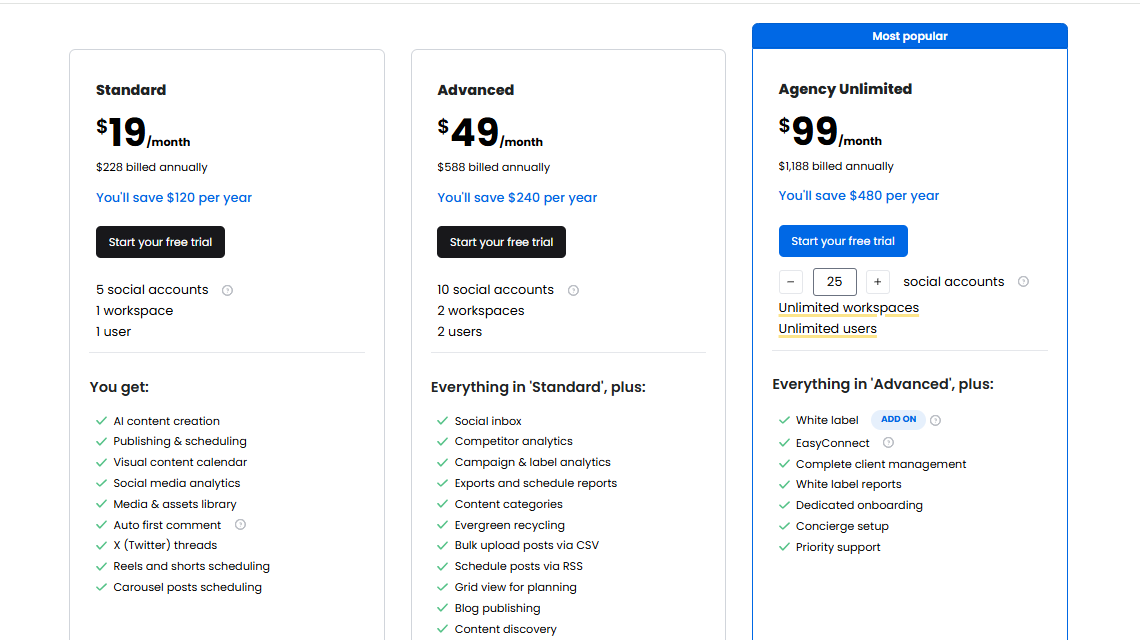
ContentStudio’s pricing starts at $19/month for one workspace and 5 social accounts, but that plan lacks many of the advanced features, like team collaboration and influencer discovery.
The Pro Plan at $49/month is where it starts to shine, with features like bulk scheduling, advanced analytics, and approval workflows.
Higher-tier plans are available for agencies and large businesses with needs like multiple workspaces and more users.
Overall Verdict
If content is at the heart of your social strategy, ContentStudio is one of the smartest Pallyy alternatives available today. It’s made for marketers who want to stay ahead of trends, post smarter with AI, and measure results more deeply.
Whether you’re flying solo or working with a team, this platform brings serious horsepower without overcomplicating things
9. Social Champ ($5/Month)
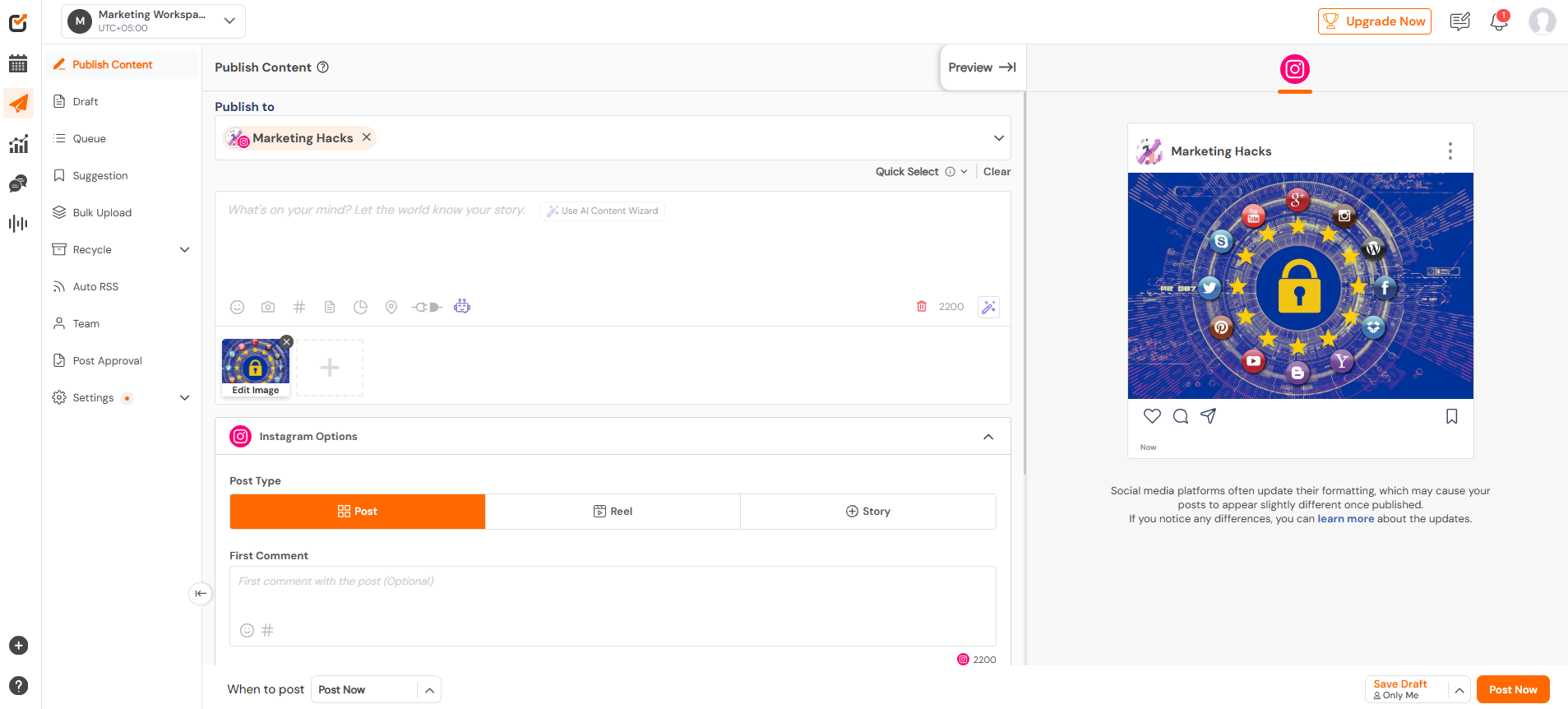
Social Champ is a clean, flexible, and budget-friendly Pallyy alternative. It’s a powerful yet beginner-friendly social media management tool trusted by businesses, marketers, and agencies across the globe.
While Pallyy leans into simplicity, Social Champ widens the playing field with robust features, advanced automation, and cross-platform support, without complicating your workflow.
Key Features
Cross-Platform Scheduling
From Instagram and Facebook to TikTok, YouTube, and more, Social Champ supports up to 10 different social networks. That means you can easily publish everywhere from one place.
That’s more coverage than what Pallyy offers on its starting plan. Plus, everything’s managed via a clean dashboard that’s easy to navigate.
AI-Powered Champ Suite
Stuck on captions? Social Champ’s built-in AI can suggest catchy captions, generate content ideas, and recommend visuals. While Pallyy recently added AI, Social Champ’s tools are a bit more refined and better suited for multi-brand or client-based workflows.
Smart Scheduling Tools
You can bulk upload posts, set recurring schedules, and shuffle your calendar like a playlist. The drag-and-drop interface makes managing your posting strategy much less of a chore.
Analytics & Reporting
Get detailed engagement metrics across platforms, along with white-label reporting for clients or teams. This is something many users find lacking in Pallyy, so if you’re data-driven, you’ll enjoy the upgrade here.
Unified Social Inbox
You don’t need to hop between apps to manage messages and comments. Social Champ’s inbox keeps all your conversations in one spot and includes team-collision detection, so no one replies twice by mistake.
Collaboration & Teamwork Tools
You get approval workflows, user roles, and a shared content library, making it perfect for teams. Agencies will also love the ability to streamline feedback and publishing without needing 10 back-and-forth emails.
Pros
- Easy to use, even for beginners
- Offers affordable plans for startups and agencies
- Strong collaboration and approval workflows
- AI tools for post creation and visual suggestions
- Solid analytics and reporting
Cons
- Mobile app experience is good, but not top-tier
- Listening features aren’t as advanced as premium tools like Sprout Social
Pricing & Value
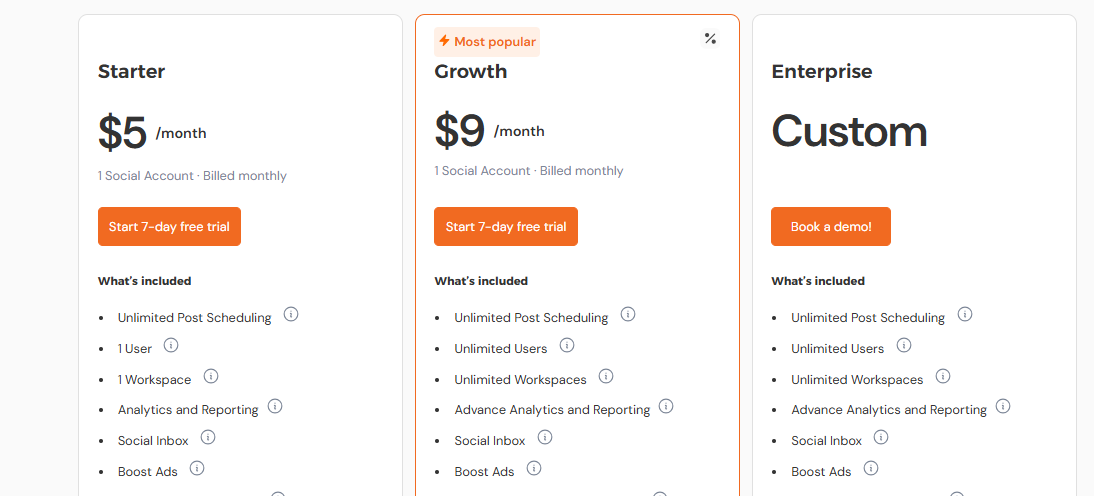
Social Champ’s pricing is where it really shines. Plans start at just $5/month, which is a steal for solo creators or small brands.
Larger teams can opt for Growth or Business plans, which unlock advanced scheduling, approval workflows, analytics, and additional users. These upper-tier plans are still much more affordable than most enterprise-grade platforms, without losing essential functionality.
Compared to Pallyy’s $25/month starting plan, Social Champ gives you more control over scheduling and collaboration at a fraction of the price. It’s flexible enough to grow with your team but simple enough to jump into straight away.
Overall Verdict
If you’re ready to upgrade from Pallyy but don’t want to break the bank, Social Champ is a fantastic alternative. It balances power with simplicity, letting you scale your content efforts without getting overwhelmed.
For creators, teams, and agencies that want more platforms, better automation, and richer analytics—all wrapped in a clean interface, Social Champ is definitely worth a try.
10. Zoho Social (15/Month)
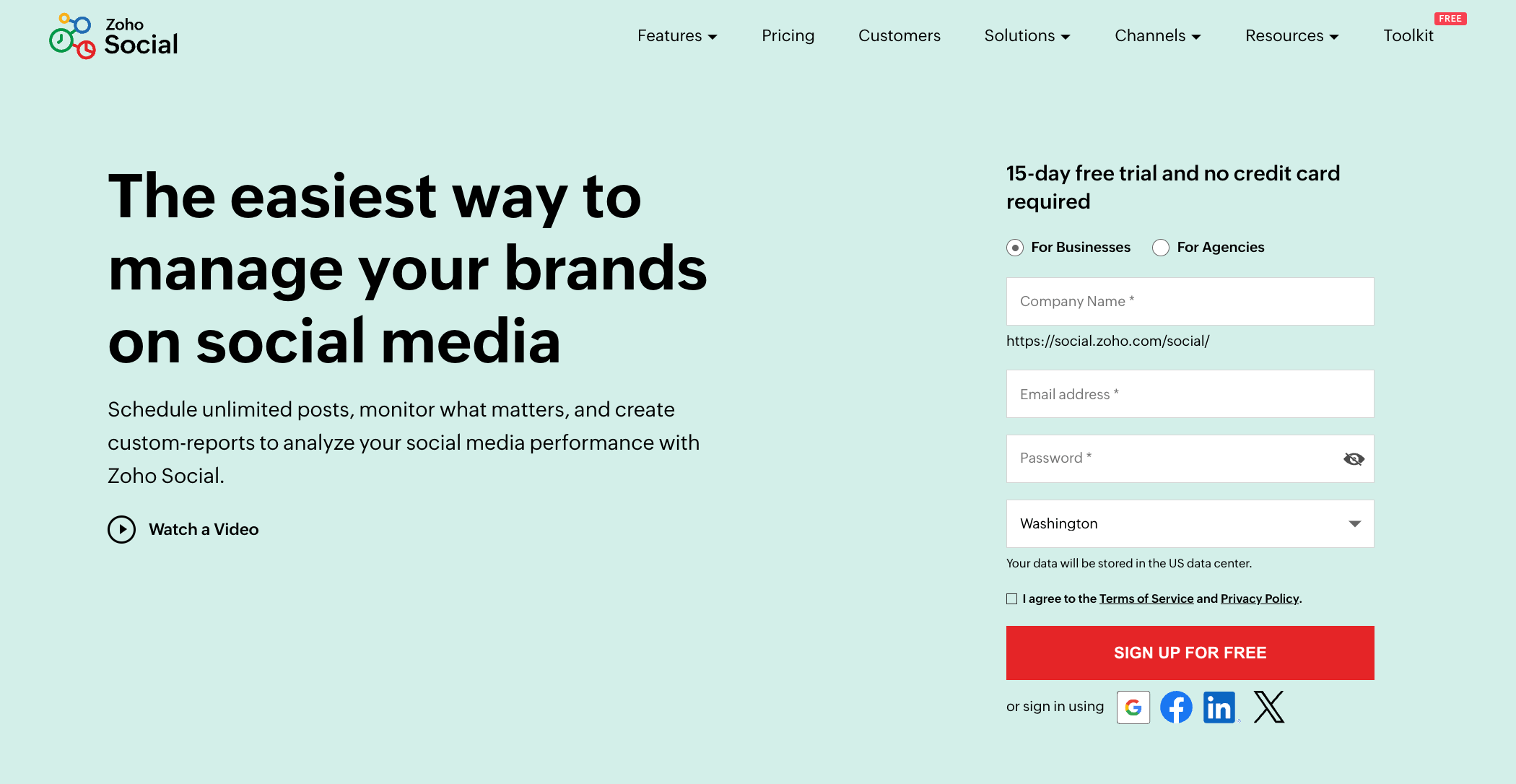
Zoho Social is built for businesses and agencies that need more than just basic scheduling. Think approval workflows, detailed analytics, social listening, and AI assistance. It’s a better fit if you’re managing clients, working with a team, or tracking serious performance metrics.
Key Features
Smart Scheduling with SmartQ
Zoho Social lets you publish manually or automatically at the best times using SmartQ – its AI-powered scheduling engine. You can also bulk schedule across multiple platforms, a feature that makes managing larger calendars much easier than with Pallyy’s drag-and-drop-only approach.
Zia AI Assistant
Zia is Zoho’s AI sidekick that helps you write better captions, predicts engagement outcomes, and suggests optimal post times. It’s smarter and more deeply embedded than Pallyy’s basic AI caption helper, giving Zoho users a bit of an edge in content planning.
Multi-Platform Publishing & Monitoring
From Facebook and Instagram to LinkedIn, Twitter, Google Business Profile, and even YouTube, Zoho Social handles them all. And unlike Pallyy, it includes built-in social media monitoring tools to track brand mentions and keywords in real time.
Visual Content Calendar
The content calendar offers a clear visual overview of your upcoming posts. You can filter by status, platform, and team member, making it ideal for teams juggling multiple campaigns at once.
Centralized Inbox
Zoho’s inbox brings comments, messages, and mentions from all platforms into one feed. While Pallyy offers an inbox too, Zoho’s version is better suited for high-volume engagement and team response workflows.
Collaboration & Approval Workflows
One of Zoho Social’s standout features is its team collaboration tools. You can assign roles, manage permissions, create custom approval flows, and even share client-specific reports. These are features Pallyy currently lacks or only offers at a basic level.
Analytics & Custom Reports
Zoho provides detailed insights into your post performance, audience growth, and engagement trends. Reports are customizable and exportable, which makes this a great fit for agencies and marketers who need to prove ROI.
Pros
- Great for teams and agencies
- AI-assisted scheduling and writing
- SmartQ scheduling finds the best post times
- Robust analytics and report customization
- Social listening and monitoring tools
- Solid integration with Zoho CRM and other tools
Cons
- Pricing can climb quickly for larger teams
- Analytics interface could be more visually appealing
- Slight learning curve for first-time users
Pricing & Value
Zoho Social starts with a Free Plan for individuals who need basic publishing tools. From there, it scales with:
- Standard Plan at $15/month (11 channels)
- Professional Plan at $40/month (11 channels, with more advanced features)
- Premium Plan at $65/month (14 channels + extra integrations)
While this is more expensive than Pallyy’s $25/month base plan, the value lies in the extras – approval workflows, detailed reports, SmartQ scheduling, and social listening.
If you’re running a team or agency, Zoho’s higher price is justified by the level of control and flexibility it brings.
Overall Verdict
If you’re outgrowing Pallyy or want a more scalable tool that supports advanced analytics, team roles, and intelligent automation, Zoho Social is a top contender. It’s especially useful for agencies or businesses managing multiple brands.
Sure, it’s a bit more complex than Pallyy, but with that complexity comes power. If you’re serious about social media as a business strategy, Zoho Social won’t disappoint.
Final Thoughts
Pallyy is a solid choice for simple, visual-first social scheduling, especially if you’re focused on Instagram. But if you’ve hit its limits or need more robust features, it might be time to explore new terrain.
Whether it’s the smarter AI tools in OnlySocial, the deep reporting in Sprout Social, or the team-friendly workflows in Zoho Social, there’s a Pallyy alternative out there that could suit you better.
Each tool we’ve covered brings something unique to the table. However, your ideal choice depends on what matters most to your business or brand.
So don’t settle for “just enough.” Take time to compare, test the waters with a few trials, and find a tool that truly matches your workflow.
If you’re looking for an affordable all-in-one platform with powerful scheduling, built-in AI, and seamless team collaboration, OnlySocial is more than ready to take the wheel.
Try it out today – you might just find it’s the upgrade you’ve been waiting for.