How to Manage Multiple Instagram DMs & Comments in 2025
Handling one Instagram account can already keep you busy – but managing several? That’s where things start to spiral. One moment you’re replying to a DM on your personal page, the next you’re trying to catch up on comments from your business account – and somehow, you’ve missed a message on your brand collab profile too.
Keeping up with all those conversations can feel like a full-time job, especially when notifications start piling up across accounts.
But here’s the good news – it doesn’t have to be that way. In 2025, managing multiple Instagram DMs and comments is easier than ever. You just need the right tool.
With OnlySocial, you can connect all your Instagram accounts and handle every message, comment, and mention from one clean, central inbox. No switching apps, no missed replies – just smoother conversations and more time to focus on the creative side of your brand.
Keep reading to see how it works.
Table of Contents
- 1 Why Do People Manage Multiple Instagram Accounts?
- 2 Managing Multiple Instagram Comments and DMs
- 3 How OnlySocial Helps You Manage Multiple Instagram DMs and Comments
- 3.0.1 Centralize Your Inbox
- 3.0.2 Manage Conversations in Real Time
- 3.0.3 Assign Conversations to Team Members
- 3.0.4 Tag, Filter, and Prioritize
- 3.0.5 Use Saved Replies and Smart Templates
- 3.0.6 Instant Engagement with Instagram DM and Comment Automation
- 3.0.7 Customizable Chatbots
- 3.0.8 Drag-and-Drop Chatbot Builder
- 3.0.9 Instagram Story Replies, Mentions, and Reactions
- 3.0.10 Instagram Live Chat
- 3.0.11 Personalized Communication
- 4 Other Tools That Let You Manage Multiple Instagram Comments and DMs
- 5 Tips for Managing Multiple Instagram Comments and DMs
- 5.0.1 Keep All Your Accounts Connected in One Place
- 5.0.2 Set Aside Dedicated Time for Engagement
- 5.0.3 Use Labels and Filters to Stay Organized
- 5.0.4 Create Saved Replies for Common Questions
- 5.0.5 Assign Conversations to the Right Team Members
- 5.0.6 Don’t Ignore Negative Comments
- 5.0.7 Use Automation Wisely
- 6 Final Note
- 7 FAQs
Why Do People Manage Multiple Instagram Accounts?
Managing more than one Instagram account isn’t just for social media agencies anymore. These days, entrepreneurs, influencers, and even small business owners find real value in running multiple profiles.
Here are some of the biggest reasons why.
1. Managing Clients Without the Chaos
If you’re a social media manager or run an agency, multiple accounts are part of the job. Each client has their own page, brand voice, posting schedule, and audience to engage with – and that’s where things can easily get overwhelming.
Running separate accounts for each client keeps their content and communication organized. It helps you maintain a clear focus on each brand’s goals, manage tone consistently, and deliver a more personalized experience for every client. When done right, it saves time, reduces stress, and keeps your professional reputation intact.
2. Stronger Brand Management
For growing brands, one account doesn’t always cut it. Many companies run separate profiles for different locations, product lines, or even departments – like having one page for customer support and another for promotions.
It keeps content focused and easier to manage. Plus, it helps your followers find exactly what they’re looking for without getting lost in unrelated posts.
3. Reaching the Right Audience
Different customers respond to different messages. Having multiple Instagram accounts allows brands to tailor their content and tone for specific groups.
To put this into perspective, take Kylie Jenner as an example. She’s not just an influencer – she’s also the face behind several thriving ventures, including Kylie Cosmetics, Kylie Skin, Khy, and her vodka brand Sprinter.
She runs separate Instagram accounts for each of her four brands – plus her personal profile.
Now imagine if her team tried to squeeze all that content into one account. It would be a mess. The brand themes would clash, posts would miss their target audiences, and the analytics would be impossible to make sense of.
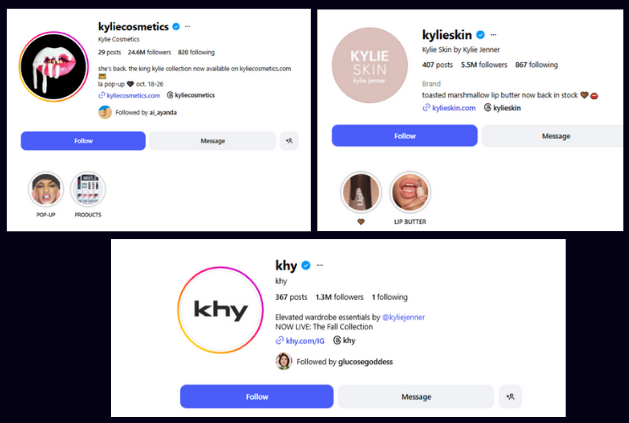
By keeping each brand on its own dedicated account, her social media team can focus on tailored strategies that speak directly to each audience. That way, they can maintain consistency, clarity, and stronger results across the board.
4. Meeting Different Needs Across Audiences
Every audience has unique interests. Maybe your main page highlights your products, while another focuses on tutorials or community stories. By separating them, you can meet those needs more effectively without overwhelming your followers.
It also gives your audience a reason to follow more than one of your accounts – because each one offers something distinct and valuable.
5. A Win for Influencers and Creators
For influencers, multiple accounts can be a smart strategy. Many creators run a main account for collaborations and another for personal or behind-the-scenes content.
This separation keeps their brand partnerships clean while giving followers a more authentic look into their life. It’s also a great way to test different content styles or niches without confusing your audience.
Managing Multiple Instagram Comments and DMs
If you’ve ever managed more than one Instagram account, you know the struggle. You reply to a comment on your main page, switch to another account to check DMs, then hop again to catch up on tags or mentions. Before you know it, half an hour’s gone – and you’re still not sure which account got that urgent message.
Constantly switching between profiles isn’t just tiring; it’s also a recipe for missed conversations and delayed responses.
But it doesn’t have to be this complicated anymore. Social media management tools like OnlySocial now come with a unified inbox, among other features, to make things much easier for people handling multiple Instagram accounts.
Imagine replying to messages, tagging important conversations, or managing feedback from different brands, all from a single dashboard. What about automating Instagram conversations to ensure you are able to engage your customers in real-time and with a personalized conversation?
How OnlySocial Helps You Manage Multiple Instagram DMs and Comments
Managing messages across several Instagram accounts doesn’t have to feel like a juggling act. OnlySocial makes it simple by pulling all your comments, DMs, mentions, and even story replies into one organized hub, so you can engage faster, respond smarter, and never miss a conversation.
Here’s how it helps you stay on top of every message while keeping things efficient and personal.
Centralize Your Inbox
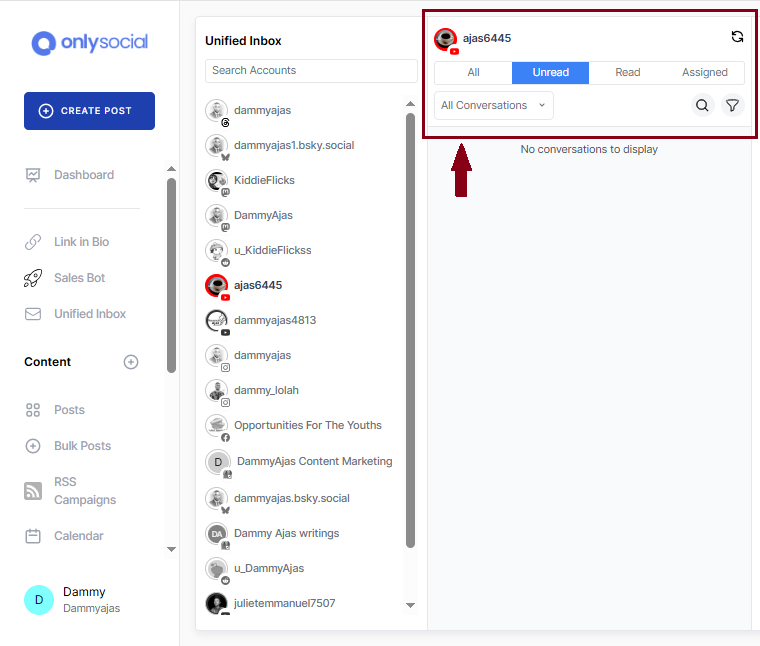
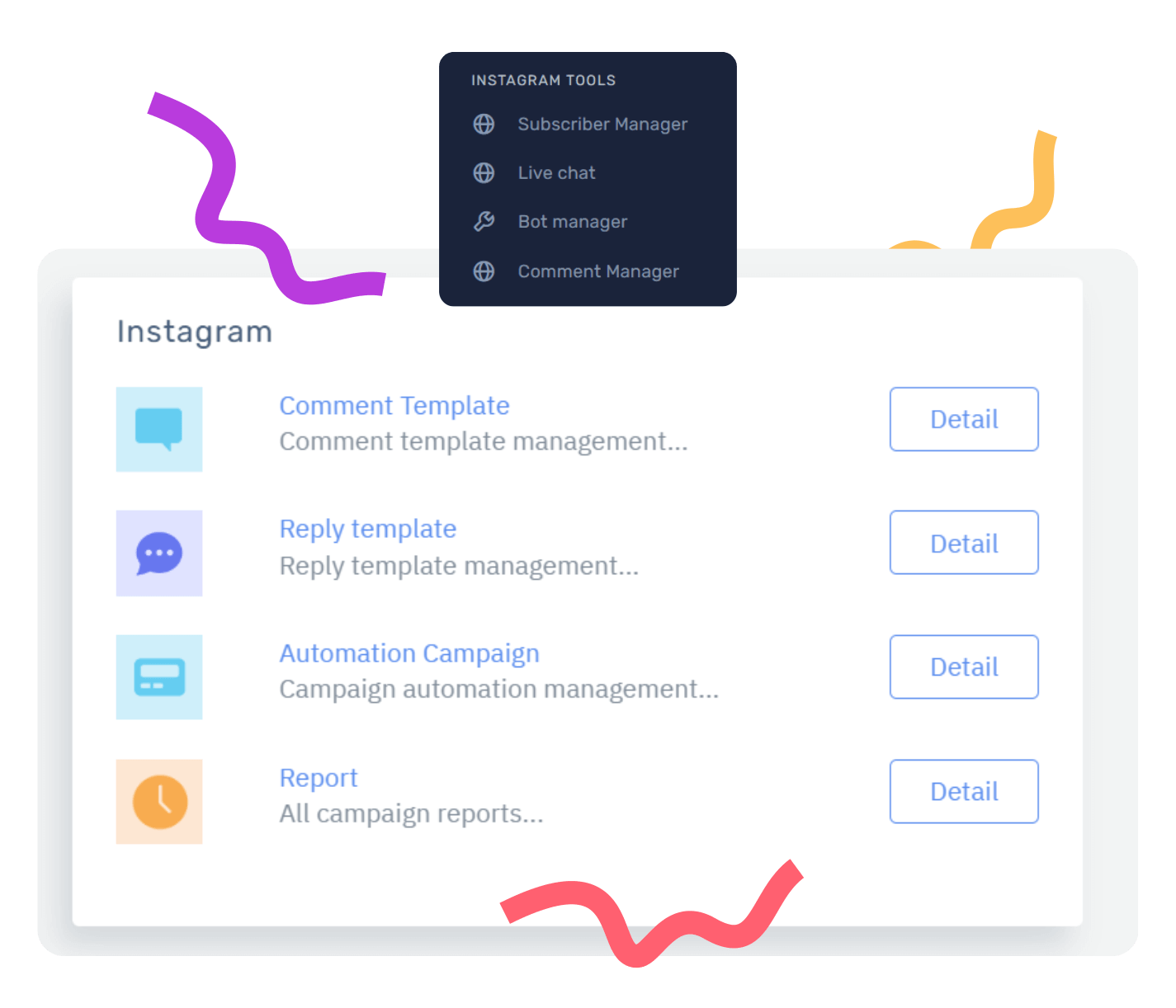
Now, you can say goodbye to endless account switching. OnlySocial’s Unified Inbox lets you view and respond to all DMs, comments, and mentions from every Instagram account you manage – in one clean, central dashboard.
Whether you’re handling one brand or ten, you can keep every conversation at your fingertips without jumping between tabs. You just need to connect all your IG profiles to your OnlySocial dashboard, and you can manage them all at once.

Manage Conversations in Real Time
With live conversation updates, you’ll see messages exactly as they appear to your followers – no delays, no confusion. Every reply, reaction, or new comment appears instantly, letting you respond in real time and maintain smooth, natural interactions with your audience.
Assign Conversations to Team Members
If you’re part of a team, you can assign messages to specific members based on topic, urgency, or expertise. That way, you can eradicate things like double replies or missed messages – everyone knows what they’re handling. It keeps workflows organized and your response times super-fast.
Tag, Filter, and Prioritize
Busy inbox? No problem. You can tag conversations (like urgent, sales inquiry, or feedback) and filter them by type or priority. It’s a simple way to stay organized, ensuring the most important messages are always front and center.
Use Saved Replies and Smart Templates
If you’re tired of typing the same responses every day, OnlySocial lets you save your most-used replies and pull them up instantly. You can even personalize them before sending – perfect for FAQs, delivery updates, or thank-you messages. It saves time while keeping your tone consistent.
Instant Engagement with Instagram DM and Comment Automation
Beyond just centralizing all your DMs and comments in one single inbox, OnlySocial also offers some more features that makes managing multiple Instagram DMs and comments a breeze. One of them is Instagram DM automation.
With the feature, OnlySocial’s chatbot provides instant responses to incoming messages, ensuring your followers always get a timely reply, even when you’re offline.
Customizable Chatbots
You can shape your chatbot’s tone and style to match your brand’s personality. Whether you want it friendly and casual or professional and concise, it’s fully adaptable. The chatbot can answer FAQs, share order updates, and guide users toward products or support – all automatically.
Drag-and-Drop Chatbot Builder
Even without any coding skills or experience, you are still good to go. You can build your chatbot visually using OnlySocial’s Drag-and-Drop Builder. Just drag elements to design automated conversations that feel natural and human.
It’s a quick way to automate responses, capture leads, or boost engagement – all without technical headaches.
Instagram Story Replies, Mentions, and Reactions
Engagement doesn’t stop in your inbox. OnlySocial’s automation also covers Story replies, mentions, and reactions. You can automatically thank users, respond to mentions, or follow up on replies, ensuring your brand stays active and responsive, even when you’re busy elsewhere.
Instagram Live Chat
Turn your Instagram page into a customer support channel. With Instagram Live Chat, you can answer questions, resolve issues, and offer instant help — all without leaving the platform. It’s real-time support that keeps your audience feeling heard and valued.
Personalized Communication
Automation is great for efficiency, but sometimes you need that personal touch. Live Chat helps you connect one-on-one with followers, adding warmth and authenticity to your interactions. It’s the perfect balance between smart automation and human connection.
Other Tools That Let You Manage Multiple Instagram Comments and DMs
Sprout Social
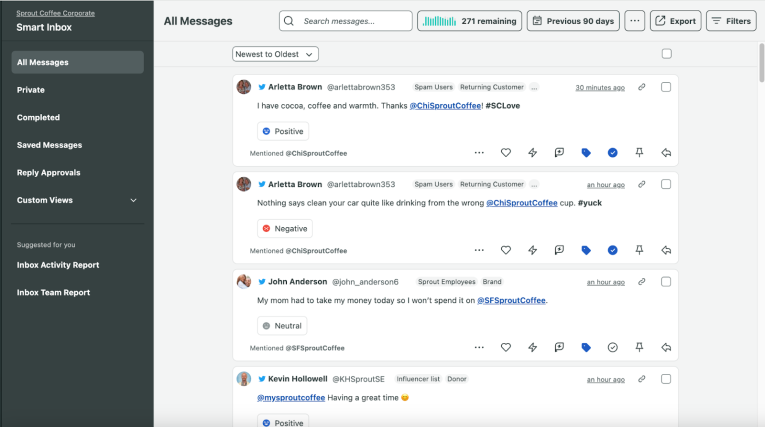
Sprout Social is one of the most well-known and feature-rich social media management tools out there. Its Smart Inbox feature brings all your messages, mentions, comments, and DMs into one unified space.
Here’s how Sprout Social helps you manage multiple Instagram DMs and comments efficiently:
- Smart Inbox Management – View and respond to all Instagram comments, mentions, and direct messages from one clean dashboard.
- Tagging and Filtering – Organize your inbox by adding tags, filtering by message type or source, and hiding completed conversations to keep things clutter-free.
- Team Collaboration – Add team members, assign roles, and control message permissions to ensure everyone knows their responsibilities.
- Saved Replies – Store responses for frequently asked questions to reply faster and maintain consistency in tone.
- Message Sentiment Analysis – Instantly gauge whether a message is positive, neutral, or negative, helping your team prioritize responses.
- Keyword, Hashtag, and Location Monitoring – Discover new engagement opportunities by tracking conversations around your brand, even when users don’t tag you directly.
SocialChamp
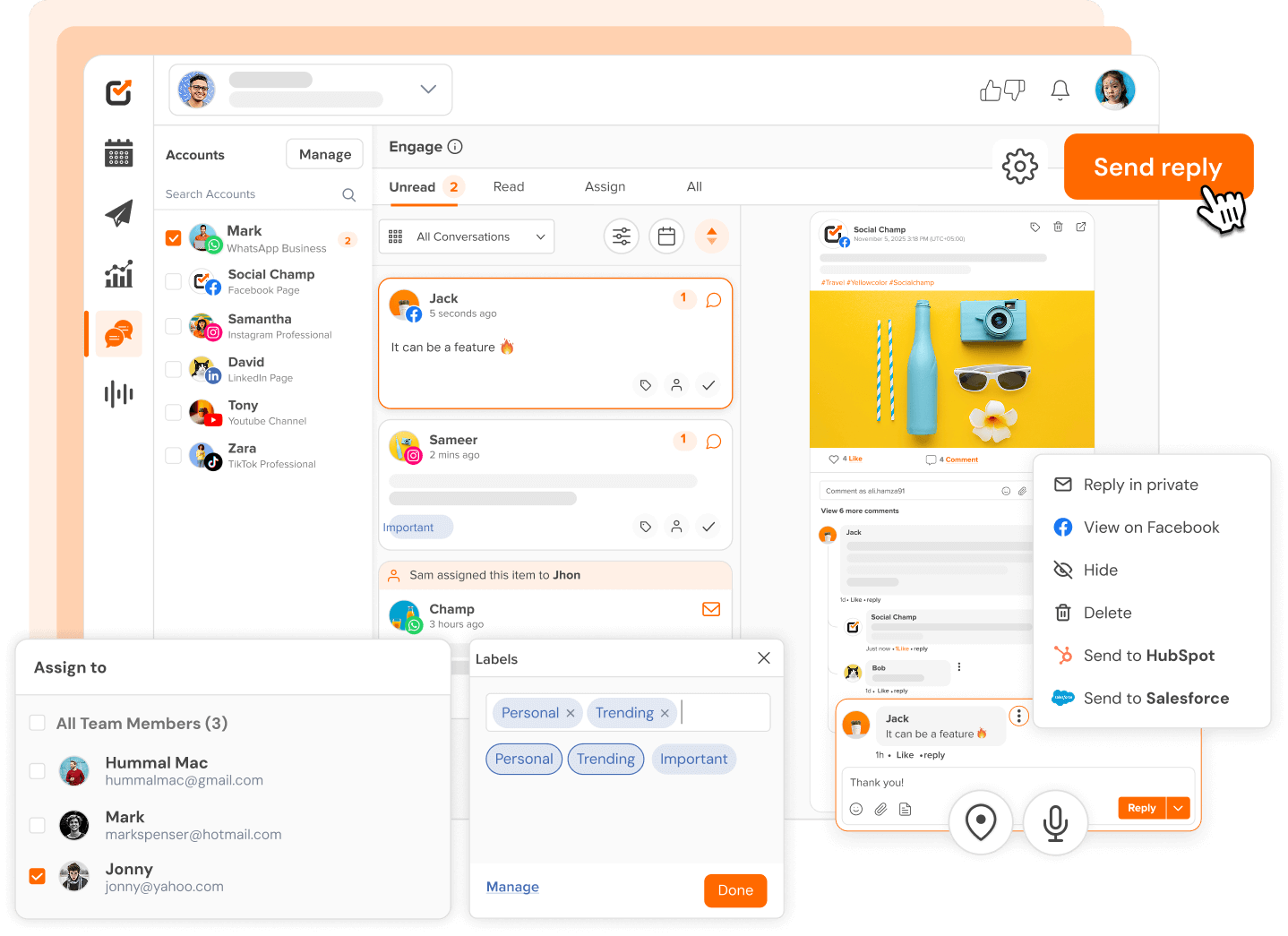
SocialChamp is a social media management platform built to simplify how individuals, businesses, and agencies handle their social presence across different platforms. It supports major networks like Instagram, Facebook, LinkedIn, X (Twitter), Pinterest, and Google Business Profile – all from one easy-to-use dashboard.
When it comes to managing multiple Instagram DMs and comments, SocialChamp makes the process smoother by offering:
- A unified Social Inbox – View and reply to all comments, messages, and mentions from multiple Instagram accounts in one place.
- Multi-account management – Add several Instagram profiles and switch between them effortlessly without logging in and out.
- Conversation filtering – Use filters and labels to organize messages by account, topic, or urgency.
- Team collaboration – Assign messages to team members and track responses to ensure nothing gets missed.
- Quick replies – Create and reuse response templates for common messages to save time while maintaining consistency.
Vista Social
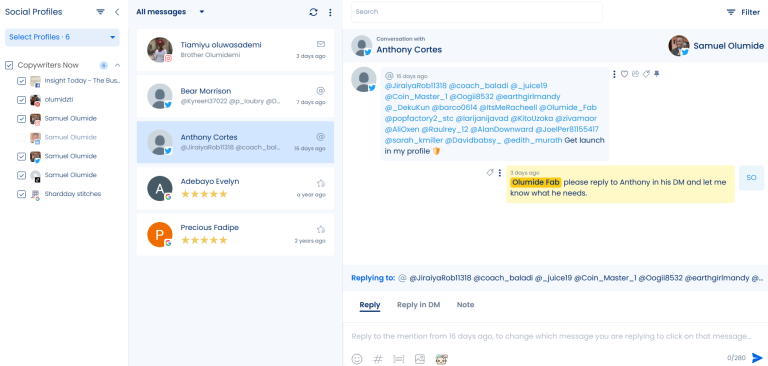
Vista Social is a modern all-in-one social media management platform designed for teams that want to simplify engagement across multiple networks — including Instagram. It lets you reply to comments, mentions, and direct messages in one clean dashboard, helping you stay on top of every interaction without switching between apps.
Here’s how Vista Social helps you manage multiple Instagram DMs and comments effectively:
- Unified Inbox – Respond to all comments, mentions, and DMs from your Instagram accounts in one organized space.
- Labels and Filters – Categorize messages using labels and filter them by type or sentiment to prioritize what matters most.
- Collaboration Tools – Assign specific interactions to teammates and use the notes feature to leave instructions or tag others directly in a message thread.
- Quick Search – Find any message instantly using the built-in search bar – no more endless scrolling.
- DM Automation – Automatically send messages when users comment with certain keywords on your posts, keeping engagement alive even when you’re away.
Hootsuite
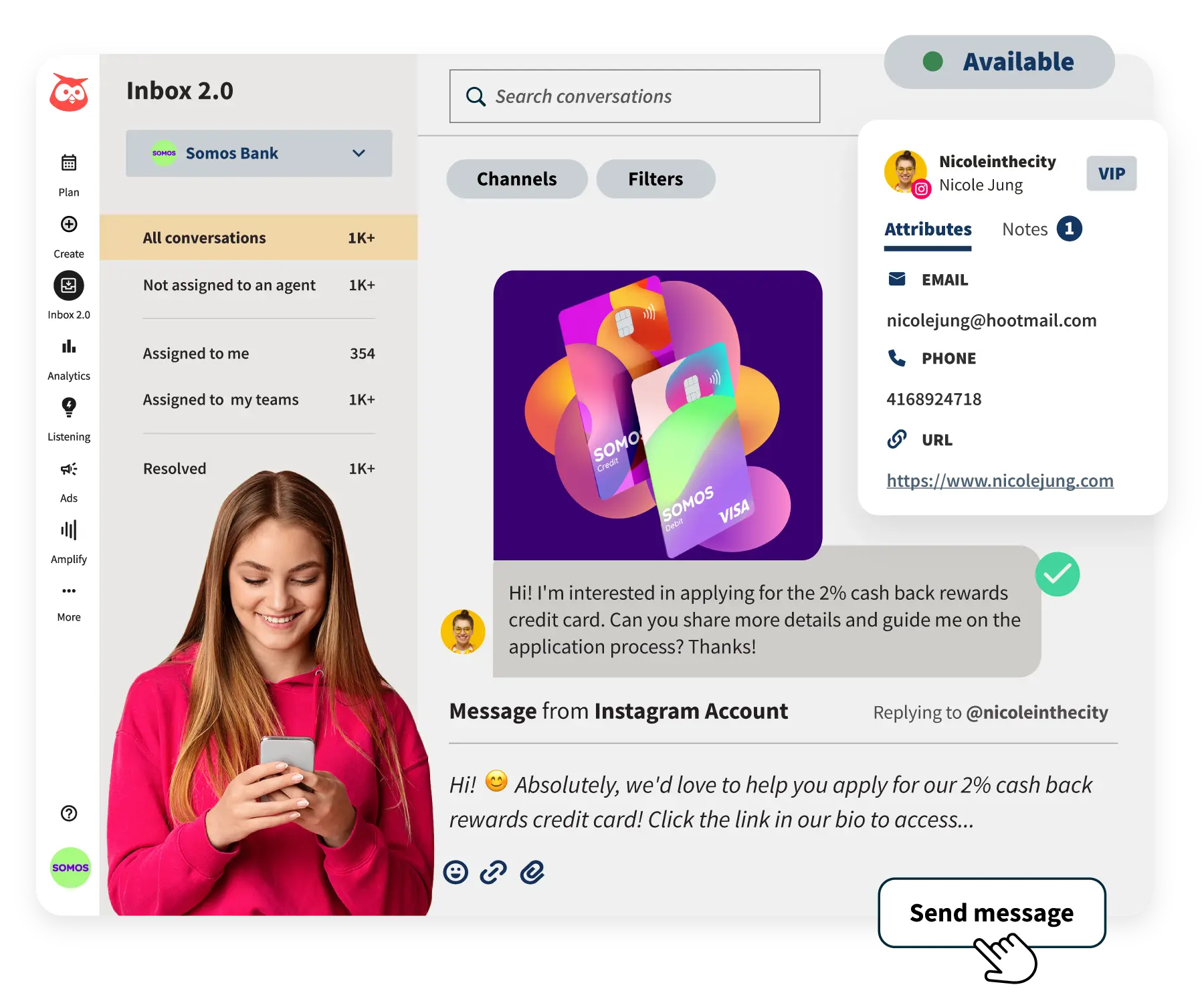
Hootsuite is one of the oldest and most trusted names in social media management, offering a streamlined way to stay connected with your audience across platforms. Its Social Inbox helps users manage Instagram comments and DMs, alongside messages from other platforms – all in one central hub.
Here’s how Hootsuite makes managing multiple Instagram interactions easier:
- Unified Inbox – View, reply, and manage all your Instagram comments and DMs (plus other social platforms) from one place.
- Automation – Use saved replies and auto-responders to handle common messages quickly. You can also automate Instagram DMs triggered by specific keywords in post comments.
- Smart Search and Notifications – Easily search through conversations, set alerts for new messages, and ensure no important comment goes unnoticed.
- Team Collaboration – Assign messages to teammates, tag them for input, and avoid duplicate responses. Status settings like “available” or “away” help balance workloads.
- Personalized Engagement – Add varied automated responses and delayed comment replies for a more human touch, helping your interactions feel natural while saving time.
Tips for Managing Multiple Instagram Comments and DMs
Keep All Your Accounts Connected in One Place
When you’re handling several Instagram accounts, switching between apps can easily lead to confusion and missed messages. The best way to handle this is to use a management tool that lets you connect all your accounts and manage them from one dashboard.
This way, your DMs, mentions, and comments all appear in a single feed. It’s faster, cleaner, and ensures nothing slips through the cracks.
Set Aside Dedicated Time for Engagement
Responding to messages as they come in might seem efficient, but it can quickly eat up your day. Instead, block out specific times to go through comments and DMs for each account. This approach keeps you focused and ensures every follower gets a thoughtful reply.
It also helps you stay consistent with engagement – because your audience notices when you’re active and responsive. Try setting 15-30 minute windows a few times a day to clear out your inbox.
Use Labels and Filters to Stay Organized
When messages start piling up, organization is key. Use tags, labels, or filters to sort messages by type – such as customer support, collaboration requests, or feedback. This makes it easier to prioritize what needs attention first.
For instance, urgent inquiries can be tagged “high priority,” while general feedback can be handled later. Some tools even let you filter by sentiment, so you can address negative messages before they escalate. A tidy inbox means faster responses and less stress.
Create Saved Replies for Common Questions
If you find yourself typing the same responses over and over (“Yes, we ship worldwide!” or “Our hours are 9-5”), it’s time to set up saved replies. Most social management tools, including OnlySocial, allow you to store pre-written messages for frequently asked questions.
You can personalize them slightly before sending, but they’ll save you a ton of time. This keeps your tone consistent across accounts and ensures customers get quick, accurate answers, without you having to start from scratch every single time.
Assign Conversations to the Right Team Members
If you’re managing multiple Instagram accounts as a team, dividing responsibilities is crucial. Assigning specific messages or comment threads to the right person ensures faster and more accurate replies.
For instance, one teammate could handle customer inquiries while another focuses on collaborations or brand mentions. This avoids confusion, prevents duplicate responses, and keeps communication smooth. OnlySocial lets you do this well.
Don’t Ignore Negative Comments
It’s tempting to delete or overlook negative feedback, but addressing it professionally can turn a critic into a loyal follower. Take the time to acknowledge the issue, offer a solution, and move the conversation to private messages if needed.
A thoughtful, calm response shows that your brand values honesty and accountability. Plus, others watching the interaction will see your professionalism, which builds trust and credibility far more than silence ever could.
Use Automation Wisely
Automation can be a lifesaver, especially when you’re managing several accounts. Tools that offer automated DMs, smart replies, or keyword-triggered responses help you handle routine interactions instantly.
But the key is balance – don’t let automation replace human connection. Use it to greet followers, confirm receipt of messages, or share basic info, then step in personally when the conversation requires a human touch. The best results come from blending speed with authenticity.
Final Note
Managing multiple Instagram accounts doesn’t have to feel overwhelming. With the right strategy and tools, you can keep every DM, comment, and mention organized and still have time to focus on growing your brand. A unified inbox makes all the difference, turning hours of back-and-forth into minutes of productive engagement.
If you’re running multiple brands or managing clients, you will need a tool like OnlySocial to stay responsive and consistent. It helps you manage multiple Instagram comments and DMs from a single clean dashboard. Now, you can spend less time switching accounts and more time connecting with your audience!
FAQs
Can I manage DMs and comments from multiple Instagram accounts in one place?
Yes! With tools like OnlySocial, you can connect multiple Instagram accounts and manage all DMs, comments, and mentions from a single dashboard. This helps you stay organized, save time, and respond faster without constantly switching between accounts.
What’s the best way to stay on top of Instagram messages when handling several accounts?
The key is centralization. Use a social media management tool with a unified inbox so all your messages appear in one view. From there, use filters, tags, and automation to prioritize important conversations and keep your inbox clutter-free.
Can I automate Instagram DMs and comment replies?
Absolutely. Many tools, including OnlySocial and Hootsuite, offer automation features that let you set up chatbots or keyword-triggered responses. Automation helps you reply instantly to common inquiries or story mentions, keeping engagement high even when you’re offline.
How can teams manage Instagram comments and DMs together?
Collaboration features make this easy. You can assign messages to specific team members, leave internal notes, and track progress in shared inboxes. This ensures everyone knows what they’re responsible for and prevents duplicate replies or missed messages.
Is it safe to connect multiple Instagram accounts to one tool?
Yes, as long as you’re using a trusted platform that complies with Instagram’s API policies. Tools like OnlySocial, Sprout Social, and SocialChamp use secure integrations that protect your login details and data while allowing seamless management across profiles.