How to Manage Multiple Facebook DMs & Comments in 2025

Managing a single Facebook Page can already keep you on your toes – but juggling several? That’s where the chaos begins.
Between switching accounts, replying to dozens of DMs, and keeping up with comments that flood in at all hours, it’s easy for things to slip through the cracks.
Messages get missed, replies pile up, and customers start to feel ignored.
But the truth is, you don’t have to keep running your social inbox like a one-person circus. With smarter tools available in 2025, you can manage every Facebook DM and comment from all your Pages in one place.
No more endless switching or cluttered notifications – just one calm, central space where you can manage every conversation efficiently, stay responsive, and keep your audience feeling heard.
Table of Contents
- 1 Why Managing Facebook DMs & Comments Matters More Than Ever
- 2 The Challenge of Managing Multiple Facebook Accounts
- 3 Managing Multiple Facebook DMs & Comments with OnlySocial
- 4 Facebook DM & Comment Automation in 2025: What’s New?
- 5 8 Proven Tips for Managing Multiple Facebook DMs & Comments Effectively
- 5.0.1 1. Set Dedicated Time Blocks for Engagement
- 5.0.2 2. Use Automation to Handle Routine Messages
- 5.0.3 3. Keep Your Tone Consistent Across All Pages
- 5.0.4 4. Tag and Filter Conversations for Better Organization
- 5.0.5 5. Assign Roles to Team Members
- 5.0.6 6. Respond Quickly – But Thoughtfully
- 5.0.7 7. Track Engagement Metrics Regularly
- 5.0.8 8. Keep Your Inbox Clean and Updated
- 6 Other Tools That Help Manage Facebook DMs & Comments
- 7 Best Practices for Managing Facebook DMs & Comments
- 8 Final Thoughts
- 9 FAQs
Why Managing Facebook DMs & Comments Matters More Than Ever

We can now all agree that Facebook is no longer just a social network. It’s now a full-blown communication hub. Customers don’t always pick up the phone or send emails; they slide straight into your inbox.
Whether it’s a simple question about pricing, feedback on a post, or a potential lead reaching out, Facebook DMs and comments are where many conversations – and sales – begin.
And the tricky part is that expectations have changed. People expect brands to respond fast.
Studies show that users are far more likely to trust and buy from businesses that reply within an hour. That means a delayed response can mean a lost sale or a frustrated follower.
Engaging through comments also keeps your brand visible. Facebook’s algorithm rewards active Pages. The more conversations happening on your posts, the better your reach. Each comment is a small opportunity to strengthen relationships, build community, and show that your business genuinely listens.
So, managing your DMs and comments isn’t just about staying organized. It’s about protecting your reputation, nurturing loyalty, and driving growth in a space where every message counts.
The Challenge of Managing Multiple Facebook Accounts
Running more than one Facebook Page may sound productive at first. Just wait till the messages start rolling in. Suddenly, you’re juggling multiple inboxes, switching between profiles, and trying to remember which comment you replied to and which one you didn’t.
It’s exhausting, and worse, it’s easy to make mistakes.
Facebook’s built-in Page Inbox is fine for handling one account, but once you add a few more, things get messy fast. Notifications overlap, messages from different brands blend together, and your response times start to slip.
For agencies or businesses managing several clients, this can mean missed leads, duplicate replies, and inconsistent customer experiences.
Then there’s the human side – the constant context-switching. Every time you move between accounts, your focus takes a hit. You lose track of tone, forget previous messages, or waste time searching through threads to catch up. It’s not sustainable, especially when speed and consistency matter.
That’s why many social media teams are turning to centralized management tools. Instead of logging into five different Pages, they can see everything – comments, messages, and mentions – in one place, neatly organized and ready for action.
It’s the smarter way to keep control without losing your sanity.
Managing Multiple Facebook DMs & Comments with OnlySocial
If you’re tired of bouncing between Facebook Pages and inboxes, OnlySocial brings everything together into one smooth workflow.
It’s built for people who manage multiple accounts – whether you’re handling different brands, clients, or store locations – and want a simpler, faster way to stay connected with their audiences.
OnlySocial’s unified dashboard gathers every DM, comment, and mention from all your Pages into one easy-to-navigate inbox. That means no more logging in and out, no more missed conversations, and no more scattered notifications.
But it doesn’t stop there – it also gives you tools to collaborate with your team, automate repetitive tasks, and personalize your replies without losing that human touch.
Here’s how OnlySocial makes managing multiple Facebook Pages feel effortless.
Centralize All Your Facebook Conversations
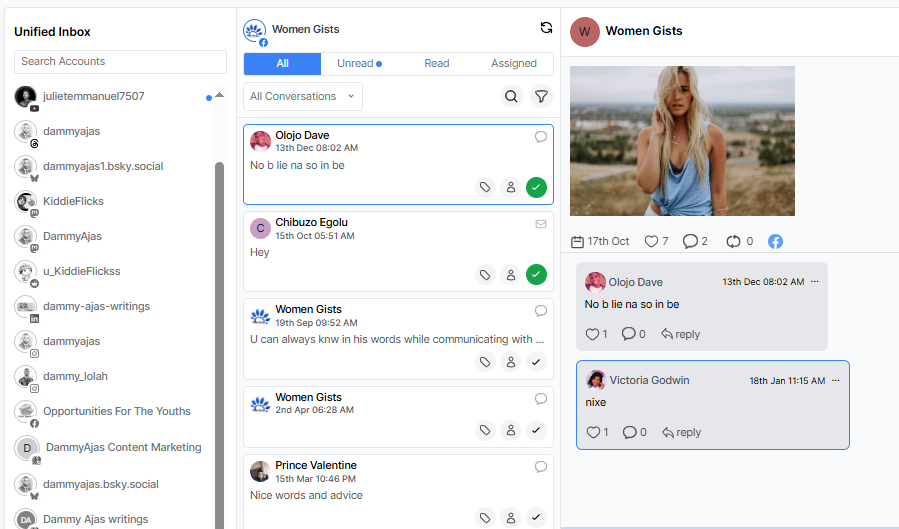
With OnlySocial, every message, comment, and mention from your connected Facebook Pages appears in a single inbox. You can reply, react, or review all interactions without switching between accounts.
This centralized setup helps you stay on top of everything, from customer questions to post engagement, and ensures nothing gets lost in the noise.
It’s especially handy for teams managing multiple brands. You get one clear view of every conversation, all neatly organized and updated in real time.
Real-Time Conversation View
Social media moves fast, and Facebook is no exception. With OnlySocial’s real-time conversation view, new messages and comments appear instantly – no refresh needed. You can respond to customers the moment they reach out, keeping engagement smooth and natural.
This feature also helps you see full conversation histories, so even if multiple team members are replying, everyone stays on the same page. It’s fast, transparent, and designed to help you deliver quick, consistent responses without confusion.
Assign Conversations to Team Members
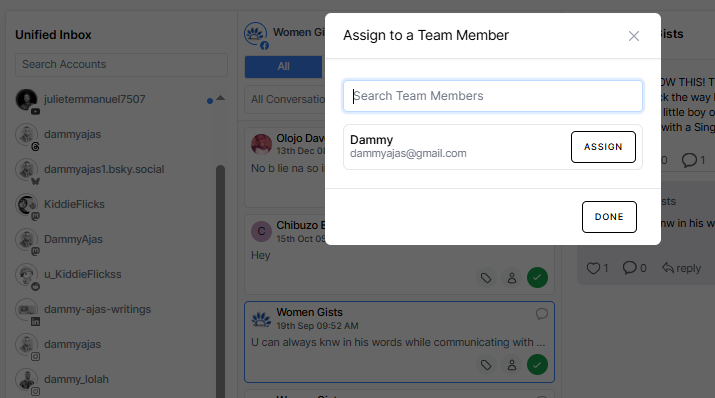
With OnlySocial, you can assign specific conversations or comments to the right team members – like customer service reps, sales agents, or community managers. This means each person handles what they’re best at, and your audience gets faster, more accurate responses.
No more overlapping replies or unanswered messages. Each assigned conversation stays visible to everyone, so your team knows what’s being handled and what still needs attention.
It keeps communication clean, balanced, and efficient, especially when you’re working across several brands or clients.
Use Tags, Filters, and Labels for Organization
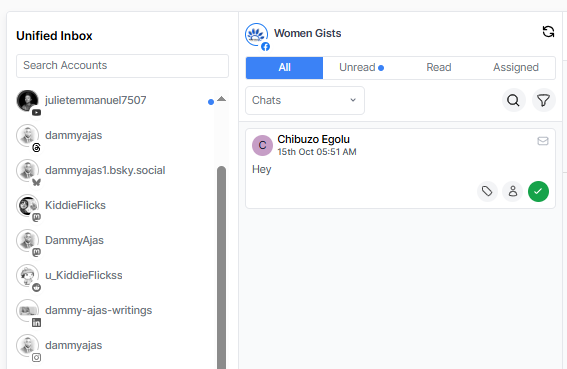
When hundreds of messages pour in daily, staying organized becomes a real challenge. OnlySocial lets you tag, label, and filter every message or comment based on what matters most – like “Urgent,” “Sales Inquiry,” or “Customer Feedback.”
These filters help you focus on high-priority conversations first and leave the rest for later. You can even sort by message type or sentiment to quickly find what needs attention.

Saved Replies and Smart Templates
If you often find yourself typing out the same responses – “Thanks for reaching out!” or “We’ll get back to you shortly” – OnlySocial’s saved replies and smart templates can save hours of repetitive work.
You can create pre-written responses for frequently asked questions and send them instantly, or personalize them before hitting send.
This keeps your tone consistent across all your Pages while speeding up your response time. It’s the perfect balance of automation and authenticity.
Automate Replies with AI Assistance
AI might not replace your voice, but it can make it a whole lot easier to maintain. OnlySocial’s AI-powered assistant helps you generate polished, on-brand replies in seconds.
Whether it’s answering a basic question or crafting a friendly thank-you note, AI suggestions help you sound natural without overthinking every word.
This is especially useful when inboxes are busy – the AI handles the small stuff so you can focus on more complex or sensitive conversations. It’s efficiency without losing your human touch.
Integrate Facebook with Other Channels
If you’re managing more than just Facebook, OnlySocial has you covered. You can connect Instagram, LinkedIn, X (Twitter), Threads, YouTube, and more – and manage all your comments, DMs, and mentions in one place.
This cross-platform integration means you can reply to a Facebook comment, check an Instagram DM, and schedule a LinkedIn post – all from the same dashboard.
It’s a game-changer for agencies and social media managers who want to manage everything under one roof instead of jumping between apps all day.
Facebook DM & Comment Automation in 2025: What’s New?
Automation on Facebook has come a long way. Gone are the days of clunky bots sending robotic replies or auto-messages that sound forced. In 2025, automation feels natural – almost human.
With smarter AI and better integrations, businesses can now handle high message volumes without losing their personal touch.
Modern tools like OnlySocial make it possible to respond instantly, filter conversations intelligently, and even tailor replies based on the context of a comment or message. That means when someone asks for your opening hours, pricing, or product info, the system can automatically send a relevant and friendly response – all while you focus on the bigger picture.
One of the most exciting advancements is keyword-triggered automation. You can set rules like, “If someone comments ‘price,’ send them a DM with details.” It keeps your Page active, responsive, and engaging even when you’re offline.
Another big win in 2025 is compliance. Automation tools now integrate seamlessly with Meta’s policies, meaning your auto-replies and message flows stay approved and secure. This often results in faster engagement, happier customers, and less time spent drowning in notifications.
So, automation today isn’t about replacing humans but about giving you back the time to be more human where it matters most.
8 Proven Tips for Managing Multiple Facebook DMs & Comments Effectively
1. Set Dedicated Time Blocks for Engagement
Instead of reacting to every notification as it pops up, dedicate specific times during your day to check and reply to messages. This keeps you focused and prevents burnout.
A structured routine – say, 30 minutes in the morning and another in the evening – ensures nothing gets missed while helping you manage your workload more efficiently.
2. Use Automation to Handle Routine Messages
Not every message needs manual attention. Automate simple replies like “Thanks for reaching out” or “We’ll get back to you soon.” This lets your audience know you’re attentive while buying you time for more detailed responses later.
Tools like OnlySocial allow you to set these smart automations so you maintain quick, consistent communication even during busy hours.
3. Keep Your Tone Consistent Across All Pages
If you manage multiple Facebook Pages, consistency is key. Whether your tone is professional, playful, or casual, your audience should always feel like they’re talking to the same brand personality.
Saved replies and templates help maintain this tone so your voice feels familiar and reliable, no matter who’s replying.
4. Tag and Filter Conversations for Better Organization
When messages and comments pile up, chaos follows. Create tags for different types of interactions – like support, sales inquiry, or feedback. Then filter by these tags to focus on what needs your attention first.
This structure keeps your inbox organized and ensures no customer query slips through unnoticed.
5. Assign Roles to Team Members
If you work in a team, divide the workload wisely. Assign messages to specific people – customer support handles service questions, marketing responds to collaborations, and sales manages lead inquiries.
This avoids duplicate replies and ensures faster, more accurate responses. OnlySocial’s assignment features make this simple and transparent for teams of any size.
6. Respond Quickly – But Thoughtfully
Speed matters on Facebook, but so does authenticity. Replying fast shows you care, but avoid rushed, copy-paste answers.
Even when using automation, personalize messages when possible – a quick name drop or thank-you goes a long way in building trust and turning casual followers into loyal fans.
7. Track Engagement Metrics Regularly
Don’t just manage – measure. Review analytics like response times, average handling time, and engagement rate. These insights help you see what’s working and where you need to improve.
For example, if one Page consistently gets more unanswered comments, you’ll know it needs extra attention.
8. Keep Your Inbox Clean and Updated
A cluttered inbox leads to missed opportunities. Archive resolved conversations, delete spam, and mark follow-ups so you always know what’s pending.
Regular cleanups not only keep your team organized but also make your workflow faster and less stressful in the long run.
Other Tools That Help Manage Facebook DMs & Comments
While OnlySocial offers one of the most complete solutions for managing multiple Facebook Pages, there are a few other tools worth mentioning.
These platforms also simplify communication and engagement across channels, helping you stay organized and responsive. Let’s take a look at two of the most popular ones.
1. Hootsuite
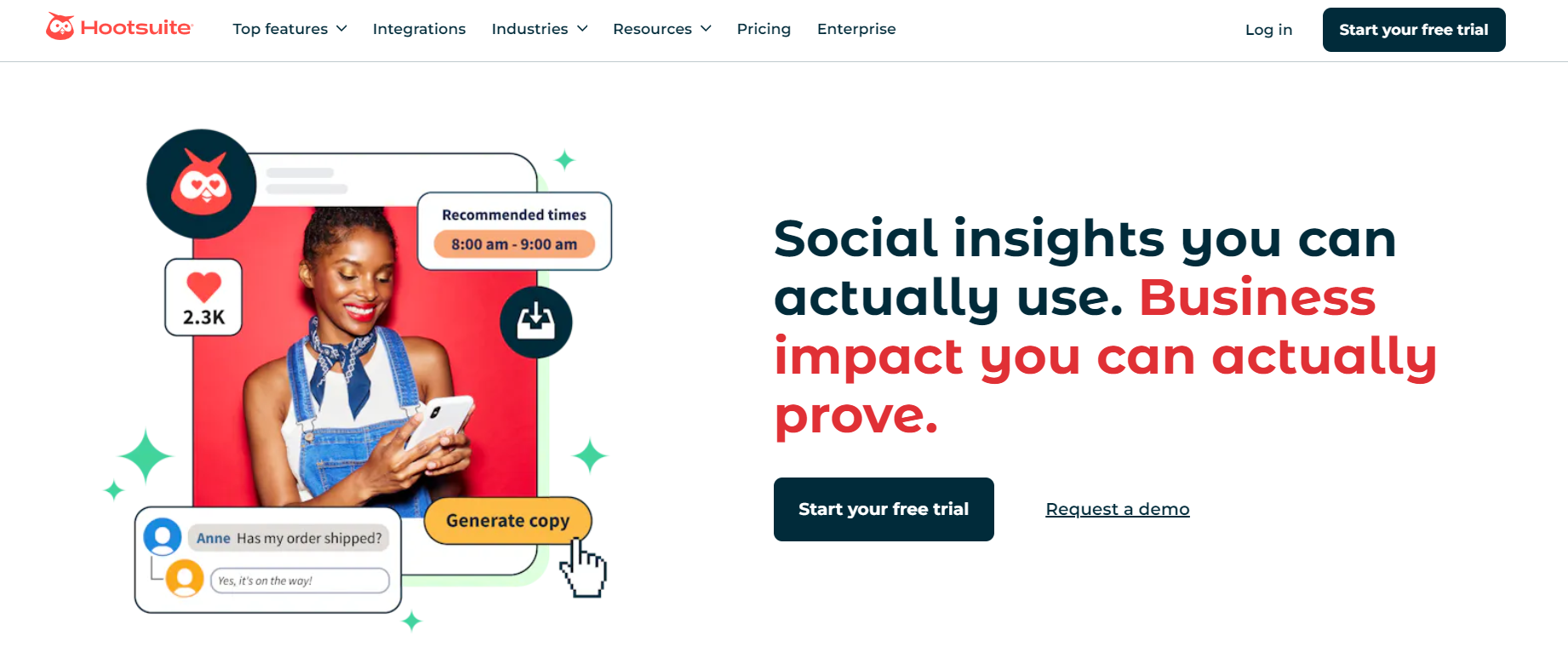
Hootsuite has been a go-to social media management tool for years, and it continues to evolve with smarter inbox features. Its Unified Inbox allows you to view and reply to comments and messages from multiple Facebook Pages (and other social networks) in one place.
The platform also supports automation – you can use auto-responders, saved replies, and even keyword-triggered DMs to speed up engagement.
Hootsuite’s real strength lies in its team collaboration features, letting you assign messages, set user permissions, and track progress easily. It’s ideal for large teams or agencies that manage several clients at once.
Beyond messaging, Hootsuite also provides analytics, scheduling, and listening tools, giving you a full view of how your Facebook engagement contributes to your brand’s growth.
2. Sprout Social
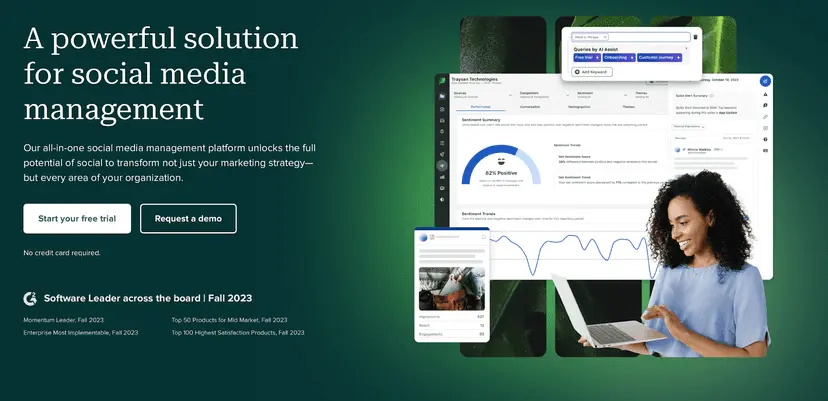
Sprout Social is another top-tier platform built for managing communication at scale. Its Smart Inbox pulls together all your Facebook messages, comments, and mentions into one tidy space, updated in real time.
The tool allows you to tag and filter messages by source or topic, hide completed conversations, and even track message sentiment to gauge the tone of interactions.
For teams, it offers excellent collaboration features – you can assign messages to teammates, leave internal notes, and monitor who’s handling what to avoid overlap.
One of Sprout’s standout features is its keyword and hashtag monitoring, which helps you spot new engagement opportunities or brand mentions even when users don’t tag your Page directly.
For agencies and large businesses, it’s a powerful option for managing multiple Facebook Pages while keeping customer interactions organized, responsive, and on-brand.
3. Vista Social
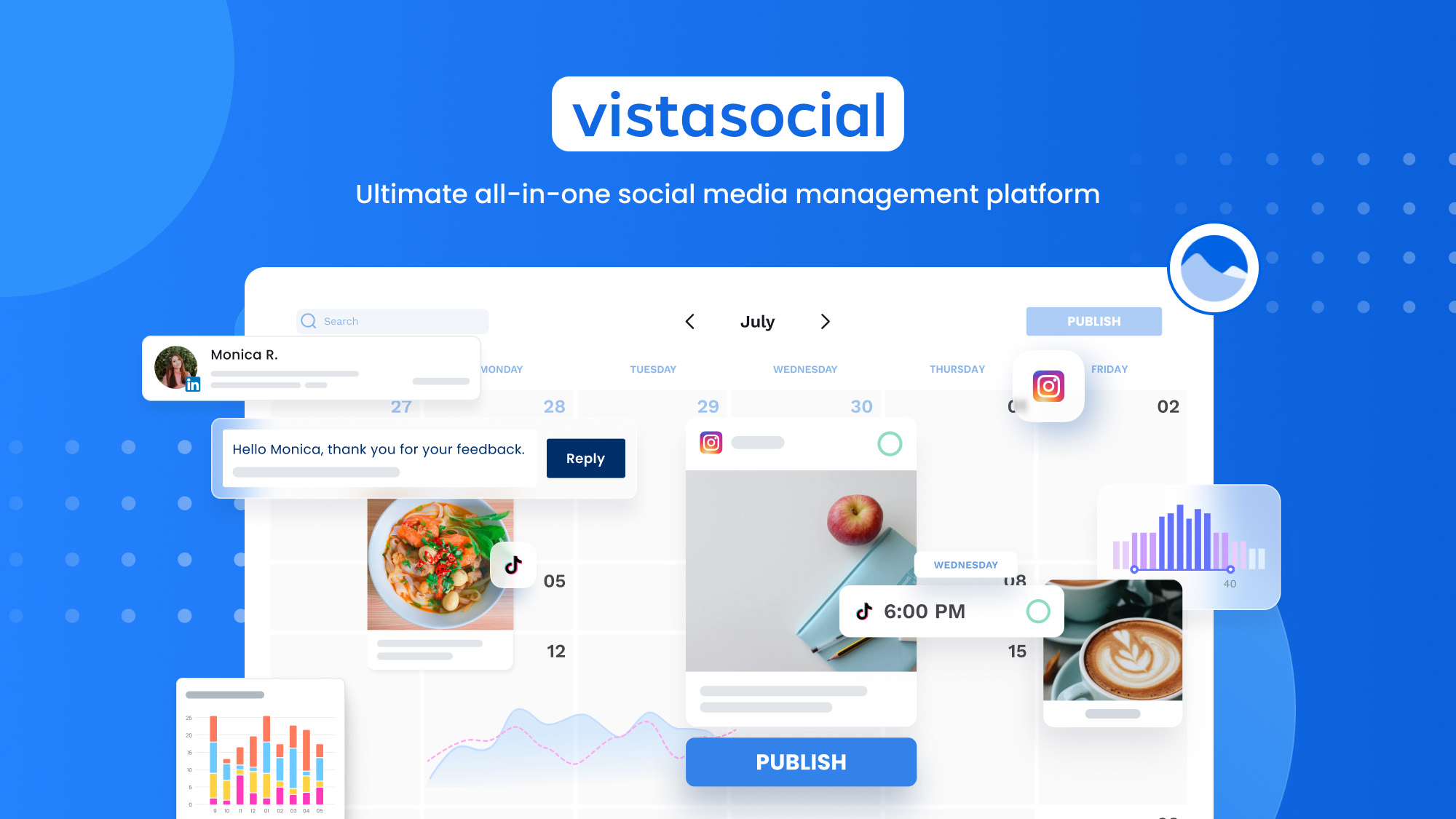
Vista Social is a newer but fast-growing social media management platform that focuses heavily on community engagement. It lets you reply to Facebook comments, mentions, and direct messages from all your connected Pages in one unified inbox.
You can also apply labels, use filters, and assign interactions to teammates – all from the same dashboard.
Vista Social also allows you to add notes to conversations (perfect for leaving instructions or context for team members), and even tag teammates directly within threads.
It includes DM automation, allowing you to send specific messages automatically when users comment with certain keywords on your posts.
In addition to inbox management, Vista Social includes tools for scheduling, analytics, and content creation. It’s a solid choice for small teams or businesses that want an affordable, all-in-one platform to handle Facebook engagement without feeling overwhelmed.
4. SocialPilot

SocialPilot is another great option for managing multiple Facebook accounts. especially if you’re looking for something straightforward and budget-friendly. It lets you manage comments, messages, and post engagement for several Pages in one place.
The tool’s team collaboration features make it easy to assign responses and track activity, ensuring smooth communication across all your accounts.
While SocialPilot isn’t as advanced as some of the bigger platforms, it shines in usability and scalability. It supports bulk scheduling, in-depth analytics, and client management tools, making it particularly useful for social media agencies.
For teams that want to stay on top of Facebook DMs and comments without investing in a heavyweight platform, SocialPilot strikes a great balance between simplicity and power.
Best Practices for Managing Facebook DMs & Comments
Managing multiple Facebook Pages successfully isn’t just about having the right tools but also about using them wisely.
A well-organized approach helps you stay responsive, consistent, and genuinely connected with your audience.
Here are six best practices to make your Facebook inbox management smoother and more effective.
Respond Promptly, Even if It’s Automated
Speed matters on Facebook. When someone reaches out, they expect a prompt reply. Even a simple automated acknowledgment like “Thanks for your message! We’ll get back to you soon.” can make a big difference.
It shows your brand is active and attentive. Then, follow up personally when you can to build trust and add that human touch.
Keep Your Brand Voice Consistent Across Pages
Whether you’re managing one Page or twenty, your voice should always sound like “you.” Create a style guide for tone, common phrases, and preferred emojis so every team member communicates in the same way.
Consistency makes your brand instantly recognizable and strengthens your connection with your audience.
Use Labels and Tags to Stay Organized
A cluttered inbox can slow down your workflow and increase the risk of missed messages. Create categories for common message types – like Customer Support, Product Inquiry, or Feedback. Tagging conversations this way helps you and your team prioritize faster and respond more accurately.
Assign Tasks to the Right Team Members
If you have multiple people managing Facebook Pages, make sure everyone knows their role. Assign incoming messages based on expertise. It prevents duplicate replies and keeps the workflow smooth and efficient.
Don’t Ignore Negative or Spam Comments
It’s tempting to skip over rude or unhelpful comments, but how you handle negativity says a lot about your brand.
Respond politely to constructive criticism, hide or report spam, and delete anything offensive. Keeping your comment sections positive and respectful helps maintain a healthy community atmosphere.
Review Analytics and Improve Regularly
Use your inbox analytics to spot trends. Are people asking the same questions often? Do certain posts attract more engagement than others?
These insights can help refine your content strategy and improve your response process. The more you learn from your data, the smarter and more efficient your communication becomes.
Final Thoughts
Managing multiple Facebook DMs and comments doesn’t have to feel like spinning plates. With the right structure – and the right tool – you can turn what used to be chaos into a smooth, organized workflow.
Every message, comment, and mention becomes an opportunity to connect, help, or even convert a follower into a customer.
Tools like OnlySocial make this possible by bringing all your Facebook conversations into one central inbox, giving you full control without the stress of switching between accounts.
Add automation, team collaboration, and smart filtering to the mix, and you’ve got everything you need to stay responsive and consistent across all your Pages.
At the end of the day, managing social engagement isn’t about replying to every comment as fast as possible – it’s about showing up, staying present, and building genuine relationships.
With the right system in place, you’ll never miss a message again, and your audience will notice the difference.
FAQs
Can I manage multiple Facebook Pages from one inbox?
Yes, absolutely. OnlySocial lets you connect all your Facebook Pages and manage every DM, comment, and mention from a single dashboard. It’s far easier than switching between accounts – everything stays in one clean, organized space.
How can I reply faster to Facebook messages and comments?
Use automation and saved replies. With OnlySocial, you can set up instant responses for common questions and create smart templates that keep your tone consistent. You’ll reply faster without sounding robotic, giving customers the quick attention they expect.
Is it safe to connect multiple Facebook accounts to one tool?
Yes. Platforms like OnlySocial integrate directly with Meta’s official API, meaning your data and accounts stay secure. You’re not sharing passwords – you’re simply authorizing access safely through Facebook’s approved connection process.
What’s the difference between Meta Business Suite and OnlySocial?
Meta Business Suite is great for managing one or two Pages, but it can get limiting when you handle multiple accounts or need team collaboration.
OnlySocial expands on those features, letting you manage multiple Facebook and Instagram accounts together, assign tasks, track analytics, and automate replies – all from one place.
How can my team collaborate better when managing several Facebook Pages?
Shared inboxes are the key. With OnlySocial, you can assign messages to teammates, leave internal notes, and track who’s handling what.
This avoids duplicate replies and helps everyone stay in sync, no matter how many Pages you’re managing.