Top 10 Hopper HQ Alternatives to Consider for Effective Social Media Growth

If you’ve spent any time growing an audience on Instagram, you already know how crowded things feel. With over 2 billion monthly active users, standing out takes more than just good content. You need tools that help you plan, automate, and stay consistent.
That’s where Hopper HQ has made a name for itself. It’s an Instagram-first scheduler built to help you get posts out smoothly across eight platforms.
And if Instagram is the center of your strategy, Hopper HQ does the job well enough.
But once you start managing multiple channels, working with a team, or expanding into newer platforms like Threads, Mastodon, or Bluesky, you’ll quickly notice where Hopper HQ stops short.
Maybe you need better collaboration. Maybe you want deeper analytics. Maybe you want AI tools, or simply a more flexible content calendar. Whatever the case, there are plenty of alternatives that fill those gaps.
So we did the digging, testing, and comparing for you. In this guide, we’ll walk through the top 10 Hopper HQ alternatives worth considering for your brand. Just keep reading!
Table of Contents
- 1 But Why Consider a Hopper HQ Alternative?
- 2 Top 10 Hopper HQ Alternatives to Consider for Your Brand
- 3 1. OnlySocial – $29/Month
- 4 2. Buffer – $6 Per Month Per Channel
- 5 3. SocialBee – $29/month
- 6 4. Hootsuite – $99/Month
- 7 5. Sprout Social – $199/Month
- 8 6. Later – $25/Month
- 9 7. Loomly – $65/Month
- 10 8. MavSocial – $29/Month
- 11 9. Agorapulse – $99/Month
- 12 10. Metricool – $18/Month
- 13 Choosing the Right Hopper HQ Alternative for Your Needs
- 14 Final Note
But Why Consider a Hopper HQ Alternative?
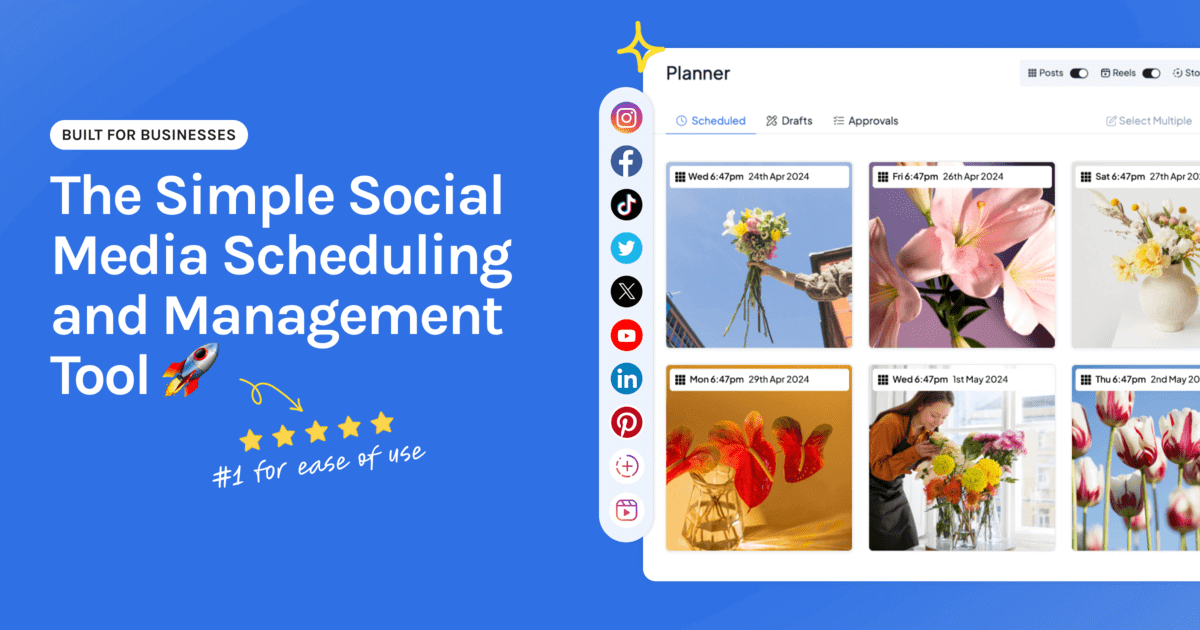
Hopper HQ is great when your workflow is simple, and your focus is on Instagram. It gives you a clean grid planner, lets you schedule posts in bulk, and even offers AI caption writing.
But once you start managing more accounts, more platforms, or more complex campaigns, the cracks become obvious.
Here are the most common reasons users start looking elsewhere, and why you might be feeling the same way.
You’re Limited to a Small List of Platforms
Yes, Hopper HQ supports major platforms like Instagram, Facebook, TikTok, Pinterest, LinkedIn, YouTube, and X. That works well if you’re only active on the big networks.
But if you want to expand into Threads, Bluesky, Mastodon, Telegram, or newer emerging platforms, Hopper HQ can’t take you there.
For creators, agencies, and brands who want maximum reach, this limitation becomes a bottleneck very quickly.
Lack of a Free Plan Makes Testing Risky
Trying a new social media tool shouldn’t require a financial leap of faith. But with Hopper HQ, there’s no free plan to test the waters. For small teams, creators, and early-stage startups, that’s a tough barrier, especially when budgets are tight.
You want to experiment before committing, and the absence of a free tier pushes many people to look for alternatives that let them try the full experience first.
Automation Options Are Too Basic
Consistency on social media depends heavily on automation. Hopper HQ handles basic scheduling well, but that’s where automation stops. There’s no RSS posting, no advanced queues, no evergreen recycling.
If you manage multiple accounts, these gaps force you to manually fill the calendar, turning what should be a smooth workflow into a repetitive task. Over time, this becomes a major productivity drain.
No Unified Inbox for Managing Engagement
Posting is only half the job. The other half is replying, engaging, and keeping conversations alive. Hopper HQ doesn’t offer a central inbox for comments, messages, or mentions, meaning you have to switch apps constantly just to keep up.
For busy teams, this slows everything down. Conversations slip through the cracks, and your response times take a hit.
Top 10 Hopper HQ Alternatives to Consider for Your Brand
1. OnlySocial – $29/Month
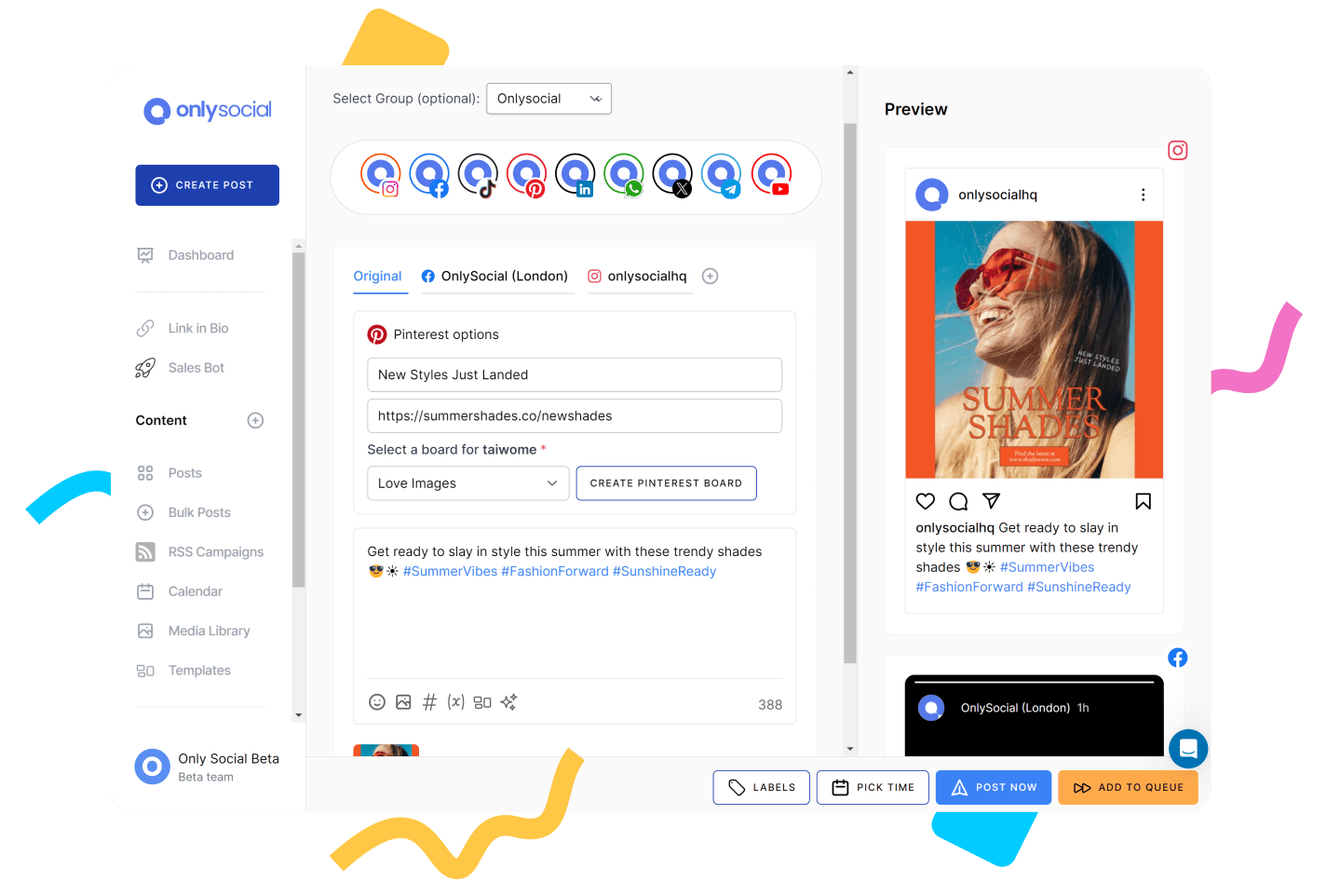
OnlySocial is one of the strongest alternatives to Hopper HQ, especially if you want something more flexible, more collaborative, and better equipped for multi-platform posting.
When we tested it, the first thing that stood out was how fast and intuitive everything feels. The dashboard is clean, the workflow is simple, and the tool adapts well whether you’re a solo creator or part of a growing team.
Unlike Hopper HQ, which mainly shines on Instagram, OnlySocial works smoothly across 15+ platforms, including newer networks like Threads, Mastodon, and Bluesky. Agencies and multi-location brands will also appreciate the way it handles multiple profiles per channel, content approvals, and team roles without complicating anything.
If you’re looking for something that expands your social presence beyond Hopper HQ’s limitations, OnlySocial is an excellent place to start.
Key Features of OnlySocial
Multi-Platform Scheduling & Publishing
You can plan, schedule, and publish content across more than 15 major platforms, including Instagram, Facebook, TikTok, LinkedIn, Pinterest, YouTube, Google Business Profile, Threads, Mastodon, Bluesky, and more. And you can do this all from one dashboard. This alone makes it a huge upgrade from Hopper HQ’s platform limit.
Advanced Scheduling Tools
Bulk scheduling (up to 500 posts), evergreen queues, and a drag-and-drop calendar make long-term planning incredibly smooth. You can rearrange weeks’ worth of posts without the usual friction.
AI Content Creation
OnlySocial’s built-in AI helps with captions, ideas, hashtags, and even image prompts. If you juggle multiple brands or post frequently, this cuts your workload significantly.
Unified Social Inbox
Unlike Hopper HQ, OnlySocial gives you a central inbox for all messages, comments, and DMs, including WhatsApp Business, so you never have to hop between apps to reply.
Collaboration & Workflow Management
Assign roles, manage approvals, and keep your team aligned with structured workflows designed for both internal teams and client-facing environments.
Analytics & Reporting
You get in-depth analytics and custom reports for all major platforms, helping you track growth and show performance to clients.
White-Label Dashboard
Agencies can rebrand the entire platform – logo, colors, domain – and offer it as their own client dashboard.
Where OnlySocial Outshines Hopper HQ
The biggest advantage is platform coverage. Hopper HQ is Instagram-heavy and limited to eight platforms, but OnlySocial opens the door to 15+. That’s a major win for brands trying to expand onto newer or niche channels.
OnlySocial also offers far stronger collaboration features, better scheduling flexibility, and – most importantly – a unified inbox. Hopper HQ doesn’t provide any centralized message management, which slows teams down. With OnlySocial, engagement and posting both happen under one roof.
Finally, OnlySocial’s AI tools are more advanced and more integrated into the daily workflow, making content creation faster and easier than what Hopper HQ offers.
Pricing
OnlySocial keeps its pricing simple:
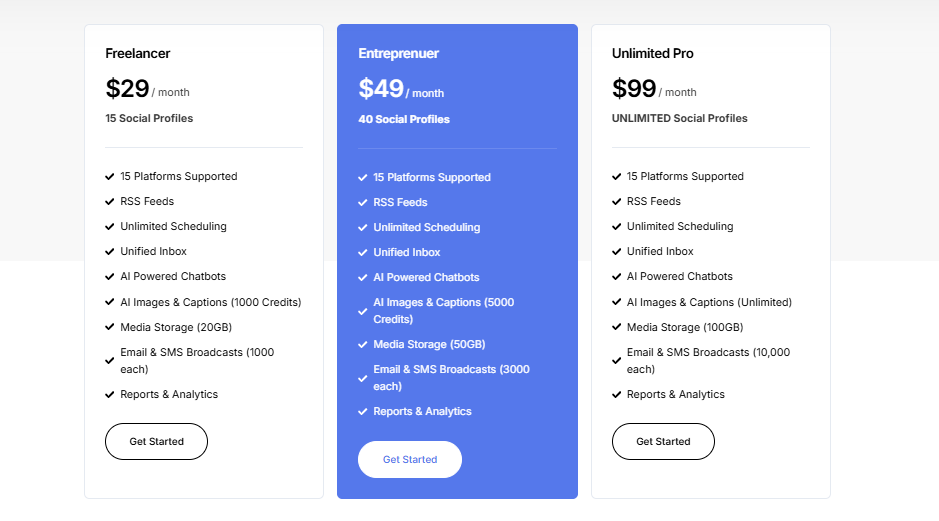
- Freelancer – $29/month (includes 15 social accounts)
- Entrepreneur – $49/month (includes 45 accounts)
- Professional – $99/month (includes unlimited social accounts)
All plans include bulk scheduling, AI tools, collaboration features, and the unified inbox.
If Hopper HQ feels too limiting or too Instagram-focused, OnlySocial gives you a wider, faster, and more scalable experience right out of the box.
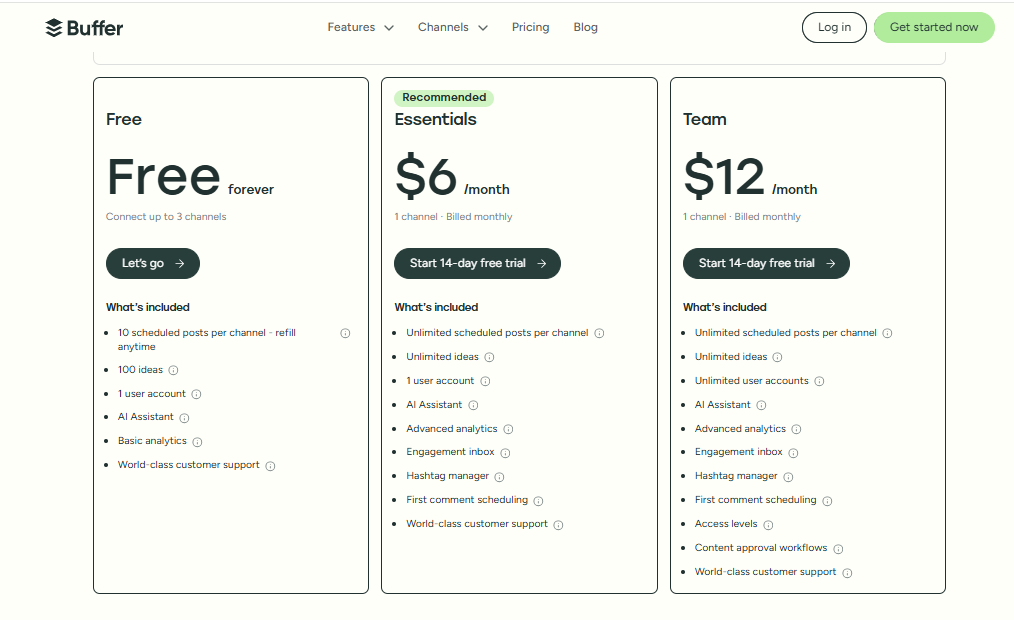
2. Buffer – $6 Per Month Per Channel
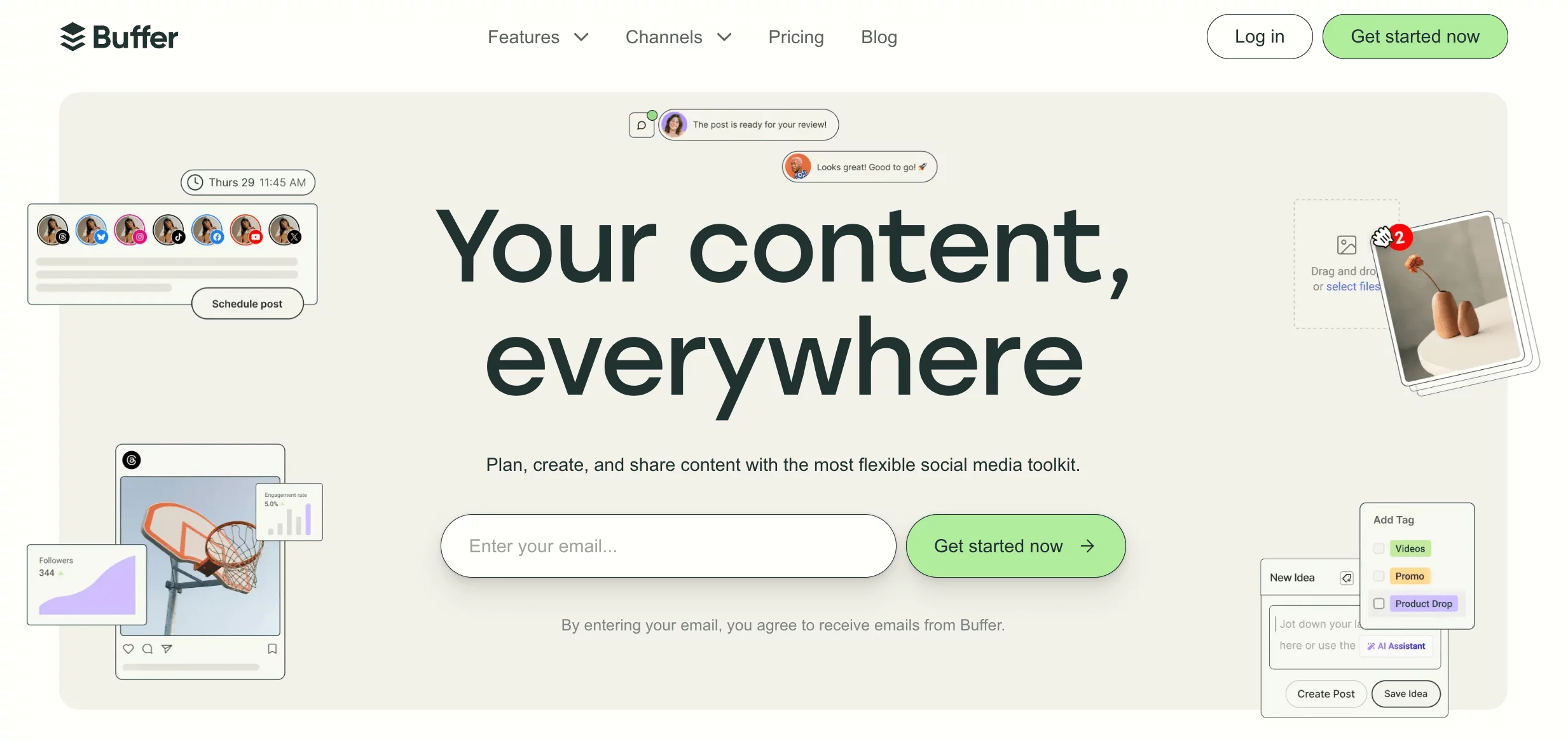
Buffer has been around long enough to earn a reputation for being one of the simplest, cleanest scheduling tools out there. When we tested it again for this guide, that reputation held true. Everything feels light, uncluttered, and easy to figure out, even if you’ve never used a social media tool before.
It’s a great Hopper HQ alternative if you want a no-frills platform that focuses on smooth scheduling, basic collaboration, and straightforward analytics. And because it supports all the major platforms, it works well for creators, small businesses, and teams that don’t need anything overly complex.
Buffer’s Key Features
- Built-in Content Creation Tools: Write captions, brainstorm ideas, or design simple posts without leaving Buffer.
- Multi-Platform Publishing: Publish across Facebook, Instagram, X (Twitter), LinkedIn, Pinterest, and more – perfect for users who want wider reach than Hopper HQ offers.
- Performance Analytics: Track which posts get the most engagement so you can double down on what works.
- Centralized Engagement Inbox: Manage comments and messages from supported platforms in one organized space.
- Team Collaboration: Shared calendars and approval flows make it easy to work with teammates without stepping on each other’s toes.
Where Buffer Outshines Hopper HQ
Buffer’s biggest advantage is its simplicity and accessibility. Hopper HQ focuses heavily on Instagram and visual planning, while Buffer spreads its wings across multiple platforms without feeling complicated.
Buffer also offers a free plan, something Hopper HQ doesn’t provide. This makes Buffer a safer choice for beginner creators or small teams who want to test features before committing.
And if engagement is important to you, the unified inbox inside Buffer gives it an edge – Hopper HQ doesn’t include any engagement management within the platform.
Pricing
Buffer keeps things budget-friendly:
- Free Plan – great for individuals testing the waters
- Paid Plans – starting at $6 per month per channel
Simple pricing, easy scaling, and no unnecessary add-ons.
Buffer is ideal if you want a lightweight, reliable Hopper HQ alternative that doesn’t overwhelm you with features but still covers all the essentials.
3. SocialBee – $29/month
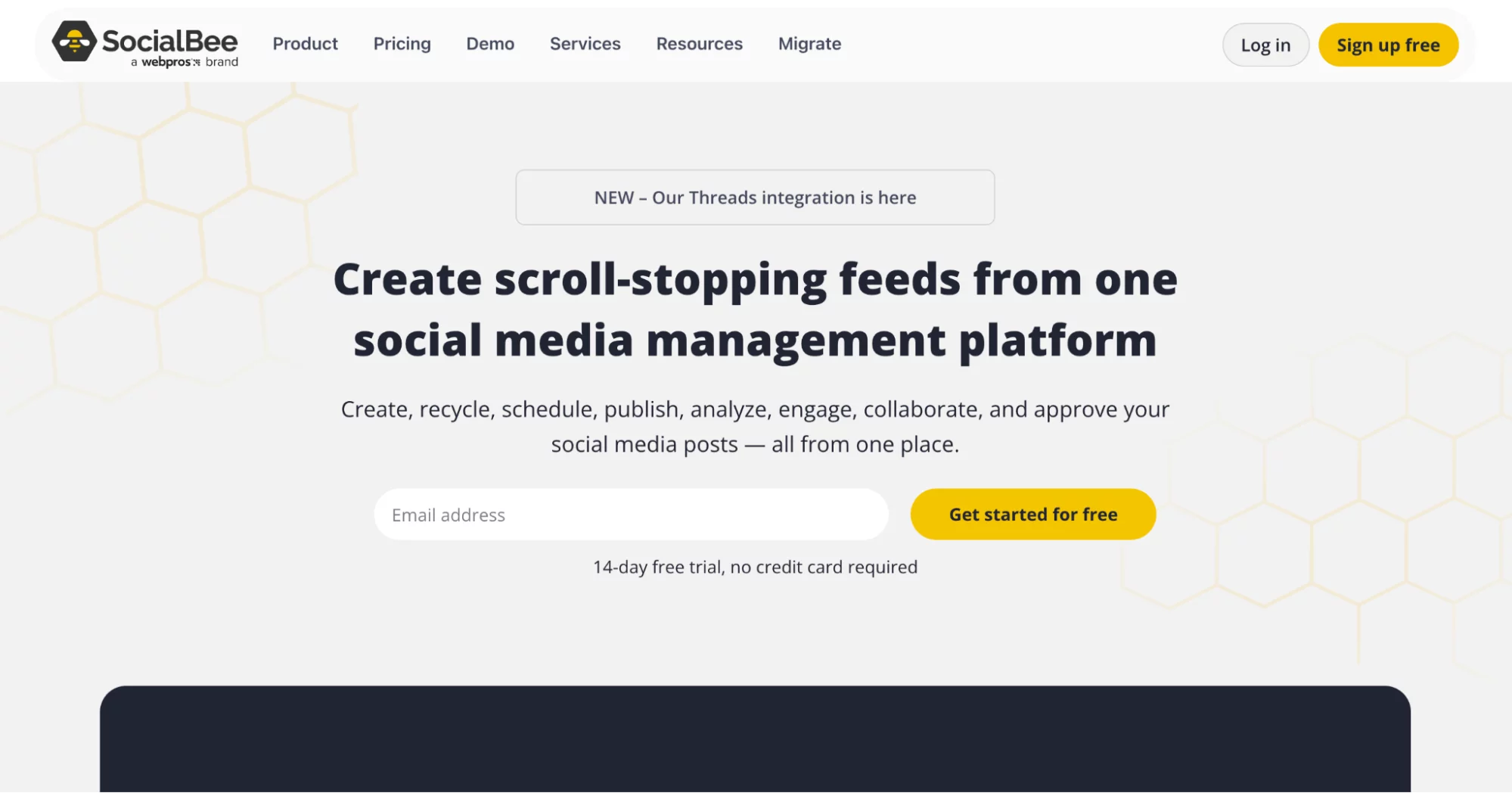
SocialBee is a strong Hopper HQ alternative if your focus is on keeping your feeds active without constantly creating new content from scratch.
When we tested it, the standout experience was how well it handles content organization, especially evergreen posts, categories, and recycled content. It’s perfect for teams that want a steady posting rhythm without spending hours every week filling their calendar manually.
It also supports a wide mix of platforms, which makes it more flexible than Hopper HQ’s mainly Instagram-focused setup. For creators, small businesses, or agencies that want a little more automation and structure, SocialBee fits nicely.
Key Features of SocialBee
- Content Creation & Recycling Tools: Write, organize, and reuse posts through category-based scheduling – your evergreen content stays alive longer.
- Multi-Platform Publishing: Schedule posts for Facebook, Instagram, LinkedIn, TikTok, and other major channels.
- Analytics Dashboard: See what content performs best and refine your strategy over time.
- Engagement Management: Reply to comments and messages directly inside SocialBee, rather than switching apps.
- Brand Monitoring: Track mentions and conversations related to your brand.
- Team Collaboration Tools: Assign roles, manage approvals, and keep everyone in sync – similar to Hopper HQ but noticeably more flexible.
Where SocialBee Outshines Hopper HQ
SocialBee’s biggest strength is content organization. Hopper HQ focuses more on scheduling visuals, while SocialBee gives you deeper control over how your posts are grouped, recycled, and reused. This is a big win if you manage multiple clients or handle content-heavy accounts.
Another advantage is engagement. SocialBee lets you manage comments and messages within the tool. Hopper HQ doesn’t offer a unified inbox, which means you’ll always end up juggling apps to stay on top of replies.
Finally, SocialBee covers more platforms and provides better automation options, making it a more scalable alternative for long-term growth.
Pricing
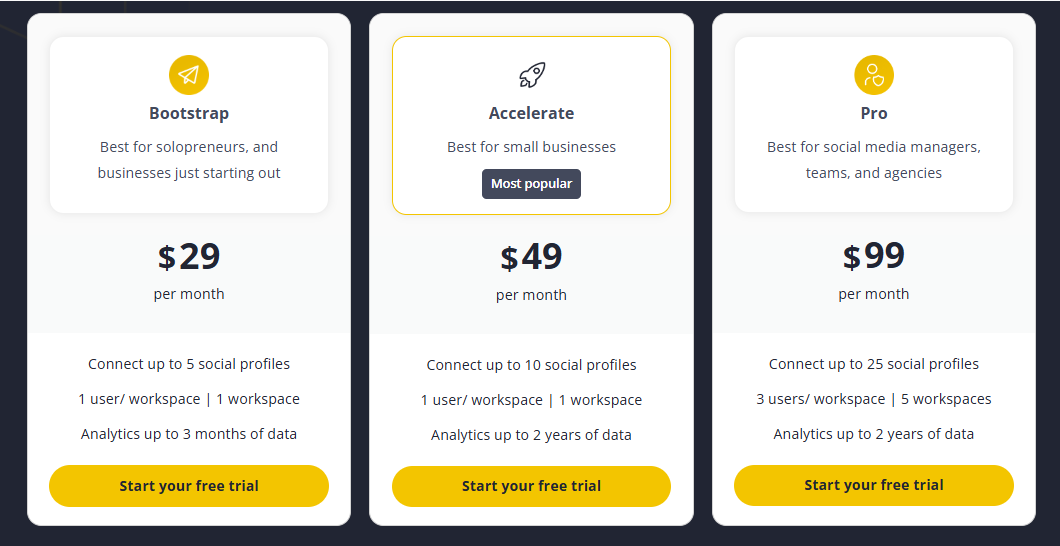
SocialBee offers two main pricing groups:
- Standard Plans – starting at $24/month
- Agency Plans – starting at $149/month
Both tiers give you access to scheduling, analytics, collaboration tools, and content recycling features.
4. Hootsuite – $99/Month
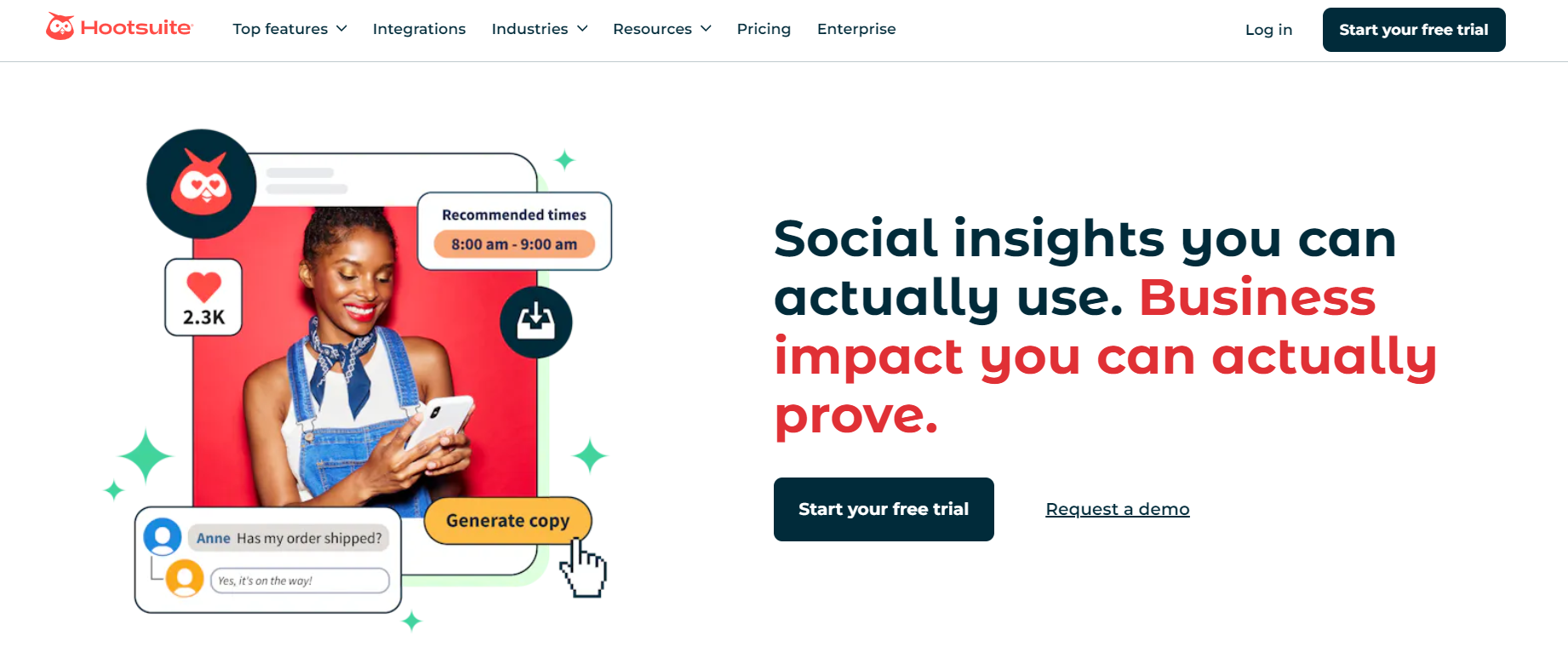
Hootsuite is one of the biggest names in social media management, and for good reason. When we tested it as a Hopper HQ alternative, the first thing that stood out was how much control it gives you across multiple platforms and campaigns.
It’s built for teams that need more than just scheduling – people who want analytics, monitoring, ads management, and real-time insights all under one roof.
While Hopper HQ focuses heavily on Instagram planning, Hootsuite feels like a full command center for your entire social presence. If you’re managing several brands or running paid campaigns alongside organic content, the added depth makes a noticeable difference.
Key Features of Hootsuite
- Multi-Platform Publishing: Create and publish content to Facebook, Instagram, LinkedIn, TikTok, YouTube, and more – all from a single dashboard.
- Built-in Analytics: Track reach, engagement, conversions, and overall performance with detailed analytics that help shape your long-term strategy.
- Social Listening Tools: Monitor brand mentions, trending topics, competitor activity, and conversations as they happen.
- Ad Management: Run paid campaigns, boost content, and measure ROI directly inside the platform without switching tools.
Where Hootsuite Outshines Hopper HQ
The biggest difference is power and depth. Hopper HQ is clean and simple, but it lacks advanced analytics, listening tools, and ad management altogether. Hootsuite, on the other hand, gives you everything in one place – organic posting, engagement, competitor tracking, ads, and insights.
If you manage larger accounts or want to keep an eye on brand sentiment and competitor trends, Hootsuite gives you far more visibility than Hopper HQ. It’s also better equipped for bigger teams that need clearer workflows and deeper reporting.
Pricing
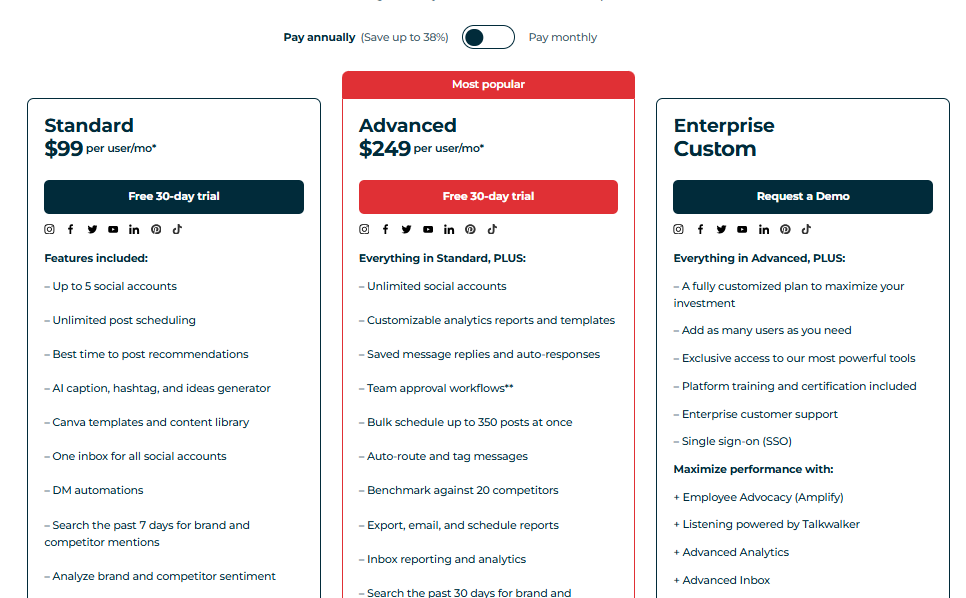
Hootsuite’s pricing starts at $99/month per user. It’s definitely not the cheapest Hopper HQ alternative, but it’s a strong option for organizations that need advanced monitoring, analytics, and campaign management tools bundled together.
5. Sprout Social – $199/Month
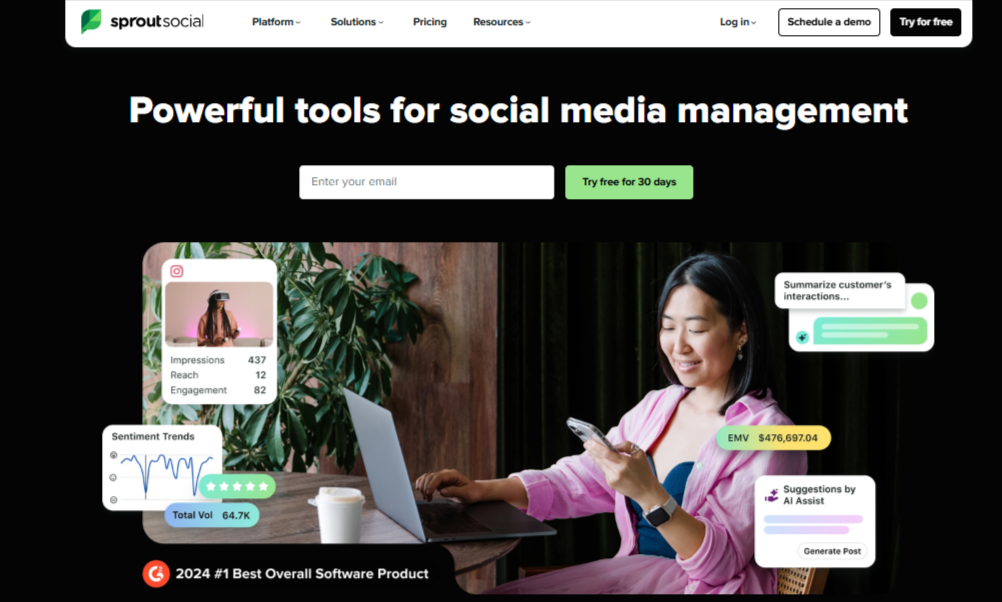
Sprout Social is one of the most robust platforms you can switch to if you’re outgrowing Hopper HQ. When we tested it, it became clear almost immediately that Sprout is built for brands and agencies that need more than scheduling – they need strategy.
The interface feels polished, the workflows are smooth, and the insights go deeper than most tools in this category. So, if Hopper HQ feels limiting in terms of analytics, collaboration, or engagement management, Sprout Social brings all those missing pieces together in a single, powerful dashboard.
Sprout Social’s Key Features
- Publishing & Content Planning: Plan, organize, and schedule posts across multiple platforms with tools designed to keep your posting consistent.
- Unified Social Inbox: Reply to comments, DMs, and mentions across platforms without switching apps – everything lands in one inbox.
- Advanced Analytics: Get detailed insight into your content performance, trending patterns, and audience behavior, helping you build stronger strategies.
- Team Management Tools: Assign roles, set permissions, and manage collaboration workflows – ideal for agencies or teams handling high-volume accounts.
Where Sprout Social Outshines Hopper HQ
Sprout Social offers a far more complete experience. Hopper HQ handles scheduling well, but that’s where it stops. Sprout gives you a powerful inbox, enterprise-level analytics, team roles, and workflows that make managing multiple clients or brands much smoother.
If you’re growing and need deeper reporting, better team coordination, and more control over engagement, Sprout Social is one of the biggest step-ups from Hopper HQ.
Pricing
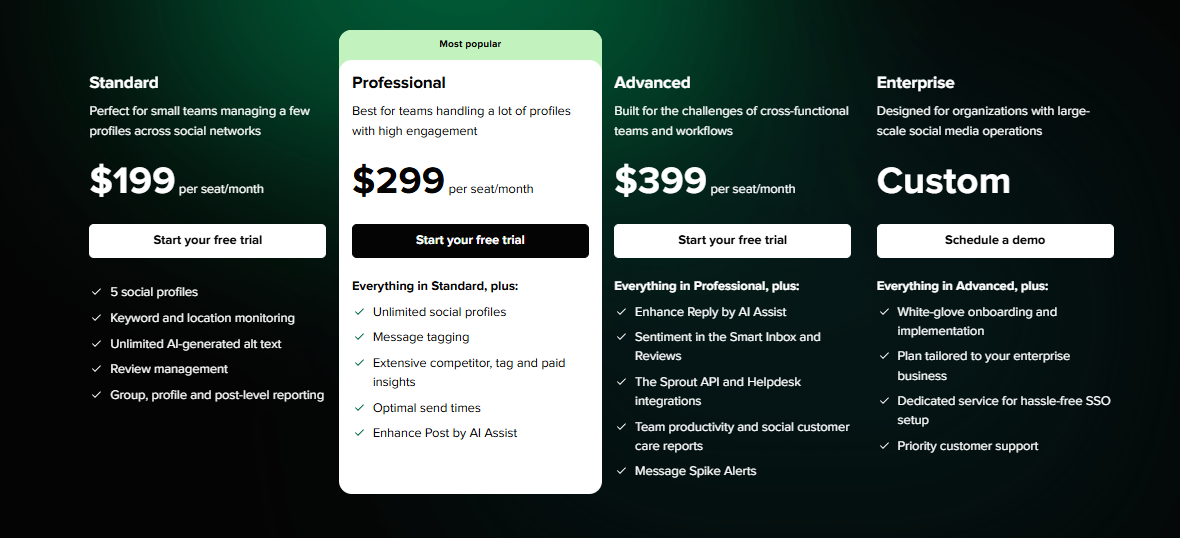
Sprout Social pricing starts at $199/month per seat. It’s not the most affordable option on this list, but for companies that need advanced analytics, strategic insights, and high-level team management, it’s often worth the investment.
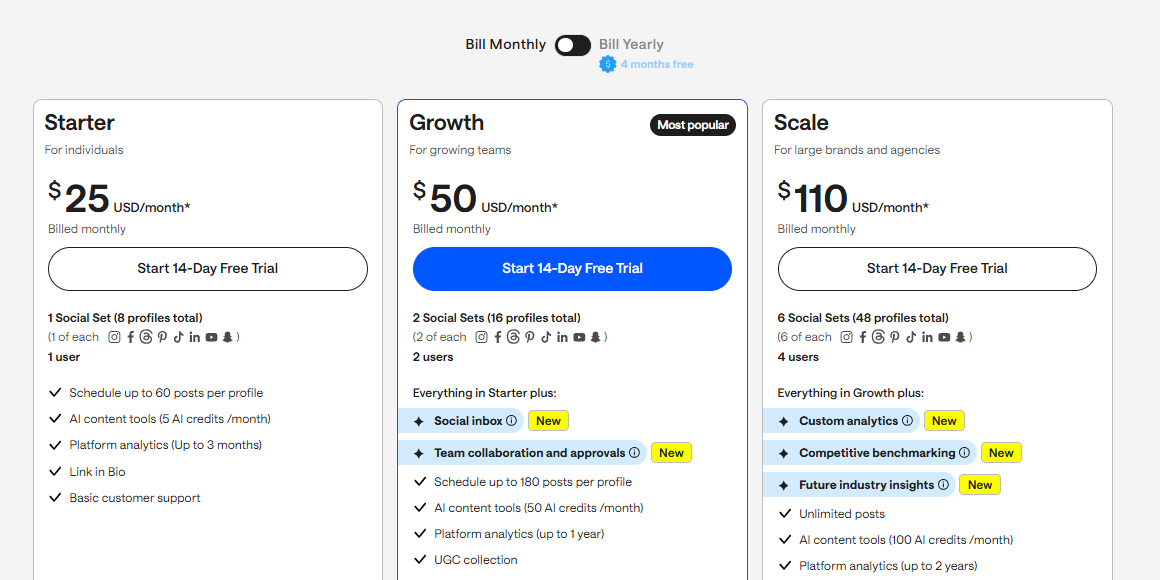
6. Later – $25/Month
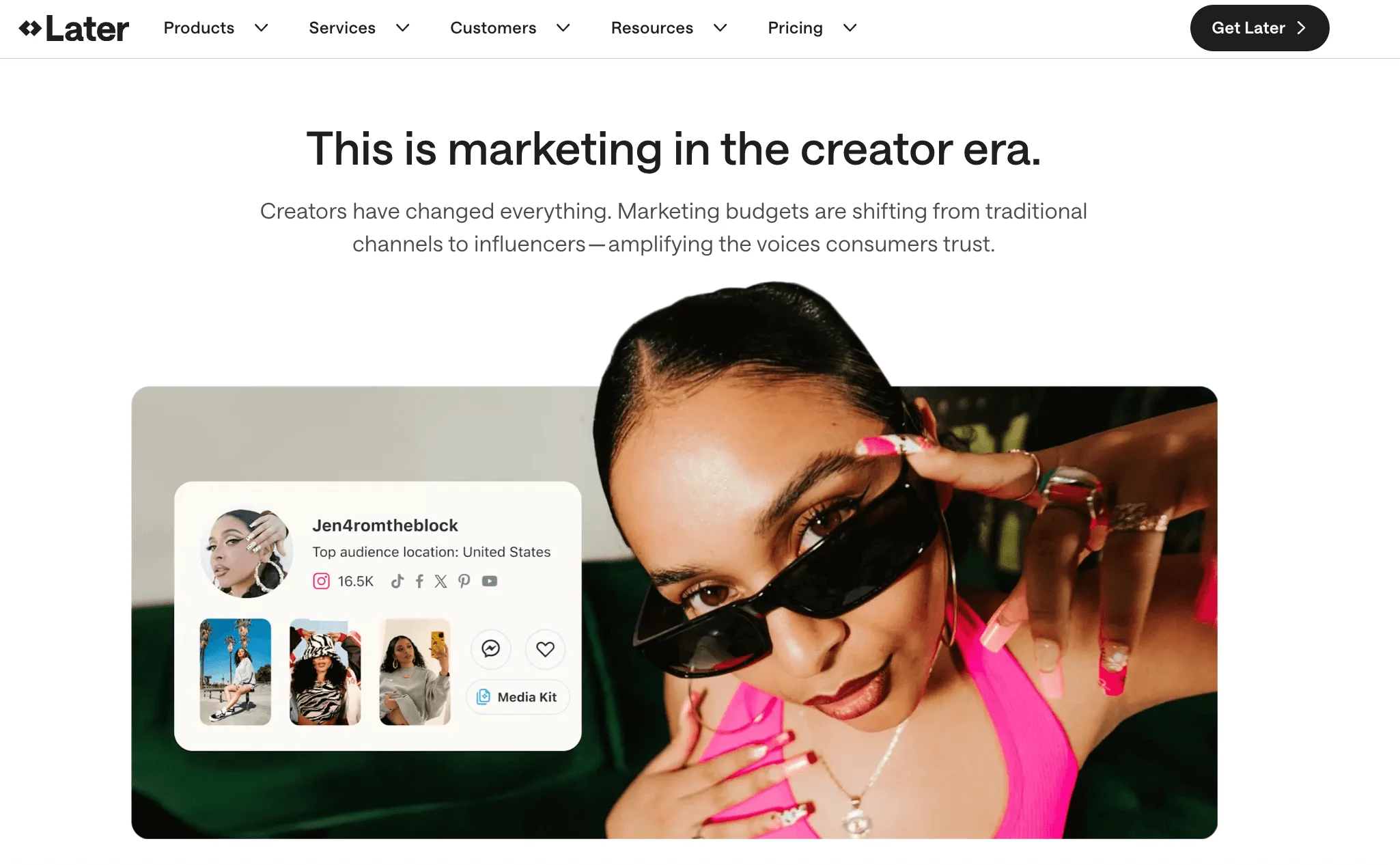
Later is a great choice if you love visual planning and want a smoother content workflow than what Hopper HQ offers. The standout experience with the tool was how easy it makes scheduling, especially for Instagram-focused teams and creators.
Everything is visual, drag-and-drop friendly, and simple to reorganize, which makes planning feel a lot less stressful.
It supports all major platforms, and with its built-in AI tools, brainstorming captions and ideas becomes quicker than ever. If your content is heavily visual or if you manage brand aesthetics closely, Later fits naturally into that workflow.
Key Features
- Multi-Platform Scheduling: Plan and publish content across Instagram, TikTok, Pinterest, Facebook, and X (Twitter) from one dashboard.
- AI-Powered Content Tools: Generate caption ideas, write posts faster, and reduce creative block.
- Visual Calendar: Drag, drop, rearrange, and preview posts in a calendar that shows exactly how your feed will look.
- Performance Analytics: Track your top-performing posts so you can refine what you publish.
- Team Collaboration: Assign roles, share calendars, and approve posts without back-and-forth messaging.
- Link in Bio: Direct followers to multiple links through a customizable landing page, especially useful for creators and ecommerce brands.
Where Later Outshines Hopper HQ
Later wins on visual planning. Hopper HQ also offers visual tools, but Later’s calendar and feed previews feel cleaner, more intuitive, and more creator-friendly. If aesthetics matter to your workflow, Later gives you more control and better visibility.
Later also integrates AI features more seamlessly, making caption writing, content ideas, and post optimization faster than Hopper HQ’s more manual setup. And with the Link in Bio feature built in, you get an extra way to drive traffic without using another tool.
Pricing
Later’s plans start at $25/month, with higher-tier options offering deeper analytics, more social sets, and expanded collaboration features.
7. Loomly – $65/Month

Loomly is a great Hopper HQ alternative if you want something more structured and team-friendly. During testing, the first thing we noticed was how calm and organized everything feels. The visual calendar makes planning straightforward, and the workflow tools help you stay on top of drafts, feedback, and approvals without any clutter.
Compared to Hopper HQ’s more Instagram-focused setup, Loomly gives you a smoother experience across multiple channels and a clearer system for collaboration. It is a perfect option for people who handle multiple brands or work closely with clients.
Key Features of Loomly
- Post Planning & Scheduling: A visual, easy-to-read calendar that helps you organize and publish content consistently across all your channels.
- Approval & Feedback Workflow: Build custom approval paths for team leads or clients, keeping everyone aligned without endless messages.
- Analytics & Insights: Track engagement, performance, and campaign results with detailed analytics.
- Content Library: Keep all your ideas, assets, and evergreen posts stored in one central place.
- All-in-One Calendar: Your planning, scheduling, and collaboration all sit in one clean view – ideal for multi-brand teams.
Where Loomly Outshines Hopper HQ
Loomly is simply more team-friendly. Hopper HQ keeps things simple, but Loomly gives you a more advanced workflow, especially for approvals, content organization, and multi-brand management. Its content library is also much stronger, making it easier to store assets, brainstorm ideas, and reuse posts.
If you work with multiple clients or run a team with several moving parts, Loomly gives you more structure and flexibility than Hopper HQ.
Pricing
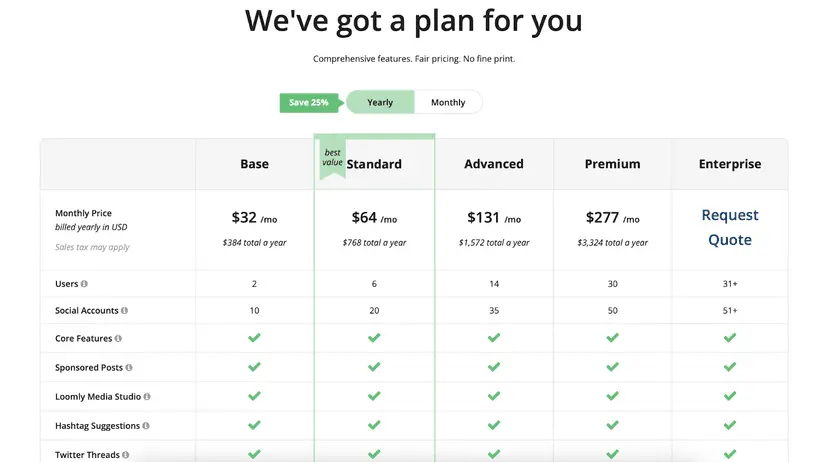
Once you sign up, Loomly offers four pricing tiers:
- Free – $0/month (including 1 user, 3 accounts, 5 posts/month)
- Starter – $65/month (including 3 users, 12 accounts)
- Beyond – $332/month (including unlimited users, 60 accounts)
- Enterprise – Custom Pricing (including unlimited users, 61+ accounts)
If you want a Hopper HQ alternative that blends visual planning with strong collaboration and content organization, Loomly is one of the best tools to consider.
8. MavSocial – $29/Month
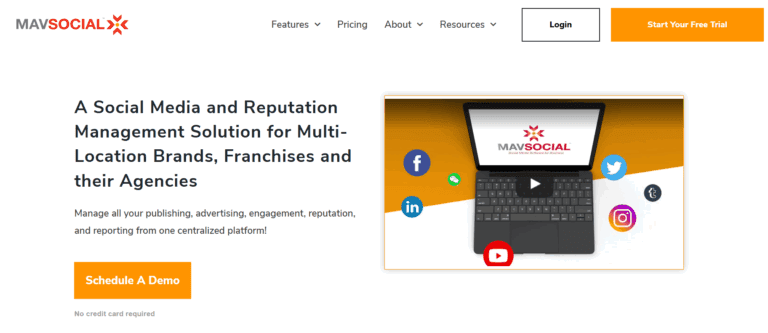
MavSocial is a solid Hopper HQ alternative if your content workflow is heavily visual. When we tested it, the tool felt designed for brands that rely on images, videos, and consistent engagement to build their presence.
It goes beyond basic scheduling by giving you tools for listening, engagement, ad management, and even online reputation tracking – all inside one place.
If Hopper HQ feels too limited for managing comments, reviews, or conversations around your brand, MavSocial gives you that wider level of control.
Key Features of MavSocial
- Visual-Focused Publishing Tools: Schedule and manage posts with an emphasis on strong visuals – perfect for brands built around imagery.
- Unified Engagement Inbox: Reply to comments and messages from different platforms in one central inbox instead of switching apps.
- Social Listening Tools: Track brand mentions, industry topics, and keyword conversations to stay ahead of trends.
- Reputation Management: Monitor reviews and keep an eye on brand sentiment across different platforms.
- Advertising Tools: Create, manage, and optimize paid campaigns straight from the dashboard without using separate ad managers.
Where MavSocial Outshines Hopper HQ
The biggest difference is how well MavSocial handles engagement and brand monitoring. While Hopper HQ focuses almost entirely on scheduling and visuals, MavSocial brings listening tools, review monitoring, and ad management into the mix.
If you want to manage posting and brand perception together, MavSocial offers much more depth than Hopper HQ. It’s also great for teams that rely on strong visuals but still need analytics, engagement, and reputation tools under the same roof.
Pricing
MavSocial’s plans start at $29/month, making it an appealing choice for teams focused on:
- visual content creation
- consistent engagement
- social listening
- online reputation management
If you want a platform that combines visual scheduling with stronger monitoring and engagement tools, MavSocial is a compelling upgrade from Hopper HQ.
9. Agorapulse – $99/Month
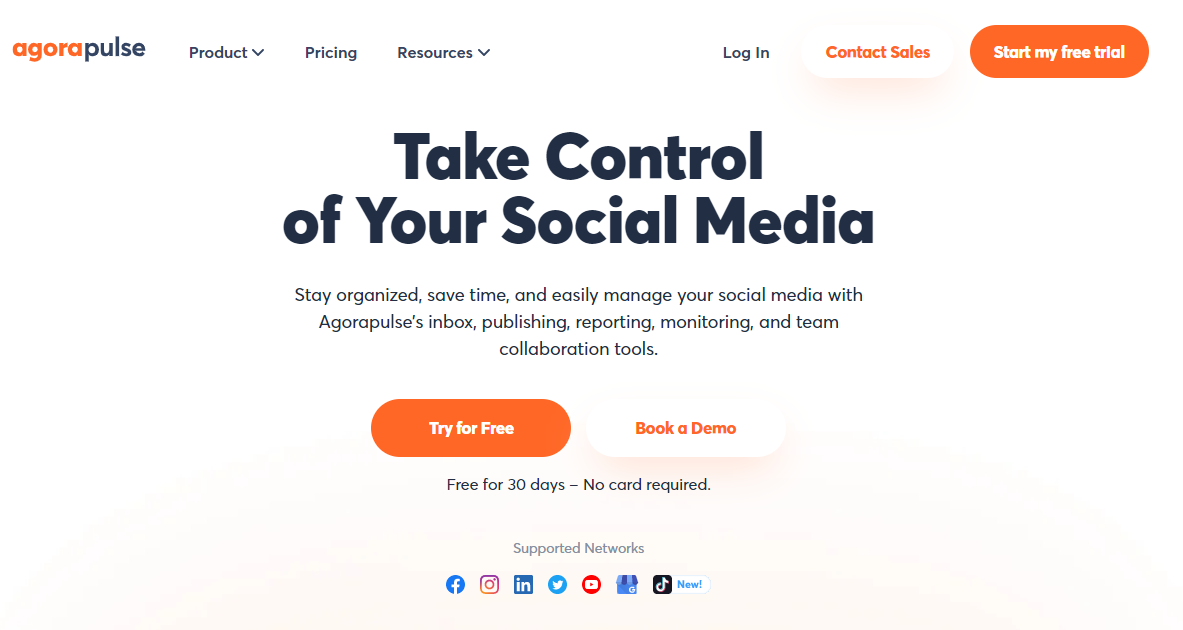
Agorapulse is a powerful Hopper HQ alternative if you’re looking for a more complete social media management system. When we tested it, the platform felt built for agencies and growing teams that need more than scheduling – things like collaboration, reporting, engagement tracking, and social listening. Everything is organized, clean, and designed to help teams work smarter and faster.
If Hopper HQ feels too basic for your growing brand or agency needs, Agorapulse adds the structure and depth that Hopper HQ lacks.
Key Features of Agorapulse
- Multi-Platform Publishing: Schedule and publish your posts across all major platforms from one dashboard.
- Team Collaboration Tools: Assign tasks, manage approvals, and use shared calendars to keep everyone aligned.
- Automated Workflows: Cut down on repetitive tasks with automation features that speed up your content pipeline.
- Unified Inbox: Manage comments, messages, reviews, and mentions from one central place – no more jumping between apps.
- Social Listening: Track industry trends, monitor competitors, and keep an eye on conversations around your brand.
- Client-Ready Reporting: Generate polished, insight-rich reports that clearly show ROI – ideal for agencies presenting results to clients.
Where Agorapulse Outshines Hopper HQ
Agorapulse simply gives you a more complete toolkit. Hopper HQ covers scheduling and visuals, but Agorapulse goes deeper with:
- advanced collaboration
- social listening
- engagement management
- detailed reporting
If you’re managing several accounts or working with clients, the unified inbox alone is a huge upgrade from Hopper HQ’s lack of engagement tools. And the ability to track competitors and trends in real time makes your strategy far more proactive.
Pricing
Agorapulse starts at $99/month per user, making it a strong choice for:
- agencies
- larger teams
- brands that need structure, analytics, and deeper insights
10. Metricool – $18/Month
Metricool often comes up as a go-to scheduling tool for creators and small teams, especially because of its clean interface and easy planning layout. When we tested it as a Hopper HQ alternative, the biggest strength we noticed was how straightforward it feels. The drag-and-drop calendar is simple, the analytics are clear, and the platform doesn’t overwhelm you with too many moving parts.
If you want something that covers scheduling, reporting, and basic engagement in one tidy dashboard, Metricool can be a dependable option, especially for beginners or budget-conscious users.
Key Features
- Simple Drag-and-Drop Planning: Schedule posts quickly and organize your content calendar without any learning curve.
- In-Depth Analytics: Track performance across your connected platforms to see what’s working and where you can improve.
- Branded Client Reports: Generate polished, customizable reports in just a few clicks, great for freelancers and agencies.
- Unified Inbox: Respond to messages and comments inside the platform instead of switching between apps.
- SmartLinks: Create optimized bio links to drive traffic to multiple destinations.
- Hashtag Tracking: Monitor hashtag performance to identify which ones help boost your reach.
Where Metricool Outshines Hopper HQ
Metricool’s biggest advantage compared to Hopper HQ is depth of analytics. Hopper HQ focuses on scheduling and visuals, but Metricool gives you stronger insights across your platforms, plus stronger reporting tools, especially useful if you handle clients.
The inbox tool is also a win, since Hopper HQ doesn’t include engagement management at all. And SmartLinks + hashtag tracking give Metricool a slight edge for brands that want lightweight optimization features without using separate tools.
Pricing
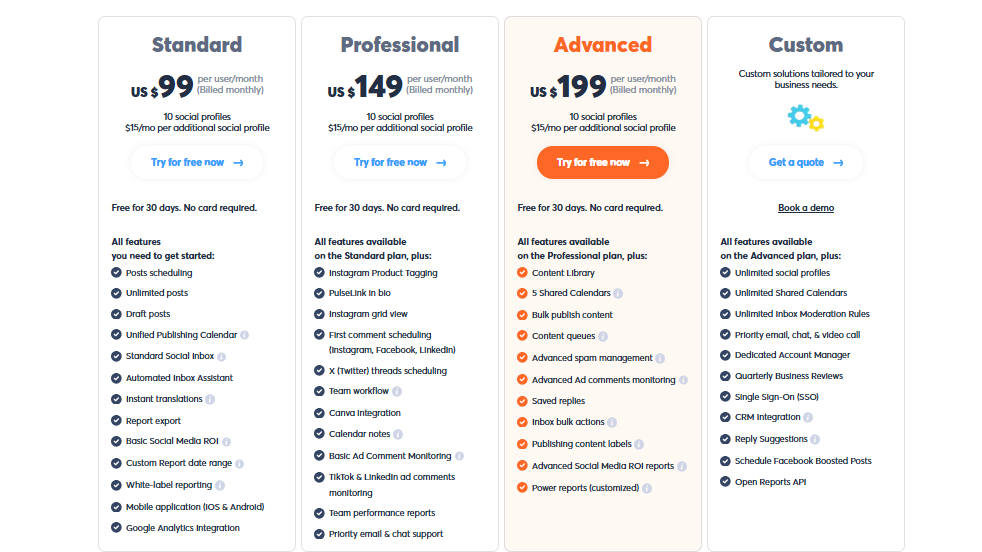
Metricool offers:
- Free Plan – basic scheduling and analytics
- Paid Plans starting from $18/month
The pricing is budget-friendly, especially for creators, freelancers, and small teams who want solid analytics and reporting without a big monthly bill.
Choosing the Right Hopper HQ Alternative for Your Needs
Picking the right Hopper HQ alternative isn’t just about choosing the tool with the longest feature list. It’s about finding the one that matches how you work, what your team needs, and where your brand is heading. Before you make a decision, here are a few things worth thinking about.
Your Budget and Growth Plans
Start by looking at how much you’re willing to spend and how much you expect your social media needs to grow. Some tools look affordable at first but get expensive fast once you add more users or accounts. Choose a platform that fits your current budget and still gives you room to scale without blowing up your costs later.
Platform Coverage and Future Expansion
Ask yourself: which platforms matter to your audience right now? And which ones might matter in six months? If you plan to expand to newer platforms or manage multiple accounts per channel, make sure your tool supports that from day one.
Collaboration and Workflow Structure
If you work with a team, or with clients, you need smooth workflows. Look for clear approval steps, shared calendars, role assignments, and comment-based feedback. The easier it is to collaborate, the faster your content pipeline moves.
Analytics and Reporting Depth
Good analytics help you understand what’s working and what’s wasting time. Look for tools that offer real-time insights, performance trends, and customizable reports. If you work with clients, strong reporting becomes even more important.
Engagement Management
Posting is only half the job. If your brand gets a lot of comments or DMs, you’ll want a tool that brings everything into one inbox. This makes responding faster and keeps engagement from slipping through the cracks.
Automation Features
Automation can save hours every week. Whether it’s evergreen content, AI-generated ideas, or smart posting queues, the right automation tools help you stay consistent, even on busy days.
Ease of Use and Learning Curve
A tool might have incredible features, but if it takes you weeks to learn, it’s not worth it. Go for a platform that feels intuitive from the start, especially if you’re switching from Hopper HQ and don’t want to rebuild your workflow from scratch.
Customer Support and Onboarding
When something breaks, or you’re stuck, you’ll want reliable support. Look for tools that offer chat, email, or phone support, plus helpful tutorials or onboarding resources. Good support can make the whole experience smoother.
Final Note
Switching from Hopper HQ doesn’t need to feel overwhelming. Once you understand what your workflow really needs, the right tool becomes much easier to choose. Every alternative in this guide brings something unique to the table, so you’re not short on strong options.
Take your time, explore the features that match your goals, and pick the platform that feels like a natural fit for your daily routine. The right tool won’t just help you schedule posts; it’ll make your entire social media process smoother, faster, and far more enjoyable.