Top SocialOomph Alternatives for Effective Social Media Management [2026 Update]
SocialOomph has been around for a long time. For many marketers, it was one of the early tools that made scheduling posts feel manageable. You could queue content, automate publishing, and keep your feeds active without logging in every day. For its time, it did the job well.
But social media has changed. New platforms have emerged. AI has entered the workflow. Teams now collaborate in real time. And honestly, tools need to feel modern and intuitive.
That’s where many users start to feel the gap.
SocialOomph’s outdated interface, limited support for newer platforms, and restricted features on lower plans push a lot of creators and businesses to look elsewhere. If you’ve felt that friction, you’re not alone.
In this guide, we’ll break down the top SocialOomph alternatives for 2026 and help you find the tool that fits your budget, your team size, and the way you actually work today – not how social media worked ten years ago.
Table of Contents
- 1 Why Consider a SocialOomph Alternative?
- 2 Top SocialOomph Alternatives 2026
- 3 1. OnlySocial ($29/Month)
- 4 2. Hootsuite ($99/Month)
- 5 Key Features
- 6 3. SocialBee ($24/Month)
- 7 4. Tailwind ($14.99/Month)
- 8 5. Buffer ($6/Month)
- 9 6. CoSchedule ($19/Month)
- 10 7. Planoly ($16/Month)
- 11 8. Sprout Social ($199/Month)
- 12 9. SocialPilot ($30/Month)
- 13 10. ContentStudio ($25/Month)
- 14 11. Agorapulse ($79/Month)
- 15 12. Sendible ($29/Month)
- 16 13. Zoho Social ($15/Month)
- 17 How to Choose the Best SocialOomph Alternative
- 18 Final Thoughts
- 19 FAQs
Why Consider a SocialOomph Alternative?
SocialOomph has history. It’s been around long enough to earn recognition as one of the early social scheduling tools. But longevity alone doesn’t guarantee it still fits today’s workflow.
If you’ve used SocialOomph recently, you may have noticed a few friction points. And over time, those small annoyances start to feel bigger.
Before we consider its alternatives, let’s take a quick look at some reasons users are exploring SocialOomph alternatives.
An Interface That Feels Stuck in the Past
The first thing most users notice is the design. SocialOomph’s interface hasn’t evolved much. It works, but it doesn’t feel modern. Compared to today’s clean dashboards, drag-and-drop calendars, and AI-powered workflows, SocialOomph can feel dated and a little clunky.
When you’re managing content daily, usability matters. A tool should feel smooth, not like you’re navigating an old admin panel.
Limited Support for Newer Platforms
Social media has expanded far beyond Facebook and Twitter. Today, brands are building audiences on TikTok, Threads, Bluesky, Mastodon, Pinterest, and even messaging platforms like WhatsApp Business. SocialOomph’s platform coverage doesn’t fully keep up with that shift.
If your audience lives on newer platforms, you may end up using multiple tools just to stay visible. That defeats the purpose of having a central management system.
High Pricing Without Matching Value
This is where many users start questioning things. To unlock features that most modern tools include as standard – like managing multiple profiles, team collaboration, or automation queues – you need to upgrade to a paid tier. The Business Suite alone costs around $55 per month, and pricing increases quickly from there.
For freelancers and small teams, that can feel steep. Especially when the interface and features don’t feel as advanced as some lower-priced competitors.
Stronger Alternatives Cost Less
The market has changed. There are now tools offering cleaner dashboards, smarter automation, AI features, better collaboration, and broader platform support – often at a lower monthly cost. Some even provide generous free plans to test things out before committing.
When users compare features side by side, it’s natural to start wondering whether SocialOomph still offers the best value for the price.
If any of this sounds familiar, you’re probably ready to explore better options. And the good news is, in 2026, you have plenty of modern tools that are faster, cleaner, and built for how social media actually works today.
Top SocialOomph Alternatives 2026
1. OnlySocial ($29/Month)
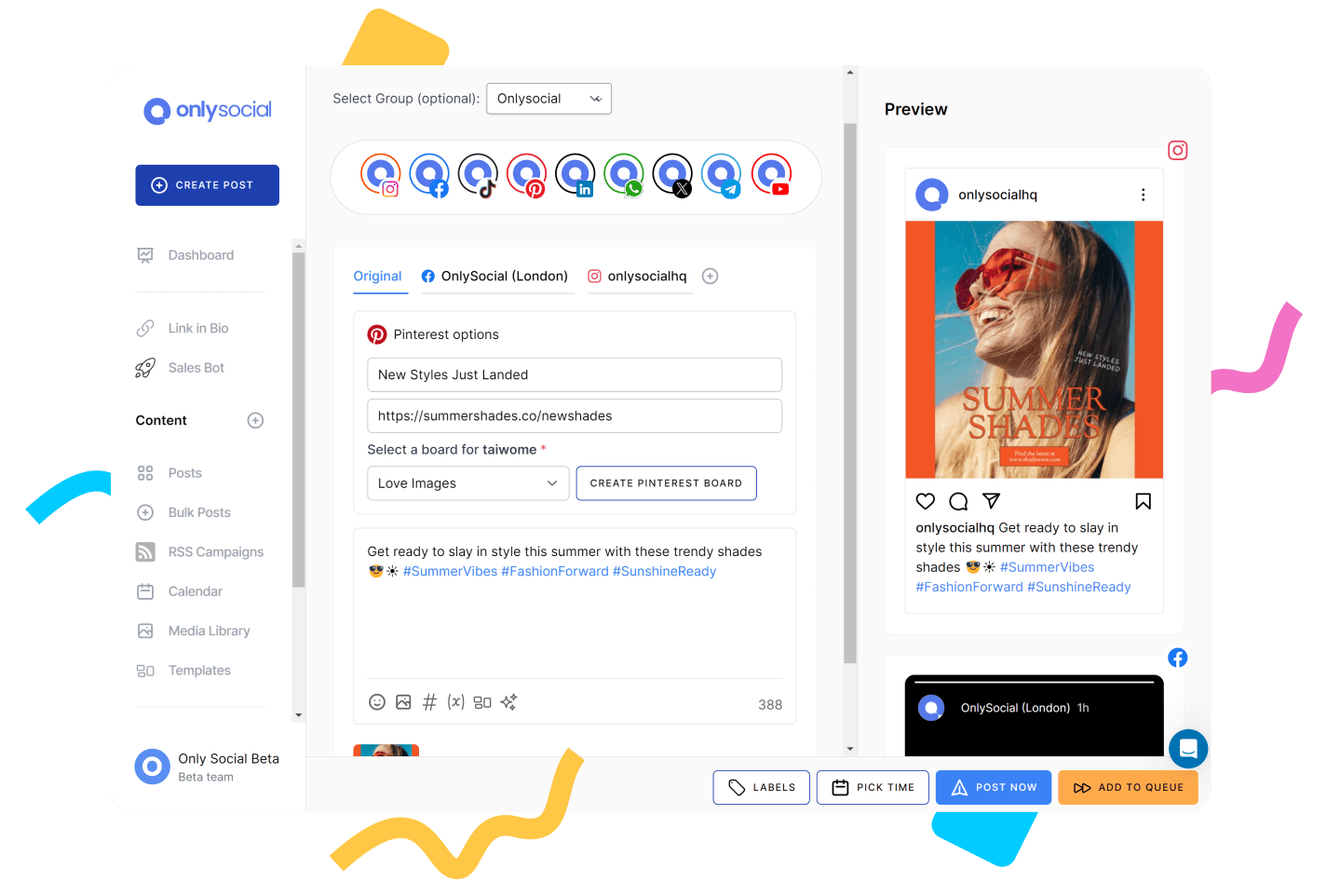
OnlySocial is a modern, all-in-one social media management platform built for creators, brands, and agencies that want flexibility without complexity. When you first log in, the difference from SocialOomph is immediate. The interface feels current. Clean layout. Clear navigation. No digging around to find basic features.
While SocialOomph built its name around simple scheduling, OnlySocial expands that idea into a complete workflow system – from AI content creation to collaboration, engagement, automation, and reporting.
If SocialOomph feels like a tool from a previous era of social media, OnlySocial feels built for how social media works in 2026.
Unique Features of OnlySocial
Multi-Platform Publishing (15+ Networks)
OnlySocial supports major and emerging platforms, including Instagram, Facebook, LinkedIn, TikTok, Pinterest, X (Twitter), YouTube, Google Business Profile, Threads, Mastodon, and Bluesky.
This means you don’t need separate tools for newer platforms. While SocialOomph’s limited platform coverage often forces users to juggle multiple systems, OnlySocial keeps everything in one dashboard.
Bulk Scheduling
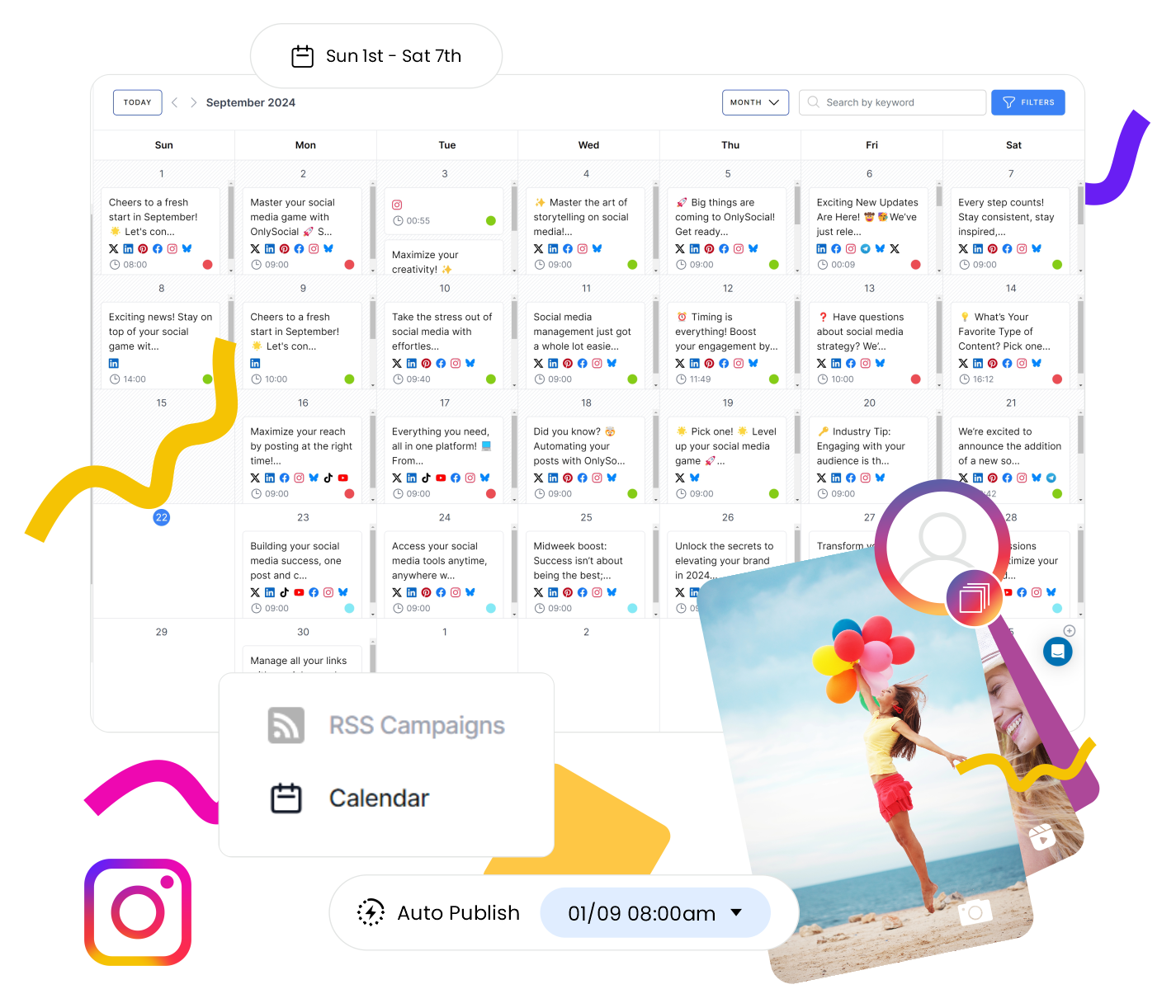
Upload and schedule up to 500 posts in one go using CSV import or the drag-and-drop calendar. For agencies and content-heavy brands, this means they can plan weeks or months ahead in minutes. Yes, SocialOomph offers queues, but not this level of bulk control.
Built-In AI Content Assistant
Generate captions, rewrite posts, create hashtags, and brainstorm ideas directly inside the platform. Instead of switching between apps and platforms, your content creation happens where you publish. SocialOomph doesn’t offer native AI tools, which can slow down high-volume posting.
Unified Social Inbox (Including WhatsApp Business)
All comments, DMs, mentions, and interactions appear in one central inbox. This makes engagement faster and more organized. SocialOomph’s engagement management is far more limited, especially across newer platforms.

Advanced Collaboration & Approval Workflows
You can assign roles, set approval rules, and manage drafts across teams or clients. No messy email threads. No Slack screenshots for approval.
White-Label Dashboard (For Agencies)
You can also rebrand the entire platform with your logo, domain, and colors. If you run an agency, you can present the tool as your own. SocialOomph does not offer this level of brand control.
Analytics & Reporting
Track engagement, growth, best-performing posts, and export clean reports. With OnlySocial, you get actionable insights without needing an enterprise-priced analytics suite.
Pricing
OnlySocial keeps pricing simple and scalable:
- Freelancer – $29/month (15 social accounts)
- Entrepreneur – $49/month (45 accounts + 3 users)
- Professional – $99/month (unlimited accounts + 10 users)
Compared to SocialOomph’s $55/month Business Suite, which still feels limited, OnlySocial offers significantly more accounts, more collaboration, and broader platform support at a similar or lower effective cost.
Pros
- Simple, clean, and modern interface
- Advanced collaboration and approval tools
- Bulk scheduling and powerful automation
- Unified inbox across platforms
- Affordable pricing for managing multiple accounts
- Broad platform support, including newer networks
Cons
- Free trial only; no forever-free plan
- Strong analytics, though not as deep as enterprise tools like Sprout Social
2. Hootsuite ($99/Month)
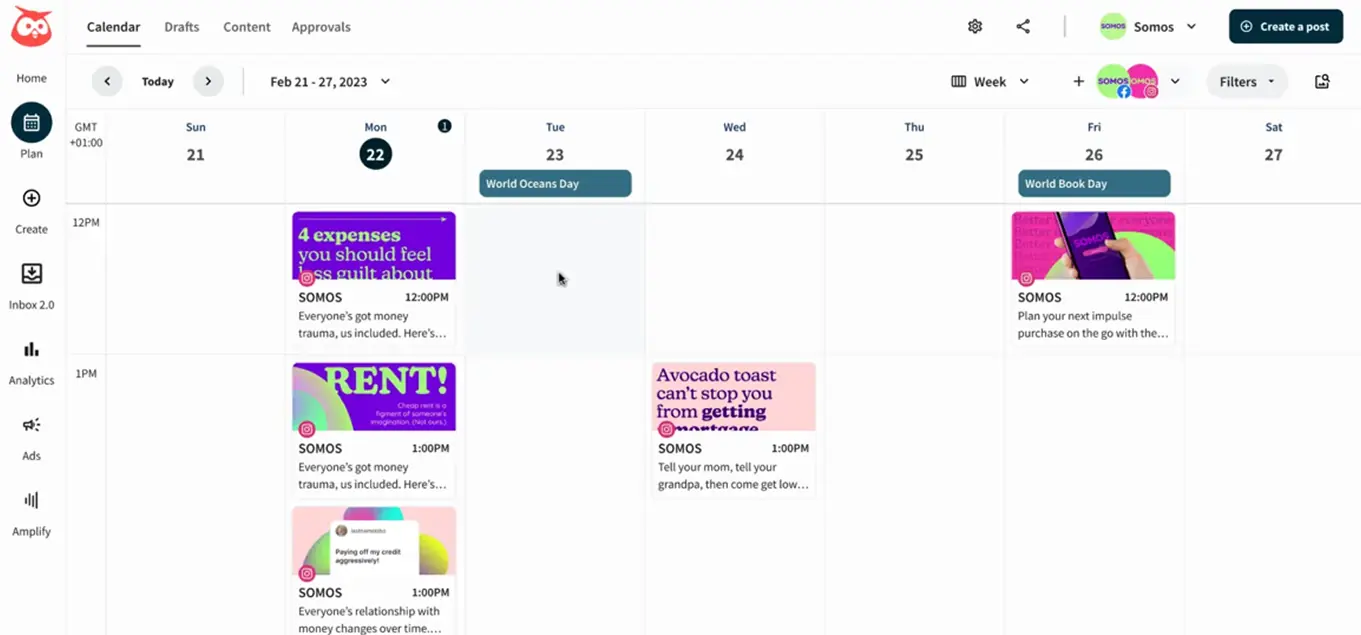
Hootsuite is one of the most established names in social media management. If SocialOomph feels outdated, Hootsuite sits on the opposite end of the spectrum. It’s polished, enterprise-ready, and built for teams that need visibility across everything.
When we tested it, Hootsuite felt like a control center. It’s not just about scheduling posts. It’s about monitoring conversations, tracking performance, managing ads, and coordinating teams – all from one dashboard.
That said, it’s definitely more powerful (and pricier) than SocialOomph.
Key Features
- Publish and schedule posts across Instagram, Facebook, LinkedIn, TikTok, Pinterest, YouTube, and X (Twitter)
- Unified inbox to manage comments, DMs, and mentions in one place
- Advanced analytics with custom report building
- Social listening tools to monitor keywords, hashtags, and brand mentions
- Team collaboration with approval workflows and role permissions
- Ad campaign management for boosting and tracking paid posts
- Content library for storing reusable assets
Compared to SocialOomph, Hootsuite offers broader platform coverage, better engagement tools, and deeper reporting, but with more complexity.
Pricing
- Plans start at $99/month per user
- Higher-tier plans unlock additional features, profiles, and team capabilities
It’s significantly more expensive than SocialOomph, but also far more advanced.
Pros
- Strong analytics and reporting tools
- Unified inbox and social listening
- Excellent for teams and agencies
- Supports a wide range of platforms
- Integrated ad management
Cons
- Expensive compared to many alternatives
- Per-user pricing can scale up quickly
- Interface can feel heavy for beginners
- It may be overkill for solo creators or small teams
3. SocialBee ($24/Month)
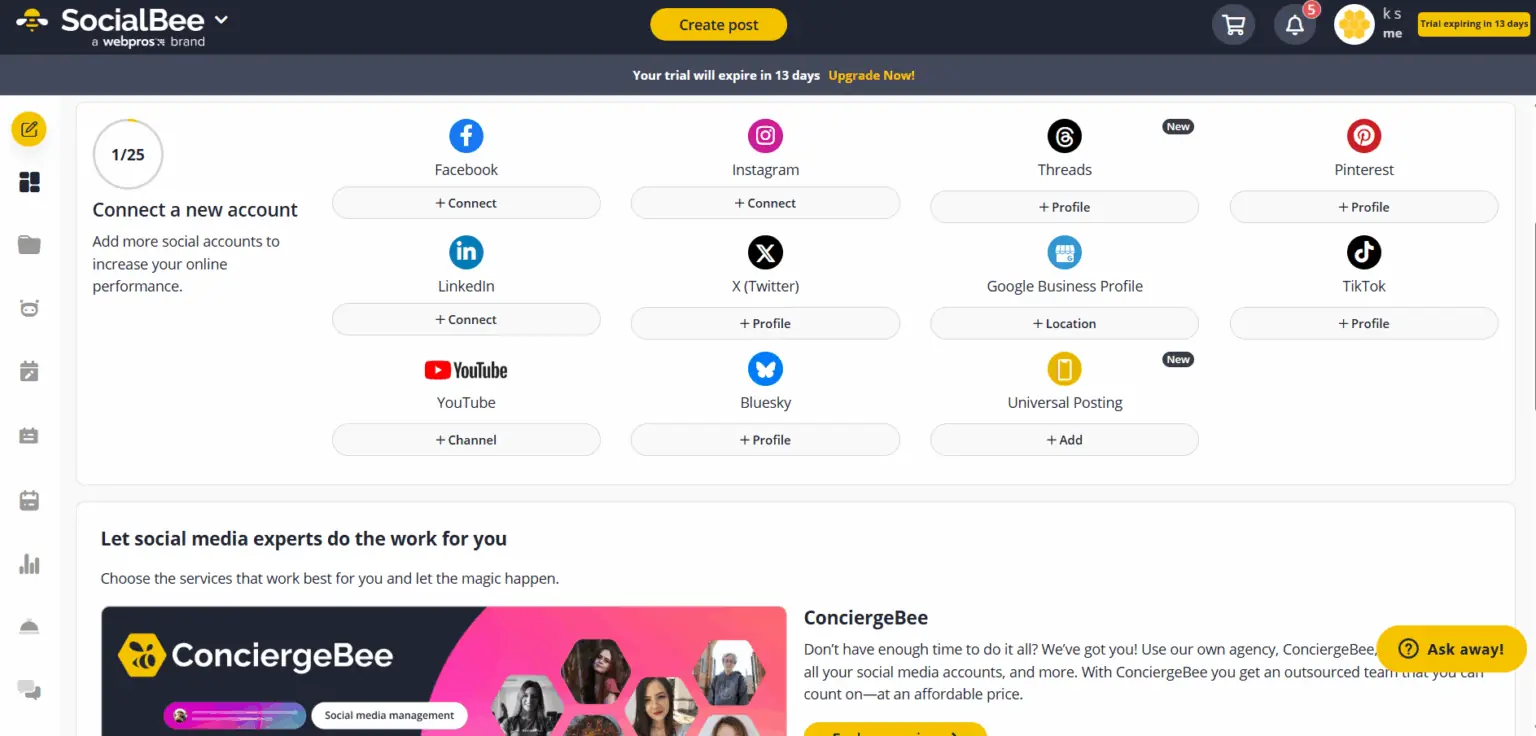
SocialBee is a smart SocialOomph alternative if automation and content organization matter to you. When we tested it, the biggest difference compared to SocialOomph was how structured everything feels. Instead of just scheduling posts in a queue, SocialBee lets you organize content into categories and automate them in a way that keeps your feed balanced.
Where SocialOomph focuses mainly on basic scheduling and queues, SocialBee takes automation several steps further.
Key Features
- Schedule posts across Instagram, Facebook, LinkedIn, X (Twitter), TikTok, Pinterest, and Google Business Profile
- Category-based scheduling to organize content types (e.g., promotions, tips, quotes)
- Evergreen content recycling to automatically repost high-performing content
- Built-in AI assistant for generating captions and content ideas
- Unified inbox for managing comments and engagement
- Social listening to track mentions and keywords
- Team collaboration with approval workflows
- RSS feed integration to automate curated content
Pricing
- Standard plans start at $24/month
- Agency plans start at $149/month
SocialBee is often more affordable than SocialOomph’s higher tiers while offering more modern features.
Pros
- Strong automation and content recycling
- AI-powered caption assistance
- Supports more platforms than SocialOomph
- Good balance between price and features
- Clean and modern interface
Cons
- Can feel slightly structured for very casual users
- Advanced features require higher-tier plans
- Steeper initial learning curve
- Lower plans limited to one workspace (one brand/client)
- Overkill if managing only a couple of profiles
If you’re moving away from SocialOomph because you want smarter automation and a more modern workflow, SocialBee is one of the strongest mid-tier alternatives in 2026.
4. Tailwind ($14.99/Month)
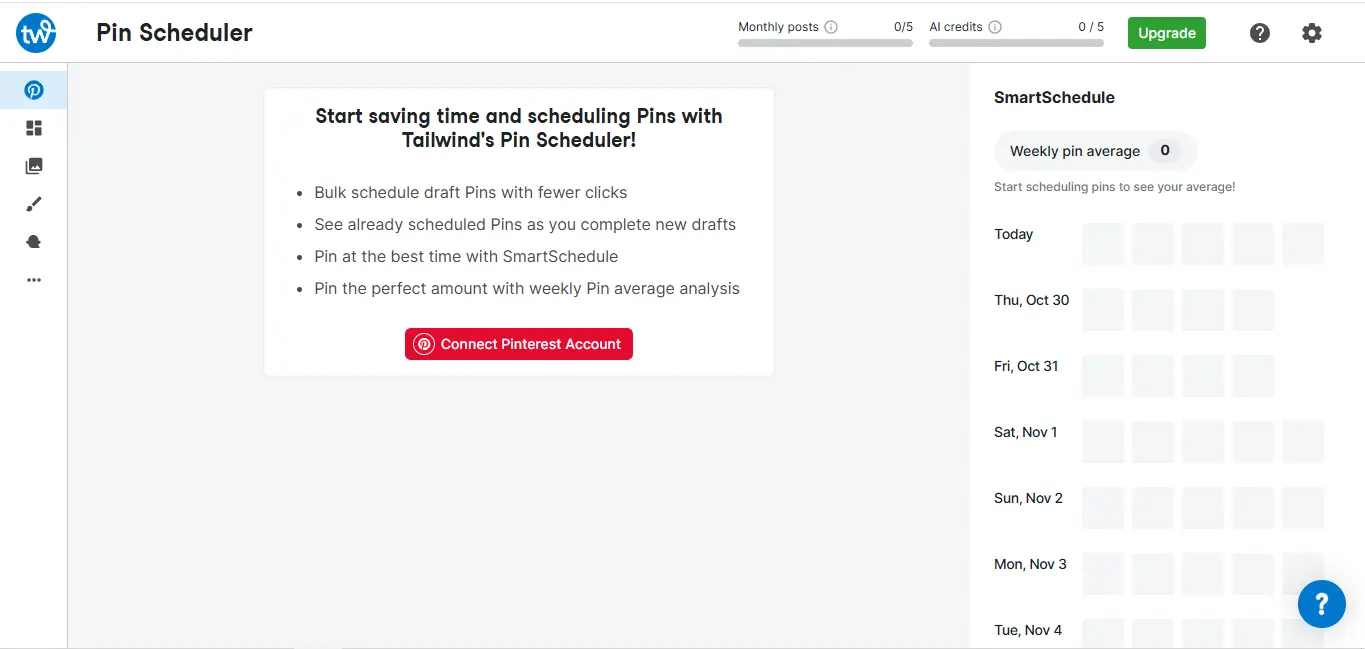
Tailwind is another SocialOomph alternative worth considering. The tool is focused, especially if your strategy revolves around visual platforms like Instagram and Pinterest. It doesn’t try to be a heavy enterprise tool. Instead, it’s built to help you plan, automate, and optimize visual content efficiently.
Key Features
- Schedule posts for Instagram, Pinterest, and Facebook
- Smart scheduling to publish at optimal engagement times
- Visual content planner with drag-and-drop calendar
- Hashtag finder and suggestion tools
- AI-powered caption generator
- Tailwind Communities (formerly Tribes) for content amplification
- Basic analytics to track performance and engagement
Tailwind is more visually intuitive than SocialOomph and includes built-in hashtag and AI tools – something SocialOomph lacks. However, it supports fewer overall platforms.
Pricing
- Plans start around $14.99-$24.99/month, depending on features
- Higher tiers unlock more AI credits and advanced analytics
It’s generally more affordable than SocialOomph’s Business tier, especially for solo creators.
Pros
- Clean, visual planning experience
- Strong Pinterest and Instagram tools
- Built-in AI caption and hashtag support
- Auto-posts the first comment on Instagram
- Easy for beginners to use
- Affordable for creators
Cons
- Limited platform support (mainly visual networks)
- Not ideal for agencies managing many accounts
- Analytics are not as deep as enterprise tools
- Advanced features most useful for heavy Pinterest users
If you’re leaving SocialOomph because it feels outdated and you mainly focus on Instagram or Pinterest, Tailwind is a modern and easier-to-use alternative. But if you need broader platform coverage, you may want something more flexible.
5. Buffer ($6/Month)
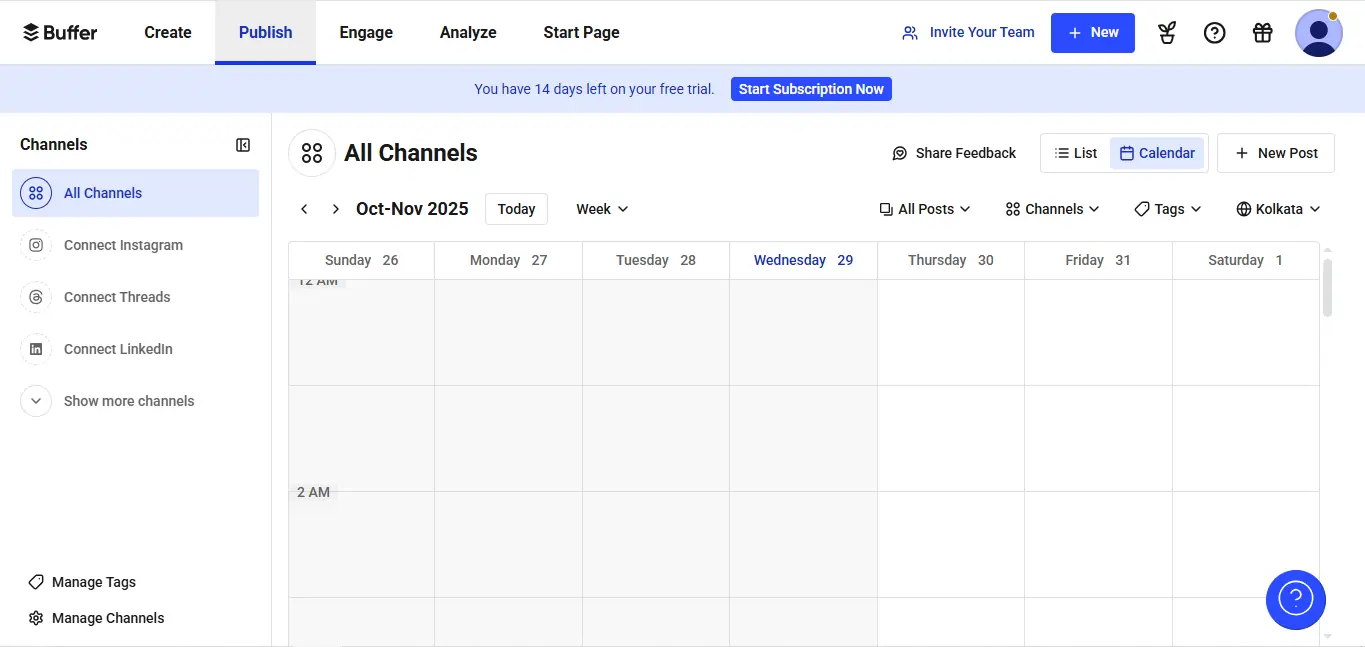
Buffer is one of the simplest and most reliable SocialOomph alternatives available. What will immediately stand out for the tool is how clean and distraction-free everything feels. Buffer doesn’t try to overwhelm you with endless menus or features. It focuses on doing the essentials really well: scheduling, publishing, and tracking performance.
Key Features
- Schedule and publish posts across Instagram, Facebook, LinkedIn, X (Twitter), TikTok, and Pinterest
- Clean content calendar for planning and rescheduling posts
- AI Assistant for generating captions and refining content
- Basic but clear analytics to track engagement and performance
- Engagement dashboard to reply to comments and messages
- Team collaboration with approvals and role permissions
- Free plan available for individuals
Compared to SocialOomph, Buffer offers a much more modern interface, better platform support, and built-in AI tools – though it doesn’t go as deep into automation queues.
Pricing
- Free plan available (limited features)
- Essentials: $6/month per channel
- Team: $12/channel/month
Buffer is generally more affordable and scalable than SocialOomph’s higher tiers, especially for individuals and small teams.
Pros
- Very simple and easy-to-use interface
- Affordable pricing with a free plan
- Clean analytics and reporting
- Supports more modern platforms
- AI tools included
- Chrome extension makes sharing fast
Cons
- Limited automation compared to advanced tools
- Pricing scales per channel, which can add up
- No unified inbox or social listening tools
- Lacks post-recycling or complex scheduling
- Not ideal for teams with advanced workflows
If you’re leaving SocialOomph because you want something cleaner, easier, and more modern without jumping into enterprise pricing, Buffer is a safe and dependable upgrade.
6. CoSchedule ($19/Month)
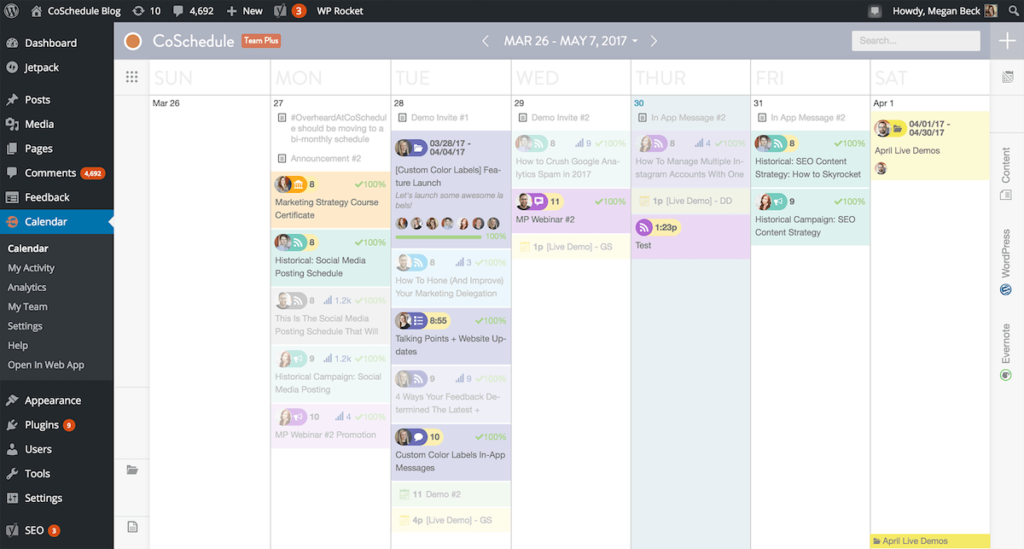
CoSchedule is a broader marketing platform that includes social media scheduling as part of a larger content management system. CoSchedule felt less like a pure social media tool and more like a marketing command center. It’s built for teams that manage blogs, campaigns, emails, and social content all in one place.
While SocialOomph can sometimes feel outdated and limited to basic queues, CoSchedule moves in the opposite direction. It’s structured, campaign-focused, and built for organized teams.
Let’s check some key features that make it stand out.
Key Features
- Social media scheduling across major platforms
- Unified marketing calendar to manage blogs, emails, and campaigns alongside social posts
- AI-powered headline and caption assistant
- Campaign planning tools for organizing content across multiple channels
- Task management and team collaboration features
- ReQueue automation to recycle top-performing posts
- Analytics to track social engagement and campaign performance
Compared to SocialOomph, CoSchedule offers stronger campaign planning and marketing organization, but it’s less focused purely on social media automation.
Pricing
CoSchedule is generally more structured and campaign-driven than SocialOomph, but pricing can increase quickly depending on features.
- Social calendar plans start around $19-$29/month
- Marketing Suite plans are higher and designed for teams
- Custom pricing available for larger organizations
Pros
- Excellent for content marketing teams
- Unified calendar across marketing channels
- Strong campaign organization tools
- AI headline and caption support
- Automation through ReQueue
Cons
- More marketing-focused than pure social media
- Can feel heavy if you only need simple scheduling
- Pricing increases with advanced features
7. Planoly ($16/Month)
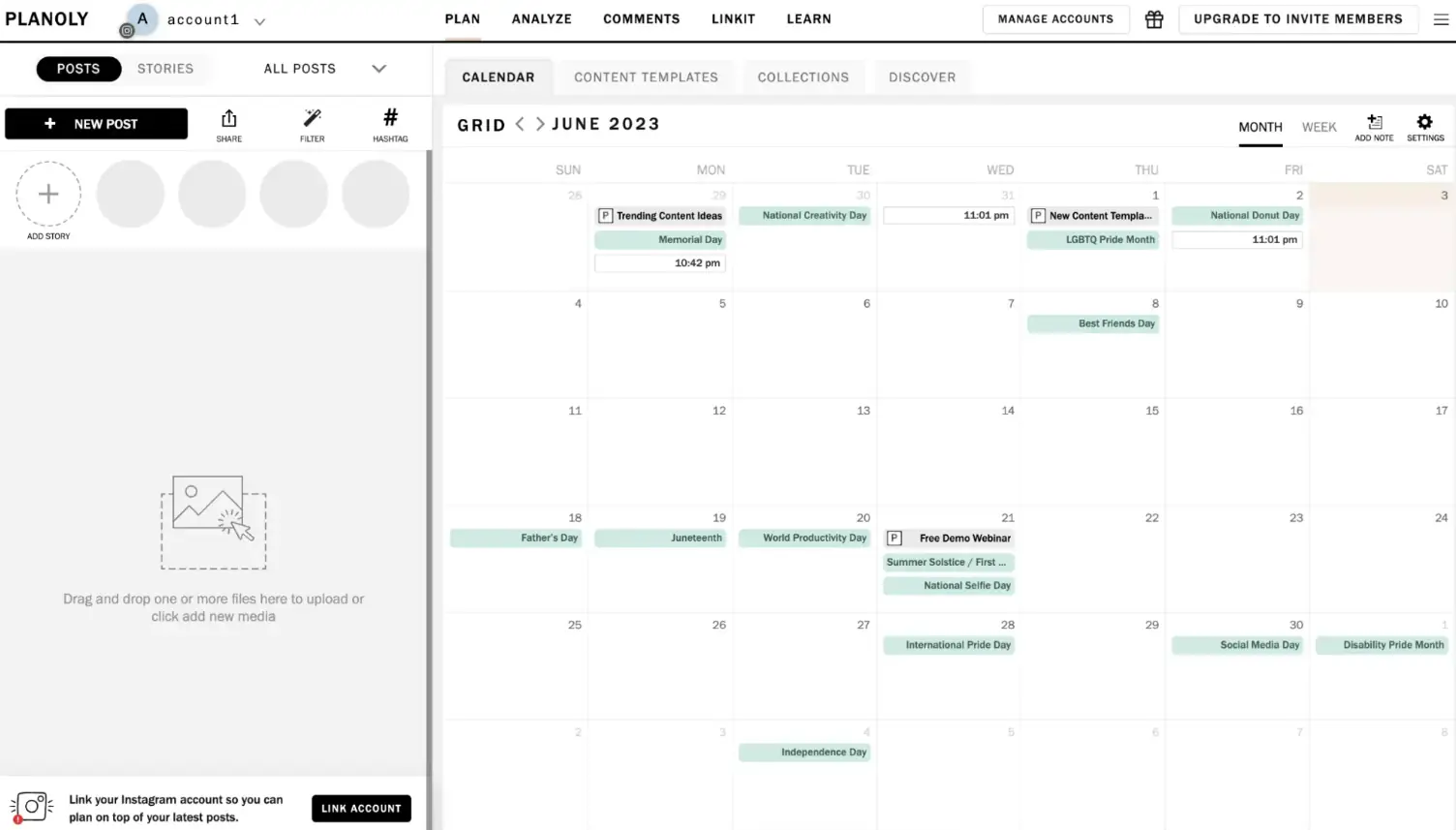
Planoly is a visual-first SocialOomph alternative designed mainly for Instagram and Pinterest users. When we tested it, the biggest difference was how clean and aesthetic everything feels. Planoly is built for creators and brands who care about how their grid looks before anything goes live. If SocialOomph feels functional but outdated, Planoly feels polished and creator-friendly.
Key Features
- Schedule posts for Instagram, Pinterest, TikTok, YouTube, Facebook, and X (Twitter)
- Visual grid planner for previewing Instagram feeds
- Drag-and-drop content calendar
- AI caption generator and content assistant
- Link-in-bio tool to drive traffic from Instagram
- Basic analytics to track engagement and growth
- Simple content management for media storage
Compared to SocialOomph, Planoly offers a far more modern interface and better visual planning tools. However, it’s more focused on creators than agencies.
Pricing
Planoly offers a 14-day free trial, but no free plan. Its paid plans start at:
- Starter: $16/month (1 user, 1 social set, 60 uploads)
- Growth: $28/month (3 users, 1 social set, unlimited uploads)
- Pro: $43/month (6 users, 2 social sets, unlimited uploads)
It’s generally more affordable and easier to use than SocialOomph’s Business tier.
Pros
- Very clean and modern interface
- Excellent Instagram grid preview
- Beginner-friendly setup
- Affordable for creators
- AI caption tools included
- E-commerce and link tools (Shoplink, Linkit)
- One of the few tools with reliable Reels scheduling
Cons
- Limited to Instagram and Pinterest only
- Not ideal for heavy automation workflows
- Facebook/Twitter integration is indirect
- No unified calendar for all networks
- Limited enterprise-level analytics
For users tired of SocialOomph because it feels outdated and they care about visual planning, especially for Instagram, Planoly is a sleek and easy-to-use alternative.
8. Sprout Social ($199/Month)
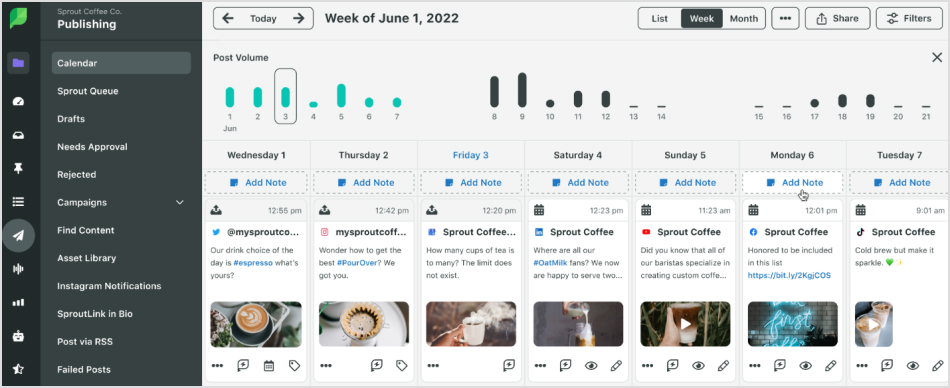
Sprout Social is a high-end SocialOomph alternative built for serious teams that want deep analytics, advanced engagement tools, and strong collaboration workflows. Sprout is more than just a simple scheduler. It’s more like a full social media intelligence system.
Key Features
- Publish and schedule posts across Instagram, Facebook, LinkedIn, TikTok, Pinterest, YouTube, and X (Twitter)
- Unified Smart Inbox to manage all comments, DMs, and mentions in one place
- Advanced analytics with competitor tracking and custom reports
- Social listening tools to monitor brand mentions and industry trends
- Team collaboration with approval workflows and role permissions
- CRM-style contact history to track audience interactions
- Automation rules to organize and prioritize engagement
Pricing
There’s no free plan, but a 30-day trial is available. Its paid plans start at:
- Standard:$249 per seat/month (5 social profiles)
- Professional:$399 per seat/month (Unlimited social profiles)
- Advanced:$499 per seat/month (Unlimited social profiles)
It’s one of the most expensive tools on this list, but also one of the most comprehensive.
Pros
- Powerful analytics and reporting
- Excellent unified inbox and engagement management
- Advanced social listening
- Strong team collaboration tools
- Enterprise-level reliability
Cons
- Expensive compared to most alternatives
- Per-user pricing adds up quickly
- May be too advanced for small teams
9. SocialPilot ($30/Month)
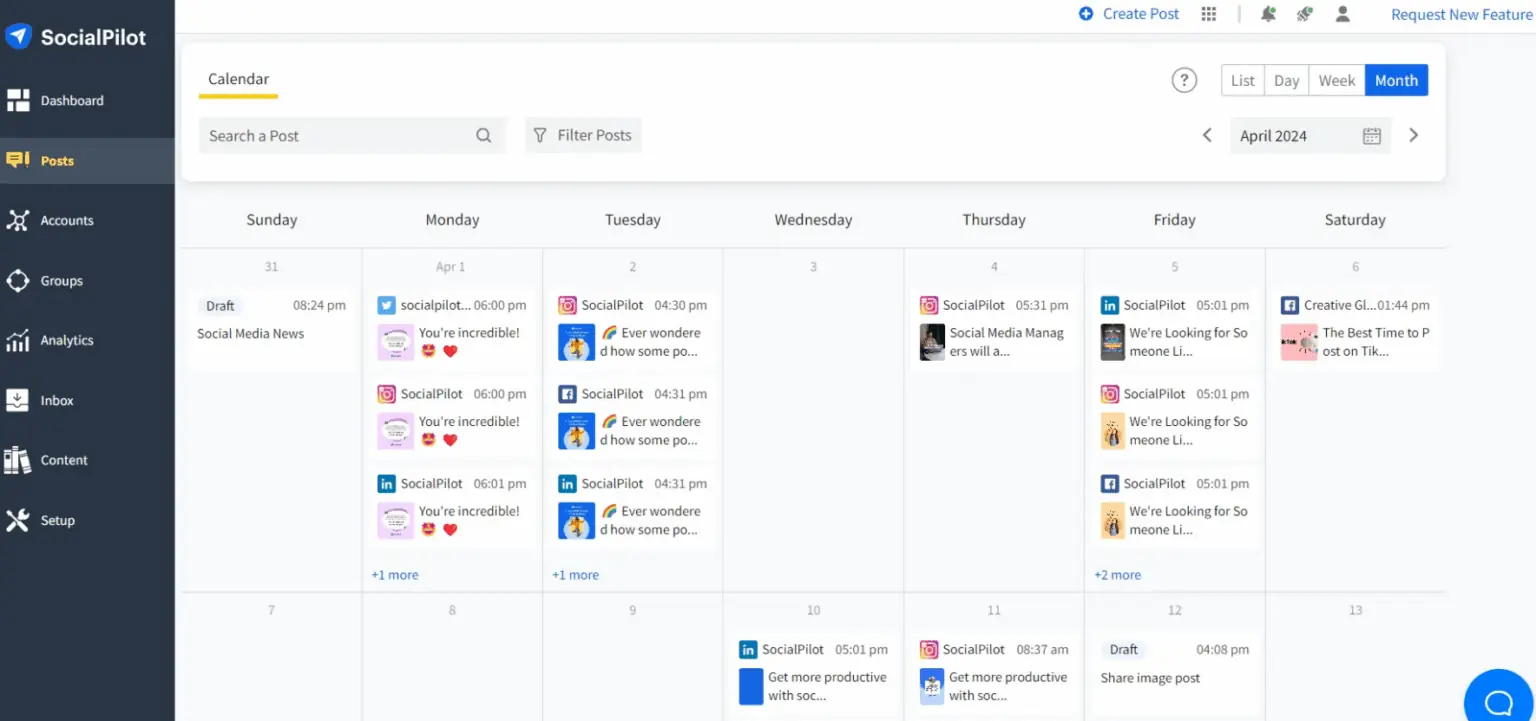
For agencies and growing teams that want powerful scheduling and collaboration without enterprise-level pricing, SocialPilot is a strong SocialOomph alternative to consider. There is something interesting about how balanced the tool feels. It’s not overly complex, but it’s far more modern and scalable than SocialOomph.
Does SocialOomph feel limited or overpriced for what it delivers? SocialPilot offers broader platform support and smarter workflows at a more competitive cost.
Key Features
- Schedule and publish posts across Instagram, Facebook, LinkedIn, TikTok, Pinterest, X (Twitter), YouTube, and Google Business Profile
- Bulk scheduling with CSV upload for planning large content batches
- AI assistant for generating captions and post ideas
- Unified social inbox to manage comments and engagement
- Client approval workflows and team role management
- White-label dashboard for agencies
- RSS feed automation to keep content flowing
- Customizable analytics and reporting
Pricing
- Essentials – $30/month
- Standard – $50/month
- Premium – $100/month
- Ultimate – $200/month
Pricing scales based on accounts and users, but it remains competitive compared to SocialOomph’s Business Suite.
Pros
- Excellent value for agencies
- Strong collaboration and client approval tools
- White-label option available
- Bulk scheduling and automation
- Supports more modern platforms
Cons
- Interface is functional, but not the most visually modern
- Advanced analytics require higher plans
- No Instagram personal or Stories support
- Limited ad tools and no advanced listening
- Adding profiles increases costs on higher plans
If what you need is better automation and team features without overspending, SocialPilot is one of the most practical upgrades available in 2026.
10. ContentStudio ($25/Month)
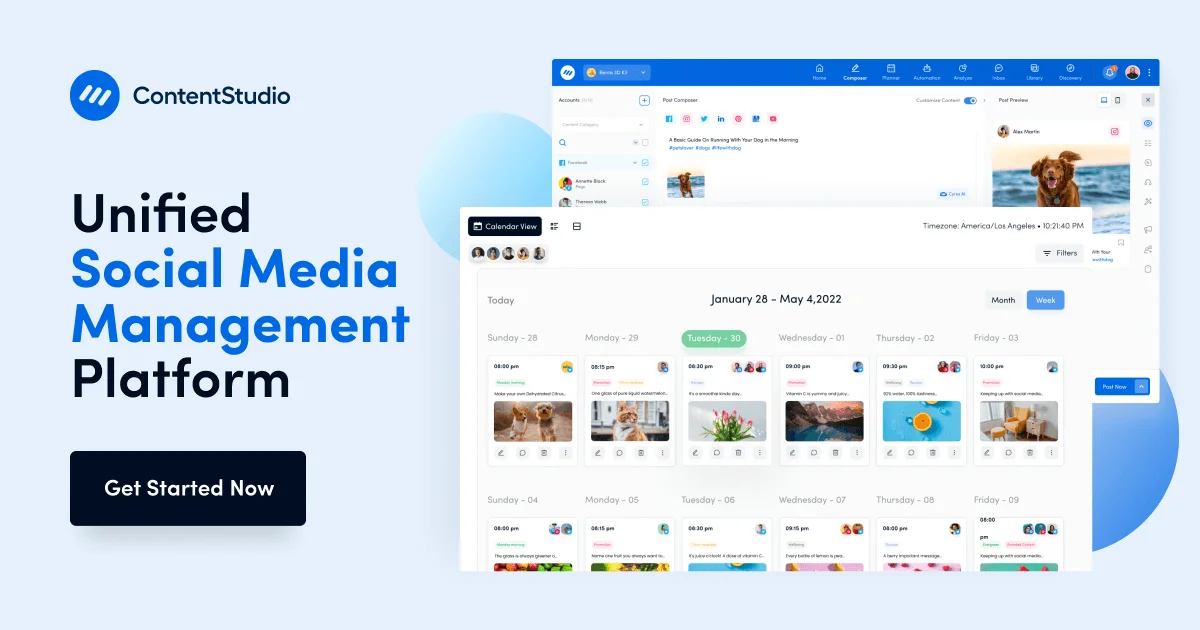
ContentStudio is a feature-rich SocialOomph alternative built for marketers who want automation, AI, and content discovery in one place. When we tested it, ContentStudio felt dynamic. It doesn’t just schedule posts; it helps you find content, optimize it, and distribute it strategically. Here are some of its key features.
Key Features
- Schedule and publish posts across Instagram, Facebook, LinkedIn, TikTok, Pinterest, YouTube, X (Twitter), and more
- AI-powered content assistant for generating captions, ideas, and long-form posts
- Content discovery engine to find trending articles and shareable posts
- Smart automation workflows and recurring publishing
- Unified social inbox for managing engagement
- Advanced analytics with competitor tracking
- Client approval workflows and team collaboration tools
- White-label dashboard for agencies
Compared to SocialOomph, ContentStudio offers far more automation logic, built-in AI, and content research capabilities, making it stronger for marketing-focused teams.
Pricing
- Plans typically start around $25-$49/month
- Higher tiers unlock more automation, users, and white-label features
It’s often more cost-effective than SocialOomph’s higher tiers while offering more modern tools.
Pros
- Strong AI and content discovery tools
- Broader platform support
- Good automation capabilities
- Suitable for agencies with white-label option
- Modern interface
Cons
- Can feel feature-heavy for beginners
- Advanced automation requires higher-tier plans
11. Agorapulse ($79/Month)
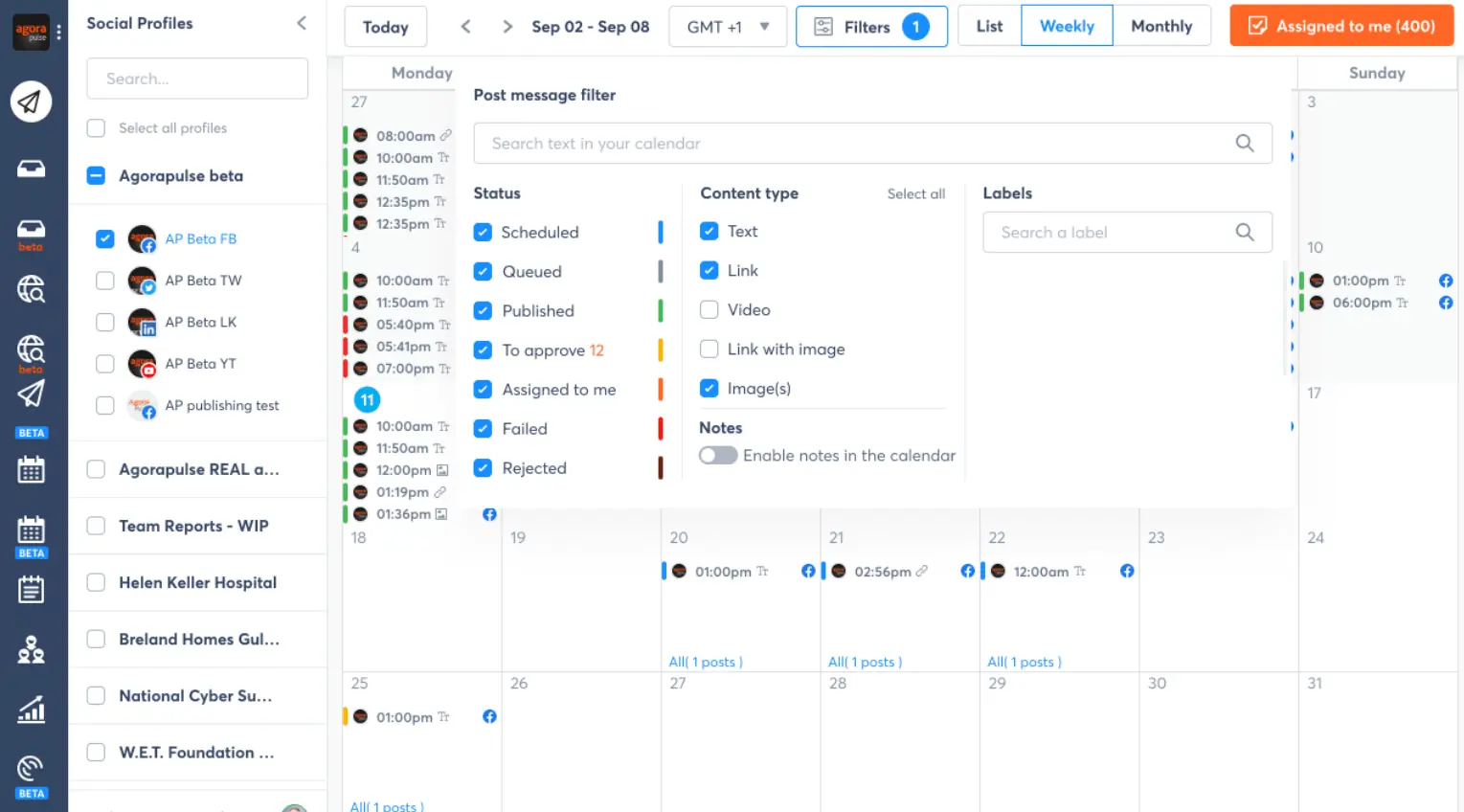
Agorapulse is a powerful social media management tool built for brands and agencies that take engagement seriously. Compared to SocialOomph, the biggest difference was how polished the engagement workflow feels. Everything – comments, DMs, mentions, reviews – flows into one clean inbox. Agorapulse feels more modern and built around conversations, reporting, and team coordination.
Key Features
Compared to SocialOomph, Agorapulse offers stronger engagement tools, better reporting, and deeper insights, making it much more suited to agencies and growing teams. Here are some of its key features.
- Schedule and publish posts across Instagram, Facebook, LinkedIn, X (Twitter), TikTok, YouTube, and Google Business Profile
- Unified social inbox to manage comments, DMs, and mentions from one dashboard
- Advanced analytics and client-ready reports
- Social listening tools to monitor brand mentions and competitors
- Automated moderation rules to filter spam and prioritise messages
- Team collaboration with role permissions and approval workflows
- ROI tracking via Google Analytics integration
Pricing
- Standard – $79/month per user
- Professional – $149/month per user
- Advanced – $199/month per user
- Custom enterprise plans available
While more expensive than SocialOomph’s base tiers, the added depth in engagement and analytics often justifies the cost for teams.
Pros
- Excellent unified inbox
- Easy bulk uploads and evergreen post queues
- Strong reporting and analytics
- Great for agencies and client management
- Advanced moderation tools
- Modern and intuitive interface
Cons
- Per-user pricing can add up quickly
- More advanced than necessary for solo users
- Higher cost than entry-level tools
12. Sendible ($29/Month)
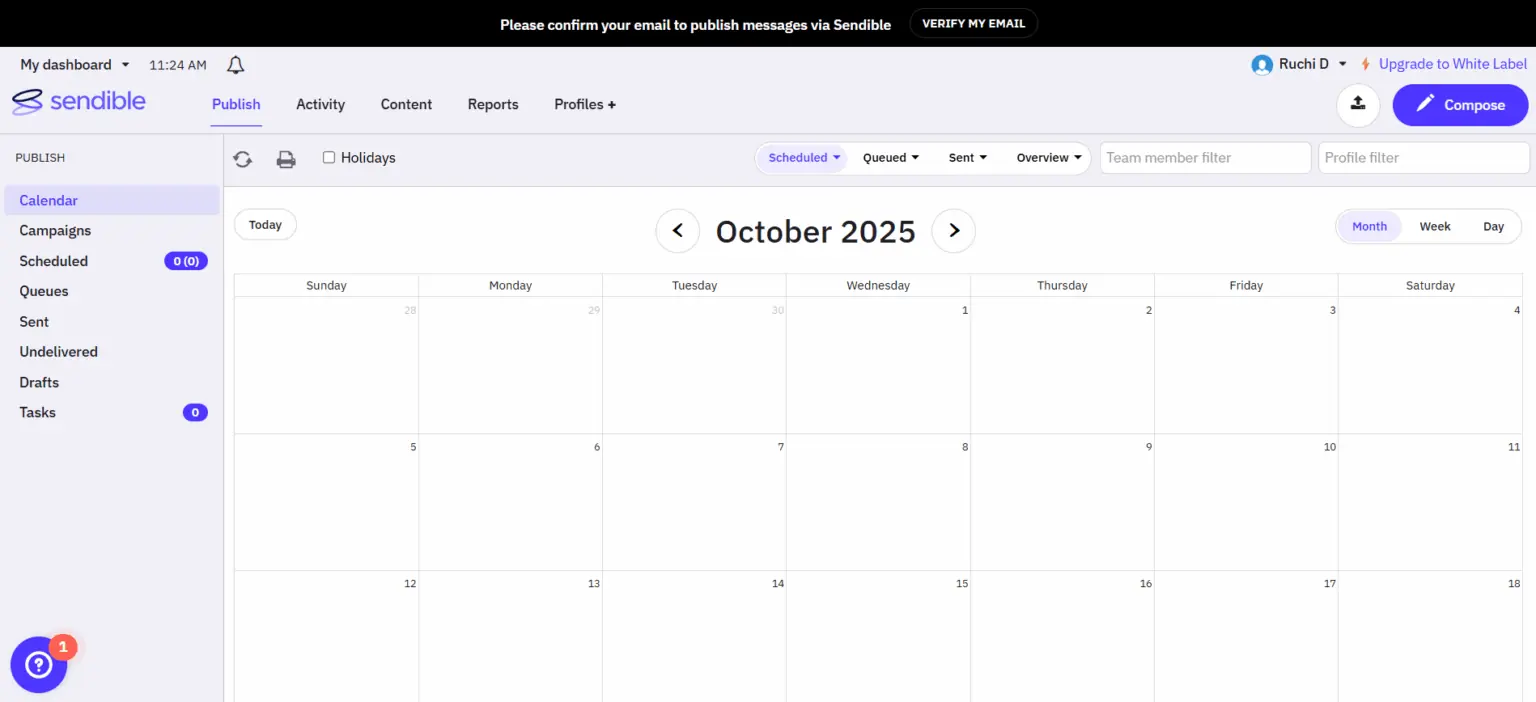
Sendible is a strong SocialOomph alternative built mainly for agencies and multi-client teams. When we tested it, what stood out was how structured everything feels. It’s clearly designed for people managing several brands at once.
Key Features
- Schedule and publish posts across Instagram, Facebook, LinkedIn, X (Twitter), TikTok, YouTube, Pinterest, and Google Business Profile
- Smart Queues to automate evergreen content posting
- Priority Inbox to manage messages and comments in one place
- Client Connect feature to onboard clients without sharing passwords
- White-label dashboard for agencies
- Customizable analytics and branded reports
- Team collaboration with approval workflows
Compared to SocialOomph, Sendible offers better automation, stronger collaboration tools, and a more flexible dashboard. SocialOomph focuses heavily on queues, but Sendible expands beyond that into reporting and client management.
Pricing
- Creator – $29/month
- Traction – $89/month
- Scale – $199/month
- Advanced – $299/month
- Enterprise – Custom pricing
Pricing increases based on users and social profiles, but it remains competitive compared to SocialOomph’s higher tiers.
Pros
- Strong automation with Smart Queues
- Seamless integrations with content and design tools
- Excellent for agencies
- White-label capabilities
- Easy bulk scheduling and approval workflows
- Flexible reporting
- Supports a wide range of platforms
Cons
- Interface can feel slightly busy at first
- Entry plans might feel limited for smaller teams
- Advanced tools sit behind higher-tier pricing
- May be too advanced for freelancers
For people moving away from SocialOomph because they need stronger client management and better automation, Sendible is a solid step up, especially for agencies handling multiple accounts.
13. Zoho Social ($15/Month)

Zoho Social is a structured tool designed for businesses that want solid scheduling, reporting, and CRM integration in one ecosystem. It feels more organized and business-focused rather than creator-focused. Unlike SocialOomph that may feel outdated and limited in integrations, Zoho Social is more modern and better connected, especially if you already use other Zoho products.
Key Features
- Schedule and publish posts across Instagram, Facebook, LinkedIn, X (Twitter), TikTok, Pinterest, and Google Business Profile
- Smart scheduling suggestions based on engagement data
- Unified inbox to manage comments and messages
- Built-in social listening to monitor keywords and brand mentions
- Advanced analytics with custom report builder
- CRM integration with Zoho ecosystem
- Team collaboration with role permissions and approval workflows
Pricing
- Standard – starts around $15/month
- Professional – starts around $40/month
- Premium and Agency plans available
- Custom enterprise pricing
Zoho Social is often more affordable than SocialOomph’s higher tiers while offering stronger reporting and collaboration tools.
Pros
- Affordable entry pricing
- Strong analytics and reporting
- CRM integration
- Good collaboration features
- Modern interface
Cons
- Best experience if you’re already in the Zoho ecosystem
- Interface can feel slightly corporate
- Advanced features locked behind higher plans
How to Choose the Best SocialOomph Alternative
There are plenty of SocialOomph alternatives out there. That’s the good news.
But the tricky part is picking the one that actually fits your workflow instead of just looking impressive on paper. So, let’s show you how to think it through.
Start with Your Core Needs
Before comparing features, ask yourself something simple: What do I actually need this tool to do?
Are you mainly scheduling posts? Do you need stronger engagement tools? Is AI content generation important to you? Do you work with clients and need approvals?
If your biggest frustration with SocialOomph is its outdated interface, then usability should be your top priority.
If it’s limited automation or lack of modern features, then look for platforms with AI tools, smart queues, and bulk scheduling.
Clarity here will save you from paying for features you’ll never use.
Check the Platforms You Actually Use
Not all tools support the same networks. SocialOomph focuses on core platforms like Facebook, X (Twitter), LinkedIn, Instagram, and YouTube. But what if your audience lives on TikTok? Pinterest? Threads? Google Business Profile?
Make sure the alternative you’re opting for supports every platform you actively use, offers direct publishing (not just reminders), and doesn’t charge extra for adding certain platforms.
There’s no point switching tools only to discover you still need another one to fill the gaps.
Consider Your Content Volume and Team Size
Are you posting five times a week or fifty? Some tools are built for solo creators. Others are clearly designed for agencies managing 20+ accounts.
Think about:
- How many social profiles you manage
- How many posts you schedule monthly
- Whether you need approval workflows
- If multiple team members will access the account
If you’re scaling, you don’t want to outgrow your tool in six months.
SocialOomph can feel limiting here, especially as teams grow. So choose a platform that grows with you.
Balance Budget with Scalability
Pricing matters. But so does long-term value. Some platforms look cheap at first, then charge per user, per profile, or per feature. Suddenly the “affordable” option isn’t so affordable anymore.
When comparing tools, look at:
- Starting price
- Cost per additional user
- Cost per additional social profile
- Feature access by tier
- Free trial or free plan availability
The best SocialOomph alternative isn’t just the cheapest. It’s the one that gives you room to scale without constant upgrades.
Final Thoughts
SocialOomph has been around for years. It still works for simple scheduling. But social media has changed. Teams need smarter automation, cleaner dashboards, stronger analytics, and better collaboration tools.
If you’ve outgrown what SocialOomph offers, you now have plenty of solid alternatives to choose from. The right one depends on your workflow, your budget, and how fast you’re growing.
Pick the tool that makes managing your content feel easier – not heavier – and your social media will run far more smoothly in 2026.
FAQs
Is there a free alternative to SocialOomph?
Yes, there are several free alternatives to SocialOomph. Tools like Buffer and Zoho Social offer free plans with basic scheduling features. Some platforms also provide free trials, which allow you to test premium features before committing.
That said, free plans usually come with limits on the number of social profiles, posts, or features. If you manage multiple accounts or need automation, you may eventually need a paid plan.
What is the best SocialOomph alternative for small businesses?
The best option depends on your needs, but tools like OnlySocial, Buffer, and SocialBee are strong picks for small businesses.
If you want affordability with solid collaboration and automation, OnlySocial offers good value for multiple accounts. If you prefer something lightweight and simple, Buffer is easy to use and budget-friendly.
Which is better: OnlySocial or SocialOomph?
It depends on what you’re looking for. SocialOomph works well for basic scheduling and queue management. However, OnlySocial offers a more modern interface, broader platform support, built-in AI tools, collaboration workflows, and a unified inbox.
What is the biggest disadvantage of SocialOomph?
The biggest drawback of SocialOomph is its outdated interface combined with limited modern features. Many users also find its higher-tier pricing expensive compared to the value provided.
Additionally, it lacks broader platform coverage and advanced AI tools that many newer social media management platforms now include. As social media evolves, these gaps become more noticeable.