Best OneUp Alternatives for Enhanced Social Media Management

When we talk about scheduling posts, recycling content, and keeping your social media organized, OneUp is definitely a handy tool. It works well when your setup is simple.
But as your brand grows, things change.
You might be managing more platforms, working with a bigger team, or needing features that go beyond basic scheduling. That’s usually the point where OneUp starts to feel limiting.
This guide breaks down the best OneUp alternatives you might want to consider in 2026 for better social media management. It will help you see what other tools offer, compare your options, and decide if it’s time to upgrade or stick with what you have.
Table of Contents
- 1 Important Reasons to Consider a OneUp Alternative
- 2 Best OneUp Alternatives 2026
- 3 1. OnlySocial
- 4 2. Social Champ
- 5 3. SocialPilot
- 6 4. Agorapulse
- 7 5. Sendible
- 8 6. Planly
- 9 7. Metricool
- 10 8. SocialBee
- 11 9. Hootsuite
- 12 10. Sprout Social
- 13 11. Buffer
- 14 12. eClincher
- 15 13. CoSchedule
- 16 How to Choose the Right OneUp Alternative for Your Needs
- 17 FAQs
Important Reasons to Consider a OneUp Alternative
OneUp is a useful scheduling tool, especially if your social media setup is fairly simple. But social media rarely stays simple for long.
As your brand grows, your team expands, or your presence spreads across more platforms, the limitations start to become more noticeable. That’s usually when people begin exploring other options – not because OneUp is bad, but because their needs have changed.
Limited Platform Support Slows Growth
One of the biggest reasons users look beyond OneUp is platform coverage. OneUp doesn’t support certain networks like WhatsApp or Mastodon, which are becoming more relevant for many brands and communities.
If part of your audience lives on those platforms, you’re left juggling multiple tools or posting manually. That extra friction breaks your workflow and makes it harder to stay consistent.
Pricing Becomes Restrictive as You Scale
OneUp’s basic plan starts at $18 per month, but it only allows 10 social profiles and comes with limits on how many posts you can schedule. That might be fine at the beginning, but it quickly feels tight once you manage multiple brands, locations, or campaigns.
Many users start looking for alternatives that offer more profiles, higher post limits, or clearer value as they grow.
No Free Plan Makes Testing Harder
Another sticking point is the lack of a free plan. Without a way to test the platform long-term, smaller businesses and individual creators often feel pressured to commit before knowing if the tool truly fits their workflow. That alone pushes many users to explore alternatives that offer a free tier or more generous trials.
Limited Integrations Disrupt Daily Workflows
If your social media process relies on multiple tools – design platforms, content sources, or reporting software – OneUp’s limited integrations can become a problem.
Manually moving data between tools slows things down and increases the risk of mistakes. Over time, these small inefficiencies add up and make the tool feel more like a blocker than a helper.
Fewer Collaboration Features for Growing Teams
As more people get involved in content creation and approvals, collaboration features matter more. Users managing teams or working with clients often want clearer approval workflows, role assignments, and shared content spaces.
When those features are missing or limited, switching to a more team-friendly alternative becomes the logical next step.
Best OneUp Alternatives 2026
1. OnlySocial
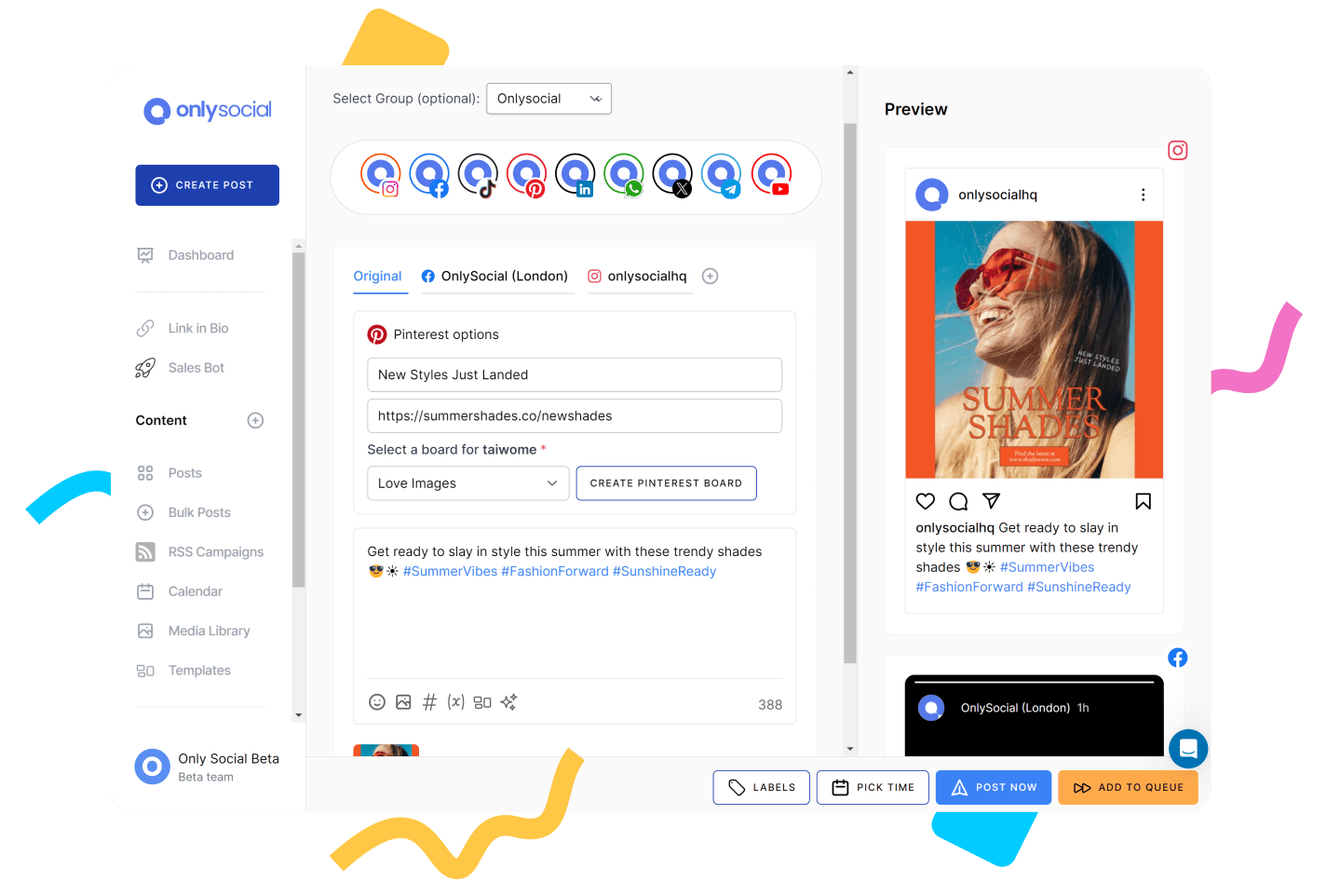
OnlySocial is a flexible social media automation tool built for people who want more than basic scheduling. As a OneUp alternative, it makes sense for brands and teams that have outgrown limited post caps, narrow platform support, or rigid workflows.
When we tested it, OnlySocial felt like a natural step up – not louder or more complicated, just more capable.
It works well for freelancers, growing businesses, and agencies managing multiple accounts. Instead of focusing on one narrow feature, it brings scheduling, engagement, collaboration, and AI support together in a way that feels practical for everyday use.
Key Features
- Multi-platform scheduling across 15+ networks
You can schedule content for Instagram, Facebook, LinkedIn, TikTok, Pinterest, YouTube, Google Business Profile, Threads, Mastodon, Bluesky, and more. This wider platform support immediately removes one of OneUp’s biggest limitations. - Bulk scheduling and smart time slots
OnlySocial lets you upload large batches of posts using CSV files or queue content into predefined posting slots. This is ideal if you plan content weekly or monthly. - Unified social inbox
Comments, mentions, and messages from supported platforms come into one inbox, making engagement easier to manage without switching apps. - AI-assisted content creation
The built-in AI helps generate captions, rewrite posts, suggest hashtags, and even create visuals. It’s useful for speeding up content prep, especially when batching. - Team collaboration and approvals
You can assign roles, request approvals, and manage workflows cleanly. This makes it much easier to work with teammates or clients. - Content calendar and media library
A visual calendar shows everything scheduled, drafted, or pending. The media library helps store and reuse assets across campaigns.
Our Experience with OnlySocial
One of the first things we appreciated was the extensive platform support. Compared to OneUp’s narrower focus, OnlySocial removes the need to juggle extra tools just to cover newer or less common networks. That alone makes daily planning smoother.
OnlySocial also handles bulk scheduling far better than most basic tools. Uploading large content batches worked smoothly, and the smart scheduling slots helped keep posting consistent without manually picking times for every post.
Engagement also feels more manageable. Having a unified inbox made a real difference. Instead of checking platforms individually, everything landed in one place. For teams or brands that get regular comments and DMs, this saves time daily.
Then, there’s the AI tools. They were most helpful when ideas ran dry or when we needed quick rewrites to match different platforms. It speeds things up without taking over your voice.
Pricing
OnlySocial’s pricing is straightforward and generous compared to OneUp’s limits:
- Freelancer – $29/month (15 social accounts)
- Entrepreneur – $49/month (45 social accounts)
- Professional – $99/month (unlimited social accounts)
When you compare this to OneUp’s $18/month plan with just 10 profiles and limited scheduled posts, OnlySocial offers far more room to grow without constantly hitting caps.
2. Social Champ
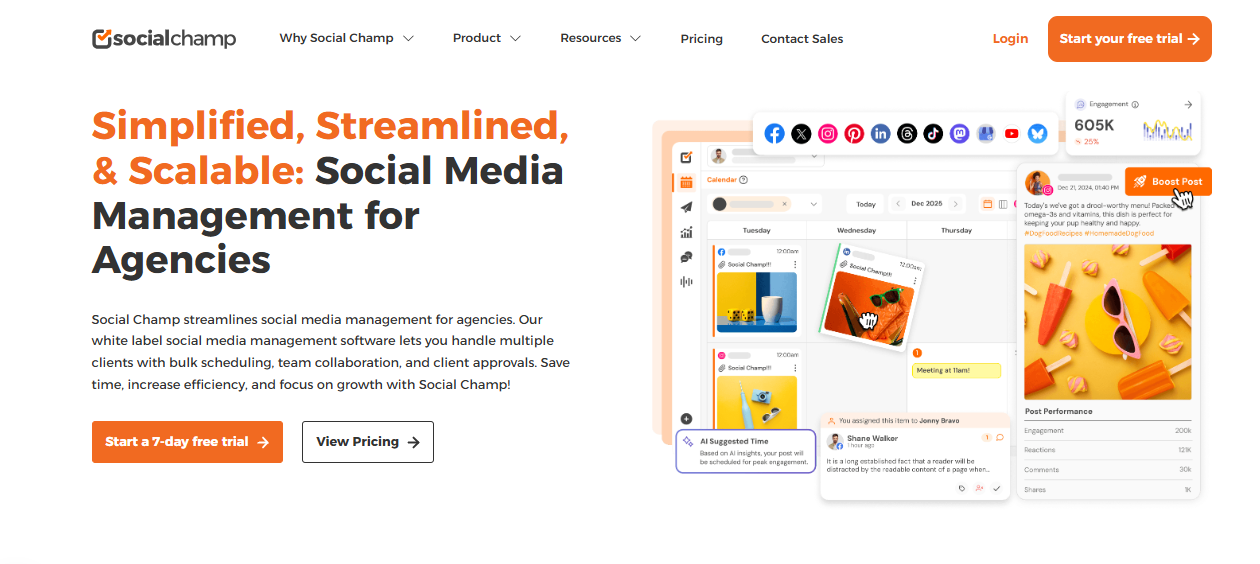
Social Champ is a practical social media automation tool built for people who want to schedule, organize, and manage content without dealing with unnecessary complexity.
As a OneUp alternative, it works well for creators, small businesses, and agencies that want more flexibility around scheduling and platform support, but still want a tool that’s easy to get comfortable with.
When we used Social Champ, it felt very workflow-focused. It doesn’t try to overwhelm you with advanced features you may never touch.
Instead, it focuses on helping you plan content efficiently, publish consistently, and manage multiple accounts from one place.
Key Features
- Multi-platform scheduling
Social Champ supports scheduling for platforms like Facebook, Instagram, LinkedIn, X, Pinterest, Google Business Profile, YouTube, and more. This broader coverage helps remove the need for manual posting on unsupported networks. - Bulk scheduling and CSV uploads
You can upload large batches of posts at once, which is useful for planning content weeks or months ahead. - Content calendar view
The visual calendar shows scheduled, drafted, and published posts clearly, making it easy to adjust plans when priorities change. - AI caption generator
Social Champ includes AI tools to help generate captions and post ideas, which come in handy when content creation slows down. - Social inbox
Messages and comments from supported platforms can be managed in one place, reducing the need to jump between apps. - Team collaboration
You can add team members, assign roles, and manage approvals depending on your plan.
Our Experience with Social Champ
Compared to OneUp, Social Champ felt less restrictive when it came to planning content. Bulk uploads worked smoothly, and we didn’t feel boxed in by tight posting limits. This made content batching much easier.
Managing several platforms from one dashboard felt straightforward. Customizing posts per platform didn’t require rebuilding content, which saved time during busy planning sessions.
The interface also feels clean and easy to use. Social Champ didn’t require much onboarding time. The layout felt intuitive, and most features were easy to find, which is helpful for teams onboarding new members.
Pricing
Social Champ offers multiple pricing tiers, with plans generally starting around $29/month and scaling based on the number of social accounts and users.
When compared to OneUp’s $18/month plan with tight limits on profiles and scheduled posts, Social Champ offers more flexibility as your content volume and platform count increase.
3. SocialPilot

SocialPilot feels like a tool built by people who understand what managing multiple social accounts actually looks like in real life. It’s not flashy, and it doesn’t try to impress with gimmicks.
Instead, it focuses on doing the basics really well – scheduling, organization, collaboration, and reporting – which is exactly why it works so well as a OneUp alternative.
What makes SocialPilot stand out is how comfortably it handles scale. If OneUp starts to feel tight once you add more profiles or increase posting frequency, SocialPilot opens things up without forcing you into an enterprise-style setup.
Key Features
- Multi-platform scheduling
Schedule posts across Facebook, Instagram, LinkedIn, X, Pinterest, TikTok, and Google Business Profile from one dashboard, with the option to tailor posts per platform. - Bulk scheduling via CSV
Upload and schedule hundreds of posts at once, making long-term planning far easier. - Visual content calendar
A clean calendar view that shows drafts, scheduled posts, and published content, with easy rescheduling. - Client and account grouping
Social accounts can be grouped by client or brand, which helps keep things organized when managing multiple pages. - Team collaboration and approvals
Add team members, assign roles, and control who can create, approve, or publish content. - Analytics and reporting
Track engagement, audience growth, and post performance, with exportable reports for clients or internal use.
Our Experience with SocialPilot
What we appreciated most about SocialPilot was how much freedom it gives you when planning content. Compared to OneUp’s tighter limits, scheduling felt open and flexible. Bulk uploads worked smoothly, and we never felt like we had to slow down or break content into smaller batches just to fit the tool’s restrictions.
Another strong point was how well it handles multiple brands or clients. Grouping accounts made it much easier to switch contexts without confusion. This is something OneUp users often struggle with once they start managing more than a handful of profiles. SocialPilot keeps things clearly separated, which reduces mistakes and saves time.
We also found the collaboration features to be genuinely useful rather than decorative. Roles and approvals are easy to set up, and reporting is straightforward enough to share with clients without extra formatting.
It’s not overloaded with data, but it gives you enough insight to understand what’s working and adjust your approach. Overall, SocialPilot felt like a tool that grows with you instead of pushing you toward constant plan upgrades.
Pricing
SocialPilot pricing typically starts around $30/month and scales based on the number of social accounts and users you need.
When you compare that to OneUp’s $18/month basic plan, which limits you to 10 profiles and a capped number of scheduled posts, SocialPilot offers far more breathing room for teams that are posting frequently or managing multiple brands.
4. Agorapulse
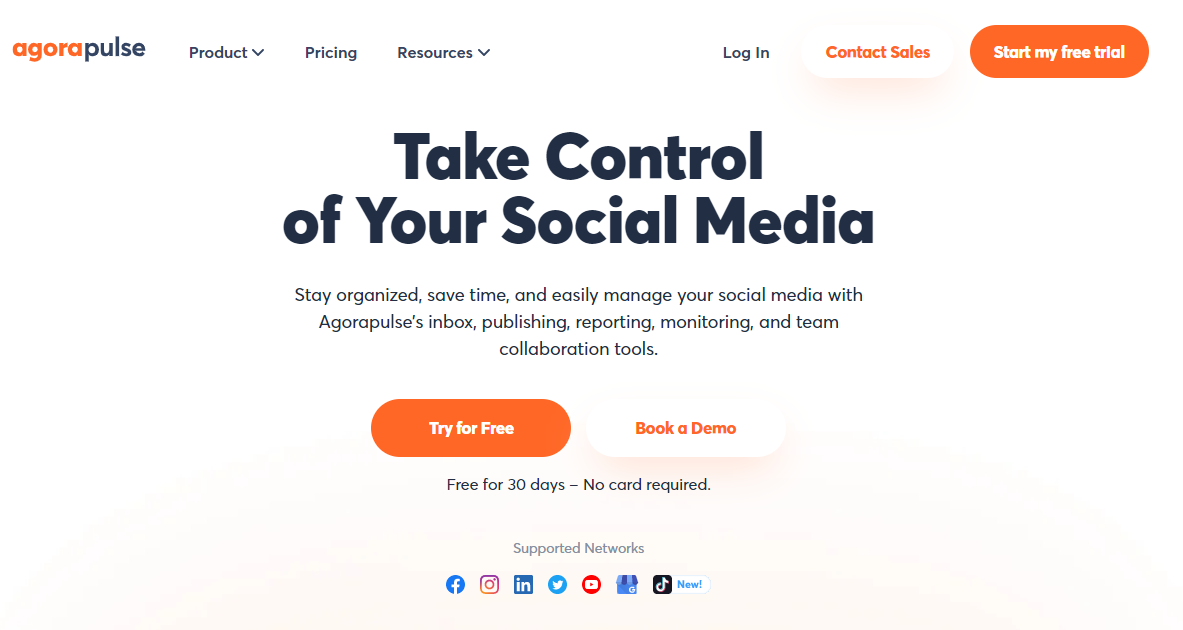
Agorapulse feels like the kind of tool you reach for when social media becomes less about posting and more about conversations. It’s calm, structured, and clearly built for teams that deal with a lot of engagement.
Unlike simpler schedulers, Agorapulse puts just as much attention into inbox management and moderation as it does into publishing.
As a OneUp alternative, it makes sense for brands that have moved beyond basic scheduling and now need better control over comments, messages, and day-to-day interactions across platforms.
Key Features
- Unified social inbox
Manage comments, mentions, and messages from multiple platforms in one place, with tools to reply, assign, and organize conversations. - Inbox automation rules
Automatically tag, assign, or filter incoming messages based on keywords or conditions, reducing manual work. - Publishing and scheduling tools
Schedule posts across major social platforms with platform-specific customization and a clear calendar view. - Analytics and reporting
Track engagement, reach, and growth, with exportable reports that are easy to share with clients or teams. - Team collaboration features
Roles, permissions, and internal notes help teams work together without overlapping responses.
Our Experience with Agorapulse
Using Agorapulse felt like stepping into a more organized way of handling engagement. The inbox alone made a big difference. Instead of jumping between platforms or missing messages, everything came into one queue, clearly marked and easy to manage.
Compared to OneUp, this felt like a major upgrade for brands that care about response time and community management.
We also appreciated how much time the automation rules saved. Once set up, repetitive tasks like tagging certain types of messages or assigning conversations happened automatically. This reduced manual sorting and helped keep the inbox clean, especially during busy periods.
Publishing with Agorapulse was smooth and reliable. The calendar made it easy to plan content ahead, and the reporting tools gave clear insights without overwhelming us with data. It’s not a lightweight tool, but for teams that have outgrown simple schedulers and need stronger engagement control, Agorapulse feels like a solid step forward from OneUp.
Pricing
Agorapulse pricing generally starts at around $69/month, with higher tiers available depending on the number of users and social profiles.
While this is more expensive than OneUp’s entry plan, the added value comes from stronger inbox management, automation, and collaboration – features that become essential once engagement volume increases.
5. Sendible

Sendible feels like a tool that was designed with agencies and busy social teams in mind. It’s less about doing one thing well and more about giving you a complete system to plan, approve, publish, and report on social content.
As a OneUp alternative, Sendible makes sense once scheduling alone is no longer enough and collaboration becomes a daily requirement.
What stood out early on is how much control it gives you over workflows. Instead of working around limitations, you can shape the platform to match how your team already operates.
Key Features
- Multi-platform scheduling
Schedule posts across Facebook, Instagram, LinkedIn, X, Pinterest, Google Business Profile, and more, with platform-specific customization. - Bulk scheduling via CSV
Upload large batches of posts and schedule full campaigns in advance. - Content calendar
A visual calendar that shows drafts, scheduled posts, and published content, helping teams plan ahead. - Team collaboration and approvals
Assign tasks, manage approval workflows, and control user permissions. - Unified priority inbox
Manage comments, mentions, and messages from one place, with assignment options for team members. - Custom reporting and white-label options
Create branded reports for clients and schedule them for automatic delivery. - AI-powered caption assistance
Generate or improve captions to speed up content creation.
Our Experience with Sendible
Using Sendible felt like moving into a more structured environment. Planning content was straightforward, and the bulk scheduling feature made it easy to map out weeks of posts at once. Compared to OneUp, there was far less friction when handling higher volumes of content.
Collaboration was another big win. Approval workflows helped prevent mistakes, and role-based access made it clear who was responsible for what. This is something OneUp users often miss once more people get involved in the process.
The inbox and reporting tools also added real value. Being able to assign conversations and generate client-ready reports from the same platform saved time and reduced tool-switching. While the interface can feel a bit busy at times, the trade-off is control and flexibility, especially for teams managing multiple brands.
Pricing
Sendible offers several paid plans with a 14-day free trial:
- Creator – $29/month
- Traction – $89/month
- White Label – $240/month
- White Label+ – $750/month
Compared to OneUp, Sendible is clearly aimed at teams and agencies that need more than basic scheduling. The pricing reflects that, especially once collaboration, inbox management, and reporting become essential.
6. Planly
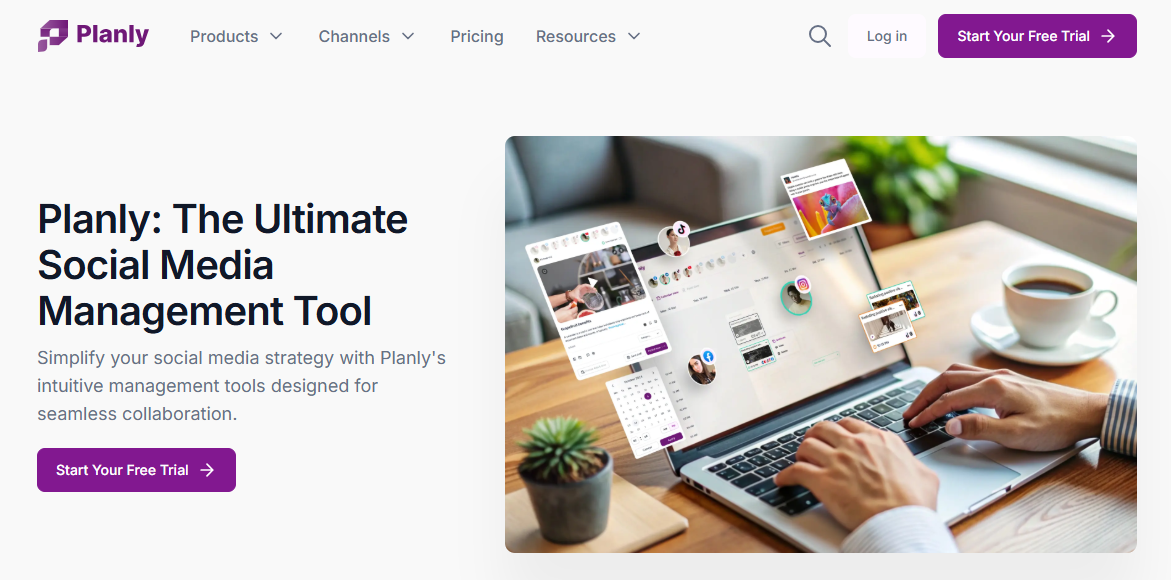
Planly takes a very focused approach to social media management. Instead of trying to cover every possible workflow, it zeroes in on helping creators and small teams plan, schedule, and manage content efficiently, especially for visually driven platforms.
It’s the kind of tool that makes sense if OneUp feels limiting but you still want something straightforward, without the learning curve of bigger, agency-style platforms.
Key Features
- Multi-platform scheduling
Planly supports scheduling for platforms like Instagram, Facebook, LinkedIn, TikTok, X, and Pinterest, all from one dashboard. - Visual content calendar
The calendar is clean and easy to navigate, giving you a clear overview of what’s going out and when. - Post previews
You can preview how posts will look before they’re published, which is helpful for maintaining visual consistency. - Bulk scheduling
Planly allows you to upload and schedule multiple posts at once, making content batching less time-consuming. - Hashtag manager
Save and reuse hashtag groups, which speeds up posting for recurring content formats. - Basic analytics
Track engagement and post performance to understand what resonates with your audience.
Our Experience with Planly
Using Planly felt refreshingly simple. Planning content didn’t involve digging through menus or settings. Everything – from creating posts to scheduling them – happened in a clean, focused workspace. Compared to OneUp, the experience felt less restrictive, especially when scheduling content across multiple platforms.
We also liked how visual the planning process was. Seeing posts laid out clearly in the calendar made it easier to spot gaps and adjust timing without rebuilding posts. This is especially useful for creators or brands that care about how their feed flows over time.
While Planly doesn’t offer deep collaboration or inbox management, it excels at what it’s built for. If your main goal is to plan and publish content consistently without friction, it does that very well and feels like a natural upgrade from basic schedulers.
Pricing
Planly offers multiple paid plans, typically starting around $15–$19/month, depending on the number of social profiles and features you need. That means Planly offers a more modern interface and a smoother scheduling experience, especially for visual-first workflows, even if it doesn’t aim to replace advanced team or engagement tools.
7. Metricool
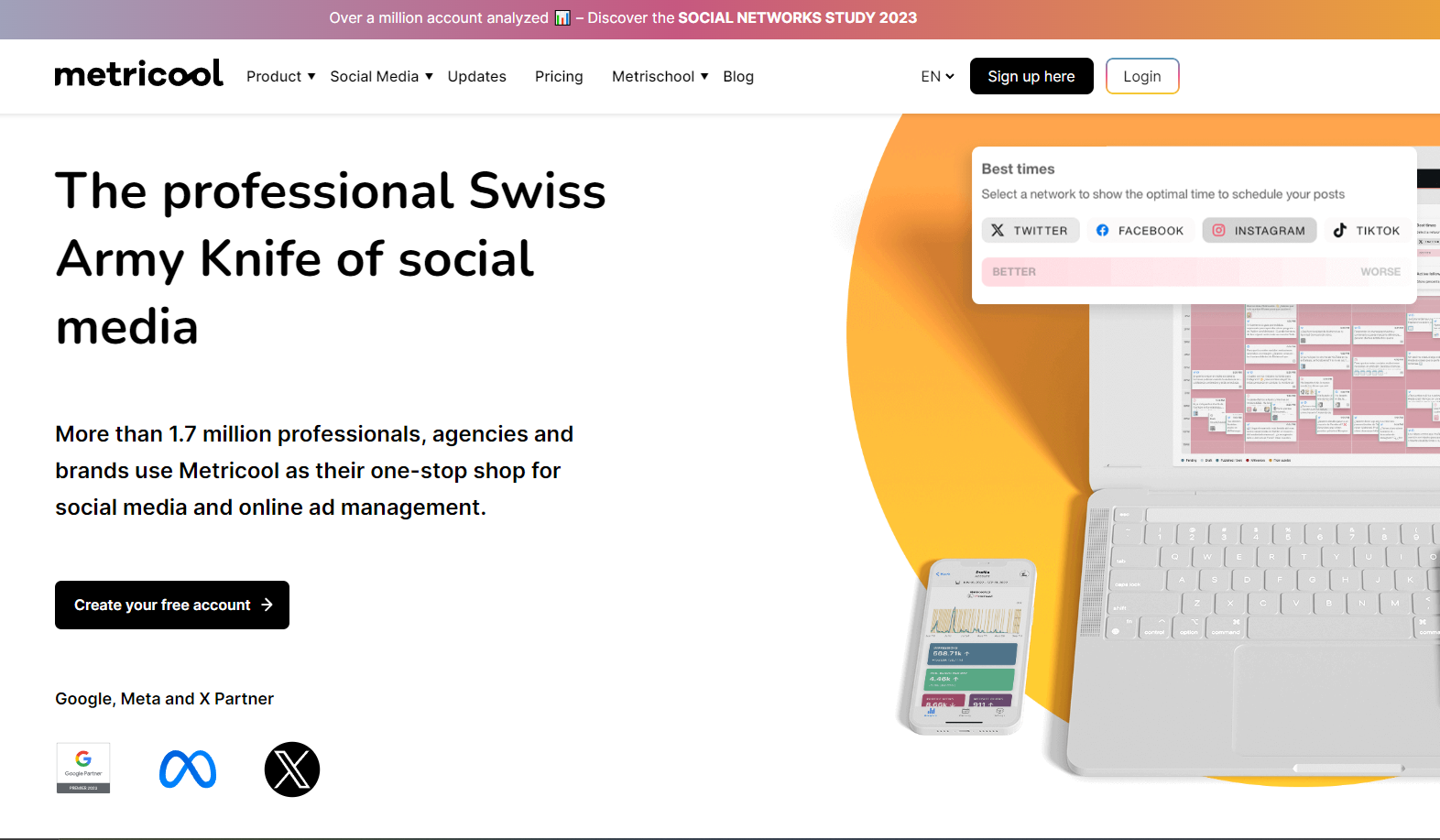
Metricool approaches social media from a slightly different angle. It’s less about just getting posts out and more about understanding what happens after you publish. The tool makes sense for brands and creators who want clearer performance insights alongside scheduling, without needing separate analytics tools.
When we used Metricool, it felt especially useful for anyone balancing organic content with ads or trying to make data-backed decisions instead of guessing what works.
Key Features
- Multi-platform scheduling
Schedule posts across Instagram, Facebook, LinkedIn, X, TikTok, Pinterest, YouTube, and Google Business Profile from one dashboard. - Visual content calendar
A clear calendar layout that shows scheduled posts and makes rescheduling quick when plans change. - In-depth analytics
Track engagement, reach, follower growth, and best posting times with easy-to-read charts and summaries. - Competitor benchmarking
Compare your performance against competitors to understand where you stand in your niche. - Ads tracking
Monitor Facebook and Google Ads performance alongside organic social content in the same dashboard. - Automated reports
Generate and export reports for clients or internal reviews without manual work.
Our Experience with Metricool
Metricool really stood out for how clearly it presents performance data. Instead of flooding you with numbers, it highlights trends that actually help you adjust your strategy. Compared to OneUp, which focuses more on scheduling, Metricool gives you a stronger sense of why certain posts perform better than others.
We also liked having organic and paid performance in one place. Being able to see how ads and social posts interact helped us make smarter content decisions, especially when testing campaigns across platforms.
Scheduling itself was smooth and reliable. While Metricool isn’t built for heavy collaboration or inbox moderation, it excels at giving you clarity around performance. For users who feel OneUp stops at “posting” and want more insight into results, Metricool feels like a meaningful upgrade.
Pricing
Metricool offers flexible pricing options:
- Free plan with limited features
- Paid plans start around $18/month and scale based on brands and features
At a similar starting price to OneUp’s basic plan, Metricool delivers far more depth in analytics and reporting, making it a strong option for data-focused users who want more than just scheduling.
8. SocialBee
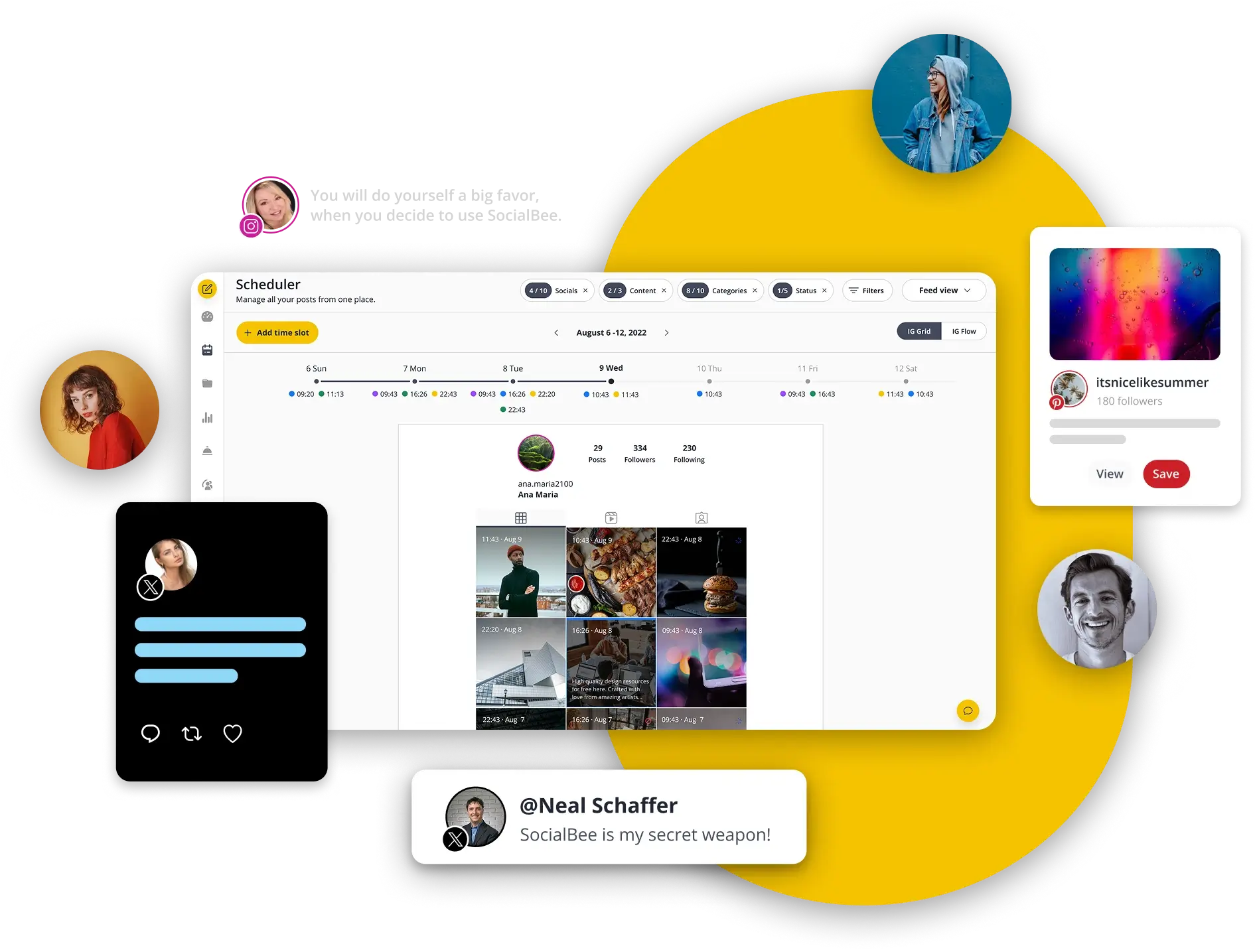
SocialBee takes a very different approach to social media management compared to basic schedulers like OneUp. Instead of focusing only on when you post, it puts a lot of thought into what you post and how often it shows up. It’s built around long-term consistency, which makes it a strong option for brands that rely heavily on evergreen content.
If OneUp feels limiting because you’re constantly recreating posts or manually reshuffling content, SocialBee offers a more structured way to keep your accounts active without daily effort.
Key Features
- Category-based content scheduling
You can organize posts into categories such as tips, promotions, blog posts, or evergreen content, then schedule them to rotate automatically. This keeps your feed balanced without constant planning. - Evergreen content recycling
SocialBee automatically reuses selected posts over time based on your rules, which is ideal for content that stays relevant. - Multi-platform publishing
Supports posting to Facebook, Instagram, LinkedIn, X, Pinterest, Google Business Profile, and more, with platform-specific customization. - Content creation assistance
Built-in tools help with writing captions faster and refining existing posts, especially useful when batching content. - Basic analytics
Track engagement and see which content categories perform best, rather than just individual posts. - Team collaboration
Add team members, assign roles, and manage approvals depending on your plan.
Our Experience with SocialBee
Using SocialBee felt very structured, in a good way. Once the content categories were set up, scheduling became much less hands-on. Compared to OneUp, we weren’t constantly thinking about what to post next. The system handled repetition naturally, which made staying consistent much easier.
The category-based approach stood out the most. It helped us avoid posting too much of the same type of content back-to-back, something that’s easy to overlook when using simpler schedulers. This alone makes SocialBee a strong option for brands focused on long-term content strategy rather than short bursts of activity.
It’s not built for heavy inbox management or advanced analytics, but that’s not its goal. SocialBee shines when you want your content to keep working in the background, freeing up time for other parts of your marketing.
Pricing
SocialBee’s plans typically start around $29/month, with higher tiers unlocking more profiles, users, and automation features.
Compared to OneUp’s $18/month basic plan, SocialBee costs more upfront, but it removes the pressure of constant content creation and offers far more control over how posts are reused and scheduled over time.
9. Hootsuite
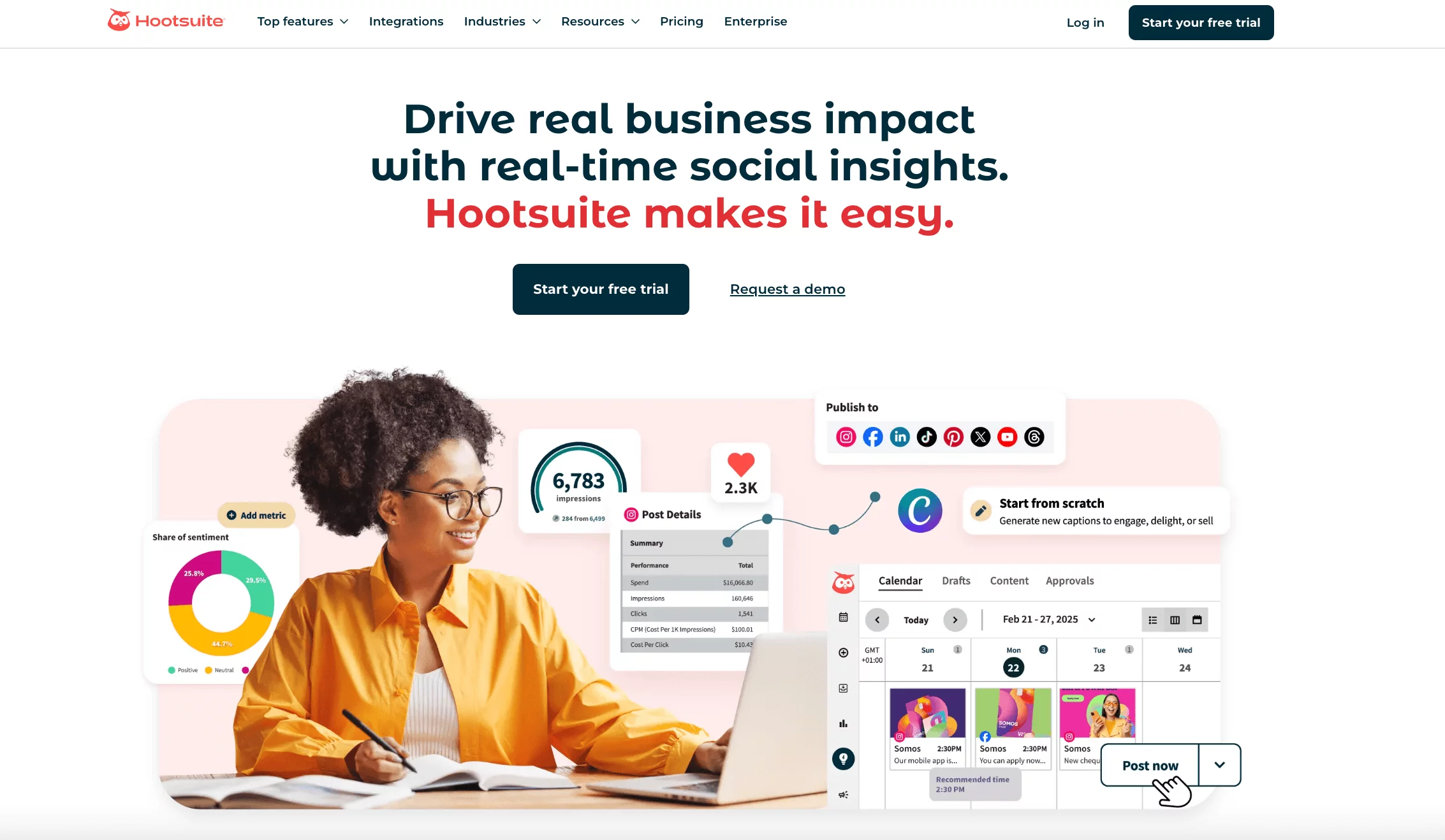
Hootsuite feels like a workspace rather than a simple scheduler. It’s the kind of tool teams turn to when social media stops being a side task and starts looking more like a full operation. As a OneUp alternative, Hootsuite makes sense if your needs now include monitoring conversations, coordinating team responses, and keeping a close eye on performance across multiple platforms.
It’s not the lightest tool on this list, but it’s built for scale. If OneUp feels too basic once your posting volume or engagement grows, Hootsuite offers a much broader setup.
Key Features
- Multi-platform scheduling and bulk publishing
Schedule posts across major platforms and upload content in bulk, which helps when planning campaigns weeks or months ahead. - Auto-scheduling for optimal timing
Hootsuite suggests posting times based on engagement patterns, reducing guesswork. - Unified inbox with team controls
Messages, comments, and mentions are managed in one place, with features to prevent multiple team members replying to the same message. - Social listening streams
Track keywords, hashtags, brand mentions, and competitor activity in real time. - Analytics and reporting
Measure performance across platforms with customizable reports for internal reviews or stakeholders. - Ad management tools
Manage and boost social ads directly from the dashboard, keeping paid and organic efforts aligned.
Our Experience with Hootsuite
Using Hootsuite felt like stepping into a much more comprehensive environment compared to OneUp. Planning content was reliable, but what really stood out was how much visibility we had into conversations and trends. Instead of just scheduling posts and moving on, we could see how audiences were reacting and adjust quickly.
The inbox experience was noticeably stronger than basic schedulers. Assigning messages, using saved replies, and avoiding duplicate responses made engagement easier to manage, especially during busy periods. This is an area where OneUp starts to fall short once engagement increases.
That said, Hootsuite does take some getting used to. There are more features, more settings, and more data to work through. But for teams that have outgrown simple scheduling and want more control over monitoring, engagement, and reporting, that extra depth quickly becomes an advantage.
Pricing
Hootsuite’s plans typically start at $99/month, with higher tiers priced around $249/month or more depending on features and users.
Compared to OneUp, Hootsuite is a significant jump in cost. The difference is that Hootsuite is designed for teams managing higher volumes of content and engagement, where monitoring, collaboration, and reporting become just as important as scheduling.
10. Sprout Social
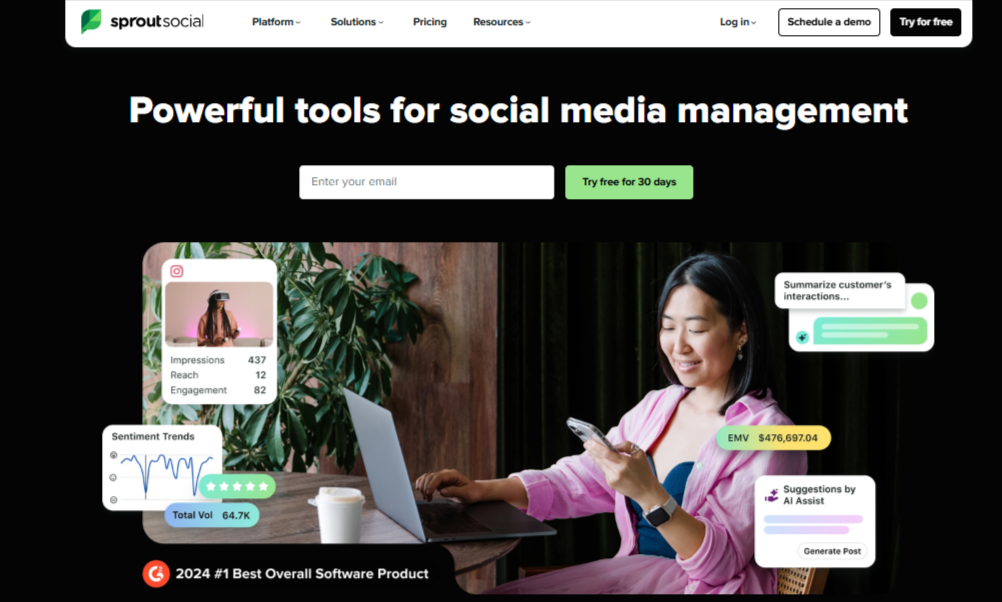
Sprout Social is built for teams that want clarity, structure, and real insight into how their social media efforts are performing. It doesn’t try to be a lightweight scheduler, and that becomes obvious the moment you start using it.
As a OneUp alternative, Sprout Social makes sense when social media turns into a serious business function rather than a simple posting task.
It’s especially popular with established brands and marketing teams that need clean reporting, organized engagement workflows, and data they can actually act on.
Key Features
- Unified smart inbox
All comments, messages, mentions, and reviews are pulled into one inbox, with AI helping prioritize conversations that need attention first. - Advanced analytics and reporting
Sprout offers detailed performance insights, separating organic and paid results and presenting them in clear, visual reports. - Social listening and sentiment analysis
Track brand mentions, keywords, and conversations while understanding how people feel about your brand, not just how often they interact. - Employee advocacy tools
Teams can share approved brand content through their own profiles, extending reach without extra content creation.
Our Experience with Sprout Social
Using Sprout Social felt like moving from surface-level insights to real understanding. Compared to OneUp, which mainly focuses on scheduling, Sprout gives you context. You don’t just see that a post performed well; you understand why it did.
The inbox experience was also more refined. Prioritized messages and sentiment indicators made it easier to focus on what mattered most instead of treating every interaction the same. For brands that receive a high volume of engagement, this alone is a major upgrade.
That said, Sprout Social is not a casual tool. There’s a learning curve, and the depth of features can feel heavy if your needs are simple. But if your goal is to connect performance, engagement, and strategy in one place, Sprout Social delivers far more than basic scheduling tools like OneUp.
Pricing
Sprout Social uses per-user pricing:
- Standard – $199 per user/month
- Professional – $299 per user/month
- Advanced – $399 per user/month
Compared to OneUp’s $18/month entry plan, Sprout Social sits in a completely different category. The cost reflects its depth in analytics, listening, and engagement management, making it better suited for established teams rather than solo users.
11. Buffer
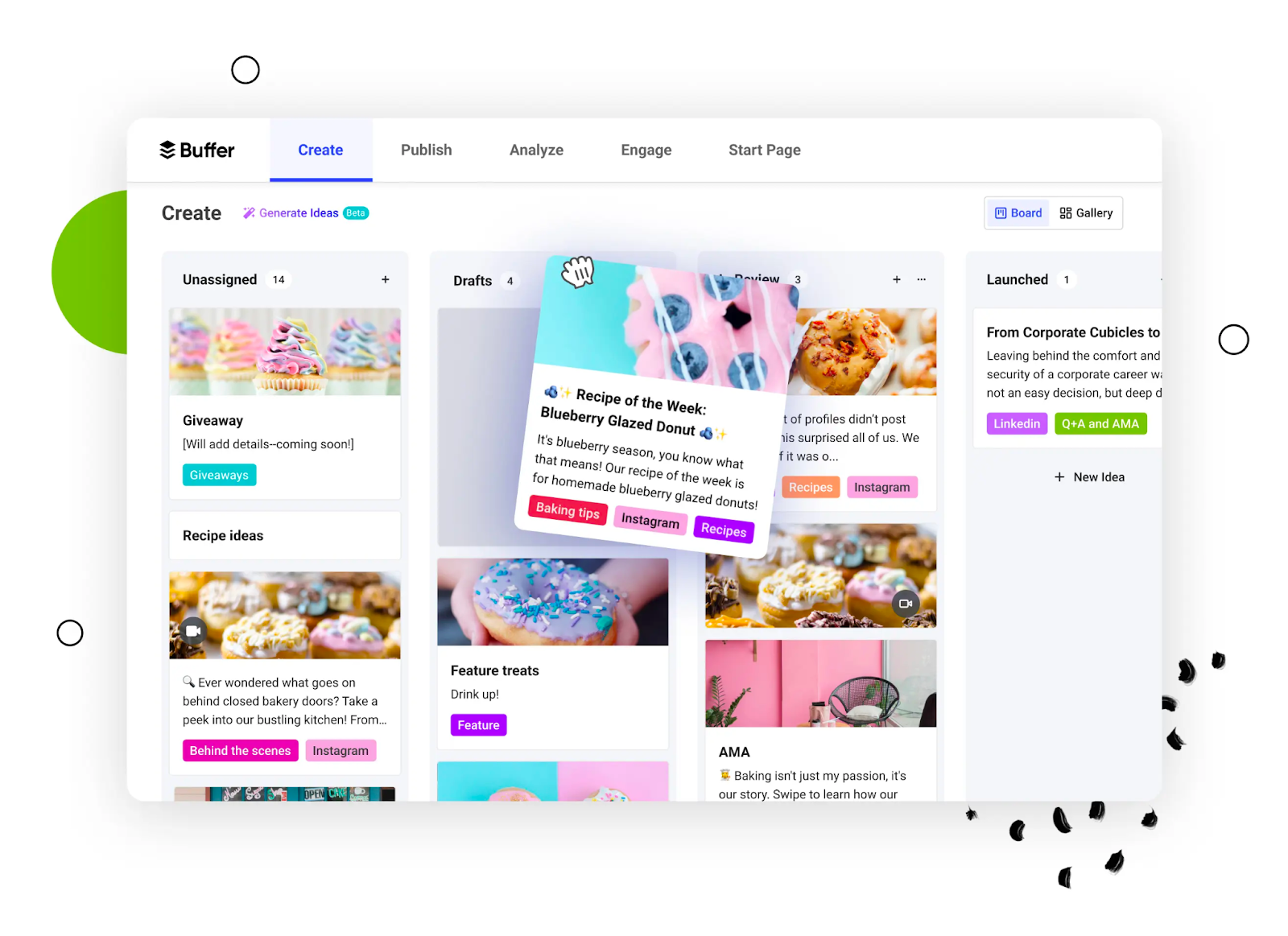
Buffer has always leaned into simplicity, and that’s still its biggest strength. It’s the kind of tool you open and immediately understand what to do next. It works well for creators and small teams who want clean scheduling, light analytics, and fewer moving parts, without feeling boxed in by tight limits.
It doesn’t try to be everything at once. Instead, it focuses on making content planning and publishing feel calm and predictable, which is something many people appreciate once social media starts getting noisy.
Key Features
- Multi-platform scheduling
Schedule posts across Instagram, Facebook, LinkedIn, X, Pinterest, and more from one simple dashboard, with basic per-platform customization. - Content calendar
A clean calendar view shows what’s scheduled and when, making it easy to plan ahead and adjust timing. - Buffer AI assistant
Helps generate captions, refine wording, and suggest ideas when you need a quick push to get content ready. - Start Page (link-in-bio tool)
Create a simple landing page to house important links, products, or content, directly connected to your social profiles. - Engagement and inbox tools
Manage comments and interactions from supported platforms without switching apps. - Basic analytics and reports
Track engagement, reach, and post performance with easy-to-read insights.
Our Experience with Buffer
Using Buffer felt refreshingly straightforward. Scheduling posts didn’t require setup or configuration, which made it easy to jump in and start planning right away. Compared to OneUp, the experience felt less restrictive and more fluid, especially when handling multiple platforms.
The AI assistant was helpful for speeding things up, particularly when we needed caption ideas or slight rewrites. It didn’t try to take over the creative process, but it removed friction during busy planning sessions.
What really stood out was how little mental effort Buffer required. It’s not built for deep analytics or heavy collaboration, but for users who want reliability and ease of use, it delivers exactly that.
If OneUp feels limiting but you don’t want to jump into complex tools, Buffer feels like a comfortable middle ground.
Pricing
Buffer offers a flexible pricing structure:
- Free plan for basic scheduling
- Paid plans start around $6/month per social channel
- Higher tiers scale based on the number of accounts and features
Compared to OneUp, Buffer gives more flexibility for testing and gradual growth, especially for solo creators and small teams who don’t need advanced automation right away.
12. eClincher
eClincher feels like one of those tools that quietly does a lot of work in the background. It’s not flashy, but it’s packed with features that make daily social media management easier, especially once your posting and engagement volume increases. Compared to OneUp, eClincher is better suited for users who want scheduling and stronger engagement handling in one place.
It’s a good fit for small businesses, agencies, and consultants who want more control than basic schedulers offer, without jumping straight into enterprise-level platforms.
Key Features
- Multi-platform scheduling
Schedule and publish posts across Facebook, Instagram, LinkedIn, X, Pinterest, Google Business Profile, and more from one dashboard. - Auto-posting queues
Create smart queues that automatically publish content based on your chosen schedule, helping maintain consistency. - Unified social inbox
Manage comments, mentions, and messages from different platforms in one place, with options to assign and respond efficiently. - Content curation tools
Discover trending content by keywords or topics and add them directly to your publishing queue. - Media library and RSS automation
Store reusable assets and automatically publish content from RSS feeds, which is useful for blogs and news-driven brands. - Analytics and reporting
Track engagement, follower growth, and performance with downloadable reports.
Our Experience with eClincher
eClincher felt very practical during use. Scheduling content was flexible, and the auto-queues worked well once set up. Compared to OneUp, it gave us more freedom to plan recurring content without manually reshuffling posts each week.
The unified inbox was another strong point. Instead of just posting and leaving, eClincher made it easier to stay on top of conversations. This is something OneUp users often start missing as engagement grows.
We also appreciated the content curation and RSS features. For brands that publish blogs or rely on external content, this saves a lot of manual effort. While the interface isn’t the most modern-looking, it’s functional and reliable, which matters more in day-to-day use.
Pricing
eClincher’s pricing typically starts around $65/month, with higher plans unlocking more profiles, users, and features.
Compared to OneUp’s $18/month basic plan, eClincher is clearly aimed at users who need more than scheduling alone. The higher cost reflects added value in engagement management, automation, and content discovery.
13. CoSchedule
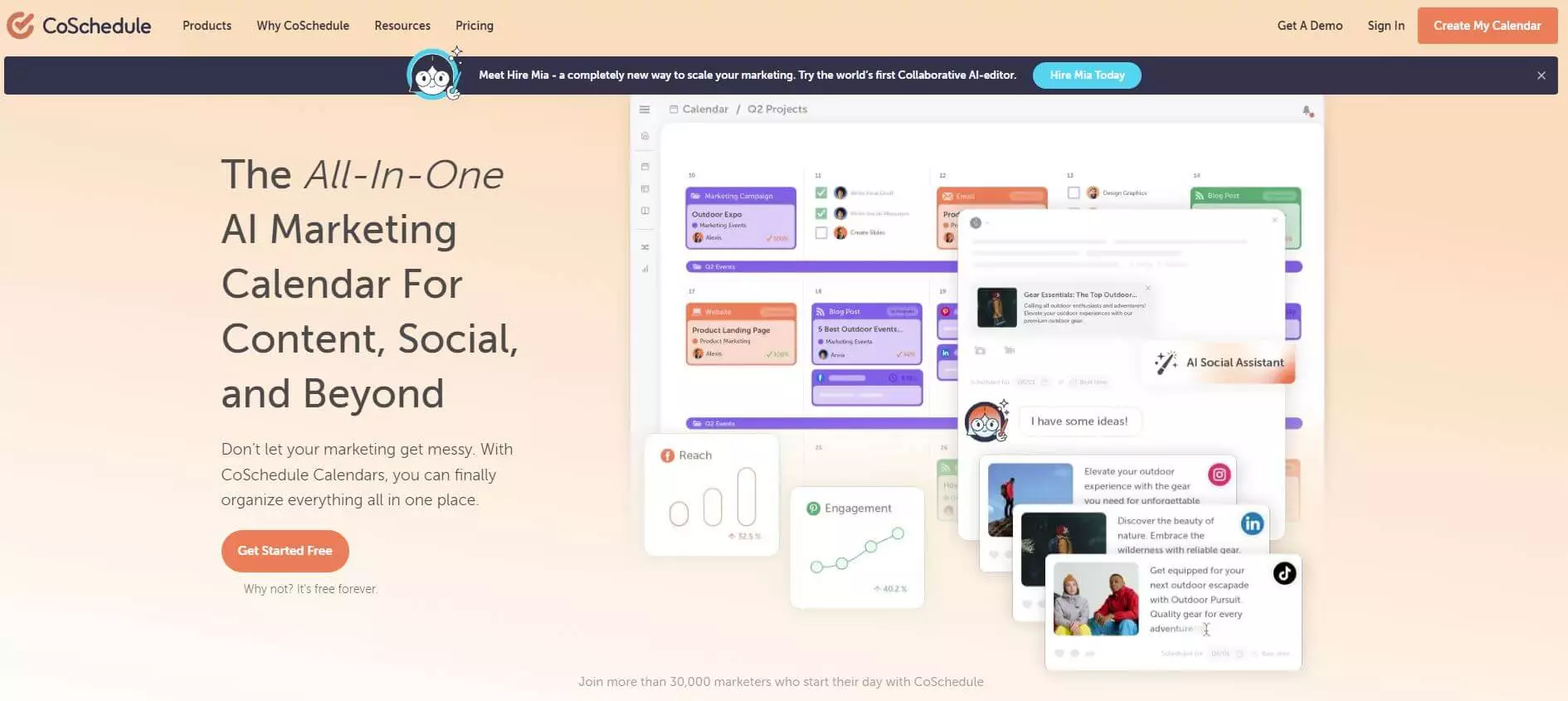
CoSchedule doesn’t feel like a typical social media scheduler. It feels more like a planning hub. If your social media posts are closely tied to blog content, campaigns, or broader marketing projects, CoSchedule fits naturally into that workflow. The tool works best for teams that want visibility and structure rather than just a place to queue posts.
It’s especially appealing to content-heavy brands and marketing teams that already think in terms of calendars, deadlines, and campaigns.
Key Features
- Marketing and social media calendar
CoSchedule’s calendar shows social posts alongside blog content, campaigns, and tasks, giving you a full picture of what’s happening and when. - Drag-and-drop scheduling
Posts and tasks can be moved around easily, which helps when plans change or priorities shift. - ReQueue automation
Evergreen posts can be automatically recycled to fill gaps in your schedule, keeping accounts active without constant manual input. - AI-powered content assistance
The built-in AI helps generate post ideas and optimize captions, saving time during planning. - Team collaboration and approvals
Assign tasks, set deadlines, and manage approvals to keep everyone aligned. - Performance analytics
Track how social posts perform and identify which content drives the most engagement.
Our Experience with CoSchedule
Using CoSchedule felt very organized. Seeing social media posts alongside other marketing activities made it easier to plan content with purpose instead of treating social as a separate task. Compared to OneUp, this broader view helped with long-term planning rather than just day-to-day scheduling.
The ReQueue feature was particularly useful. Once set up, it quietly handled evergreen content in the background, which reduced the pressure to constantly create new posts. This made consistency easier without adding workload.
That said, CoSchedule does take some getting used to. It’s more structured than OneUp, and users who only want simple scheduling might find it heavier than necessary. But for teams that manage campaigns, blogs, and social content together, the structure quickly becomes a strength.
Pricing
CoSchedule offers a free plan with limited features, plus paid plans starting around $29/month for social media users. Higher-tier plans for full marketing suites require custom pricing.
Even though CoSchedule costs more at the entry level, it offers a wider planning view and stronger campaign-focused features, which can be valuable for content-driven teams.
How to Choose the Right OneUp Alternative for Your Needs
Once you decide to move on from OneUp, the real challenge isn’t finding alternatives. It’s choosing the right one for how you actually work. Here are the key factors that matter most when narrowing down your options.
Budget and Pricing Flexibility
Budget is often the first reason people start looking for a OneUp alternative. While OneUp’s entry plan looks affordable, its limits on profiles and scheduled posts can force upgrades sooner than expected.
When comparing tools, look beyond the starting price. Pay attention to how pricing scales as you add more accounts, users, or features. A tool that looks slightly more expensive upfront may offer far better value long term if it removes caps and reduces the need for multiple subscriptions.
Supported Platforms
Platform coverage matters more than many teams realize. If your audience is spread across newer or less common networks, limited support can disrupt your workflow fast.
Before choosing an alternative, make sure it fully supports the platforms you actively use today and the ones you plan to expand into. The fewer tools you need to manage your presence, the smoother your day-to-day process becomes.
Team Collaboration and Workflow
As soon as more than one person touches your social media, collaboration features become critical. Look for tools that offer role assignments, approval workflows, shared calendars, and clear permissions. These features reduce mistakes, speed up reviews, and keep everyone aligned. If you work with clients, visibility and controlled access are especially important.
Advanced Capabilities and Growth Room
Finally, think about where you’re headed. Some tools are perfect for basic scheduling but struggle once you need analytics, inbox management, content recycling, or automation at scale.
Even if you don’t need advanced features right now, choosing a tool with room to grow can save you from switching again in a few months.
The best OneUp alternative is the one that fits your current workflow while still supporting where you’re going next. When a tool matches your budget, platforms, team structure, and growth plans, social media management becomes far easier to maintain
FAQs
What is OneUp used for?
OneUp is mainly used for scheduling social media posts, recycling evergreen content, and managing basic publishing across multiple platforms. It’s commonly used by individual creators and small businesses that need a simple way to plan and automate posts.
Is OneUp free?
No, OneUp does not offer a free plan. Its basic paid plan starts at $18 per month, which includes limited social profiles and a capped number of scheduled posts. Users need to upgrade as their posting volume or account count increases.
Which OneUp alternative is best for small businesses?
For small businesses, the best OneUp alternatives are tools that balance affordability with flexibility. Options like Buffer, SocialBee, and OnlySocial are popular because they remove strict post limits, support more platforms, and are easier to scale without a big jump in cost.
Is OnlySocial better than OneUp?
For many users, yes. OnlySocial offers broader platform support, bulk scheduling, a unified inbox, and team collaboration features that OneUp lacks. While OneUp works well for basic scheduling, OnlySocial is better suited for growing brands that need more control and flexibility.
What is the best OneUp alternative for agencies?
Agencies often need strong collaboration, approvals, and client reporting. Tools like SocialPilot, Sendible, Agorapulse, and OnlySocial are commonly chosen because they support multiple brands, team workflows, and higher posting volumes more effectively than OneUp.
Does OnlySocial offer a free plan?
No, OnlySocial does not currently offer a permanent free plan. However, its paid plans include generous limits on social accounts and features, making it a cost-effective option for businesses and agencies that need room to grow.