OnlySocial vs Planly: The Best White-Label Platform for Growing Your Client Base
Planly and OnlySocial are two names you’ll hear a lot when agency owners start looking for a white-label platform. And for good reason – both let you put your brand front and center instead of someone else’s.
But if you’ve ever tried to grow a social media agency, you know the truth – not all white-label platforms are built the same. Some give you basic scheduling under your brand. Others give you the full “run-your-own-SaaS” experience that helps you win bigger clients, charge more, and work less.
That’s exactly what this guide breaks down.
We’re putting OnlySocial and Planly side-by-side to help you figure out which platform actually makes it easier to scale your client base, deliver better results, and look more professional doing it. By the end, you’ll know exactly which one fits your agency style and which one gives you the real edge.
Table of Contents
- 1 What Agencies Really Need in a White-Label Platform
- 2 Planly White Label: What It Offers
- 3 OnlySocial White Label: What It Offers
- 3.0.1 Fully Customizable Branding
- 3.0.2 Admin Dashboard for Managing Everything in One Place
- 3.0.3 Unlimited Scheduling
- 3.0.4 Supports 15 Social Platforms
- 3.0.5 Unlimited Team Members
- 3.0.6 AI Assistant for Content Creation
- 3.0.7 Unified Inbox
- 3.0.8 Collaboration Tools Built for Agencies
- 3.0.9 Link-in-Bio, QR & VCard Tools
- 3.0.10 Impersonate Users (A True Agency Power Feature)
- 3.0.11 Payment Management Built In
- 3.0.12 Advanced Analytics
- 4 OnlySocial vs Planly: Head-to-Head Comparison
- 5 Final Note
- 6 FAQs
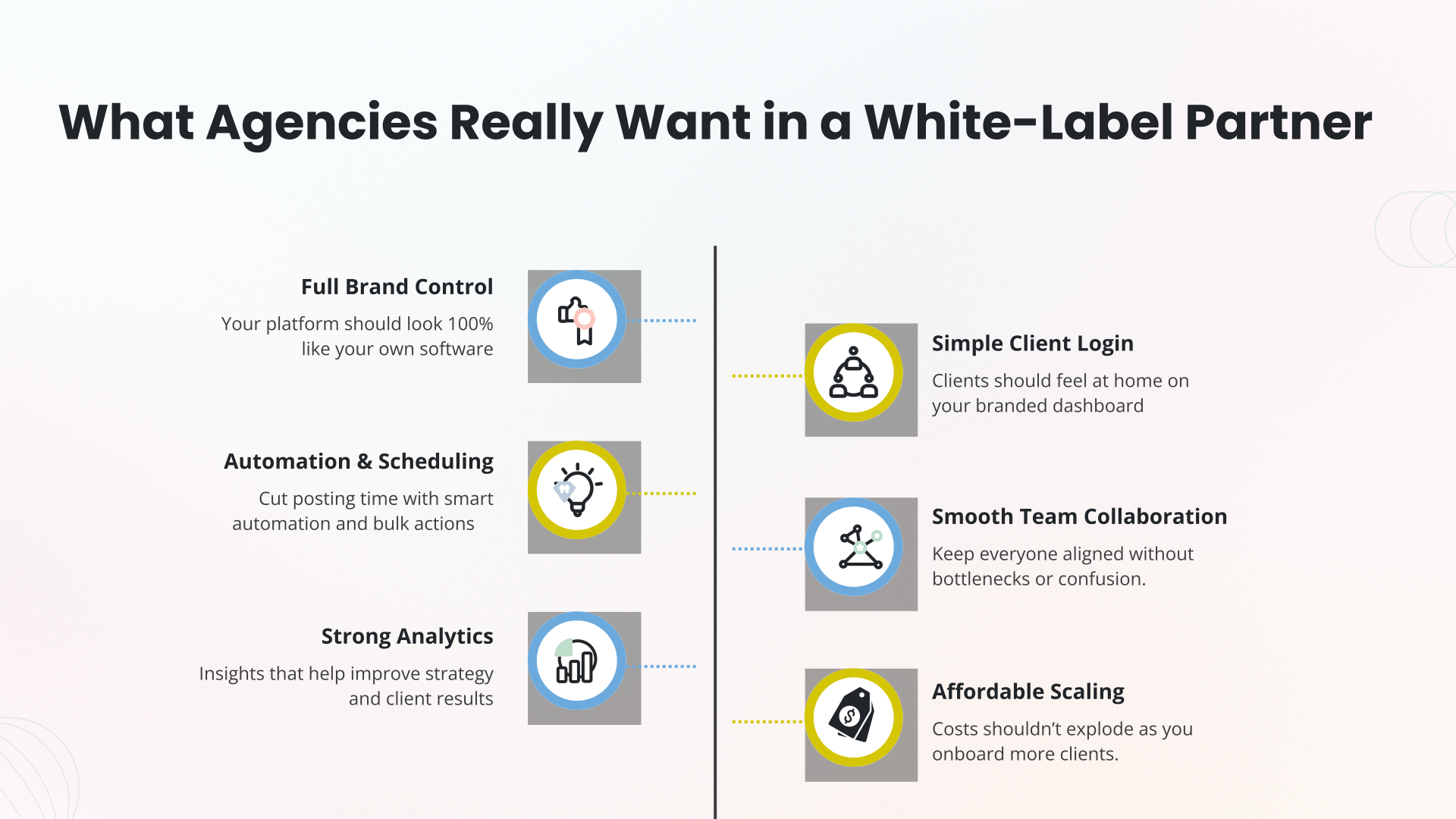
What Agencies Really Need in a White-Label Platform
Before we dive into OnlySocial and Planly, it’s important to get clear on what actually matters for agencies. Because the truth is, every white-label tool looks impressive on the surface – custom domain, your logo, scheduling, blah blah.
But when you’re running an agency with real deadlines, real clients, and real pressure, you quickly learn that some features matter more than others.
Here’s what agencies genuinely need from a white label social media platform, explained in simple terms:
1. Full Control Over Your Branding
A true white-label platform doesn’t just let you add a logo. Agencies need complete brand control: custom domain, branded dashboards, branded emails, branded reports – the whole experience.
When clients log in, the tool must feel 100% yours. No awkward references to the original company. No “powered by” taglines.
Your clients should believe you built the software yourself. That’s how you build authority. That’s how you charge more.
2. A Client Experience That Feels Seamless
Agencies don’t just want tools; they want tools that clients can use without getting confused.
That means:
- clean dashboards
- simple navigation
- clear analytics
- easy content approvals
If a platform overwhelms your client, it creates more work for your team. Agencies need software that removes friction, not adds to it.
3. Powerful Scheduling & Automation
Posting manually is not a business strategy. Agencies need bulk scheduling, visual calendars, multi-platform publishing, automated posting, and ways to organize content at scale.
A proper white-label system should help you save time, stay consistent, and handle more clients without more stress. Anything less is just another glorified scheduler.
4. Collaboration That Doesn’t Slow You Down
Agencies live in a world of approvals, drafts, revisions, and last-minute changes. Your white-label platform should support that workflow, not fight it.
Things like:
- team roles
- client approval flows
- shared calendars
- task assignment
- collaboration tools
All these make a huge difference when you’re juggling 10, 20, or even 100 clients.
5. Scalable Pricing That Lets You Grow
Some platforms gatekeep features behind expensive plans or charge per client. Agencies need predictable pricing that makes scaling profitable, not painful.
If adding more clients increases your costs too quickly, the platform becomes a bottleneck rather than a growth tool.
6. Real Support When Something Breaks
Because something will break. And when it does, agencies need fast, knowledgeable support, not bots, slow emails, or generic answers. A good white-label platform should feel like a behind-the-scenes partner that has your back.
Now that we know what truly matters, let’s see how OnlySocial and Planly stack up, and which one actually helps agencies scale without the stress.
Planly White Label: What It Offers
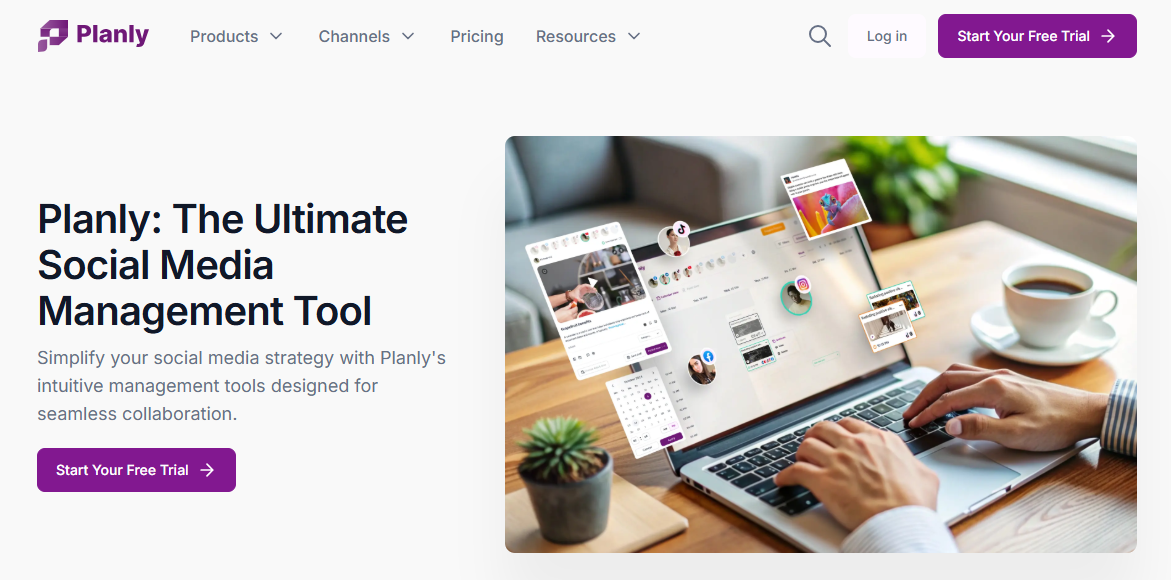
Planly also steps into the white-label space with a solution aimed at helping agencies resell social media management under their own brand. While it’s not as feature-rich as some competitors, it does provide the essentials agencies look for when offering a branded client experience.
Here’s a closer look at what Planly brings to the table.
All-in-One Social Media Scheduling
Planly lets agencies schedule posts across more than 10 social platforms, including Instagram, Facebook, LinkedIn, X, Pinterest, YouTube, and others. All of this happens inside a completely rebranded version of Planly, giving clients the impression that they’re using software created entirely by your agency.
It’s simple, clean, and easy for clients to navigate, which makes onboarding smoother.
Fully Customizable White-Label Setup
This is one of Planly’s strongest selling points. They clone the Planly platform, strip their branding, and set everything up on your chosen domain or subdomain. Your colors, your logo, your URL – it all feels like a platform built in-house, without writing a line of code.
Your Pricing, Your Packages, Your Rules
Planly gives agencies the freedom to create their own subscription packages.
You decide:
- What you charge
- What features clients get
- How you structure your tiers
It’s a flexible setup for agencies looking to build monthly recurring revenue through a branded SaaS experience.
Branded Email Communications
All system notifications – from approvals to publishing confirmations – come through your branded email identity. Planly allows up to 1 million emails per year, which is more than enough for most agencies managing multiple brands.
Branded Help Center
Planly also provides documentation you can either use as-is or customize with your own branding. This helps agencies deliver a polished support experience without needing to build a help library from scratch.
Scheduling and Collaboration Tools
Planly includes the basic collaboration and scheduling functionality agencies need, such as:
- Post scheduling
- Draft approvals
- Multi-user access (depending on your plan)
- Calendar views
It’s simple, straightforward, and best suited for agencies that want a clean interface without too much complexity.
OnlySocial White Label: What It Offers
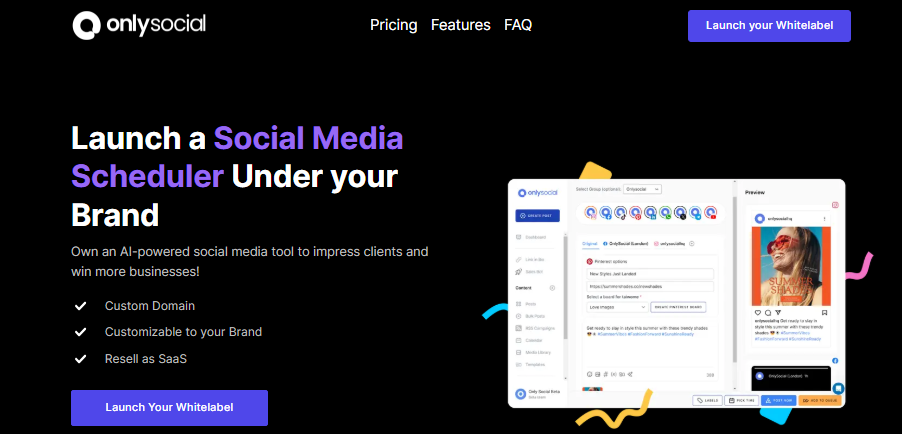
If you’ve ever wished you could hand clients a clean, professional social media platform with your branding all over it, OnlySocial gives you exactly that.
It’s built specifically for agencies that want to scale fast, deliver top-tier service, and run everything under their own name, without spending thousands building software from scratch.
Let’s walk through what OnlySocial brings to the table.
Fully Customizable Branding
OnlySocial gives agencies complete control over their brand presence. You can use your own domain or subdomain, upload your logo, and customize the look of the dashboard so everything feels like an in-house tool. When clients log in, they see you – not us. That instantly boosts credibility and helps you charge more for your services.
Admin Dashboard for Managing Everything in One Place
Running multiple clients shouldn’t feel chaotic. OnlySocial’s admin panel lets you manage every client account, workspace, user role, and approval flow in one clean interface. No switching tabs. No juggling multiple tools. Everything is neatly organized, so you stay in control.
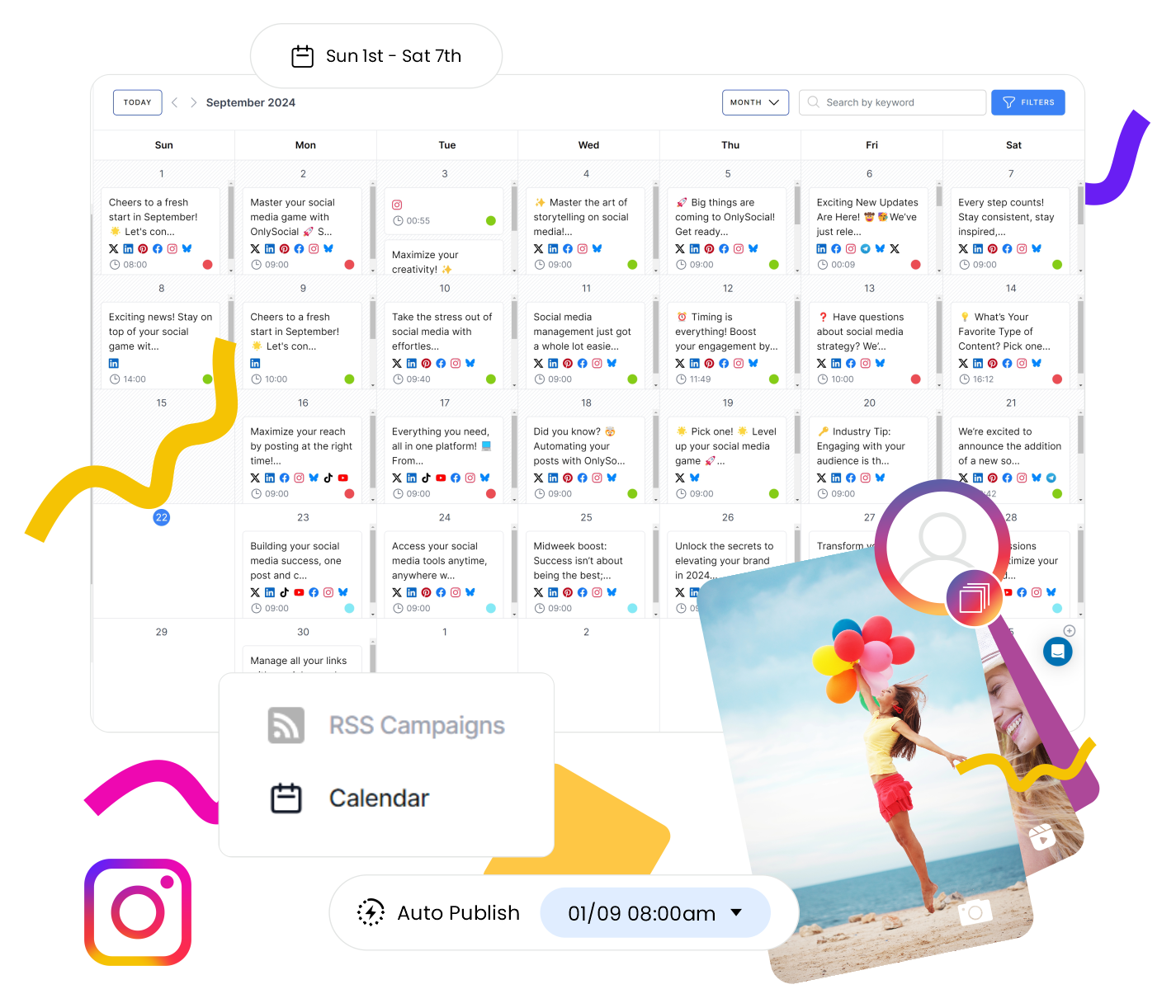
Unlimited Scheduling
Your team can schedule as many posts as needed – for any client, across any platform. This includes:
- Bulk scheduling for huge content batches
- CSV uploads for faster planning
- Auto-posting from RSS feeds
For agencies handling dozens of brands, this is a massive time-saver.
Supports 15 Social Platforms
Whether your clients use Instagram, Facebook, TikTok, LinkedIn, Pinterest, YouTube, Threads, or others, OnlySocial keeps everything in one place. No need for add-ons or jumping between tools.
Unlimited Team Members
We don’t charge you for growing your team. Add as many team members as you want – strategists, designers, VAs, freelancers, clients – everyone gets the access they need.
AI Assistant for Content Creation
If your agency creates content at scale, this feature becomes a lifesaver. The AI writes captions, suggests hashtags, generates ideas, and helps speed up the creative process, especially when deadlines pile up.
Unified Inbox
Stop chasing messages across accounts. OnlySocial’s inbox gathers comments, DMs, replies, and mentions from all client accounts into one single feed. Your team can respond faster and deliver better customer care without the mess.

Collaboration Tools Built for Agencies
Role-based access, approval workflows, shared calendars, and client approvals help teams work without stepping on each other’s toes. No more lost revisions or “Who changed this post?” chaos.
Link-in-Bio, QR & VCard Tools
Agencies can offer additional branded services like micro-landing pages, digital business cards, and QR codes – all inside the same platform.
Impersonate Users (A True Agency Power Feature)
If a client is stuck, you can log in as them, without asking for passwords or scheduling a Zoom call. Perfect for troubleshooting and offering hands-on support.
Payment Management Built In
OnlySocial lets agencies collect payments from clients using Stripe, Paddle, or Paystack. It effectively allows you to run a SaaS-style business under your brand, with recurring revenue built in.
Advanced Analytics
Detailed insights across platforms help agencies show results, spot trends, and make better decisions. Reports are clean, visual, and fully white-labeled – perfect for client presentations.
OnlySocial vs Planly: Head-to-Head Comparison
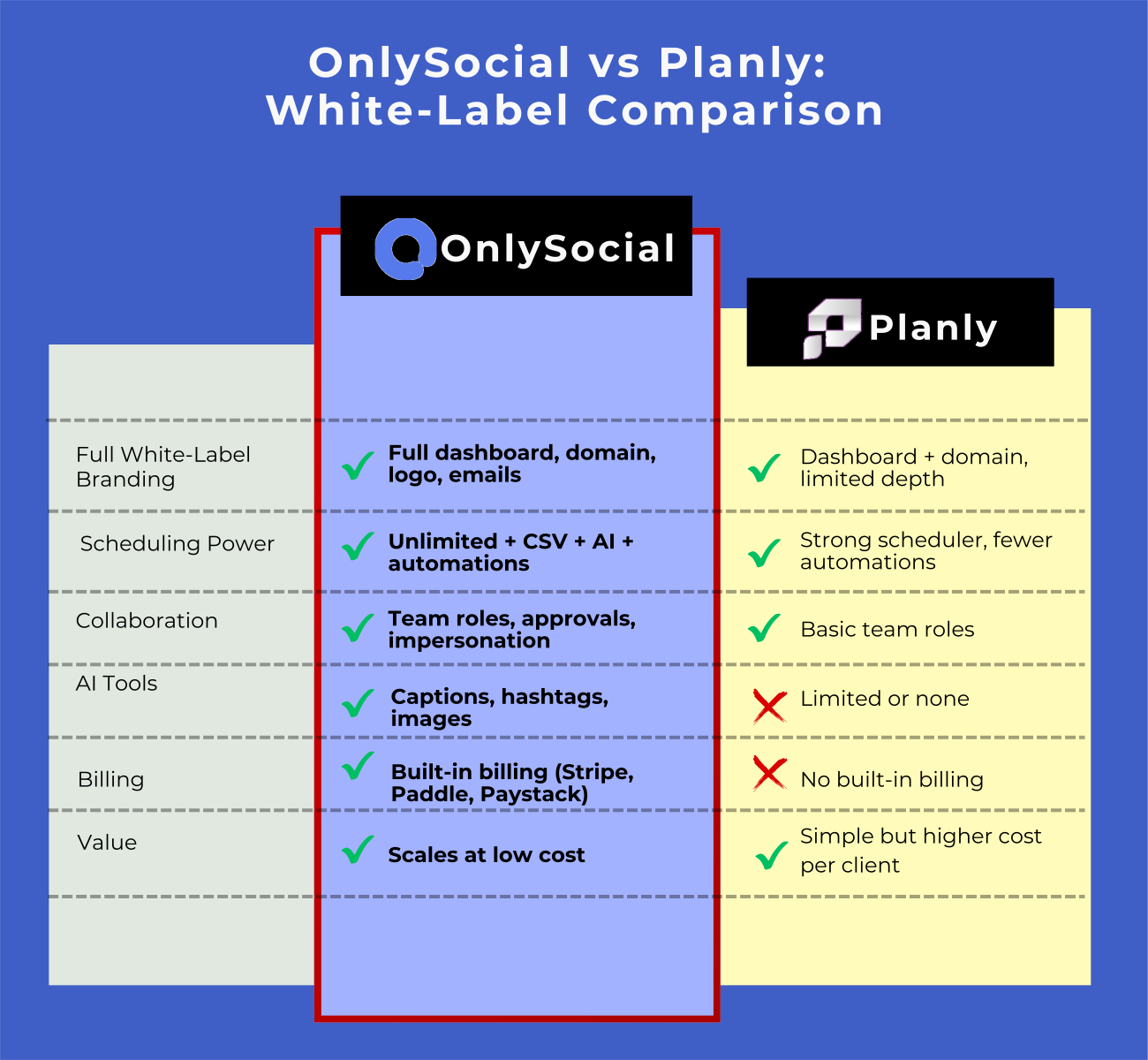
Choosing between OnlySocial and Planly really depends on what type of white-label experience an agency wants to deliver. Both platforms let you run a social media management tool under your own brand, but the depth, flexibility, and long-term scalability differ significantly.
Let’s take a quick look at how they compare in the areas that matter most to agencies.
Branding & White-Label Experience
OnlySocial
OnlySocial offers a full, top-to-bottom white-label experience. Your logo, colors, custom domain, platform name, dashboard – everything becomes yours. It feels like running your own SaaS product, not just a skinned version of someone else’s tool. Even client dashboards, email notifications, reports, and login screens carry only your branding.
For agencies wanting to look like a full software provider, this level of control is a huge advantage.
Planly
Planly also provides solid white-label branding by cloning their platform and removing their logo. You get your domain, your visual identity, and branded emails.
However, the branding is more surface-level compared to OnlySocial’s deeper customization. You don’t get the same level of control over dashboards, advanced modules, link tools, analytics depth, or internal features.
So on the level of branding and white label experience, OnlySocial wins hands down. It is more complete, more polished, more flexible.
Features & Automation Tools
OnlySocial
OnlySocial is designed for agencies managing many clients at once, and it shows in the feature set:
- 15 social platforms supported
- Unlimited scheduling
- Bulk posting (500+ posts at once)
- CSV bulk import
- Unified inbox for comments & DMs
- Collaboration workflows
- AI content generator
- Link-in-bio, QR codes, & vCard tools
- Workspace grouping by brand/location
- Deep analytics and reporting
- Media gallery
- Impersonate-user feature for client support
- Built-in client billing
It’s essentially a full agency command center.
Planly
Planly offers the core scheduling features most agencies need:
- Scheduling across 10+ platforms
- Content calendar
- Branded help center
- Branded notifications
- Collaboration tools
- Basic analytics
But it lacks more advanced power features like unified inbox, AI image creation, billing, link tools, impersonation, deep analytics dashboards, or scalable workflows.
Scalability & Agency Workflow Fit
OnlySocial
OnlySocial is built for agencies that are growing or plan to scale fast. With unlimited scheduling, unlimited team members, workspace grouping, and automated billing, agencies can easily manage:
- 50+ clients
- Multi-location brands
- High-volume posting
- White-label SaaS resale
It works for freelancers, mid-sized agencies, and large social media teams.
Planly
Planly is more suited for smaller agencies or those starting out with white label. It’s user-friendly but doesn’t have advanced scaling tools agencies typically need as they grow, especially inbox management, analytics depth, or multi-brand workflows.
So, here, OnlySocial is clearly the more scalable option.
Client Experience
OnlySocial
OnlySocial gives clients a seamless, professional experience:
- Branded dashboards
- Access-controlled workspaces
- Approvals, drafts, content calendars
- Clean UI
- Branded reporting
- Branded notifications
- Link-in-bio and analytics built in
Clients feel like they’re using a premium tool built just for them.
Planly
Planly also provides a solid client experience, especially for scheduling and calendar management. However, clients don’t get the same feature depth, particularly when it comes to inbox management, analytics, or integrated tools.
Pricing & Overall Value
OnlySocial
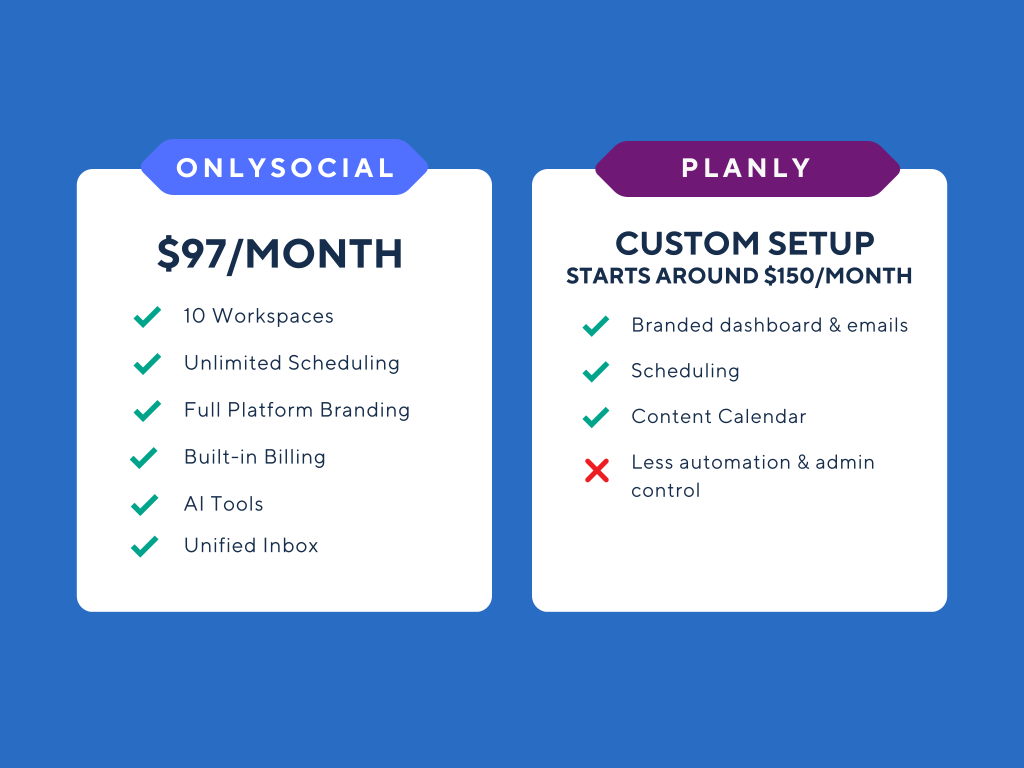
White-label pricing starts at $97/month for:
- 10 workspaces
- Unlimited scheduling
- Unlimited profiles
- Unlimited team members
- All features included
- Full white-label domain
- Billing tools
- AI features
- 20+ integrations
That’s less than $10 per workspace, and even cheaper on larger plans.
Planly
Planly’s white-label pricing is NOT as transparent, but the core offer includes:
- Fully debranded platform
- Branded emails
- Scheduling across 10+ channels
It may be affordable, but agencies don’t get the same functionality per dollar.
So, both OnlySocial and Planly help agencies offer social media management under their own brand, but they serve different levels of ambition.
Choose Planly if you’re a small agency that needs a simple, rebranded scheduler.
Choose OnlySocial if you want a full-scale, agency-ready white label platform built for growth, automation, and long-term client management. In almost every major category, OnlySocial comes out on top.
Final Note
Choosing the right white-label partner can make or break how fast your agency grows. Planly brings a simple setup and a strong scheduling engine, but its white-label experience feels closer to a rebranded version of the same tool, with fewer agency-focused controls behind it.
OnlySocial goes much further. You’re not just getting a white-label dashboard. You’re getting full branding control, real agency-grade analytics, better collaboration tools, built-in billing, multiple publishing automations, and a smooth workflow designed for teams handling many clients at once.
If your goal is to grow without drowning in admin, scale your services without hiring endlessly, and give clients a platform that genuinely feels like your own software, OnlySocial will give your agency a bigger edge, and far more room to scale confidently.
FAQs
Can I use my own pricing if I white-label Planly?
Yes. Planly allows you to set your own pricing and sell the platform under your brand. OnlySocial also offers full freedom to set your own pricing, with more tools to support real SaaS growth, such as built-in payment management.
Which platform gives more control over branding?
OnlySocial offers deeper customization. You can use your own domain, logo, colors, branded email notifications, client dashboards, and even branded invoices. Planly also offers custom domains and branding but with fewer personalization layers across the platform.
Which is better for agencies managing many clients?
OnlySocial is built specifically for agencies. Features like grouped workspaces, unlimited scheduling, unified inbox, impersonation, collaboration workflows, AI content tools, and advanced analytics make it easier to manage dozens – or hundreds – of clients smoothly.
Which is easier to set up?
OnlySocial was designed so agencies can get fully white-labeled and ready to operate in a matter of minutes. Planly also has a straightforward setup but may require additional steps to copy or rebuild parts of the workspace for branding.
Can I resell both platforms as my own software?
Yes, both platforms allow reselling under your own branding. The difference is that OnlySocial provides more of the infrastructure agencies need to run their own SaaS-like product, including billing integration, client management, analytics, and scalable workspace controls.