Unified Inbox Hacks – How to Manage All DMs & Comments Across Platforms in 2025

These days, managing social media messages in 2025 feels more like juggling while your phone is buzzing nonstop.
Instagram DMs, Facebook comments, TikTok notifications, YouTube replies, LinkedIn messages – they arrive from every direction, at every hour, and from more platforms than most people can keep track of.
So, it’s no surprise that messages slip through the cracks, replies get delayed, and customers end up feeling ignored even when you’re doing your best.
The truth is, no one is built to jump between six different apps all day. And you don’t have to. A unified inbox gives you a way to read, organize, and respond to every DM and comment from one clean dashboard, without the chaos.
In this guide, we’ll walk through practical hacks, smart workflows, and the tools that make cross-platform message management easier than ever. We will also show you how OnlySocial can help you stay on top of everything with less effort and far less stress.
Table of Contents
- 1 The Problem with Managing DMs & Comments Natively
- 2 What Is a Unified Inbox? (And Why It Matters in 2025)
- 3 Benefits of Using a Unified Inbox Across All Platforms
- 4 Unified Inbox Hacks for Busy Social Media Managers
- 4.1 1. Link All Your Profiles – Not Just Your Main Ones
- 4.2 2. Create a Priority Filter System
- 4.3 3. Build Saved Replies That Sound Human
- 4.4 4. Use AI When You’re Overwhelmed (Or Just Short on Time)
- 4.5 5. Tag & Label Conversations for Better Workflow
- 4.6 6. Assign Messages to Teammates Before Things Pile Up
- 4.7 7. Set Up Automation for Repetitive Interactions
- 4.8 8. Build a Real-Time Monitoring Routine (Daily + Weekly)
- 4.9 9. Integrate Your Inbox with Scheduling + Analytics
- 4.10 10. Build a “Spam + Troll Filter” Before It Becomes a Problem
- 5 How OnlySocial Helps You Manage All DMs & Comments in One Place
- 5.1 Centralize Your Entire Inbox Across All Platforms
- 5.2 Real-Time Conversation View (Exactly How Your Audience Sees It)
- 5.3 Tag, Filter & Prioritize Messages Effortlessly
- 5.4 Assign Messages to the Right Team Members
- 5.5 Use Saved Replies & Smart Templates
- 5.6 Leverage AI-Powered Replies When You’re Swamped
- 5.7 Automate Comments & DMs Across Platforms
- 5.8 Moderate Spam, Trolls & Harmful Content Automatically
- 6 Other Tools That Offer Unified Inbox Features
- 7 Best Practices for Managing DMs & Comments Across Platforms
- 8 Final Thoughts
- 9 FAQs
The Problem with Managing DMs & Comments Natively

If you’ve ever tried keeping up with messages directly inside each social media app, you already know how messy it gets. Every platform has its own notification style, its own inbox layout, and its own way of hiding important messages behind three different tabs.
It feels manageable at first, until you’re running multiple profiles or handling high-volume conversations. Then the cracks start to show.
One of the biggest issues is constant app-switching. You reply to a Facebook DM, then move to Instagram comments, then check TikTok notifications, then hop to YouTube because someone left a question under your latest video.
This constant back-and-forth breaks your focus and slows everything down. Even worse, it becomes incredibly easy to miss something important simply because one app didn’t send a push notification at the right time.
On top of that, every platform treats messages differently. Instagram splits DMs into Primary, General, and Requests. Facebook has Messages and Comments. TikTok has notifications that bury comments under likes and mentions. YouTube throws comments into one long list. And LinkedIn mixes reactions, messages, and connection prompts in the same feed.
Keeping track of all of that manually is a recipe for delayed replies and frustrated customers.
If you work with a team, it becomes even harder. You can’t assign messages inside most native apps, there’s no clear way to avoid duplicate replies, and you’re left guessing who responded and who didn’t. Conversations scatter across devices and people, turning simple follow-ups into detective work.
This is why unified inboxes became a must-have in 2025. When everything lands in one place – every DM, every comment, every mention, across every platform – you suddenly gain clarity, speed, and control. And in the rest of this guide, we will show you how to make that shift feel effortless.
What Is a Unified Inbox? (And Why It Matters in 2025)

A unified inbox is exactly what it sounds like. It’s one single place where all your DMs, comments, mentions, and customer conversations from every social media platform come together.
Instead of hopping between Instagram, Facebook, TikTok, LinkedIn, and half a dozen other apps, you see everything in one clean dashboard. It’s a simple idea, but in 2025, it’s become one of the most important tools for social media managers, agencies, and brands of any size.
So how does it work?
A unified inbox connects directly to your social accounts and pulls in everything that needs your attention. New Instagram DMs? They’re there. Facebook comments? There too. YouTube replies, LinkedIn messages, TikTok comments, Google Business reviews – all collected neatly instead of scattered across platforms.
You can reply, organize, assign, tag, and even automate responses without switching apps.
Another big shift is the role of AI in inbox management. Modern unified inboxes don’t just collect messages; they help you handle them. AI drafts replies, detects sentiment, sorts conversations by priority, and assists with repetitive tasks. For busy teams, this turns a stressful daily grind into a smooth, organized workflow.
Now, let’s look at the specific benefits unified inboxes bring to your daily workflow.
Benefits of Using a Unified Inbox Across All Platforms
Using a unified inbox goes way beyond convenience. Once you experience it, managing messages inside each social platform feels outdated instantly.
A unified inbox gives you structure, speed, and a clear overview of what your audience needs – all without drowning in notifications or missing something important.
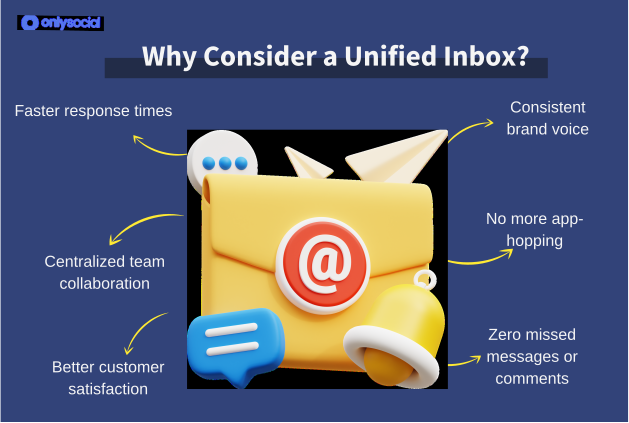
Faster Response Times
When everything lives in one place, you respond quicker. It’s as simple as that.
No more bouncing between apps, no more waiting for native inboxes to load, and no more digging through hidden message requests. You see a message, you reply, you move on.
That speed dramatically improves how customers see your brand.
Zero Missed Messages or Comments
Every social platform loves hiding messages. Instagram puts them in Requests. Facebook has “filtered” comments. TikTok mixes replies with likes. It’s chaotic. A unified inbox removes that risk completely. Every message that needs attention lands in your feed – loud and clear.
Consistent Brand Voice
When multiple people handle messages across different apps, tone naturally drifts. A unified inbox brings everything together, so your team works from the same saved replies, templates, and guidelines. Your brand sounds confident, consistent, and human no matter who replies.
Centralized Team Collaboration
Instead of guessing who responded or jumping on top of each other’s conversations, a unified inbox lets you assign messages, leave notes, and track progress. Everyone knows who is handling what. It keeps workflows smooth and avoids awkward duplicate replies.
No More App-Hopping
This alone reduces stress dramatically. One tab. One dashboard. One place to read, reply, organize, and complete tasks. Switching between five apps dozens of times a day drains time and attention – and a unified inbox eliminates that.
Better Customer Satisfaction
Quick replies + clear communication + consistent tone = happier customers. And happy customers convert, return, recommend, and leave positive reviews. A unified inbox doubles as a customer experience tool, not just a social media tool.
Unified Inbox Hacks for Busy Social Media Managers
A unified inbox on its own is powerful, but when you know how to use it properly, it becomes a genuine superpower. Whether you run one brand or handle dozens of client accounts, these tips will make inbox management feel lighter and far more controlled.
1. Link All Your Profiles – Not Just Your Main Ones
Most people only connect the “big” accounts: their main Instagram, main Facebook Page, main TikTok profile. But if you manage multiple pages, sub-brands, or different regional accounts, link every one of them.
This gives you a true oversight of everything coming in – no blind spots, no silent inboxes hiding in the background. It’s especially helpful for agencies, franchises, and creators with multiple segmented audiences.
When all accounts flow into the same inbox, you suddenly get clarity. You know where the engagement is coming from, which audience is more active, and what part of your brand is generating the most questions or opportunities.
2. Create a Priority Filter System
Not every message deserves the same urgency. You’ll move much faster if you group conversations by importance instead of treating everything equally.
Create simple priority buckets such as:
- Urgent: angry customers, complaints, trolls, sensitive topics
- Important: sales questions, partnership requests, press enquiries
- Routine: FAQs, “thank you!”, emoji replies
- Spam: bots, inappropriate comments
- Lead: purchase interest, booking questions
A structured view keeps your attention on the things that matter first, instead of reacting randomly as messages appear.
3. Build Saved Replies That Sound Human
Templates save enormous time, but bad ones can make you sound like a bot. Craft saved replies that feel natural, warm, and adaptable.
For example:
- “Thanks for reaching out! Let me take a look for you.”
- “I appreciate you sharing this – here’s what you can do next…”
- “Good question! Here’s the info you need:”
Good saved replies reduce typing time while keeping your brand voice intact. And when you’re answering hundreds of comments or DMs a week, this adds up.
4. Use AI When You’re Overwhelmed (Or Just Short on Time)
AI is not meant to replace you. Instead, it’s there to help you work smarter. Inside a unified inbox, AI helps you:
- write polished replies
- simplify long explanations
- turn angry messages into calm responses
- instantly generate first drafts
- adjust tone to sound friendly, confident, or professional
Instead of staring at the screen figuring out what to say, you have a quick starting point you can tweak in seconds. It saves hours every week.
5. Tag & Label Conversations for Better Workflow
Tags might look like a small feature, but they’re one of the most powerful inbox habits you can develop. When every message is labelled properly, your entire inbox becomes easier to understand at a glance.
You can tag conversations by topic – things like Orders, Billing, Returns, Collaboration Requests, Tech Support, or FAQ. You can also tag them by sentiment, such as Positive, Neutral, or Negative.
Over time, these tags show patterns:
- which issues repeat the most
- what frustrates customers
- what drives sales
- where your team needs training
It’s not just neat organization. It’s insight.
6. Assign Messages to Teammates Before Things Pile Up
Trying to handle all messages alone, especially across several platforms, is the fastest route to burnout. Assigning conversations keeps things under control.
If a message needs billing support, send it directly to your finance or customer service teammate. If someone needs help with tech setup, assign it to the right specialist.
Assigning tasks avoids duplicate replies and stops messages from sitting unresolved in the inbox. It also gives everyone clarity: who is handling what, who needs help, and which messages need attention first. No guessing, no crossed wires.
7. Set Up Automation for Repetitive Interactions
Some messages don’t need a fully manual response every time. Automation can handle the basic stuff so you can focus on what requires a real human touch.
You can automate:
- welcome messages
- FAQs
- order tracking replies
- story reactions
- keyword triggers (“price”, “location”, “opening hours”)
It keeps things moving even during off-hours or busy periods, without sounding cold or robotic, especially when you customize your responses to match your brand personality.
8. Build a Real-Time Monitoring Routine (Daily + Weekly)
A unified inbox gives you everything in one place, but you still need a rhythm to stay on top of it. Without a routine, even the most organized inbox can start to feel heavy.
A simple system works best:
Daily:
Check new messages, filter by priority, clear anything urgent, and respond to anything that might turn into a missed opportunity (like leads or complaints).
Weekly:
Do a deeper clean. Review old threads, close conversations that don’t need further action, follow up on messages waiting for replies, and check overall sentiment.
This helps you stay proactive instead of reactive, and prevents the inbox from becoming overwhelming.
9. Integrate Your Inbox with Scheduling + Analytics
Most teams treat posting, messaging, and analytics as totally separate tasks, and because of that, they miss out on the bigger picture.
When your unified inbox is connected to your scheduler and analytics (like in OnlySocial), everything clicks:
- You can see which posts bring the most DMs.
- You can tell whether negative comments spike after certain types of content.
- You can spot which platforms need more attention.
- You can align messaging with upcoming campaigns and content batches.
It turns your inbox from a reaction tool into a strategic one, where every message tells you something about your audience.
10. Build a “Spam + Troll Filter” Before It Becomes a Problem
Spam and trolling can quietly drain your energy if you let them. Instead of dealing with them one by one, create filters or automations to:
- auto-hide troll comments
- filter out bot-like messages
- block repetitive spam keywords
- flag suspicious accounts
- mute low-priority noise
This leaves you with a cleaner inbox and more time to focus on real conversations – not distractions.
How OnlySocial Helps You Manage All DMs & Comments in One Place
Now that you understand how powerful a unified inbox can be, here’s where OnlySocial steps in and makes everything feel seamless.
Managing comments and DMs across platforms doesn’t have to be chaotic. OnlySocial brings everything together – every message, every comment, every channel – and gives you a clean, organized space to work from.
Below are the major ways OnlySocial simplifies inbox management and saves you hours each week.
Centralize Your Entire Inbox Across All Platforms
Instead of bouncing between Instagram, Facebook, TikTok, YouTube, LinkedIn, Threads, Reddit, and more, OnlySocial pulls everything into one tidy inbox.
You see everything at once:
- DMs
- Comments
- Mentions
- Reviews
- Replies
- Questions
- Story interactions
Nothing gets lost in hidden message requests or weird notification tabs. One inbox. One workflow. Zero blind spots. This alone solves half the stress social media managers deal with.

Real-Time Conversation View (Exactly How Your Audience Sees It)
Some tools show messages in a clunky or delayed format, which makes it hard to respond naturally. OnlySocial keeps everything in real time – no lag, no missing context, no broken threads.
You see full conversations as they appear to your audience, so you can respond smoothly without piecing together screenshots or jumping into the app.
It feels like replying directly in Instagram or Facebook, just… without the app-hopping.
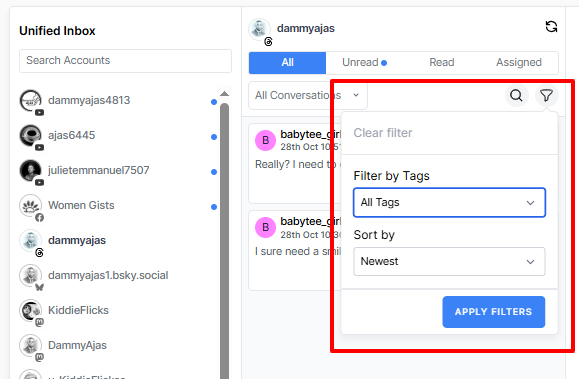
Tag, Filter & Prioritize Messages Effortlessly
When you’ve got dozens or hundreds of messages coming in, you need a way to make sense of it all. OnlySocial lets you sort your inbox instantly with:
- priority tags
- topic filters
- sentiment-based organization
- status labels (Open, Reply Later, Resolved)
Everything is organized in a way that makes your next step clear.
Assign Messages to the Right Team Members
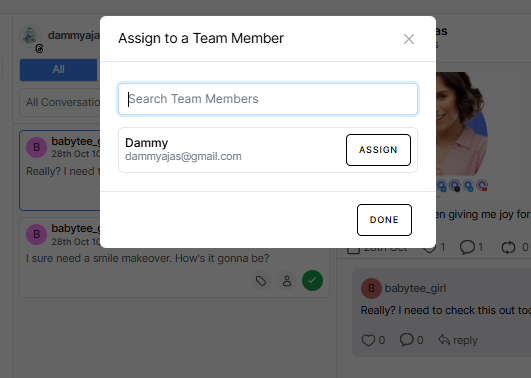
If you work with a team, assigning messages is one of the biggest time-savers. Instead of everyone jumping into the same inbox blindly, you can send conversations directly to the people who should handle them.
Customer support gets support messages.
Sales gets leads.
Marketing gets collab requests.
Your role stays clean and organized.
It prevents duplicate replies and streamlines your team’s workflow, especially during busy days or campaigns.
Use Saved Replies & Smart Templates
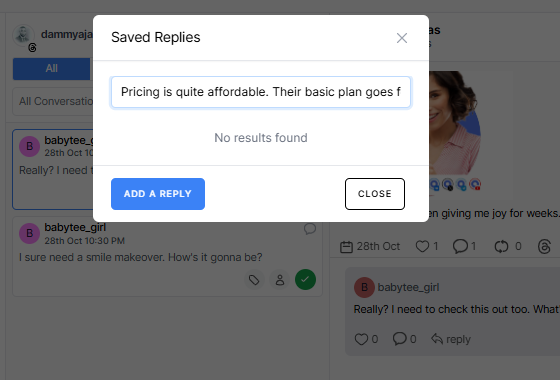
Typing the same answers every day wastes time and leads to inconsistent responses.
OnlySocial lets you build a library of natural-sounding saved replies that match your brand’s tone.
You can answer FAQs, shipping questions, booking requests, and general enquiries with just a click and tweak them when needed. It keeps your replies quick, friendly, and consistent across every platform.
Leverage AI-Powered Replies When You’re Swamped
Some conversations need careful wording, especially complaints, angry customers, or tricky questions. OnlySocial’s AI helps you craft polished replies instantly.
You can:
- shorten long responses
- adjust tone (professional, friendly, empathetic)
- rewrite complicated explanations
- generate first drafts
- handle sensitive messages gracefully
It’s like having a messaging assistant sitting next to you all day.
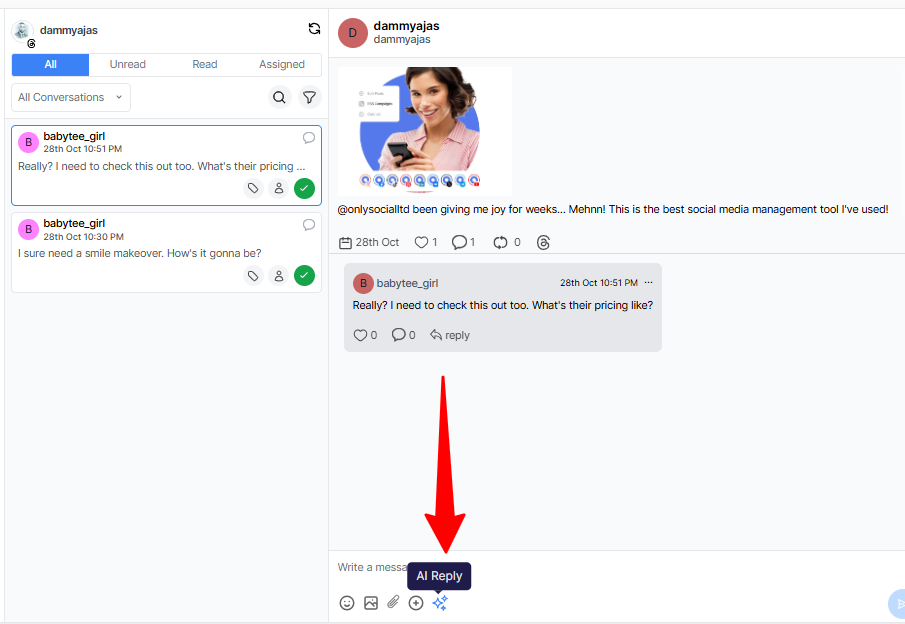
Automate Comments & DMs Across Platforms
This is where things get powerful. OnlySocial allows you to automate the repetitive parts of messaging without sounding robotic.
You can:
- auto-reply to Instagram comments
- send automated DMs based on keywords
- respond to Story replies and mentions
- set up triggers for FAQ responses
- auto-hide spam and unhealthy comments
- run mini chatbots for lead collection or support
Automation keeps your inbox active even when you’re unavailable – and ensures customers never feel ignored.
Moderate Spam, Trolls & Harmful Content Automatically
Not all comments deserve your time. OnlySocial helps you automatically hide offensive or harmful comments, filter out bot-like behavior, and mute repetitive spam. It’s one of the easiest ways to maintain a positive brand image without manually cleaning up messes.
Other Tools That Offer Unified Inbox Features
While OnlySocial brings one of the cleanest, most modern unified inbox experiences in 2025, there are a few other platforms that offer similar capabilities.
If you’re exploring the landscape or comparing tools, here’s a simple, accurate look at some alternatives – what they do well, where they fall short, and why teams might consider them.
Sprout Social
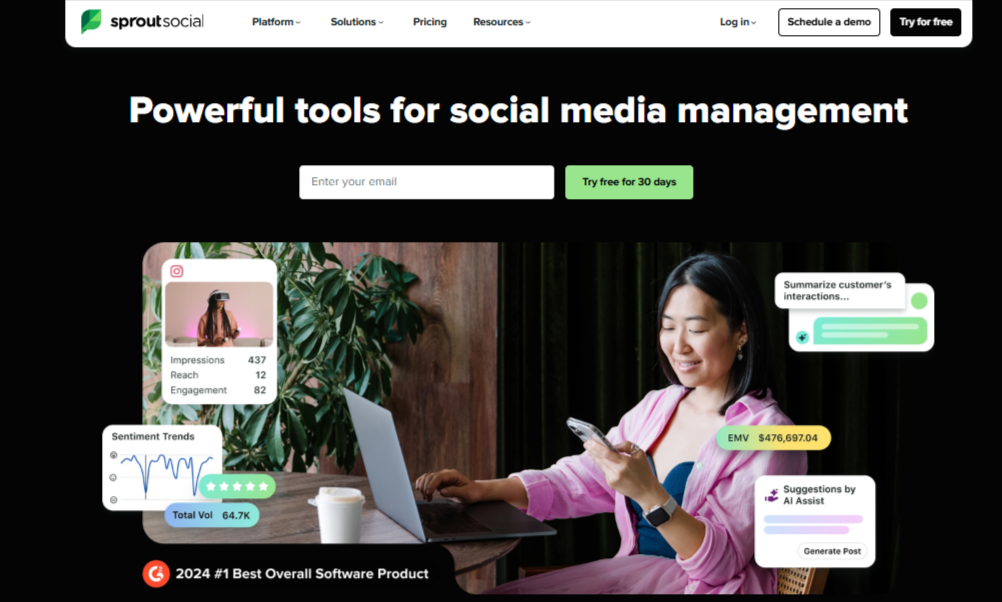
Sprout Social is one of the most established tools in the social media management space, known for its polished interface and deep analytics. Its Smart Inbox brings messages from multiple platforms into one stream, helping teams stay organized.
What it helps with:
- Collects DMs, comments, mentions, and reviews from Instagram, Facebook, LinkedIn, X (Twitter)
- Allows message tagging and filtering
- Supports team collaboration features
- Offers a clear “Completed” inbox to mark finished conversations
- Includes message sentiment analysis
- Has keyword and hashtag monitoring to find untagged brand mentions
Pricing:
Sprout is on the premium end. Plans start around $299/month per seat, with additional seats costing more. Many advanced inbox features require higher-tier plans.
Hootsuite
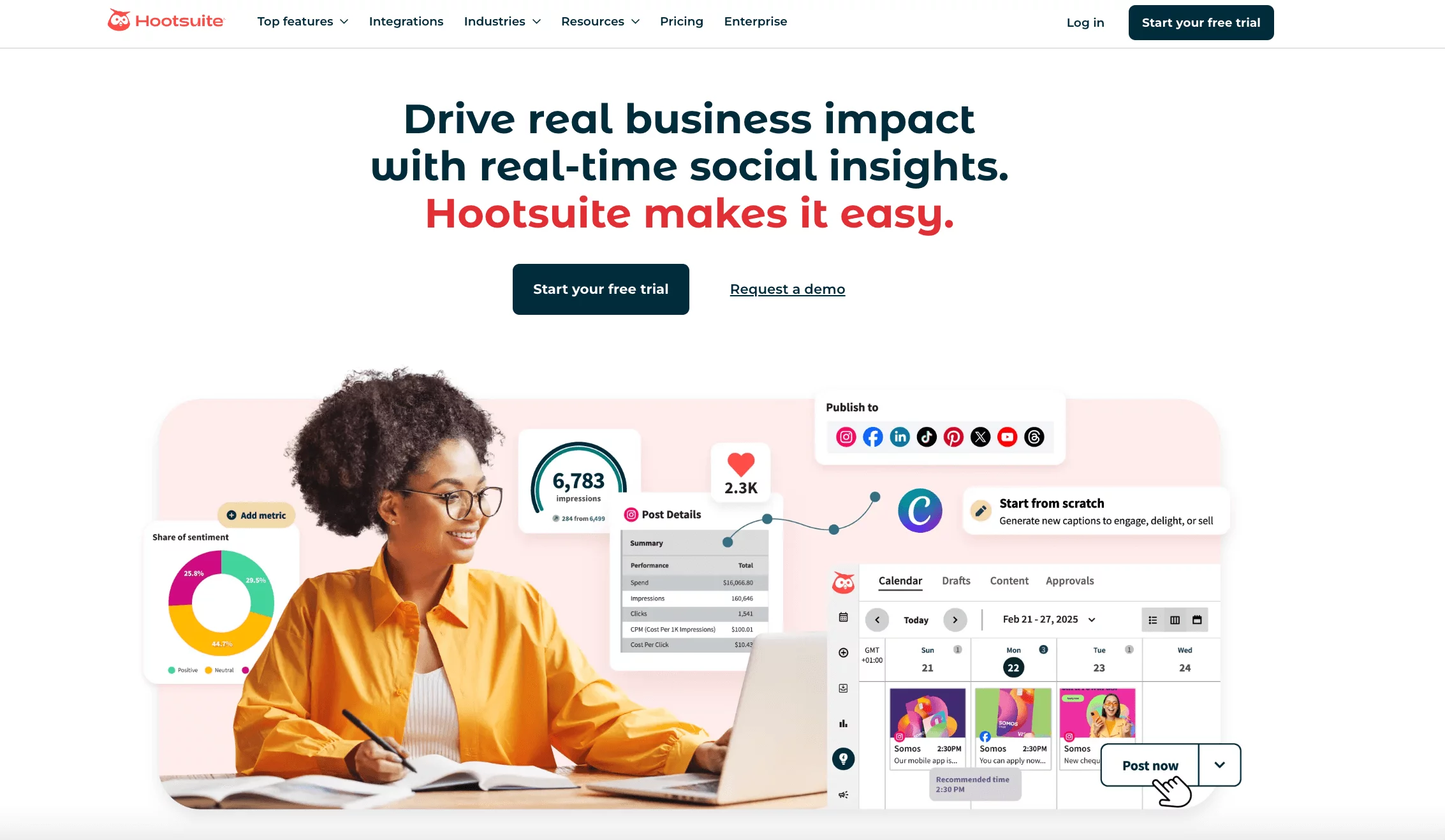
Hootsuite’s unified inbox is built to simplify social media engagement for businesses juggling multiple platforms. It has strong automation features for reducing inbox clutter.
What it helps with:
- Collects private messages and comments from Facebook, Instagram, LinkedIn, X, TikTok, and WhatsApp
- Lets you use saved replies and auto-responders
- Automates DMs for specific keywords
- Offers team assignment tools
- Provides an organized view of public + private interactions
- Includes advanced search to locate past conversations quickly
Pricing:
Hootsuite’s pricing starts from $99/month, with inbox automations and team features available in higher plans.
Vista Social
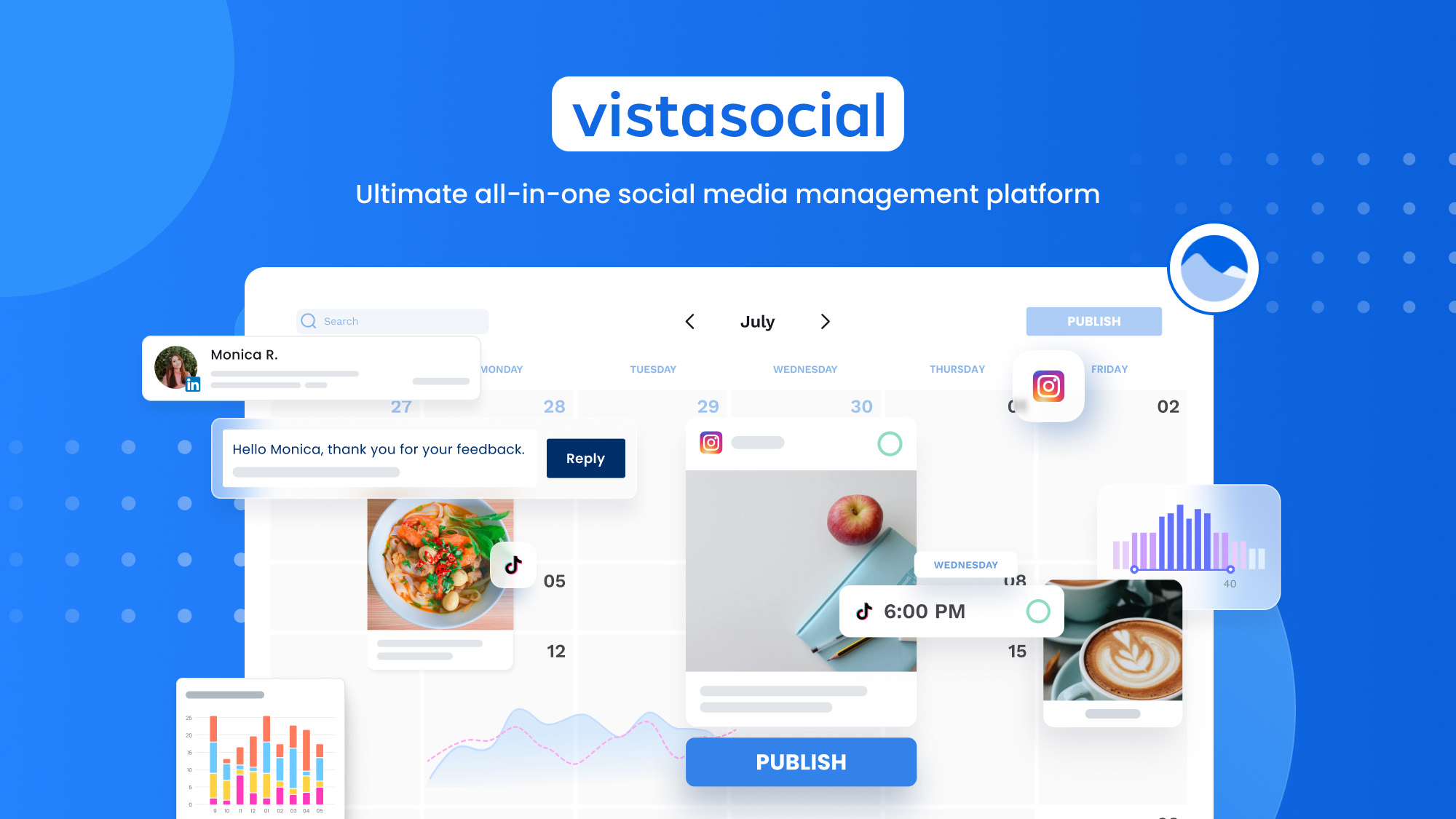
Vista Social has gained popularity for offering strong inbox features at a more budget-friendly price. It’s particularly appealing to small teams and agencies.
What it helps with:
- Collects comments, DMs, mentions across major platforms
- Lets you tag and filter messages by type and labels
- Offers team assignment tools
- Includes internal notes for collaboration
- Provides sentiment analysis on higher plans
- Recently added DM automation features
- Allows keyword-triggered responses
Pricing:
Vista Social starts at $79/month, with automation and sentiment features available in higher tiers.
SocialChamp
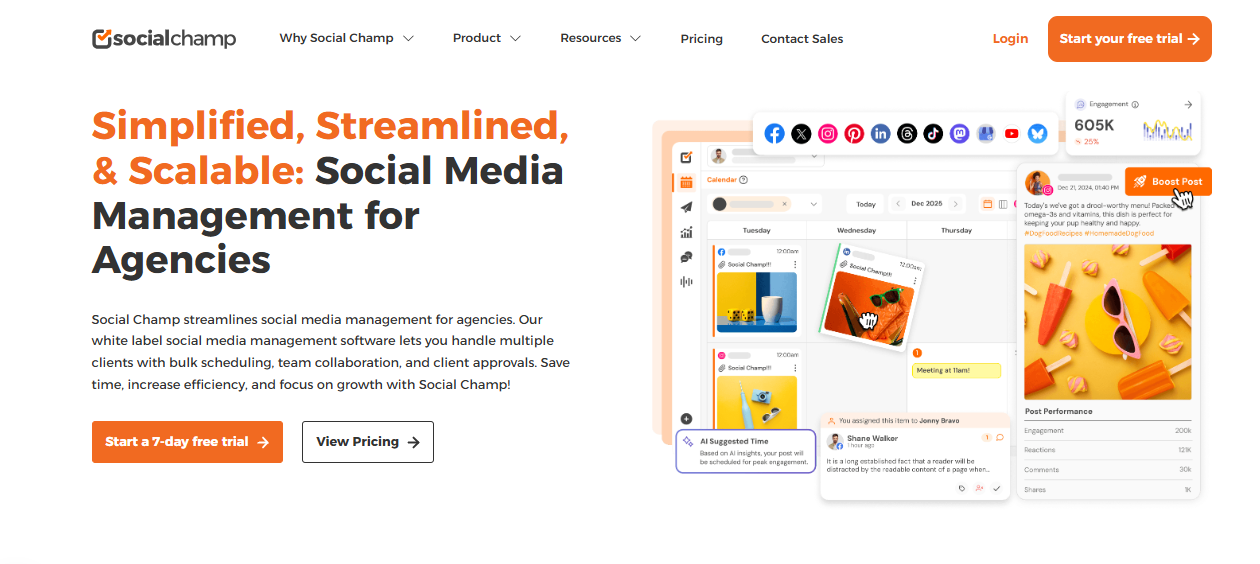
SocialChamp offers a simple and lightweight unified inbox primarily aimed at small businesses and solopreneurs who want essential engagement tools without a heavy dashboard.
What it helps with:
- Collects comments and messages from Instagram and Facebook
- Lets you respond directly from the dashboard
- Includes basic filtering
- Offers team collaboration options
- Integrates smoothly with their publishing and scheduling features
Pricing:
Pricing starts at $20/month, with team and engagement tools included in higher plans.
Best Practices for Managing DMs & Comments Across Platforms
Even with a unified inbox, how you use it determines whether your workflow feels smooth or chaotic. These best practices help you stay organized, reply faster, and maintain a strong brand presence across every platform you manage.
Respond Within a Reasonable Timeframe
You don’t have to reply within seconds, but you also shouldn’t let messages sit for days. A good standard is to respond within a few hours during the day, especially to questions that could lead to sales, bookings, complaints, or potential collaborations.
Fast replies show customers you care. Slow replies make them wonder if your brand is reliable. If you’re handling high volume, set time blocks throughout the day for checking and clearing the inbox.
Build a Brand Voice Guide for All Replies
When multiple people handle messages, the tone can drift quickly. Create a simple guidelines sheet that covers:
- greetings
- wording you prefer
- wording you avoid
- how to handle complaints
- how to sound warm and human
- emojis (yes, no, or only occasionally)
This keeps your brand’s personality intact, whether replies come from you, your team, or AI-assisted drafts.
Separate Customer Support from Social Engagement
Not all messages are the same. Some need a personal touch; others are simple FAQs.
Separate your workflow into support enquiries, sales questions, routine social interactions, and brand opportunities.
That way, you avoid getting stuck on minor messages while urgent ones pile up. Your unified inbox feels clearer, and your response quality improves.

Review Sentiment Weekly
It’s easy to miss trends when you’re focused on replying. A weekly sentiment review helps you spot:
- recurring complaints
- common issues customers face
- positive themes worth amplifying
- moments where your content sparked questions or confusion
Sentiment analysis turns your inbox into a free customer insight tool – something marketers pay for separately elsewhere.
Avoid Over-Automating Everything
Automation is helpful, but people still want to feel heard. Use auto-replies for things like simple FAQs, story reactions, welcome messages, and keyword triggers. But handle sensitive or complex messages manually. Human replies build loyalty, especially when someone is upset or confused.
Always Follow Up on Conversations That Need It
A surprising number of brands forget to follow up once the initial question is answered. If someone asked for product details, check whether they need more help. If someone complained, check back after the resolution.
Follow-ups turn casual interactions into real relationships, and unified inbox tools make it easy because conversations stay logged and searchable.
Final Thoughts
Managing DMs and comments across multiple platforms doesn’t have to feel like a never-ending scramble. With the right setup, and especially with a unified inbox, you go from reacting to everything in panic mode to handling conversations calmly, quickly, and with a lot more clarity.
Your audience gets faster replies. Your team stops stepping on each other’s toes. And you finally get the oversight you’ve been missing across Instagram, Facebook, TikTok, YouTube, LinkedIn, and everywhere else your brand lives.
The more you streamline your inbox, the more energy you can put into the work that actually grows your brand – creating content, nurturing your community, and building meaningful relationships. And that’s the whole point.
FAQs
What exactly is a unified inbox?
A unified inbox brings all your DMs, comments, mentions, and customer conversations from different social media platforms into one place. Instead of checking each app separately, you manage everything from one dashboard.
Can a unified inbox really manage messages from all my social platforms?
Yes. Most unified inbox tools support major platforms like Instagram, Facebook, TikTok, LinkedIn, YouTube, Reddit, and Google Business. Depending on the tool, you can also manage newer platforms like Threads, Bluesky, and Mastodon. You simply connect your profiles once, and all your incoming messages flow into one feed.
Is it safe to connect all my social accounts to a single inbox?
Absolutely. Reputable tools use secure authentication methods (like OAuth) so your passwords aren’t stored anywhere. Your connected accounts remain protected, and you can control which team members get access. Many brands, including agencies and large companies, use unified inboxes safely every day.
Can I automate replies for common questions?
Yes, most unified inbox tools let you automate responses to FAQs, story replies, or keyword-triggered messages. This keeps things moving when you’re busy or offline. Just avoid automating everything – complex or emotional messages should still get a human reply.