OnlySocial vs ContentStudio: Which White-Label Solution Delivers More Value for Agencies?
When you’re running a social media agency, there comes a point where your tools can either make your life easier… or make everything feel twice as hard. And if you manage clients under your own brand name, one question always comes up:
“Which white-label platform gives me more control, more flexibility, and more room to grow?”
OnlySocial and ContentStudio are two names you will often come across in the social media management space. Both are popular, both offer white-label features, and both claim to help agencies scale.
But once you look under the hood, the experience is very different, especially if you’re aiming to give clients a fully branded dashboard that feels like your software, not someone else’s.
This guide breaks everything down in simple terms. We’ll look at how each platform handles white-label branding, automation, scheduling, and more. By the end, you’ll know exactly which tool delivers more value for your agency and your clients in 2025.
Table of Contents
- 1 What Agencies Really Need from a White-Label Social Media Platform
- 2 Overview: What OnlySocial Offers Agencies
- 3 Overview: What ContentStudio Offers Agencies
- 3.0.1 White-Label Social Media Scheduler
- 3.0.2 Custom Domain & Full Visual Branding
- 3.0.3 White-Label Email Notifications
- 3.0.4 Automated White-Label Reports
- 3.0.5 Workspaces for Collaboration
- 3.0.6 Social Inbox for Engagement
- 3.0.7 Content Calendar for Planning
- 3.0.8 Reputation Management (Limited White-Label Use)
- 3.0.9 Pricing & White-Label Add-On
- 4 White-Label Branding Depth: How Far Can Each Platform Really Go?
- 5 Scheduling, Posting & Automation: Which Platform Gives Agencies More Power?
- 6 Collaboration, Clients & Workflow Management: Which Platform Makes Agency Life Easier?
- 7 Analytics & Reporting: Which Platform Helps Agencies Prove Their Results Better?
- 8 Pricing & Value: Which Platform Gives Agencies More Room to Grow?
- 9 Final Verdict: Which Platform Delivers More Value?
- 10 FAQs
What Agencies Really Need from a White-Label Social Media Platform
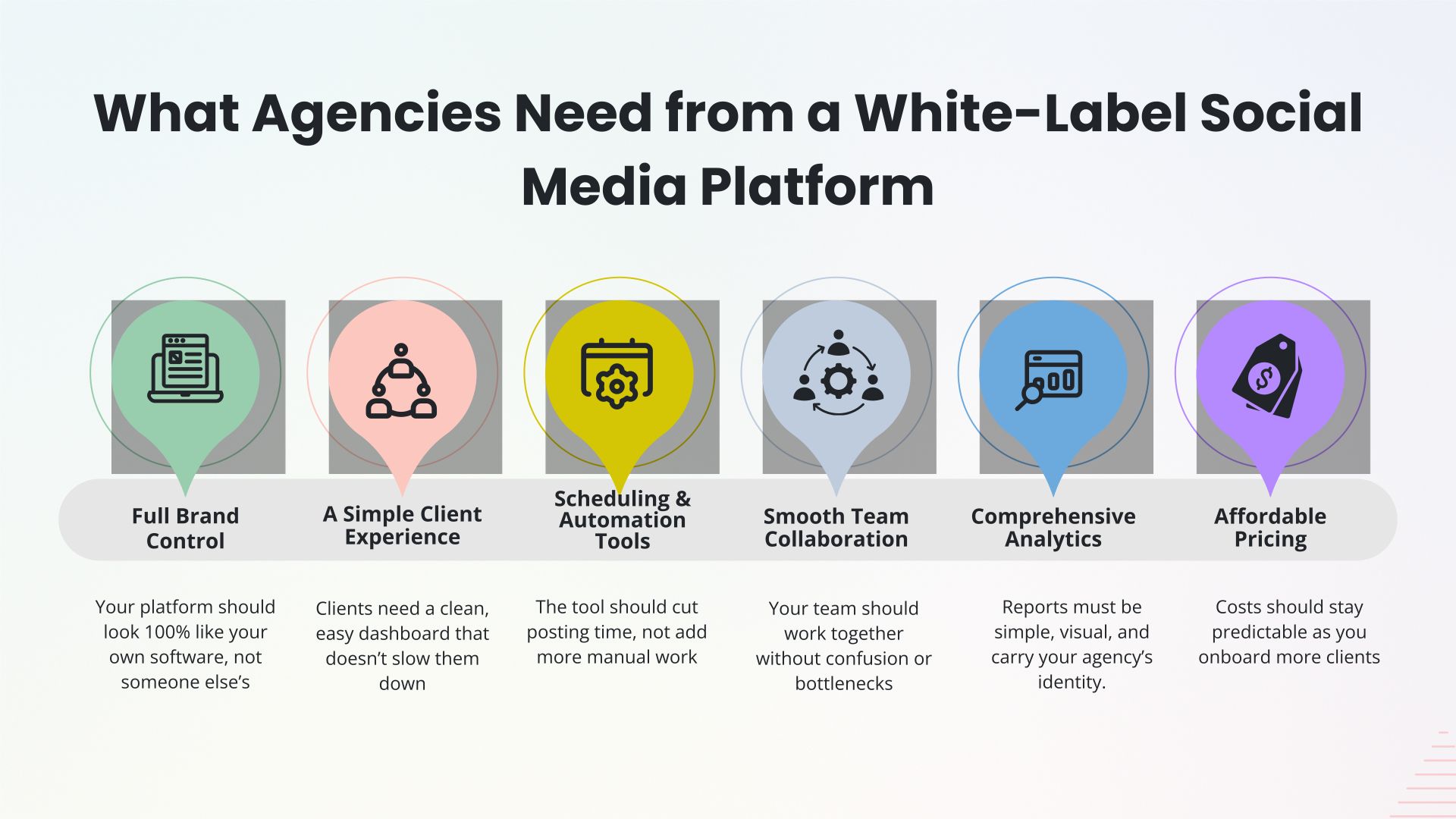
Before choosing between OnlySocial and ContentStudio, it helps to be clear about what agencies actually need from a white-label tool. Because at the end of the day, it’s not just about posting content, but about giving your clients a smooth, branded experience while making your own workflow easier, not harder.
Full Brand Control (Not Just a Logo Swap)
The first thing agencies care about is real brand control. Not the “upload your logo and call it a day” type. They want a platform where the entire experience looks and feels like something they built themselves.
A custom domain, branded emails, a branded dashboard, even the client login page… all of that helps agencies look polished and professional. When clients log in and see a consistent brand everywhere, it builds trust quickly.
A Simple Client Experience
Simplicity is another big need. Agencies don’t want to spend hours teaching clients how to use a messy interface or answering the same questions each week. A clean, easy dashboard makes everything smoother. When the tool is easy to understand, agencies avoid unnecessary back-and-forth, and clients feel confident using it.
Strong Scheduling & Automation Tools
Agencies juggle dozens of posts, clients, deadlines, and team members every day. So they need strong automation: bulk scheduling, RSS feeds, reusable templates, queue systems – anything that reduces repetitive tasks. Without these, even a small client roster can become exhausting.
Collaboration That Doesn’t Slow You Down
Collaboration is another area where the right tool makes a huge difference. Agencies rely on their teams, and teams rely on good workflows. They need workspaces to separate clients, permissions to control what each person can do, and approval flows that prevent mistakes. A platform that supports clear, organized teamwork instantly reduces friction.
Analytics Clients Actually Understand
Reporting matters, too – a lot. Agencies live or die by how well they prove their results, so the platform has to generate clean, branded reports clients can understand at a glance.
If clients can’t make sense of the numbers, the agency looks like it’s not doing enough, even if the results are strong. Good reporting protects relationships and keeps clients loyal.
Affordable Pricing Built for Scaling
And of course, pricing has to make sense. Agencies don’t want to pay more every time they sign a new client. They want a system that scales fairly, keeps costs predictable, and still leaves room for healthy margins when reselling the service.
Overview: What OnlySocial Offers Agencies
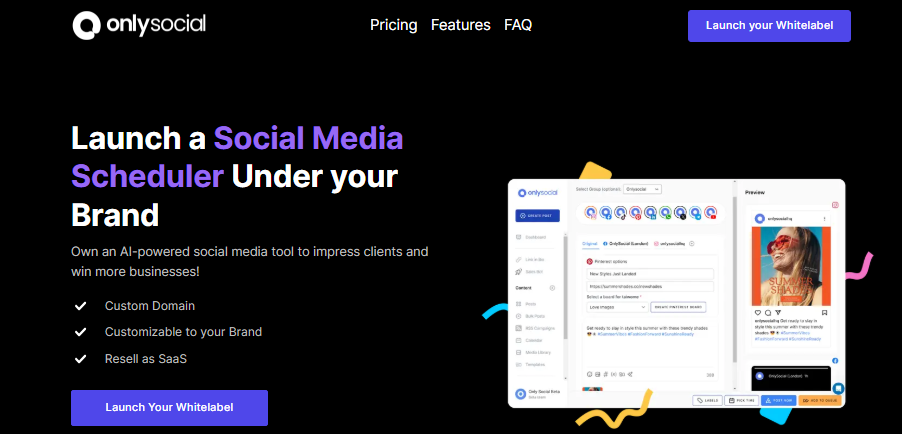
OnlySocial is built for agencies that want a white label social media platform that feels genuinely theirs – not a tool with a logo swap, but a full branded experience from login to reporting. Here’s a closer look at what it brings to the table:
Full Customizable Branding
OnlySocial gives agencies total control over the look and feel of their platform. You can use your own logo, colors, and brand assets across the entire dashboard, plus your own custom domain. When clients log in, everything looks like software your agency built yourself – and that instantly boosts your credibility.
Unlimited Scheduling (Including Bulk & RSS)
Whether you’re handling 5 clients or 500, scheduling shouldn’t slow you down. OnlySocial lets you schedule unlimited posts across all workspaces. Bulk scheduling, CSV uploads, queue posting, and RSS auto-posting help agencies save hours every week, especially during heavy campaign periods.
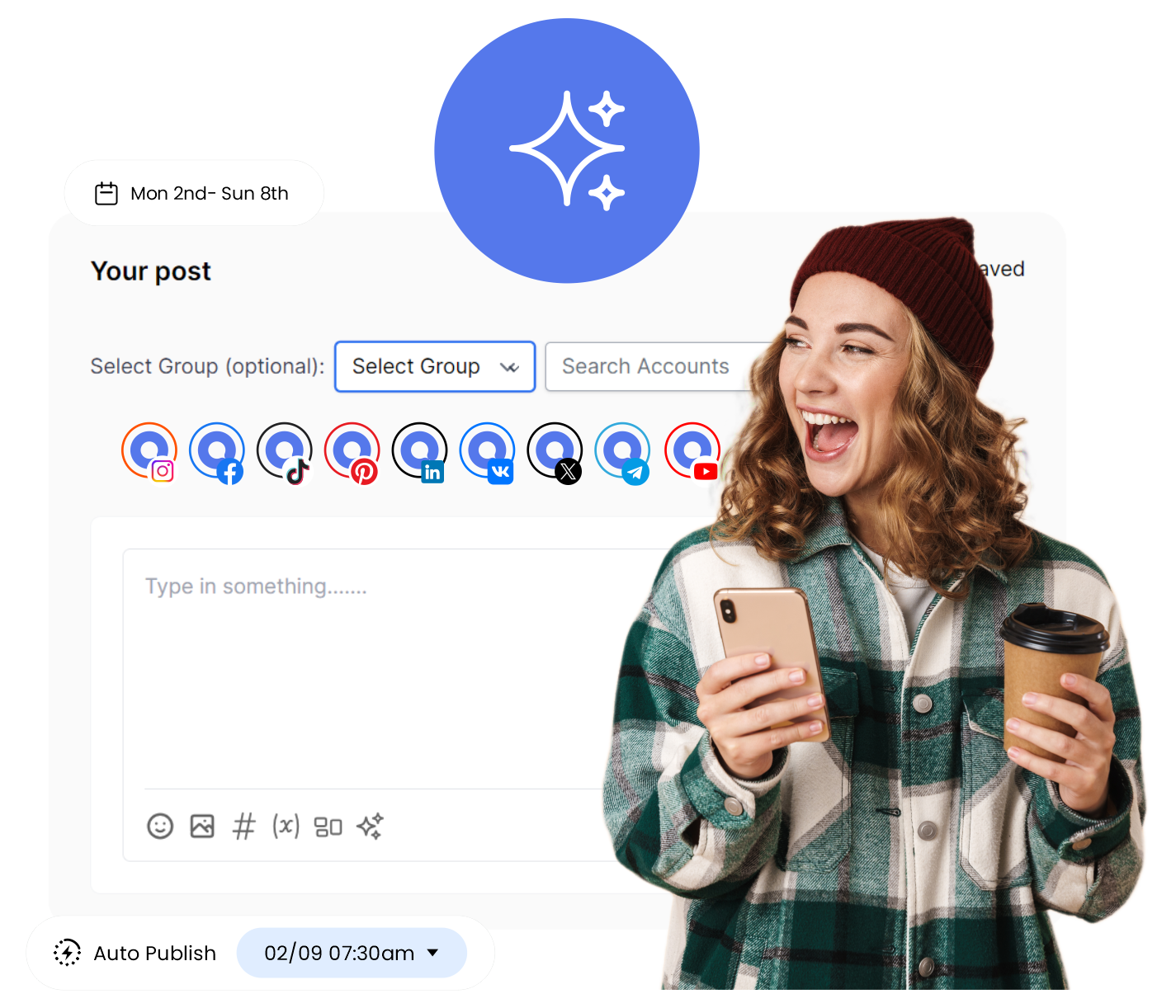
Support for 15 Social Platforms
Agencies rarely work on just one platform. OnlySocial supports all the major networks, including Facebook, Instagram, TikTok, YouTube, LinkedIn, Pinterest, Twitter/X, Google Business Profile, and more. It covers everything clients expect today.
Unlimited Team Members
Add as many team members as you want without paying extra. This is especially helpful for growing agencies, seasonal contractors, or larger creative teams handling multiple accounts at once.
AI Assistant for Content Creation
Writer’s block disappears with OnlySocial’s AI tools. You can generate captions, ideas, hashtags, carousel outlines, video hooks, images, and videos – whatever you need to keep content flowing. It’s built to speed up production without sacrificing quality.
Unified Inbox for Messages, Comments & Replies
Managing engagement across multiple platforms doesn’t have to be chaotic. OnlySocial’s unified inbox pulls everything into one place, so your team can respond faster and avoid missing important messages.

Team Collaboration & Approval Workflows
If your agency works with multiple roles – editors, designers, managers, strategists – everyone can collaborate smoothly inside the platform. Drafts, approvals, comments, client sign-off… everything stays organized and transparent.
20+ Integrations for Smoother Workflow
From Canva to Google Drive to Zapier, OnlySocial plugs into the tools agencies already rely on. These integrations help streamline publishing, storage, automation, and team operations.
Impersonate Users
When clients need help, you can step into their account with one click. There’s no need to ask for passwords or jump on a screen-share call. This saves time and makes support feel seamless.
Advanced Analytics (Fully Branded Reports)
Clients care about results, and OnlySocial gives you clean, visual analytics that are easy to understand. The reports carry your branding, and clients can access them anytime through their dashboard.
Built-In Payment Management (Stripe, Paddle, & Paystack)
Unlike most competitors, OnlySocial lets you run your agency like a full SaaS product. You can create plans, take payments, and manage subscriptions under your own brand. This helps agencies build recurring revenue with very little effort.
Affordable Pricing Built for Scaling
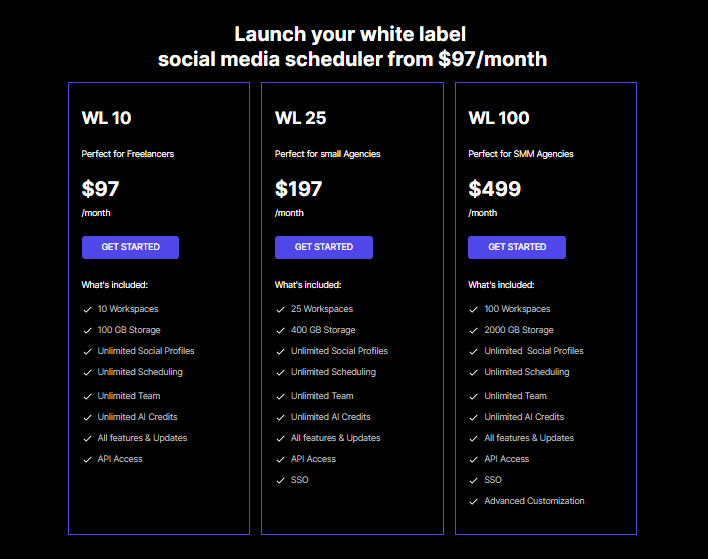
White-label plans start at $97/month for 10 workspaces, then scale to 100 and 500 workspaces depending on agency size. On higher tiers, you’re paying less than $2 per workspace, making it far cheaper than most competitors as you grow.
Overview: What ContentStudio Offers Agencies
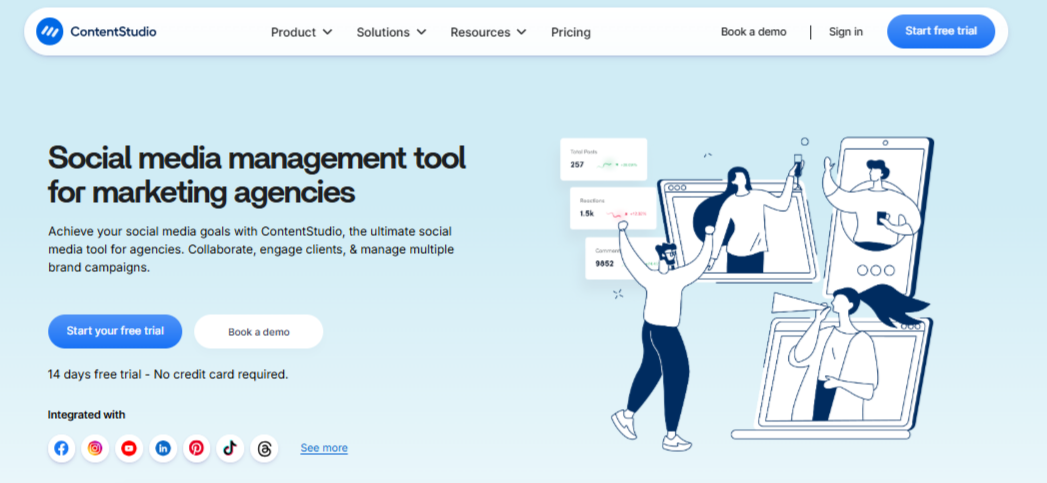
ContentStudio is a well-known platform in the social media space, and its white-label features are designed to help agencies present a more polished, branded experience to their clients.
While the full white-label dashboard comes as an add-on, the platform still offers a strong set of tools that many agencies find useful.
Here’s a closer look at what it brings to the table:
White-Label Social Media Scheduler
ContentStudio allows agencies to rebrand its scheduling and posting tools so clients see your logo instead of theirs. Clients can plan content, build calendars, and approve posts inside a dashboard that follows your branding.
It creates a smooth experience, especially for agencies that want to look more professional without building their own software.
Custom Domain & Full Visual Branding
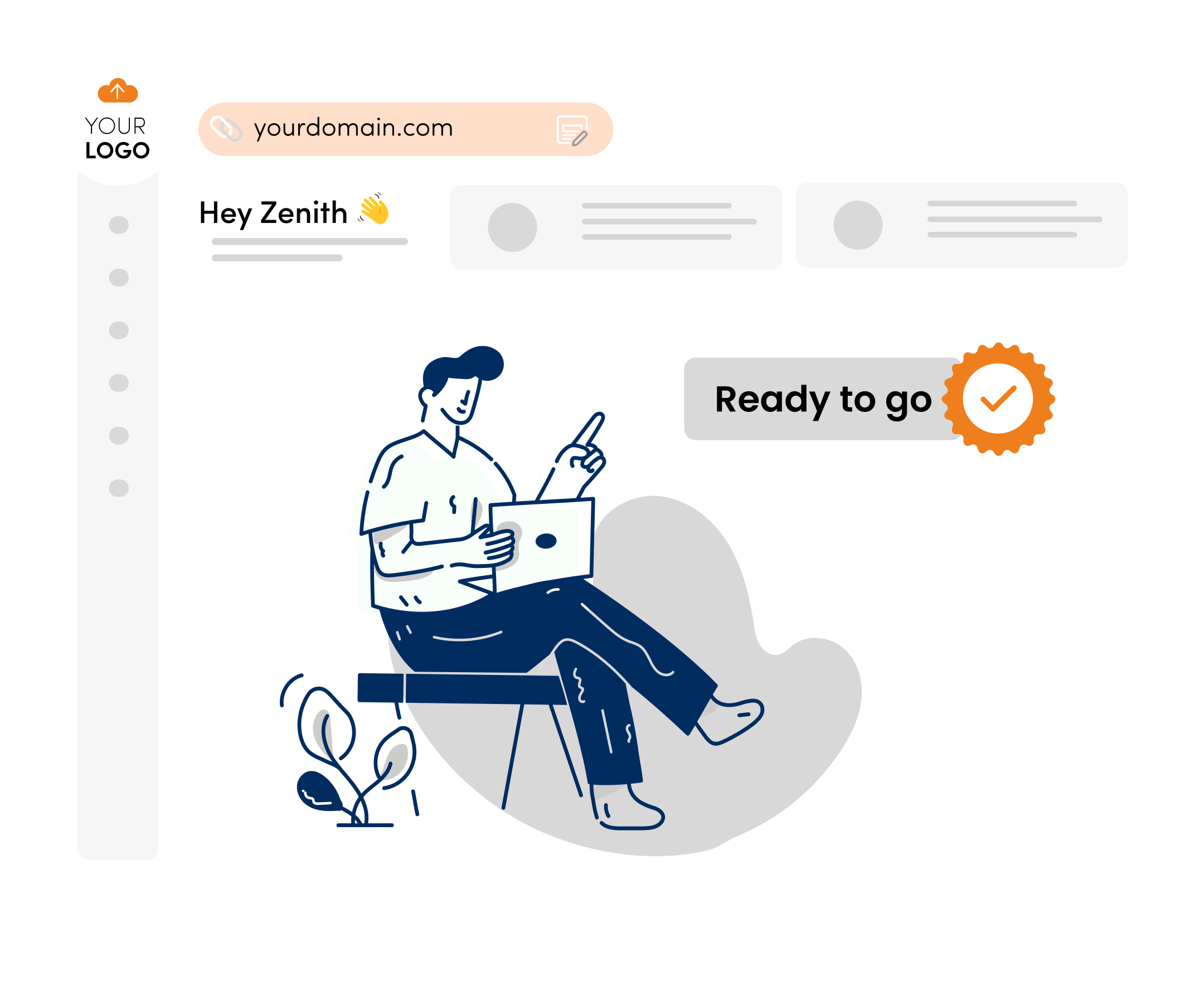
You can set up your own custom domain (like dashboard.youragency.com), and your logo appears across the interface. This gives clients a consistent branded space to log into. It’s a simple way to strengthen your agency identity, though it requires the paid white-label add-on to unlock the full experience.
White-Label Email Notifications
One standout feature is the ability to send platform notifications from your own branded email server. Whether it’s approvals, invites, or updates, clients receive communication directly from your domain. It subtly reinforces trust and makes your operations look more put-together.
Automated White-Label Reports
Reporting is one of ContentStudio’s strengths. You can automatically send analytics reports to clients with your logo and colors, saving you time each month. Reports are clean, easy to understand, and included in the Agency Unlimited Plan without extra cos, which is a plus if reporting is a big part of your workflow.
Workspaces for Collaboration
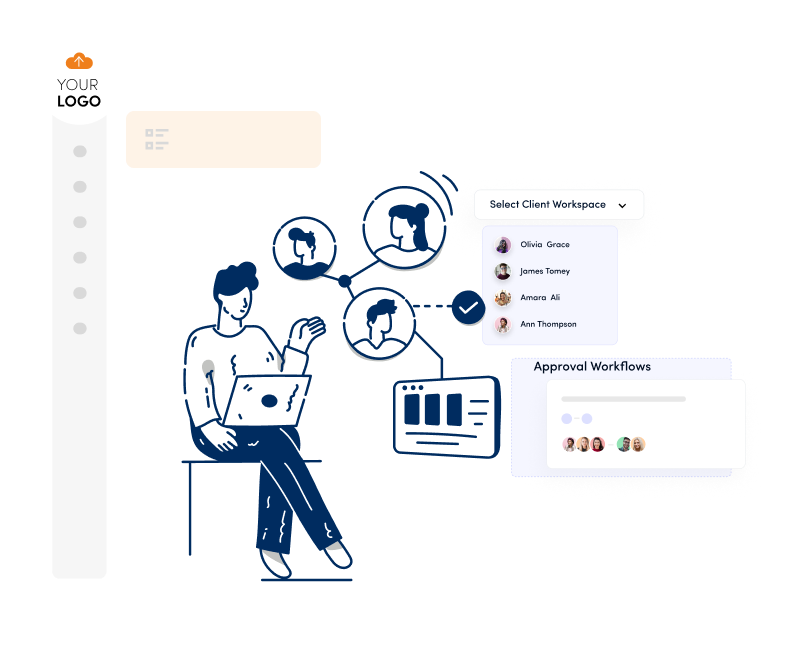
ContentStudio uses branded workspaces to keep clients and teams organized. You can manage permissions, assign roles, and structure collaboration so each client has their own dedicated area. It’s helpful for agencies wanting clearer organization between brands.
Social Inbox for Engagement
Their social inbox pulls comments and messages from supported platforms into a single view. It’s useful for agencies that want to centralize engagement, although the inbox ecosystem is not as broad or integrated as the one found in some dedicated engagement tools.
Content Calendar for Planning
The drag-and-drop content calendar helps teams visualize upcoming posts and organize schedules more easily. It’s intuitive and generally praised for being user-friendly.
Reputation Management (Limited White-Label Use)
ContentStudio includes tools for monitoring reviews and mentions, especially for local businesses. This is valuable for agencies working with service brands, although these features are not fully white-label in the same way the scheduling tools are.
Pricing & White-Label Add-On
ContentStudio’s white-label setup is structured differently from most competitors:
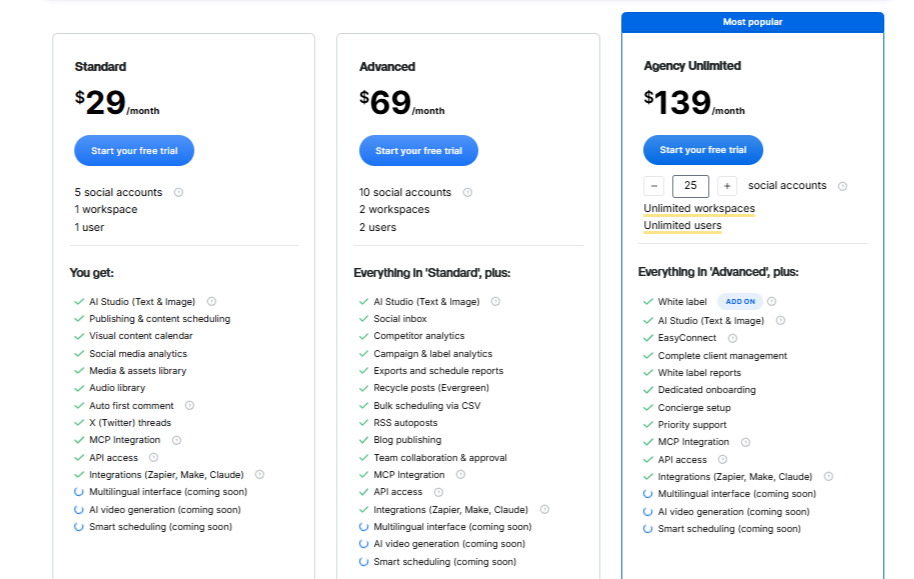
- Agency Unlimited Plan: $139/month
- White-Label Add-On: $50/month (or $500/year)
So, to get the full white-label dashboard experience, agencies need both. Reports are white-label by default, but the branded domain and full client dashboard require the add-on.
White-Label Branding Depth: How Far Can Each Platform Really Go?
White-labeling is more than swapping out a logo. For agencies, it’s about controlling the entire client experience – from the login page all the way down to the reports they send out each month. And this is where the differences between OnlySocial and ContentStudio become much clearer.
OnlySocial
OnlySocial gives agencies complete control over the entire platform. You’re not just branding the reports or adding your logo to a corner of the dashboard. You’re transforming the entire system into something that looks like software you built from scratch.
You get your own domain, your own login page, your own dashboard, and your own branded environment where clients work every day. Every page, every email, every report carries your identity. For agencies that want to look more established and professional, this level of control makes a huge difference.
What makes this even better is that OnlySocial doesn’t hide white-label features behind add-ons. Everything is included directly in the white-label plans, making it easy to set up and scale without extra costs.
ContentStudio
ContentStudio also offers white-label features, but the depth is very different when compared to OnlySocial.
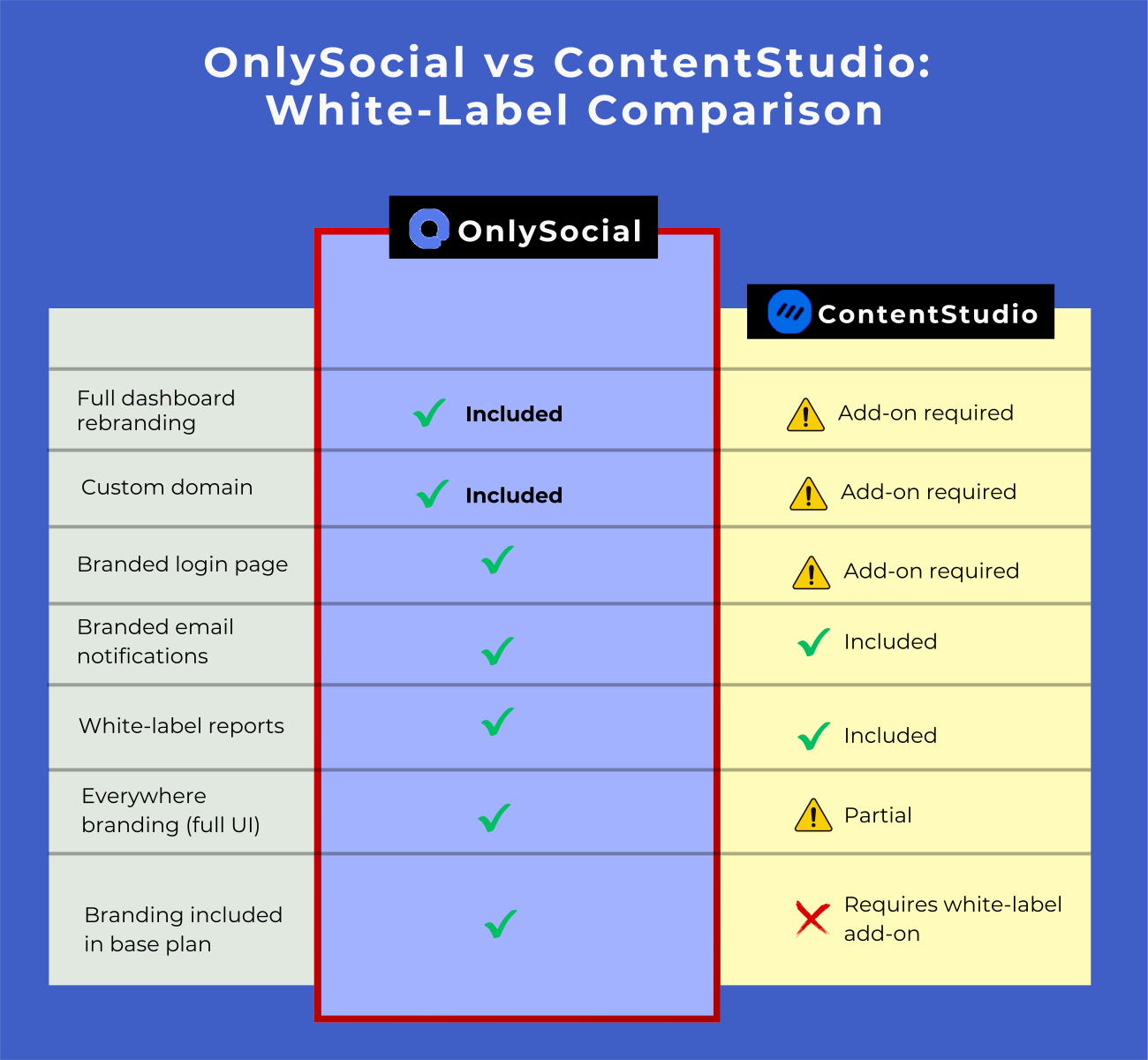
You can set up your own domain, customize the dashboard, and brand the client interface, but only if you pay for the white-label add-on on top of the Agency Unlimited plan. For agencies that want a fully branded system, this means an extra monthly cost before they even onboard their first client.
The positive side is that ContentStudio handles branded emails well, letting you send notifications directly from your domain. Reports also carry your branding without needing the add-on, which is helpful for agencies that mainly need visuals for client updates.
But still, the white-label experience is split:
- Reports are white-label by default
- The full dashboard branding requires the add-on
- Some elements still look and feel like ContentStudio underneath
Who Offers the Better White-Label Experience?
If your agency needs a fully branded environment that feels like a product you own, OnlySocial clearly comes out ahead. The branding reaches deeper, covers more touchpoints, and doesn’t require add-ons.
ContentStudio’s white-labeling is strong – just not as extensive. It’s a good fit for agencies that mainly need branded reports and a more polished look, but it doesn’t match the full end-to-end SaaS experience OnlySocial provides.
Scheduling, Posting & Automation: Which Platform Gives Agencies More Power?
Every agency knows that scheduling and automation aren’t “nice-to-have” features – they’re survival tools. When you’re managing multiple clients, campaigns, and content types at once, you need a platform that keeps everything moving without draining your team’s time.
And this is another area where the differences between OnlySocial vs ContentStudio become clearer.
OnlySocial
OnlySocial is designed with agency workloads in mind, which means you can schedule as much as you want across all client workspaces. There’s no cap that slows you down. Whether you’re planning a week’s worth of content or a full monthly calendar, the platform handles it easily.
The automation tools go even deeper. Agencies get bulk scheduling, CSV uploads, queue posting, evergreen reposting, and RSS automation, making it perfect for brands that publish a lot, like real estate firms, franchises, coaches, news pages, or multi-location businesses.
Supporting 15 social platforms also means you can manage almost every popular network inside one dashboard without reshuffling tools.
ContentStudio
ContentStudio also brings a solid scheduling experience. The drag-and-drop calendar is clean and visually friendly, which many content teams appreciate. It handles multi-platform posting, content planning, and approval flows quite well, and their AI composer helps with writing variations of posts.
You also get RSS posting and a smooth content pipeline, but the automation isn’t as deep as the one inside OnlySocial. For example, OnlySocial’s bulk workflows and high-volume features are more tailored to agencies managing many brands at once.
ContentStudio is great for editorial-style teams who want a polished, easy planner, but it doesn’t match the scale of automations that larger agencies rely on.
Collaboration, Clients & Workflow Management: Which Platform Makes Agency Life Easier?
Smooth collaboration is one of the biggest differences between a platform that supports agency growth… and one that gets in the way. When teams, clients, and approvals are all involved, the tool you choose has a direct impact on how fast you can deliver work and how organized everything feels.
OnlySocial: Designed for Multi-Client, Multi-Team Collaboration
OnlySocial gives agencies a structure that feels built specifically for their world – one with lots of clients, lots of moving parts, and a constant need for clarity.
Workspaces keep each brand organized, and you can group them by client, location, or project. This is a huge win for agencies managing franchises or multi-location businesses, where dozens of profiles need to be kept separate without confusion.
Inside each workspace, you can assign roles, add team members without limits, and set up approval workflows so content always gets reviewed before going live. Designers, writers, strategists, and managers can work together smoothly, and clients can approve posts directly inside the dashboard.
One of the standout features is the Impersonate User option. When a client needs help, you can step directly into their account to fix issues or guide them. No back-and-forth emails or screen-sharing sessions. It makes support much faster and more professional.
ContentStudio: Clean Workspaces and Good Team Organization
ContentStudio also offers workspace management, roles, and collaboration tools. It keeps clients and brands separated neatly, and agencies can assign permissions to ensure only the right people can approve, edit, or publish posts.
For teams that prefer a simplified setup, this system works well.
The approval flows are straightforward, and the UI makes it easy for clients and team members to stay on the same page during content production. The collaboration tools are built more for editorial-style workflows — the kind where teams review, revise, and publish content in a clean, linear way.
However, ContentStudio does not offer support features like user impersonation, and its workflow options are not as deep or flexible as the agency-first structure OnlySocial provides.
Which Platform Handles Collaboration Better?
ContentStudio’s collaboration tools are simple, clean, and effective, especially for smaller teams. But if your agency manages many brands, needs more structure, or wants deeper control across workspaces, OnlySocial offers a more powerful and flexible workflow system.
Analytics & Reporting: Which Platform Helps Agencies Prove Their Results Better?

Great work doesn’t matter if clients can’t see the impact. That’s why analytics and reporting play such a big role in agency-client relationships.
The right platform should help agencies communicate results clearly, look professional, and save time, without spending hours designing reports.
Here’s how both platforms handle it.
OnlySocial
OnlySocial’s analytics are built with real client conversations in mind. The dashboards show clear, visual insights that clients can actually interpret – things like reach, engagement, follower growth, top-performing posts, and platform-specific metrics.
What makes it stronger for agencies is the full white-label branding. Reports carry your agency’s name, your logo, and your colors. Clients never see “OnlySocial” anywhere. Whether they view reports inside their dashboard or through scheduled exports, everything looks like it comes directly from your agency.
You can track performance across all platforms and compare results over time, making monthly reviews much easier. And because analytics are integrated into the same dashboard clients already use, they don’t have to jump between tools to understand what’s happening.
ContentStudio
ContentStudio also provides solid analytics and easy-to-read reports. One big advantage is that white-label reports are included in the Agency Unlimited plan, even if you don’t purchase the full white-label dashboard.
Reports can be automated, sent directly to clients, and customized with your brand. They’re visually clean and help clients understand what’s performing well and what needs adjustment.
This is especially useful for teams that want extra polish in their monthly reporting without much manual work.
However, without the white-label dashboard add-on, the analytics experience isn’t fully branded across the platform. Clients may see references to ContentStudio in the interface unless you upgrade.
It works well, but it doesn’t deliver the full white-label immersion.
Pricing & Value: Which Platform Gives Agencies More Room to Grow?

Pricing can make or break a white-label tool, especially for agencies trying to scale.
You’re not just paying for software; you’re investing in something that should help you onboard more clients, increase your revenue, and keep costs predictable as you grow.
OnlySocial and ContentStudio take very different approaches to pricing, and once you break it down, the contrast becomes easier to see.
OnlySocial
OnlySocial’s pricing is built around workspaces, which makes it easy for agencies to grow without worrying about per-user or per-client surprise charges.
Here’s how it works:
- $97/month → 10 workspaces
- $197/month → 25 workspaces
- $499/month → 100 workspaces
At the smallest tier, you’re paying less than $10 per workspace. At the largest tier, that number drops to around $4 per workspace, which is extremely hard to match in the white-label market.
Another advantage is that all white-label features are included.
There are no add-on fees for branding, custom domains, dashboards, or email customization. You get the full experience from the moment you subscribe.
For agencies planning to scale or resell access, this pricing model gives them room to grow without squeezing margins.
ContentStudio
ContentStudio’s pricing starts with the Agency Unlimited Plan, priced at:
- $139/month
This plan gives you unlimited scheduling, collaboration features, reporting, and workspaces.
However – and this is important – the white-label dashboard is not included by default.
To unlock the fully branded version of the platform, you need the White Label Add-On, which costs:
- $50/month, or
- $500/year (if billed annually)
So, for the complete white-label setup, agencies end up paying:
$189/month
($139 base + $50 add-on)
This is still reasonable, but the add-on model means agencies are paying extra just to access features that OnlySocial includes out of the box.
If your agency handles a small number of clients and wants a clean, branded reporting system, ContentStudio works well. But once you compare the actual white-label experience and long-term scalability, the add-on begins to feel limiting, especially as you grow.
Final Verdict: Which Platform Delivers More Value?
Both platforms bring solid features to the table, but they serve agencies in very different ways. ContentStudio is great if you’re looking for clean scheduling, simple collaboration, and polished reporting – especially for smaller teams that want an easy setup without too many moving parts.
OnlySocial, on the other hand, is built for agencies that want to grow. It offers deeper white-label branding, stronger automation, better workspace organization, and pricing that actually scales with you instead of against you.
If your goal is to give clients a fully branded experience while managing more accounts with less stress, OnlySocial is the tool that will take you further.
FAQs
Does ContentStudio offer full white-label capabilities?
ContentStudio does offer white-label features, but the full branded dashboard requires a paid add-on. Reports are white-labeled by default, but the complete experience isn’t included unless you upgrade.
Can I fully rebrand OnlySocial as my own platform?
Yes. OnlySocial lets you rebrand the entire platform – dashboard, domain, email notifications, reports, and client view – with your own logo and colors. It feels like your agency’s own software, not a third-party tool with a logo swap.
Which tool is easier to set up for agencies?
Both are fairly straightforward, but OnlySocial is easier to fully white-label because everything is included in the plan. ContentStudio requires an add-on and additional setup steps if you want the full branded dashboard and domain.
Which platform is better for agencies managing many clients?
OnlySocial. Its workspace grouping, impersonation tool, unlimited team members, and bulk automation features make it better suited for agencies handling dozens or even hundreds of brands.
Which platform is more cost-effective as you scale?
OnlySocial offers better value long term. Its pricing is based on workspaces, with white-labeling included. ContentStudio’s base price is lower, but the white-label dashboard add-on increases the cost, especially for agencies with several clients.