OnlySocial vs Cloud Campaign: Which White-Label Tool Is Best for Agencies?
If you’re reading this, chances are you already understand the power of white-label social media tools. You know they can save hours, impress clients, and make your agency look like it runs on its own custom-built platform.
The real question isn’t why you need one – it’s which one should you trust?
Right now, both OnlySocial and Cloud Campaign are two of the top contenders in this space. Both offer strong white-label capabilities, both promise scalability, and both help you manage multiple clients under one roof.
But dig a little deeper, and the differences start to matter, especially when it comes to flexibility, pricing, and how each tool scales with your agency’s growth.
In this guide, we’ll put OnlySocial and Cloud Campaign side by side to see how they really stack up.
Table of Contents
- 1 Why Agencies Are Turning to White-Label Social Media Platforms
- 2 Cloud Campaign: What It Brings to the Table
- 3 OnlySocial: What Makes It Different
- 3.0.1 Full White-Label Control
- 3.0.2 Unlimited Scheduling and Workspaces
- 3.0.3 AI-Powered Content Creation
- 3.0.4 Advanced Analytics & Branded Reports
- 3.0.5 Seamless Collaboration & Approvals
- 3.0.6 Built-In Billing & Payment Management
- 3.0.7 Unified Inbox for All Messages
- 3.0.8 Impersonation & Client Support
- 3.0.9 Affordable Pricing that Scales with You
- 4 Feature Comparison: OnlySocial vs Cloud Campaign
- 5 OnlySocial vs Cloud Campaign: Pricing Breakdown & Value Analysis
- 6 Use Cases: Which Tool Fits Your Agency Type?
- 7 Final Verdict: Why OnlySocial Is the Smarter Choice for Agencies
- 8 FAQs
Why Agencies Are Turning to White-Label Social Media Platforms
Every agency wants to grow, but growth often comes with growing pains. More clients mean more logins, more content calendars, more reports, and more late nights trying to keep it all together.
At some point, spreadsheets and manual posting just don’t cut it anymore.
That’s why white-label social media platform have become a go-to for modern agencies. They let you manage multiple clients from one place, automate repetitive work, and still deliver everything under your own brand name.
You look professional. Your clients stay impressed. And your team gets to focus on strategy instead of admin work.
But not all white-label tools are built the same. Some, like Cloud Campaign, focus heavily on customization and presentation, perfect if you want clients to see your logo on every page.
Others, like OnlySocial, go deeper by combining branding with unlimited scalability, built-in billing, AI-powered tools, and the kind of automation that helps agencies grow without hiring a bigger team.
White-label software isn’t just a tech upgrade anymore. It’s how small teams start competing and winning like big agencies.
Cloud Campaign: What It Brings to the Table
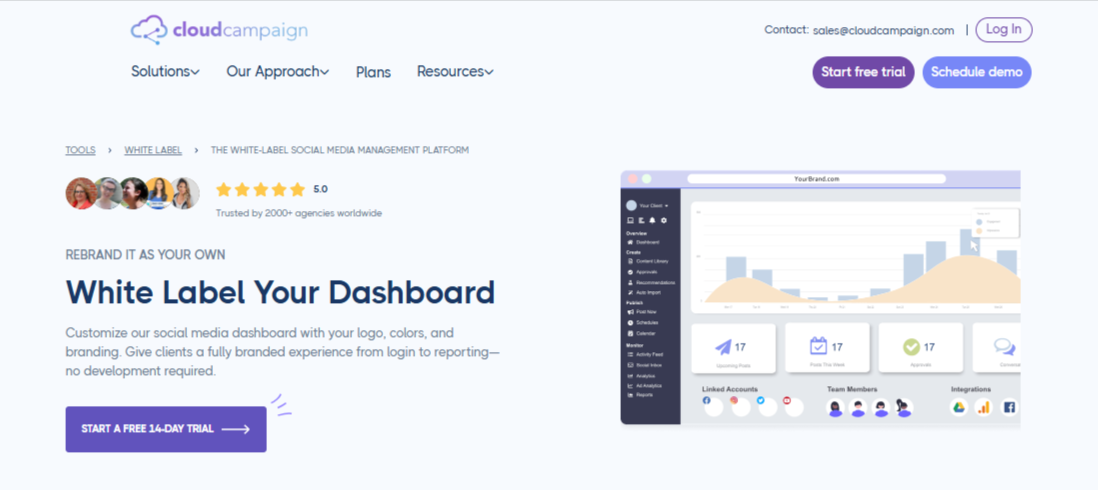
Cloud Campaign has built a solid reputation as a white-label platform designed specifically for agencies that want to manage multiple brands under one roof.
It’s clean, customizable, and easy to present to clients – the kind of tool that instantly makes your agency look polished and professional.
Full Dashboard Customization
This is where Cloud Campaign stands out. You can replace their logo with your own, customize the colors to match your brand identity, and even use your own domain.
From login screens to reports, everything looks like you built it. For many agencies, that level of polish helps strengthen client trust from day one.
One-Click Branded Reports
Client reporting is often a time sink for agencies. Cloud Campaign simplifies it with beautiful, one-click white-label reports that carry your branding automatically. They look clean, require no extra design work, and make it easy to show clients the value you’re delivering.
Custom Domain and Email Setup
With full domain and email customization, you can make your dashboard feel like a true extension of your agency. Clients log in through your URL and receive notifications that carry your brand name – not Cloud Campaign’s.
Training and Agency Coaching
An interesting addition here is Cloud Campaign’s “Agency Coach” feature. It gives users access to on-demand workshops and live sessions designed to help agencies scale their processes. It’s more of a support perk than a core feature, but for smaller teams, it can be genuinely helpful.
Pricing and Scalability
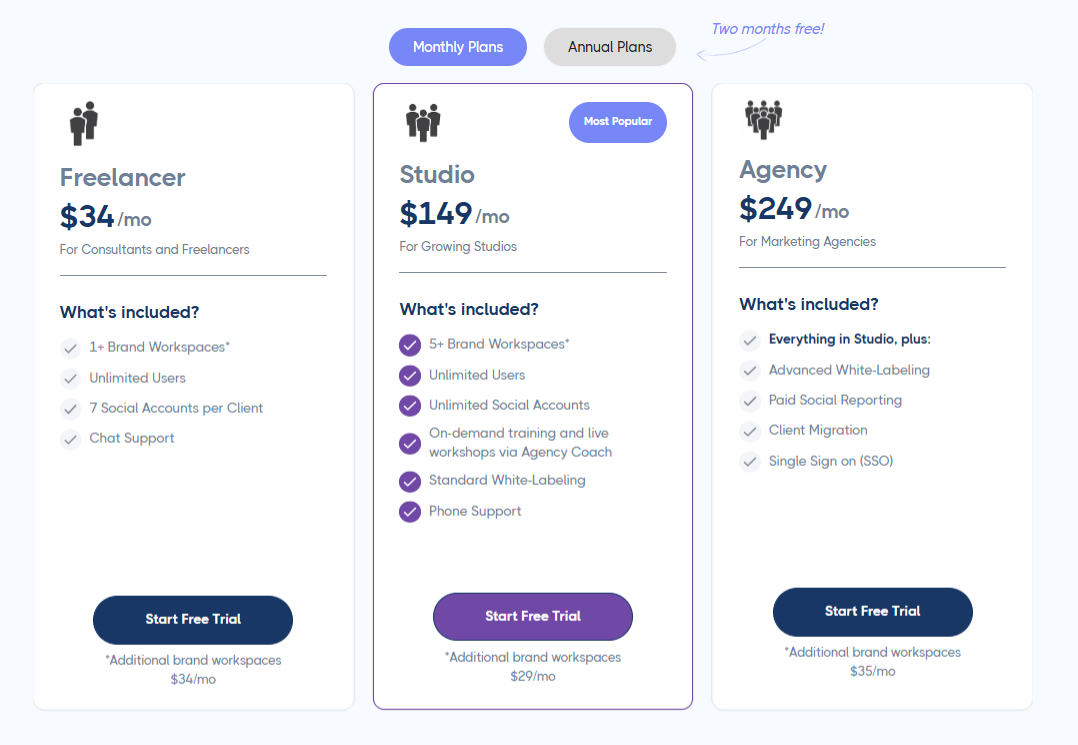
The Studio plan, which offers an advanced white-labeling solution, goes for $249/month for 5 workspaces, with extra workspaces costing $35 each.
It’s a fair deal for smaller agencies, but scaling up can get pricey as your client list grows. It’s best suited for boutique agencies managing a handful of brands, rather than large or fast-scaling ones.
OnlySocial: What Makes It Different
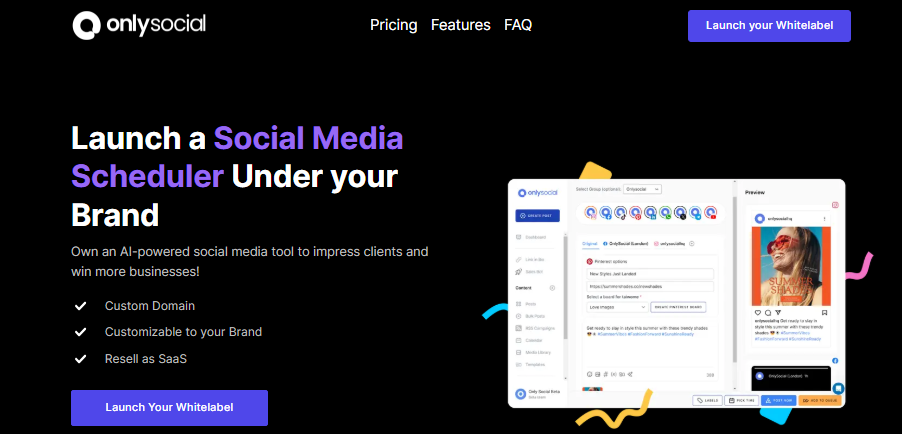
Where Cloud Campaign feels like a sleek upgrade for boutique agencies, OnlySocial feels like an entire agency engine – built to scale, automate, and help you grow without limits. It doesn’t just give you branding control. It gives you freedom.
Full White-Label Control
OnlySocial takes white-labeling to the next level. You can rebrand everything – from the dashboard and domain to client login pages and email notifications.
When clients log in, it’s your logo, your colors, your URL, and your brand front and center. It looks and feels like your agency’s very own software.
Unlimited Scheduling and Workspaces
This is where agencies start breathing easier. Unlike Cloud Campaign’s workspace limits, OnlySocial lets you schedule as much as you want, across as many platforms as you need.
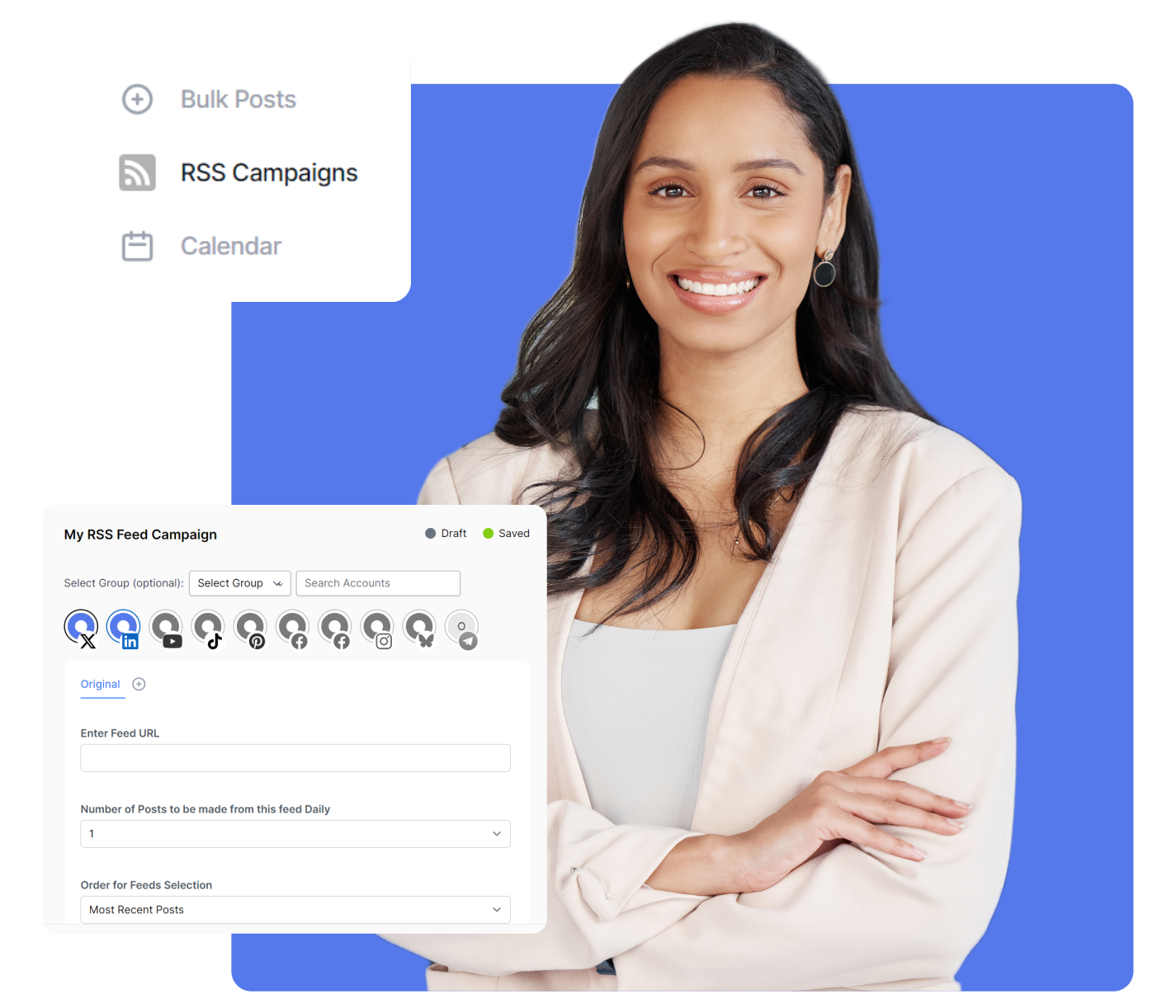
Manage 10 clients or 500, the experience stays smooth. You can even bulk schedule up to 500 posts at once using CSV uploads or RSS feeds.
AI-Powered Content Creation
From captions and hashtags to visuals, OnlySocial’s built-in AI assistant helps your team produce high-quality content faster. It’s not a gimmick – it’s a real time-saver that agencies use daily to keep up with content-heavy clients.
Advanced Analytics & Branded Reports
Numbers mean nothing if they’re hard to understand. OnlySocial gives agencies access to advanced analytics that track engagement, reach, and performance across all platforms.
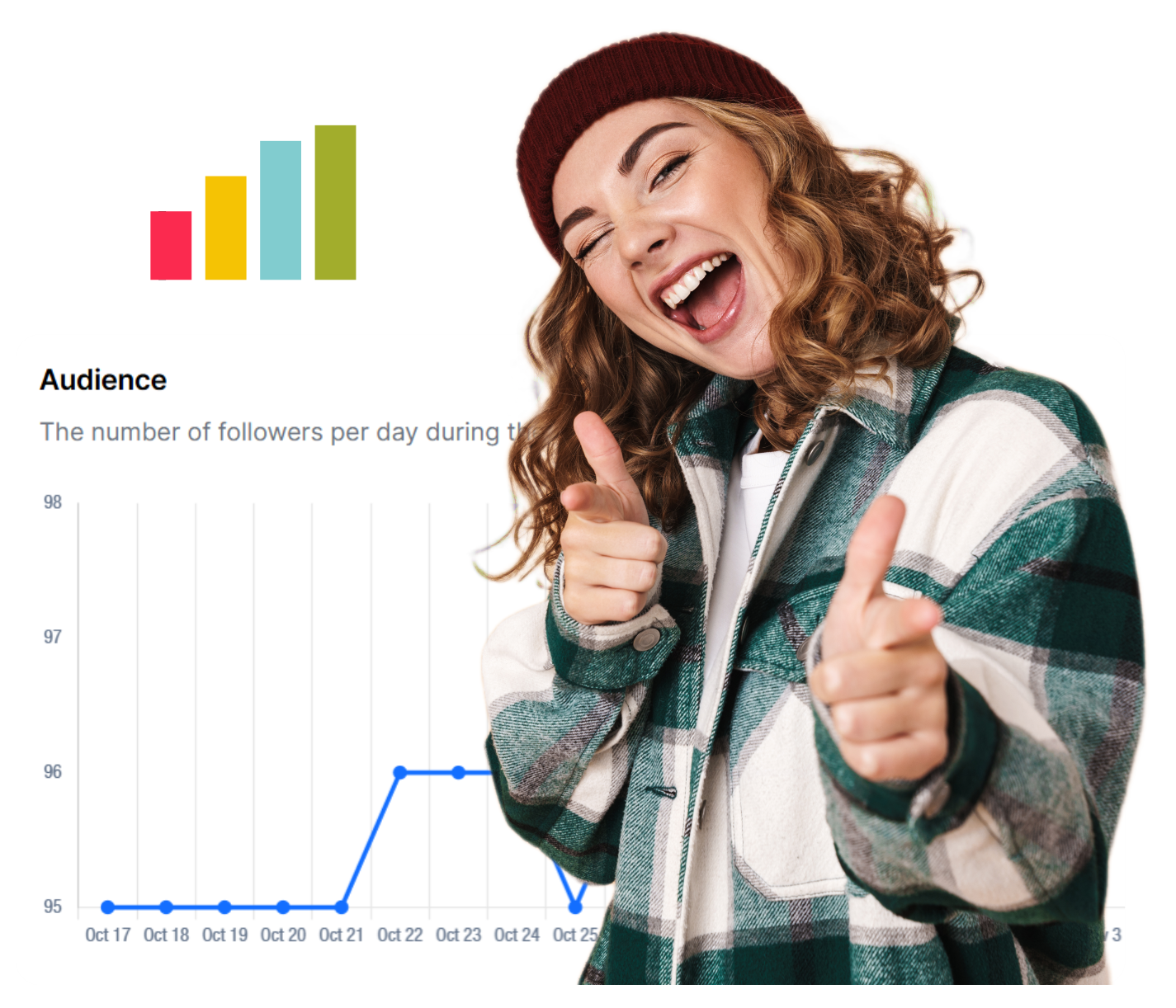
Reports are white-labeled too, so you can impress clients with clear, on-brand insights that look like they came straight from your own system.
Seamless Collaboration & Approvals
OnlySocial comes with built-in approval workflows, role-based access, and content review systems that make team work super easy. Whether you’re working with a small team or large client group, everything stays organized and trackable.
Built-In Billing & Payment Management
This one’s a game-changer. OnlySocial lets you integrate Stripe, Paddle, or Paystack to handle billing directly through your branded platform. That means you can create and sell your own client subscriptions, turning your agency into a recurring revenue machine.
Unified Inbox for All Messages
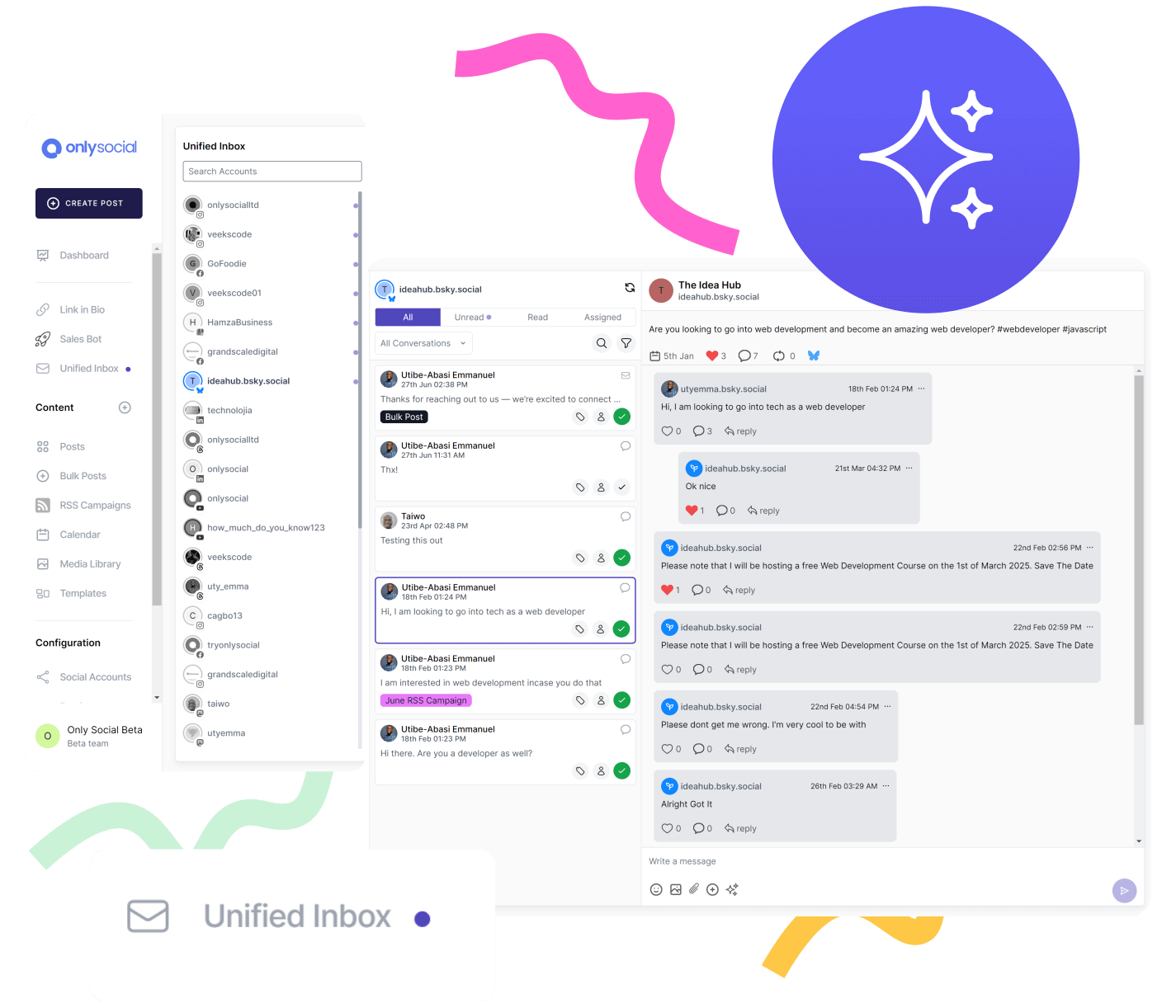
This is especially useful for agencies that manage multiple brands and audiences at once. No more logging into five different platforms to check comments or messages. OnlySocial’s unified inbox pulls everything together in one place.
Impersonation & Client Support
Sometimes clients need help inside their accounts. Instead of endless back-and-forth, you can securely “impersonate” their account to fix issues or upload content on their behalf. It’s faster, more professional, and keeps support smooth.
Affordable Pricing that Scales with You
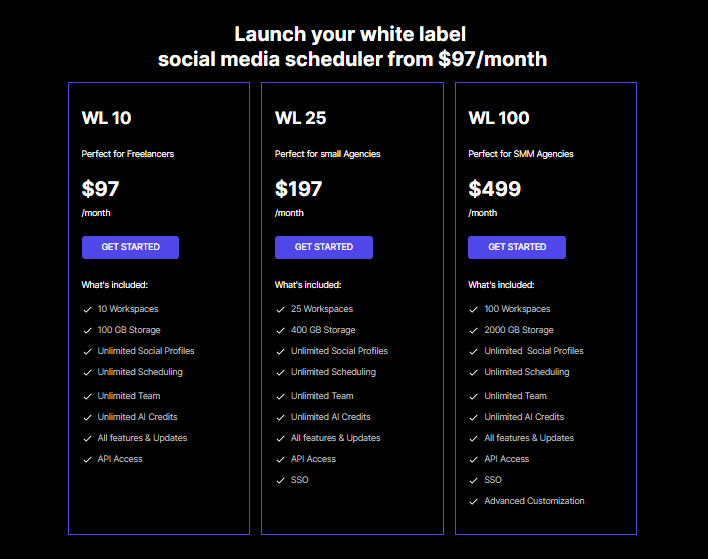
Starting at $97/month for 10 workspaces (less than $10 per workspace), OnlySocial offers one of the most affordable white-label models on the market.
Even at its highest plan – $499/month for 100 workspaces – you’re paying under $2 per workspace. That’s serious value for agencies ready to scale.
Feature Comparison: OnlySocial vs Cloud Campaign
When you compare both platforms side by side, it’s clear they share a few things in common. They both offer strong branding, multi-client management, and automation tools.
But dig a little deeper, and you’ll see that OnlySocial gives agencies far more flexibility and scalability for long-term growth.
Here’s how they stack up:
| Feature | OnlySocial | Cloud Campaign |
| Full White-Label Dashboard | Complete control – logo, domain, emails, and dashboard all under your brand | Yes, but limited to Studio & Agency plans |
| Scheduling | Unlimited scheduling, bulk posting, RSS feeds, CSV upload | Standard scheduling; extra workspaces cost more |
| Social Platforms Supported | 15+ major social networks | Covers core platforms |
| AI Tools | Built-in AI for captions, hashtags, and visuals | None included |
| Analytics | Advanced analytics with branded reports | Standard analytics and client reports |
| Collaboration Tools | Approval workflows, team roles, and content review | Client collaboration included |
| Unified Inbox | Manage all comments and DMs in one place | Available |
| Billing & Invoicing | Built-in billing with Stripe, Paddle, and Paystack integrations | Not supported |
| Impersonation Mode | Yes – manage or fix client accounts directly | No |
| Training & Coaching | Documentation and onboarding assistance | Includes “Agency Coach” workshops |
| Pricing | Starts at $97/month for 10 workspaces | Starts at $249/month for 5 workspaces (+$35 per extra) |
| Scalability | Scales up to 100 workspaces, no usage caps | Costs rise quickly with each new client |
OnlySocial vs Cloud Campaign: Pricing Breakdown & Value Analysis
Pricing is often where the real difference between social media tools shows up, especially for agencies managing multiple clients. On paper, OnlySocial and Cloud Campaign may not seem far apart, but once you factor in scalability, the gap widens quickly.
OnlySocial Pricing
OnlySocial keeps things simple and transparent. You get:
- $97/month – 10 workspaces (less than $10 per workspace)
- $197/month – 25 workspaces (about $7 per workspace)
- $499/month – 100 workspaces (under $5 per workspace)
That means as your agency grows, your cost per client drops, instead of climbing higher. Plus, every plan includes unlimited scheduling, full white-label control, team access, and regular feature updates.
Cloud Campaign Pricing
Cloud Campaign’s Studio plan starts at $249/month for 5 workspaces, and every additional workspace costs $35/month. That sounds fine when you’re managing a few clients, but let’s run a quick comparison:
If your agency handles 25 clients:
- Cloud Campaign → $249 + (20 × $35) = $949/month
- OnlySocial → $197/month flat
That’s over $750 in savings every month, or about $9,000 per year – while offering more scalability and automation.
Value Beyond the Numbers
Cloud Campaign gives you excellent branding features, but its pricing structure works best for boutique agencies with a smaller client base. Once you start expanding, the extra per-client fees can turn into a financial choke point.
OnlySocial, on the other hand, is designed to grow with you. Whether you manage 10 clients or 300, you get the same predictable pricing, unlimited scheduling, and complete white-label experience. It’s a model that rewards growth instead of penalizing it.
Use Cases: Which Tool Fits Your Agency Type?
Every agency operates differently. Some focus on local brands, some handle dozens of clients across industries, and others are building entire SaaS-style systems under their own name.
Both OnlySocial and Cloud Campaign serve agencies well, but which one fits you depend on how you work and where you’re headed.
1. The Growth-Focused Agency
If your agency is scaling fast – adding clients every month, hiring new team members, and trying to streamline operations – you’ll need a tool that can keep up.
OnlySocial was built with this in mind. Its unlimited scheduling, multi-workspace setup, and built-in billing system mean you can onboard new clients without extra software or hidden costs. Everything runs smoothly under your brand, no matter how big you get.
2. The Boutique Agency or Studio
Maybe you work with a handful of premium clients and value presentation over volume. You want every dashboard to look sleek and custom, and you’re not handling hundreds of accounts at once.
That’s where Cloud Campaign feels right at home. It’s polished, visually pleasing, and gives your clients a professional experience. The only catch? It can get pricey as your client list grows.
3. The White-Label Builder Agency
Some agencies go beyond managing clients – they want to create their own branded software. If that’s your vision, OnlySocial gives you the tools to do it.
You can add your own logo, domain, and billing, so it feels like you’re running a proprietary platform. Your clients log in, pay subscriptions, and interact – all under your agency’s name.
4. The Local Marketing Specialist
If your agency serves local businesses like restaurants, salons, gyms, or small retailers, Cloud Campaign can be a strong fit. Its white-label dashboard and client-friendly interface help keep communications clear.
But for agencies managing several local clients at once, OnlySocial’s unified inbox and collaboration tools make handling all those social pages a lot less chaotic.
Final Verdict: Why OnlySocial Is the Smarter Choice for Agencies
Both OnlySocial and Cloud Campaign bring serious value to the table. They make social media management smoother, more professional, and easier to scale. But the real question isn’t which one works; it’s which one works better for where your agency is headed.
If you’re running a smaller studio with just a few clients and want a slick, branded interface, Cloud Campaign does the job well. It looks polished, gives you clean reporting, and adds credibility to your client experience.
But if you’re serious about scaling – about turning your agency into a real, recurring-revenue business – OnlySocial is the clear winner. It gives you everything Cloud Campaign does and more: unlimited scheduling, built-in billing, AI-powered creation, advanced analytics, and a fully branded platform that grows as you do.
With transparent pricing and features built specifically for agencies, OnlySocial isn’t just a white-label tool but a growth partner.
So if your vision is to expand, automate, and own your brand from start to scale, OnlySocial is where that starts.
FAQs
Is Cloud Campaign a full white-label solution?
Yes, Cloud Campaign offers a strong white-label setup where you can customize logos, colors, and even your domain. However, full white-label features are only available in their Studio and Agency plans, and scaling up quickly increases costs.
What makes OnlySocial better for scaling agencies?
OnlySocial was designed specifically for growth. With unlimited scheduling, built-in billing, AI tools, and support for up to 500 workspaces, it lets agencies scale fast without extra per-client fees. It’s more affordable and flexible than most competitors.
Can both platforms use custom domains?
Yes, both OnlySocial and Cloud Campaign allow domain customization. However, OnlySocial’s setup is simpler and includes branded email notifications and login pages, making the client experience feel 100% yours.
Which platform offers better value for money?
OnlySocial provides better long-term value. Its lowest plan starts at $97/month for 10 workspaces, while Cloud Campaign starts at $249/month for 5. The cost per workspace drops as your agency grows, saving thousands yearly.
Is white-label social media software ethical to use?
Absolutely. White-label software is widely used by agencies to deliver quality services under their own brand. It’s an accepted model in digital marketing – your clients see your branding, but the tech runs quietly in the background.