9 eClincher Alternatives for Better Social Media Growth in 2025
Are you looking for the best eClincher alternative? This guide will help.
Managing social media in 2025 is more than just showing up online. It’s also about showing up with the right tools. eClincher has earned its spot as a trusted platform for linking social profiles and managing campaigns.
But let’s be honest – no single tool fits everyone’s workflow.
Some are great at analytics, others shine in team collaboration, and a few just feel easier to use day to day. So, before committing, it’s important to explore top alternatives.
We’ve tested and compared the platforms that businesses and agencies are turning to this year, and each one brings something fresh to the table.
In this guide, we’ll walk through nine solid eClincher alternatives. We will show you what each of them does well, where they fall short, and why they might be the better fit for your social media growth in 2025.
Table of Contents
- 1 Why Consider eClincher Alternatives?
- 2 Top eClincher Alternatives for Better Social Media Growth
- 3 1. OnlySocial ($29/Month)
- 4 2. Buffer ($6/Month)
- 5 4. Sprout Social ($199/Month)
- 6 5. Agorapulse ($99/Month)
- 7 6. Statusbrew ($89/Month)
- 8 7. Hootsuite ($99/Month)
- 9 8. Sendible ($29/Month)
- 10 9. Zoho Social ($15/Month)
- 11 How to Choose the Best eClincher Alternative
- 12 Final Note
- 13 FAQs
Why Consider eClincher Alternatives?
eClincher has its strengths, but many users eventually start looking around for other options. And it usually comes down to a few deal-breakers. Here are some of them:
Customer support headaches
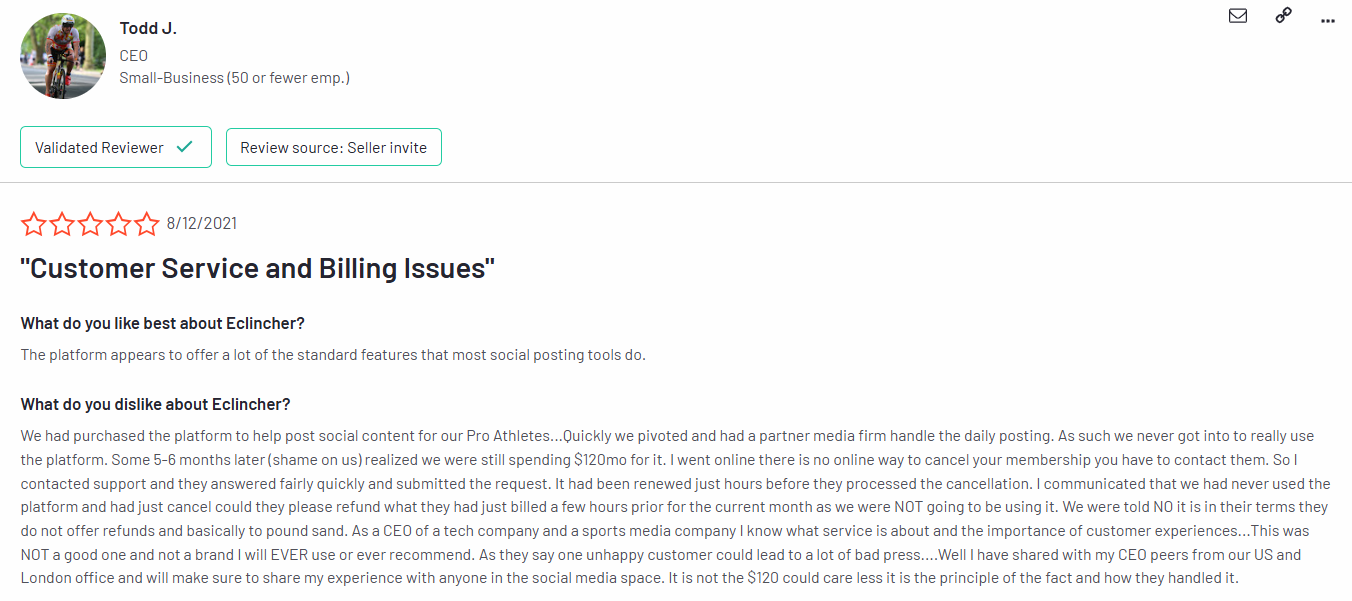
One of the biggest frustrations we’ve heard is how slow and inconsistent support can be. Long waits for replies, confusing help docs, and sometimes feeling like you’re left to figure things out on your own. For a tool that should make your life easier, that’s a problem.
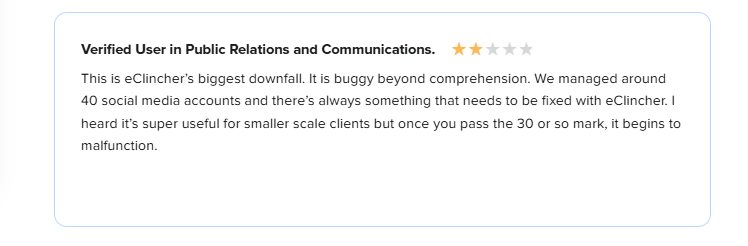
Below is what a customer on G2 has to say about the tool:
A clunky interface
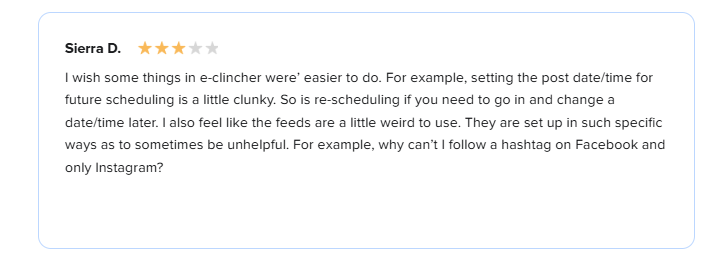
The dashboard isn’t as smooth as it should be. Scheduling posts can get messy, and managing multiple clients isn’t as intuitive as it could be. If you’re running a busy team, this can slow everyone down and make onboarding new members harder than it needs to be.
Pricing that doesn’t fit growth
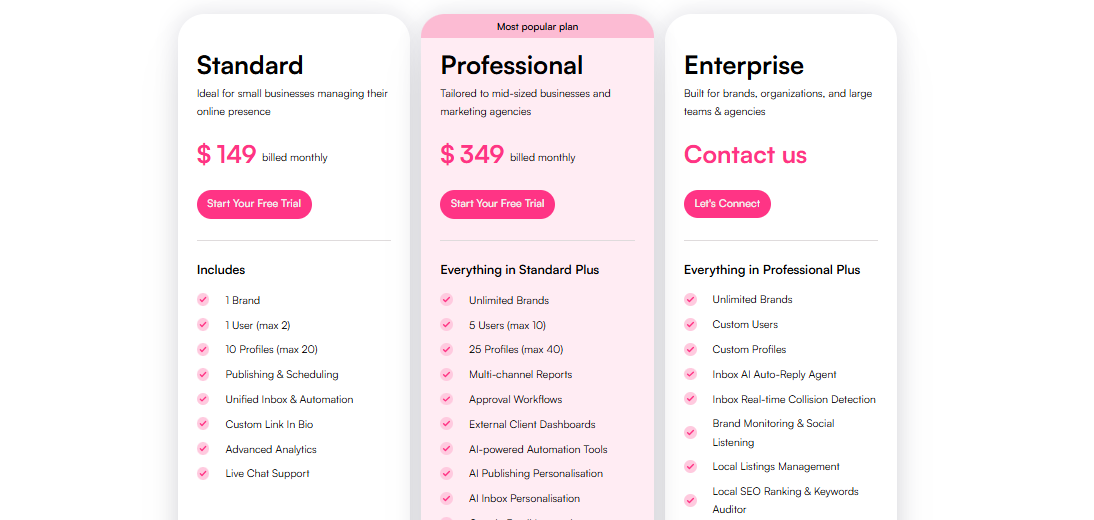
eClincher already sits on the pricier side, but the real issue comes as you scale. Costs climb quickly when you need to manage more brands or add more team members. And paying more doesn’t always mean you’re getting better features compared to other platforms out there.
Bugs with multiple accounts
This is another common pain point. When you’re managing several profiles at once, glitches and malfunctions can pop up more often than you’d like. For agencies or larger businesses, that can hurt both efficiency and reliability.
All of these add up to one thing: users start asking themselves if there’s a better fit out there. And in many cases, the answer is yes.
Top eClincher Alternatives for Better Social Media Growth
1. OnlySocial ($29/Month)
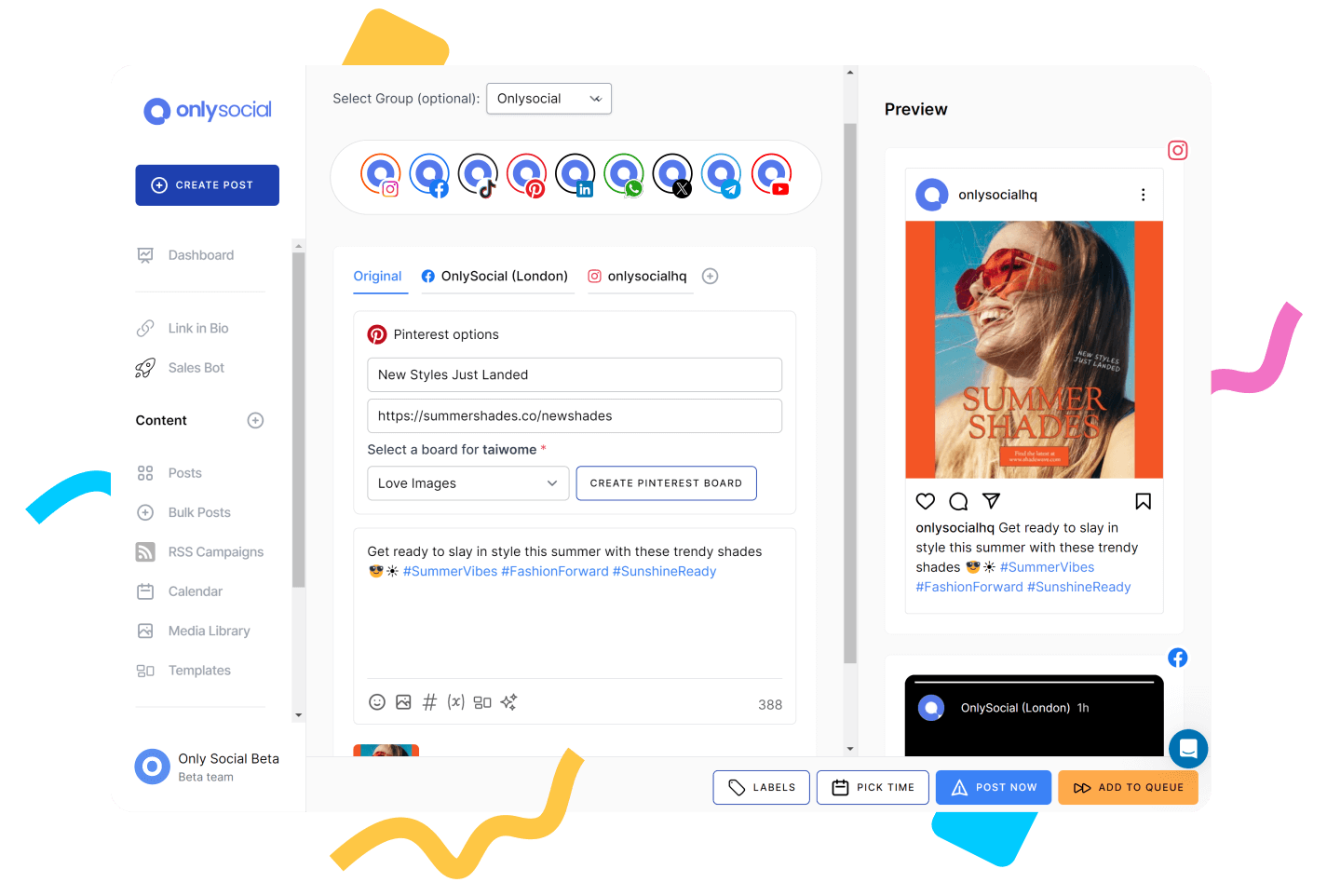
When we tested OnlySocial, the first thing that stood out was how simple it felt to use. Unlike some platforms that overwhelm you with buttons and hidden settings, this one gives you a clean dashboard that just makes sense.
It’s designed for busy social media managers who want a tool that works with them, not against them. So, if you’re looking for a solid alternative to eClincher, this should top your list.
Key Features:
Intuitive post composer with built-in AI
Creating posts here feels easy. You can draft, preview, and tailor your content for each platform without jumping between windows.
When you need ideas, the built-in AI is surprisingly smart. It can suggest captions, hashtags, and even visuals. Over time, it learns your brand’s tone too. Compared to eClincher’s AI, this one feels more natural and accessible.
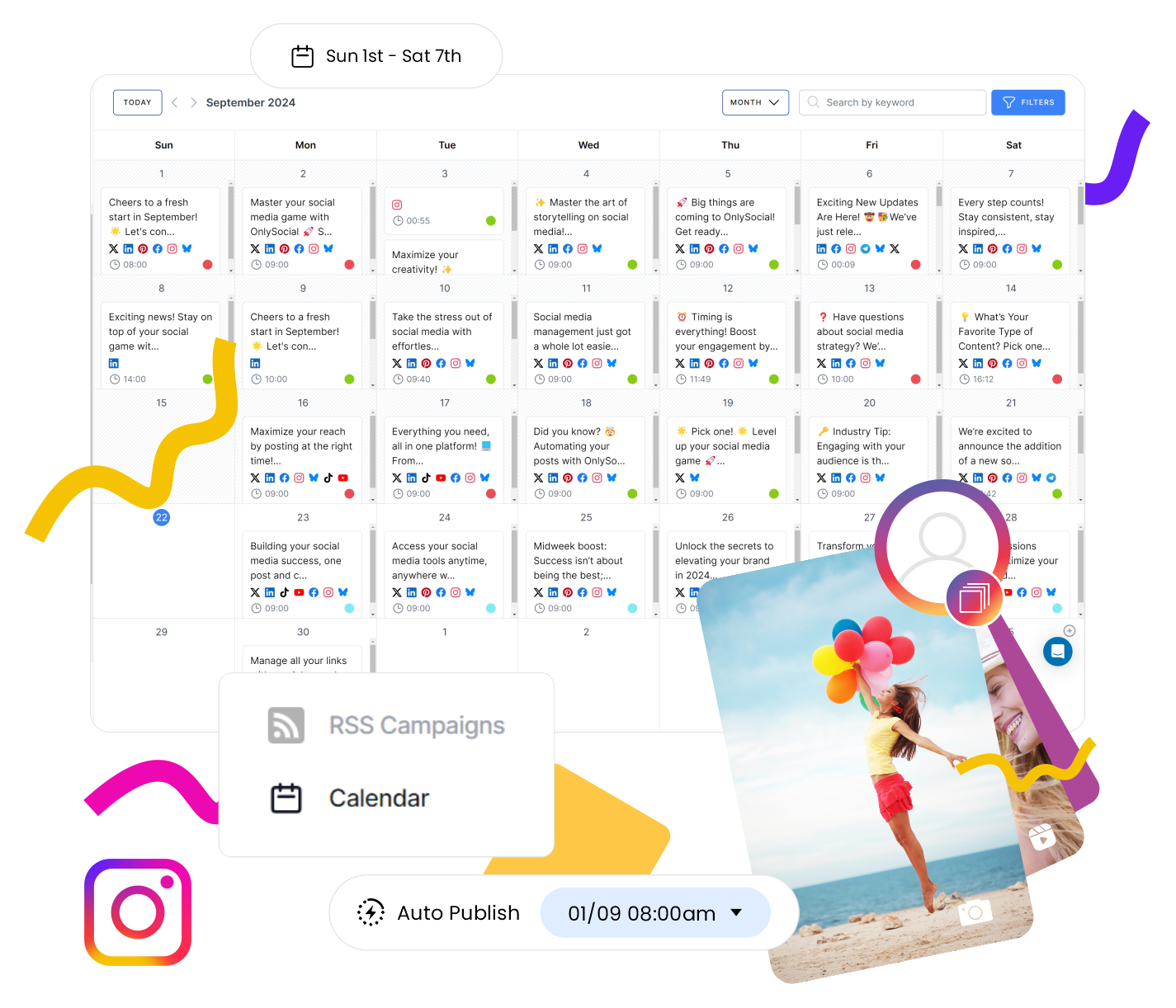
Visual calendar with bulk upload
Planning content is much easier when you can see everything laid out. The drag-and-drop calendar lets you move posts around in seconds, and if you’ve got dozens of posts ready, the bulk upload saves hours. Color-coding by theme or channel is a nice touch, too.
Cross-platform scheduling for 15+ networks
From Instagram and TikTok to LinkedIn, YouTube, Pinterest, and even newer platforms like Threads and Bluesky, OnlySocial handles them all.
And it does so natively – no clunky workarounds. This makes it much easier to keep a consistent presence everywhere without hopping between apps.
If you manage multiple communities, this feature is gold. Instead of switching between tabs to check messages and comments, everything flows into one inbox. Instagram DMs, Facebook messages, mentions – they all land in one place. No more missed conversations.

Clear, visual analytics
Reports here aren’t just numbers on a page. They show you what’s working across platforms, which posts drive engagement, and even when your audience is most active. For us, this felt like a big step up from eClincher’s reporting.
Collaboration that feels smooth
Teams can leave notes, assign roles, and approve posts without messy email chains. Assets stay in one shared library, so no one’s digging through folders to find the latest logo. It’s a small thing, but it makes teamwork a lot less stressful.
Seamless integrations
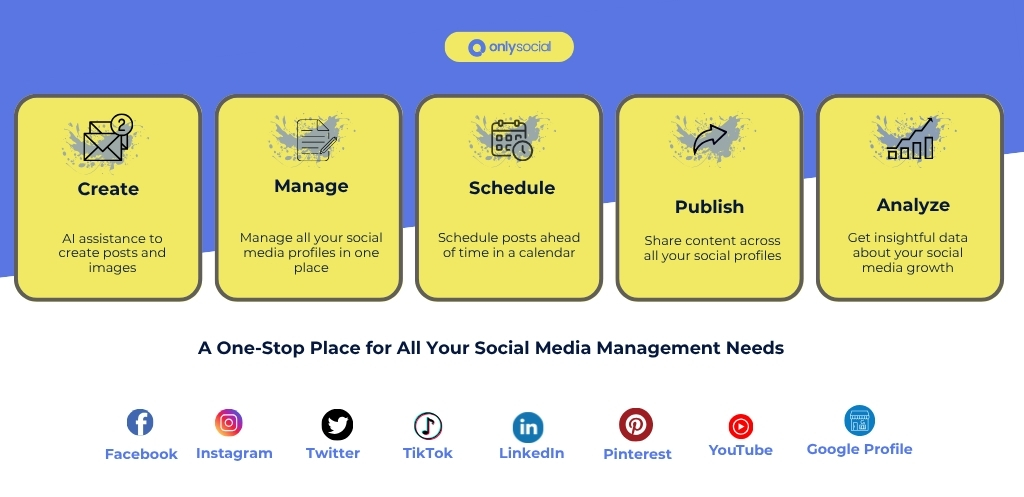
From Adobe Express for quick design work to Bit.ly for link tracking, OnlySocial plugs into the tools most managers already use. We found it handy to generate captions with AI or shorten links without leaving the platform.
And one last thing worth noting: their support team is quick and responsive. That alone already puts it ahead of tools where you wait days for help.
Pros
- Very easy to use with a clean, modern interface
- Helpful hashtag suggestions and insights
- Advanced dashboards that look great and are simple to navigate
- Designed with marketing agencies and small businesses in mind
- Smooth publishing with no hiccups or delayed posts
- Responsive and reliable customer support
- White Label feature for customized client dashboards and branded reports
- More affordable than eClincher and many other alternatives
Cons
- No direct posting to Instagram Stories
- Lacks competitor analysis tools
- No forever free plan
Pricing & Value
This is where OnlySocial really shines. You get a lot of value for the price, especially if you’re handling multiple accounts or working in a team.
- Freelancer Plan – $29/month for up to 15 social accounts
- Entrepreneur Plan – $49/month for 45 accounts and 3 users
- Professional Plan – $99/month for unlimited social accounts and 10 users
Each plan packs in features like AI-assisted captions, bulk scheduling, analytics, and collaboration tools. For what you get, it’s one of the most affordable all-in-one solutions out there, especially when stacked against eClincher’s higher tiers.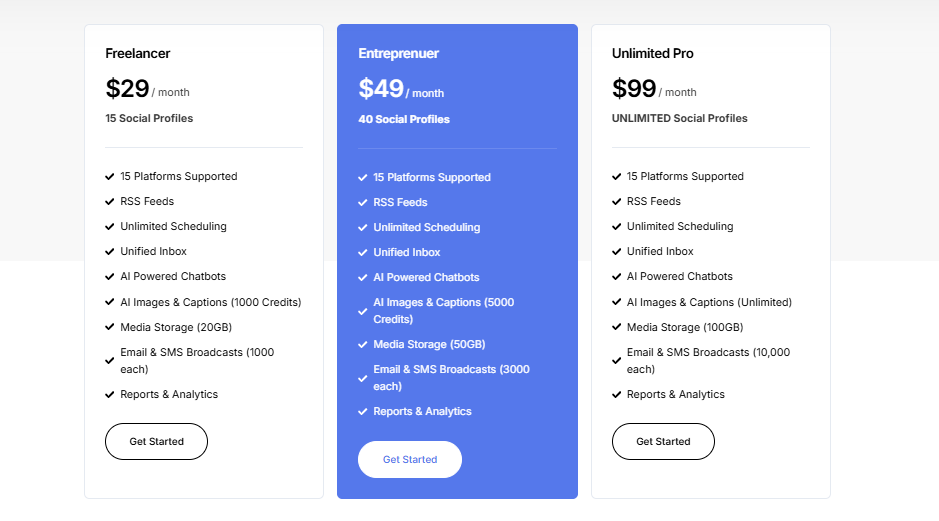
Overall Verdict
OnlySocial feels like a tool built for modern social media managers who want a balance of simplicity and power. It’s not overloaded with fluff, but it covers the essentials brilliantly – and then some.
The clean interface, reliable support, and thoughtful features make it a strong eClincher alternative, particularly for agencies and growing businesses that need scalability without skyrocketing costs.
2. Buffer ($6/Month)
We’ve tried Buffer as an alternative to eClincher, and it’s been a breeze. If you want something simple, reliable, and user-friendly, Buffer ticks those boxes. It’s all about making social media management less of a headache.
You can line up posts across multiple accounts, keep everything organized in one place, and get a clear view of what’s happening with your content.
Key Features:
- Multi-platform publishing: Buffer lets you post to all the major networks from one dashboard. No need to jump between Instagram, Facebook, LinkedIn, or Twitter tabs. It’s all managed in one place.
- Schedule and queue posts: You can set posts to go live at specific times or drop them into a queue that fills your calendar automatically. It makes bulk scheduling smooth and helps keep content flowing without constant manual work.
- AI content generator: Stuck on captions? Buffer’s AI tool helps spark ideas, draft text, and keep your tone consistent across platforms. It’s a handy backup for busy weeks when creativity runs dry.
- In-depth analytics: Beyond simple likes and shares, Buffer’s reports give you clear data on engagement, reach, and clicks. You can see what’s working and what’s not, then adjust your strategy based on evidence.
- Unified engagement tool: Instead of checking notifications on each app, Buffer pulls in comments and messages so you can reply directly from the dashboard. That means faster responses and fewer missed interactions.
- Visual social media calendar: Planning content is easier when you can see it all at a glance. The calendar view gives you a clear layout of scheduled posts, helping you spot gaps or overlaps quickly.
Pros
- Buffer is very affordable
- Centralized and efficient planning and publishing across multiple accounts
- Offers free, customizable landing page templates
- Strong analytics with multiplatform monitoring and customer response tracking
- Quick and helpful customer support compared to eClincher
Cons
- No hashtag suggestions, which many marketers find essential
- Occasional crashes that require reconnecting accounts
- Doesn’t provide recommendations for the best times to post
Pricing & Value
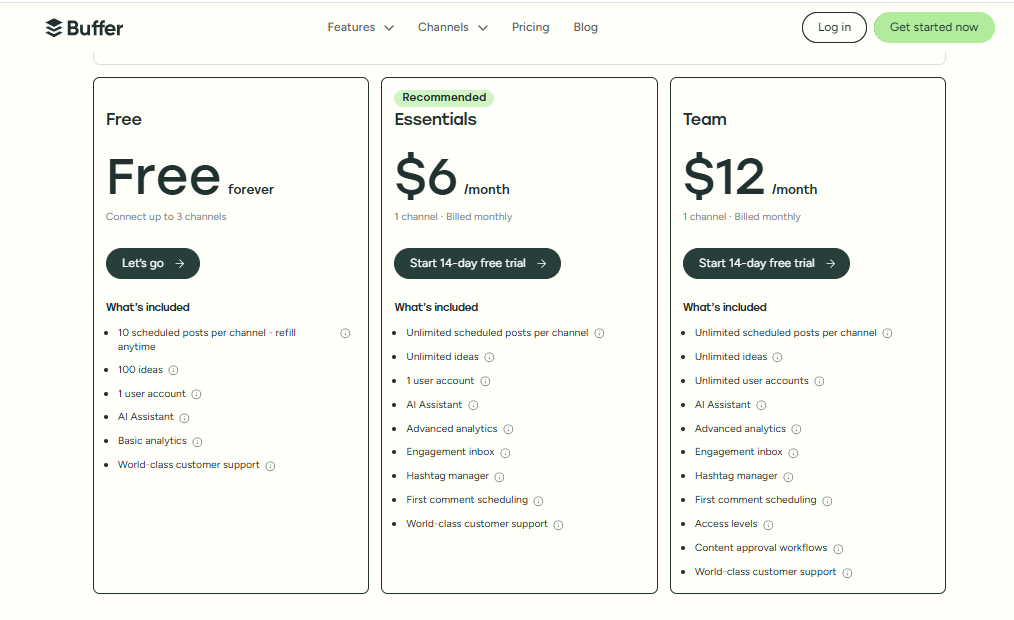
Buffer is straightforward but not the cheapest option. For example, agencies managing 10 accounts will pay around $120 per month. Pricing depends on the number of accounts and features you need, so it’s worth checking their full breakdown to see what works best for you.
Overall Verdict
Buffer beats eClincher with its easy-to-use interface, flexible scheduling, and clear, actionable analytics. It’s especially useful for teams that want to keep things simple while still being effective.
While it lacks some advanced features like hashtag insights or competitor tracking, it’s one of the most user-friendly tools out there and a solid choice for growing your social presence.
3. Loomly ($65/Month)

We tried Loomly as an alternative to eClincher, and it immediately stood out for its smooth interface and beginner-friendly setup. Everything feels organized, from planning posts to tracking results. The dashboard is clean and simple, which makes managing multiple accounts less of a chore.
Compared to eClincher’s clunky processes, Loomly feels smoother and more reliable. Let’s see how the tool stacked up with eClincher.
Key Features of Loomly:
- Post planning and scheduling: Loomly makes it easy to map out your content in advance. You can create posts for multiple platforms, set exact times, and keep campaigns consistent without juggling separate tools.
- All-in-one content calendar: The calendar is where Loomly really shines. Everything sits in one clear view – scheduled posts, drafts, and ideas – so you always know what’s coming up. It’s especially handy for teams that want a shared “mission control” for their campaigns.
- AI-powered post ideas and tips: Staring at a blank screen? Loomly gives you ideas based on current trends, events, or your industry. These suggestions help spark creativity and keep your feed relevant when inspiration runs low.
- Media and content library: Instead of digging through folders or cloud drives, Loomly gives you a dedicated space to store visuals, templates, and brand assets. This saves time and ensures everyone on your team uses the same approved files.
- Approval and feedback workflow: Collaboration is built in. Team members can leave comments, suggest changes, and approve posts before they go live – all without messy back-and-forth emails. This is a big win for teams that want smoother workflows.
- Analytics and reporting: Beyond just likes and shares, Loomly breaks down how each post performs. You get insights into engagement, reach, and what type of content resonates best with your audience, so you can adjust your strategy with confidence.
Pros
- Flexible dashboard that adapts to different platforms
- Helpful AI assistant for content creation and inspiration
- Strong collaboration tools for teams and clients
- Clean, beginner-friendly interface that’s easy to navigate
Cons
- Pricing feels steep for what’s included
- No direct publishing to Instagram Stories
- Extra fees to share calendars with clients or teams
- Occasional glitches where accounts or calendars disconnect
Pricing & Value
Loomly is priced at $65/month for 12 social profiles, which makes it more expensive than some alternatives when you look at features side by side. Still, its smooth workflows and collaboration tools may justify the cost for teams that value ease of use.
Overall Verdict
Loomly outperforms eClincher in terms of user experience and workflow. With its streamlined dashboard, idea generator, and strong approval features, it’s a great choice for teams that want a simple, reliable, and creative tool.
While the pricing could be better, the overall experience feels worth it for many businesses looking to save time and keep content flowing smoothly.
4. Sprout Social ($199/Month)
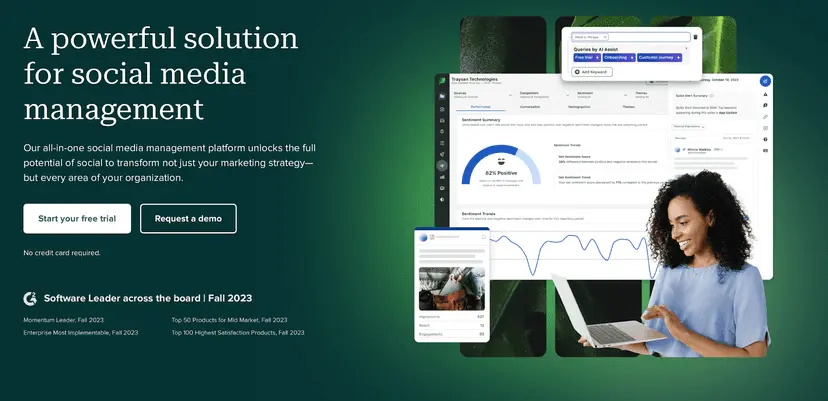
Sprout Social is a popular name in the social media management world. Compared to eClincher, the tool shines in several ways for both small businesses and agencies.
The dashboard is sleek and intuitive, making social media management far less stressful. Unlike eClincher, Sprout Social pulls scheduling, publishing, monitoring, and analytics into one platform, giving you everything you need in a single place.
Key Features:
- Advanced social media scheduling too: Sprout Social’s scheduling is one of the smoothest we’ve used. You can plan posts across multiple platforms, use the drag-and-drop calendar, and even let the smart queue feature publish posts at the best times for engagement.
- Social media monitoring: Keep tabs on brand mentions and conversations without switching platforms. It’s easy to track how people are engaging with your brand in real time.
- Custom URL tracking: Add custom tracking to your links so you can measure exactly how much traffic and engagement each post drives. This is a great feature for refining campaigns.
- Influencer collaboration features: Sprout makes it easier to connect and collaborate with influencers directly, helping brands manage relationships and campaigns from one spot.
- Social listening tools: Beyond monitoring, Sprout dives into sentiment analysis and trends. It helps you understand not just what people are saying, but how they feel about your brand.
- Customizable reporting: Reports are detailed and flexible. You can tailor them to show the metrics that matter most to your team or clients, instead of wading through unnecessary data.
- Robust analytics dashboard: The analytics go deep, showing you what’s performing across platforms and giving insights to guide strategy changes.
- Team collaboration and workflow approval: Teams can draft, review, and approve posts in one flow. It’s built for collaboration and saves time compared to messy email chains or spreadsheets.
Pros
- Combines scheduling, analytics, and listening in one platform
- Includes reputation management features for brands
- Rich with useful integrations across platforms and tools
- Responsive and helpful customer support
Cons
- No TikTok integration yet
- Sprout Social can be expensive for individuals or very small teams
Pricing & Value
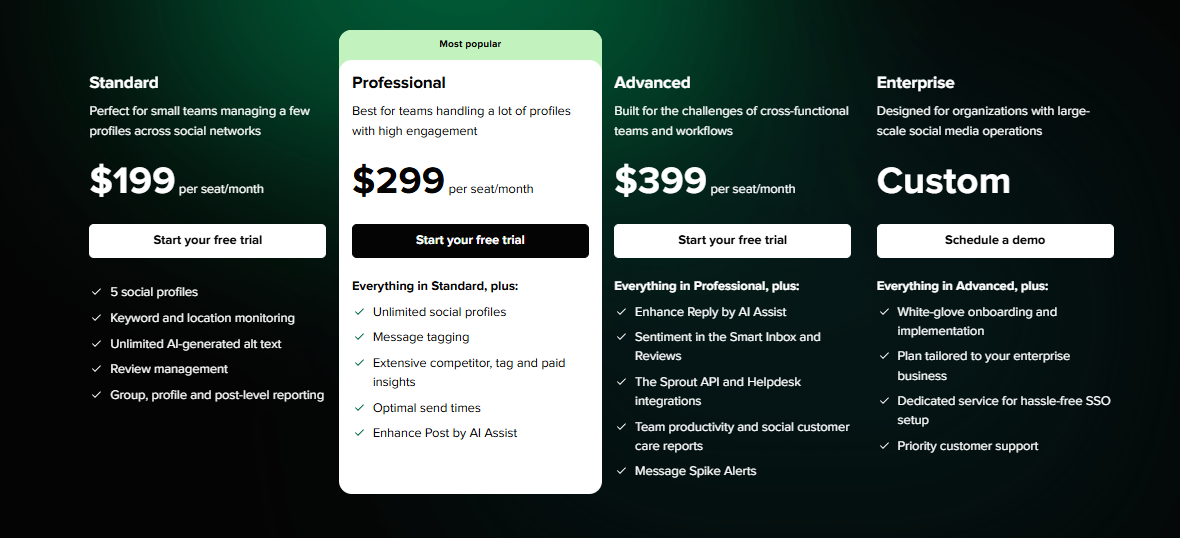
Sprout Social isn’t cheap. Pricing starts at $199/month for 5 social profiles, with the professional plan covering 10 profiles and adding features like custom reports and advanced workflows. It’s definitely a tool for larger teams and agencies rather than freelancers.
Overall Verdict
Sprout Social is a clear step up from eClincher. It’s smoother, more powerful, and much more reliable, with advanced scheduling, strong analytics, and excellent support.
Although the price tag makes it best suited for established businesses or agencies, it’s one of the most complete tools on the market for serious social media management.
5. Agorapulse ($99/Month)
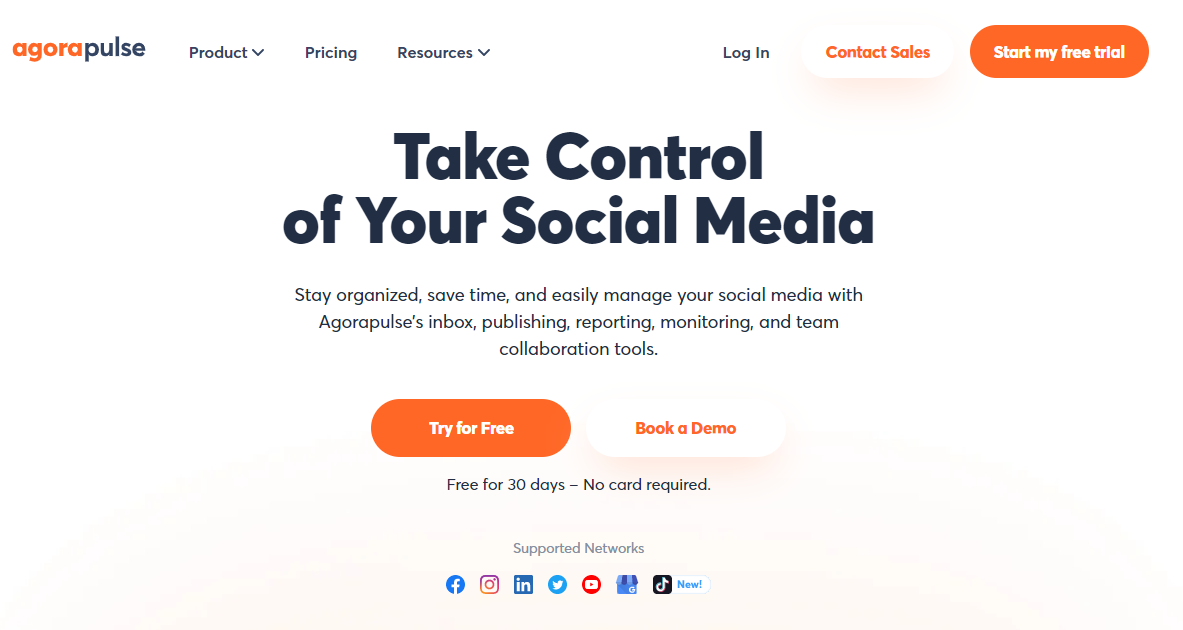
Agorapulse is another tool we’ve tested as an eClincher alternative, and it’s one that agencies and growing teams will appreciate. It combines scheduling, monitoring, reporting, and team collaboration in a clean, organized dashboard.
Compared to eClincher’s clunky setup, Agorapulse feels smoother and far more reliable, especially when managing multiple clients.
Key Features:
- Post scheduling and publishing: Agorapulse makes it easy to schedule posts across multiple platforms, with options to queue, reschedule, or republish evergreen content. It’s flexible and saves time when planning campaigns.
- Unified social inbox. Just like OnlySocial, Agorapulse brings all your messages, comments, and mentions into one inbox. This means you can manage conversations quickly without missing anything.
- Social listening. The tool helps track mentions of your brand, industry keywords, or even competitors. It’s a great way to monitor conversations and spot opportunities to engage.
- Analytics and reporting. Reports are detailed but easy to understand. You’ll get insights into audience growth, engagement, and content performance, with options to export branded reports for clients.
- Team collaboration and approval workflow. Assign roles, set up approval steps, and collaborate seamlessly. Teams can work together without overlapping or losing track of tasks.
- Competitor analysis. Unlike many other tools, Agorapulse includes competitor benchmarking so you can see how your performance stacks up against others in your space.
Pros
- Combines scheduling, monitoring, and reporting in one platform
- Unified inbox keeps all interactions in one place
- Includes competitor analysis for better benchmarking
- Branded, exportable reports are great for agencies
- Clean interface that’s easy for teams to adopt
Cons
- Pricier than some other alternatives for smaller teams
- Limited integrations compared to tools like Sprout Social
- Scheduling for certain platforms can feel less flexible
- Analytics, while detailed, may be too basic for advanced data-heavy users
Pricing & Value
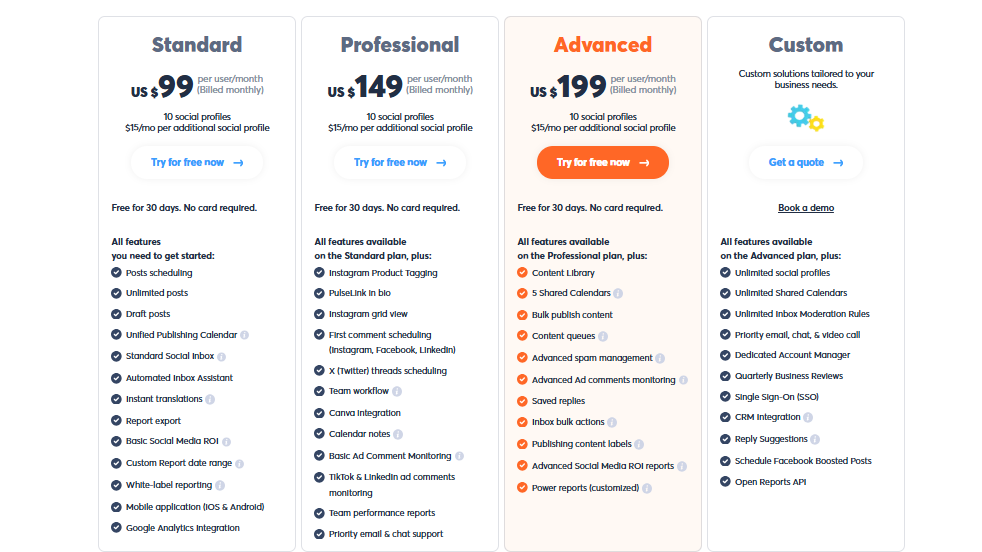
Agorapulse isn’t the cheapest option, but it delivers strong value for agencies that need robust workflows. Plans start at around $99/month for individuals and climb higher for teams and agencies, depending on the number of profiles and users.
The inclusion of competitor analysis and branded reporting helps justify the price if you’re client-focused.
Overall Verdict
Agorapulse beats eClincher in user experience and reliability, especially for agencies managing multiple brands. With its unified inbox, collaboration tools, and competitor analysis, it’s well-suited for teams that need more than just scheduling.
Yes, the pricing may stretch smaller businesses, but its features make it a worthy upgrade for those who want deeper insights and smoother workflows.
6. Statusbrew ($89/Month)
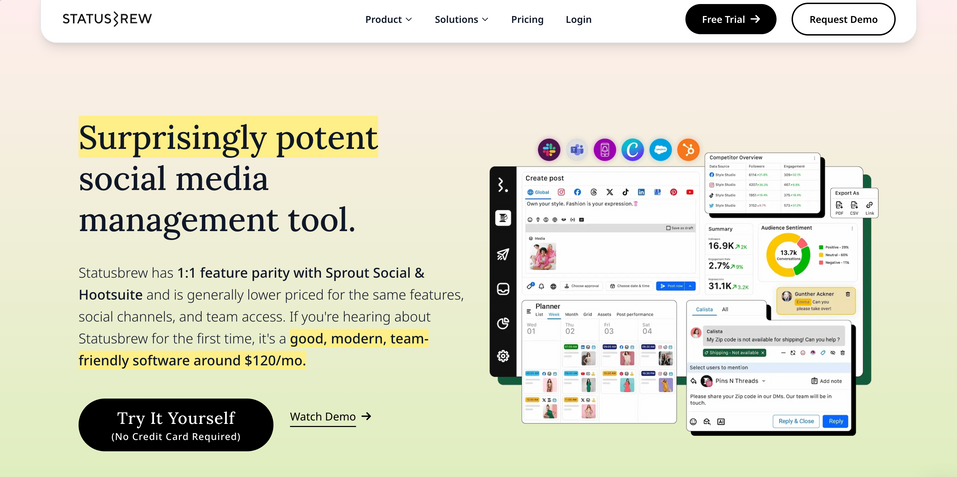
Although not as common as most of the tools on this list, Statusbrew is a worthy option to consider when looking for eClincher alternatives.
The tool is especially known for how user-friendly it feels. Managing multiple platforms like Twitter, Facebook, LinkedIn, and Instagram becomes simple and organized. Compared to eClincher’s clunky workflows, Statusbrew makes cross-platform management smooth and efficient.
Key Features:
- Bulk scheduling: Plan and schedule posts across multiple platforms at once, saving serious time.
- Approval workflow: Set up smooth collaboration by creating approval steps before content goes live. Perfect for teams.
- Shareable calendar: Share your content calendar with clients or teammates so everyone stays aligned.
- AI-powered Engage inbox: Manage comments, messages, and mentions in one place, with AI features to prioritize important conversations.
- Social listening: Monitor keywords, hashtags, and mentions to keep up with trends and brand conversations.
- Social media analytics: Detailed reports show what’s working across platforms, making it easier to refine your strategy.
- BrewLink in bio:. Create a branded “link in bio” for Instagram or TikTok to direct followers to multiple links from one spot.
Pros
- Automation features save time on repetitive tasks
- Bulk post scheduling for multi-platform management
- Responsive customer service for quick troubleshooting
Cons
- No direct publishing for Instagram Stories (requires the IG app)
- Steeper learning curve for beginners
Pricing & Value
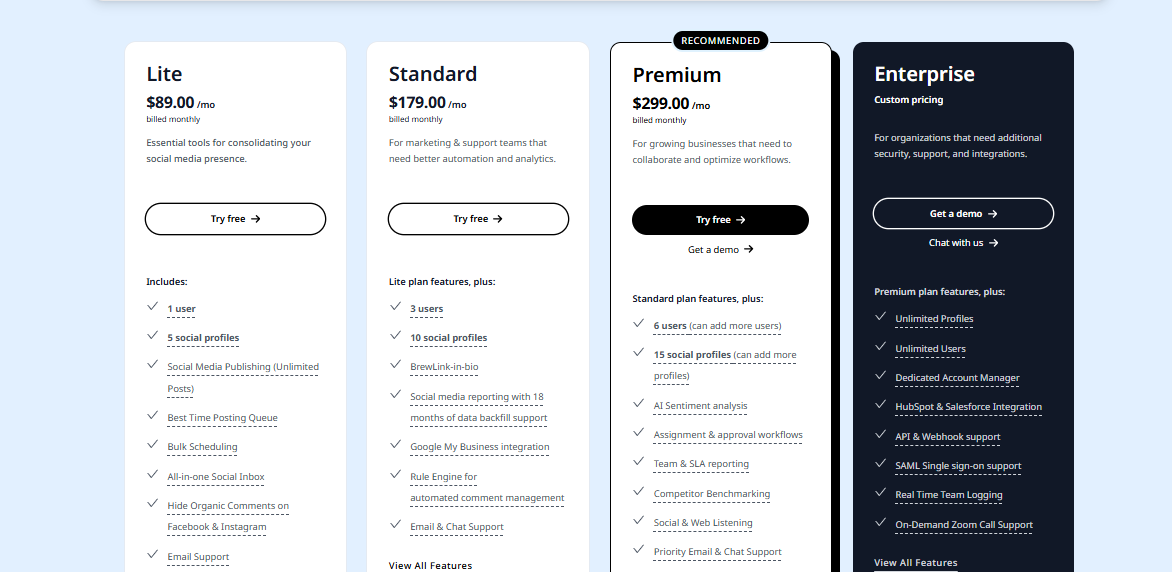
Statusbrew offers four plans, starting at $89/month, with a custom enterprise plan available for larger teams. It’s pricier than some alternatives, but the automation, scheduling, and reporting features help justify the cost for agencies or businesses managing multiple accounts.
Overall Verdict
Statusbrew is a more polished and efficient alternative to eClincher. Its smart scheduling, intuitive workflows, and strong support make managing social media easier and more effective. It’s a great fit for teams that want a reliable and scalable tool, although it may take beginners a little time to get comfortable with it.
7. Hootsuite ($99/Month)
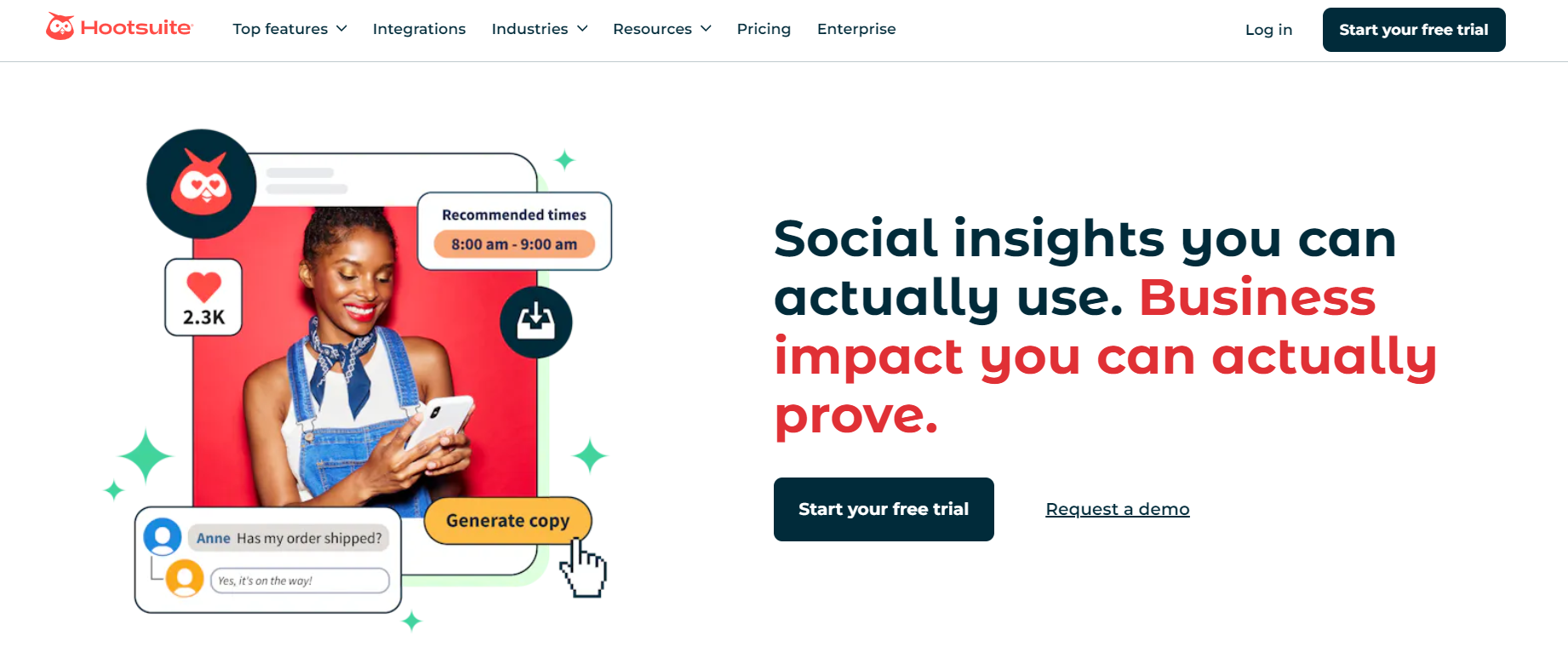
Next up on our list of eClincher alternatives is Hootsuite. This is one of the oldest names in social media management. It’s been around for over a decade and has built a reputation as a reliable platform for businesses managing multiple accounts.
If you’re scaling up, working with a team, or handling a large volume of content, Hootsuite’s collaboration tools and reporting features give you the edge eClincher sometimes lacks.
Key Features:
- Scheduling and publishing. Hootsuite makes it easy to plan content across multiple platforms at once. You can bulk schedule posts, set them to go live at the best times, and even manage last-minute changes without breaking your flow.
- Real-time team collaboration. Collaboration is baked in. You can assign tasks, leave feedback, and approve posts directly in the dashboard. This helps larger teams work together without endless email chains or Slack messages.
- AI content creation. When you run out of ideas, Hootsuite’s AI assistant is there to help by suggesting captions, rewriting text for different tones, or generating fresh ideas. It’s a time-saver for teams that post often.
- Social media calendar. The visual calendar gives you a bird’s-eye view of everything you’ve planned. You can drag and drop posts, spot gaps in your schedule, and make sure your campaigns stay balanced across platforms.
- Advanced social listening. Beyond scheduling, Hootsuite lets you monitor brand mentions, industry keywords, and hashtags in real time. It’s useful for tracking what people are saying about your brand, or even keeping an eye on competitors.
- UGC and influencer management. Collect user-generated content and manage influencer campaigns in one place. Instead of juggling spreadsheets or DMs, you can track collaborations directly in Hootsuite.
- In-depth analytics. The analytics dashboard digs deep into performance metrics like engagement, reach, and conversions. Reports are also customizable, so you can highlight the KPIs that matter most to your team or clients.
- Paid social media ads management. One of Hootsuite’s standout features is the ability to manage paid campaigns alongside organic content. This means you can track both in one place, giving you a fuller picture of ROI.
Pros
- Great for monitoring KPIs and tracking performance across platforms
- Centralized content calendar makes planning clear and simple
- Customizable, presentation-ready reports ideal for internal teams and clients
- Integration with tools like Canva and Dropbox for easier content creation
Cons
- Steep learning curve due to the feature-rich dashboard
- Pricing is high compared to other alternatives, especially for SMBs
- Some users feel its marketing features don’t justify the hefty cost
Pricing & Value
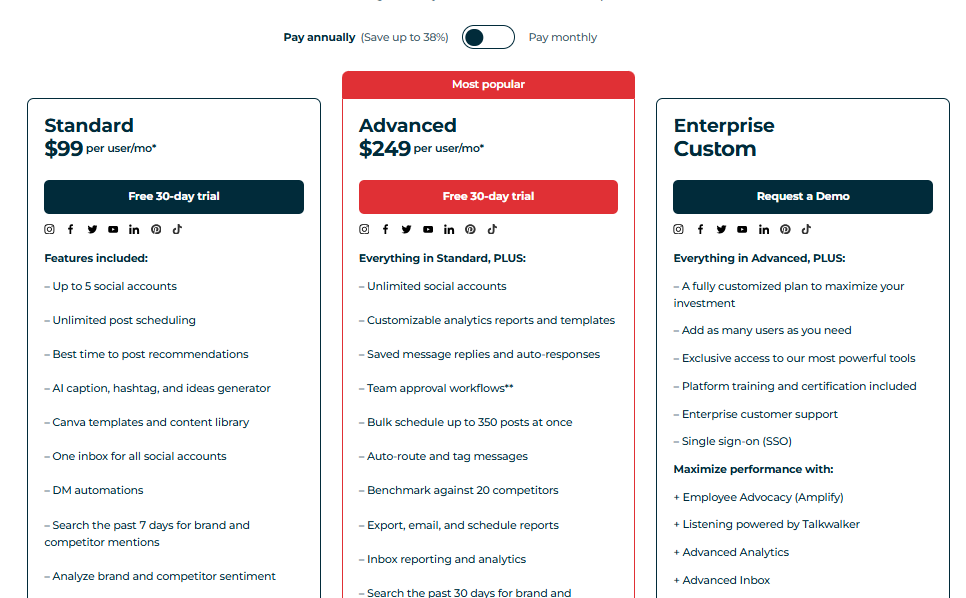
Hootsuite offers three plans, with the entry-level paid plan starting at $99/month (after a 30-day free trial). While it’s not the cheapest, it’s a strong option for professionals or small teams managing multiple channels. The higher tiers unlock advanced features, but costs rise quickly.
Overall Verdict
Hootsuite is a powerful eClincher alternative with advanced scheduling, automation, and analytics. It’s especially useful for teams and enterprises that need detailed reporting and strong collaboration tools.
8. Sendible ($29/Month)

Sendible is another strong eClincher alternative we’ve tested, and it’s especially appealing for agencies and businesses that juggle multiple clients.
The platform is built to streamline social media management, offering a clean dashboard and plenty of integrations that help cut down on busywork. Compared to eClincher, Sendible feels more polished when it comes to collaboration and reporting.
Key Features:
- Post scheduling and publishing. You can schedule posts across all major platforms, with the option to customize content for each channel in a single workflow. Bulk scheduling is available too, which saves loads of time for bigger teams.
- Smart content recommendations. Sendible pulls trending articles and content ideas into your dashboard. This helps you curate posts quickly when you don’t have fresh content ready.
- Social listening and monitoring. You can track brand mentions, keywords, and hashtags across platforms to keep tabs on conversations around your brand or clients.
- Visual content calendar. The drag-and-drop calendar makes it easy to see your posting schedule at a glance and shuffle content when priorities change.
- Unified social inbox. Manage comments, messages, and mentions from different platforms in one central inbox, reducing the chances of missing important interactions.
- Reporting and analytics. Reports are customizable and presentation-ready, which makes them great for agencies. You can automatically send branded reports to clients on a schedule.
- Integrations. Sendible connects with Canva, Google Drive, Dropbox, and other apps, so adding visuals and assets to posts is quick and seamless.
Pros
- Sendible is a perfect option for agencies managing multiple clients
- It comes with an easy-to-use interface and strong scheduling tools
- Customizable reports are client-ready and can be automated
- Strong integrations with design and file-sharing tools
Cons
- Pricing can be steep for freelancers or very small businesses
- Some advanced features require higher-tier plans
- Occasional lag when managing a very large number of accounts
Pricing & Value
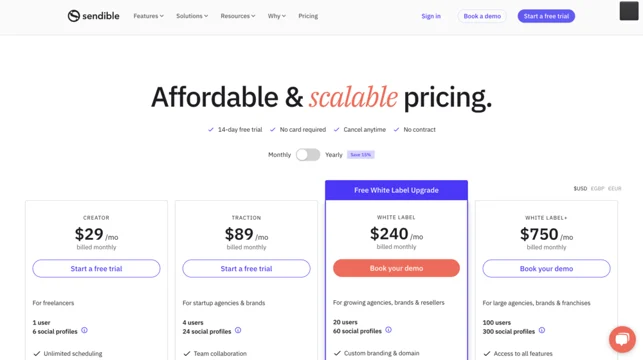
Sendible offers several pricing tiers, starting at around $29/month for individuals and scaling up for agencies that need more profiles and team seats.
Overall Verdict
Sendible is a smarter, more agency-focused alternative to eClincher. With its strong scheduling tools, polished reporting, and helpful integrations, it takes a lot of the stress out of managing multiple brands. If you’re running a social media agency or managing content for several clients, Sendible is a reliable tool that feels built with you in mind.
9. Zoho Social ($15/Month)
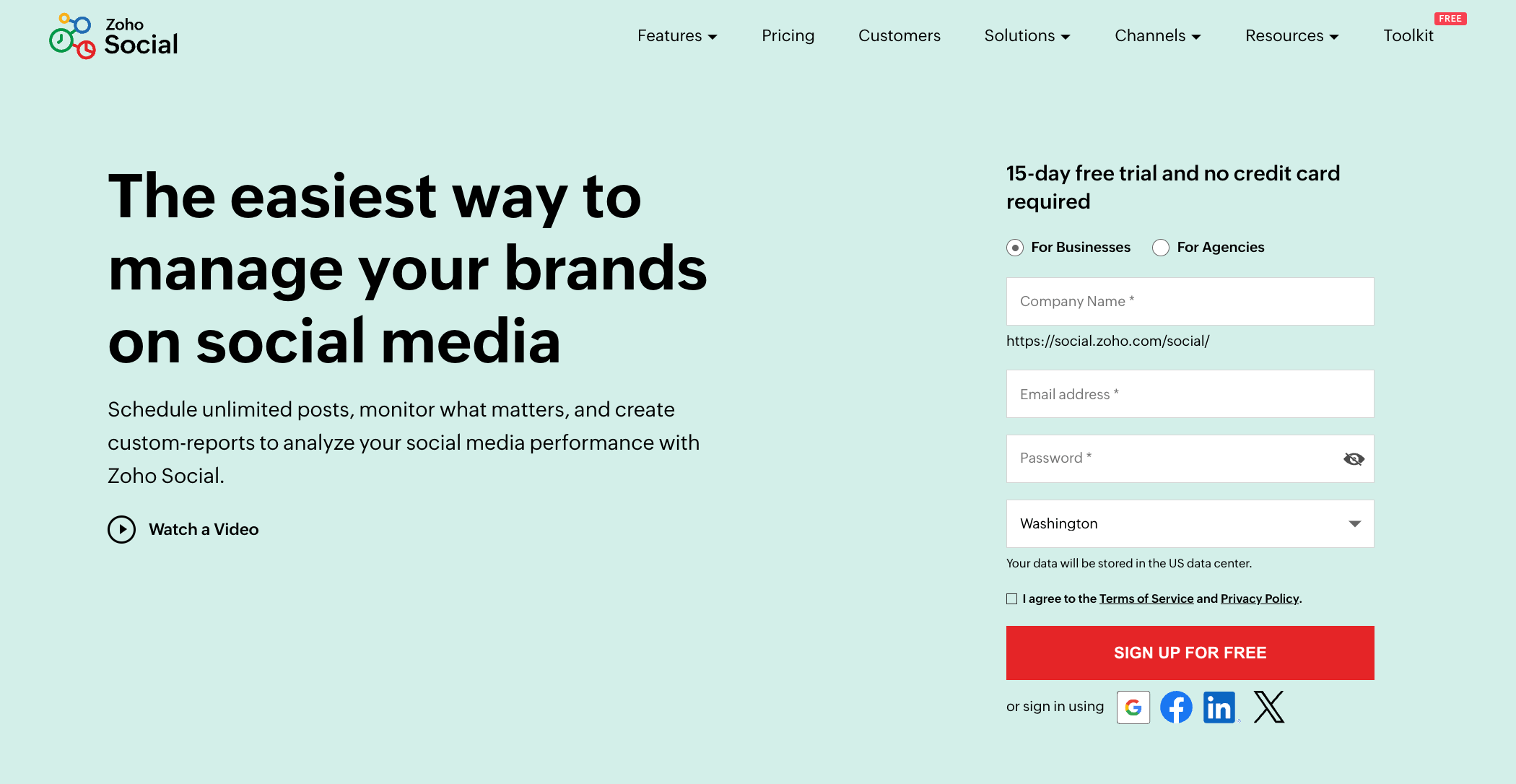
Zoho Social is one of the most budget-friendly eClincher alternatives we’ve tested, but don’t let the lower price fool you – it’s surprisingly powerful.
Designed for both individuals and agencies, it packs in scheduling, monitoring, and analytics features that make managing social media feel much more organized.
If you’re already using other Zoho products (like Zoho CRM), the integration is seamless, which is a huge plus for businesses.
Key Features:
- Post scheduling and publishing: Zoho Social makes it easy to schedule content across multiple platforms. You can customize posts for each channel, plan campaigns in advance, and even queue evergreen content for automatic reposting.
- Social media calendar: The calendar view gives you a clear picture of all scheduled and drafted posts. It’s visual and easy to manage, helping you spot gaps in your strategy.
- Monitoring dashboard: You can track keywords, hashtags, brand mentions, and competitor activity in one place. It’s a simple but effective way to stay on top of conversations.
- Collaboration tools: Teams can draft posts, leave comments, and set up approval workflows, making it easy to manage content without messy back-and-forth.
- Analytics and reporting. Reports cover engagement, reach, and audience growth. While not as advanced as some higher-priced tools, they’re clean, straightforward, and easy to share.
- CRM integration. If you’re using Zoho CRM, you can link your social interactions directly to leads and contacts. This feature is especially useful for businesses looking to tie social media activity to sales results.
Pros
- Affordable pricing compared to most alternatives
- Simple, clean interface that’s beginner-friendly
- Solid monitoring tools for tracking conversations
- Smooth integration with Zoho CRM for sales-focused businesses
- Collaboration features make it practical for teams
Cons
- Analytics aren’t as advanced as premium tools like Sprout Social
- Some features (like advanced reporting) are only in higher plans
- No built-in AI content generation yet
- Can feel limited for very large teams or enterprises
Pricing & Value
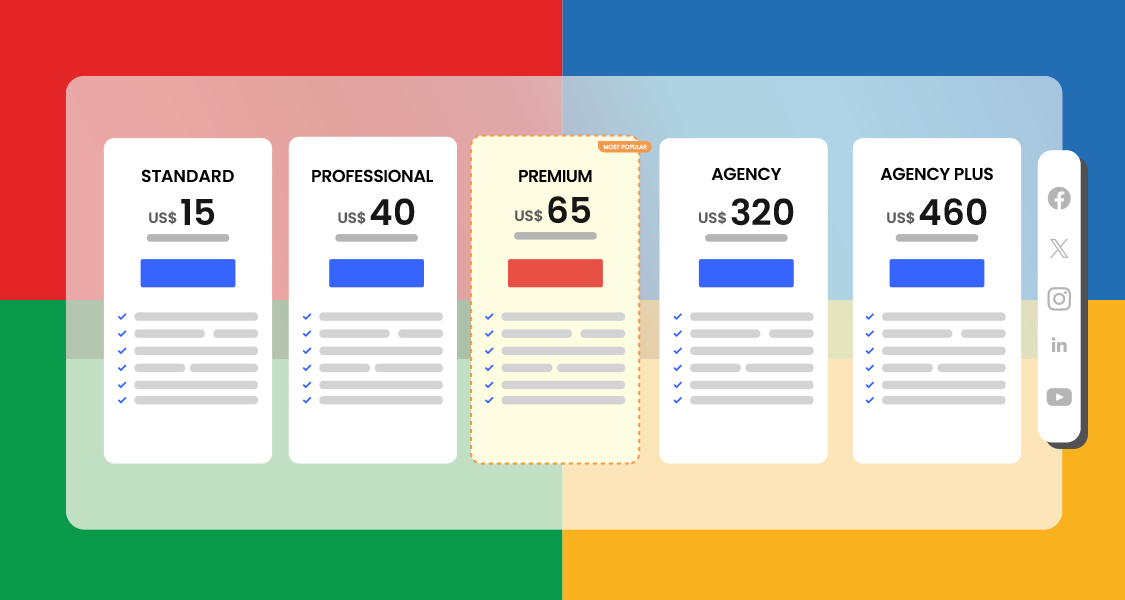
Zoho Social is one of the most affordable tools on this list, with plans starting at around $15/month for individuals and scaling up for teams and agencies.
For the price, you get a surprising amount of functionality, making it a fantastic option for small businesses or startups that need a capable tool without overspending.
Overall Verdict
Zoho Social stands out as a budget-friendly yet effective alternative to eClincher. It doesn’t try to overwhelm you with features you’ll never use.
Instead, it focuses on the essentials, including scheduling, monitoring, reporting, and collaboration, and does them well. If you’re a small business, a startup, or already part of the Zoho ecosystem, it’s a smart and reliable choice.
How to Choose the Best eClincher Alternative
With so many tools out there, the trick isn’t just finding an alternative to eClincher. It’s finding the right one for your brand. Here are a few key things to weigh up before making your choice:
1. Ease of use
A social media tool should save you time, not make your life harder. Look for a clean dashboard that’s intuitive, easy to navigate, and quick to learn. If the interface feels clunky during a trial, it probably won’t get better with time.
2. Scheduling and automation
The heart of any social media manager is its scheduling. Check whether the tool allows bulk uploads, post queues, or smart scheduling (publishing at the best times). Automation features like reposting evergreen content can also take a lot off your plate.
3. Analytics and reporting
Numbers matter. Choose a tool that offers clear insights into engagement, reach, and growth. Bonus points if reports are customizable or client-ready – you’ll save hours of manual reporting.
4. Collaboration and approval workflows
If you work with a team, this is non-negotiable. Approval workflows, shared calendars, and role-based access keep everyone on the same page and reduce bottlenecks.
5. Pricing
Be realistic about what you’re willing to spend. Some tools charge premium rates for features you may never use. Compare plans carefully to make sure you’re getting real value for money, especially if you’re managing multiple accounts or brands.
6. Customer support
When things break (and they will), good support is priceless. Look for platforms with responsive customer service and helpful resources, rather than ones that leave you waiting days for a reply.
Final Note
Choosing the right social media management tool can feel overwhelming, but it really comes down to fit. eClincher has its strengths, but as we’ve seen, there are plenty of alternatives that offer smoother workflows, smarter features, and better value for your money.
Social media is fast-paced, and the last thing you need is a tool that slows you down. Test a few of the alternatives we have discussed. Explore their features and go with the one that feels like a natural extension of your daily work.
The right platform won’t just make scheduling easier; it’ll help your brand grow with more consistency and confidence.
FAQs
Does eClincher have a free version?
No, eClincher doesn’t offer a free plan. They do provide a free trial, but after that, you’ll need to pay for one of their subscription tiers.
Is there a cheaper tool better than eClincher?
Yes. Tools like Zoho Social and OnlySocial are more affordable and still deliver strong scheduling, analytics, and collaboration features. For many small businesses, these provide better value for money.
Is OnlySocial better than eClincher?
In our experience, yes. OnlySocial has a cleaner interface, stronger AI features, and more flexible pricing. It also supports more platforms natively and has a responsive support team, making it a smoother experience overall.
What is the most affordable alternative to eClincher?
Zoho Social is one of the most budget-friendly options, starting at around $15/month. Despite its lower price, it still covers the essentials like scheduling, monitoring, and reporting, making it ideal for startups and small businesses.