OnlySocial vs SocialPilot: The Best White-Label Solution for Agencies in 2025

For agencies, social media management is more than just posting content. It’s about providing clients with a service that looks seamless and professional.
That’s where white-label solutions come in.
They let agencies put their own branding on powerful platforms, so clients see your logo, your domain, and a dashboard that feels like it was built just for them.
It’s a smart way to build trust and scale without building software from scratch.
OnlySocial and SocialPilot are both powerful names that stand out in this space. Both promise agencies the tools to manage clients at scale. But how do they stack up when it comes to branding, features, and value for money?
In this guide, we’ll break down what each platform brings to the table, and why OnlySocial may be the stronger choice for agencies looking to grow.
Table of Contents
- 1 What is a White-Label Social Media Management Tool?
- 2 OnlySocial White-Label Solution: What It Offers
- 2.0.1 Fully Customizable Branding
- 2.0.2 Multi-Platform Post Scheduling
- 2.0.3 Bulk Scheduling (Up to 500 Posts)
- 2.0.4 AI Assistant for Content Creation
- 2.0.5 Unified Inbox for Comments and DMs
- 2.0.6 Grouping by Brand or Location
- 2.0.7 Robust Analytics
- 2.0.8 Media Gallery + Google Calendar Integration
- 2.0.9 Link-in-Bio, QR, and VCard Tools
- 2.0.10 Collaboration Workflows
- 2.0.11 Impersonate Users
- 2.0.12 Billing and Invoicing
- 2.0.13 Affordable Pricing
- 3 SocialPilot White-Label Solution: What It Offers
- 3.0.1 Custom Branding
- 3.0.2 Client Management Dashboard
- 3.0.3 Content Scheduling, Reporting, and Analytics
- 3.0.4 Bulk Scheduling & Smart Calendar
- 3.0.5 Client and Team Workflow Tools
- 3.0.6 Built-In Social Inbox
- 3.0.7 AI Content Assistant (Limited)
- 3.0.8 Canva Integration
- 3.0.9 Grouping by Brand or Location
- 3.0.10 Pricing
- 4 OnlySocial vs SocialPilot: Head-to-Head Comparison
- 5 Why OnlySocial Wins for Agencies
- 6 Final Note
- 7 FAQs
- 7.0.1 Is white-label social media marketing ethical?
- 7.0.2 Will my clients know that I use a white-label social media marketing service provider?
- 7.0.3 Can I create my own subscription packages for clients?
- 7.0.4 OnlySocial vs SocialPilot: which is easier to set up?
- 7.0.5 Which platform gives better value for money?
What is a White-Label Social Media Management Tool?
If you run a social media agency, you’ve probably wished clients could see your name on the tools you use – not someone else’s.
That’s exactly what a white-label social media platform does.
It’s software you can rebrand with your own logo, colors, and domain, so when clients log in, it looks like a platform built by your agency.
Behind the scenes, it’s powered by a provider like OnlySocial or SocialPilot, but on the surface, it’s all you.
So, why does this matter for agencies looking to grow?
Because white-label tools are more than just “nice to have.” They give you a professional edge, save you time, and make your service more valuable.
Let’s break down the benefits.
1. Stronger Branding
With a white-label tool, every client touchpoint reinforces your brand. No third-party logos, no distractions. It builds credibility and makes your agency look bigger and more polished.
2. Better Client Trust
When clients log in and see a platform branded as yours, it strengthens their confidence in your services. They don’t feel like they’re hiring someone who’s outsourcing. They feel like they’re working with an agency that has its own powerful tech.
3. Time and Cost Savings
Building software from scratch isn’t realistic for most agencies. It’s expensive, time-consuming, and never-ending. White-label tools let you skip the heavy lifting. You get all the features without spending years and millions on development.
4. Easy Scaling
As your client list grows, managing multiple accounts, scheduling posts, and tracking performance gets messy. A white-label tool gives you one central system to manage everything, so scaling your services doesn’t mean burning out your team.
5. Extra Revenue Opportunities
Because the platform looks like it’s yours, you can package it into your services however you like. Some agencies even resell access to clients as part of a premium package, creating a whole new revenue stream.
So, white-label tools let you deliver agency-level professionalism without the overhead of building software yourself. They’re the secret weapon for agencies that want to scale faster while keeping their brand front and center.
OnlySocial White-Label Solution: What It Offers
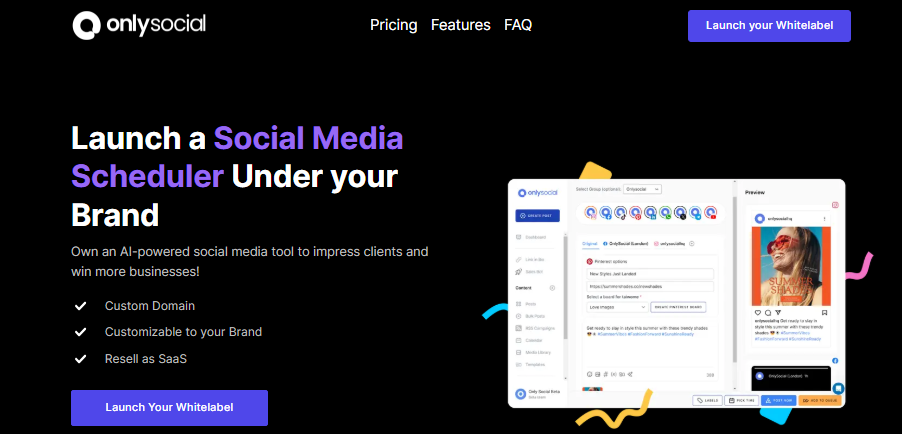
OnlySocial isn’t just another scheduling tool with your logo slapped on top. It’s built from the ground up to give agencies everything they need to run social media at scale – under their own brand.
Here’s a closer look at what you get with the white-label package:
Fully Customizable Branding
You can easily swap out the OnlySocial name with yours. Add your logo, custom domain, and branded client dashboard so clients only see your agency. It’s professional, seamless, and makes your agency look like it has its own in-house software.
Multi-Platform Post Scheduling
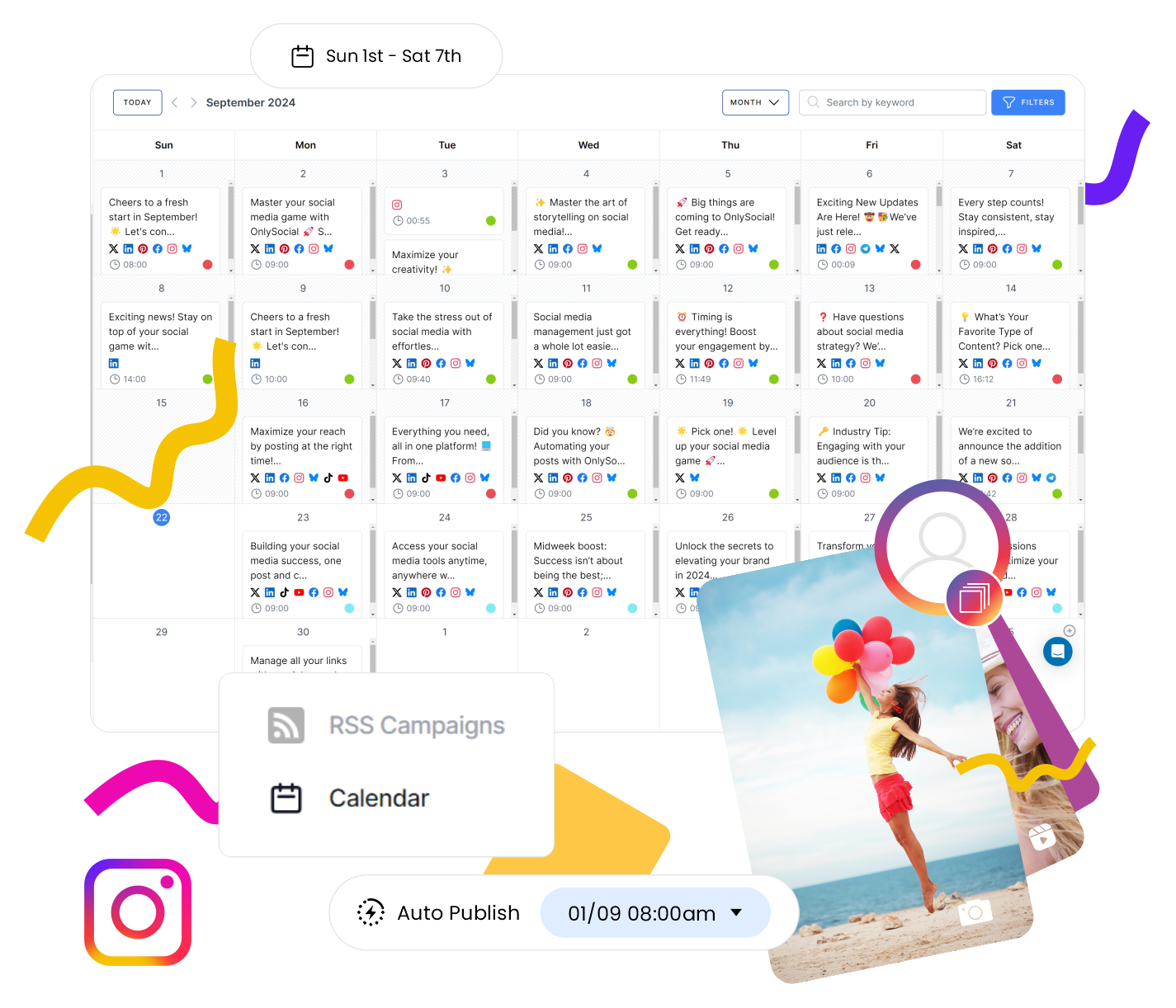
Schedule posts across all major platforms from one dashboard. OnlySocial lets you post to more than 15 social platforms at once. This means no more logging into multiple accounts or juggling different tools.
Bulk Scheduling (Up to 500 Posts)
Even if you’ve got a big campaign or lots of clients, OnlySocial lets you bulk schedule up to 500 posts at once. This is perfect for agencies that want efficiency without limits.
You can also upload a CSV file and schedule several posts in one go. For agencies managing lots of accounts, this is a massive time-saver.
AI Assistant for Content Creation
You will never get stuck for words again. OnlySocial’s built-in AI suggests captions, hashtags, and even content ideas tailored to each platform. It saves time and keeps your posts relevant.
If you need visuals fast, OnlySocial also comes with an AI-powered image creator so you can design on the fly without leaving the platform.
Unified Inbox for Comments and DMs
Instead of jumping between apps, OnlySocial pulls all your comments and DMs into one inbox. Manage conversations, respond to customers, and keep track of engagement without missing a beat.

Grouping by Brand or Location
This is a unique edge for agencies. You can group accounts by brand or location, making it easier to manage multi-location clients or franchises without getting lost in clutter.
Robust Analytics
You can track performance across every client and every platform without stress. OnlySocial’s analytics highlight what’s working, what isn’t, and where to double down – all in one clean report you can share with clients.
Media Gallery + Google Calendar Integration
Store and reuse content with the media gallery, and sync campaigns with Google Calendar. You can even join and respond to meetings directly inside the platform, making workflow smoother.
Link-in-Bio, QR, and VCard Tools
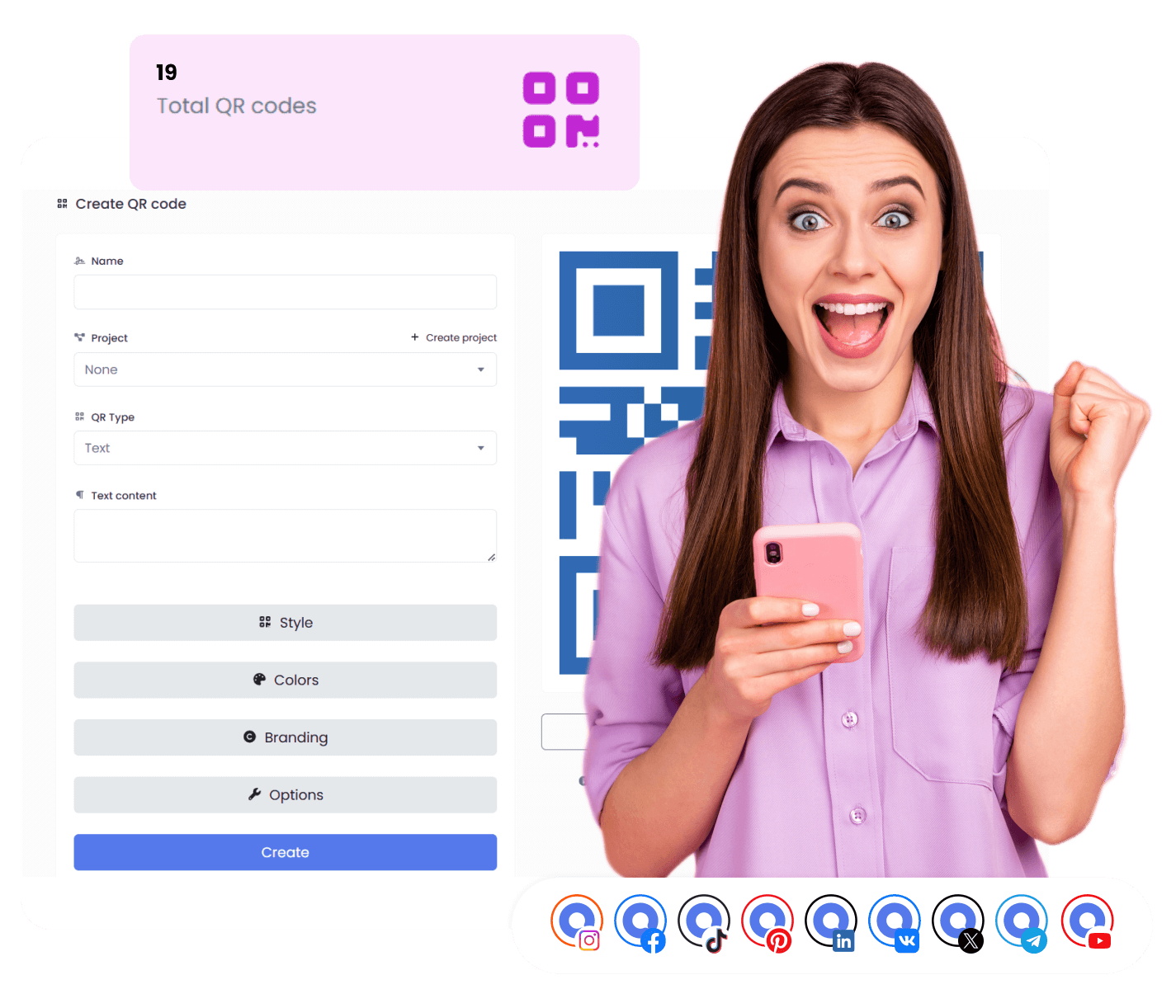
Go beyond posts. Create powerful link-in-bio pages, scannable QR codes, and digital business cards (VCard) to boost brand visibility and engagement.
Collaboration Workflows
Agencies with teams will love this. Writers can draft posts, managers can review, and clients can approve – all within the platform. No messy email chains or lost Google Docs.
Impersonate Users
If a client runs into trouble, you don’t need their login. OnlySocial lets you securely “step into” their account to troubleshoot or update content directly.
Billing and Invoicing
One of OnlySocial’s standout features. Unlike many competitors, it comes with integrated billing (Stripe, Paddle, Paystack). Agencies can sell subscriptions directly under their brand, creating a true SaaS business with recurring revenue.
Affordable Pricing
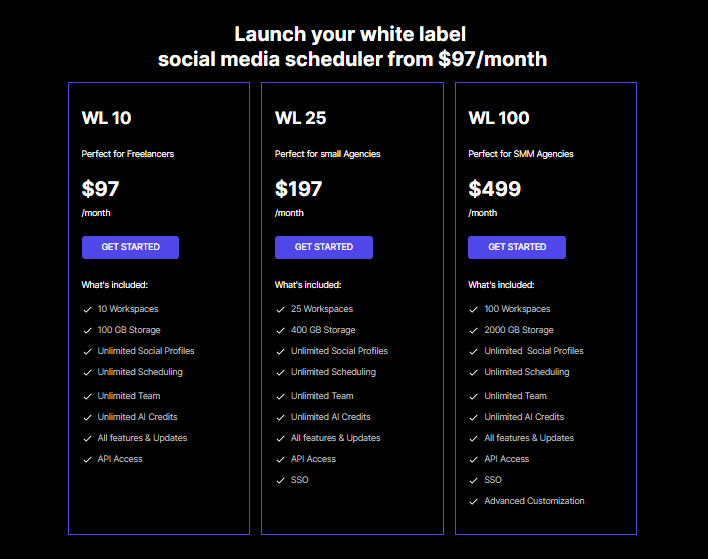
OnlySocial offers flexible white-label plans starting at $97/month. This includes unlimited scheduling, unlimited social profiles, team access, API integration, and regular feature updates.
Plans scale with your agency’s size – $97/month for 10 workspaces, $197/month for 25 workspaces, and $499/month for 100 workspaces (ideal for SaaS-level providers).
With all these amazing features and offerings, it’s obvious that OnlySocial doesn’t just rebrand the basics – it gives agencies everything they need to scale. It’s designed to make agencies look bigger, work faster, and grow revenue smarter.
Now, let’s see what SocialPilot offers, too!
SocialPilot White-Label Solution: What It Offers
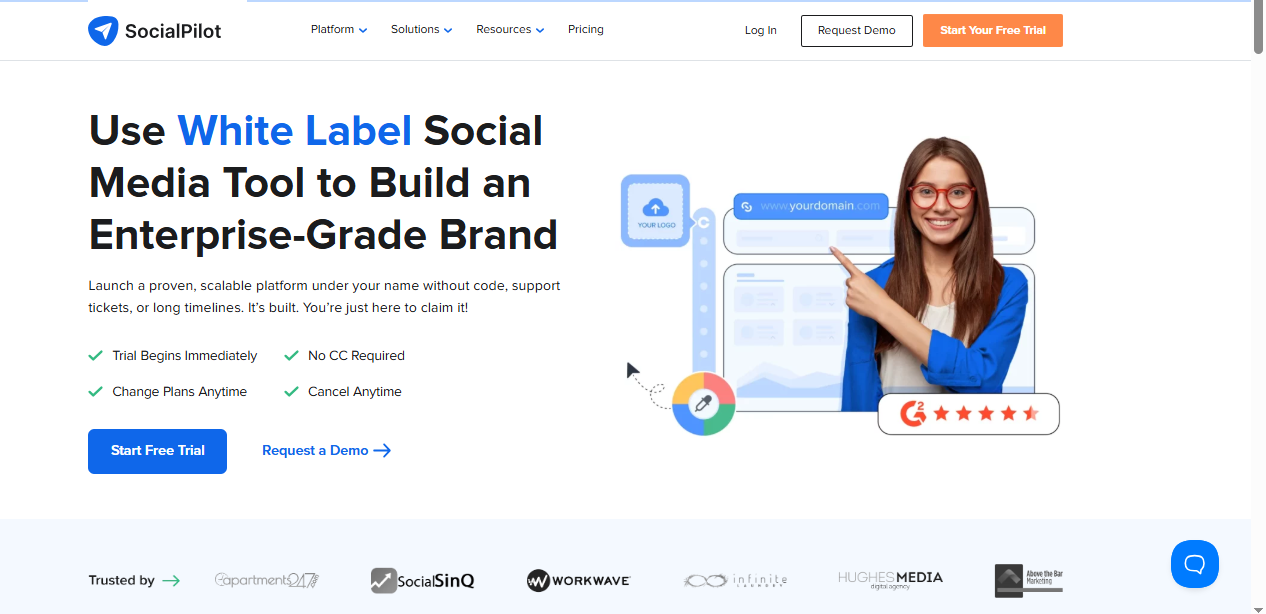
SocialPilot is another big name in the white-label social media space. Its offering is aimed at agencies that want a rebranded platform with solid scheduling and reporting features.
Let’s see a breakdown of what you get:
Custom Branding
Like OnlySocial, SocialPilot allows you to add your own domain, logo, and custom branding. Even email notifications can be white-labeled, so everything your client sees comes from your agency.
Client Management Dashboard
SocialPilot provides a client-facing dashboard where they can log in, view reports, and approve content. It’s straightforward and keeps collaboration transparent.
Content Scheduling, Reporting, and Analytics
At its core, SocialPilot offers content scheduling and analytics across major social platforms. You can manage multiple accounts, plan posts, and review results in one place.
Bulk Scheduling & Smart Calendar
SocialPilot supports bulk scheduling via CSV uploads and gives agencies a smart calendar for a clear overview of campaigns. This makes planning content smoother, though bulk post limits are smaller compared to OnlySocial’s 500-post capability.
Client and Team Workflow Tools
With approval workflows and team roles, agencies can assign tasks, draft posts, and get client sign-offs directly inside the platform. It’s a reliable system for structured collaboration.
Built-In Social Inbox
SocialPilot includes a social inbox to manage conversations across platforms. However, its functionality is not as advanced as OnlySocial’s unified inbox, which combines both comments and DMs in a single view.
AI Content Assistant (Limited)
SocialPilot has an AI assistant for captions and post ideas, but it’s fairly basic compared to OnlySocial’s AI tools. It works for generating quick drafts, but doesn’t dig as deep into hashtags or tailored engagement suggestions.
Canva Integration
A handy bonus is its direct Canva integration. You can design graphics inside the platform without switching tabs, which is great for agencies with content-heavy workflows.
Grouping by Brand or Location
SocialPilot also allows grouping accounts by brand or location, similar to OnlySocial. This helps agencies keep client campaigns neatly organised.
Pricing
SocialPilot’s white-label plan starts at $200/month. This includes unlimited users and accounts, plus dedicated support and onboarding. It’s competitive, though it doesn’t include built-in billing or advanced AI features.
In summary, SocialPilot’s white-label platform covers the essentials, including branding, scheduling, client workflows, and analytics.
It’s a reliable choice, but some areas (like AI, inbox, and billing options) feel more limited when compared to OnlySocial’s all-in-one approach.
OnlySocial vs SocialPilot: Head-to-Head Comparison
When you look at OnlySocial and SocialPilot side by side, both position themselves as reliable white-label tools for agencies, but their approaches feel very different.
Let’s see how they stack up across key features:
Branding & Customization
SocialPilot provides the essentials: custom branding with your domain and logo, a client dashboard, scheduling tools, reporting, and even a social inbox.
For agencies looking for a straightforward solution, it covers the bases well.
OnlySocial, on the other hand, takes the idea further. Beyond just letting you add your logo and domain, it allows agencies to create a fully branded SaaS-like experience, complete with integrated billing and invoicing.
That means you’re not just rebranding a tool – you can build a new revenue stream by selling subscriptions under your own name, something SocialPilot doesn’t support.
Scheduling Power and AI Tools
Scheduling is another area where differences show. SocialPilot’s smart calendar and bulk scheduling work well, but OnlySocial allows up to 500 posts in one go and offers CSV imports for even bigger campaigns.
The same applies to AI. SocialPilot’s assistant can generate captions, but OnlySocial adds hashtag suggestions, content ideas, and even an AI image generator, which cuts down the need for third-party design tools.
Engagement and Collaboration
Engagement management is also smoother with OnlySocial’s unified inbox, which combines comments and DMs in a single view. SocialPilot has a social inbox too, but it’s not quite as comprehensive.
And when it comes to team collaboration, both offer approval workflows and role-based access, but OnlySocial’s “impersonate user” feature gives agencies an extra level of support flexibility that makes troubleshooting much easier.
Pricing & Value
Pricing is close between the two: SocialPilot charges $200 a month for unlimited users and accounts, while OnlySocial starts at $97 a month for 10 workspaces and scales up depending on your agency’s size.
While SocialPilot’s flat pricing looks simple on paper, OnlySocial’s plans bring more advanced features into the mix, making it easier for agencies to grow without switching platforms.
Why OnlySocial Wins for Agencies

When you put the two side by side, it’s clear that OnlySocial was built with agencies in mind. SocialPilot takes care of the basics well, including branding, scheduling, analytics, and collaboration.
But OnlySocial goes further, giving you the kind of features that make running an agency smoother, faster, and more profitable.
Here’s why OnlySocial stands out:
- Scales with you: From 10 to 100+ workspaces, OnlySocial grows as your client list does, without complicated add-ons.
- Smarter AI: Caption and hashtag suggestions, plus an AI image generator, give agencies a creative edge without extra tools.
- Unified engagement: A single inbox for comments and DMs keeps client conversations tidy and stress-free.
- Revenue-friendly: With integrated billing and invoicing, agencies can sell subscriptions under their own brand and create a recurring revenue stream – something SocialPilot doesn’t offer.
- Team-friendly: Approval workflows, role-based access, and impersonate-user support make collaboration simple for both staff and clients.
- More tools in one place: From link shorteners and link-in-bio tools to QR codes and VCards, OnlySocial adds extras that reduce the need for third-party apps.
At nearly the same price point, OnlySocial simply delivers more value. It’s not just a scheduling tool you can rebrand. It’s a full white-label platform that helps agencies scale like SaaS businesses.
Final Note
White-label tools are no longer just nice extras for agencies – they’re essential for scaling services and keeping clients happy.
Both OnlySocial and SocialPilot offer capable solutions, but when you compare them closely, the difference becomes clear.
While you get the basics with SocialPilot, OnlySocial tops things up, giving agencies the tools to operate like a full SaaS provider without the heavy costs of building their own software.
The tool is reliable, affordable, and designed with growth in mind.
If you’re looking for a white-label solution that helps you deliver more value to clients while scaling your own business, OnlySocial is the platform built to make that happen.
FAQs
Yes. White-label tools are designed for agencies to rebrand and resell. As long as you’re transparent about the services you provide and deliver value to your clients, using a white-label platform is completely ethical.
Not at all. Platforms like OnlySocial and SocialPilot let you use your own logo, colors, and custom domain. Clients log in through your branded dashboard, so the experience feels 100% like your agency’s own platform.
Can I create my own subscription packages for clients?
Yes. With OnlySocial, you can create and sell custom packages directly inside your branded platform thanks to its built-in billing and invoicing tools. SocialPilot allows customization too, but it doesn’t offer integrated billing, so you’ll need a separate system.
OnlySocial vs SocialPilot: which is easier to set up?
Both platforms are user-friendly, but OnlySocial is designed to get agencies up and running quickly with simple branding, bulk scheduling, and client dashboards.
SocialPilot is also straightforward but requires a bit more manual setup to unlock its white-label features.
Which platform gives better value for money?
SocialPilot offers a flat $200/month plan, which is simple to understand. OnlySocial, however, provides more advanced features like AI tools, billing, and higher bulk scheduling limits at a nearly identical price point. For agencies focused on scaling, OnlySocial delivers more value per dollar.