10 Best Publer Alternatives for Enhanced Social Management Results

Thinking of switching from Publer? Or maybe you’re just curious to see what else is out there before locking in your go-to social media tool?
Well, Publer is a solid option – it’s clean, affordable, and gets the job done for a lot of users. But let’s be honest, it’s not perfect.
Some alternatives offer more powerful features like a unified inbox, deeper automation, or better team workflows – often at similar prices. And if you’re ready to spend a little more, there are tools built to handle way more than just scheduling.
In this guide, we’ll walk through some of the best alternatives to Publer. We will consider what each one does well, where it might fall short, and most importantly, how it compares to Publer.
Just keep reading!
Table of Contents
- 1 Why Brands and Businesses Are Seeking Publer Alternatives
- 2 The best Puble alternatives for brands and businesses
- 3 1. OnlySocial
- 4 2. SocialBee
- 5 3. Pallyy
- 6 4. Sendible
- 7 5. Nuelink
- 8 6. Later
- 9 7. Sprout Social
- 10 Key Features of Sprout Social
- 11 8. Social Champ
- 12 9. Buffer
- 13 10. Zoho Social
- 14 What to Look for When Choosing the Right Publer Alternative
- 15 Final Note: Ready to Make the Switch?
- 16 FAQs
Why Brands and Businesses Are Seeking Publer Alternatives
Publer started out as a favorite for basic scheduling. And for solo creators or small teams, it still does the job. But as businesses grow and social media becomes more fast-paced and demanding, Publer is starting to show its limits.
If you’re already using Publer, some of these pain points may sound familiar. And if you’re still deciding on a tool, it’s worth knowing where Publer might fall short before you opt for it.
1. It Gets Pricey as You Grow
Publer looks affordable at first, but as your team expands or your needs increase, the costs can rise quickly. The lower plans are very limited, so you’ll probably need to upgrade sooner than you expect.
And as you add more users or want access to features like approval workflows or analytics, things can get expensive fast. You might even find yourself paying extra for tools that feel like they should be basic.

2. The Platform Has Its Limits
Publer covers the basics well – scheduling, automation, and queuing posts. But once your workflow gets more complex, it starts to fall behind.
Integrations with design tools, CRMs, or in-depth analytics platforms are either limited or missing. Real-time engagement? Not really there. And if you work heavily with video content or YouTube, you’ll quickly run into frustrating gaps.
3. Customer Support Can Be a Slow Ride
One thing many users mention is that support isn’t Publer’s strong point. Response times can be slow, especially on the lower-priced plans.
If you’re new to the platform, there’s not much in the way of onboarding help either. It sometimes feels like support is tied to how much you pay, which isn’t ideal when you’re stuck and need a quick fix.
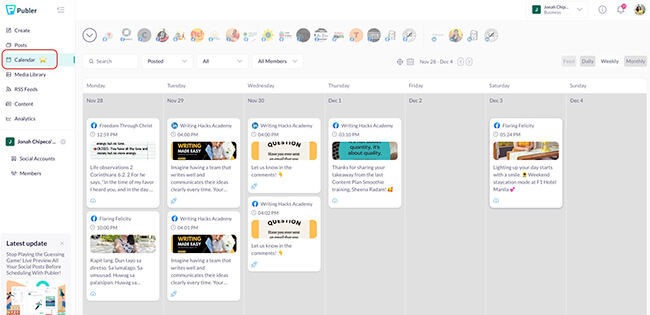
4. It Struggles to Scale with You
Publer works fine when you’re starting out. But as your team grows – maybe you’re managing multiple brands or working across regions – it starts to feel clunky.
Features don’t really evolve as your business does, and managing several users becomes more complicated than it should be. The platform also tends to slow down with heavier workloads, which can interrupt your flow.
If you’re hitting any of these walls, or just want a tool that grows with you, it might be time to explore the best Publer alternatives.
There are tools out there that give you more power, better support, and room to scale without draining your budget or testing your patience. Let’s consider some of them.
The best Puble alternatives for brands and businesses
1. OnlySocial
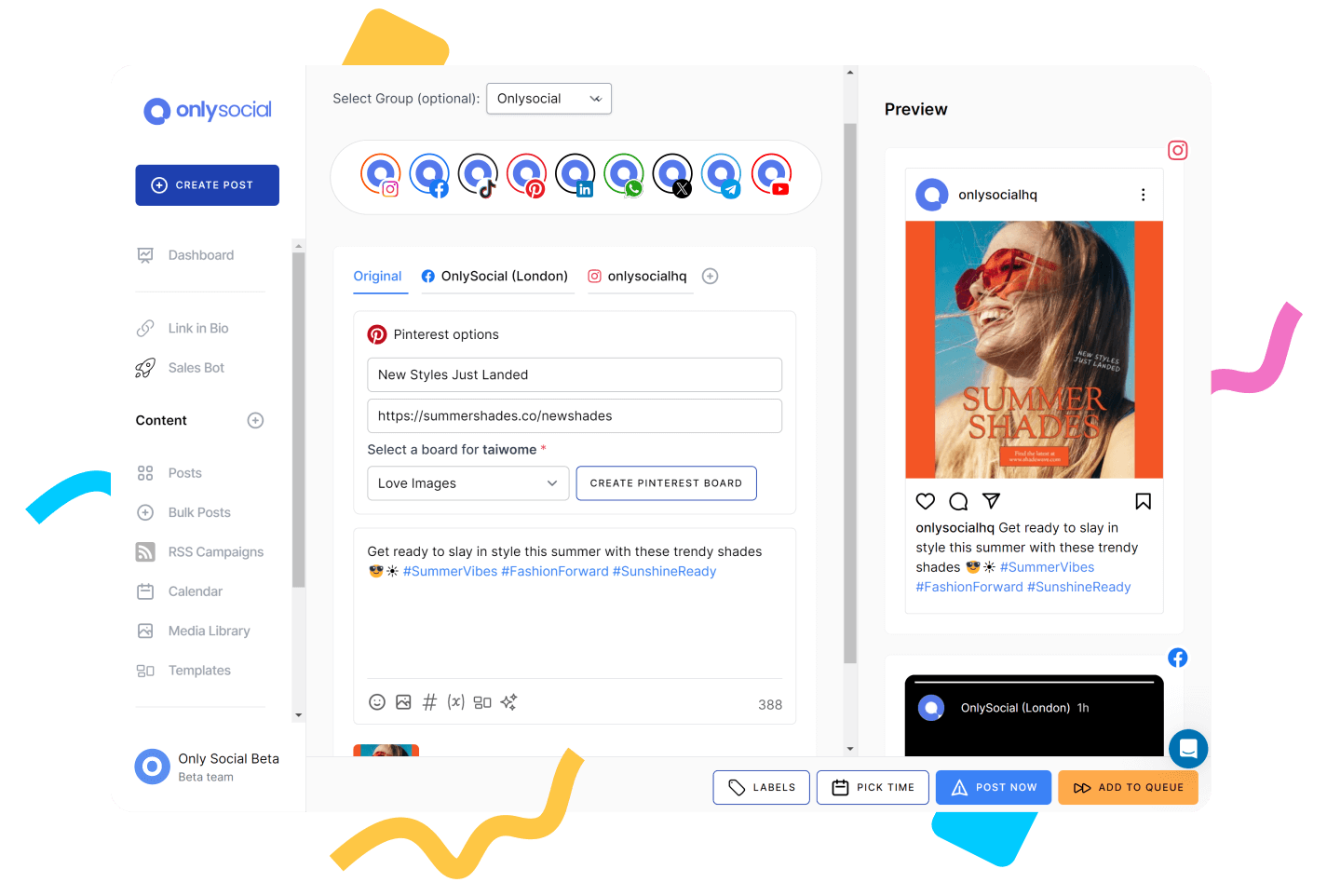
If you’ve tried Publer and felt like you had to keep upgrading just to access the features you really needed, you just need to check out OnlySocial. This could be the tool you needed all this while.
Why? Because it strikes the perfect balance between being super easy to use and packed with powerful tools. Whether you’re a solo creator, a growing brand, or a busy agency managing multiple clients, OnlySocial scales beautifully without complicating your life or blowing your budget.
While Publer handles basic scheduling well, OnlySocial steps it up with stronger collaboration tools, a smarter calendar, and something Publer still lacks – a unified social inbox. Plus, its built-in AI assistant means no more staring at a blank caption box.
Let’s break down exactly why OnlySocial stands out.
Key Features of OnlySocial
Intuitive Post Composer with Built-in AI
OnlySocial makes content creation feel smooth. The post composer lets you draft, preview, and tailor your message for each platform – all in one view. You can upload files from your computer, content library, Google Drive, or OneDrive.
And here’s the kicker: if you don’t know what to write, the AI Assistant helps generate captions, suggests relevant hashtags, and even provides high-quality visuals based on your content.
Compared to Publer, this AI feature feels smarter and more integrated – and over time, it adapts to your brand voice too.
Visual Calendar with Bulk Upload
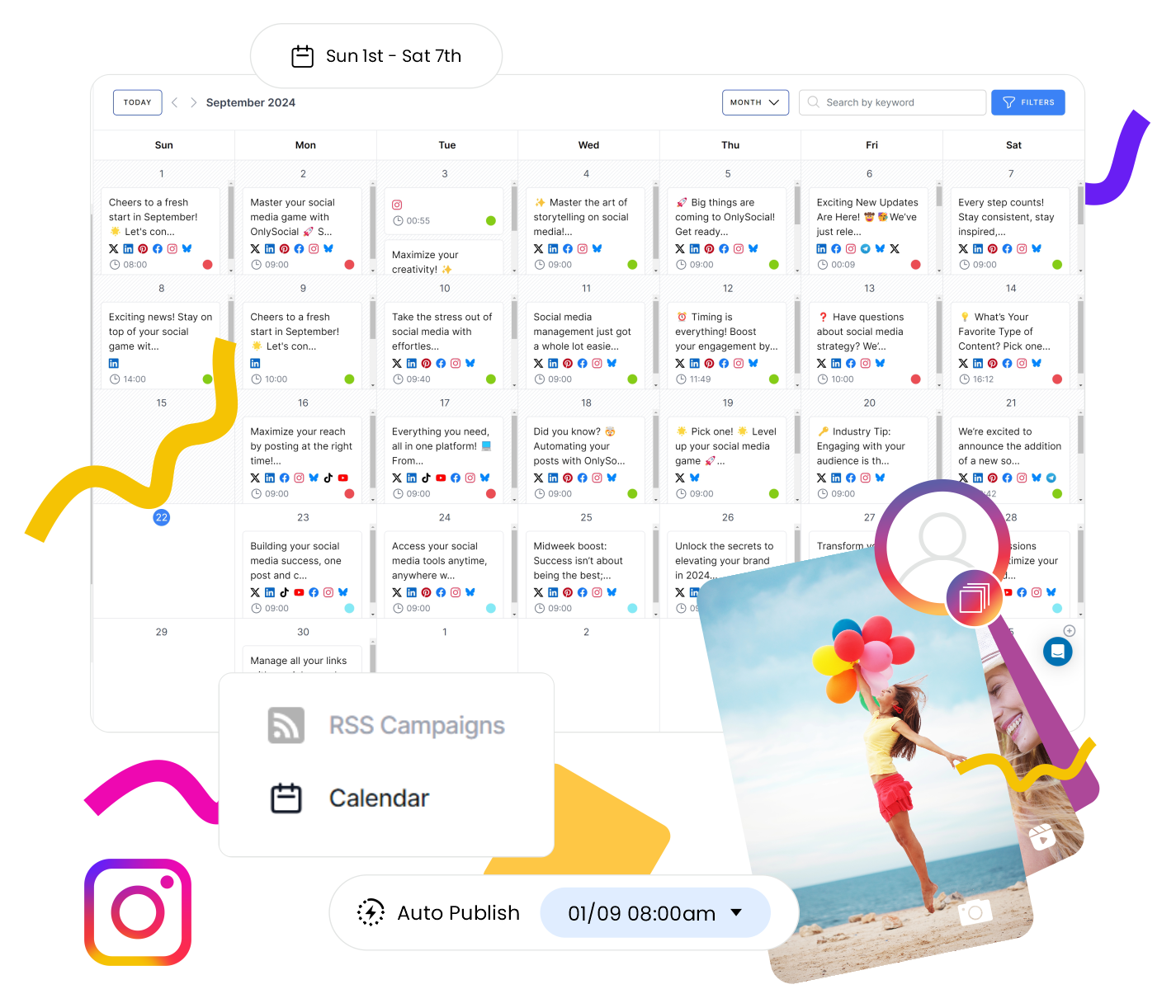
The visual calendar is your mission control. You can drag and drop posts, bulk upload using a CSV file, shuffle your campaigns with ease, and colour-code your content by theme or channel.
If Publer’s calendar ever felt a bit flat, this one adds a layer of flexibility and clarity that saves time every week.
Cross-Platform Scheduling for 15+ Networks
Whether you’re posting to Instagram, TikTok, Facebook, LinkedIn, YouTube, Pinterest, or even Threads and Bluesky, OnlySocial has you covered. The dashboard is clean and unified. You can manage everything from one place without hopping between tabs like you would with some other tools.
It supports more networks than Publer and handles each one natively, making it easier to stay consistent.
Unified Social Inbox
This is a game-changer, especially if you’re managing communities. With its Unified Social Inbox, OnlySocial brings all your Instagram DMs, Facebook messages, comments, and mentions into one place. No more bouncing between apps or tabs, and no more missed messages.
Publer doesn’t offer a unified inbox, so if engagement is a key part of your strategy, this alone is a big reason to switch.

Smart, Visual Analytics
OnlySocial gives you clear, no-nonsense reports that break down how your posts are performing – by platform, content type, audience engagement, and even the best posting times. This is no doubt, a major upgrade to what Publer offers.
Team Collaboration That Just Works
Working with a team? You’ll love the ability to assign roles, leave internal notes, set up approval workflows, and store brand assets in one shared library. Everyone stays on the same page without endless back-and-forth.
Seamless Integrations
OnlySocial connects directly with popular tools like Adobe Express, Bit.ly, and OpenAI. Whether you’re designing a visual, shortening a link, or generating a caption with AI, you can do it all without leaving the platform.
Pros of OnlySocial
- It offers affordable plans with powerful features
- Clean and intuitive interface
- Insightful analytics
- Bulk upload up to 500 posts at once
- AI-powered content support
- It also offers hashtag suggestions and insights on the details of the post-performance.
Cons
No built-in competitor analytics
No forever-free plan
Pricing & Value
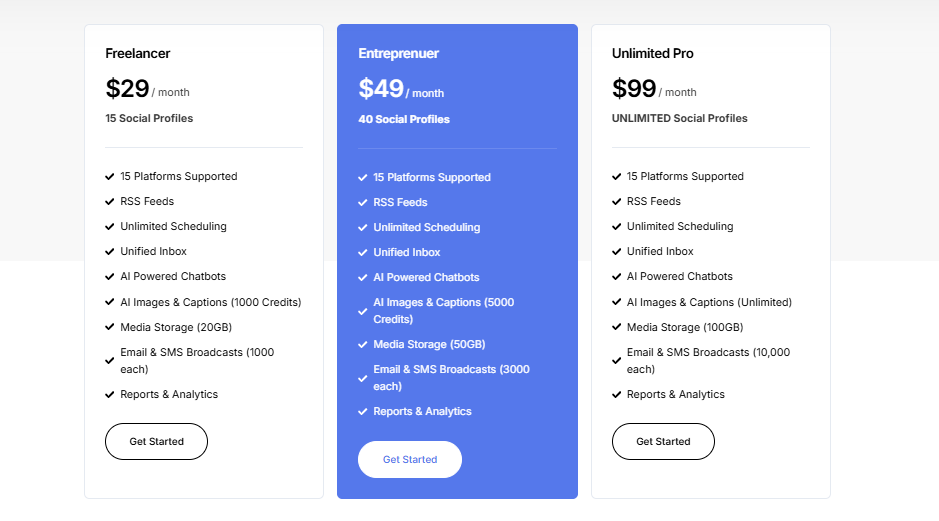
OnlySocial offers great bang for your buck, especially if you’re managing multiple accounts or collaborating with a team. Here’s how the pricing stacks up:
- Freelancer Plan – $29/month for up to 15 social accounts
- Entrepreneur Plan – $49/month for 45 accounts and 3 users
- Professional Plan – $99/month for unlimited accounts and 10 users
Each plan includes features like bulk scheduling, AI assistance, analytics, and team collaboration tools, making it one of the most affordable all-in-one solutions on the market.
Overall Verdict
If Publer is starting to feel too basic or limiting for your growing needs, OnlySocial is a worthy upgrade.
It’s packed with smart tools to help you plan, post, and engage more efficiently, without overwhelming you. Without any doubts, it’s obvious that OnlySocial is built for creators, marketers, and agencies who want to scale their social media game without the hassle or the high costs.
2. SocialBee
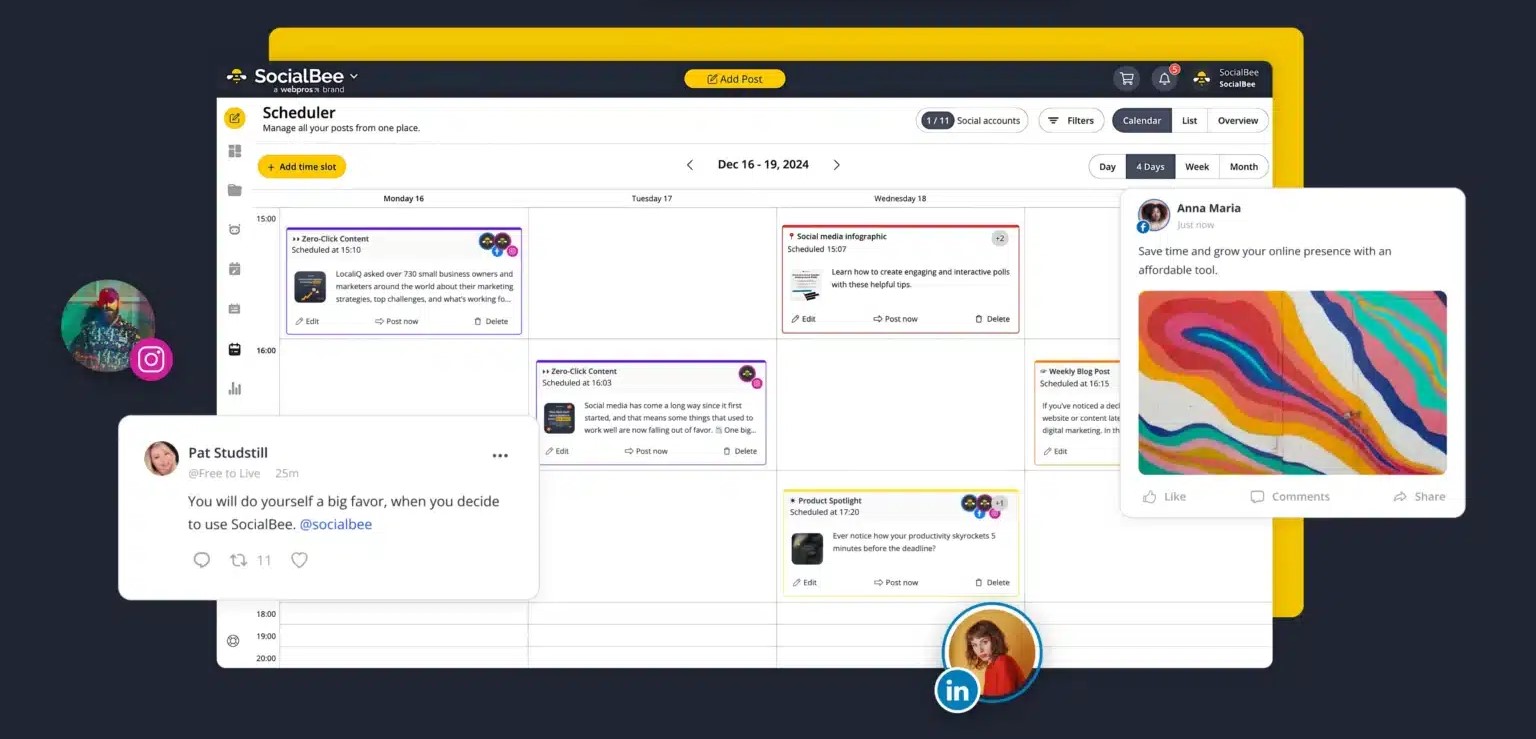
If your top priorities are scheduling posts and tracking performance, SocialBee is a solid step up from Publer. It’s a platform built for marketers who want to stay consistent with content and back it up with strategy and data.
The interface is clean and easy to use, making it great for solo creators or small teams. And with features like AI caption and image generation and a social media content strategy builder, SocialBee doesn’t just help you post; it helps you plan smart.
While its collaboration tools aren’t as strong as some other platforms, it’s an excellent Publer alternative if you’re focused on content quality and results.
Key Features of SocialBee
Post Composer
Create and schedule posts across multiple social profiles at once. The composer is simple to use, and the re-queue feature lets you republish evergreen content without extra effort – something not as polished in Publer.
Social Media Copilot
This standout feature helps you build a full content strategy using AI. It suggests the right channels, content categories, post frequency, and even generates post ideas for you. It’s more strategy-focused than Publer, which tends to focus on basic scheduling.
AI Caption and Image Generator
No inspiration? No problem. Just pop in a prompt and let SocialBee’s AI create captions or matching visuals for your posts.
Engage Inbox
You can manage comments, mentions, and messages across platforms from one central inbox. While it’s a useful addition, it’s not quite as robust as tools like OnlySocial when it comes to real-time engagement.
Analytics Dashboard
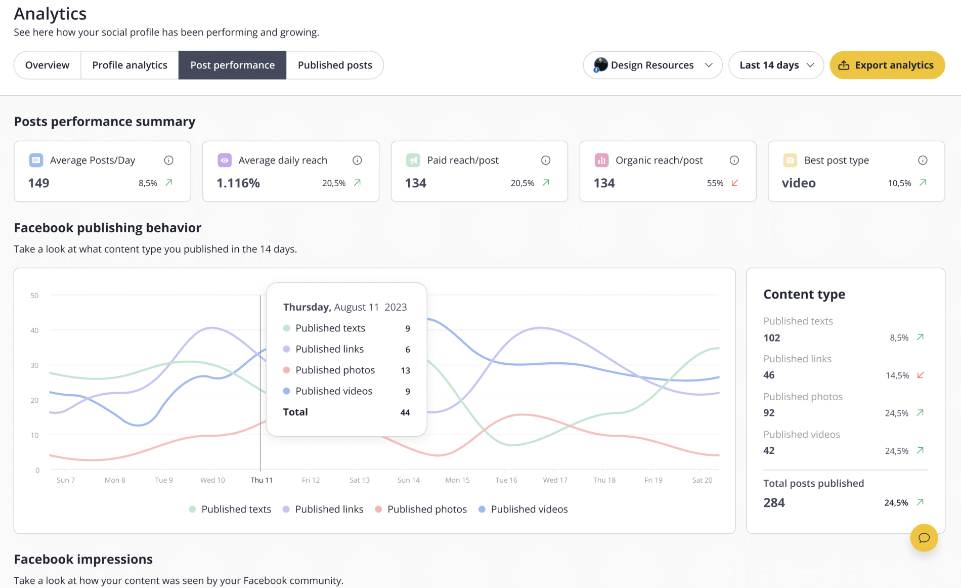
Track how your content is performing with post and page-level insights. You can export clean PDF reports, making this handy for client reporting or internal check-ins.
Pros of SocialBee
- Very easy to use, even for beginners
- Great for long-term content planning and recurring posts
- Strong AI tools for captions and image generation
- Solid analytics and exportable reports
- Competitor analysis features available on higher plans
Cons
- Limited team collaboration options
- Basic inbox and engagement features
- No link-in-bio tool
- Mobile app experience needs improvement
Pricing & Value
SocialBee’s pricing starts at $29/month, which gets you 5 social profiles, 1 user, and 1 workspace. There’s also a 16% discount if you choose to pay annually. While it’s in the same price range as Publer, you may get more value if you’re focused on planning, automation, and strategy creation.
Overall Verdict
SocialBee is a great pick if you’re looking for more than just a place to schedule posts. Its AI-powered planning tools and re-queue features help you stay consistent without burning out.
Compared to Publer, the tool offers better post recycling and content strategy support. But if you’re working in a team or want powerful engagement features, you might find its limitations a bit restrictive.
3. Pallyy
If you’re a freelancer, solo business owner, or someone who just wants a simple and focused social media tool, Pallyy is a solid Publer alternative.
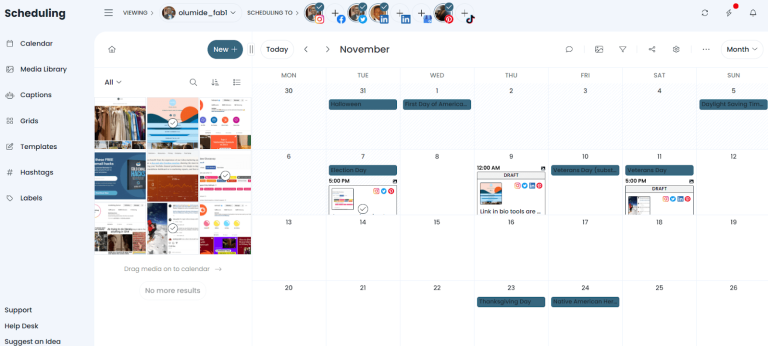
It offers an easy-to-use post composer, a drag-and-drop calendar, and a handy social inbox so you can stay on top of replies, mentions, and messages. You can also collaborate with team members – though it’s best suited for smaller teams or individuals.
Compared to Publer, Pallyy brings similar core features but adds a social inbox, which Publer lacks. On the flip side, its analytics aren’t as detailed and currently only cover Instagram, Facebook, and LinkedIn.
Key Features of Pallyy
Post Composer with AI Assistance
Pallyy’s composer makes it easy to schedule posts across multiple platforms. You can preview and customize each post per platform, and use the built-in AI caption generator to speed up your workflow.
Drag-and-Drop Calendar
The calendar is visual, clean, and surprisingly flexible. You can drag files directly from your media library to create a post. you can filter content by type or platform and even import holidays to get content inspiration.
Social Inbox with Smart Filters
This is where Pallyy goes beyond what Publer currently offers. You can reply to messages, comments, and mentions – all from one place. Plus, you can use automation to sort and filter messages by keywords, sentiment, or social channel.
Team Collaboration Tools
Pallyy lets you build teams, assign inbox messages, and send notes inside the composer. It’s helpful for small teams managing a few profiles, but the cost can rise quickly if you need more users.
Link in Bio Tool
Create a simple landing page to direct social traffic to your most important links. This is handy feature for Instagram or TikTok bios.
Analytics & Reports
Pallyy tracks performance for Instagram, Facebook, and LinkedIn, and you can generate and export basic PDF reports. While these are helpful, they’re not as in-depth as what Publer provides.
Pros of Pallyy
- Very easy to use
- Affordable for individuals and freelancers
- Great post scheduling and visual calendar
- Includes a social inbox (something Publer doesn’t offer)
Cons
- No content curation or listening tools
- Analytics are limited to three platforms
- Can get expensive if you’re adding multiple users or social sets
Pricing & Value
Pallyy offers a free plan with basic features, which is great if you’re just getting started.
Its Premium plan is priced at $25/month (or $20/month on annual billing). However, each additional social set costs $25/month, and each extra user is $29/month.
So, while it starts affordable, the price can stack up quickly if you’re managing many accounts or working with a bigger team.
Overall Verdict
Pallyy is a clean and budget-friendly alternative to Publer, especially if you’re a solo user or freelancer who doesn’t need all the bells and whistles.
It covers all the essentials – like scheduling, inbox management, and basic analytics – while keeping the interface simple and distraction-free. Plus, the social inbox feature gives it an edge over Publer if engagement is part of your workflow.
That said, larger teams or data-focused marketers may feel limited by its reporting tools and per-user pricing model.
Still, for anyone who wants a lightweight, efficient tool without the clutter, Pallyy is a great choice.
4. Sendible

If you’re looking for a user-friendly tool that helps you schedule content, track results, and stay on top of messages, Sendible is a solid Publer alternative to consider.
Sendible makes it really easy to create, manage, and monitor your social content from one dashboard. It also includes helpful extras like a priority inbox, content curation via RSS feeds, and custom report building. All of these are handy features for agencies or businesses wanting to stay organized and informed.
While Publer also supports scheduling and analytics, Sendible’s reporting is more detailed, and the collaboration tools are better suited for team-based workflows.
Key Features of Sendible
Post Composer
Sendible’s post composer is clean and flexible. You can customize your posts for each platform, schedule in advance, and send them for approval if you’re working with a team. It’s a smooth workflow, especially for agencies handling client content.
Publishing Overview
The publishing section gives you a bird’s-eye view of all your scheduled and published posts. You can sort by date, platform, or type, and even use holiday dates as content ideas.
Priority Inbox & Activity Feed
The inbox feature helps you respond to DMs, comments, and mentions quickly. You can also view your social feeds and interact without jumping between platforms – something Publer currently lacks.
Content Curation Tools
This is one feature anyone looking for a Publer alternative will love about Sendible. You can use the RSS feed feature to discover fresh content in your niche. You can save favorites for later or schedule curated posts to fill out your content calendar with ease.
Reports & Custom Builder
Sendible offers in-depth reporting for platforms like Facebook, Instagram, LinkedIn, and YouTube. The custom report builder lets you pick the metrics that matter most, which makes client reporting a breeze.
Pros of Sendible
- Easy to use, even for beginners
- Flexible post composer with approval workflows
- Detailed, customisable reports
- Priority inbox and activity tracking
- Great collaboration tools
- Chrome extension for quick sharing
Cons
- No support for Pinterest scheduling
- No link-in-bio feature
- No social listening or sentiment analysis
- Mobile app feels a bit outdated
Pricing & Value
Sendible’s pricing is comparable to Publer when looking at similar account and user limits.
- Plans start at $29/month for 6 social profiles and 1 user
- Annual plans come with at least a 13% discount
It’s a fair deal considering the reporting, inbox features, and team functionality you get in return.
Overall Verdict
Sendible is a well-rounded and easy-to-use alternative to Publer, especially if you value detailed reports and strong collaboration tools.
The built-in inbox, content curation features, and custom reports make it ideal for agencies, freelancers, and small marketing teams.
5. Nuelink
If automation, cross-posting, and simplicity are at the top of your list, Nuelink is a modern alternative to Publer. It’s built for creators, startups, and agencies who want to plan, schedule, and automate social media without juggling multiple tools.
Nuelink goes beyond simple scheduling. It automates entire workflows, like reposting evergreen content, cross-posting between platforms, and even generating captions with AI. The platform also includes a built-in link-in-bio tool, NueBio, making it easy to connect your audience from social to web in one click.
Its interface is clean and straightforward, and while it doesn’t overwhelm users with features, everything it offers is purposeful and efficient.
Key Features of Nuelink
Bulk Scheduling and Automation
Upload, plan, and schedule weeks of content in one go. You can set posts to automatically recycle, saving time and keeping your accounts active.
Cross-Posting Between Platform
Share the same post across platforms like Instagram, TikTok, LinkedIn, X, Pinterest, and more, automatically.
AI Caption Generator (NueAI)
Nuelink’s built-in AI assistant helps you write captions, brainstorm ideas, and create hashtags in seconds, eliminating creative blocks.
Link-in-Bio Page (NueBio)
Turn your social profile into a mini website. Showcase links, posts, and campaigns directly from your bio.
Analytics Dashboard
Monitor performance across platforms with clear insights into engagement, reach, and content effectiveness.
Pros of Nuelink
- Extremely easy to use and automation-focused
- Built-in AI for captions and ideas
- Includes a free link-in-bio tool
- Cross-posting between multiple platforms
- Affordable pricing.
Cons
- No mobile app.
- Limited real-time engagement management
Pricing & Value
Nuelink’s pricing starts at $18/month, with a 14-day free trial. Given its automation power and built-in extras like AI and NueBio, it’s one of the best-value Publer alternatives available today.
Overall Verdict
Nuelink is perfect for creators and small teams who want to automate their social media presence with minimal effort. Its focus on automation, cross-posting, and AI makes it stand out as a smart, time-saving alternative to Publer.
If you want to manage content efficiently across platforms and spend less time scheduling manually, Nuelink is a no-brainer.
6. Later
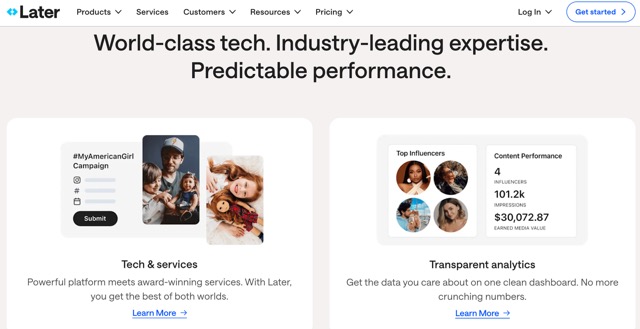
If you’re a content creator or influencer, Later is one of the best alternatives to Publer, especially if visuals are a big part of your strategy.
Later focuses on helping creators manage their social presence through easy scheduling, link in bio features, and even brand collaboration opportunities. While it may not offer the deepest analytics or team management tools, it really shines in areas that matter most to solo users and creative professionals.
Compared to Publer, Later’s link in bio tool is much more advanced, and the AI-powered content idea generator gives it an edge when you’re short on inspiration.
Key Features of Later
Post Builder
Later’s drag-and-drop post builder is simple and smooth. You can plan, preview, and schedule your posts across multiple platforms, and it’s especially great for Instagram and TikTok.
Visual Calendar
Get a full overview of your upcoming posts, neatly laid out in a calendar. It’s colour-coded and intuitive, which makes managing your content schedule feel less like a chore.
Linkin.bio Tool
Later offers one of the best link in bio solutions out there. You can mirror your Instagram or TikTok feed and connect each post to specific links. It also supports add-ons and integrations to enhance your landing page – something Publer doesn’t offer at all.
Creator & Brand Collabs
Built specifically with influencers in mind, this feature connects you with brands looking to partner on paid collaborations. A big plus for anyone growing a presence on Instagram or TikTok.
Ideas (AI Content Strategy)
Later’s AI tool helps generate social post ideas and even maps out a strategy based on your brand description. It’s great for creators who want to stay consistent but need a little inspiration.
Analytics & Reports
Track performance across your posts, hashtags, link clicks, and audience insights. While not the most detailed tool, it gives creators enough to guide their strategy.
Pros of Later
- Very easy to use
- Tailored for creators and influencers
- Excellent link in bio tool
- AI-driven content strategy ideas
- Built-in brand collaboration marketplace
- Strong mobile app experience
Cons
- Underwhelming social inbox feature
- Limited collaboration tools for teams
- No content curation or social listening tools
Pricing & Value
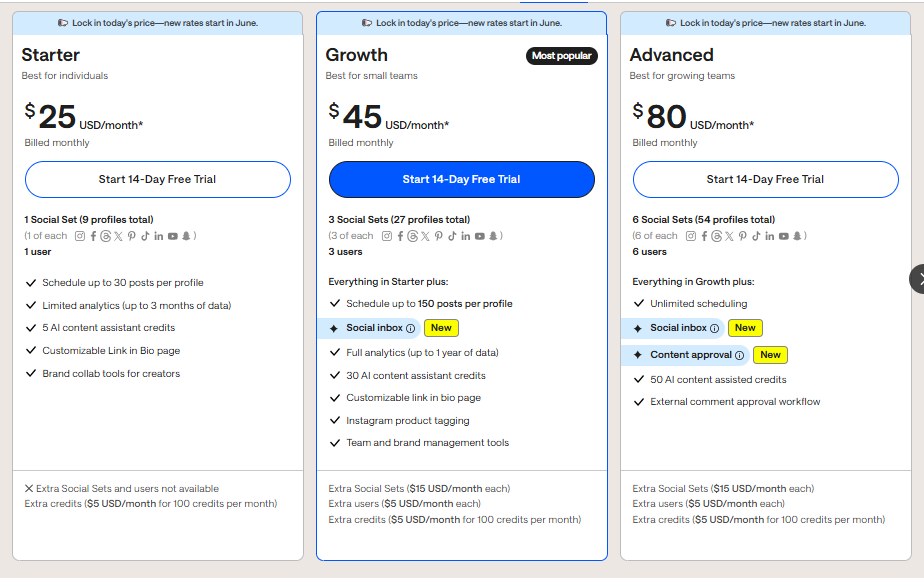
Later’s pricing starts at $25/month. You can save over 30% if you choose annual billing. While it’s similarly priced to Publer’s higher-tier plans, Later gives more value to visual creators and solo marketers.
Overall Verdict
If you’re a solo creator, influencer, or small brand, Later is a fantastic Publer alternative. It focuses on what matters most: helping you post consistently, connect with your audience, and collaborate with brands.
While it lacks advanced team features or in-depth analytics, its ease of use, strong AI tools, and creator-focused extras make it one of the best platforms in this space.
7. Sprout Social
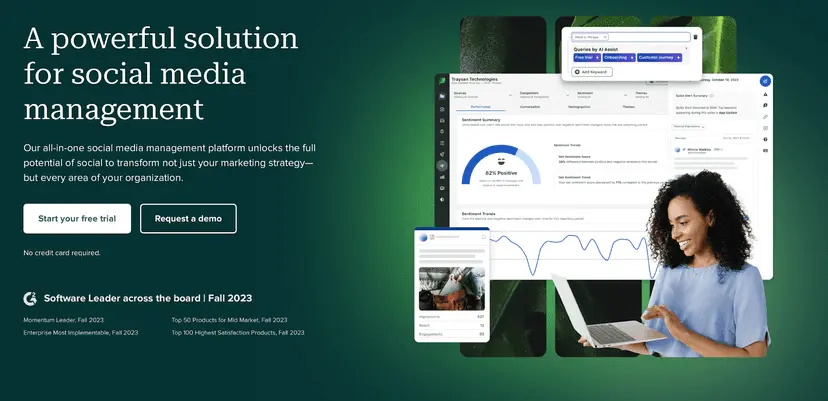
Let’s be honest – Sprout Social isn’t for everyone. If you’re working with a tight budget, this tool is probably not the one. But if you’ve got the funds and need advanced social media features, it’s one of the most powerful Publer alternatives out there.
Sprout Social combines deep functionality with a clean interface, making it easy to create, schedule, monitor, and analyze your content. It’s especially ideal for large teams, customer support departments, and agencies managing lots of social accounts or complex workflows.
Where it really sets itself apart from Publer is in its smart inbox, social listening, and customer support automation – Publer simply doesn’t play in that league.
Key Features of Sprout Social
Post Composer & Approval Workflows
The post composer is simple, but packed with functionality. You can collaborate with teammates, set approval flows for clients or managers, and even boost posts directly within the tool.
The one downside? You can’t customize one post across multiple platforms like you can with some other tools.
Publishing Calendar
Sprout’s calendar view shows all your upcoming posts in a visual layout, and includes AI Assist to help with writing captions. It’s clear and easy to manage, even with large volumes of content.
Smart Inbox
This is where Sprout really shines. You can respond to messages, mentions, and comments in one place. But it goes even further: you can tag messages, view sentiment analysis, and assign tasks to team members – super useful for support and community teams.
Bots for X and Facebook
Automate replies to FAQs and common messages with simple chatbot workflows. Great for reducing response time without overwhelming your team.
Reports & Analytics
Sprout’s reporting is extremely robust. You get deep insights into performance, competitor tracking, paid campaign results, and morew – ell beyond what Publer currently offers.
Social Listening (Add-On)
With Sprout’s listening tool, you can track brand mentions, competitor activity, and industry trends – not just on social media, but also across the web. It’s a premium add-on, though, so keep that in mind.
Reviews Management
Track and respond to reviews across platforms like Google, Yelp, Trustpilot, TripAdvisor, and more. Ideal for businesses that value online reputation.
Pros of Sprout Social
- Easy to use with a professional interface
- Advanced scheduling and approval tools
- Rich reporting, including paid and competitor analytics
- Smart inbox with tagging, sentiment, and task assignment
- Social listening and chatbot capabilities
- Strong customer support and mobile app
Cons
- Very expensive for individual users or small teams
- Can’t fully customise posts for each platform in one go
Pricing & Value
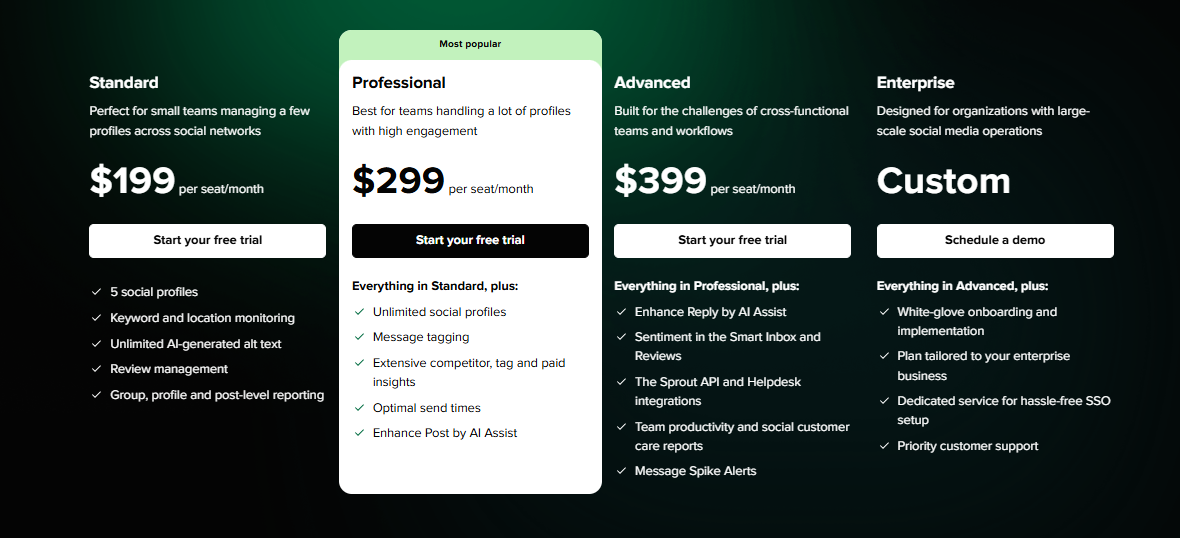
Sprout Social pricing starts at $199 per user/month for 5 social profiles, which makes it the priciest option on this list. However, if you choose annual billing, you’ll get at least a 20% discount.
It’s an investment, but for businesses that rely heavily on social media, support, and analytics, it can pay off quickly.
Overall Verdict
Sprout Social is a powerhouse if you can afford it. It’s not just a scheduling tool. It’s a complete social media management suite for brands that need to monitor conversations, manage customer messages, track performance, and collaborate as a team.
If Publer is feeling too basic for your growing team, and you’re ready for enterprise-level features, Sprout Social is the upgrade you’ve been waiting for.
8. Social Champ
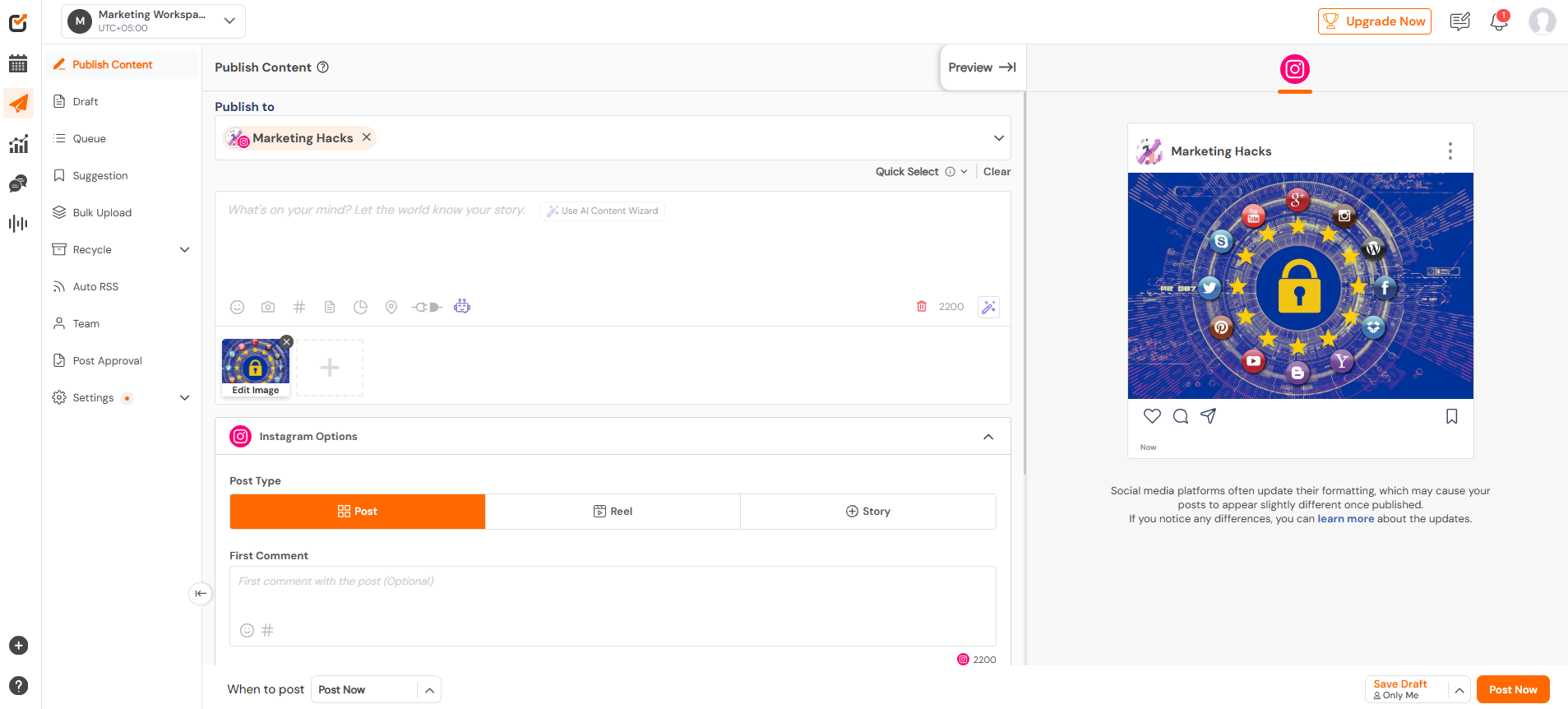
If you’ve ever felt slowed down by Publer’s limited collaboration tools or rigid workflows, Social Champ could be the upgrade you’re looking for.
It’s a fast, flexible, and team-friendly platform trusted by marketers, agencies, and growing businesses. From scheduling posts across multiple platforms to managing your team and inbox in one place, Social Champ brings everything under a clean and intuitive dashboard.
And while Publer does offer solid scheduling and automation, Social Champ gives you more room to grow, with smart AI tools, deeper collaboration features, and wider platform support – all at a surprisingly low price.
Key Features of Social Champ
Cross-Platform Scheduling
Plan and post content to 11+ social channels, including Facebook, Instagram, LinkedIn, TikTok, Pinterest, Threads, Google Business Profile, and even Bluesky and Mastodon. It’s all managed from one dashboard, so you’re not jumping between tabs all day.
Champ AI Suite
No more blank caption boxes. With the built-in AI assistant, you can generate post captions, brainstorm content ideas, and even get image suggestions. It’s great for speeding up content creation when you’re short on time (or inspiration).
Smart Scheduling Tools
You can bulk upload posts, set recurring schedules, and manage your calendar with drag-and-drop ease. Social Champ makes planning a month’s worth of content feel like a breeze.
Performance Insights
Get clear, actionable metrics on how your content is performing. You can even generate white-labeled reports, which is a win for agencies managing client accounts.
Unified Social Inbox
Handle messages, comments, and mentions from all your connected platforms in one inbox. Team collision detection ensures no two teammates accidentally reply to the same message.
Team Collaboration Tools
Assign custom user roles, manage approval workflows, and leave notes on scheduled posts. It’s designed to keep your team aligned without the usual communication chaos.
Competitor & Trend Monitoring
Stay ahead of the curve by tracking your competitors and spotting industry trends – all without leaving the app.
Pros of Social Champ
- Easy to use and fast to learn
- Supports a wide range of social platforms
- Great for teams and agencies
- AI-powered content creation tools
- Detailed reports and competitor tracking
- Very affordable starting price
Cons
- Some features (like advanced analytics) are only in higher-tier plans
- Limited integrations compared to larger tools like Sprout or Sendible
Pricing & Value
Social Champ offers incredible value, especially for individuals and small teams:
- Plans start at just $4/month
- All plans begin with a 7-day free trial
- The Growth and Business plans are ideal for agencies and larger teams needing deeper features
It’s one of the most budget-friendly tools on this list, especially considering how many features it packs in.
Overall Verdict
Social Champ is a powerful yet lightweight Publer alternative – perfect for growing teams, busy creators, and agencies that want smart features without high costs.
With its clean interface, built-in AI tools, wide platform support, and team collaboration options, it’s a fantastic pick if you want to manage more, plan smarter, and grow faster.
So, if you’re looking to go beyond the basics without going over budget, Social Champ is worth a serious look.
9. Buffer
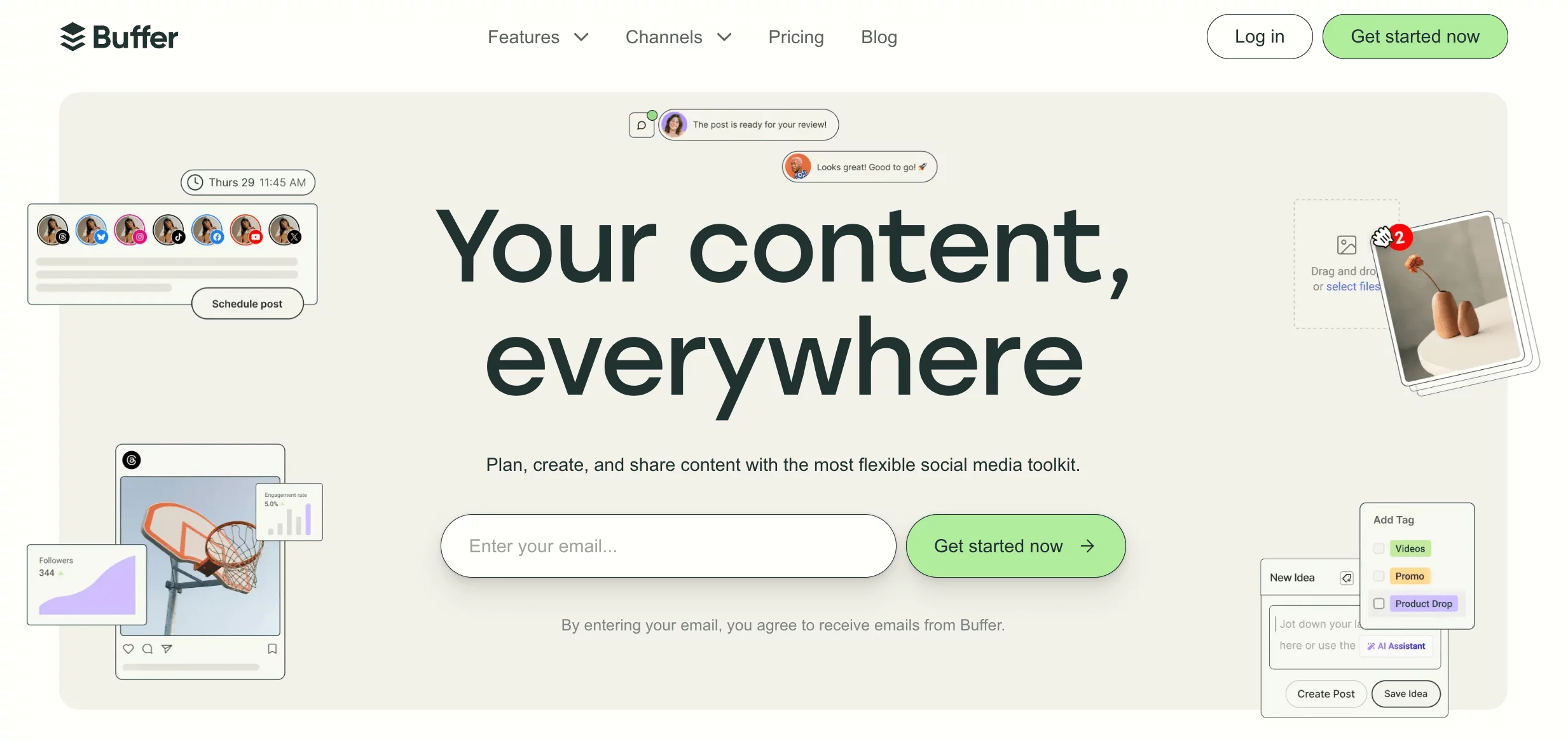
Buffer is one of the most well-known names in the social media management world – and for good reason. It’s built for simplicity, but packs enough powerful features to serve businesses, creators, and agencies alike.
While Publer handles basic scheduling well, Buffer offers more flexibility, stronger collaboration tools, and in-depth analytics that help teams make better content decisions.
If you want to plan and post across multiple platforms without the clutter, Buffer is a tool worth considering.
Key Features of Buffer
Content Creation & Scheduling
Buffer’s scheduling tools are one of its biggest strengths. You can queue up content, bulk schedule posts, and visualize your strategy in a simple calendar view. Compared to Publer, Buffer gives you more flexibility and time-saving options when planning large volumes of content.
Queue and Schedule Posts
Use Buffer’s smart queue system to set preferred posting times, then simply drop content in. It handles the rest, giving you consistent posting without constant manual effort.
AI Content Generator
Need help writing captions or coming up with ideas? Buffer’s AI tool can create post copy and suggest content – helpful for busy days or writer’s block moments.
Visual Content Calendar
Plan and manage all your upcoming posts visually with Buffer’s calendar. It’s intuitive, clean, and makes batch scheduling a breeze.
Unified Engagement Tool
Reply to comments and messages across your connected social accounts in one place. It’s a great way to improve engagement without switching platforms.
Collaboration & Analytics
Buffer works well for teams, with features like approval workflows, role-based access, and shared calendars. While Publer does offer team access, Buffer’s collaboration tools are far more refined, making it better for agencies or companies managing multiple client accounts.
Its advanced analytics provide deeper insights than Publer’s, helping you understand your audience and improve your strategy over time.
Customizable Landing Page (Start Page)
With Buffer, you can create a free, mobile-friendly landing page to house your most important links. This is a great feature for Instagram bios or special campaigns.
Pros of Buffer
- Excellent engagement tools for monitoring all social interactions in one place
- Clean, user-friendly interface ideal for both solo users and teams
- Free customizable landing page templates
- Strong analytics and post scheduling control
Cons
- Occasional software crashes and account reconnection issues
- Lacks hashtag suggestion tools
- No built-in feature to suggest the best posting times
Pricing & Value
Buffer’s pricing is straightforward:
- Essentials Plan – $6/month per social channel
- Team Plan – $12/month per social channel
- Free Plan – Connect up to 3 social accounts with limited features
While it’s slightly more expensive per channel than Publer, Buffer’s added functionality makes it a better value for serious users or growing teams.
Overall Verdict
Buffer is a clean, reliable, and well-rounded Publer alternative. It offers smarter scheduling, better team collaboration, and deeper analytics – all wrapped in a user-friendly interface.
If you’re managing content across several platforms, need smart engagement tools, or just want more scheduling power, Buffer is a great choice, especially for brands or agencies ready to level up their social media strategy.
10. Zoho Social
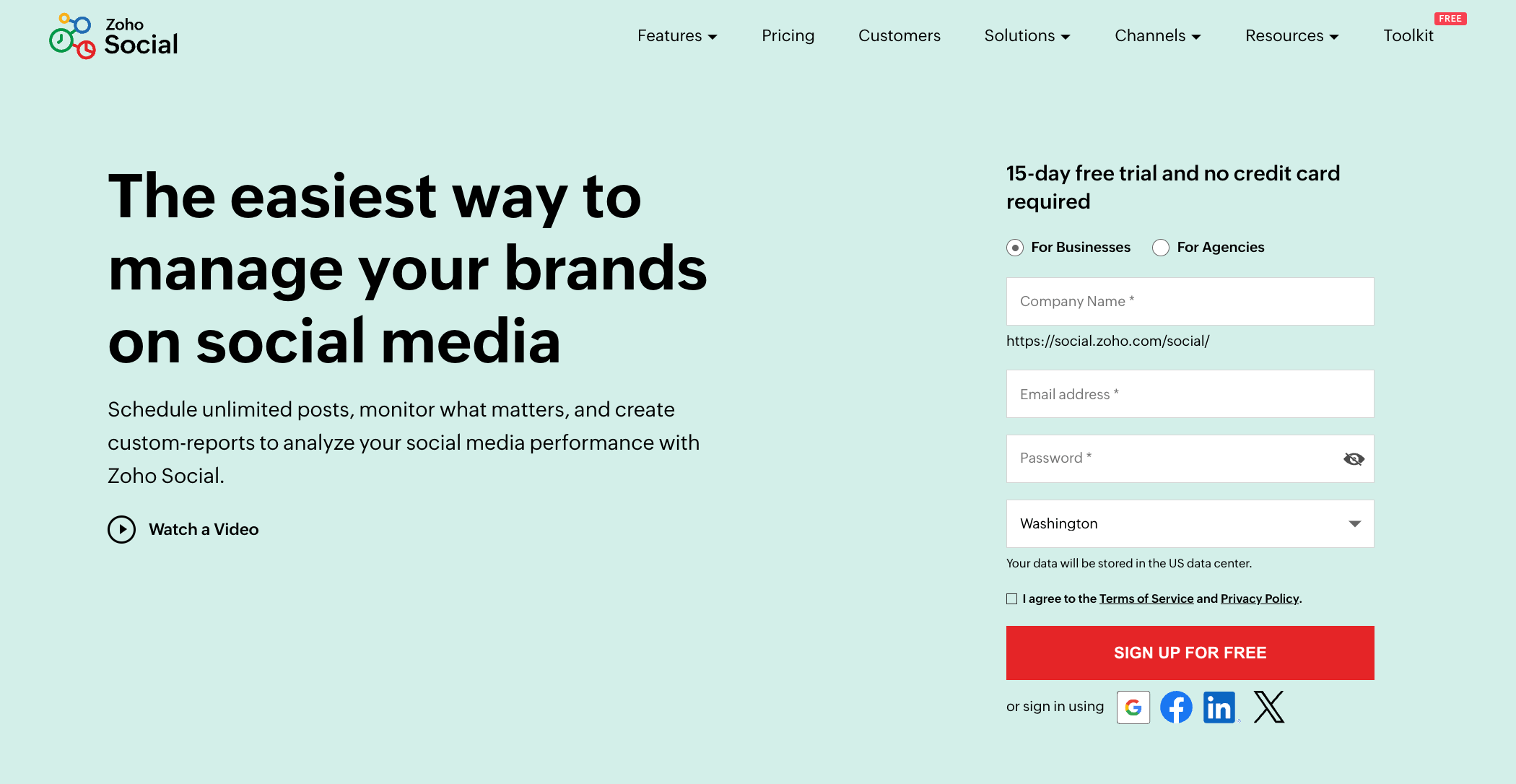
Zoho Social is part of the broader Zoho ecosystem, which already powers businesses with tools for CRM, email, and more. But on its own, Zoho Social is a solid social media management platform, especially if you’re looking for smart automation, collaboration tools, and deeper insights into your content’s performance.
While Publer handles the basics well, Zoho Social pushes a little further – thanks to AI scheduling, content monitoring, and detailed post approvals. If you’re an agency or a growing business juggling multiple clients or social accounts, it could be a step up from Publer.
Key Features of Zoho Social
Zia AI Assistant
Zia helps create content suggestions and can recommend the best times to post using data from your audience’s behaviour. It’s a handy tool when you’re stuck on what to post or when.
Visual Content Calendar
See everything at a glance – your scheduled posts, drafts, and content pipeline all laid out clearly. You can drag, drop, and reschedule with ease.
SmartQ Scheduling
Instead of guessing the best time to post, SmartQ takes care of that. It automatically schedules your content when your audience is most active.
Content Rescheduling
Need to revive an old post or make updates to something queued up? Zoho Social makes it easy with simple content rescheduling tools.
Team Collaboration Tools
For teams, Zoho’s collaboration features are a win. You can assign roles, approve content before it goes live, and keep everyone in sync. Publer allows some collaboration, but Zoho’s workflow is far more polished – ideal for agencies or multi-brand teams.
Social Media Monitoring
Track mentions, keywords, and competitor activity so you never miss an opportunity or important conversation.
Centralized Inbox
Respond to all your comments and messages from one place, similar to Publer’s inbox, but with a more structured UI.
Custom Reports & Analytics
The analytics section is detailed enough for most small and medium businesses, with the option to customize reports. While it’s not the most advanced reporting tool out there, it’s definitely a step up from what Publer currently offers.
Pros of Zoho Social
- Built-in AI assistant for smarter scheduling
- SmartQ recommends the best time to post
- Strong collaboration tools and approval workflows
- Clean visual content calendar
Cons
- Analytics may feel limited to advanced users
- Higher-tier plans get pricey for small teams
Pricing & Value
Zoho Social offers a range of plans depending on your team size and goals:
- Standard – $15/month for 11 channels
- Professional – $40/month for 11 channels with added features
- Premium – $65/month for 14 channels and more team support
- Free Plan – For individual users with basic features
Overall Verdict
Zoho Social is a great Publer alternative if you’re ready to scale up. It’s packed with smart scheduling tools, smooth team collaboration, and useful analytics.
While it may cost more, especially at the higher tiers, the value is clear, especially for agencies or businesses handling multiple accounts.
If you need a tool that grows with your team and offers better automation, Zoho Social is definitely worth a look.
What to Look for When Choosing the Right Publer Alternative
Not every social media tool will fit your business needs. So if you’re thinking of switching from Publer or just checking out what’s out there, you need to know what features matter most.
Here are six key things to consider when picking the best alternative:
1. Smart Scheduling and Automation
Look for a tool that does more than just post. You want features like bulk scheduling, auto-post at best times, and content recycling. These save you hours every week and keep your social feeds active without micromanaging every post.
2. Multi-Platform Support
A great Publer alternative should let you connect and manage multiple social channels – like Instagram, Facebook, TikTok, LinkedIn, and X (Twitter). Bonus points if it supports lesser-known platforms like Threads or Mastodon too.
3. Powerful Analytics
You need to know what’s working and what’s not. Go for a tool that gives you detailed performance reports, not just basic post stats. This includes engagement rates, follower growth, and insights you can actually act on. Custom reports are a plus, especially if you handle clients.
4. Team Collaboration Features
If you work with others, whether it’s a small team or a big agency, built-in collaboration tools are a must. Think content approvals, user roles, assigning tasks, and leaving notes right inside the platform. It makes teamwork smoother and faster.
5. Simple, Clean Interface
No one wants to spend days learning a new platform. The best tools are easy to use from day one, with a clean dashboard and intuitive layout that helps you find what you need quickly, whether it’s scheduling posts or checking your analytics.
6. Pricing That Works for You
Finally, let’s talk cost. Some tools come packed with features but at a steep price. Others keep it affordable without skimping on quality. The right tool should offer flexible plans that fit your budget – whether you’re a solo creator or managing 50+ accounts.
When you’re looking to choose a Publer alternative, these features can make a world of difference in your day-to-day workflow. Keep them in mind as you compare your options, and you’ll land on the tool that truly fits your needs.
Final Note: Ready to Make the Switch?
Finding the right social media tool shouldn’t feel like guesswork.
If Publer isn’t keeping up with your needs anymore – whether it’s missing features, rising costs, or growing team demands – it might be time to try something better.
The good news? There are plenty of great options out there.
From budget-friendly tools for solo creators to powerful platforms built for agencies, the Publer alternatives we’ve covered give you more control, better collaboration, and smarter scheduling.
Don’t wait for the bottlenecks to build up. Pick the tool that fits your goals and take your social media management to the next level.
FAQs
What is Publer used for?
Publer is a social media management tool that helps users create, schedule, and publish posts across multiple platforms like Facebook, Instagram, Twitter, and LinkedIn. It’s great for basic scheduling, tracking performance, and managing content from one place.
Is there a free alternative to Publer?
Yes! Tools like Buffer and Zoho Social offer free plans with limited features – perfect if you’re just starting out or managing a few accounts. Keep in mind, most free plans come with restrictions on post volume, users, or connected profiles.
What platforms are better than Publer for agencies?
If you’re running an agency, OnlySocial, Sprout Social, and Social Champ are great choices. They offer more advanced team collaboration, approval workflows, client management, and in-depth analytics – things Publer doesn’t do as well at scale.
Which Publer alternative is best for small businesses?
SocialBee and Pallyy strike a great balance between affordability and features for small teams. They’re easy to use, support multiple platforms, and come with tools like AI post generation and scheduling flexibility.
Can I schedule posts in bulk with Publer alternatives?
Absolutely. Tools like OnlySocial, Social Champ, and Buffer all offer bulk scheduling. You can upload posts using CSV files or plan weeks’ worth of content in a drag-and-drop calendar – no need to do it one post at a time.