On this page
- Why Run an Instagram Giveaway?
- Instagram Giveaway Rules
- Legal Rules to Know
- How to Run an Instagram Giveaway: 10 Steps
- Entry Methods That Attract Real Customers
- Instagram Giveaway Post Template
- Giveaway Ideas
- Running Paid Ads for a Giveaway
- How to Pick and Announce a Winner
- After the Giveaway
- Mistakes to Avoid
- Frequently Asked Questions
- The Short Version
Giveaways are one of the oldest tactics on Instagram because they work: people love a chance to win, and entering is easy. For brands, a giveaway can introduce your products to a new audience, reward loyal followers and create a burst of engagement that helps your content reach more people.
The difference between a giveaway that grows your business and one that wastes your prize comes down to planning: the right prize, clear rules, entry mechanics that attract real customers, and a fair, transparent winner selection. This guide walks through each step, including the legal and platform rules many brands skip.
To run an Instagram giveaway: set a goal, pick a prize your ideal customers want, write official rules (eligibility, dates, how to enter, how the winner is chosen), post a clear giveaway post with simple entry steps (for example follow, like and comment), promote it in Stories and with partners, then pick a winner randomly, announce them and deliver the prize. Instagram’s rules require you to include official rules, a complete release of Instagram by each entrant, an acknowledgement that the promotion is not sponsored or endorsed by Instagram, and not to ask people to tag themselves inaccurately. Local laws on prize promotions also apply; in many places you cannot require a purchase to enter.
Why Run an Instagram Giveaway?
Giveaways create a reason to engage right now. Comments, shares and saves on a giveaway post tell Instagram the post is interesting, which can extend its reach. Entry steps like following your account or tagging friends introduce you to new people. And a prize that showcases your product puts it in front of potential customers.
Set expectations, though: giveaways are a short-term boost. The followers worth keeping are the ones who would want your product even without a prize, which is why prize choice matters so much.
Instagram Giveaway Rules
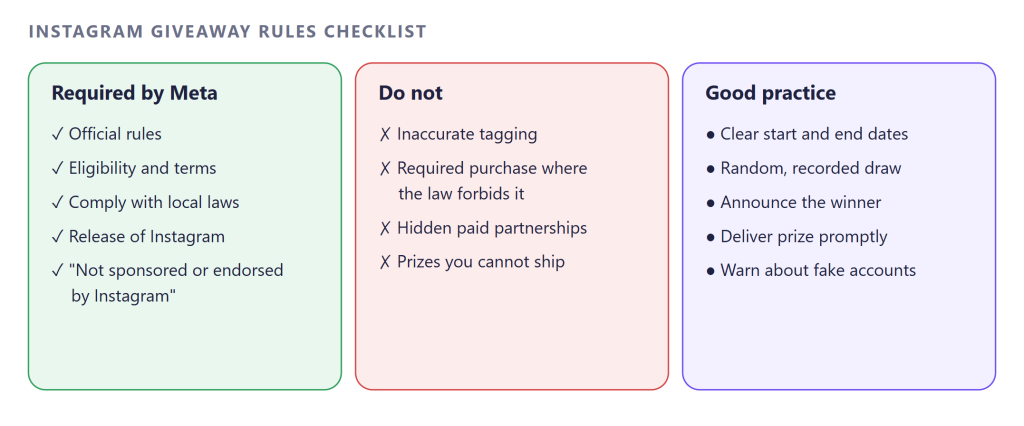
Meta’s Promotion Guidelines apply to every giveaway on Instagram. If you run a promotion, you are responsible for running it lawfully, including:
- Official rules for the giveaway.
- Offer terms and eligibility requirements, such as age and residency restrictions.
- Compliance with applicable rules and regulations governing the promotion and prizes, such as registration or regulatory approvals.
- A complete release of Instagram by each entrant or participant.
- An acknowledgement that the promotion is in no way sponsored, endorsed or administered by, or associated with, Instagram.
You must not ask people to tag content inaccurately, for example asking them to tag themselves in photos they do not appear in. Asking people to tag friends in the comments is common, but keep it reasonable. If you partner with a creator who is paid or gifted products, the creator should use the Paid partnership label.
Legal Rules to Know
Giveaways are prize promotions, and laws vary by country and state. General points (not legal advice):
- No purchase necessary: in the US and many other places, requiring a purchase to enter a chance-based giveaway can turn it into an illegal lottery. Keep entry free, or offer a free alternative way to enter.
- Eligibility: set a minimum age (often 18) and limit countries if shipping or laws are a concern.
- Large prizes: some jurisdictions require registration or bonding for high-value prizes, and winners may face tax reporting.
- UK: promotions must follow the CAP Code rules on promotional marketing, including clear significant conditions and fair winner selection.
- Data: if you collect personal details, follow privacy law and say how you will use them.
How to Run an Instagram Giveaway: 10 Steps
- Set a goal: followers, engagement, email sign-ups, or product awareness.
- Choose a prize that appeals to your ideal customer, ideally your own product or a bundle. Avoid generic prizes like gift cards to big retailers, which attract prize hunters.
- Decide the entry method (see below) and keep it to three steps or fewer.
- Set dates: three to seven days is typical.
- Write official rules covering eligibility, dates, entry, winner selection, prize details and the Instagram release, and link to them from your bio or caption.
- Create the post: a bright, clear image or Reel showing the prize with “GIVEAWAY” visible, plus a caption with steps and rules.
- Promote it: Stories with a link sticker, a pinned post, partners, email and other channels.
- Engage: reply to comments and watch for fake “winner” accounts impersonating you.
- Pick the winner fairly at the stated time.
- Announce, deliver and follow up with the winner and the entrants.
Entry Methods That Attract Real Customers
- Like, follow and comment: the classic. Ask a question in the comment (“Which colour would you choose?”) so comments are meaningful and give you insight.
- Tag a friend: spreads the giveaway, but keep it to one or two tags.
- Share to Stories: bonus entry for sharing the post to their Story.
- User-generated content: post a photo with your product and a branded hashtag. Fewer entries, but higher quality and great content.
- Email sign-up: enter through a form linked in bio. Builds an owned audience.
- Collaboration giveaway: partner with complementary brands or a creator and use a Collab post so it appears on every partner’s profile.
Instagram Giveaway Post Template
Copy and adapt this caption.
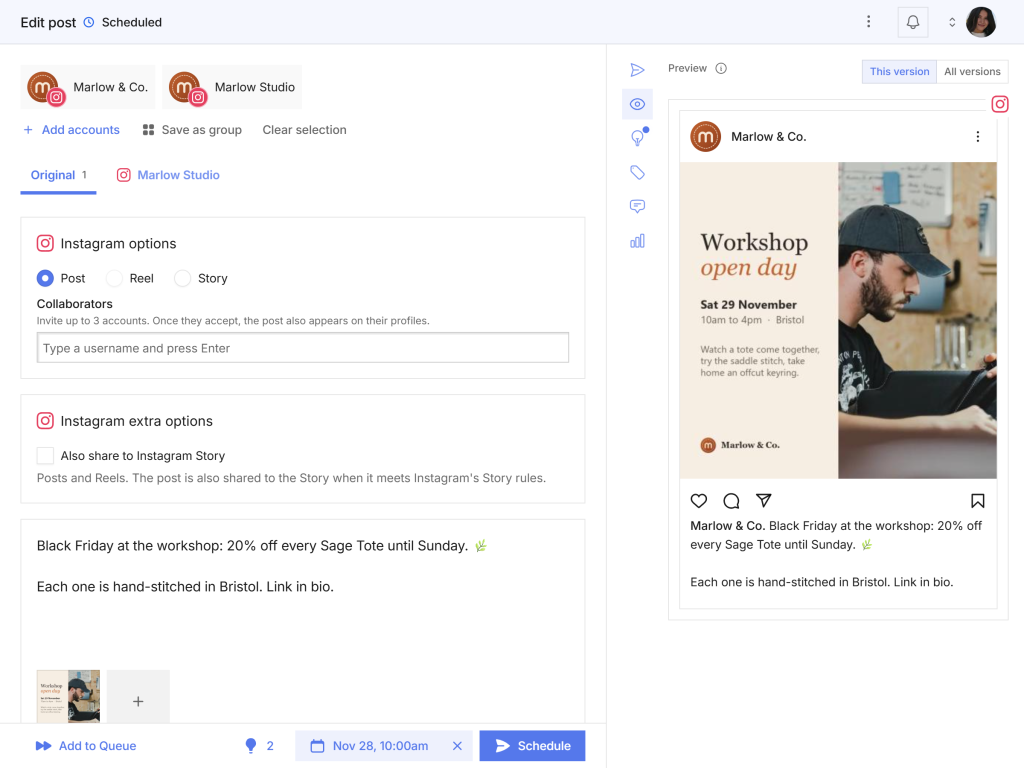
“🎉 GIVEAWAY 🎉 We’re giving away our new Sage Tote (worth £145) to celebrate 5 years of Marlow & Co.!
To enter:
1. Follow @marlowandco
2. Like this post
3. Comment which colour you’d choose (tag a friend for an extra entry)
Closes Sunday 30 November at 8pm GMT. UK residents 18+ only. Winner picked at random and announced in our Stories on 1 December. We will only contact the winner from this account and will never ask for payment. Full rules at the link in our bio. This giveaway is not sponsored, endorsed or administered by, or associated with, Instagram.”
Giveaway Ideas
- Milestone giveaway: celebrate a follower count, anniversary or launch.
- Product launch giveaway: win the new product before anyone else.
- Collab bundle: three complementary brands each contribute.
- Seasonal giveaway: holiday gift sets, back to school, summer.
- Experience giveaway: a workshop, behind-the-scenes visit or consultation.
- Customer appreciation: giveaway for existing customers who post with your product.
- Local giveaway: partner with nearby businesses for a local prize.
Running Paid Ads for a Giveaway
You can promote a giveaway with Facebook and Instagram ads, as long as the ad follows Meta’s advertising policies and promotion rules. The giveaway must still have official rules, the Instagram and Facebook disclaimers, and comply with local law. Ads must not be misleading about the prize or the chance of winning. Target people similar to your customers rather than broad audiences, so new followers are likely buyers. Boosting the giveaway post or running it as a Reels ad for a few days is usually enough.
How to Pick and Announce a Winner
Pick winners randomly and keep a record. Export or list valid entries (removing duplicates, fake accounts and ineligible entrants), then use a random number generator or a reputable comment picker tool, and screen-record the draw. Message the winner from your official account, give them a deadline to reply (for example 48 hours), and pick a backup if they do not. Announce the winner in Stories or a post (with their consent) and thank everyone who entered.
Warn entrants about scam accounts that copy your name and message people saying they have won, asking for payment or card details. Report impersonators.
After the Giveaway
The giveaway’s real value is what happens next. Send everyone who entered a thank-you with a small discount code, ideally through an automated DM or email. Share the winner’s photo with the prize (with permission). Post strong content in the following days to keep new followers interested. Compare follower growth, engagement and sales with a normal week, and note how many new followers stay after a month.
Mistakes to Avoid
- Generic prizes that attract prize hunters, not customers.
- Too many entry steps, which reduce entries.
- No official rules or Instagram disclaimer.
- Requiring purchase where the law forbids it.
- Choosing winners unfairly or not announcing them.
- Ignoring impersonators who scam your followers.
- Running giveaways constantly, which trains followers to wait for free stuff.
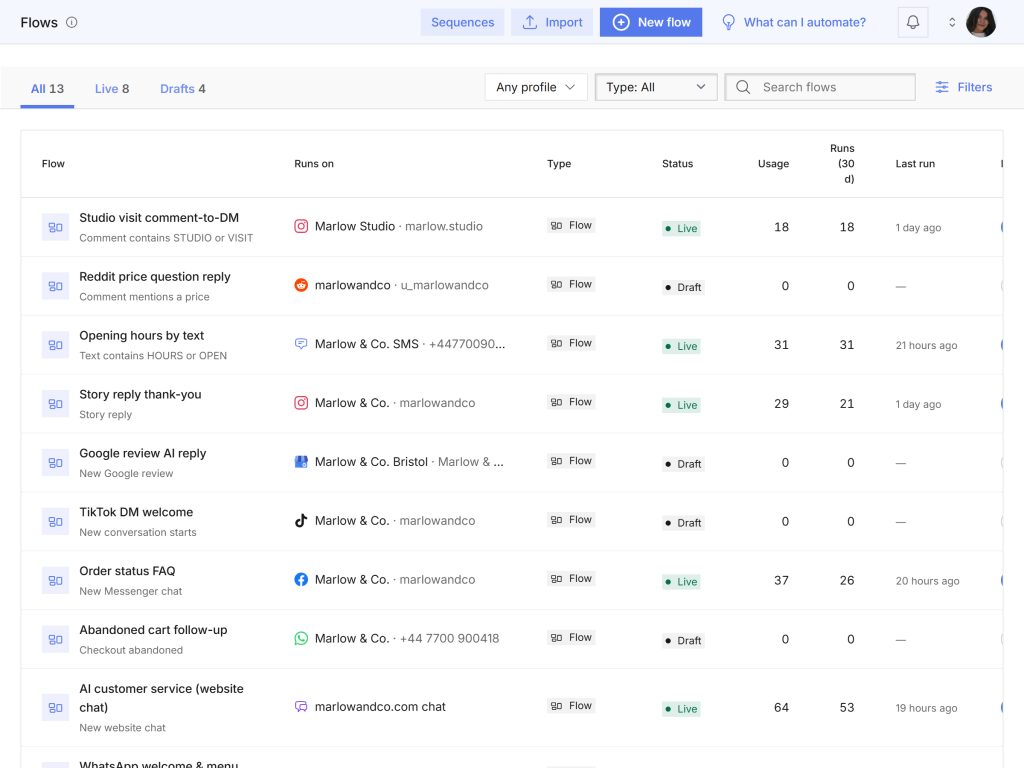
OnlySocial lets you schedule giveaway posts and reminders, send rules or discount codes automatically with comment-to-DM flows, reply to entrants in one inbox and measure follower growth, from $29 a month for 15 profiles.
Frequently Asked Questions
How do I do a giveaway on Instagram?
Choose a prize, write official rules, post a giveaway with simple entry steps, promote it, pick a random winner at the stated time, announce them and deliver the prize.
What are Instagram’s giveaway rules?
Include official rules, eligibility and terms, comply with local laws, include a complete release of Instagram by entrants, state that Instagram does not sponsor or endorse it, and do not encourage inaccurate tagging.
Can I run paid ads for an Instagram giveaway?
Yes, if the ad follows Meta’s advertising policies and the giveaway meets promotion rules and local law.
How long should an Instagram giveaway last?
Three to seven days is typical.
How do I pick a winner for an Instagram giveaway?
Remove invalid entries, use a random number generator or comment picker, record the draw and contact the winner from your official account.
Do Instagram giveaways help gain followers?
Yes, especially with a relevant prize and partners. Keep followers by posting strong content afterwards.
The Short Version
A good Instagram giveaway is planned, compliant and customer-focused. Pick a prize your ideal customers want, keep entry simple, publish official rules with Instagram’s disclaimer, follow local law, choose winners randomly and transparently, and turn entrants into customers with follow-up offers and strong content.