On this page
- Why YouTube Descriptions Matter
- Why the First 100 to 150 Characters Matter
- The Anatomy of a Great YouTube Description
- 16 Tips for Writing YouTube Descriptions
- YouTube Description Template
- YouTube Description Examples
- How to Find Keywords for YouTube Descriptions
- How to Add Chapters to YouTube Descriptions
- Hashtags in YouTube Descriptions
- Descriptions for YouTube Shorts
- How to Write a YouTube Channel Description
- Description for YouTube Channel: Examples
- YouTube Descriptions for Businesses
- What YouTube Uses to Understand Video Content
- Updating Old Descriptions for More Views
- A Faster YouTube Description Workflow
- Common YouTube Description Mistakes
- Frequently Asked Questions
- How long should a YouTube description be?
- Why are the first 100 to 150 characters of a YouTube description important?
- Do keywords in YouTube descriptions help SEO?
- How do I add chapters to a YouTube video?
- How many hashtags should I use on YouTube?
- What should I put in my YouTube channel description?
- Can I edit a YouTube description after publishing?
- The Short Version
Most creators spend hours on a video, minutes on the title and thumbnail, and seconds on the description. That is a missed opportunity. The description is where you tell YouTube and viewers what your video covers, add chapters so people can jump to the part they need, link to related videos and products, and give people a reason to subscribe.
Descriptions do not make a weak video succeed, but they help a good video get found and do its job. This guide covers what YouTube says about descriptions, how much space you have, what to put in the opening lines, how to use keywords naturally, and the extras, like chapters, hashtags and links, that make descriptions work harder. You will also find a template, examples and tips for your channel description.
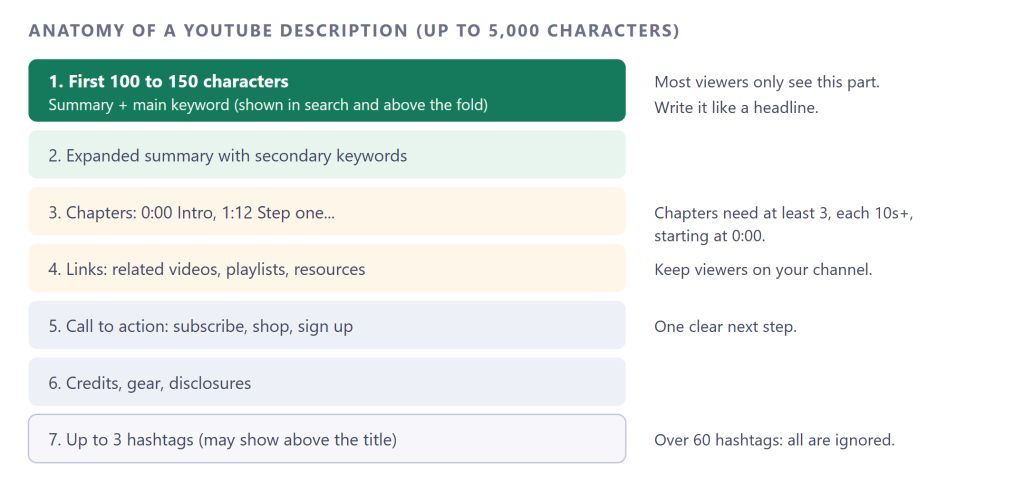
YouTube descriptions can be up to 5,000 characters, but the first 100 to 150 characters matter most because they appear in search results and above the “more” fold. Start with a clear one or two sentence summary that includes your main keyword, then add chapters (timestamps starting at 0:00), links to related videos, playlists and resources, a call to action, and up to three relevant hashtags, which can appear above your title. Write for viewers first; avoid keyword stuffing, which breaks YouTube’s spam policies.
Why YouTube Descriptions Matter
Descriptions help viewers choose your video and help YouTube understand what it is about. YouTube’s own guidance for creators recommends writing titles and descriptions that accurately describe the video, with the most important keywords near the beginning. The description gives context the title cannot fit: the problem you solve, what viewers will learn, and who the video is for.
Descriptions also do practical jobs. Chapters improve the viewing experience and can appear in Google search results. Links send viewers to your other videos, playlists, website, shop or newsletter. And a clear call to action reminds people to subscribe or take the next step. For businesses, the description is often where a viewer clicks through to buy or book.
Why the First 100 to 150 Characters Matter
The opening of your description is the part most people actually see. In YouTube search results, a short snippet of the description appears under the title. On the watch page, only the first couple of lines show before viewers tap “more”. On Google, the description often feeds the snippet shown in video results. That makes the first 100 to 150 characters your description’s headline.
Use them to summarise the video in plain language, include your main keyword naturally, and give viewers a reason to watch. For example: “Learn how to clean and condition a leather bag in 10 minutes with three household products, without damaging the finish.” Avoid starting with links, hashtags, sponsor messages or “Hi guys”, which waste the most valuable space.
The Anatomy of a Great YouTube Description
A strong description follows a simple structure from most to least important.
- Opening summary (first 100 to 150 characters): what the video is about and why it is worth watching, with the main keyword.
- Expanded summary (two to four sentences): more detail on what viewers will learn, using related keywords naturally.
- Chapters: timestamps that break the video into sections.
- Links: related videos, playlists, your website, products or resources mentioned in the video.
- Call to action: subscribe, download, shop, book or join your newsletter.
- Credits and disclosures: music, collaborators, gear lists, affiliate links and sponsorships.
- Hashtags: up to three relevant hashtags.
16 Tips for Writing YouTube Descriptions
These tips cover both the writing and the technical details.
- Lead with value. Your first sentence should tell viewers exactly what they get.
- Use your main keyword early, ideally in the first sentence, phrased the way people search.
- Write for people, not algorithms. Natural sentences beat lists of keywords.
- Match the title and thumbnail promise, so viewers are not disappointed.
- Add related keywords in the expanded summary, such as synonyms and specific terms.
- Add chapters for videos longer than a few minutes.
- Link to related videos and playlists to keep viewers watching your channel.
- Include one main call to action rather than a long list of requests.
- Put important links high, ideally in the first few lines if they are central to the video.
- Use line breaks and short paragraphs so the expanded description is easy to scan.
- Disclose sponsorships and affiliate links clearly, and use YouTube’s paid promotion setting.
- Add up to three relevant hashtags; avoid long hashtag lists.
- Credit collaborators, music and sources.
- Save a default description template in YouTube Studio’s upload defaults for recurring links.
- Update old descriptions when links change or a newer video replaces an older one.
- Proofread, especially product names, prices and links.
YouTube Description Template
Copy this structure and adapt it for each video.
[One or two sentences: what the video shows and why it matters, with your main keyword.]
[Two to four sentences with more detail: who it is for, what you cover, related keywords.]
CHAPTERS
0:00 Intro
0:45 [Section one]
2:30 [Section two]
5:10 [Section three]
RESOURCES
[Link to the resource, product or article mentioned]
[Link to a related video or playlist]
[Call to action: Subscribe for weekly videos on topic / Download the free checklist / Book a call]
[Credits, gear, disclosures]
#[hashtag1] #[hashtag2] #[hashtag3]
YouTube Description Examples
Here are short examples for different kinds of channels.
How-to video (small business): “Learn how to clean and condition a leather bag in 10 minutes using three household products, without damaging the finish. In this guide, Sam from our Bristol workshop shows how to remove dirt, treat stains and apply balm so your bag lasts for decades. Chapters, products and our free care checklist are below.”
Product review (creator): “An honest review of the new noise-cancelling headphones after 30 days of daily use: sound, comfort, battery life and whether they beat last year’s model. I bought these myself; no brand paid for this review. Timestamps and price comparison links below.”
Educational channel: “What causes inflation, and why does it affect your grocery bill? This 8-minute explainer breaks down supply, demand and interest rates with simple examples. Sources and further reading are listed below.”
Each one leads with what the viewer gets, uses natural keywords, sets expectations and points to what comes next.
How to Find Keywords for YouTube Descriptions
The best keywords are the words your viewers already type. Start typing your topic into YouTube search and note the autocomplete suggestions; they reflect real searches. Look at the titles and descriptions of top videos on the same topic. In YouTube Studio, the Research tab under Analytics shows what your audience and viewers across YouTube are searching for, and the Traffic source report shows the search terms that already bring people to your videos.
Choose one main keyword for each video, such as “how to clean a leather bag”, and a few related terms, like “leather care”, “condition leather” and “remove stains from leather”. Use the main keyword in your title and first sentence, and the related terms naturally in the rest of the description. Do not repeat keywords unnaturally or add lists of unrelated tags, which YouTube treats as spam.
How to Add Chapters to YouTube Descriptions
Chapters split your video into sections viewers can jump between. To add them, list timestamps and titles in your description, starting with 0:00. YouTube requires at least three timestamps, each chapter at least 10 seconds long, listed in ascending order. For example: “0:00 Intro”, “1:12 What you need”, “3:40 Cleaning”, “6:05 Conditioning”.
Chapters show on the video’s progress bar, make long videos easier to navigate, and can appear as “key moments” in Google search. Use clear, descriptive chapter titles that include keywords where natural. YouTube can also generate automatic chapters, but writing your own gives you control over the titles.
Hashtags in YouTube Descriptions
Hashtags can help viewers find related content, but use only a few. When you add hashtags to your description, YouTube may show up to three of them above your video’s title, linking to hashtag pages. If you add more than 60 hashtags, YouTube ignores all of them, and excessive or misleading hashtags can lead to your video being removed from search results.
Use one to three specific, relevant hashtags, such as #leathercare, #diy or your brand name. Place them at the end of the description, or within the text if they read naturally. Avoid trending hashtags unrelated to your video.
Descriptions for YouTube Shorts
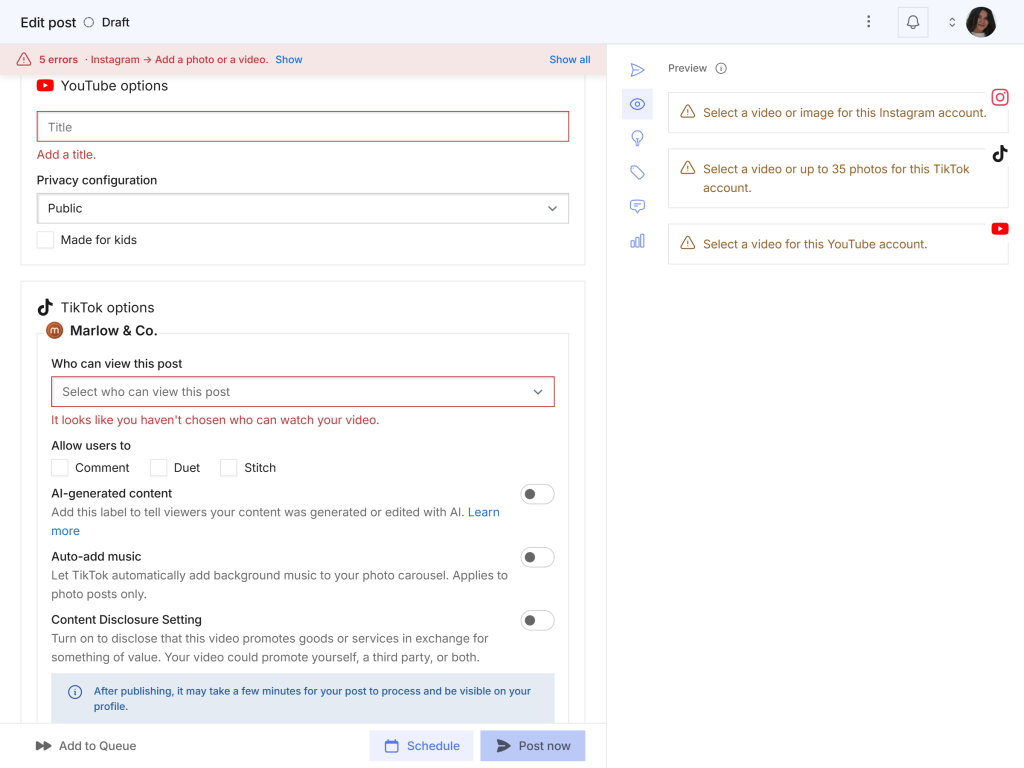
Shorts descriptions are less visible but still useful. Viewers mainly see the title over the Short, so put your effort there. In the description, add one sentence describing the Short with a keyword, a link to a related long-form video if relevant (or use the related video feature), and one to three hashtags. Keep it short and accurate.
If you post the same video to TikTok and Instagram Reels, write a YouTube-specific title and description rather than copying the TikTok caption, because YouTube search reads differently and viewers expect clear titles.
How to Write a YouTube Channel Description
Your channel description tells new visitors what your channel is about and why they should subscribe. It can be up to 1,000 characters and appears in your channel’s About section and sometimes in search. Like a video description, the opening matters most.
- Start with who you help and how: “Weekly leather care tutorials and behind-the-scenes from a small Bristol workshop.”
- Say what to expect: upload schedule, content types and topics.
- Include keywords people would use to find channels like yours, naturally.
- Add a reason to subscribe and a call to action.
- Add links to your website, shop and social profiles in the channel’s links section.
- Add contact details for business enquiries if relevant.
Update your channel description when your focus or schedule changes, and keep it consistent with your channel banner and trailer.
Description for YouTube Channel: Examples
Here are three channel description examples you can adapt.
Small business: “Leather care tutorials, behind-the-scenes and new bag launches from Marlow & Co., a small workshop in Bristol. Every Thursday we share a new video on cleaning, conditioning and repairing leather, plus how our totes are cut and stitched by hand. Subscribe for practical tips that make your bags last for decades. Shop and free care guides at the link below.”
Creator: “Easy weeknight dinners for busy people, ready in 30 minutes or less. New recipe videos every Tuesday and Friday, plus Shorts with quick kitchen tips. I’m a home cook, not a chef, so every recipe uses simple ingredients and no special equipment. Subscribe and find the full recipes on my website.”
B2B or educational: “Clear, practical videos on social media marketing for small teams: strategy, scheduling, analytics and automation. New tutorials every week from people who run social media for real businesses. Subscribe to keep up with platform changes without the jargon.”
Each one says who the channel is for, what viewers get, when new videos arrive and why to subscribe, using words people would search for.
YouTube Descriptions for Businesses
For businesses, the description is where viewers become customers. Put the most important link, such as the product shown, a booking page or a free trial, in the first few lines, with a short reason to click: “Shop the Sage Tote shown in this video” or “Book a free consultation”. Use UTM parameters on links so your website analytics show which videos drive visits and sales.
Add contact details or a link to your Google Business Profile for local businesses, and mention service areas naturally in the text. If the video answers a common customer question, link to the related help page or FAQ on your site. And keep descriptions consistent with your other marketing, so customers get the same offer and message wherever they find you.
What YouTube Uses to Understand Video Content
The description is one of several signals YouTube uses to understand your video’s content. YouTube also reads your title, the spoken words in the video through automatic captions, any captions you upload, on-screen text, your thumbnail and how viewers engage. A video content description that matches all of these, using the same topic words people hear and see in the video, helps YouTube connect your video with the right searches and viewers.
That is why accuracy matters more than keyword volume. If your description promises “10 leather care tips” and the video delivers them, viewers stay, and YouTube sees that the video satisfies the search. If the description is stuffed with unrelated terms, viewers leave, and your video is shown less. Uploading accurate captions also helps, both for accessibility and for understanding.
Updating Old Descriptions for More Views
Your back catalogue can benefit from a description refresh. Review your top 20 videos by views and check their descriptions: Are links still working? Is there a newer video or playlist to point to? Could the opening sentence be clearer or include a better keyword based on the search terms in your Traffic source report? Are chapters missing on longer videos?
Updating descriptions does not reset a video’s history, and small improvements, such as adding chapters or a stronger first line, can help older videos keep attracting viewers. Make it a quarterly habit, alongside updating end screens and cards to point to your latest content.
A Faster YouTube Description Workflow
A repeatable workflow keeps descriptions consistent without taking much time. Set upload defaults in YouTube Studio, under Settings, Upload defaults, with your standard links, call to action and disclosures, so every upload starts with the boilerplate. For each video, write the opening summary and expanded summary while the content is fresh, add chapters after editing, and check links before publishing.
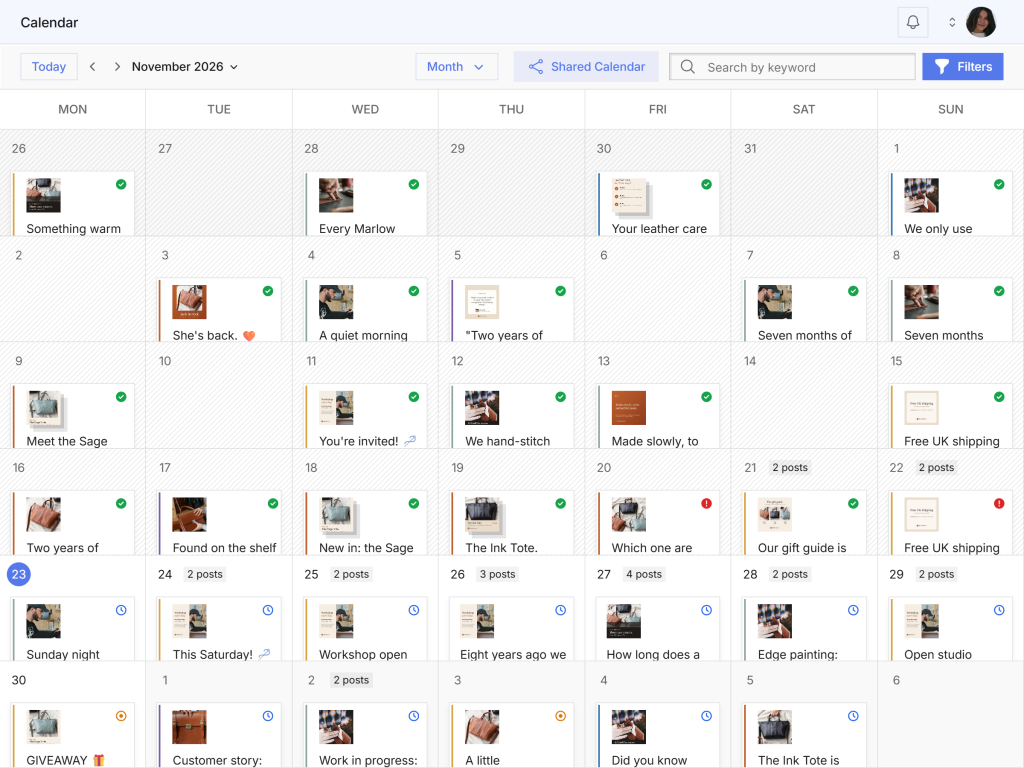
If you publish on several platforms, a scheduler helps: write the YouTube title and description, adapt captions for TikTok, Instagram and Facebook, and schedule everything together on one calendar. Keep a document of description snippets for recurring series, products and sponsors to copy in quickly.
Common YouTube Description Mistakes
Avoid these habits that weaken descriptions. Leaving the description blank or one line long. Starting with links, hashtags or sponsor messages instead of a summary. Stuffing keywords or lists of tags, which breaks YouTube’s spam policies. Using misleading descriptions that do not match the video. Adding dozens of hashtags. Letting links break as your website changes. And copying the same description to every video, which makes it harder for YouTube and viewers to tell them apart.
OnlySocial lets you schedule YouTube videos and Shorts with titles, descriptions and privacy settings alongside TikTok, Instagram and Facebook, from $29 a month for 15 profiles.
Frequently Asked Questions
How long should a YouTube description be?
Up to 5,000 characters are allowed. Most good descriptions are 200 to 500 words, with the key information in the first 100 to 150 characters.
Why are the first 100 to 150 characters of a YouTube description important?
They appear in search results and above the “more” fold, so they are what most viewers read. Put your summary and main keyword there.
Do keywords in YouTube descriptions help SEO?
Yes, accurate keywords help YouTube understand your video, but use them naturally. Keyword stuffing is against YouTube’s policies.
How do I add chapters to a YouTube video?
List timestamps in the description starting at 0:00, with at least three chapters of 10 seconds or more, in order.
How many hashtags should I use on YouTube?
One to three. Up to three may show above the title, and more than 60 means all are ignored.
What should I put in my YouTube channel description?
Who you help and how, what to expect and when, natural keywords, a reason to subscribe and links to your site and socials, within 1,000 characters.
Can I edit a YouTube description after publishing?
Yes, at any time in YouTube Studio. Updating old descriptions with new links is a good habit.
The Short Version
Write YouTube descriptions for viewers first: a clear opening summary with your main keyword in the first 100 to 150 characters, then chapters, links, a call to action and up to three hashtags. Use a template and upload defaults to save time, avoid keyword stuffing, and keep descriptions updated as your channel grows.